What Is A Degausser: Data Destruction Guide for 2026

A degausser is a device that uses a powerful magnetic field to permanently erase data from magnetic media like hard drives and tapes. For modern hard drives, that often means using a field of at least 5,001 gauss, and in practice many systems need 10,000 to 15,000 gauss or more to ensure complete destruction.
If you're standing in front of a stack of retired servers, backup tapes, or old lab workstations, that's the answer you need first. You don't want files hidden, reformatted, or "probably gone." You want data erased so thoroughly that the storage media can't give it back.
That matters in Atlanta hospitals, clinics, university labs, and corporate data centers because old equipment rarely leaves a facility empty. Patient records, research data, financial files, credentials, archived images, and internal documents often stay on the media long after the system itself is retired. A degausser solves one very specific problem: it destroys data on magnetic storage by overwhelming and scrambling the magnetic patterns that hold it.
The catch is that many teams ask "what is a degausser" when the actual question is more practical. Should you buy one? Rent one? Use an on-site destruction vendor? Is it right for HDDs but wrong for SSDs? How does it affect compliance and recycling?
Those are the questions that drive good end-of-life decisions, especially when shutdown schedules are tight and chain-of-custody can't slip.
Your Guide to Permanent Data Destruction
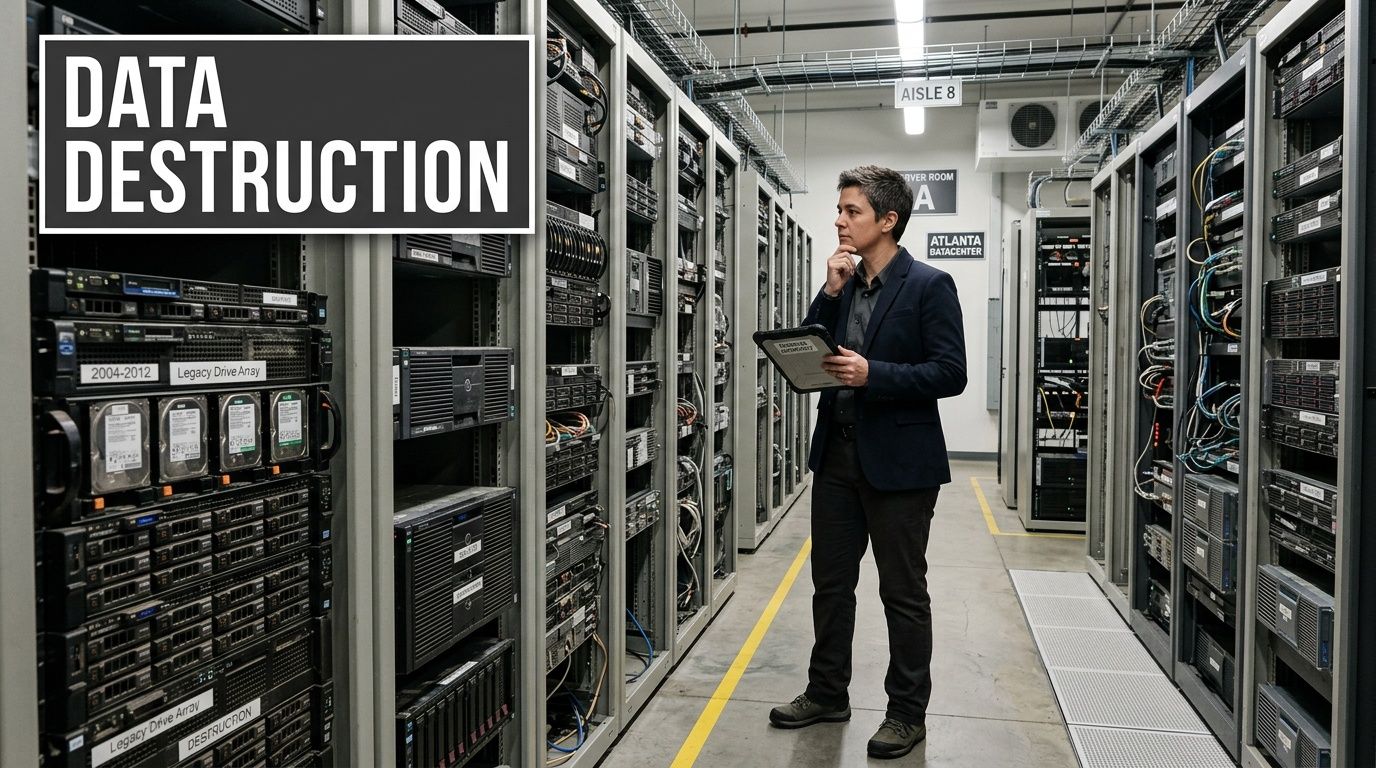
A server room goes quiet after a hardware refresh, but the risk does not. In an Atlanta hospital, research lab, or colocation facility, the retired drives on a cart may still hold patient files, instrument data, credentials, archived images, and internal records. Permanent data destruction starts with a practical question. What method removes that risk without slowing down compliance, pickup schedules, or downstream recycling?
A degausser is one answer, but only for the right media. It uses a powerful magnetic field to erase data stored on magnetic devices such as hard drives and backup tapes. The result is permanent data loss and a drive that can no longer be used.
In daily operations, this decision usually shows up during a server refresh, lab shutdown, office relocation, or storage room cleanout. An Atlanta imaging center may have failed HDDs from diagnostic systems. A biotech lab may be retiring instruments with attached PCs. A university department may be clearing surplus equipment before renovation and needs chain of custody to stay intact from the loading dock to final destruction.
Why busy facilities look at degaussing
Software wiping depends on a working device, time, and a process your team can document consistently. Degaussing solves a different problem. It erases the magnetic pattern on the media itself, which makes it useful for drives that are dead, locked up, or too old to process efficiently through software.
For a lab manager or IT director, the operational appeal is straightforward:
- It works on failed magnetic drives: The drive does not need to power on or mount.
- It fits high-risk data: That matters for systems that held patient records, regulated research, legal files, or financial information.
- It supports controlled disposition: Teams often combine degaussing with secure data destruction services to keep logistics, documentation, and final disposition aligned.
Degaussing works like wiping a chalkboard with a magnet instead of erasing one line at a time. Once the magnetic pattern is gone, there is nothing readable left to recover from that media.
Where facilities make the wrong call
Confusion usually starts with one assumption. If a degausser permanently destroys data, it must be the best option for every device. It is not.
A degausser is built for magnetic media. That includes many traditional hard disk drives and tapes. It does not work for SSDs, USB flash drives, SD cards, or other flash-based storage because those devices do not store data magnetically. For a mixed load coming out of an Atlanta lab or data center, that difference affects procurement, floor procedures, and cost. Buying a degausser makes sense only if a meaningful share of your retired media is magnetic and your team has the volume, workflow, and documentation needs to justify it.
That is why the first decision is rarely "What is a degausser?" The better question is, "Which destruction method fits the media we have, the regulations we answer to, and the way assets move through our facility?"
How a Degausser Permanently Erases Data
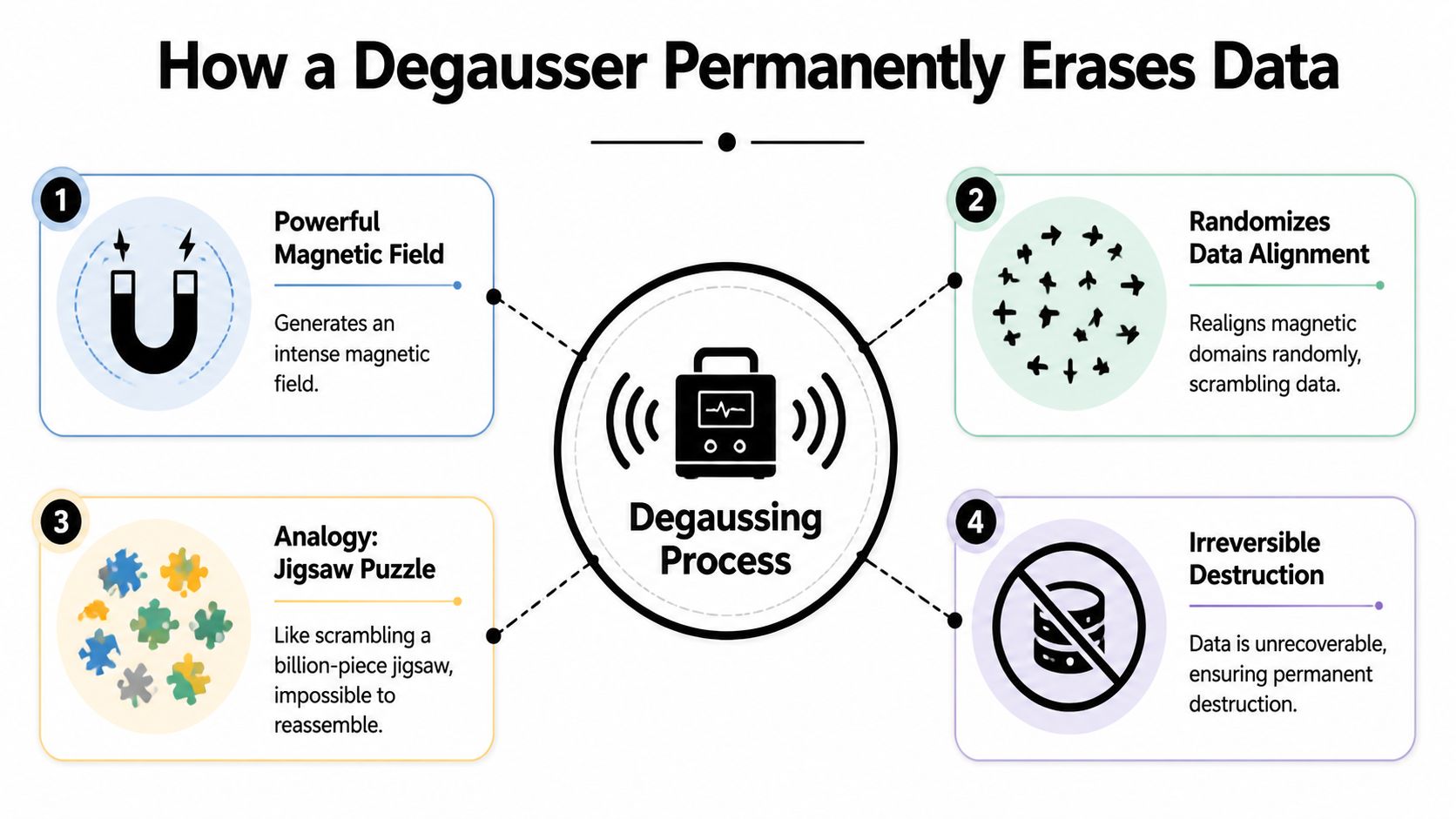
Hard drives and tapes store information as tiny magnetic patterns. A degausser erases those patterns by flooding the media with a much stronger magnetic field than the one used to store the data. Once that field overwhelms the original pattern, the stored information is scrambled beyond recovery.
A plain-language analogy helps. Think of a hard drive as a giant wall of compass needles arranged in deliberate directions. Each tiny orientation helps encode data. A degausser is like dropping that wall into a violent magnetic storm. Afterward, the needles no longer point in an organized way, so the original map is gone.
The key science in plain English
Two terms matter more than the rest.
Coercivity is how strongly the media resists being demagnetized.
Gauss and oersteds are measurements related to magnetic field strength.
That sounds abstract, but the buying decision is straightforward. If the media resists magnetic change at one level, the degausser has to exceed it by enough to erase the media completely.
According to Garner Products' guide to selecting the right degausser, successful erasure in real-world conditions usually requires the applied magnetic field to exceed media coercivity by 1.5 to 2 times. The same guide notes that modern hard drives are typically around 5,000 Oersteds, which means a degausser often needs 10,000 to 15,000 gauss to ensure complete destruction rather than relying on the theoretical minimum.
Why the minimum number isn't the real target
Many readers see the phrase "modern HDDs need at least 5,001 gauss" and assume any unit above that mark will do the job. In practice, field geometry, drive positioning, and media density complicate that.
A drive doesn't experience the magnetic field as a perfect, uniform blanket. Some parts of the media can receive stronger exposure than others depending on how the machine is designed. That's why professional units use features like coil orientation and media movement to improve field coverage.
Practical rule: Match the degausser to the toughest magnetic media in your inventory, not the oldest or easiest drives in the pile.
What actually gets destroyed
On an HDD, degaussing doesn't just remove user files. It can also erase the servo information that helps the drive position its heads correctly. That is why a degaussed modern hard drive becomes unusable afterward.
This is one of the biggest operational distinctions between degaussing and software sanitization. Wiping aims to preserve a working drive. Degaussing treats the drive as an end-of-life asset.
If your facility needs secure hard drive destruction in Suwanee, GA, this is the point to focus on. Degaussing is not a refurbishment step. It's a destruction step.
Electromagnetic and permanent magnet models
You'll hear two broad categories discussed in the market.
Electromagnetic degaussers use powered coils to generate a strong controlled field. These are common in higher-throughput environments because they're built for repeated processing and stronger output.
Permanent magnet degaussers rely on fixed magnets rather than powered coils. They can be useful in smaller or more specialized settings, but the fit depends on media type, field strength, and workflow.
From a management standpoint, the label matters less than these questions:
- What media are you erasing
- What coercivity does that media have
- How many units need processing
- Do you need mobile, bench-top, or conveyor-style throughput
- Will your process include shredding after degaussing
A degausser works by applying physics, but choosing one is an operations decision.
Degaussing vs Wiping vs Shredding Which Method Is Right
A lab in Atlanta is retiring backup tapes from one room, failed hard drives from another, and a cart of SSDs from a new instrument rollout. One destruction method will not fit that whole pile. The right choice depends on what media you have, whether any asset still has reuse value, and what your compliance team expects to see in the audit trail.
That is the practical question behind degaussing. It is one tool in a disposal program, not a universal answer.
Start with the end goal
Use the end state to choose the method.
If a working drive may be reused inside your organization, software wiping usually makes the most sense. If the goal is permanent destruction of data stored on magnetic media, degaussing is a strong fit. If you have SSDs, flash devices, phones, or mixed media and want physical proof of destruction, shredding is often the cleaner operational choice.
A simple way to picture the difference is this. Wiping rewrites a storage device while keeping it alive. Degaussing erases the magnetic recording itself and usually ends the drive's useful life. Shredding skips the electronic question and destroys the item physically.
Data Sanitization Method Comparison
| Criterion | Degaussing | Software Wiping | Physical Shredding |
|---|---|---|---|
| Best for | Magnetic HDDs, tapes, floppy disks | Working drives intended for reuse | End-of-life destruction across many media types |
| How it works | Overwhelms and randomizes magnetic domains | Overwrites accessible storage with new data patterns | Physically breaks media into fragments |
| Drive usability after process | Not usable after treatment | Usually remains usable if the drive is healthy | Not usable |
| Works on failed HDDs | Yes, because the drive doesn't need to function | No, because software must access the drive | Yes |
| Works on SSDs and flash | No | Sometimes, depending on device condition and method | Yes |
| Security profile | Very strong for magnetic media because the storage pattern is physically altered | Useful when verified properly, but depends on drive function and process control | Strong because the media is physically destroyed |
| Operational fit | Good for magnetic media disposal programs and regulated environments | Good for redeployment and asset recovery programs | Good for mixed-media destruction and final disposal |
| Visible proof to staff | Low, because the drive looks similar from the outside | Low | High, because the media is physically destroyed |
When degaussing is the better choice
Degaussing works best when your stream is mostly magnetic media and the assets are already at end of life. That often applies to hospitals with older workstation drives, labs retiring instrument PCs, and data centers cycling out tape libraries or failed HDDs.
It also solves a problem wiping cannot solve. A dead or inaccessible hard drive cannot be sanitized by software if the system cannot talk to it. A degausser does not need the drive to boot, mount, or respond.
Speed matters too. In a facility with hundreds of retired drives, that changes staffing, staging space, and chain-of-custody handling. Fewer touchpoints usually means a cleaner process.
When wiping is the better choice
Wiping is the method to choose when the drive still has business value after sanitization. That could mean redeploying laptops inside a hospital network, reselling surplus equipment, or returning leased assets under a contract that allows reuse.
The catch is operational reliability. Wiping depends on the device being functional, readable, and compatible with your sanitization process. In real environments, especially in older labs and mixed-vendor hospital systems, that condition is not guaranteed. Failed controllers, missing credentials, broken RAID sets, and incomplete asset records can stop a wiping workflow fast.
For procurement, that means wiping is not just a security choice. It is also an asset recovery choice.
When shredding is the better choice
Shredding is often the simplest answer for mixed-media projects. If a pickup includes SSDs, USB drives, SD cards, phones, optical media, and damaged hard drives in the same batch, physical destruction reduces sorting errors and makes training easier for staff.
It also gives visible confirmation. A nurse manager, compliance officer, or data center operations lead can see shredded media immediately. Degaussed media requires process controls and documentation because the item may look intact from the outside.
That is why many Atlanta organizations use shredding for flash media even if they degauss magnetic drives in the same program.
If your inventory includes both HDDs and SSDs, sort first. The wrong assumption usually starts with treating all storage as if it works the same way.
A practical way to decide
Use this filter before you schedule a decommissioning event:
- Sort by media type. Separate magnetic hard drives and tapes from SSDs and flash devices.
- Decide what can be reused. Reuse points toward wiping. End-of-life destruction points toward degaussing or shredding.
- Pull out failed or inaccessible drives. Those often move out of the wiping stream.
- Match the method to the audit requirement. Some facilities want serial-level records. Others also want witnessed destruction or physical residue.
- Plan what happens after destruction. If drives are leaving service permanently, your secure hard drive recycling process should already be part of the project.
For many hospitals, labs, and data centers around Atlanta, the best answer is a combination. Wipe what still has value. Degauss magnetic media that must never be reused. Shred flash media and anything that needs physical destruction for policy, logistics, or peace of mind.
What a Degausser Can and Cannot Erase
Understanding this distinction prevents costly mistakes. A degausser is excellent at one job and useless at another. The dividing line is simple: magnetic media versus non-magnetic media.
If the device stores information in magnetic patterns, degaussing can be the right destruction method. If it stores information electronically in flash memory, a degausser won't help.
Media a degausser can erase
A degausser is designed for magnetic storage media such as:
- Traditional hard disk drives: These use magnetic platters.
- Backup tapes: LTO, DLT, and similar formats rely on magnetic recording.
- Older floppy media: Also magnetic.
The reason is physical. Data on these media types exists as organized magnetic orientation. When a degausser applies a sufficiently strong field, it disrupts that orientation and destroys the stored information.
Media a degausser cannot erase
A degausser does not erase media that doesn't use magnetic storage. That includes:
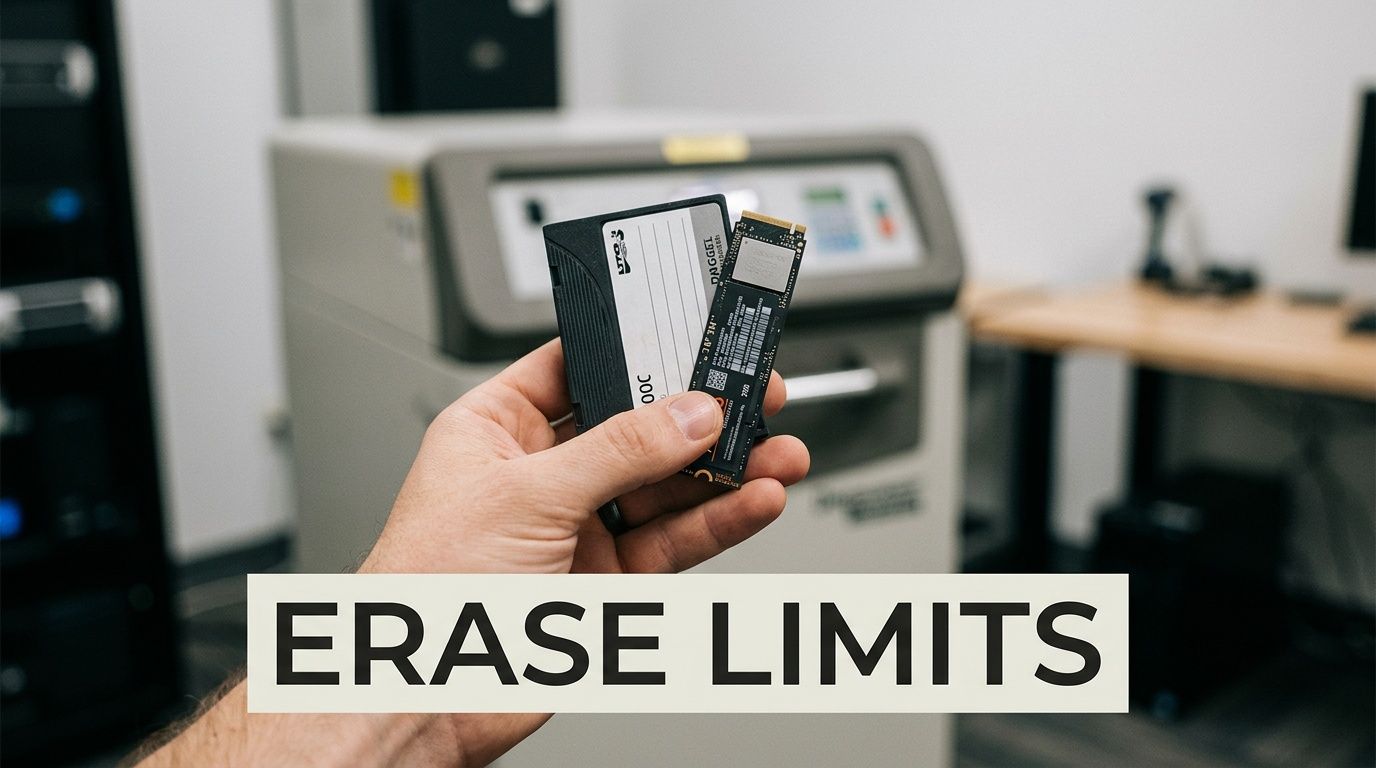
- Solid-state drives
- USB flash drives
- SD and microSD cards
- Other flash-based memory devices
These devices store data electronically in memory cells, not as magnetic patterns. A magnetic field doesn't randomize NAND flash the way it randomizes HDD platters or tape.
This is why mixed-media disposal projects need sorting before destruction starts. A box labeled "drives" can contain several technologies with completely different destruction requirements.
A degausser can ruin an HDD exactly because that drive depends on magnetism. An SSD doesn't depend on magnetism, so the same machine has nothing meaningful to erase.
The practical rule for facilities
If your Atlanta lab, hospital, or data center has mostly older servers and tape archives, degaussing may fit a large part of the job. If the environment has shifted to laptops, all-flash storage, and portable flash media, physical destruction becomes more important.
That distinction should show up in your SOPs, your vendor instructions, and your intake process for retired assets. It should also shape employee training. Staff shouldn't be left guessing whether an M.2 module goes with hard drives or with shred-only media.
For teams reviewing retirement procedures, guidance on how to completely clean a hard drive can help frame the difference between sanitization methods and actual media type.
Compliance Safety and Environmental Factors
A degausser isn't just a technical device. In a regulated facility, it's part of risk management. The same decision can affect your compliance posture, your operator safety procedures, and your e-waste stream.
The regulatory side matters first because organizations rarely retire storage media for convenience. They retire it because systems are being replaced, moved, or shut down while the underlying data still carries legal and operational obligations.
Compliance and documentation
According to Wikipedia's degaussing overview, degaussing evolved from a World War II naval technique into a data security method that now supports modern standards such as NIST SP 800-88, where degaussing achieves Purge level sanitization. The same reference notes that over 500 million HDDs are shipped annually, and for Atlanta-area labs and hospitals degaussing can support sustainable disposal and rapid shutdowns by erasing drives in as little as 2 to 30 seconds per drive.
For healthcare and research environments, that matters because the conversation isn't only about deleting information. It's about proving that retired media was handled under a defensible process.
A strong documentation package usually includes chain-of-custody, inventory tracking, and a destruction record. Teams that need to understand what that paperwork looks like often start with a sample certificate of destruction.
Safety around powerful magnetic equipment
Degaussers use strong magnetic fields, so the operating area needs rules. The exact safety protocol depends on the model and environment, but the core idea is common sense applied consistently.
- Control the work area: Limit access during active processing.
- Train operators: Staff should know what media belongs in the machine and what doesn't.
- Protect nearby items: Magnetic-sensitive materials and unsupported electronics shouldn't be casually placed near the unit.
- Keep procedures written: Disposal days get hectic. Written instructions reduce avoidable errors.
In many facilities, the safest setup is to centralize media destruction rather than let multiple departments improvise it.
Environmental planning matters too
Degaussing destroys the data, not the metal, circuit boards, or enclosure. That means it fits well into a broader recycling workflow for magnetic media. Secure destruction and responsible material recovery should be planned together, not treated as separate projects.
This becomes more important during facility closures and cloud migrations. A team may automate AWS compliance controls for live systems while still needing a disciplined process for the physical drives and tapes left behind in closets, racks, carts, and backup rooms. Digital compliance doesn't remove the need for physical media control.
Compliance breaks down at handoff points. The best disposal plans make the physical chain as disciplined as the digital one.
Degaussing in Practice for Atlanta Labs and Data Centers
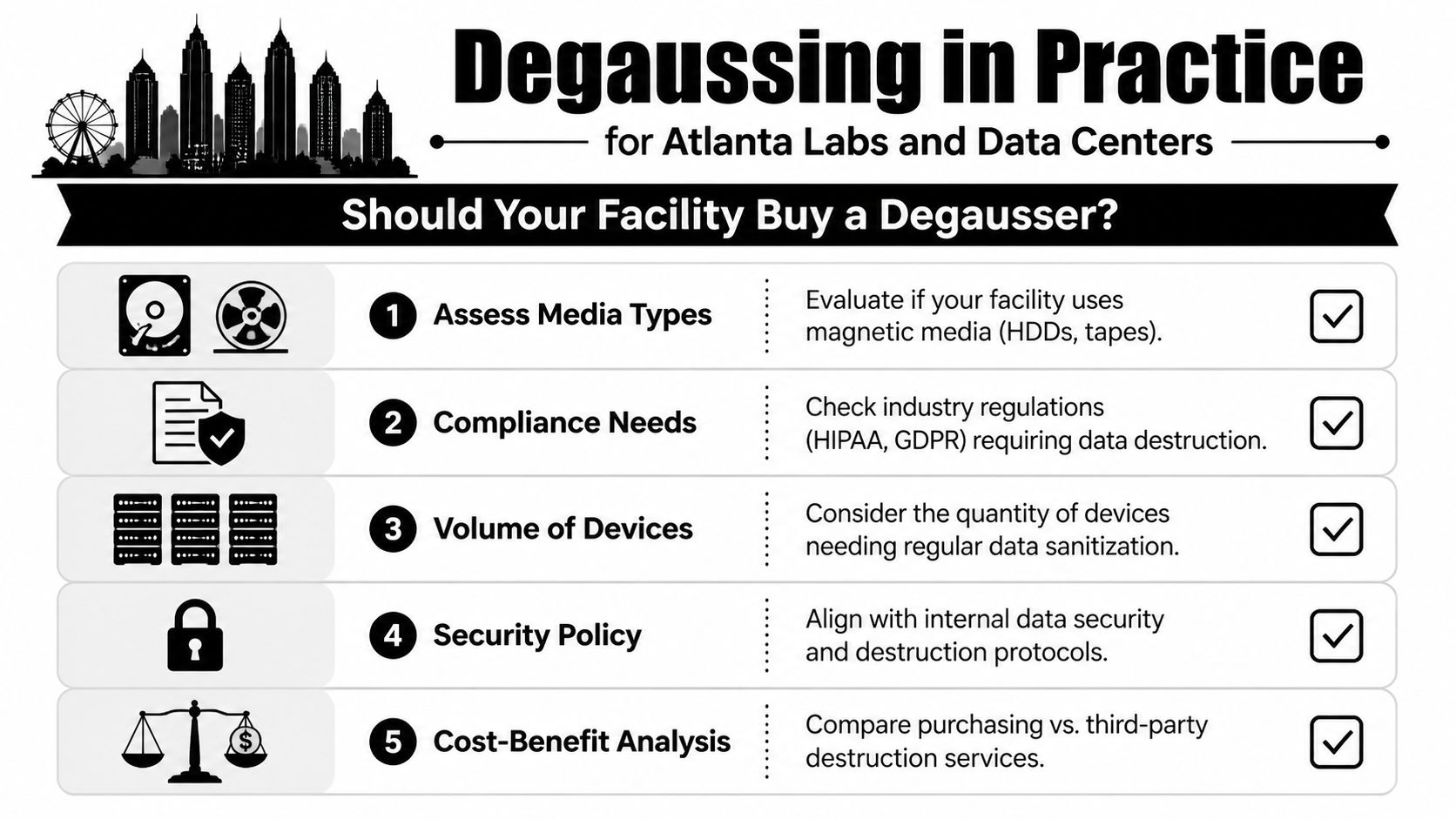
The hardest part usually isn't understanding what is a degausser. It's deciding whether your facility should own one, bring in a service for specific events, or skip degaussing entirely because your media mix doesn't justify it.
That decision comes down to volume, media type, staffing, timing, and how often disposal projects happen.
When buying a degausser makes sense
Buying can make sense if your organization processes magnetic media regularly and wants direct internal control. That usually fits larger IT operations, archives, or institutions with recurring destruction needs rather than occasional cleanouts.
A facility may lean toward ownership if:
- Media arrives continuously: Not just during annual refreshes.
- The organization uses a lot of HDDs or tapes: Especially in legacy or hybrid environments.
- There is trained staff available: Someone has to manage intake, operation, and records.
- The process is standardized: Ownership works better when procedures are stable.
Buying also shifts responsibility inward. The machine is only one part of the system. You still need secure staging, trained operators, inventory handling, and downstream recycling.
When hiring a service is the smarter move
For many Atlanta-area labs, clinics, schools, and shutdown projects, service is the more practical option. It converts a capital equipment question into an operational one. You pay for the event, the logistics, and the documented outcome instead of building the whole program yourself.
This becomes compelling when a decommission is large but infrequent. A biotech lab in Peachtree Corners may close one suite and remove years of accumulated equipment in a single week. A hospital system in Sandy Springs may retire storage during a data center migration and then not face a similar event again for a long time.
Throughput drives scheduling
According to Data Security, Inc.'s overview of degausser throughput, a mobile degausser might process up to 330 pieces per hour, while industrial conveyor systems can reach 1,800 pieces per hour with cycles as fast as 2 seconds. The same source notes that an Atlanta-area organization disposing of 500 surplus computers might need roughly 6 to 60 hours of degaussing depending on the equipment used.
Those numbers matter because disposal isn't a side task. It affects loading docks, storage rooms, security escorts, and project sequencing. If your shutdown window is short, throughput becomes a planning constraint, not just a machine specification.
Fast processing doesn't automatically mean fast projects. Sorting, inventory reconciliation, transport, and final recycling often take more coordination than the erase step itself.
The operational questions that matter most
Before deciding on purchase or service, ask these:
What percentage of our retired media is magnetic HDDs or tapes?
If the answer is low, degausser ownership may be hard to justify.How often do we run disposal events?
Frequent, repeatable destruction programs support ownership more than one-off cleanouts do.Who will run the process?
Equipment without trained operators tends to become expensive storage.What happens after erasure?
Media still needs packing, removal, and compliant recycling.How narrow is the project timeline?
Throughput and labor availability can determine whether in-house handling is realistic.
Atlanta-specific reality
Metro Atlanta facilities often deal with a mix of healthcare privacy obligations, research confidentiality, campus surplus cycles, and fast-moving real estate timelines. That combination makes logistics as important as the destruction method itself.
A facility manager may need loading support in Norcross, coordinated pickups near Emory or Midtown, or after-hours handling at a hospital campus where public access is restricted. The destruction technology matters, but the surrounding workflow often determines whether the project stays on schedule.
For that reason, many teams treat degaussing as one step in a larger chain that includes device identification, secure collection, documented destruction, and final recycling.
Secure Your Data's End-of-Life with Confidence
A degausser has a narrow job, but it does that job extremely well. It permanently erases data from magnetic media by destroying the magnetic patterns that make the data readable. For HDDs and tapes headed for retirement, that's one of the strongest end-of-life options available.
The bigger lesson is that no single method fits every device in a modern facility. Use degaussing for magnetic media that won't be reused. Use software wiping when a working drive is staying in circulation. Use shredding for SSDs, flash media, and other devices that magnets can't sanitize.
That decision framework helps busy organizations avoid the two most common mistakes. First, underestimating how much data remains on retired hardware. Second, applying the wrong destruction method to the wrong media type.
For Atlanta hospitals, labs, universities, and data centers, the best disposal program is the one that matches operations on the ground. It should fit your media mix, compliance expectations, shutdown schedule, staffing, and recycling requirements. When those pieces line up, data destruction becomes routine instead of risky.
If you're evaluating your own process, start with the inventory. Identify what media you have, what must be retained, what can be reused, and what needs irreversible destruction. That's where smart asset disposition begins.
If you need a local partner to handle secure, compliant equipment and media disposition, Scientific Equipment Disposal helps Atlanta-area organizations manage lab decommissions, electronics recycling, and data-bearing asset removal with a practical, documented process.