Top Computer Recycling Company in Sugar Hill Georgia


A room full of retired desktops, towers, switches, barcode scanners, backup drives, and lab workstations usually doesn’t look urgent until someone asks a simple question: what data is still sitting on those devices, and who is responsible for it until it’s destroyed?
That’s where many disposal projects go off track in Sugar Hill and the wider Atlanta metro. Teams start with a space problem, but they’re facing a security, compliance, and chain-of-custody problem. For hospitals, clinics, research labs, universities, and corporate IT departments, old equipment can carry patient records, user credentials, research files, imaging data, procurement history, and internal network information long after the devices stop being useful.
A generic junk hauler won’t solve that. A basic scrap buyer won’t either. When you’re choosing a Computer Recycling Company in Sugar Hill Georgia, the right partner needs to handle more than loading pallets. They need a documented process for intake, data destruction, transport, reporting, and final disposition of both standard IT gear and specialized equipment that doesn’t fit neatly into a normal office cleanout.
From Cluttered Lab to Compliant Disposal
A common call starts the same way. A facilities manager has a storage room packed with obsolete laptops, cracked monitors, aging servers, and a few pieces of laboratory equipment no one wants to touch because nobody is sure whether they need decontamination paperwork, data handling, or both.

In healthcare and biotech settings, that clutter creates two risks at once. First, devices may still contain protected or confidential information. Second, mixed loads often include assets that can’t be tossed into a one-size-fits-all pickup stream. A centrifuge in a corner, a server in a rack, and a stack of hard drives each need different handling.
What usually goes wrong
The biggest mistakes are operational, not technical.
- Teams wait too long: Equipment piles up until nobody has a clear owner for the project.
- Inventory is incomplete: IT tracks computers, but facilities may control storage rooms and lab managers may control specialized instruments.
- Data assumptions replace proof: Someone says a drive was “wiped years ago,” but no documentation exists.
- Pickup is treated like hauling: The vendor arrives with labor, but not with a compliance process.
Old electronics don’t become low risk just because they’ve been unplugged for a while.
A better approach starts with identifying what you have, which departments own it, and what level of documentation your organization will need later. For a hospital, that often means involving IT, compliance, facilities, and department managers before the first item leaves the site. For a university lab or corporate office, it may mean separating reusable assets from media that must be destroyed.
What a workable process looks like
An orderly disposal project usually follows this sequence:
- Scope the asset mix. Separate computers, servers, storage media, networking gear, and lab equipment.
- Flag regulated assets. Anything that may contain protected or confidential data gets specialized handling.
- Confirm site conditions. Loading docks, elevators, stair access, after-hours restrictions, and packing needs affect the pickup plan.
- Define documentation needs. Audit trails, serial reporting, and destruction records shouldn’t be an afterthought.
- Use a recycler that can support both compliance and logistics.
When that process is in place, disposal stops being a cleanup chore and becomes part of asset governance. That’s the standard serious organizations should expect.
How to Vet Your Computer Recycling Partner
A search for a Computer Recycling Company in Sugar Hill Georgia will bring up plenty of names. The hard part isn’t finding a vendor. It’s identifying which one can take custody of business equipment without creating liability for your organization.
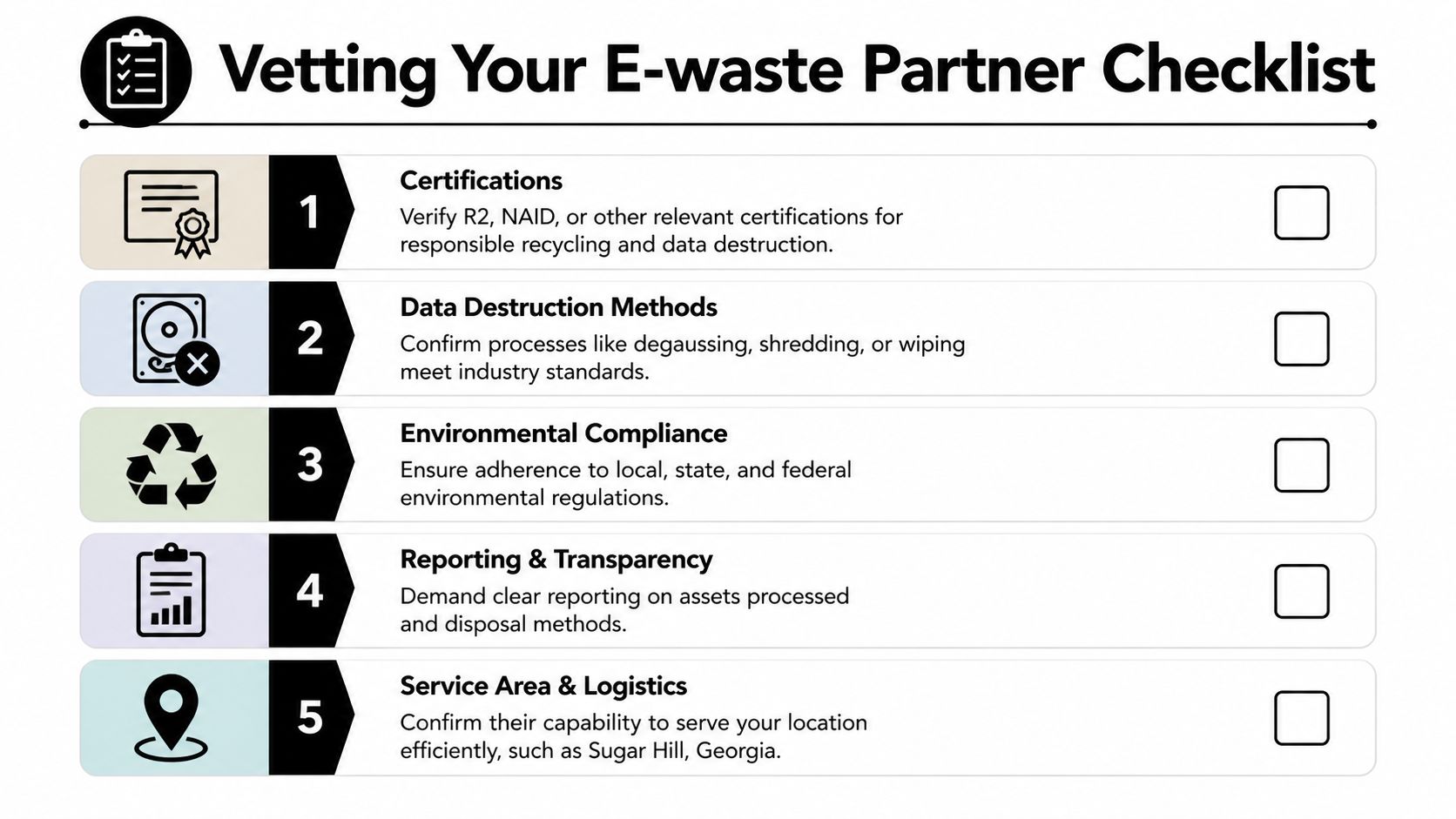
One useful benchmark comes from Reworx Electronics Recycling’s Sugar Hill electronics recycling page, which describes a registered and fully insured electronics collection and recycling center in Gwinnett County that provides certified, compliant, and secure services and uses an approved recycling procedure for legal handling and landfill diversion through shredding, repairing, and recovery. That baseline matters because it reflects what a business client should ask for before scheduling a pickup.
The questions that matter most
Use procurement discipline here. The same way you’d evaluate a critical service provider in another category, you should test the recycler’s process, controls, and transparency. The decision framework in this guide on expert advice on choosing a marketing firm is useful outside marketing too because the core principle is the same: don’t buy on promises alone, buy on documented capability and fit.
Here’s the short list I’d use with any vendor review:
- Insurance and registration: Ask whether the company is fully insured and operating as a formal electronics recycler, not just a general hauler.
- Documented recycling procedure: Ask what happens after pickup. If they can’t explain intake, sorting, repair, shredding, and downstream handling in plain language, keep looking.
- Data handling options: Confirm whether they support wiping, shredding, on-site services, or other secure media processes.
- Reporting: Ask what paperwork you receive after the job. A serious client needs more than a truck ticket.
- Local operating footprint: A partner serving Gwinnett County and metro Atlanta should understand access constraints, scheduling realities, and regional business needs.
What separates a recycler from a scrap collector
A scrap-focused operator mainly sees commodity value. A business recycler sees risk categories, asset classes, and documentation requirements. That difference shows up quickly in conversation.
| Vendor type | Typical focus | Risk to client |
|---|---|---|
| General hauler | Fast removal | Weak chain of custody |
| Scrap buyer | Material value | Limited reporting |
| Business e-waste recycler | Controlled disposition | Better compliance support |
Practical rule: If the vendor spends more time talking about how fast they can empty the room than how they control data-bearing assets, they’re probably the wrong fit.
For organizations that need a business-focused provider with electronics recycling capabilities, commercial e-waste recycling services are one example of the type of offering to compare against local options. The key isn’t the label on the website. It’s whether the service model matches the risk profile of your equipment.
Red flags worth taking seriously
Some warning signs are subtle:
- They avoid technical questions about media sanitization.
- They don’t ask for an asset list or site details before quoting.
- They treat servers and office chairs the same way in the conversation.
- They offer “secure disposal” as a slogan but not as a documented process.
The lowest quote can still become the most expensive decision if your organization later can’t prove what happened to the equipment.
Ensuring Bulletproof Data Security and HIPAA Compliance
For regulated industries, disposal succeeds or fails on one issue: verifiable data destruction.
That’s why generic recycling language often falls short for hospitals, clinics, and labs. According to Reworx’s Sugar Hill laptop recycling page, a critical gap exists in the market because many general recyclers fail to address HIPAA-specific protocols for mixed lab and IT equipment. The same page notes that specialized providers fill this need with services such as free DoD-standard wiping and shredding, and that 70% of Atlanta hospitals cite data security as their top barrier to recycling.

Deleting files isn’t disposal
A user can delete folders. An IT team can reimage a machine. Neither action automatically gives a compliance officer what they need.
For regulated assets, you need a defensible process that answers four questions:
- What device was collected
- Who had custody of it
- How the data was sanitized or destroyed
- What record proves completion
That’s why chain of custody matters. Once an item is tagged for retirement, every handoff should be controlled and documented. If your recycler can’t explain how assets are logged, separated, transported, and verified, your internal team is left carrying the risk.
When wiping works and when shredding is smarter
Not every device should be treated the same.
- Software wiping fits drives that are functional and intended for reuse, resale, or compliant refurbishment.
- Physical shredding makes sense for obsolete, damaged, failed, or policy-restricted media where reuse isn’t appropriate.
- Mixed strategies are often best on large projects because some devices are recoverable and others aren’t.
For healthcare and lab environments, this distinction matters because a single pickup may include workstations from nursing stations, research laptops, retired storage media, and embedded drives from specialized equipment. A recycler that only knows office PCs may miss those edge cases.
A vendor shouldn’t just say your data is safe. They should be able to show how each asset moved from pickup to final destruction or recovery.
The paperwork your team should require
When clients talk about “proof,” they usually mean several separate records:
- Pickup record or service confirmation
- Asset list or serialized intake record where appropriate
- Chain-of-custody documentation
- Certificate of Destruction for media that was physically destroyed
- Supporting reports for sanitization work when wiping was performed
Those records are what help during internal reviews, legal holds, security audits, and compliance checks. Without them, “secure recycling” is just a phrase.
For organizations with strict data handling requirements, secure data destruction services should be evaluated as a distinct part of the disposal program, not as an optional add-on after pickup has already been scheduled.
The overlooked issue in mixed lab and IT cleanouts
Many projects encounter complexities. In a medical or research setting, one room may contain standard desktops beside analyzers, imaging peripherals, control systems, or lab-adjacent equipment with internal storage. Some assets need data destruction. Some need decontamination review. Some need both.
That’s why I advise clients to avoid splitting the project between too many vendors unless responsibilities are very clearly defined. Once one company removes the computers and another handles the lab gear, custody questions get messy fast. A unified plan usually produces cleaner documentation and fewer operational gaps.
Deconstructing Logistics Pickup De-installation and Planning
On service day, the difference between a professional recycler and an improvised crew becomes obvious within minutes.
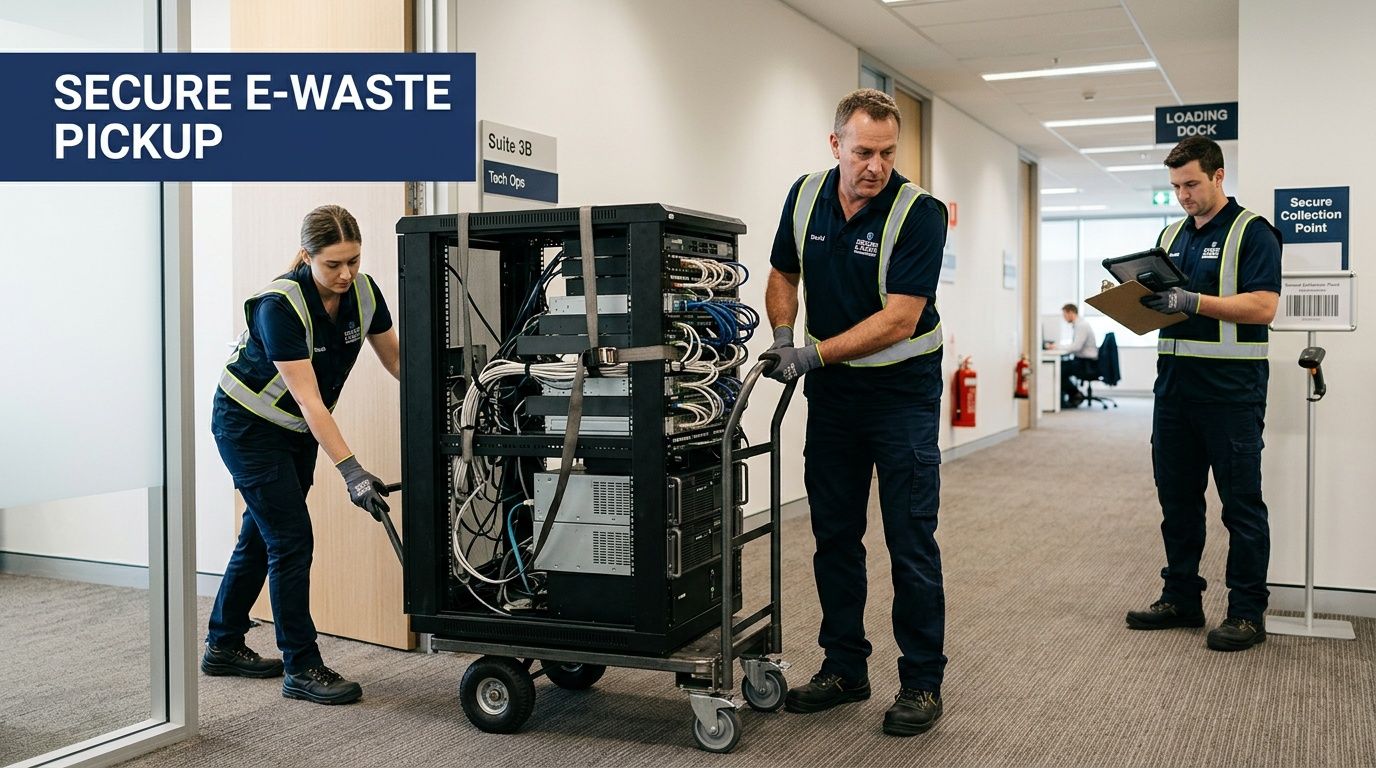
The organized team arrives knowing where they’re parking, who is authorizing release, what rooms are in scope, and whether the pickup includes loose desktops, palletized equipment, rack-mounted servers, or lab devices that need careful removal. The disorganized team starts asking basic access questions in the hallway while your staff scrambles to help.
What to prepare before pickup
A smooth job usually starts with a short planning call and a realistic site review. The client doesn’t need a perfect spreadsheet, but they do need enough detail for the recycler to bring the right labor and equipment.
The essentials are straightforward:
- Access details: dock, freight elevator, stairs, security desk, badge requirements, loading windows
- Asset description: desktops, laptops, monitors, servers, drives, UPS units, networking gear, lab equipment
- Special handling notes: de-installation, disconnected power, wall-mounted equipment, oversized items
- Documentation needs: who signs, what reports are expected, whether on-site destruction is required
- Scheduling limits: patient areas, occupied labs, classroom calendars, shutdown windows
What a real pickup looks like
For a typical business client, the crew starts by confirming scope with the site contact. Assets are matched to the agreed areas, sensitive media is separated if needed, and larger units are broken down for safe transport. Server rails, rack hardware, cable bundles, and bench equipment often take more time than clients expect.
If the project includes de-installation, the crew should work methodically. Remove equipment from racks without damaging neighboring systems. Protect floors and doorways. Use carts, pallet jacks, bins, and secure transport containers that fit the site.
Good pickup crews don’t create extra work for your IT staff or facilities team. They remove it.
Where projects get delayed
The most common delays come from internal misalignment, not from the recycling vendor.
| Common issue | What it causes | Better approach |
|---|---|---|
| No single site contact | Confusion at arrival | Assign one decision maker |
| Assets still in use | Partial pickup | Confirm release in advance |
| No access planning | Hallway bottlenecks | Map route from room to truck |
| Heavy equipment not disclosed | Wrong labor or tools | Share photos before service |
For clients in Gwinnett County that need business collection support, electronics pickup for local businesses is the kind of service category worth confirming before the job is booked. The important point is whether the provider can handle loading, site coordination, and removal without relying on your employees to finish the hard part.
De-installation matters more than people think
This is especially true in labs and server rooms. Retired equipment is often physically harder to remove than active equipment was to install. Cable congestion, bench layouts, narrow corridors, and building rules all slow the process. A vendor that only handles loose office electronics may not be ready for that reality.
The best logistics plans don’t just move items out. They reduce business disruption while preserving custody, site safety, and documentation.
Beyond Computers Accepted Items and Your Environmental Report Card
“Computer recycling” sounds narrow, but business e-waste programs usually involve far more than towers and laptops. In healthcare, education, research, and industrial environments, retired assets often include servers, storage arrays, switches, telecom gear, printers, peripherals, test devices, and lab equipment with electronic components.
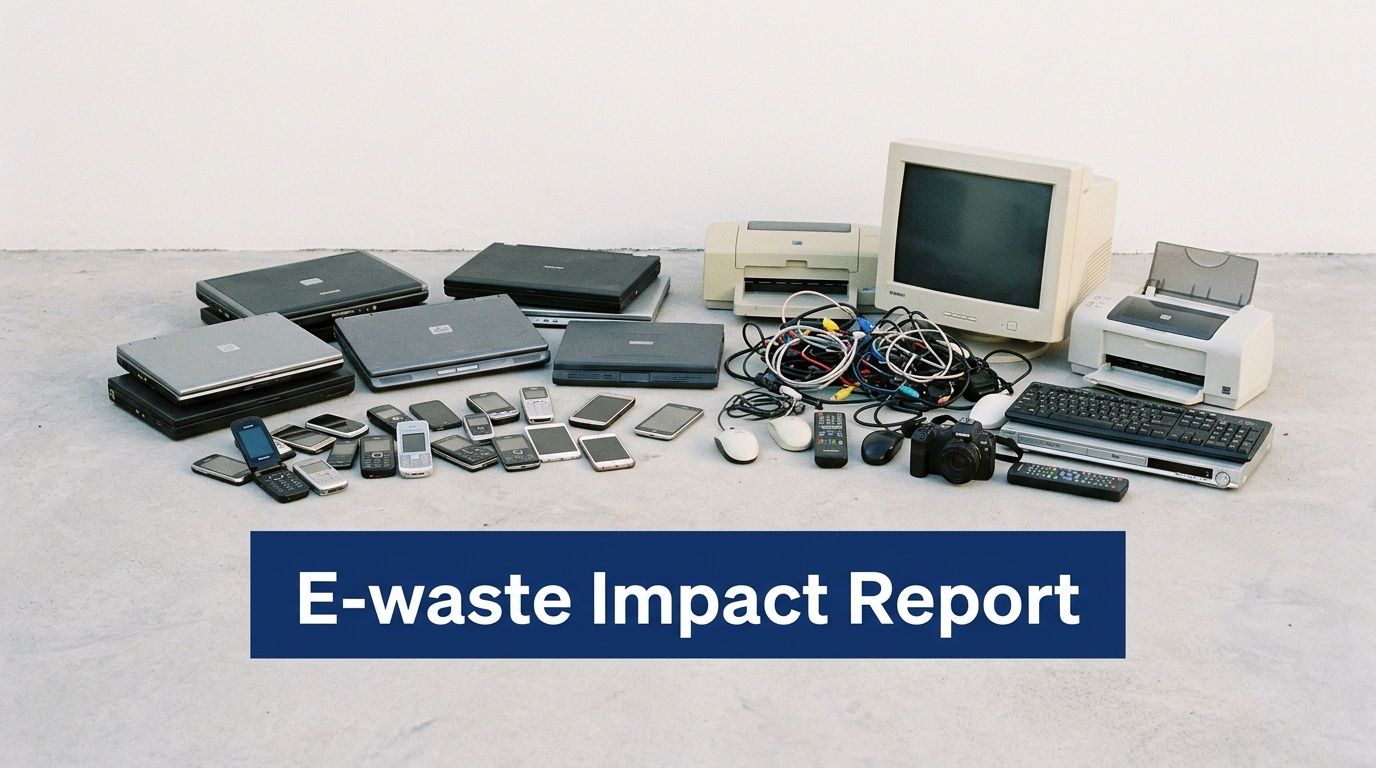
That matters because disposal planning gets easier when your recycler can evaluate the load as a whole instead of forcing you to split office electronics from scientific equipment. For lab clients, that often includes reviewing whether a Certificate of Decontamination is needed before pickup of certain instruments.
What many business clients include in a single project
A mixed load often contains items from multiple departments:
- IT assets: desktops, laptops, servers, hard drives, networking hardware, accessories
- Department electronics: scanners, label printers, phones, small peripherals, battery backup units
- Lab and clinical equipment: instrument controllers, analyzers, incubators, centrifuges, and other electronically managed devices
- Support equipment: carts of cables, keyboards, docks, adapters, and obsolete storage media
If you need to confirm whether a specific category belongs in the stream, a published accepted items list for business electronics and lab assets is a useful checkpoint before pickup.
Why the environmental side deserves attention
The sustainability case isn’t abstract. According to Reworx’s Sugar Hill computer recycling page, e-waste contains recoverable materials, and some estimates suggest it holds up to 1,000 times more gold per ton than raw ore. The same source notes that using a certified recycler helps businesses in Sugar Hill contribute to a circular economy while supporting compliance and regional sustainability commitments.
That point changes how many organizations view surplus equipment. Retirement doesn’t have to mean waste. Devices and components can move into repair, parts recovery, material separation, or certified destruction paths depending on condition and policy.
Your environmental report card
Procurement, ESG, facilities, and compliance teams increasingly want disposal records they can use. A formal recycling program can support internal sustainability reporting because it gives the business a clearer account of how retired assets were managed.
Environmental performance starts with operational discipline. If you don’t know what left the building, you can’t report on it later.
For clients, the practical benefit is simple. A documented recycling stream gives you something better than a cleaned-out room. It gives you a cleaner audit trail and a stronger internal story about how the organization handles end-of-life equipment.
Your Guide to E-Waste Disposal in the Atlanta Metro
A solid e-waste program does three things at once. It protects data, documents compliance, and removes equipment without turning the project into a burden on your staff.
That’s why choosing a Computer Recycling Company in Sugar Hill Georgia shouldn’t be treated like ordinary junk removal. You’re selecting a custody partner. The right one can handle planning, de-installation, transport, reporting, and final disposition in a way that stands up to internal scrutiny.
For organizations across Sugar Hill and the broader Atlanta area, the smartest move is to start before the storage room is full and before a department move, renovation, or shutdown creates deadline pressure. Build the asset list, identify regulated devices, and ask hard questions before anyone loads a truck.
If your team is evaluating regional options, Atlanta metro e-waste recycling support is a useful starting point for comparing service models and coverage. The goal is straightforward: turn obsolete equipment from a liability into a controlled, documented business process.
Frequently Asked Questions
| Question | Answer |
|---|---|
| What if my business only has a small amount of equipment to recycle? | Small loads still need the same basic discipline. Separate data-bearing devices from general electronics, confirm whether any items came from regulated workflows, and ask the recycler what minimums or scheduling options apply. Even a few laptops and hard drives can create compliance exposure if they leave the building without documentation. |
| Can one pickup include computers and lab equipment? | Yes, if the provider is set up for mixed business assets. That’s often the most efficient route for hospitals, clinics, universities, and research sites. The important step is disclosing whether any lab equipment needs decontamination review or special handling before removal. |
| How is pricing usually determined? | Pricing depends on what’s being removed, how much labor is involved, whether de-installation is needed, how accessible the equipment is, and what level of reporting or destruction service is required. A room of loose desktops is a different project from pulling servers from racks or clearing a lab with bulky instruments and sensitive media. |
If your organization needs a practical plan for retiring computers, servers, storage media, or laboratory equipment, Scientific Equipment Disposal provides Atlanta-area B2B services for compliant pickup, de-installation, and secure handling of mixed IT and lab assets. The best next step is a direct conversation about what you have on site, what data risks are involved, and what documentation your team will need when the job is done.