A Complete Guide to Secure Data Destruction for Your Business

Secure data destruction is the only way to guarantee that data from old storage media is gone for good, making it impossible to recover. Simply deleting files or reformatting a drive just doesn't cut it. This is about making sure the sensitive information on your retired servers, hard drives, and medical devices is completely and irretrievably destroyed, whether through software wiping, degaussing, or physical shredding. Our nationwide services ensure compliance and security for businesses everywhere.
The High Stakes of Retiring Old IT Assets
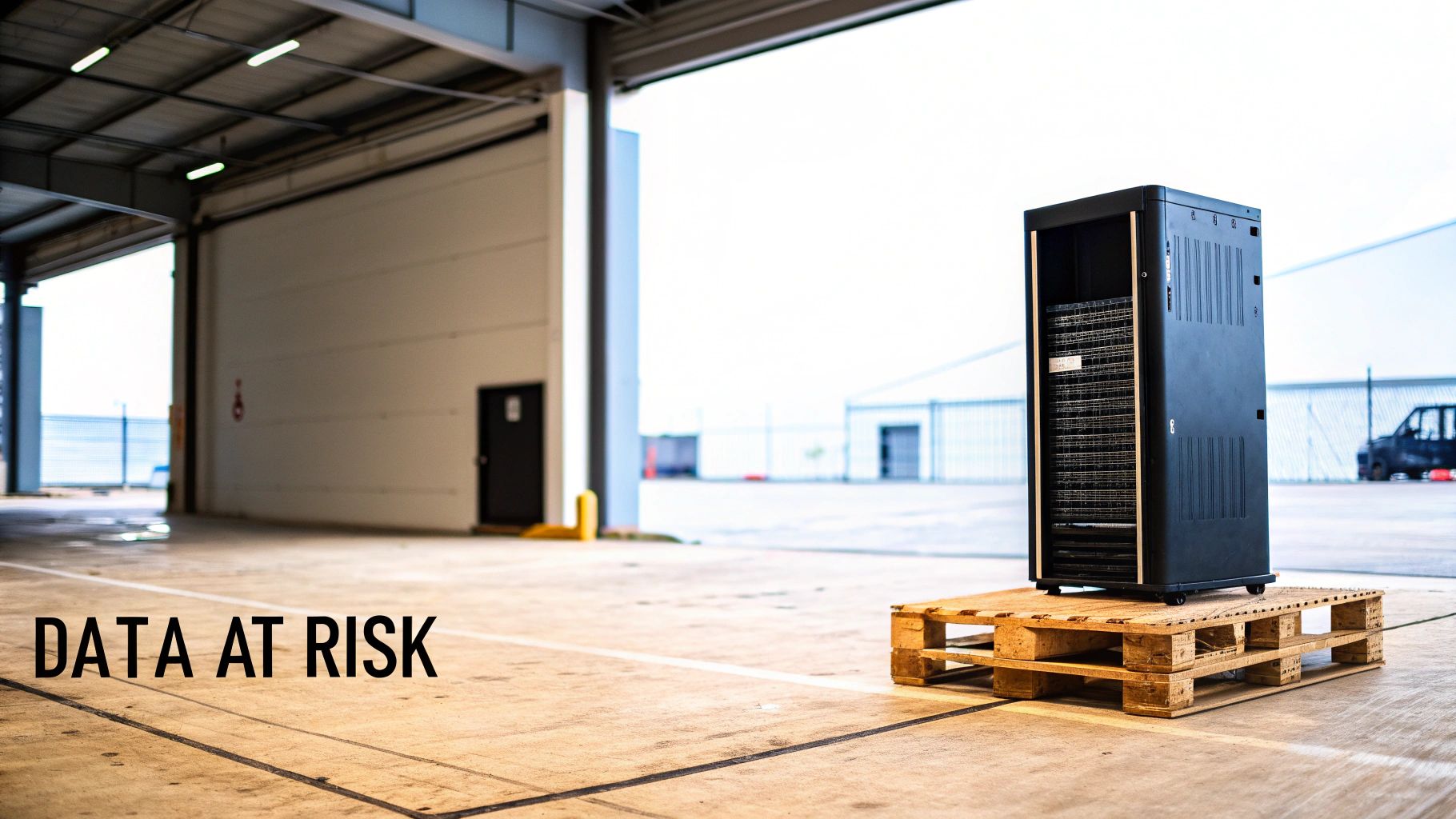
When an old server, company laptop, or medical device reaches its end-of-life, what really happens to the data inside? Too many people assume hitting "delete" or doing a standard format is enough. That's a dangerous assumption for any company, whether it's a local business or a national enterprise.
Think of a deleted file like tearing a card out of a library's old card catalog. The index card is gone, but the book is still sitting right there on the shelf, waiting for anyone who knows where to look. In the same way, deleted digital files can often be recovered with simple software tools until that physical space on the drive is overwritten. This leaves a massive security hole for organizations across the country, from corporate offices in Austin, Texas, to healthcare clinics in the Atlanta metro area.
Beyond the Recycle Bin
IT assets that aren't retired properly are a ticking time bomb. A single forgotten hard drive can hold a treasure trove of sensitive information, turning a simple clean-out into a potential disaster. The fallout from a data breach traced back to old equipment is severe and wide-ranging.
For any business, this could mean exposing:
- Customer Information: Personal details, credit card numbers, and contact lists.
- Employee Records: Social Security numbers, payroll information, and confidential HR files.
- Proprietary Data: Trade secrets, internal financials, and critical research and development data.
For healthcare providers, the stakes are even higher. Patient health information (PHI) is protected by strict regulations like HIPAA, and a breach can trigger enormous fines, lawsuits, and a total loss of patient trust.
Every organization, no matter its size or industry, creates data that needs protection from cradle to grave. Secure data destruction isn't just an IT cleanup task; it's a core part of risk management and corporate responsibility, applicable nationwide.
This is exactly why a formal secure data destruction process is non-negotiable. It goes far beyond hitting "delete" to ensure that information is truly gone forever. By putting a professional disposal strategy in place, organizations shield themselves from the financial and reputational damage of a data breach. It's a critical business function that protects your assets, keeps you compliant, and honors your commitment to privacy. To see how to build a solid framework, exploring comprehensive data security services can give you the guidance and tools you need.
Understanding the Core Methods of Data Sanitization
Once you realize the risks hiding in your retired IT assets, the next step is figuring out how to get rid of that data for good. Secure data destruction isn’t just one thing; it's a set of different methods, each built for a specific job. Choosing the right one comes down to the type of media you have, your security needs, and any compliance rules you have to follow.
Think of these methods as different tools in a toolbox. You wouldn't use a hammer to turn a screw. In the same way, you can't use software wiping on a hard drive that's completely dead. The three main tools in our kit are software wiping, degaussing, and physical destruction.
Software Wiping: Erasing Data Digitally
Software-based wiping is like a digital power-washer. Instead of just deleting the signpost that points to a file, specialized software overwrites the entire drive—every single sector—with random patterns of 1s and 0s. This process is often repeated multiple times to make absolutely sure the original data can never be recovered.
This approach is perfect for devices you plan to reuse, resell, or donate. Because the hardware is left completely intact and functional, it’s a cornerstone of sustainable IT asset management. It's the go-to method for laptops, servers, and desktops that still have some life left in them, allowing organizations to safely extend the lifespan of their electronics.
The whole idea behind software wiping is data overwriting. When you replace every bit of the original information with meaningless characters, the data underneath becomes gibberish, effectively cleaning the drive for its next user.
Degaussing: Scrambling Data Magnetically
While software wiping works great on functional drives, degaussing is the heavy-hitter for magnetic storage like traditional hard disk drives (HDDs) and old-school magnetic tapes. Imagine holding a massive magnet next to a cassette tape—the music would turn into a garbled mess in an instant. Degaussing is the same idea, just on an industrial, high-powered scale.
A degaussing machine creates an incredibly powerful magnetic field that completely neutralizes the magnetic platter where your data is stored. In seconds, the data is scrambled into an unreadable state. There are two critical things to remember here: degaussing makes the hard drive permanently unusable, and it does absolutely nothing to solid-state drives (SSDs), which don't use magnets to store data.
Physical Destruction: The Ultimate Failsafe
When data absolutely, positively has to be gone forever, or when a device is old, broken, or non-functional, physical destruction is the final answer. This is the most straightforward method there is. It involves industrial shredders that grind hard drives, SSDs, smartphones, and other media into tiny, mangled fragments of metal and plastic.
This is the only way to be 100% certain that data can never, ever be recovered. For healthcare facilities in Atlanta, financial institutions across the US, or any organization handling top-secret information, physical destruction offers complete peace of mind.
The market shows just how critical this method has become. The global hard drive destruction service market was valued at USD 1.65 billion and is expected to hit USD 5.05 billion by 2035. This huge jump is fueled by strict regulations like HIPAA, where a data breach can be catastrophic.
Physical destruction is also a key part of managing IT gear at the end of its life, especially for large-scale operations like those needing data center equipment recycling. It guarantees that all sensitive data is obliterated before the raw materials head off to be recycled.
Comparing Data Destruction Methods
Choosing the right method can feel complex, but it boils down to what you're trying to achieve: are you reusing the device, or is it at the end of its life? This table breaks down the key differences to help you decide.
| Method | How It Works | Best For | Compliance Level | Key Benefit |
|---|---|---|---|---|
| Software Wiping | Overwrites existing data with random 1s and 0s, multiple times. | Functional laptops, PCs, servers, and drives intended for reuse or resale. | High (Meets DoD & NIST standards) | Preserves the hardware for reuse, making it sustainable and cost-effective. |
| Degaussing | Uses a powerful magnetic field to scramble data on magnetic media. | HDDs and magnetic tapes that are being retired. Not for SSDs. | Very High (Often required by government/military) | Extremely fast and effective for large batches of magnetic drives. |
| Physical Destruction | Shreds or pulverizes the media into small, irrecoverable pieces. | Damaged drives, SSDs, and any media containing highly sensitive data. | Absolute (Highest level of security) | Provides undeniable, visual proof that the data is gone forever. |
Ultimately, the best strategy might even involve a combination of these methods. For instance, a company might degauss all its old hard drives before sending them to the shredder for that extra layer of security.
Navigating Data Destruction Standards and Compliance
Getting secure data destruction right isn't just about picking a method; it’s about having proof that you followed the rules. For any organization in a regulated industry—especially healthcare and finance—compliance is non-negotiable. It’s a legal mandate, backed by a confusing world of standards that can feel like an alphabet soup of acronyms.
Think of these standards not as dry regulations, but as official, tested recipes for sanitizing data. Each one gives you a specific, verifiable process. When a certified vendor follows that recipe, a complex legal duty transforms into real peace of mind for your IT directors and compliance officers, whether you're in Atlanta, Georgia, or any other city nationwide.
This diagram shows the high-level methods that form the foundation of these compliance standards.
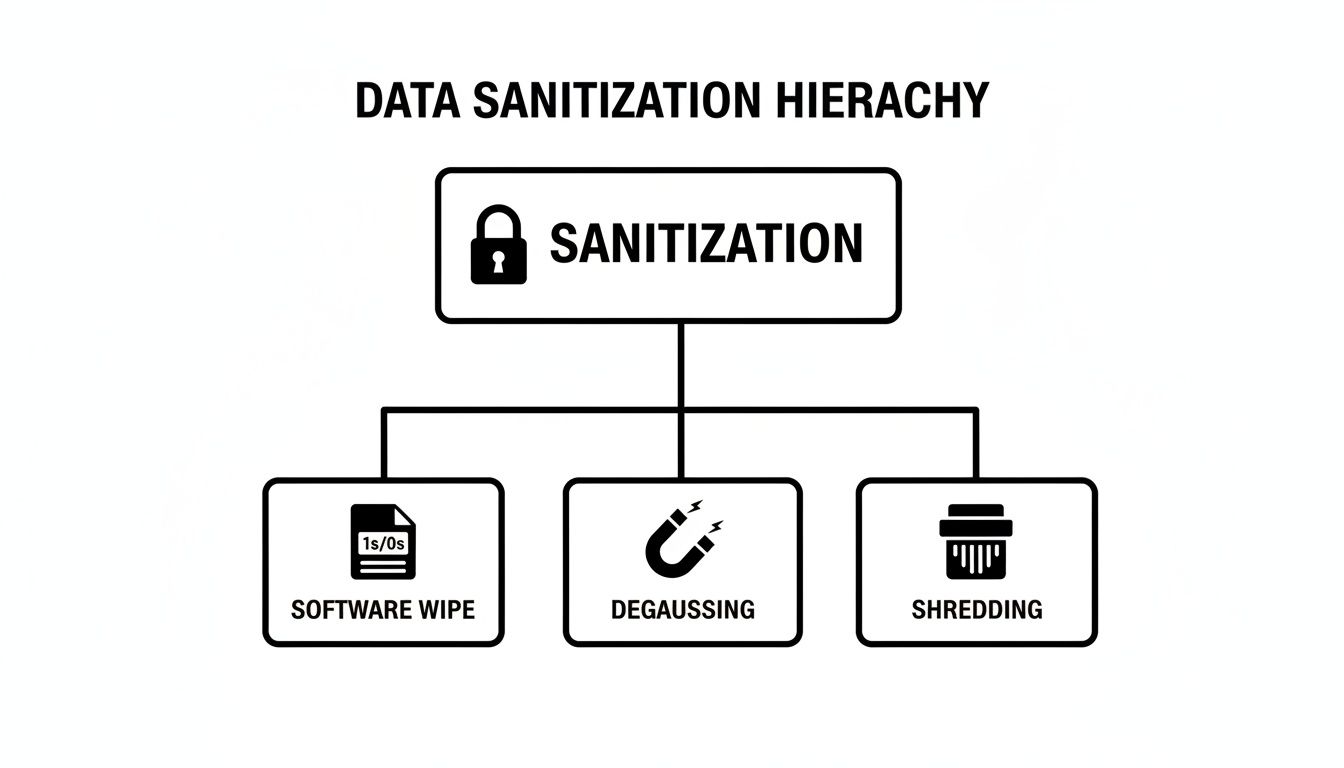
From software-based erasure to total physical obliteration, each branch represents a distinct path to achieving compliant data sanitization.
DoD 5220.22-M: The Military-Grade Overwrite
For years, the Department of Defense (DoD) 5220.22-M standard was the undisputed champion of data wiping. It lays out a very specific three-pass overwriting method: the first pass writes a character, the second writes its complement, and the third writes random characters before a final verification.
Imagine trying to erase a message written in chalk on a blackboard. The DoD method is like scribbling over it three separate times with different chalk, then wiping it all clean. This military-grade "recipe" makes sure the original message is so thoroughly obscured that it's unreadable, making it a trusted choice for countless organizations.
NIST SP 800-88: The Modern Data Sanitization Cookbook
While the DoD standard is still a household name, the National Institute of Standards and Technology (NIST) Special Publication 800-88 is the definitive modern framework. It’s less of a single recipe and more of a complete cookbook, offering guidance for sanitizing everything from office laptops to massive enterprise servers.
NIST SP 800-88 outlines three key actions:
- Clear: This uses logical techniques to sanitize data in all user-accessible storage areas. It's great for protecting against basic, off-the-shelf recovery tools.
- Purge: This involves physical or logical techniques that make data recovery impossible, even with state-of-the-art laboratory methods. Degaussing is a classic Purge technique.
- Destroy: This is the final step—rendering the media completely unusable and beyond repair. This is where physical shredding comes in, ensuring data can never be recovered.
Today, the NIST guidelines are the benchmark for both government agencies and private companies across the United States, providing a clear, flexible roadmap for different data types and storage media.
NIST SP 800-88 champions a risk-based approach. The more sensitive your data, the more robust your sanitization method should be—with Destroy being the ultimate failsafe.
HIPAA: Connecting Patient Privacy to Physical Disposal
For any healthcare organization, from a small clinic in the Atlanta suburbs to a major hospital system anywhere in the country, the Health Insurance Portability and Accountability Act (HIPAA) is everything. HIPAA doesn’t name a specific destruction method, but its Privacy Rule is crystal clear: covered entities must implement "appropriate administrative, technical, and physical safeguards" to protect patient health information (PHI).
This rule applies directly to getting rid of old medical equipment and IT assets. A retired diagnostic machine, an old server, or even a discarded office computer could hold thousands of patient records. Failing to properly sanitize these devices before they leave your control is a direct HIPAA violation, opening the door to massive financial penalties and devastating reputational damage.
That’s why partnering with a vendor who understands HIPAA is so critical. They ensure the entire process, from pickup to final destruction, is compliant and secure. It's a non-negotiable part of any responsible IT equipment recycling program.
Why Chain of Custody and Documentation Are So Critical
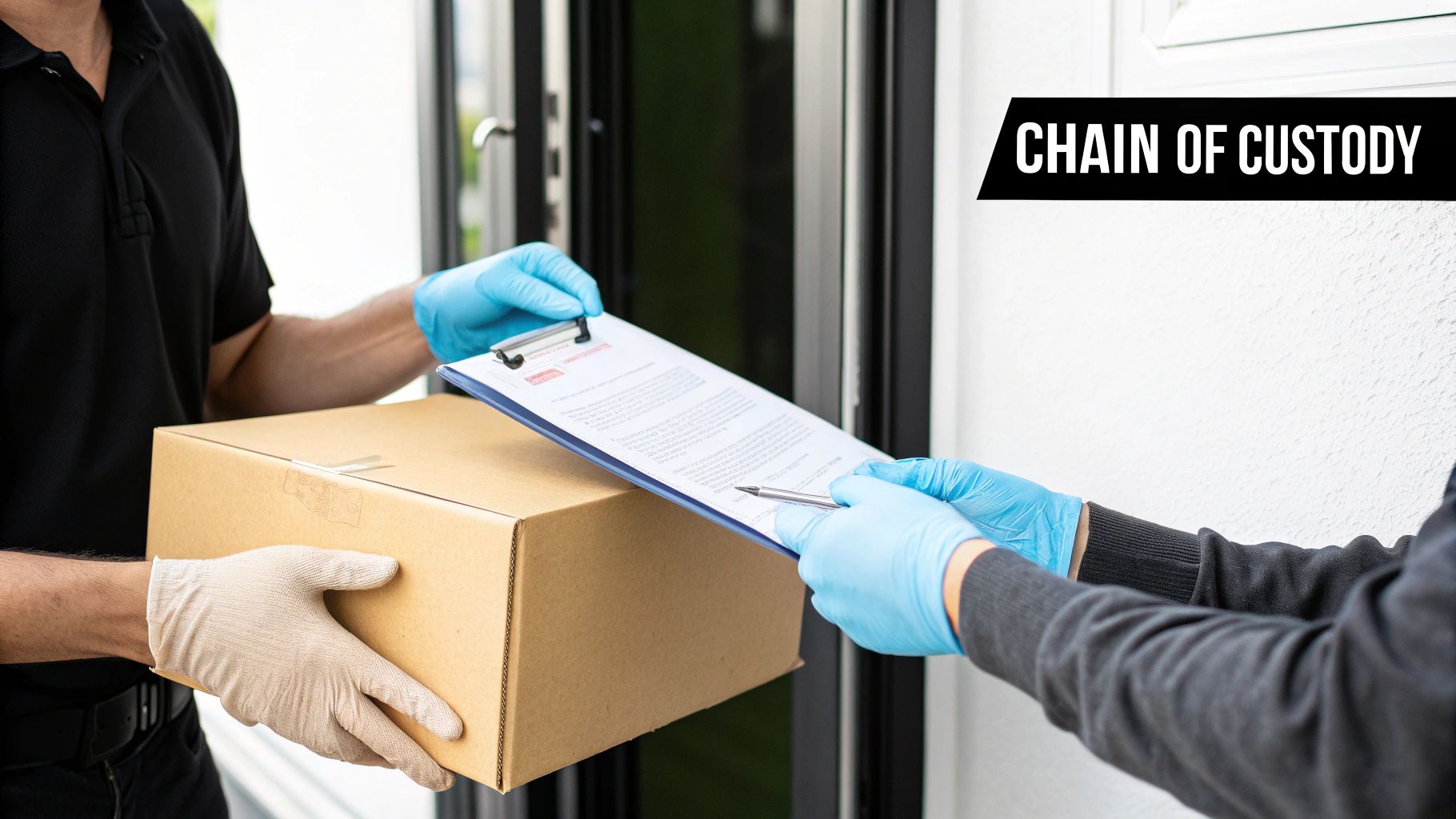
Think about it this way: if you were shipping a box of gold, you wouldn't just hand it to a stranger and hope for the best. You'd want an ironclad, documented trail for every single handover. You'd need to know who had it, when, and where, from the moment it left your sight until it was safely locked away.
That exact, meticulous process is what a chain of custody delivers for your data-bearing assets. It's an unbroken, auditable paper trail that follows your devices from your facility all the way through to their final destruction. For any organization, from a corporate HQ in a major US city to a hospital here in the Atlanta metro, this isn't just good housekeeping—it's a core security requirement.
Every step—pickup, transport, and destruction—is logged, leaving zero gaps where a hard drive could "fall off the truck."
This kind of accountability is absolutely essential today. In just one recent quarter, 422.61 million data records were leaked in the U.S. alone. Ransomware now accounts for nearly 37% of business data loss, and with the average cost of a breach sitting at $4.44 million, retired hard drives are high-value targets for criminals.
The Role of Detailed Asset Tracking
A solid chain of custody always starts with obsessive asset tracking. Before any equipment even thinks about leaving your building, a detailed inventory is created. Each device is documented by its unique serial number.
This simple step ensures every last server, hard drive, or medical device is accounted for from beginning to end.
This granular approach gives you a few key advantages:
- Accountability: It draws a clear line of responsibility, from your IT team to the vendor's technicians.
- Transparency: You always have a clear view of where your assets are, which eliminates uncertainty and risk.
- Audit Readiness: If a compliance auditor comes knocking, you have a complete, bulletproof record of your disposal process ready to go.
The Certificate of Destruction: Your Legal Shield
The whole chain of custody process builds up to one final, critical document: the Certificate of Destruction (CoD). This official certificate is your legally defensible proof that your data was permanently and irreversibly destroyed according to industry standards.
The Certificate of Destruction is like the final, notarized receipt for your data's permanent retirement. It's not just a piece of paper—it's your legal shield, proving you did your due diligence to protect sensitive information.
A proper CoD will always include:
- A unique serial number for the certificate itself.
- The date and location of the destruction.
- The destruction method used (e.g., shredding, degaussing).
- A complete list of the serial numbers of every asset destroyed.
- A formal statement of compliance with standards like NIST SP 800-88 or HIPAA.
For any organization facing regulatory oversight, this documentation is non-negotiable. It turns the abstract idea of "data destruction" into a tangible, verifiable event. This is a foundational piece of any responsible IT asset disposal strategy, giving you the peace of mind that comes from knowing your data is truly gone—and you have the paperwork to prove it.
Choosing Between On-Site and Off-Site Destruction

Once you've mapped out a rock-solid chain of custody, the next big question is where the actual destruction will happen. This decision really boils down to two options: on-site or off-site. Each one has its own set of pros and cons, and the right choice depends entirely on your company's security policies, budget, and logistical setup, whether you need local service in Atlanta or a coordinated nationwide solution.
Think of it this way. On-site destruction is like having a mobile shredding truck pull right up to your loading dock. You get to watch the whole show from start to finish, and your sensitive hard drives never leave your property.
Off-site destruction is more like using an armored truck service. Your assets are securely transported to a specialized, fortified facility built for one purpose: total data elimination. The decision isn't just about convenience; it's a strategic move that balances security, cost, and how much you want to disrupt your day-to-day operations.
The Case for On-Site Destruction
On-site secure data destruction brings the entire process right to your doorstep. A specialized vehicle, loaded with industrial-grade shredders, arrives at your location. Your hard drives, SSDs, tapes, and other media are destroyed right there in your parking lot.
This approach gives you the ultimate in transparency and control.
The biggest win here is an unbroken chain of custody. Because the assets are physically destroyed on your premises, the risk of something getting lost or stolen in transit drops to zero.
Here's why some organizations insist on it:
- Maximum Security: This is the gold standard for government agencies, financial institutions, or healthcare providers handling protected health information (PHI). If a data leak would be catastrophic, this is your best bet.
- Immediate Verification: Your own team can witness the destruction firsthand. It provides instant peace of mind and makes internal audits incredibly simple.
- Compliance Certainty: For tough regulations like HIPAA, having your own staff watch the drives turn into metal confetti is undeniable proof of compliance.
The Practicality of Off-Site Destruction
With off-site destruction, a certified vendor collects your assets, loads them into a GPS-tracked and secured vehicle, and hauls them to a specialized, high-security facility. It's often more efficient and budget-friendly, especially when you're dealing with a large volume of devices.
Even though the assets leave your property, the process is still governed by the same strict chain of custody rules. Every single step, from the moment a drive leaves your server room to its final shredding, is meticulously documented.
This model has some compelling advantages of its own:
- Cost-Effectiveness: It's simply cheaper to process thousands of drives at a central facility. The economies of scale work in your favor.
- Logistical Simplicity: This method causes minimal disruption. You don't have to block off part of your parking lot or assign staff to stand around and watch.
- Scalability: Off-site facilities are built to chew through massive quantities of hardware, making them perfect for huge projects like data center decommissioning.
Choosing between on-site and off-site really comes down to risk management. On-site offers maximum control for your most sensitive data, while off-site provides a secure, efficient, and cost-effective solution for the vast majority of business needs across the country.
No matter which path you choose, a certified vendor will always provide a Certificate of Destruction. This is the official document that proves every single asset was destroyed according to industry standards. For a closer look at what that final, irreversible step involves, you can explore the details of professional hard drive shredding services and see exactly how data is guaranteed to be gone forever.
Your Practical Roadmap to Secure Data Destruction
Knowing the theory is one thing, but putting it into practice is what really counts. How do you get from a closet full of old computers to a fully compliant, documented disposal project? It’s all about having a clear, step-by-step plan.
We've broken the entire process down into five manageable phases. Following this roadmap will give your organization—whether you’re a hospital in the Atlanta metro or a data center with a national footprint—the confidence to protect your data, stay compliant, and handle e-waste the right way.
Step 1: Perform a Thorough Asset Inventory
Let's start with a fundamental truth: you can't protect what you don't know you have. The first real step is creating a detailed list of every single device slated for retirement that might hold data. This goes way beyond just servers and hard drives.
You need to think broadly and be meticulous. Your inventory should capture:
- The Obvious Stuff: Servers, desktops, laptops, and external hard drives.
- Networking Gear: Routers, switches, and firewalls often store sensitive network configurations.
- Mobile Devices: Don't forget company smartphones and tablets.
- Specialized Equipment: Medical devices, point-of-sale systems, and lab instruments almost always have internal storage.
For every single item, log its make, model, and—this is crucial—its unique serial number. This master list is the bedrock of your entire chain of custody.
Step 2: Classify Your Data's Sensitivity
Not all data carries the same risk. The next move is to figure out what kind of information is on each asset so you can match the destruction method to the risk level. This common-sense approach ensures you're applying the heavy-duty methods where they matter most, without overspending on low-risk assets.
A simple classification system can work wonders:
- Level 1 (Low Sensitivity): Think general business emails or non-critical operational files.
- Level 2 (Moderate Sensitivity): This could include employee records, internal financial reports, or proprietary business plans.
- Level 3 (High Sensitivity): This is the serious stuff—Protected Health Information (PHI), credit card data (PCI), or any government-classified information.
Any asset holding Level 3 data is a prime candidate for on-site physical destruction. In contrast, devices with just Level 1 data might be perfectly fine with off-site software wiping.
Step 3: Vet and Select a Certified Partner
This might be the single most important decision you make in this entire process. Your chosen vendor is essentially an extension of your own security team, so they absolutely must be trustworthy, transparent, and certified to provide secure data destruction nationwide.
The credential that matters most here is NAID AAA Certification. This program, managed by the International Secure Information Governance & Management Association (i-SIGMA), puts vendors through the wringer with rigorous, unannounced audits covering everything from hiring practices to security protocols and the destruction process itself.
A NAID AAA Certified vendor isn't just making promises; they're providing independently verified proof that your data is being handled with the highest level of security. It’s the undisputed gold standard in our industry.
Step 4: Coordinate Logistics and Secure Transport
With a certified partner on board, it’s time to plan the actual pickup. Work with your vendor to find a time that won't disrupt your daily operations. A truly professional service will handle all the heavy lifting—literally—including any de-installation, packing, and secure transport.
The truck that arrives at your door should be secure and, ideally, tracked with GPS. This is key to ensuring that your chain of custody remains unbroken the second those assets leave your sight.
Step 5: Execute Destruction and Get Your Certificate
This is the final leg of the journey: the destruction itself, followed by the all-important paperwork. Whether you opted for on-site or off-site destruction, your vendor will now execute the plan according to the data classifications you established back in Step 2.
Once everything is done, you'll be issued a Certificate of Destruction. This is far more than a simple receipt; it’s a legally defensible document that serves as your ultimate proof of compliance. It should list every single asset destroyed by serial number, giving you a clear, auditable record that your data destruction project was completed successfully and by the book.
Common Questions About Secure Data Destruction
When you're sorting out your IT asset retirement plan, a few questions always seem to pop up. We get these all the time from organizations across the country, especially right here in the Atlanta metro area. Let's clear up some of the most common ones.
What’s the Real Difference Between Data Wiping and Physical Destruction?
Think of it like this: software wiping is like giving a hard drive a digital "power wash." It systematically overwrites all the existing data with layers of random characters. This process cleans the drive completely, making it safe to be reused or resold, which is perfect for gear that still has some life left in it.
Physical destruction, on the other hand, is the end of the line. It’s for hardware that’s obsolete, broken, or simply too sensitive to ever be used again. We use industrial shredders to grind the drive into tiny, mangled pieces of metal, making it absolutely impossible to get any data back. It's the ultimate guarantee.
Can Data Actually Be Recovered After a Drive is Shredded?
Absolutely not. Once a hard drive or SSD goes through a professional-grade shredder, the data is gone forever. The process obliterates the platters or memory chips where the information was stored, reducing the entire device to a pile of metal fragments.
This is why shredding is considered the gold standard for secure data destruction. It offers complete physical finality and total peace of mind, especially for assets holding your most sensitive information.
Even the most sophisticated forensic lab on the planet couldn't piece that puzzle back together.
Should I Wipe My Drives Before Sending Them for Destruction?
This is a great question. While it's not strictly necessary, some organizations do it for an extra layer of security. Think of it as a "belt-and-suspenders" approach—you wipe the drives clean with software, then you have them physically shredded.
This double-layered process is most common in high-stakes environments like government agencies or healthcare organizations bound by HIPAA. For most businesses, though, professional shredding alone is more than enough to meet compliance and eliminate risk. It really boils down to your internal security policies and how much risk you're willing to accept.
What Other Devices Need Data Wiped Besides Computers?
It’s a huge mistake to only think about computers and servers. These days, almost everything has a chip in it, and that chip can store data. You'd be surprised what holds onto sensitive information.
Any device with internal memory is a potential risk, including:
- Networking Gear: Your routers, switches, and firewalls hold network configurations and access keys.
- Printers and Copiers: Modern office machines have hard drives that keep copies of everything you’ve scanned, printed, or faxed.
- Medical and Lab Equipment: Diagnostic machines and lab instruments often have embedded systems that log patient information or valuable research data.
- Mobile Devices: Every company smartphone and tablet is a goldmine of information, from emails to login credentials.
A truly complete data destruction plan accounts for every single one of these assets.
Ready to build a secure, compliant, and sustainable plan for your organization's retired IT and lab equipment? The team at Scientific Equipment Disposal provides certified data destruction and electronics recycling services designed for businesses, hospitals, and universities all over the Atlanta area and nationwide.
Ensure your data is gone for good by visiting us at scientificequipmentdisposal.com