Telecom Services Near Me: A Business Buyer’s Guide (2026)


A facility expansion usually starts with a floor plan and a budget. Then the telecom problem shows up. The new wing needs imaging uploads, cloud access, VoIP handsets, badge readers, guest Wi-Fi, and stable VPN sessions on day one. If you're managing a clinic, lab, office, or campus in Atlanta, the search for telecom services near me stops being a basic shopping task very quickly.
Most businesses don't fail this decision because they picked the wrong advertised speed. They run into trouble because they bought the wrong access type, accepted vague service terms, or treated the network cutover as the end of the project. It isn't. A real business-grade telecom plan includes provider selection, installation, resilience, support, and a clean path for retiring old routers, switches, firewalls, phones, and modems without creating security or compliance problems.
Why "Telecom Services Near Me" Is a Critical Business Question
An Atlanta lab manager adding instruments to a second suite doesn't just need internet. They need predictable file transfers, remote vendor access, cloud backups that finish on schedule, and enough stability that one network issue doesn't stop a workday. A hospital department opening a new space has a similar problem, just with higher operational stakes. The phrase telecom services near me sounds simple, but the business question behind it is not.
Local telecom decisions shape daily operations in ways buyers often underestimate. The wrong circuit type can slow large uploads. Weak support can stretch an outage into a full day of lost productivity. A consumer-style installation process can leave a multi-suite building half-qualified, with service to the street but not to the floor or room configuration your team needs.
Why this search is about operations, not convenience
For a business buyer, connectivity affects more than email and web browsing. It touches:
- Clinical and research workflows: Imaging, cloud records, remote collaboration, and instrument data transfers all depend on stable bandwidth and low interruption risk.
- Facility planning: New offices, renovated labs, and temporary swing spaces often need staged cutovers, coordinated installs, and backup access during transitions.
- Security posture: Firewalls, VPNs, cloud identity tools, and remote monitoring don't perform well on unstable links.
- Asset lifecycle: Every network refresh leaves behind retired equipment that still carries configuration history, credentials, or storage risk.
Practical rule: If the outage cost is measured in missed patient activity, delayed research, or staff downtime, treat telecom procurement like infrastructure procurement, not like buying home internet.
Atlanta buyers need a lifecycle mindset
That matters in a city where businesses move, expand, and reconfigure space constantly. The most useful telecom evaluation isn't just "Who serves my area?" It's "What can this provider deliver to my exact building, under business terms, with a clear plan for scaling and decommissioning what we're replacing?"
That's the frame worth using. It leads to better provider conversations and fewer unpleasant surprises after the contract is signed.
Understanding Your Local Telecom Service Options
Most business internet discussions get lost in marketing labels. A better way to think about it is plumbing. Your facility needs a dependable path for traffic, just like it needs dependable water pressure. The pipe size, whether it's shared, and how directly it reaches your building all affect what your users experience.

Fiber, cable, and fixed wireless in practical terms
Dedicated fiber is the closest thing to a private main line. It's typically the strongest fit for businesses that upload as much as they download, run cloud-based systems all day, or need cleaner latency for voice, video, and VPN traffic. If your Atlanta site handles medical imaging, research datasets, security video backhaul, or large offsite backups, fiber usually gives you the least friction.
Business cable is more like a strong neighborhood supply line. It can deliver very fast downstream performance and can be perfectly workable for many offices, clinics, and administrative spaces. The trade-off is that cable is generally more sensitive to shared-node congestion and often less attractive for upstream-heavy workflows.
5G fixed wireless is the fast-install option. It can be useful when a site needs service quickly, when construction delays make wired delivery slow, or when a small branch needs a simple path online. The caution is consistency. Signal conditions, building construction, and local network conditions can matter more than the headline plan description suggests.
What the technology mix tells you
A local provider list only helps if you know what sits underneath it. In Alexandria, Virginia, that difference is easy to see. Verizon may offer fiber with speeds up to 2 Gbps, while Xfinity provides cable at similar speeds but with lower reported availability, and that matters because fiber's symmetrical, low-latency profile is generally better for enterprises moving large files than cable's upstream-constrained model, as shown in Alexandria broadband provider data.
That example isn't about Alexandria alone. It's a reminder for Atlanta buyers that two providers advertising similar top speeds may deliver very different real-world business outcomes depending on access type.
| Access type | Best fit | Watch for |
|---|---|---|
| Fiber | Labs, hospitals, multi-user offices, cloud-heavy teams | Buildout timing, suite qualification, contract terms |
| Cable | Small to midsize offices, clinics, lighter upload needs | Upstream limits, neighborhood contention |
| 5G fixed wireless | Temporary sites, fast turn-ups, backup connectivity | Signal variability, building penetration, policy caps |
Match the circuit to the work
The right question isn't "What's fastest?" It's "What does this site do all day?"
- A medical office may do well on business cable if its cloud systems are light and its imaging traffic stays modest.
- A research lab usually benefits from fiber because uploads, remote systems access, and backup windows punish weak upstream performance.
- A temporary project office may sensibly start on fixed wireless, then migrate to wired service once the space is fully built out.
If you're comparing workspace infrastructure more broadly, this breakdown of Seat Leasing BPO office features is useful because it shows how connectivity sits alongside power, physical workspace design, and managed facility support in real operating environments.
For a city-specific comparison of business connectivity trade-offs, this guide to local telecom service providers for businesses in Chicago is a helpful contrast. The market changes, but the buying logic stays similar.
Buy the connection for your busiest hour, your heaviest upload, and your most expensive outage. Don't buy it for the headline ad.
Evaluating Providers Beyond Speed and Price
After you have identified the likely access type, provider evaluation becomes less about the brochure and more about execution risk. Many Atlanta businesses make a costly mistake at this stage. They compare monthly price, glance at the advertised speed, and skip the service language that determines what happens when something breaks.
Availability is building-specific
Telecom service quality isn't uniform even within one city. Availability is increasingly measured at the address level, not by ZIP code. New York State's Broadband Assessment Program uses an interactive map that lets users search broadband availability by exact address and assess service level for each location, which reflects that two nearby buildings can have different provider choices and reliability, as shown on the New York address-level broadband map.
That matters in Atlanta office towers, medical buildings, and multi-tenant research spaces. A provider may cover the block and still fail your suite, your riser path, or your floor's service class.
Three things business buyers should inspect
The first is the service level agreement. Ask for the actual repair commitments, not just a general uptime statement. A serious business contract should spell out response timing, escalation process, and what credits apply if the provider misses its own commitments.
The second is support quality. During installation and after cutover, your team may need help from people who understand demarcation points, managed equipment, failover settings, and onsite troubleshooting. That's why some buyers benefit from pairing provider selection with outside technical help. If your internal staff is lean, this overview of expert onsite IT assistance captures the kind of operational support questions worth asking before you sign.
The third is contract structure. Auto-renewals, early termination language, construction dependencies, and equipment return obligations can all affect total cost. A cheap monthly rate can become expensive if you move, expand, or need to change service class before the term ends.
What separates a business-grade offer from a consumer-style plan
| Evaluation area | Good sign | Warning sign |
|---|---|---|
| SLA language | Specific repair and escalation terms | Broad promises with no remedy |
| Support path | Named support channels and business procedures | Generic call center language |
| Address qualification | Exact suite validation | Coverage claim based on area only |
| Contract terms | Clear renewal and exit language | Ambiguous renewal or equipment clauses |
A related issue is communications architecture. If voice, internet, and collaboration tools are converging, your provider decision affects more than one line item. This overview of unified communications providers near me is useful if your telecom search also includes hosted voice or collaboration migration.
A provider proposal tells you what they want to sell. The service agreement tells you what they'll stand behind.
Questions to Ask Every Potential Telecom Provider
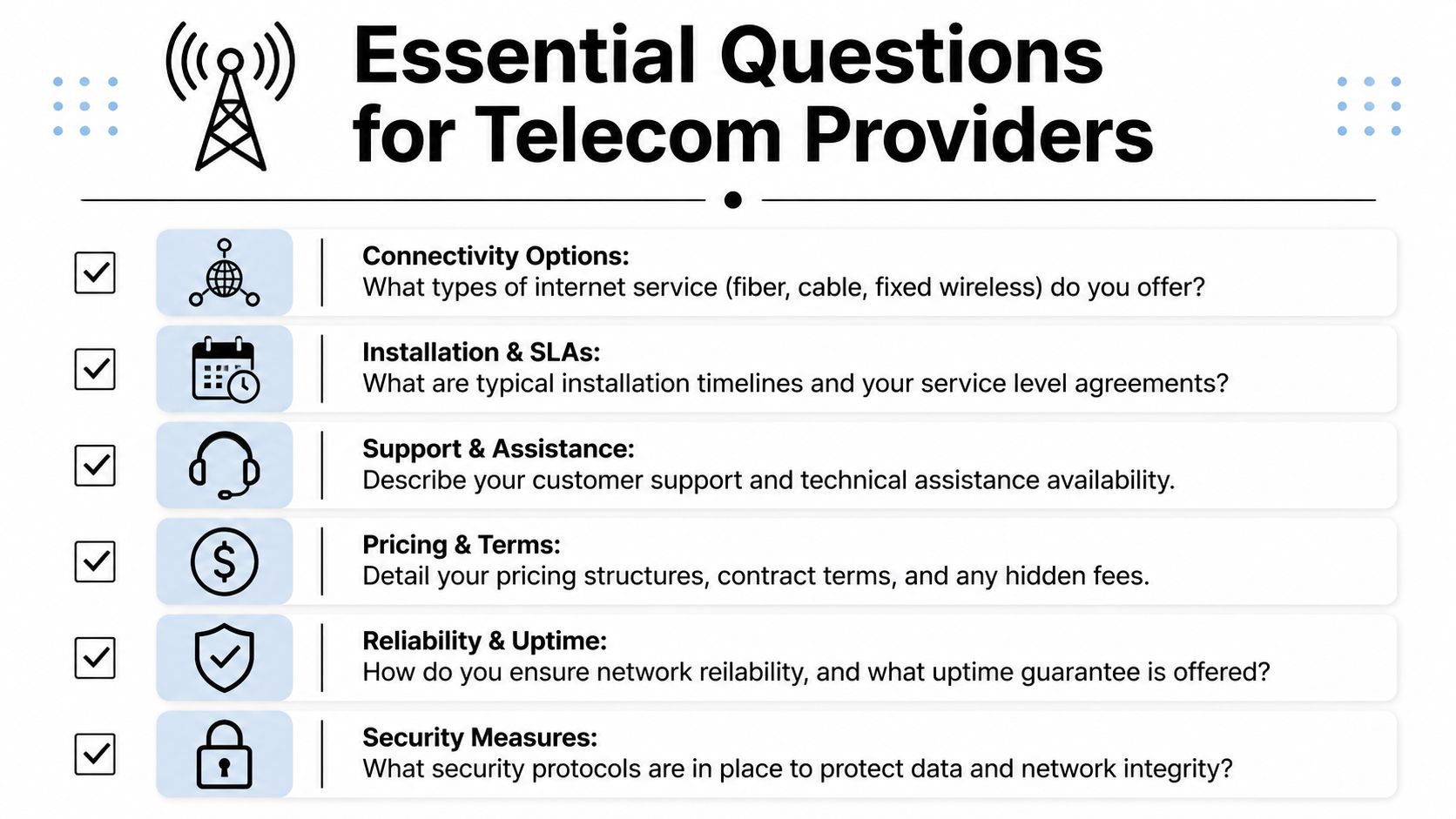
A strong provider call shouldn't feel like a product demo. It should feel like procurement, operations, and risk review happening at the same time. The fastest way to improve those conversations is to ask direct questions that force precise answers.
Questions that uncover real deliverability
Start with the address, not the package.
Can you confirm service availability for our exact suite, floor, and unit?
This sounds basic, but it prevents a common failure where the building is covered and the tenant space isn't fully serviceable.What access type are you delivering to our location?
Ask whether it's fiber, cable, fixed wireless, DSL, or a blend. Don't accept a generic "high-speed internet" answer.Is the quoted speed symmetrical, and is it business-grade service?
This matters for cloud backups, VoIP quality, remote desktop use, and large file movement.What equipment will you install onsite, and who owns it?
That affects support, replacement responsibility, and what you'll need to return or decommission later.
Questions that test support and accountability
The next set should focus on what happens after install day.
- Outage handling: What is your guaranteed response process for a full outage?
- Escalation path: Who can our team call if frontline support can't resolve the issue?
- Service credits: What remedy applies if your team misses the committed repair window?
- Installation dependencies: Do you need landlord approval, riser access, roof access, or building management coordination?
One of the most useful external checks is the FCC map. The FCC's National Broadband Map lets users search by exact address, see which providers report service there, and file an availability challenge if the listing is wrong, which makes it a practical verification step before a move or expansion, according to the FCC's guide to using the National Broadband Map.
A vetting checklist you can bring into the call
| Ask this | Why it matters |
|---|---|
| Can you qualify our exact suite and floor? | Avoids false-positive coverage claims |
| What access method is actually delivered? | Exposes fiber versus cable versus wireless trade-offs |
| What are your outage response terms? | Clarifies business impact during incidents |
| What equipment stays onsite after install? | Affects support and end-of-life handling |
| What building coordination is required? | Prevents schedule surprises |
A lot of telecom issues surface after turn-up, not before. If your facility team will also be coordinating repairs, swaps, or onsite vendor visits over time, this guide to telecom maintenance services in Chicago offers a practical maintenance lens that many procurement discussions skip.
Don't leave the meeting with adjectives. Leave with deliverables, responsibilities, and exact next steps.
Future-Proofing Your Connectivity Strategy
The best telecom decision for an Atlanta business usually isn't a single circuit. It's a primary circuit plus a fallback plan that matches the site's tolerance for downtime. That's especially true for hospitals, labs, university departments, and any operation that can't pause while a carrier troubleshoots a local issue.

Throughput and resilience are different goals
Primary fiber is usually chosen for throughput, latency, and consistency. Backup connectivity is chosen for continuity. Those aren't the same thing. A business can have an excellent primary circuit and still be vulnerable if every critical workflow depends on one provider path.
A practical design often looks like this:
- Primary wired service: Used for normal operations, cloud applications, voice, and large transfers.
- Secondary path: Often a different provider or access type for failover.
- Policy-based priority: Critical systems stay online first, while nonessential traffic can be limited during an incident.
Where satellite fits
Low Earth Orbit satellite has changed the backup conversation, but not in the way many ads suggest. For mission-critical facilities, the decision is about resilience versus throughput. LEO systems can provide meaningful speeds, but they're best treated as backup connectivity for redundancy in hard-to-reach areas rather than a universal replacement for terrestrial fiber or cable, as discussed in New America's analysis of LEO satellite connectivity and resilience.
That's useful in real estate transition periods, remote field locations, and continuity planning where a wired outage would otherwise leave a site dark.
A practical resilience stack
| Business condition | Best primary | Best backup mindset |
|---|---|---|
| Urban office or clinic | Fiber or cable, based on workload | Fixed wireless or second wired path |
| Lab with heavy uploads | Fiber | Diverse wired path if possible |
| Hard-to-reach site | Best local wired option available | LEO or wireless backup |
If your telecom roadmap also touches hosted systems, remote collaboration, and cloud-delivered communications, this look at cloud telecom services in Houston is a useful model for how connectivity and cloud architecture increasingly overlap.
A future-proof plan doesn't try to predict every technology shift. It gives your business a stable primary path, a realistic backup, and enough flexibility to adapt when the building, headcount, or workload changes.
The Final Step Secure Disposal of Retired Telecom Gear
The network upgrade is not finished when the new circuit comes online. It's finished when the old hardware is removed from service, documented, and handled in a way that doesn't create a security, storage, or compliance problem later.

What gets overlooked after a telecom refresh
Businesses usually focus on ordering the new line, scheduling installation, and cutting over users. Then the retired gear starts piling up. Old VoIP phones, switches, modems, wireless controllers, firewalls, UPS components, and rack accessories end up in storage because no one owned the final step.
That creates several problems at once:
- Security risk: Even telecom hardware can retain credentials, configuration files, logs, and other sensitive information.
- Compliance exposure: Regulated organizations can't treat retired network equipment like ordinary trash.
- Operational drag: Closets and storage rooms fill with dead equipment that facilities teams don't want to manage.
Build disposal into the project scope
The cleaner approach is to plan end-of-life handling before installation starts. Decide who will de-install legacy gear, where it will be staged, which items may contain data, and what documentation your organization needs after pickup and processing.
For Atlanta-area organizations that need onsite de-installation, packing, pickup, DoD 5220.22-M 3-pass wiping, media shredding for obsolete drives, and certified recycling workflows, Scientific Equipment Disposal's guidance on where to recycle telecom equipment near me is one factual reference point for how that process can be structured.
Old telecom gear isn't harmless just because it stopped passing traffic. If it ever sat inside your production environment, retire it with the same discipline you used to deploy it.
What good retirement looks like
A sound telecom disposal workflow should include:
| Step | What the business should confirm |
|---|---|
| Inventory | What equipment is leaving service |
| Data handling | Which devices may store credentials or configurations |
| Logistics | Who removes, packs, and transports the gear |
| Documentation | What records are issued after processing |
| Recycling path | How materials are diverted and handled responsibly |
Many facility projects either close cleanly or linger for months at this stage. The network may be live, but the project isn't really done if the retired hardware is still sitting in the back room.
Your Telecom Questions Answered
Is business internet really different from residential internet?
Yes. The biggest differences are support expectations, installation process, contract structure, and how the provider handles outages and account management. For a business, those things often matter more than the headline speed.
Can one building have more than one telecom provider?
Often, yes. Many businesses use one provider for the primary connection and another for failover. The limiting factors are building access, riser availability, landlord approval, and whether the second provider can serve the exact suite.
How should we test a new connection?
Don't rely on one quick speed test. Test at different times, from wired business devices, and against the applications your staff uses. Validate VPN behavior, video calls, cloud file movement, and failover if you have a backup circuit.
Should we choose fiber every time?
Not automatically. Fiber is usually the strongest fit for upload-heavy or latency-sensitive work, but a smaller office may do fine on business cable if the workflows are lighter and the support terms are solid.
What's the most overlooked part of a telecom upgrade?
Retiring the old gear. A project can be technically successful and still leave behind security risk, e-waste, and storage headaches if no one planned the decommissioning step.
If your Atlanta organization is replacing network gear, decommissioning a lab or office, or cleaning out retired telecom hardware, Scientific Equipment Disposal can help you coordinate secure pickup, compliant data destruction, and responsible recycling as part of the full equipment lifecycle.