Find Top Unified Communications Providers Near Me 2026

Your phone system is aging out. Faculty want Teams or Zoom because that's what they already use. Clinical staff need secure calling, voicemail, and reliable escalation paths. Your IT team wants fewer vendors, cleaner administration, and a migration path that won't wreck operations during cutover week. So you search for unified communications providers near me and expect a short list of local firms that can handle everything.
What you find is a market led by national UCaaS platforms, often sold through regional agents, MSPs, and implementation partners. That mismatch trips up a lot of procurement teams. The platform may be national, but success still depends on local realities: number porting, network readiness, handset deployment, training, HIPAA workflows, campus emergency calling, and who shows up when a site has problems.
That matters more now because UCaaS is no longer niche. More than 90% of organizations worldwide have implemented UCaaS, and over 50% use it as their sole employee communications platform, according to Metrigy's global study cited by TechTarget's UCaaS provider evaluation guide. In other words, the core question isn't whether cloud communications are mature enough. It's which provider can operate like a local partner for your environment.
For hospitals, universities, and enterprise campuses in Atlanta and other major metros, the right answer usually isn't the nearest storefront. It's the national platform with the best local implementation coverage, compliance posture, and operational fit. These are the providers I'd put on the shortlist first.
1. RingCentral

RingCentral is one of the safest answers when a procurement team wants one platform for calling, messaging, video, and admin control without stitching together multiple vendors. For multi-site healthcare systems and universities, that matters because voice migrations rarely stay “just telephony” for long. Once the project starts, teams usually ask for SMS, softphones, call analytics, integration with Microsoft 365, and better support for remote staff.
The platform's strength is maturity. RingCentral has been in enough enterprise rollouts that its migration tooling, number porting processes, and device support are usually less chaotic than what you see from newer entrants. It's also a practical fit when compliance discussions start early, not late.
Where RingCentral fits best
RingCentral works well when you need a broad communications standard across locations with different operating styles. A hospital clinic, a central billing office, and a research lab can all live in the same platform while keeping separate routing, policies, and admin controls.
Useful strengths include:
- Single-vendor breadth: Calling, team messaging, video meetings, fax options, and contact center paths are all available through RingCentral.
- Integration depth: It connects with common business systems such as Microsoft 365, Google, Salesforce, and ServiceNow.
- Migration support: It's generally easier to standardize on one environment than to keep a mix of aging PBX gear and scattered collaboration tools.
Practical rule: If your telecom admin team is already overloaded, pick a platform with proven porting and policy management before you chase flashy extras.
Trade-offs to watch
RingCentral can get expensive once departments start adding advanced features. Public pricing is less straightforward than many buyers want, and quote-based packaging means you need a clean requirements list before you negotiate. Smaller teams can also feel buried by the feature set if they only wanted a basic cloud phone system.
For organizations also reviewing connectivity and branch readiness, it helps to line up communications planning with your broader business internet provider strategy. UCaaS failures often get blamed on the platform when the true issue is local network quality, poorly segmented voice traffic, or weak site handoff between IT and telecom.
2. Zoom Phone
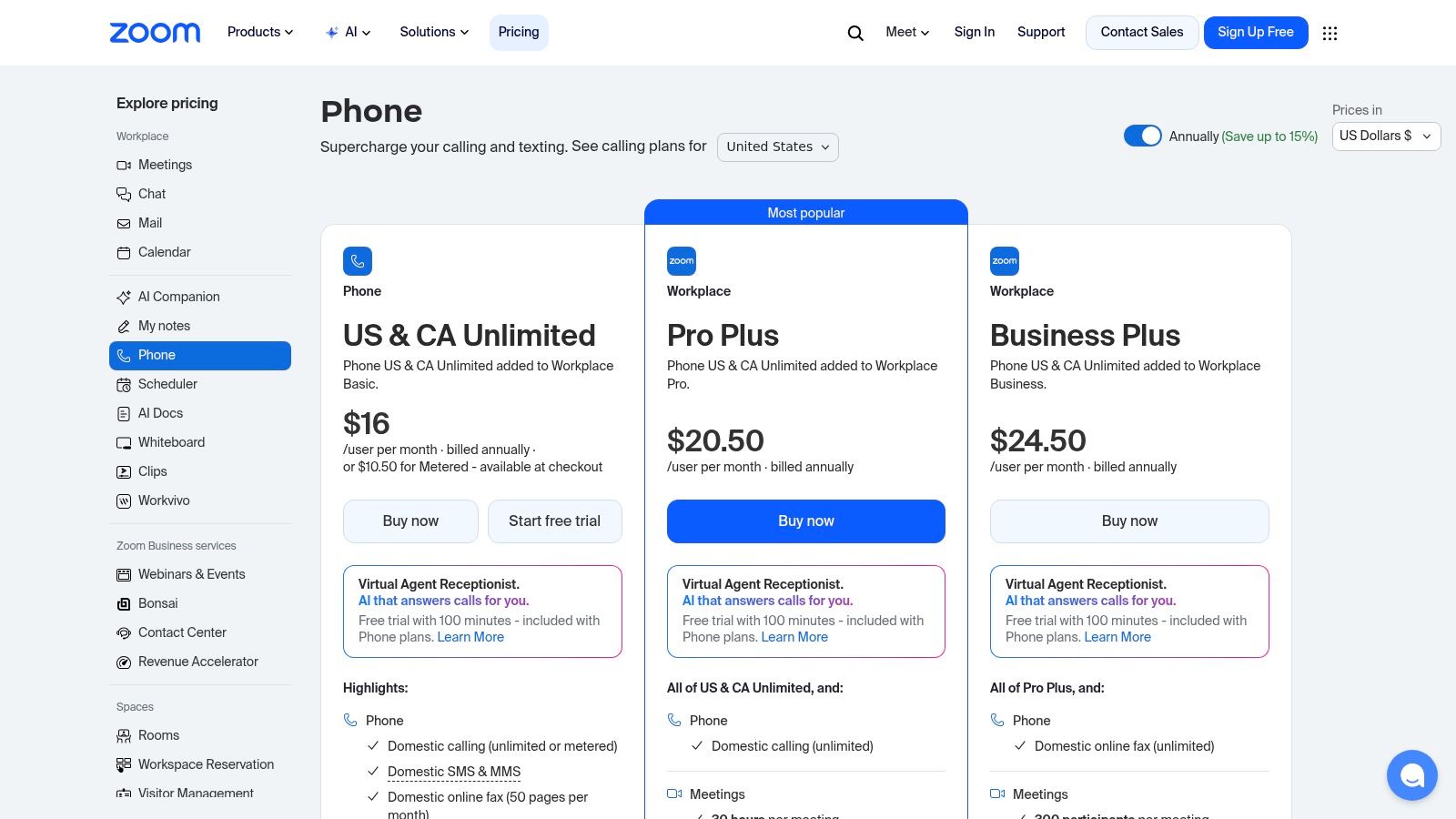
A hospital administrative office in Atlanta already runs daily care coordination in Zoom. A university provost's team uses it for faculty meetings, student services, and remote committee work. In that situation, Zoom Phone deserves a serious look because it adds calling inside a client people already open all day.
That familiarity matters during cutover. Adoption problems usually come from user behavior, not from a missing phone feature. If staff already trust Zoom for meetings, IT has less retraining to manage and fewer support tickets tied to basic usage.
Zoom Phone fits best in organizations that are video-centric first and telephony-centric second. That is a meaningful distinction. If your procurement team is searching for unified communications providers near me, the actual question is not whether Zoom has a national UCaaS footprint. It does. The question is whether you can get local implementation depth, number porting support, emergency calling configuration, and post-go-live help from a partner that knows your metro, your carrier mix, and your compliance obligations.
That local layer matters more in Atlanta, Chicago, or any large metro with multiple campuses and mixed building conditions. A clean SaaS demo does not tell you how well the rollout will go across clinics, residence halls, research buildings, or satellite offices.
Where Zoom Phone makes sense
Zoom Phone keeps calling, voicemail, call queues, auto receptionists, and desktop or mobile use inside the broader Zoom environment. For organizations trying to reduce app switching, that is a practical advantage.
It also gives buyers a path to standardize communications without forcing users into a completely different interface on day one. Zoom documents its phone system features, deployment options, and calling plans in its Zoom Phone product resources.
For customer-facing departments that already work inside Zoom, tools like live chat for Zoom may also fit into the broader service model. That is more relevant for admissions, scheduling, and support desks than for core telephony selection, but it can affect platform consolidation decisions.
What procurement teams should verify
Zoom Phone stays relatively straightforward until the organization has inherited call flows, analog dependencies, contact center requirements, or tighter compliance controls. Healthcare and higher education buyers should test those details early.
Focus on these checkpoints:
- Local support model: Confirm who owns implementation, porting, user training, and escalation in your city. A national provider with a capable local partner is often a better fit than a provider with no field presence.
- Compliance alignment: Review call recording rules, retention, identity controls, and emergency calling setup against your internal policies before procurement signs off.
- Site readiness: Validate network quality, failover behavior, and any old fax, paging, elevator, or security line dependencies before migration weekend.
- PBX cleanup plan: Document every main number, queue, holiday schedule, after-hours route, and department exception before anyone touches cutover dates.
I have seen Zoom Phone deployments go well when the buyer treated it as an operational project, not just a license purchase. That usually includes a local cutover plan, a clear carrier handoff, and a backup contact for physical voice issues. If your team still has legacy handsets, copper circuits, or on-prem equipment to retire, it helps to line up telecom repair services for legacy voice infrastructure before migration starts.
Trade-offs to watch
Zoom Phone is not usually the first choice for organizations that need highly customized enterprise telephony policy across many edge cases. It can handle a lot, but some environments need deeper voice engineering than buyers expect from a platform better known for meetings.
Pricing and packaging also need careful review. Features can vary by plan, by region, and by how the phone service is purchased. Procurement should ask direct questions about survivability, device support, compliance controls, and admin overhead before comparing Zoom only on per-user cost.
For a buyer searching unified communications providers near me, Zoom Phone is strongest when you pair the national platform with a local implementer who can handle branch reality, compliance review, and user rollout. That is the gap many selection committees miss.
3. Microsoft Teams Phone
A hospital in Atlanta already running Microsoft 365 usually starts with a simple question: why introduce another voice platform if staff live in Teams all day? That logic is sound. Teams Phone can reduce training overhead, keep calling inside the same admin stack, and fit better with existing identity, retention, and access policies than a separate UC vendor.
That does not make it simple to buy.
Teams Phone works best for organizations that already have Microsoft governance in place and want to extend it into telephony. For healthcare systems, universities, and multi-site administrative environments, the key decision is not just Microsoft versus another UCaaS brand. It is whether your local support model can handle number porting, emergency calling setup, carrier coordination, and site-level cutover work in the metro areas where you operate.
Where Teams Phone earns a place on the shortlist
The strongest reason to consider Teams Phone is PSTN flexibility. Microsoft gives buyers several paths, including Calling Plans, Operator Connect, and Direct Routing. That matters because local conditions vary. A downtown campus, an outpatient clinic, and a suburban admin office may not need the same carrier strategy or survivability design.
I usually tell procurement teams to judge Teams Phone less by the demo and more by the implementation path. Operator Connect can reduce complexity. Direct Routing gives more control, but it also brings more engineering responsibility. If your organization has analog devices, paging, elevator phones, or site-specific carrier contracts, that trade-off needs to be explicit before selection.
Microsoft also documents the compliance and policy controls many regulated buyers care about, including calling, emergency services, and administration across the Teams Phone environment in its Microsoft Teams Phone documentation. That is useful for internal review, but documentation alone does not replace a local partner who knows how your city, carrier, and buildings affect deployment.
Buyers searching for unified communications providers near me are usually not asking where Microsoft's headquarters are. They are asking who will show up when a clinic floor loses dial tone, an E911 record is wrong, or a cutover slips.
Where Teams Phone needs scrutiny
Licensing is the first problem area. Teams Phone can look straightforward until you sort through base Microsoft 365 entitlements, Teams Phone add-ons, PSTN options, device licensing, and contact center or attendant console needs. If the buyer compares only per-user pricing, the final budget often comes in wrong.
Support ownership is the second. Decide early whether voice design sits with internal IT, a carrier, or a regional Microsoft partner. In Atlanta and other large metros, that local layer matters because the national platform does not handle every field issue. If a site still needs switch cleanup, handset replacement, or new cabling before voice rollout, teams often need related services such as structured network cabling support for Dallas-area facilities or the existing telecom repair services near you already tied to the migration plan.
Use three practical screening questions before you shortlist Teams Phone:
- Which PSTN model fits each site: Calling Plans, Operator Connect, or Direct Routing?
- Who handles emergency calling design and testing: Especially for hospitals, residence halls, labs, and multi-building campuses.
- What local support exists after go-live: A help desk script is not enough if physical devices, carrier handoffs, or building-level issues are still in play.
Teams Phone is a strong choice when the Microsoft standardization argument matches the operational reality on the ground. If your service organization also uses other collaboration tools, side capabilities such as live chat for Zoom can still sit alongside a Teams-first voice environment. The main point is simple. National UCaaS platforms win on platform scale. Local success depends on the partner, carrier, and implementation team you put around them.
4. 8×8 XCaaS X Series
A common procurement scenario looks like this. The university already knows it needs cloud voice, but the admissions center, IT help desk, and student services team also want queueing, reporting, and tighter call handling. The hospital version is similar. Employee calling is one project, patient access and scheduling are another, and leadership would rather not manage two separate vendors if one platform can cover both.
That is where 8×8 usually enters the shortlist.
8×8 XCaaS X Series makes sense when the decision is not just about replacing a phone system. It fits buyers trying to combine UCaaS and contact center under one commercial and administrative model. For large organizations in metro areas such as Atlanta, that can be attractive, but the national platform alone does not answer the local "near me" question. The primary evaluation point is whether 8×8 itself, or a regional implementation partner, can support cutover planning, number porting, emergency calling design, handset deployment, and post-go-live troubleshooting at the site level.
Where 8×8 stands out
8×8 is strongest in environments with mixed needs across internal collaboration and external service workflows. Universities with enrollment teams, healthcare systems with centralized scheduling, and multi-site enterprises with shared service centers can reduce platform sprawl if they plan to use both sides of the product.
Its international reach also matters more than it does with some competitors. If your organization has overseas users, cross-border departments, or a contact center footprint outside the U.S., 8×8 deserves a closer look. That advantage is practical, not theoretical. It affects number strategy, calling plans, support coverage, and how many vendors procurement has to manage.
There is also a broader market signal behind this category. Analysts at Fortune Business Insights describe UCaaS as a market shaped by cloud adoption and demand for integrated communication workflows, which supports why bundled UC and customer engagement platforms continue to attract enterprise buyers (Fortune Business Insights UCaaS market overview).
Where buyers should press harder
8×8 can solve a lot of problems. It can also create an expensive mismatch if the scope is loose.
I tell procurement teams to get specific before they compare licenses. Which users need standard voice and meetings? Which teams need contact center functions? Which locations need local survivability, analog support, fax handling, or special call flows tied to clinical, campus safety, or facilities operations? If those answers are vague, the proposal will usually look cleaner than the deployment.
Three checks matter here:
- Service overlap: Confirm that departments are not already paying for separate call center, business SMS, or analytics tools that make part of the 8×8 bundle redundant.
- Local delivery model: Ask who handles on-site readiness, user rollout, device swaps, and escalation if a major metro campus or hospital tower has building-specific issues. If that answer is weak, line up local telecom system support near you before go-live.
- Compliance fit: Review recording, retention, emergency calling, and administrative controls against your actual environment. A hospital, research campus, and general corporate office do not carry the same risk profile.
One more caution. 8×8 often looks better in organizations willing to standardize. If every department insists on keeping separate workflows, separate reporting expectations, and separate support models, the value of consolidation drops quickly.
Buy 8×8 when you want one platform for employee communications and service operations, and you have a local support plan that matches that ambition. Skip it if the contact center side is only a slide-deck idea or if your regional implementation coverage is too thin for the buildings and compliance obligations you have.
5. Nextiva
Nextiva is often the most practical shortlist candidate for organizations that want strong core UCaaS without the heaviest enterprise complexity. It's especially attractive for growing healthcare groups, university departments, and mid-sized enterprises that need voice, video, messaging, and business SMS with a support model that feels accessible.
I wouldn't call it the most glamorous platform in the category. I would call it one of the easier ones to buy sensibly.
Why buyers like it
Nextiva tends to appeal to teams that want published options for smaller deployments and a manageable path into more advanced capabilities later. If your procurement group hates mystery pricing and your IT staff wants a platform they can administer without a large specialist bench, that's a real advantage.
There's also a market signal behind this kind of cloud-first selection. In the U.S. market, large enterprises hold the largest share of adoption, and public cloud deployments account for a major portion of revenue, according to the U.S. unified communications market analysis distributed by GlobeNewswire. Smaller and mid-market buyers benefit from that maturity because the cloud model is no longer experimental procurement.
The real trade-off
Nextiva works best when your needs are clear and mostly centered on UC, not highly customized enterprise telephony engineering. Once you move into deeper contact center, advanced analytics, or broader CX layers, you need to compare quote-based packages carefully.
A practical way to look at it:
- Best fit: Organizations that want reliable core UCaaS, simpler buying, and a strong U.S. support reputation.
- Less ideal fit: Buyers who need unusually complex carrier strategies or very specialized enterprise voice architecture from day one.
- Key compliance question: Ask how the provider handles HIPAA-ready deployments, retention, recording controls, and admin separation for departments with different risk profiles.
For teams that still have aging phone hardware, disconnected handsets, and old telecom components spread across buildings, telecom system support near you often becomes part of the migration story whether you planned for it or not.
6. Dialpad Ai Voice and Ai Contact Center
Dialpad is the provider I look at when the organization wants native AI to be part of the communications workflow, not a separate bolt-on. If your service desks, admissions teams, clinics, or internal support groups care about transcription, summaries, and coaching, Dialpad deserves a serious evaluation.
Its interface is also one of the easier ones for end users to adopt. That matters because UC platforms fail as often from user friction as from missing features.
Where Dialpad is strongest
Dialpad's appeal is straightforward. Calling, messaging, meetings, and AI features sit in one application, and the AI layer is visible in daily use. For teams that need better documentation and post-call follow-through, that can be more valuable than another long list of legacy PBX-style settings.
This lines up with current market buying behavior. A 2025 UCaaS survey highlighted that 58% of healthcare and higher-education organizations prioritize UC features that support audit-ready records and secure internal collaboration, as noted in Atlantic Technology Group's discussion of regional UCaaS provider gaps. That's a useful lens for hospitals and universities searching unified communications providers near me. The platform has to support communication, but it also has to support records, review, and accountability.
In compliance-heavy environments, AI is only useful if it improves documentation without creating governance problems.
Where Dialpad can disappoint
Dialpad isn't always the best fit for telecom teams that want highly traditional admin behavior or a deep bench of niche call handling options at lower tiers. Advanced telephony controls and contact center automation often climb into higher plans or quote-based arrangements.
That doesn't make it a weak option. It just means you should test it against the actual workflows that matter:
- Does transcription help the teams that document calls most often
- Are summaries and analytics acceptable for regulated use cases
- Can your admins enforce the policies your environment requires
If the answer is yes, Dialpad can be a strong modern choice. If your telecom staff still thinks first in terms of old PBX feature parity, another platform may land better.
7. GoTo Connect
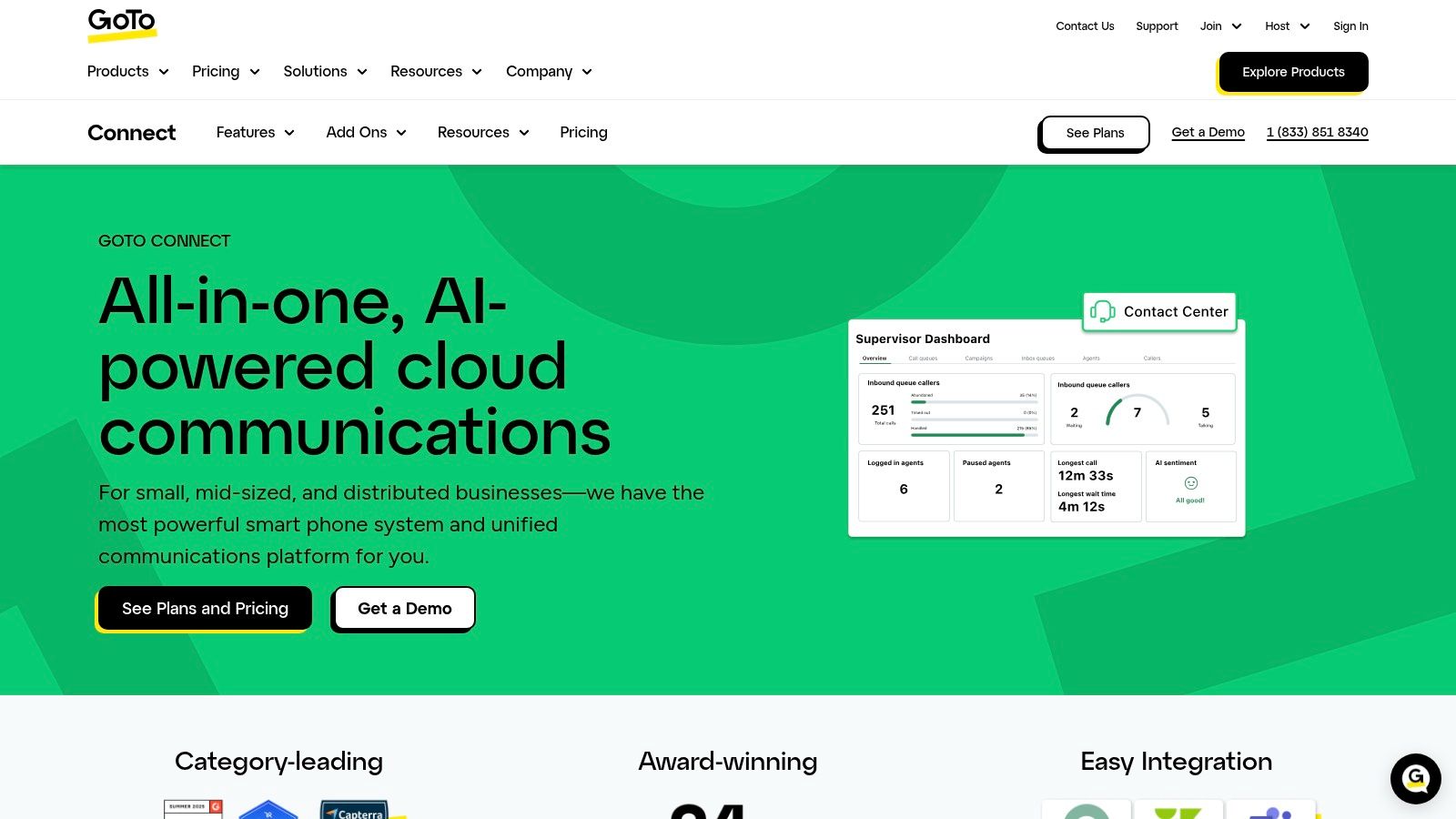
GoTo Connect is usually the easiest platform in this list to recommend for teams that care about speed of deployment, straightforward administration, and sane day-to-day management. It's often a solid fit for multi-site clinics, satellite campuses, administrative offices, and distributed organizations that want practical UC without overengineering the solution.
That simplicity is its real edge. Not every environment needs the deepest enterprise feature map. Many just need a cloud PBX, usable dial plans, decent reporting, and support that doesn't vanish after the contract is signed.
What GoTo Connect gets right
GoTo Connect offers cloud PBX, visual dial plans, queues, call recording options, video meetings, and add-ons like AI receptionist and analytics. For the right environment, that's enough. In fact, it's often better than enough because the admin burden stays reasonable.
The broader market also supports this kind of modern collaboration stack. In global UC market data, video conferencing held the largest component share in 2025, while collaboration tools were projected to grow quickly through 2031, according to Mordor Intelligence's unified communications and collaboration market report. Buyers aren't just replacing desk phones. They're standardizing how people call, meet, message, and coordinate work.
What to verify before signing
GoTo Connect's simplicity can hide important quote-level details. Contract terms, international calling assumptions, feature availability, and add-on boundaries need review. That's true for all UCaaS deals, but especially for buyers comparing what's on the website to what appears in the final proposal.
I'd verify these points:
- Reliability language: Check contract language, not just marketing copy.
- Plan-specific inclusions: Recording, analytics, Teams integration, and AI features may vary.
- Support model: Confirm whether onboarding and escalation are handled directly or through a partner.
“Near me” doesn't mean the vendor has a downtown office. It means you know who answers when a site can't receive calls.
If you're also evaluating automation in customer-facing or service workflows, it can help to compare top B2B AI voice platforms alongside your UC shortlist. That won't replace UCaaS due diligence, but it can sharpen your thinking on where automation belongs.
Top 7 Unified Communications Providers Comparison
| Solution | Implementation complexity 🔄 | Resource requirements ⚡ | Expected outcomes ⭐📊 | Ideal use cases 💡 | Key advantages |
|---|---|---|---|---|---|
| RingCentral | Moderate–High, feature-rich setup and routing | Moderate, admin, devices, possible add-ons and integrations | Enterprise-grade reliability, compliance (HIPAA BAA) and unified voice/SMS/video 📊⭐ | Large enterprises standardizing UCaaS and regulated organizations | Scalable, broad integrations, global number coverage ⭐ |
| Zoom Phone | Low–Moderate, simple if already using Zoom client | Low, minimal admin; some features require specific SKUs | Integrated meetings + phone experience; solid call quality monitoring 📊⭐ | Organizations already on Zoom seeking unified client and distributed teams | Familiar client, straightforward deployment, tight Meetings integration ⭐ |
| Microsoft Teams Phone | Moderate–High, depends on licensing and PSTN choice | High, careful licensing, possible operator/integrator for Direct Routing | Seamless M365 integration, enterprise compliance and high uptime 📊⭐ | Microsoft 365–centric enterprises and regulated environments | Native Teams experience, flexible PSTN connectivity, broad device ecosystem ⭐ |
| 8×8 XCaaS (X Series) | Moderate, unified UC+CC but requires tier planning | Moderate, international bundles and license planning | Strong multinational reach and consolidated UC + CC on one platform 📊⭐ | Multinational enterprises needing global calling and CC in one contract | Global footprint, bundled international calling, single-vendor simplicity ⭐ |
| Nextiva | Low–Moderate, SMB-friendly setup with optional add-ons | Low, transparent SMB pricing; higher tiers/add-ons increase needs | Cost-effective UCaaS with HIPAA-ready options and solid support 📊⭐ | Small-to-midsize enterprises seeking value and U.S.-based support | Competitive TCO, clear published pricing, strong customer support ⭐ |
| Dialpad Ai Voice & Ai Contact Center | Low–Moderate, fast deployment; advanced AI in higher tiers | Low initially, native AI features may require higher-tier seats | AI-driven transcription, summaries and coaching to boost productivity 📊⭐ | Teams prioritizing AI-assisted call handling and simple UX | Native AI capabilities, intuitive UX, quick rollout ⭐ |
| GoTo Connect | Low, designed for easy setup and multi-site deployment | Low, modest admin; CX/AI add-ons raise requirements | Reliable UC with practical admin tools, 24/7 support and fast time-to-value 📊⭐ | SMBs and multi-site organizations needing fast deployment and support | Easy admin experience, strong support, flexible add-on catalog ⭐ |
Your Selection Checklist How to Choose the Right UCaaS Partner
Start with a blunt question. Are you buying software, or are you buying an operating model for communications across your sites? If you're a hospital, university, or enterprise IT team, the second answer is the only one that matters. A strong platform with weak implementation support will still create a bad outcome.
The “near me” part of unified communications providers near me should push you to evaluate local execution, not just local branding. Ask each vendor who handles deployment in your metro area, who owns number porting, who maps emergency calling, who trains end users, and who supports the platform after go-live. If they can't answer that clearly, they're not local enough for practical purposes.
Focus your final comparison on a short list of operational issues:
- Compliance fit: Ask about HIPAA-ready deployment options, audit support, administrative controls, retention settings, and how they separate duties across departments.
- Implementation ownership: Find out whether the vendor, a carrier, or a regional partner will run cutover planning and user onboarding.
- Legacy migration risk: Review auto attendants, call queues, fax dependencies, analog lines, paging, elevators, and any site-specific workflows tied to the old PBX.
- Network readiness: Validate bandwidth, Wi-Fi behavior, QoS, remote user experience, and branch-level resiliency before rollout.
- Support model: Confirm who takes the call when a clinic, lab, or campus department loses service.
There's another issue buyers often leave to the end. Old communications hardware has to go somewhere. Retired PBX systems, voicemail servers, handsets, conference phones, switches, storage devices, and admin workstations shouldn't sit in a closet after migration. In healthcare, research, and higher education, they may contain data or require documented chain-of-custody handling.
For Atlanta-area organizations, that's where a certified downstream partner matters. Scientific Equipment Disposal supports de-installation, packing, pickup, secure recycling, and data sanitization for electronics and lab-related assets. That's especially useful when a UC migration overlaps with a clinic renovation, lab closure, server room cleanup, or campus facility shutdown. The communications project may start with cloud calling, but the main work often includes retiring racks, endpoints, and storage safely.
Choose the provider that best matches your environment, then make sure the local rollout, support, and decommissioning plan are just as solid as the software. That's how a national UCaaS platform starts to feel like the right local partner.
If you're replacing legacy phone systems, clearing out telecom closets, or shutting down labs and admin spaces as part of a UC migration, Scientific Equipment Disposal can help close the loop. S.E.D. supports Atlanta-area hospitals, universities, research facilities, corporate IT teams, and government organizations with secure pickup, de-installation, compliant electronics recycling, and DoD 5220.22-M 3-pass hard drive sanitization for retired IT and communications hardware.