Secure Hard Drive Destruction in Lilburn GA: Data Security

A lot of Lilburn facilities reach the same point at once. The new servers are in. The old ones are stacked in a corner. A lab is replacing analyzers, freezers, or workstation carts. Someone realizes those retired assets still contain patient data, research files, financial records, login credentials, or archived system images.
That’s when hard drive disposal stops being a recycling task and becomes a liability decision.
In regulated environments across the Atlanta metro, the hard part usually isn’t deciding that data destruction matters. It’s figuring out how to handle mixed decommissions without creating gaps between IT, facilities, compliance, and environmental disposal. A generic shredding pickup may handle loose desktop drives. It often won’t address drives still buried inside servers, storage arrays, medical devices, or scientific equipment.
Your Guide to Data Security in Lilburn GA
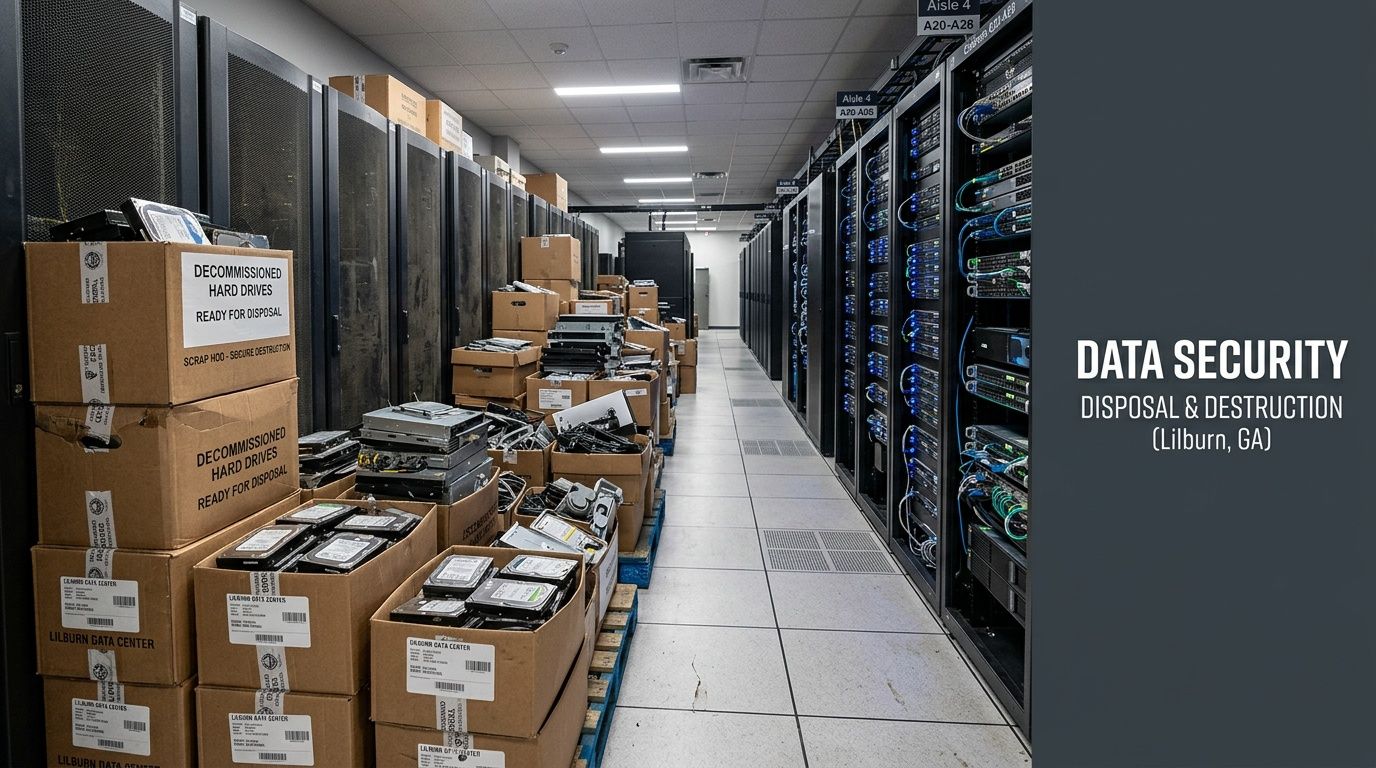
A common situation looks like this. A facility manager in Lilburn is clearing a room before a renovation or technology refresh. There are retired desktops, rack servers, backup appliances, and a few older lab instruments with embedded storage. Some devices still power on. Others don’t. Nobody wants them sitting on-site any longer than necessary, but nobody wants to guess which units hold sensitive data either.
That’s where Secure Hard Drive Destruction in Lilburn GA gets more nuanced than most online guides admit. Existing Georgia hard drive destruction content rarely addresses the cost structure for laboratories and research facilities handling mixed e-waste portfolios. Some providers promote free on-site shredding, but that doesn’t tell a hospital, university lab, or research site how to evaluate a room full of obsolete instruments alongside storage media. The same gap appears when organizations need de-installation, packing, and secure handling before destruction even begins, as noted in this review of Georgia market gaps and service models from Ecycle Atlanta’s mobile on-site hard drive shredding page.
Why mixed decommissions create hidden risk
A hard drive inside a desktop is obvious. Embedded storage inside a chromatography system, imaging workstation, instrument controller, or departmental server is easier to miss. That’s where organizations get into trouble. The disposal workflow gets split across vendors, and one overlooked device becomes the weak point.
Teams that already invest in broader security controls usually understand this instinctively. If your organization is tightening endpoint control, user permissions, and Data Loss Prevention (DLP), it makes sense to treat end-of-life media the same way. Data protection shouldn’t stop once hardware leaves daily use.
Practical rule: If a device ever stored regulated or proprietary data, treat it as sensitive until its sanitization or destruction is documented.
What a practical local solution looks like
For Lilburn organizations, the right process usually combines several services in one chain. Inventory. Drive removal. Secure transport or on-site destruction. Documentation. Electronics recycling. In lab environments, that can also include handling surplus instruments and non-IT equipment through a broader electronics recycling program in Lilburn GA.
That integrated approach is what works in the field. Not just a shredder. A controlled decommission.
Why Secure Data Destruction Is Non-Negotiable
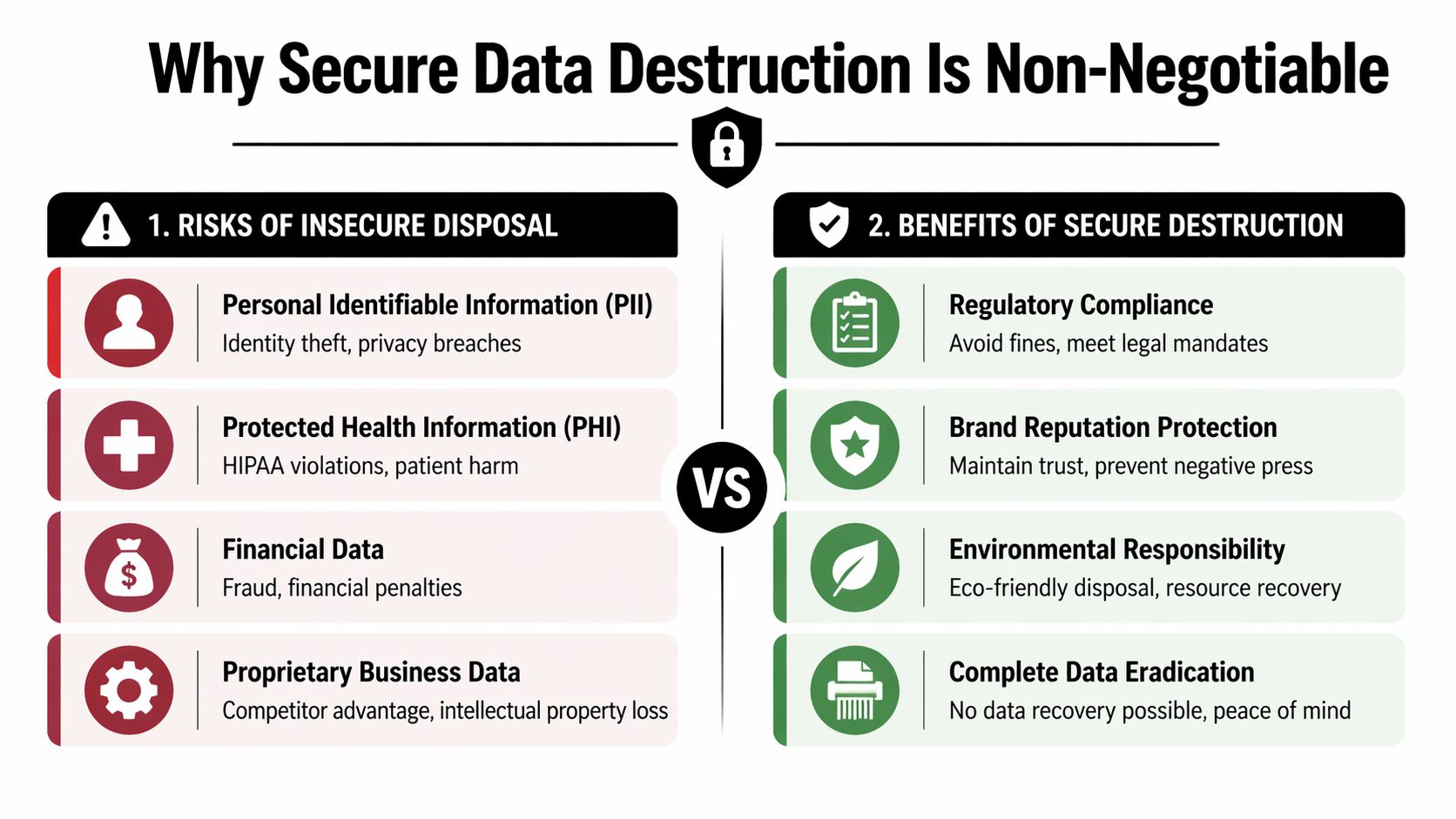
A drive can leave service and still put your organization at risk. I see this during Atlanta-area decommissions all the time, especially in labs, clinics, and mixed IT environments where retired equipment includes more than standard desktops and laptops. A workstation may be headed to recycling, but the storage inside it can still hold patient data, research files, user credentials, financial records, or years of internal communication.
That risk is higher in regulated operations because data often lives in places staff do not immediately flag during a cleanout. In Lilburn, that can mean PHI in a medical office, student records in an education setting, controlled research data in a lab, or HR and contract files in a corporate server room. It also includes embedded drives inside instrument controllers, imaging systems, and specialized scientific equipment. If those assets are decommissioned in pieces, one missed device can turn a routine disposal project into a reportable problem.
The risk reaches beyond the drive itself
Improper disposal creates three immediate problems. You can expose regulated data. You can lose the documentation needed to prove proper handling. You can break the chain between IT, facilities, compliance, and any downstream recycler or remarketing vendor.
Georgia organizations also have to consider state breach obligations if personal information is exposed. From a facility manager or IT director's perspective, the issue is not only whether data could be recovered. The issue is whether your team can show, with records, who handled the asset, what method was used, and when that work was completed.
That is why disposal should be tied to policy, inventory control, and documented destruction. For teams reviewing process standards, our secure data destruction services for regulated equipment and IT assets outline what that control should look like in practice.
Audits usually expose process gaps, not just technical ones
A retired drive tossed on a pallet with surplus electronics is a weak process. So is an undocumented handoff to a general recycling vendor. If an auditor, privacy officer, or client asks what happened to a specific asset, "it was removed during cleanup" is not a defensible answer.
The organizations that avoid trouble treat destruction as part of decommissioning, not as a last-minute recycling step. That matters even more in scientific and medical settings, where one project may include desktops, servers, analyzers, imaging equipment, and networked lab systems leaving service at the same time. Data destruction has to be built into that larger retirement workflow or it gets missed.
A device is still a compliance exposure until its sanitization or destruction is documented.
What is actually at stake
The direct concern is unauthorized access to PII, PHI, financial records, login credentials, and internal business data.
The operational fallout is often what hurts first:
- Compliance teams have to reconstruct events after the fact.
- Legal teams need records that were never created.
- IT staff get pulled into questions about assets already off site.
- Facilities teams end up owning a disposal decision they were not set up to document.
Secure destruction closes that gap. It gives Lilburn organizations a controlled, local process for retiring drives and embedded media as part of a larger IT and scientific equipment decommission, with records that stand up when someone asks for proof.
DoD Wiping vs Physical Shredding Explained
Not every drive should be handled the same way. Some media can be sanitized for reuse. Some should never be trusted again and need to be physically destroyed. The right choice depends on the drive’s condition, the type of data involved, and whether the organization wants resale or redeployment value from the asset.
For practical decision-making, it helps to separate two methods that people often lump together: DoD 5220.22-M wiping and physical shredding.
What wiping is good for
DoD wiping is a software-based sanitization method used on drives that still function. It’s useful when an organization wants to preserve the hardware for reuse, remarketing, redeployment, or downstream recycling without intact data remaining on the device.
That makes sense for working desktops, laptops, and some server drives. It can also fit phased decommissions where IT wants assets sanitized before transfer to another department or channel. If your team needs a technical walkthrough before choosing a method, this guide on how to wipe a hard drive gives a practical baseline.
When shredding is the better choice
Physical shredding is the irreversible option. It’s the safer call for obsolete, failed, damaged, or nonfunctional media, and it’s often the preferred path when the organization doesn’t want any ambiguity about recoverability.
NIST SP 800-88 categorizes sanitization into Clear, Purge, and Destroy. For high-risk data such as PHI, the relevant benchmark is Purge or Destroy, not a basic wipe. That same Georgia compliance guide notes that physical destruction to particles of ≤2mm² is part of the Destroy standard for hard drives, and that physical destruction is often preferred for SSDs in compliance audits because wiping can leave residual data blocks due to technical inconsistencies on those devices, as outlined in this Georgia data destruction compliance guide.
If a drive is dead, unstable, or pulled from a system that handled sensitive regulated data, shredding is usually the cleaner answer.
Hard Drive Sanitization Methods At a Glance
| Criteria | DoD 5220.22-M Wiping | Physical Shredding |
|---|---|---|
| Best fit | Functional drives with potential reuse value | Obsolete, failed, damaged, or high-risk media |
| End result | Data sanitized while device may remain usable | Device is destroyed and not reusable |
| Asset recovery | Preserves possible resale or redeployment value | Eliminates asset value in exchange for finality |
| Operational requirement | Drive must power on and complete the wipe process | Can handle nonfunctional drives |
| Audit posture | Strong when properly documented and verified | Strongest when the goal is irreversible destruction |
| SSD suitability | Can be more complicated in practice | Often preferred where audit defensibility matters most |
| Typical use case | IT refresh with working hardware | End-of-life media, failed drives, mixed unknown inventory |
What works in real facilities
In practice, mixed jobs often need both methods. A hospital may wipe working workstation drives slated for internal disposition and shred failed RAID members from a retired imaging archive. A university lab may sanitize usable PCs but shred embedded drives pulled from older instrument controllers that nobody wants redeployed.
That’s a more practical approach than forcing every asset into one workflow.
Here’s where teams get tripped up:
- Assuming all media can be wiped. It can’t. Dead or unstable drives may not complete sanitization.
- Treating SSDs like older spinning disks. SSD behavior can complicate verification.
- Choosing the cheapest option first. The lowest handling cost isn’t the lowest risk cost.
- Separating destruction from de-installation. If drives sit loose after removal, the control gap starts before destruction.
The best method is the one that matches the media, the data type, and the documentation burden your organization faces.
The Critical Role of Chain of Custody in Compliance
A secure destruction process is only as defensible as its paperwork. If nobody can show where a drive went, who handled it, and how it was destroyed, the technical method won’t matter much during an audit.
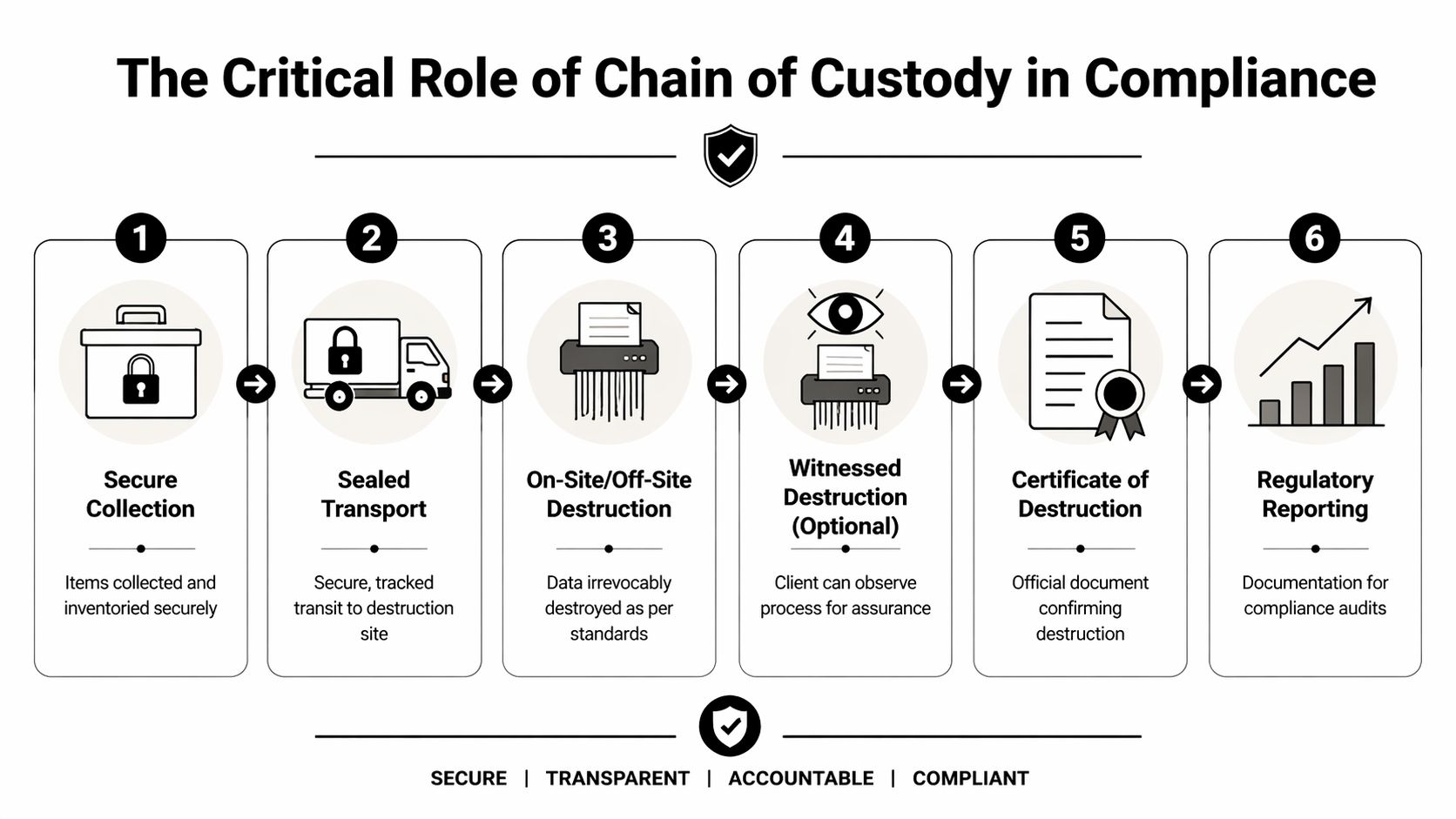
Chain of Custody means an unbroken documented trail from the moment a device leaves its original location through transport, processing, and final destruction. For healthcare, research, education, and government environments, this record is what turns a disposal event into a compliance-ready action.
What the record needs to show
For Atlanta-metro organizations handling PHI, providers emphasize that a complete documentation chain includes a Chain of Custody record tracking drives from departure through destruction and a Certificate of Data Destruction confirming the method used and the serial numbers involved. That documentation is described as critical for HIPAA verification during audits in ShredTronics guidance for Lilburn.
A strong record should answer basic but important questions:
What was collected
Device identity matters. Serialized tracking is far better than a vague count.Where it came from
Facility, department, room, or project origin helps tie assets to internal records.Who handled it
Each transfer should be traceable, not implied.How it was destroyed
The method must be specific enough to support policy and audit review.When it happened
Dates matter for retention schedules, closure records, and incident response.
Why generic certificates fall short
A one-line destruction certificate may satisfy a low-risk cleanup. It won’t always satisfy a regulated research environment. Hospitals, university labs, and government contractors often need more than proof that “some drives were destroyed on a given day.”
They may need device-level linkage back to asset records, project inventories, or system retirement approvals. They may also need to show that internal controls stayed intact while equipment moved from active use to surplus handling. That’s especially true where organizations maintain broader compliance ecosystems using controlled systems, secure archives, or even HIPAA compliant platforms for communications around patient-related operations. End-of-life hardware should meet the same standard of traceability.
Audit reality: If the certificate can’t help your compliance team reconstruct the event, it’s not detailed enough.
What to ask before approving a vendor
Before scheduling destruction, ask for specifics. Not marketing language. Actual document scope.
- Serialized tracking: Will the provider track individual drive serials or just pallet counts?
- Method specificity: Does the certificate identify wiping, shredding, or another sanitization method?
- Pickup records: Is there a formal handoff document at collection?
- Witness options: Can your team observe destruction when required by policy?
- Sample paperwork: Can you review a sample certificate of destruction before the job begins?
The organizations that pass audits smoothly don’t rely on assumptions. They collect records at the same time the work is done.
On-Site Destruction and Pickup Logistics for the Atlanta Metro
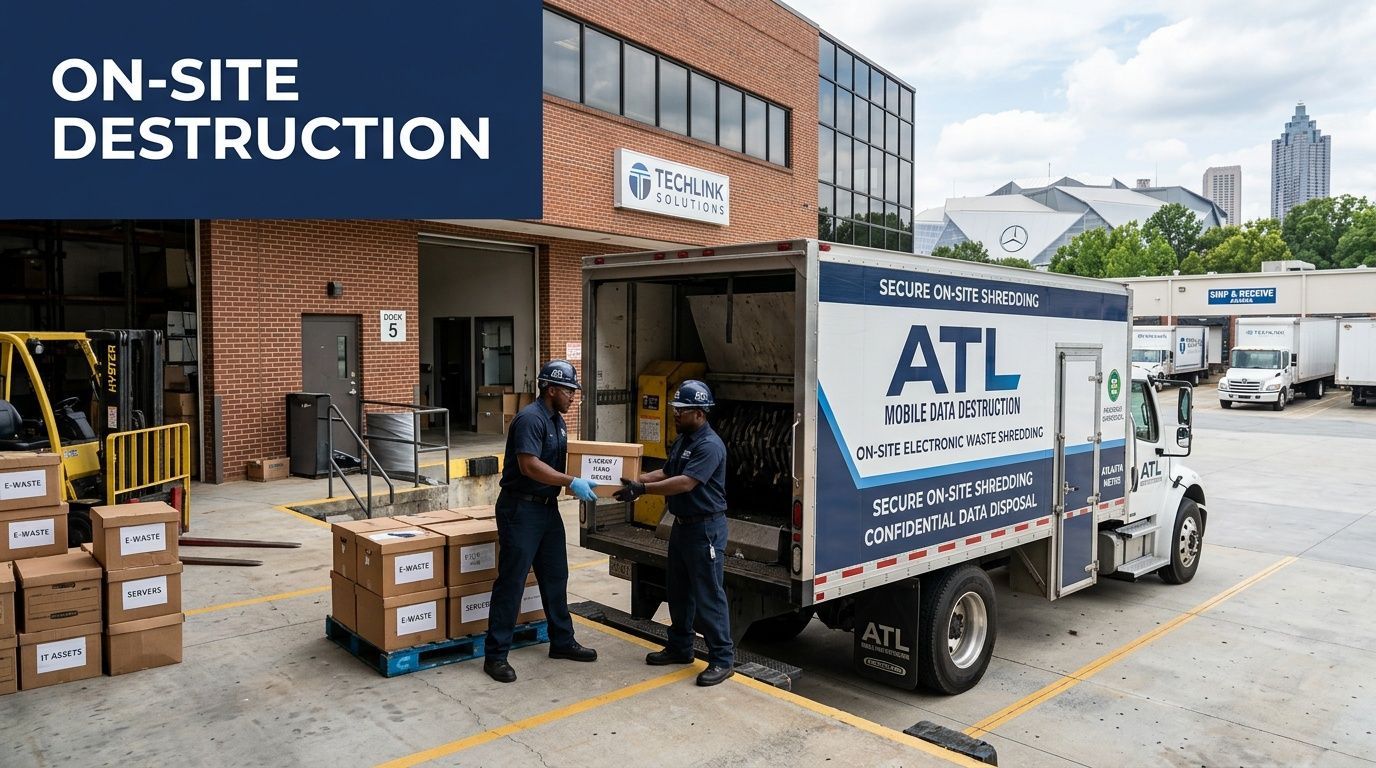
On-site destruction changes the feel of the entire project. Instead of sending sensitive media away and waiting for confirmation later, your team sees the chain start where the assets already sit.
For many Lilburn facilities, that’s the most practical route. It reduces the number of touches, limits the time media spends in limbo, and gives IT, compliance, and facilities one coordinated event instead of several disconnected handoffs.
What the day usually looks like
The process often starts before the truck arrives. Your team identifies the room, rack, closet, lab, or staging area. The vendor confirms access requirements, loading constraints, and whether drives need to be removed from devices on-site.
Once technicians arrive, the efficient crews do three things well:
- They de-install carefully. That matters with blade servers, storage arrays, and equipment that wasn’t designed for casual disassembly.
- They inventory as they go. Good field handling keeps the paperwork tied to the physical assets.
- They protect the work area. Especially in healthcare and lab environments where nearby operations may still be active.
A local pickup workflow may also tie into broader business electronics pickup in Gwinnett County GA when the project includes more than hard drives alone.
Why local logistics matter
Metro Atlanta jobs rarely involve one simple box of office PCs. A realistic service area includes hospitals in one city, research spaces in another, and decommissions that span multiple campuses or buildings. A provider serving Lilburn should already be comfortable routing jobs across nearby markets like Norcross, Sandy Springs, Marietta, Roswell, and the wider Atlanta corridor.
That local familiarity helps with practical details:
- Building access
- Dock scheduling
- After-hours pickups
- Department-by-department collection
- Handling mixed loads of electronics and lab assets
The easier a provider makes pickup logistics, the easier it is for your internal teams to maintain control instead of improvising on the day of service.
On-site versus off-site in plain terms
On-site destruction usually fits organizations that want immediate visibility and tighter control. Off-site destruction can still be appropriate when the provider’s transport, intake, and records are strong. The decision often comes down to risk tolerance, internal policy, and whether leadership wants witnessed destruction for peace of mind.
For Lilburn facilities managing active patient, research, or administrative environments, logistics aren’t a side issue. They’re part of the security model.
Understanding Pricing and Scheduling Your Destruction Service
A Lilburn facility rarely calls us for one tidy carton of loose hard drives. In practice, the engagement typically looks different. Drives are still inside desktops, servers, copiers, analyzers, or retired lab systems, and the disposal plan has to account for the full decommission, not just the media count.
That is why pricing is usually scoped by project conditions first and unit count second.
For a simple purge of loose drives, pricing is straightforward. For regulated healthcare, university, research, and industrial sites around Atlanta, the quote often changes based on how much technician time, asset handling, and documentation the job requires. On-site shredding generally costs more than off-site destruction because it adds truck time, scheduling constraints, and witnessed service at your location.
The main factors that affect cost are:
- How the media is stored: Loose drives are faster to process than drives still installed in equipment.
- Labor requirements: Removal from servers, workstations, copiers, or scientific equipment adds time and handling.
- Service method: On-site destruction usually carries a higher price than secure pickup and off-site processing.
- Volume and consolidation: Larger projects can price more efficiently, especially when multiple asset types move under one pickup.
- Documentation needs: Serialized inventories, witness requirements, and certificates by department or asset class can affect scope.
- Project type: A stand-alone media purge is priced differently from a coordinated IT and lab equipment retirement.
A low quote can still become an expensive project. We see that when a vendor prices only the shred step, while your staff is left to disconnect equipment, pull drives, stage assets, and explain missing devices to compliance later.
That risk is higher in environments where data-bearing media is easy to miss. Medical carts, imaging peripherals, instrument controllers, and multifunction printers are common examples. In broader decommissions, the right question is not just cost per drive. It is whether the provider can clear the site completely, keep custody intact, and document what left the building.
Reuse goals can change the pricing model too. If some equipment is still functional, sanitization may make sense for approved assets while failed or obsolete media goes to physical destruction. That approach often works best when data destruction is tied to a larger retirement project instead of treated as a separate errand.
Scheduling goes better when the scope is clear before the pickup date. A short planning call usually saves more time than a rushed online request because it surfaces the details that affect crew size, truck space, timing, and records.
Have this information ready:
- Estimated asset mix
- Whether drives are loose or still installed
- Whether the project includes lab, medical, or industrial equipment
- Your preferred destruction method
- Any witness, inventory, or certificate requirements
- Building access limits, dock rules, and target service window
A good quote should reflect the job, not force your facility into a generic template. For Lilburn organizations handling regulated data and mixed equipment streams, that is usually the difference between a controlled decommission and a cleanup project your team has to fix afterward.
FAQs Secure Data Destruction for Lilburn Businesses
Do we need to remove the hard drives before pickup
Usually, no. In many real decommissions, the hardest part is identifying where the data-bearing media sits. Servers, storage arrays, copiers, lab analyzers, and instrument controllers can all contain drives or other storage components. If your internal team isn’t set up for de-installation, it’s better to have trained technicians handle removal so the chain stays intact.
Can working drives be sanitized instead of shredded
Yes, when the drive is functional and your policy allows reuse or redeployment. That’s where software sanitization can make sense. If the drive is failed, unstable, obsolete, or attached to a high-risk disposal event, physical destruction is often the stronger choice.
Are SSDs handled differently from older hard drives
Yes. SSDs deserve extra caution because sanitization behavior can be less straightforward than with traditional spinning disks. In many audit-sensitive settings, organizations prefer physical destruction for SSDs when they want a clean, final outcome with less ambiguity.
What if our project includes lab equipment and not just computers
That’s common in healthcare, university, and research environments. The most efficient route is usually one coordinated decommission that handles both data-bearing electronics and surplus equipment together. It reduces handoffs and helps your team avoid splitting responsibility across multiple vendors.
What documentation should we expect after destruction
At minimum, expect a record of custody and a certificate confirming what was destroyed and how. In stricter environments, ask for serialized device tracking and enough detail to match destruction records back to your internal asset list. If a provider can’t clearly explain its paperwork before the job, that’s a warning sign.
Is on-site destruction always better than off-site
Not always. On-site destruction gives immediate visibility and can be the right fit for organizations that want witness options or tighter control over the event. Off-site can still work well when transport, intake controls, and documentation are strong. The right answer depends on your policy, risk tolerance, and facility logistics.
Can we combine destruction with an office or data center cleanout
Yes, and that’s often the most efficient way to do it. A scheduled cleanout can include computers, servers, storage devices, peripherals, and other electronics that need compliant recycling or disposal. When the work is coordinated, your team spends less time staging assets and less time managing separate pickups.
What about environmental responsibility after destruction
Secure destruction and responsible recycling should work together. Once data-bearing components are properly sanitized or destroyed, downstream recycling should keep usable materials out of landfill wherever possible. For many organizations, that matters for internal sustainability goals as much as it does for compliance.
How quickly should we act once equipment is retired
Sooner than many organizations plan for. The highest-risk period is often the gap between decommissioning and final disposition, when retired assets sit in closets, hallways, server rooms, or loading areas with unclear ownership. The best practice is to schedule removal while the project is still active, not weeks later.
If your team needs a practical partner for secure media handling, lab equipment retirement, and compliant electronics disposition, Scientific Equipment Disposal provides Atlanta-area organizations with coordinated pickup, de-installation, DoD wiping, shredding support, and sustainable recycling for complex facility decommissions.