Electronics Recycling Services in Lilburn GA

A lot of facilities in Lilburn reach the same point at the same time. The lab is being cleared, the server room is being refreshed, a clinic is relocating, or an office has stacks of retired monitors, desktops, drives, and specialized instruments that nobody wants to touch until disposal becomes urgent.
That’s where mistakes usually start. A general recycler can handle many common devices, but once you add data-bearing assets, regulated environments, or laboratory equipment, disposal stops being a simple pickup job. It becomes a chain-of-custody, de-installation, and compliance project.
Lilburn has supported responsible recycling for years. The city held an official Electronics Recycling Day in July 2016 that diverted old computers and cell phones from landfills, reflecting a local commitment to sustainability in the community’s own city event calendar. That local mindset matters. But business and institutional disposal needs are far more demanding than a household cleanout.
Your Guide to Compliant Asset Disposal in Lilburn GA
If you manage a hospital department, research lab, school, or IT environment in Gwinnett County, you already know the hard part isn’t deciding to recycle. The hard part is figuring out who can take the equipment you have, remove it without disrupting operations, and document the process well enough to satisfy your internal policies.
Why standard recycling options often fall short
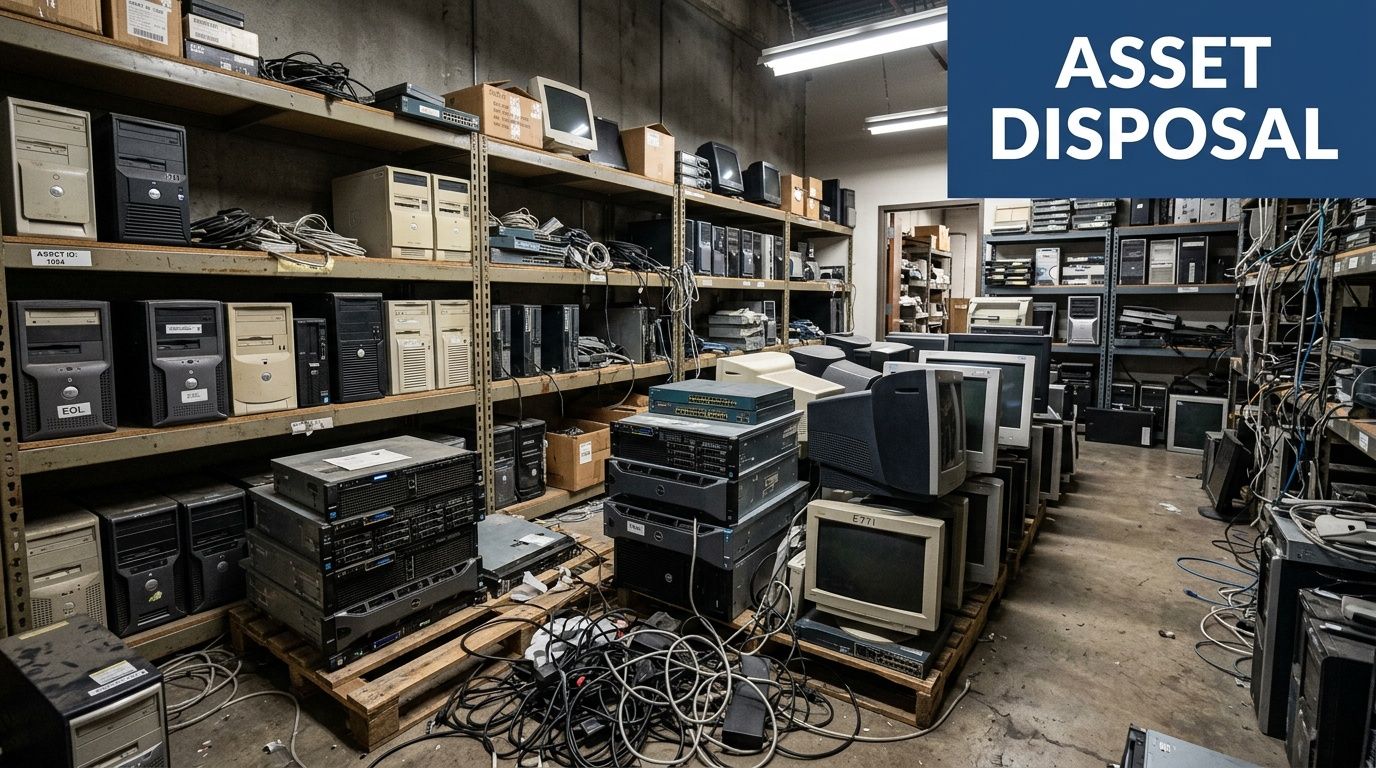
A pallet of old laptops is one thing. A room full of centrifuges, incubators, storage arrays, and retired workstations is something else entirely. Many providers in the Lilburn market promote general electronics recycling and data destruction, but local provider messaging doesn’t usually address the de-installation, compliance handling, or specialty logistics needed for scientific equipment.
That gap matters most when your assets aren’t just obsolete. They’re sensitive, regulated, awkward to move, or tied to an audit trail.
Here’s what usually separates a workable project from a messy one:
- Data-bearing assets need verified handling. Drives, servers, backup units, and embedded storage can’t leave your site as unmanaged scrap.
- Lab equipment needs technical judgment. Items may require careful removal, segregation, or confirmation that they’re safe to transport.
- Facility shutdowns need coordination. Someone has to plan loading paths, access windows, packing methods, and item tracking.
- Documentation has to match reality. If your compliance team asks what left the building, who handled it, and how data was destroyed, you need a clear answer.
Practical rule: If the equipment touches patient data, research workflows, network infrastructure, or chemical and biological processes, treat disposal like an operational project, not a junk haul.
A strong disposal program also starts upstream. If your team is still shaping inventory controls, refresh cycles, and retirement rules, this primer on IT Asset Management is worth reading because it frames disposal as part of the full asset lifecycle, not an afterthought.
What a better local approach looks like
The most effective Electronics Recycling Services in Lilburn GA are built around business environments, not residential drop-off habits. They combine equipment identification, secure removal, transport, data handling, and downstream recycling into one managed process.
For organizations operating in Gwinnett and the broader metro area, specialized regional service matters because the work often starts on site, not at the recycler’s dock. That’s especially true for labs, hospitals, universities, and corporate campuses that need coordinated pickup and decommission support in and around Atlanta. A practical example of that broader service footprint can be seen in Atlanta-area electronics and equipment recycling support.
Understanding Specialized Versus General E-Waste
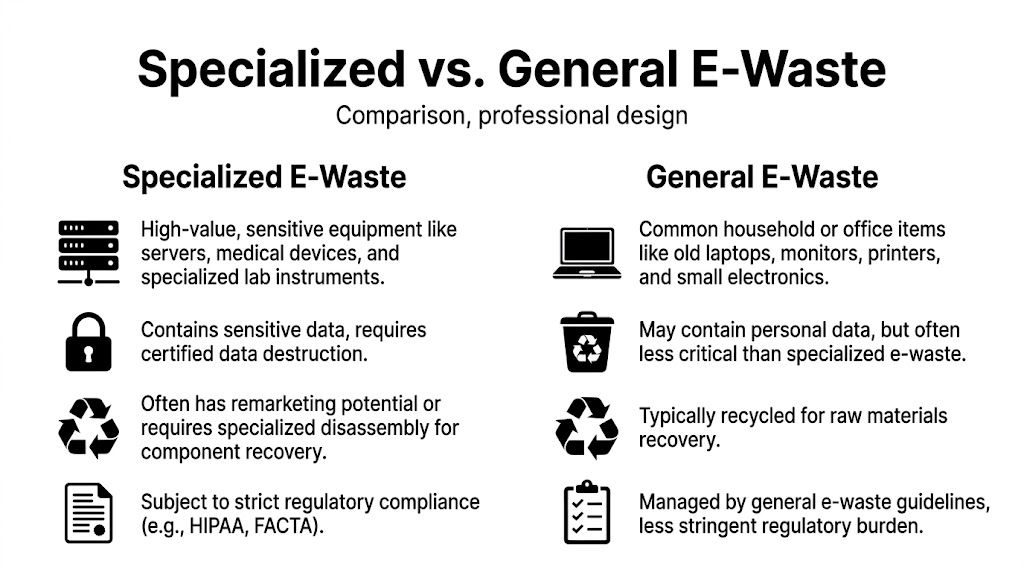
General e-waste and specialized e-waste aren’t the same problem. They overlap, but they don’t carry the same risks, and they shouldn’t be managed the same way.
The easiest comparison is this. A general recycler is like a family doctor. Important, useful, and often the right first stop. A specialist is closer to a board-certified surgeon. You bring in that level of expertise when the situation is more critical, the work is more technical, and mistakes cost more.
What belongs in the general category
General e-waste usually includes common office or household devices. Think older monitors, basic printers, keyboards, small electronics, or routine desktop replacements. These items still need responsible recycling, but they often don’t demand site-specific de-installation or advanced compliance review.
That kind of recycling works best when:
- The equipment is easy to move. No disassembly, rigging, or technical teardown is required.
- The data risk is limited or already addressed. Devices are either non-data-bearing or internally sanitized before release.
- The material stream is straightforward. Standard commodity recovery is the primary goal.
What moves into the specialized category
Specialized e-waste includes equipment that carries more than disposal value. It may hold protected data, sit inside a regulated workflow, or require a crew that understands how to remove it safely.
That usually includes:
- IT infrastructure. Servers, storage arrays, networking hardware, rack-mounted gear, and backup appliances.
- Medical and research devices. Instruments used in clinical, lab, or testing settings.
- Integrated facility assets. Equipment that’s cabled, mounted, networked, or tied into surrounding operations.
- Anything needing auditable disposition. If legal, compliance, or security teams will review the disposal record, it belongs in this category.
General recyclers are built for volume. Specialized providers are built for consequence.
Why the distinction matters in practice
The main difference isn’t just the equipment itself. It’s the downstream risk.
A retired TV from a break room is rarely treated the same way as a decommissioned imaging workstation, a server with archived files, or a centrifuge from a research environment. One is mainly a recycling task. The others may involve data destruction, internal chain-of-custody controls, equipment-specific handling, and environmental or safety review.
A common failure point is assuming that all electronics can be lumped into a single pickup. That often creates avoidable issues:
| Disposal situation | What often goes wrong |
|---|---|
| Mixed office cleanout | Data-bearing devices get packed with low-risk scrap |
| Lab shutdown | Equipment requiring technical handling is treated like furniture |
| Data center refresh | Teams lose asset visibility once equipment leaves the room |
| Multi-department pickup | No one reconciles inventory against what was actually removed |
The better approach is to sort by risk before the truck arrives. Separate common e-waste from regulated, sensitive, or technically complex assets. If your team needs a plain-English breakdown of the category itself, this guide on electronic waste recycling basics is a useful reference.
What We Accept Lab and IT Equipment Disposal
Most facility managers don’t need a theory lesson when they’re staring at a storage room full of retired assets. They need to know one thing first. Can the recycler take this equipment, or will the project get split across multiple vendors?
For specialized disposal, breadth matters. The more fragmented the asset list, the more likely you are to lose time, chain of custody, and internal accountability.
IT and data center assets
In most corporate and healthcare environments, the highest-risk category is the one that stores, transmits, or backs up data. These assets often look like ordinary hardware to a non-technical crew, but they need careful segregation and documented processing.
Typical IT assets accepted for recycling and disposal include:
- End-user devices. Desktop computers, laptops, tablets, thin clients, and workstations.
- Peripherals and support hardware. Monitors, docking stations, keyboards, mice, printers, and scanners.
- Server room equipment. Servers, blade systems, rack units, storage arrays, switches, and related gear.
- Data-bearing media. Hard drives, solid-state drives, backup units, and other removable storage.
Laboratory and scientific equipment
The local market often becomes limited. Many electronics recyclers talk about phones, computers, and office equipment. Fewer address the equipment found in research, clinical, and technical environments.
That’s a serious limitation if you’re handling a lab move, hospital renovation, university closeout, or decommissioning project. Specialized equipment often requires more than loading labor. It needs people who recognize what the item is, whether it may need decontamination, how it should be packed, and what paperwork may be required before pickup.
Accepted items commonly include:
- Bench-top instruments. Centrifuges, pipettes, incubators, and related equipment
- Analytical and technical devices. Instruments used in testing, measurement, and lab workflows
- Larger lab assets. Fume hoods and equipment associated with room-level decommissioning
- Support electronics. Lab computers, control systems, monitors, and attached peripherals
If your disposal vendor can’t identify the difference between a basic monitor swap and a lab decommission, the project usually becomes your problem again.
Accepted Equipment for Recycling and Disposal
| Category | Examples of Accepted Items |
|---|---|
| Computers and office IT | Desktops, laptops, workstations, tablets, thin clients |
| Displays and peripherals | Monitors, keyboards, mice, docking stations, scanners, printers |
| Servers and storage | Rack servers, tower servers, blade systems, storage arrays, backup devices |
| Networking hardware | Switches, routers, firewalls, related rack-mounted components |
| Data-bearing media | Hard drives, solid-state drives, removable media, embedded storage devices |
| Medical and clinical support electronics | Workstations, connected devices, support systems used in healthcare environments |
| General laboratory equipment | Pipettes, centrifuges, incubators, bench-top devices |
| Analytical and research instruments | Testing equipment, control units, specialized lab electronics |
| Large scientific equipment | Fume hoods and larger equipment involved in lab shutdowns or decommissions |
| Miscellaneous e-waste | Cables, power supplies, adapters, small electronic accessories |
For teams that need a more specific item-by-item reference before scheduling, a current accepted equipment list for recycling and disposal helps remove guesswork.
What usually needs a second conversation
Some projects involve equipment that cannot be tagged and loaded directly. It may have been used in regulated research, patient care, or environments where contamination status matters. In those cases, disposal planning should confirm three things before pickup is scheduled:
- Whether the item held sensitive data
- Whether it was used with biological or chemical materials
- Whether de-installation requires tools, staging, or building coordination
That planning step saves time. It also prevents the common mistake of having a truck on site with no clearance to remove half the room.
Our Secure De-Installation and Logistics Process
The best disposal jobs don’t feel chaotic. They feel controlled from the first conversation to the final report.
That starts with how the project is scoped. A facility rarely needs “pickup” in the simple sense. It needs a removal plan that fits the building, the inventory, the loading access, and the sensitivity of the equipment.
What a well-run pickup actually looks like
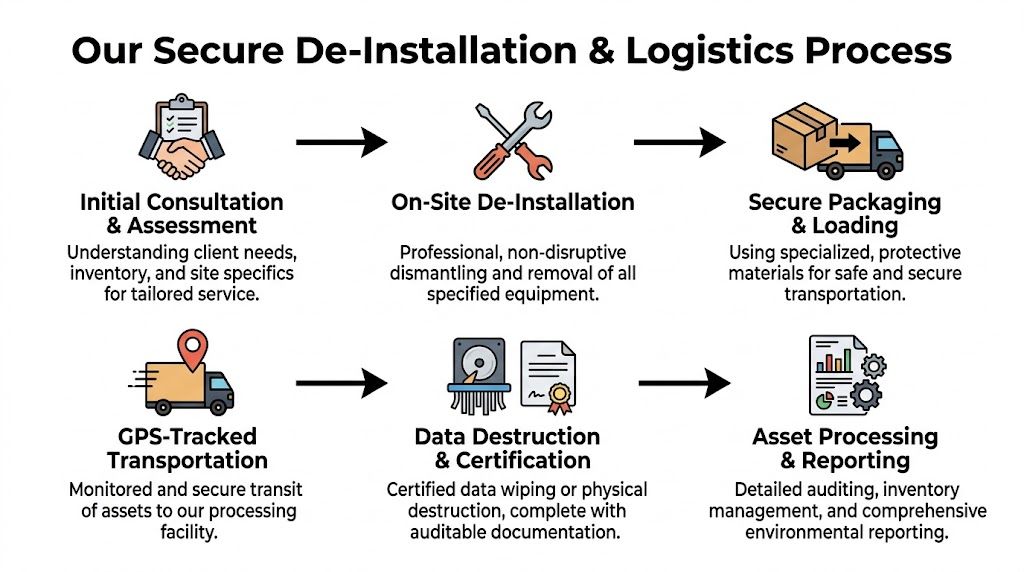
A secure logistics process usually follows a defined sequence rather than an improvised truck call. The difference shows up immediately on larger projects.
Initial assessment
The first step is identifying what’s being removed, what holds data, what needs de-installation, and which assets may require special handling.Site planning
Access points, elevators, loading docks, packing needs, and timing windows get mapped before the crew arrives.On-site de-installation
Technicians disconnect, dismantle, and remove equipment in a way that protects the surrounding workspace.Secure loading and transport
Assets are packed, staged, and loaded in a controlled order so nothing disappears into a mixed pile.Processing and documentation
Data-bearing devices go into the correct destruction stream, while recyclable materials move into the appropriate downstream channels.
Where facility teams usually run into trouble
Problems tend to happen when disposal gets treated like furniture removal. That approach fails quickly in labs, hospitals, and server environments because the assets are more complex and the stakeholders are different. IT cares about data. Facilities cares about access and timing. Compliance cares about documentation. Department managers care about continuity.
A proper logistics plan keeps those concerns aligned.
Common pain points include:
- Unclear inventory ownership. No one has the final say on what leaves.
- Last-minute access issues. The crew arrives before the dock, freight elevator, or room access is approved.
- Mixed packing. Scrap cables, drives, reusable equipment, and regulated assets end up together.
- Poor handoff documentation. Teams can’t reconstruct what happened after pickup.
A strong chain of custody starts before removal. It begins when someone on site can identify the asset, approve its release, and hand it over in a documented way.
Why hands-on logistics beats drop-off thinking
Drop-off recycling has its place. It doesn’t solve building-wide removal, lab shutdown support, or multi-room decommissioning. Those jobs need labor, equipment knowledge, packing discipline, and route planning.
That’s especially true when the disposal team must work inside an active facility. You want a process that minimizes disruption, not one that turns hallways into staging areas for half a day.
A useful benchmark is whether the provider can explain their operating sequence clearly before the work begins. If the plan is vague, execution usually is too. If your team wants a concrete reference for what that workflow should include, review a detailed equipment removal and recycling process.
Ensuring Ironclad Data Security and Compliance
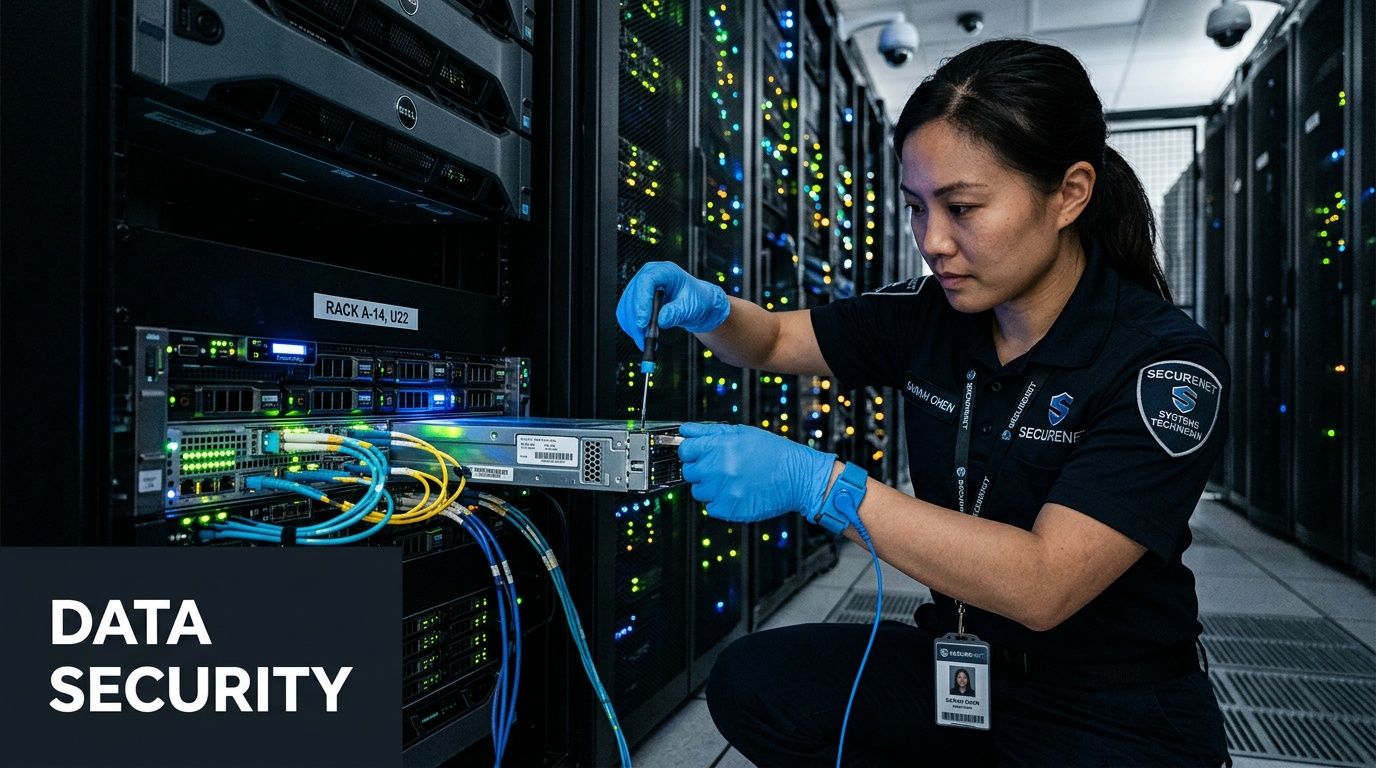
For most organizations, the highest disposal risk isn’t the metal, plastic, or resale value of the equipment. It’s the data left inside it.
That risk extends well beyond obvious devices. Laptops and servers are the easy ones to spot. The more dangerous assets are often the retired backup units, forgotten hard drives in storage, or embedded media inside specialized equipment that sat in a lab or clinical department for years.
What secure destruction really means
Secure data destruction isn’t the same as deleting files, reformatting a drive, or sending old hardware to recycling with the assumption that someone downstream will deal with it. Once a device leaves your control, assumptions stop being acceptable.
Verified disposal programs typically use two methods depending on the asset condition:
- Software sanitization for working media that can be overwritten and validated
- Physical destruction for obsolete, failed, or nonfunctional media that can’t be reliably sanitized through software
The technical standard many organizations recognize is DoD 5220.22-M 3-pass sanitization. According to the Lilburn electronics recycling guidance from Reworx, secure destruction methods such as this multi-pass overwriting achieve over 99.9% destruction efficacy, and the same source notes that the average cost of a data breach has reached $4.45 million in the 2023 IBM report, which is why certified IT asset disposition is a risk-control issue, not just an environmental one (secure electronics recycling in Lilburn).
Why compliance teams care about the paperwork
The destruction event matters. The documentation matters just as much.
Healthcare organizations, laboratories, schools, and government offices often need proof that the data-bearing assets were handled through a controlled process. That usually means internal asset reconciliation, destruction records, and a certificate that supports audit review.
A clean compliance file should answer basic questions without follow-up:
| Compliance question | What documentation should show |
|---|---|
| What left the facility | Asset description or inventory record |
| How was data destroyed | Wiping record, shredding record, or destruction method |
| When did it happen | Pickup and processing dates |
| Who handled it | Chain-of-custody trail or receiving record |
What works and what doesn’t
Some practices are consistently reliable. Others create false confidence.
What works
- Segregating data-bearing assets before pickup
- Using a documented sanitization or shredding method
- Keeping certificates tied to actual inventory
- Routing nonfunctional media to physical destruction
What doesn’t
- Assuming an internal quick format is enough
- Mixing drives into general e-waste gaylords
- Treating certificates as optional
- Letting departments self-manage disposal without central review
If you can’t prove how a drive was destroyed, you should assume you can’t defend the disposal decision later.
For organizations with regulated data, secure handling should be paramount. A practical starting point is to review what a dedicated secure data destruction program should include and compare that against your current retirement process.
The Business Case for Professional Equipment Disposal
A lot of organizations still budget disposal as if it’s just a cleanup line item. That’s too narrow. For hospitals, labs, schools, and IT departments, professional disposal is really about risk transfer, labor savings, space recovery, and environmental accountability.
That doesn’t mean every project is expensive or complicated. It means the value shouldn’t be measured only by what the truck costs.

Where the return shows up
The first return is operational. Internal teams stop spending hours identifying disposal rules, moving heavy equipment, arranging ad hoc labor, and chasing documents after the fact. Facilities can focus on turnover. IT can focus on deployment. Lab managers can focus on continuity.
The second return is defensive. When a qualified recycler follows recognized environmental and safety standards, the disposal outcome is easier to explain to leadership, auditors, and procurement teams. Reworx notes that certified R2/RIOS facilities divert over 95% of e-waste from landfills, and the same Lilburn market overview says global e-waste is projected to double by 2050 without intervention, which makes local responsible recycling part of a larger sustainability response (Lilburn e-waste recycling overview).
What drives project scope and cost
No responsible provider should pretend every job is identical. Scope depends on what’s being removed and how much work happens before the assets even reach the truck.
Main cost drivers usually include:
- Equipment type. A pallet of basic office electronics is different from a room of integrated lab equipment.
- Volume and density. Loose small items, rack gear, and mixed-room inventories all require different labor.
- Site logistics. Stairs, elevators, dock access, and restricted pickup windows affect planning.
- Data handling needs. Segregation, wiping, shredding, and reporting all change the workflow.
- Packing and de-installation. If the provider is disconnecting, dismantling, and protecting equipment, the service level is higher.
Why cheap disposal often becomes expensive disposal
The lowest quote can create the most internal work. That’s especially true when the provider expects your team to palletize everything, disconnect it, separate the drives, and solve building access on your own.
A better question than “What does pickup cost?” is “What work are we still doing ourselves if we choose this option?”
Professional disposal earns its keep when it removes uncertainty. If your team still has to manage the technical, compliance, and logistics burden, you haven’t really outsourced the problem.
In that sense, Electronics Recycling Services in Lilburn GA should be evaluated the same way you’d evaluate any outside operational partner. Not by the smallest upfront number, but by whether the process stands up when security, compliance, timing, and reporting all matter at once.
Schedule Your Lilburn Area Pickup Today
If your organization is dealing with retired lab equipment, obsolete IT hardware, or a larger decommissioning project, the safest approach is to treat it as a managed disposal event from the start. Sensitive assets require more than general recycling. They require controlled removal, data handling, and documentation that holds up under review.
That matters in Lilburn because the local need spans more than offices. Hospitals, clinics, schools, research spaces, and corporate facilities all generate equipment that doesn’t fit a simple drop-off model. The right partner should understand both electronics recycling and the operational realities of removing specialized equipment from active sites.
If you’re also strengthening your local visibility while managing facility operations, this guide on how to optimize your Google Business Profile for local success is a useful marketing-side resource for multi-location businesses and service organizations.
For disposal itself, the next step is straightforward. Gather a rough asset list, identify any data-bearing or decontamination-sensitive items, and request a pickup plan that matches the actual complexity of the job.
Frequently Asked Questions About Equipment Recycling
Do pickups in the Lilburn area always cost the same?
No. Cost depends on the equipment mix, volume, site access, labor required for de-installation, and whether the job includes data-bearing devices or specialized lab assets. A simple office electronics pickup is usually scoped differently from a hospital lab cleanout or a data center shutdown.
Why should I ask for a Certificate of Destruction?
Because disposal without documentation creates a gap in your audit trail. If you’re retiring drives, servers, workstations, or any device that may contain sensitive information, your records should show how the media was destroyed and when that happened. That documentation supports internal governance and helps compliance teams close the loop.
Can equipment used with biological or chemical materials be recycled?
Yes, but there’s an important condition. For safety and compliance, equipment used for testing or processing biological or chemical matter requires a certificate of decontamination before pickup, as stated in S.E.D.’s scientific equipment disposal requirements.
What should I prepare before calling for service?
A short working list is enough to start. Include the equipment types, approximate quantity, whether any devices store data, and whether any lab items were used with biological or chemical materials. Also note access details such as loading dock availability, stairs, elevators, and preferred pickup windows.
Is specialized equipment disposal only for large institutions?
No. The same principles apply whether you’re clearing one lab, one server room, or multiple departments. The difference is scale, not process. Smaller projects still benefit from clear inventory handling, secure data destruction, and proper downstream recycling.
If you need a practical next step, contact Scientific Equipment Disposal to discuss your inventory, confirm any decontamination or data-destruction requirements, and schedule a compliant pickup for lab equipment, electronics, or mixed technical assets in the Lilburn and greater Atlanta area.