Free Computer Recycling Atlanta: Secure Business Disposal


A lot of Atlanta organizations end up with the same problem. A back room fills up with retired desktops, dead laptops, loose hard drives, old switches, and a few servers nobody wants to touch because they might still hold data. Facilities wants the space back. IT wants the chain of custody documented. Compliance wants proof that nothing walked out the door unsecured.
That’s where free computer recycling atlanta gets confusing. “Free” sounds simple, but business recycling only works smoothly when you understand the operational rules behind it. For hospitals, universities, labs, school systems, and corporate offices, the main objective isn’t just hauling junk away. It’s controlling data risk, moving equipment efficiently, and closing the paperwork loop so the disposal stands up to internal review.
Is Free Computer Recycling in Atlanta Really Free for Businesses
If you’re staring at a storage room full of decommissioned IT assets, the first question is usually blunt. Is it free, or is somebody going to tack on hauling, labor, fuel, and “environmental” charges after the truck is loaded?
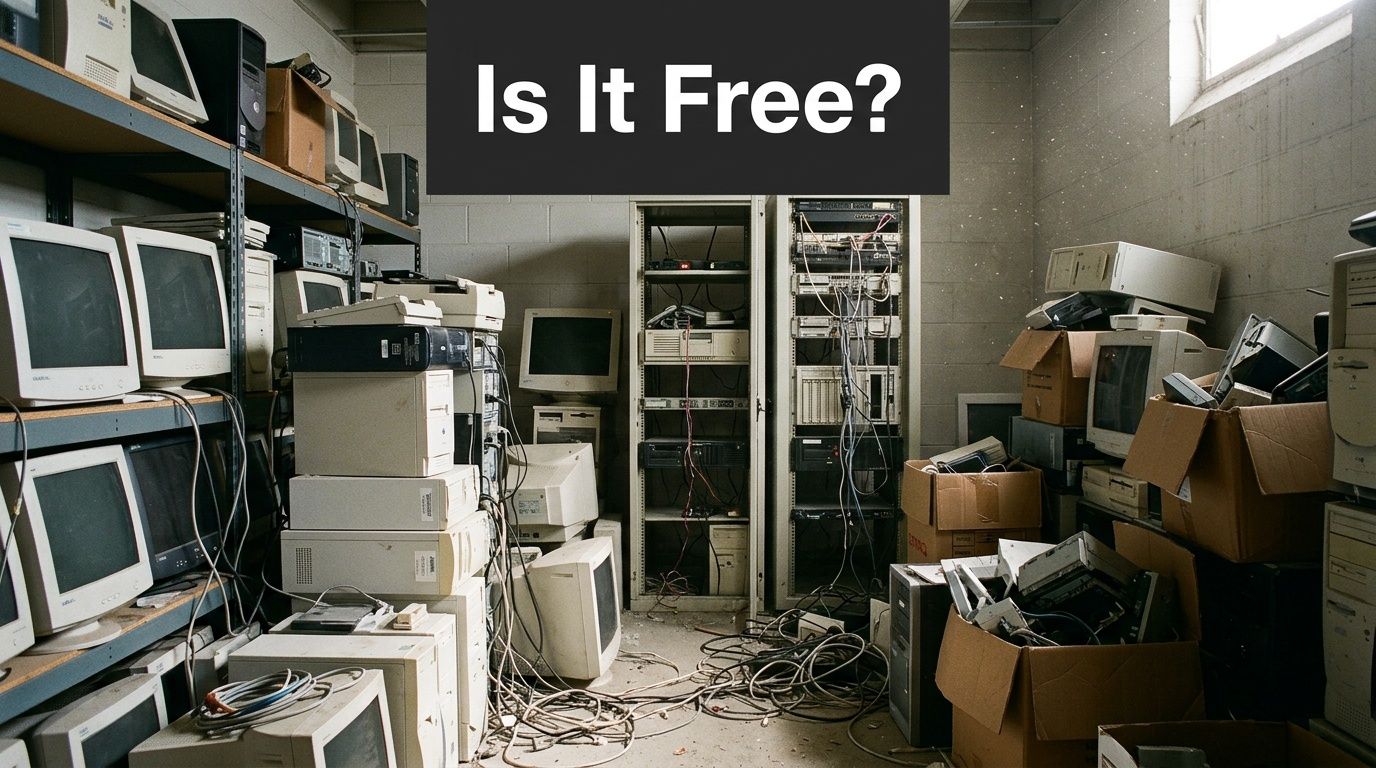
For many business pickups in Atlanta, the answer is yes, it can be free. The reason is practical. Recyclers can offset transportation and processing costs when a company has enough qualifying equipment, especially PCs, laptops, and servers, which is why commercial programs often require 10-20 major items to qualify for free pickup, according to Atlanta-area free e-waste recycling guidance.
Atlanta has built real infrastructure around this need. Local providers handle thousands of tons annually, and that matters because global e-waste generation reaches 20-50 million metric tons yearly, making regional collection programs an important part of compliant disposal for businesses, hospitals, and universities, as described in that same Atlanta recycling overview.
What free usually means
Free typically applies when the load has enough value, enough volume, or both. That often includes:
- Business-grade computers: Desktop towers, laptops, and thin clients
- Server hardware: Rack servers, blades, and related enterprise gear
- Network equipment: Switches, routers, and some telecom hardware
- Batch pickups: Office cleanouts, relocations, and refresh cycles
What usually breaks the “free” model is low commodity value, hazardous content, or labor-heavy removal. That’s why some organizations are surprised when one pallet is free but a mixed load with legacy displays or specialty devices isn’t.
Practical rule: Free pickup is a logistics model, not a promise that every electronic item has positive recycling value.
That’s also why it helps to understand how service pricing works in adjacent industries. If you’ve dealt with office cleanouts before, you’ve probably seen hidden junk removal fees appear for stairs, access problems, load time, or difficult materials. E-waste recycling works the same way. Transparent providers explain those exceptions before scheduling, not after loading.
What does not work
A lot of trouble starts when companies treat secure electronics recycling like general trash removal. That approach fails in three places:
- Data-bearing devices get mixed into unscreened loads
- Asset counts are too vague for the recycler to quote accurately
- The team on site arrives prepared to haul, not document
If you need compliance-grade disposal, “guy with a truck” is not a process.
Preparing Your IT Assets for Secure Recycling
A pickup goes well or badly before the truck ever arrives. Internal prep decides whether the day is fast and controlled or slow and messy.
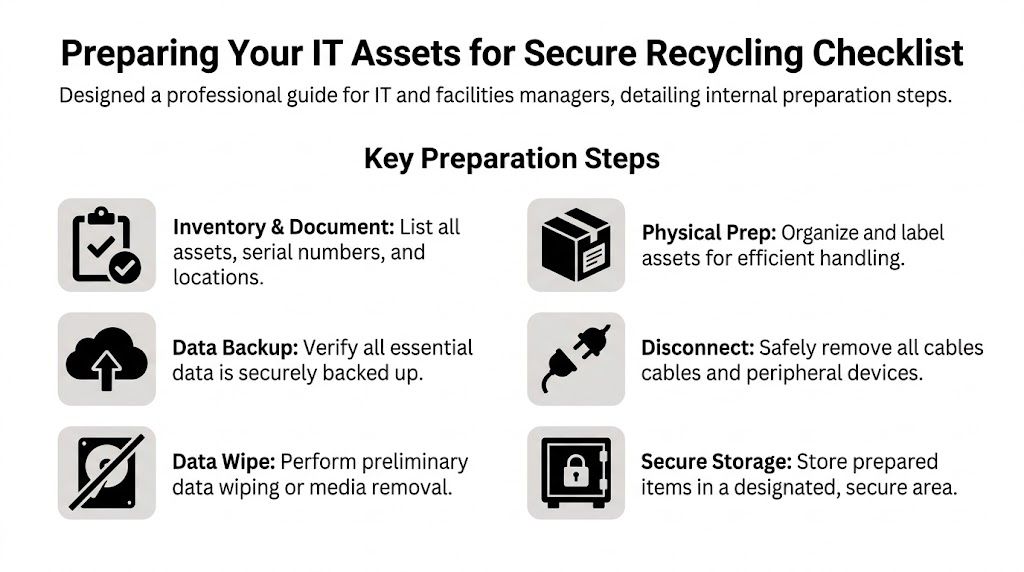
Most organizations don’t need a perfect inventory. They need a useful inventory. That means enough detail for your internal records and enough detail for the recycler to plan labor, packing, and transportation.
Start with a working inventory
Your first pass should answer five questions:
- What is it: Desktop, laptop, server, switch, monitor, printer, storage array, or loose media
- How many: A count by category, not a rough guess
- Where is it: Closet, dock, server room, floor, lab, or off-site suite
- Does it store data: Hard drives, SSDs, backup appliances, copiers, and lab systems often do
- Is it live or dead: Working gear may need a different disposition path than scrap-only equipment
Serial numbers matter most for data-bearing assets and higher-value gear. If your team can capture them easily, do it. If gathering every serial number will stall the project for weeks, create a staged list and flag the assets that require serialized destruction records.
Consolidate before pickup day
The fastest jobs come from consolidation. If old IT assets are scattered across five floors and two annexes, the pickup turns into a search exercise.
Use one secure staging area whenever possible. A locked room near a loading dock is ideal. If you can’t centralize everything, group by building or floor and label each zone clearly.
A simple prep sequence works well:
- Disconnect equipment cleanly: Remove power cords, accessories, and personal peripherals.
- Separate data-bearing devices: Keep laptops, desktops, servers, and loose drives distinct from cables and low-priority scrap.
- Box smaller items: Mice, keyboards, adapters, and loose drives shouldn’t be piled loosely.
- Label unusual equipment: Anything that needs de-installation, special access, or review should be tagged in advance.
Teams that skip this step usually lose time in elevators, hallways, and locked departments.
If your staff has to explain every pile on pickup day, you didn’t prep enough.
Handle the internal IT tasks early
Before release, your IT team should finish the work that only they can do. That usually includes user signoff, backup validation, account disassociation, and device retirement in your asset management system.
A few practical checks help:
- Confirm backups: Don’t assume a user saved local files to the network.
- Remove from active deployment tools: Retired assets shouldn’t keep checking in as active devices.
- Pull special-use media aside: Some drives need shredding rather than overwrite.
- Document exceptions: Lost tags, failed drives, and locked systems should be noted before the recycler arrives.
For organizations that also manage mixed hardware streams, this overview of what to do with old PC parts is useful because it helps separate reusable components from scrap and keeps the load organized.
Prep saves time later
The organizations that get clean documentation usually do one thing well. They decide internally what is leaving, who approved it, and where it will be staged before pickup is booked.
That reduces confusion for facilities, IT, and compliance at the same time. It also makes it easier to spot anything that shouldn’t be in the load, such as personal devices, active network gear, or equipment still assigned to a department.
Your Guide to Compliant Data Destruction Options
For most business clients, the equipment itself isn’t the biggest risk. The data is.
A retired workstation can still hold patient files, payroll records, research data, archived email, browser credentials, or cached network access. A failed hard drive is often worse because people assume “dead” means “safe.” It doesn’t.
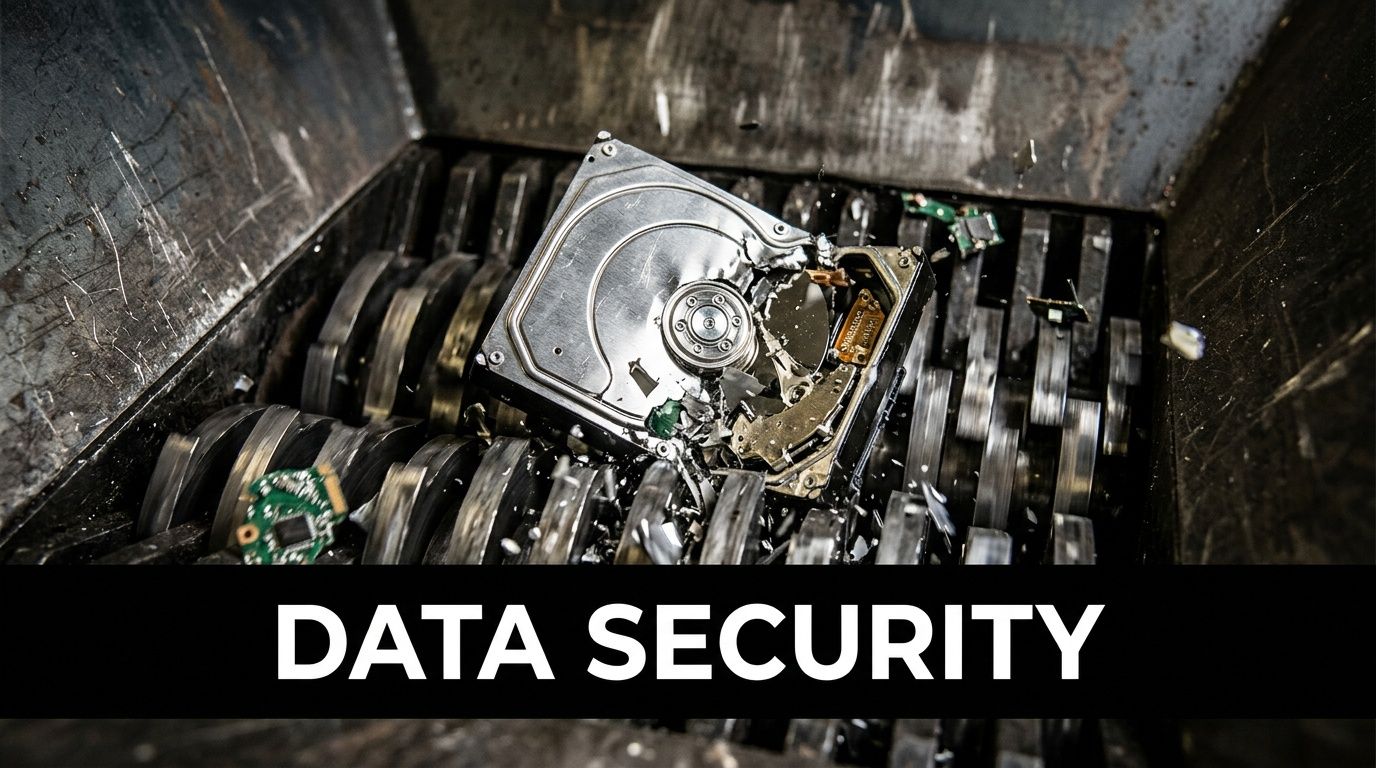
Software wiping and physical destruction are not the same
These are the two main paths:
| Method | Best for | Main benefit | Main limitation |
|---|---|---|---|
| Software-based sanitization | Functional drives and systems that can still be accessed | Preserves the asset for remarketing or downstream reuse | Requires the drive to be operable |
| Physical shredding | Failed drives, damaged media, or high-security policies | Destroys the media itself | Eliminates any reuse value |
The right choice depends on your risk profile and the condition of the media.
When the drive works, DoD 5220.22-M 3-pass overwrite is a standard method used by certified providers. The process writes zeros, then ones, then random data, and it is recognized by NIST as an effective sanitization technique when properly applied, with serialized tracking and a certificate of destruction creating an auditable trail important for HIPAA and government compliance, as noted in this Atlanta data destruction reference.
When wiping makes sense
Wiping is usually the better route when the device is functional and the organization wants:
- A documented sanitization process
- Serialized asset tracking
- Potential remarketing value
- A clear certificate of destruction tied to the processed media
For many standard office refreshes, this is the most efficient path. It protects data and keeps more of the equipment in a recoverable downstream channel instead of converting everything into shred.
When shredding is the better decision
Shredding is the better call when the drive is failed, inaccessible, encrypted with unknown status, or governed by stricter internal controls. It’s also common for healthcare, legal, research, and government environments where policy favors physical destruction over overwrite.
Use shredding for situations like:
- Failed hard drives that won’t complete a wipe
- Loose media with uncertain history
- Devices removed from highly sensitive departments
- Assets covered by stricter destruction requirements
Data destruction should match the media condition and your compliance posture. Convenience is not the decision standard.
If you need a deeper operational breakdown of custody, sanitization, and destruction methods, this guide to secure data destruction is a strong practical reference.
Compliance is about proof
HIPAA, SOX, GLBA, and internal security policies all point toward the same basic requirement. You need to show what happened to the data-bearing asset after it left production use.
That means your provider should be able to produce documentation such as:
- Serialized tracking records
- Chain-of-custody paperwork
- Certificates of destruction
- A defined sanitization or shredding method
- Clear handling for exceptions and failed media
Non-negotiable: If a recycler can’t explain how they track a hard drive from pickup through destruction or sanitization, don’t release the drive.
The mistake I see most often is treating all drives the same. They aren’t. Some should be wiped. Some should be shredded immediately. Good programs separate those categories before the truck is loaded, not after.
Scheduling Pickup and On-Site Logistics
Once the assets are staged and the data-destruction path is decided, scheduling should be straightforward. If it feels vague, that’s usually a sign the provider doesn’t have a disciplined intake process.
A solid scheduling call sounds less like junk hauling and more like project coordination. The provider should ask about volume, equipment types, loading access, security requirements, point of contact, and whether any de-installation is needed.
What to have ready before you book
When your team reaches out, keep these details on hand:
- Asset summary: Counts by major category
- Site logistics: Dock access, stairs, elevators, freight restrictions, parking, and check-in rules
- Building constraints: Service hours, badge requirements, lab access, clean room rules, or security escort needs
- Data handling instructions: Which assets are for wiping, which are for shredding, and which require serialization
- Internal contact: One person who can authorize changes on pickup day
That one contact matters more than is generally anticipated. Without it, crews lose time waiting for approvals on locked rooms, unlisted assets, or access issues.
What a professional pickup day looks like
Here’s the normal sequence for a well-run commercial pickup.
First, the crew checks in and confirms scope. They verify what is included, identify any exceptions, and review the chain-of-custody process before loading starts.
Next comes handling. Equipment is moved from the staging area, packed as needed, and segregated according to the disposition path. Data-bearing items should not be tossed into mixed scrap.
Then the paperwork is closed on site. That includes a pickup record and custody documentation showing transfer from your organization to the recycler.
The handoff should be boring. Calm crew, clear paperwork, controlled loading, no improvising in the hallway.
For organizations arranging a qualifying business load, this page on electronics recycling with free pick up shows the basic service model you should expect from a commercial provider.
Red flags during logistics
A weak operation is easy to spot if you know what to watch for.
| Good sign | Red flag |
|---|---|
| Crew confirms scope before touching assets | Crew starts loading before review |
| Data-bearing equipment is separated | All electronics are mixed together |
| Documentation is prepared on site | Paperwork is promised “later” |
| Access and route are planned | Team figures it out in real time |
The biggest operational mistake clients make here is under-describing the site. A fourth-floor clinic with a small elevator and no dock is not the same pickup as a warehouse office with pallet access. If the provider doesn’t know that in advance, timing and security both suffer.
What Items Are Accepted and What Are the Exceptions
Most Atlanta business pickups include the standard IT stream, but “electronics” is a broad category. Free programs usually favor items with stable recovery value or straightforward processing. Others require extra labor, special packaging, or downstream handling that changes the economics.
The easiest way to avoid surprises is to sort your list before requesting service and compare it against the provider’s accepted categories. This list of accepted recycling items is a useful baseline for that review.
Accepted items for free business recycling
| Item Category | Typically Free Pickup | May Incur Fees / Special Handling |
|---|---|---|
| Desktop computers | Yes, commonly included in business IT loads | No, unless damaged in a way that changes handling |
| Laptops | Yes, commonly included | Battery condition or damage may require review |
| Servers | Yes, often part of qualifying commercial pickups | Rack removal or de-installation may change scope |
| Networking equipment | Often included with core IT loads | Large mixed telecom lots may need review |
| Flat-screen monitors | Often included if modern and in volume | Broken screens or specialty display types may need review |
| Hard drives and SSDs | Accepted for secure processing | Shredding requirements should be specified in advance |
| Printers | Sometimes accepted | Larger units may require special handling |
| CRT monitors | Rarely part of free pickup programs | Often incur fees due to difficult processing |
| Large copiers and multifunction devices | Sometimes accepted with planning | Weight, access, and embedded storage can complicate removal |
| Lab and specialty electronics | Case by case | May require custom packaging, de-installation, or compliance review |
Why exceptions happen
Fees usually come from one of three issues.
- Hazardous components: CRTs are the classic example because of leaded glass and more complex downstream processing.
- Access difficulty: Large copiers, heavy UPS units, and specialty lab gear can turn a simple pickup into a rigging job.
- Low recovery value: Some items cost more to process than they return in material value.
That’s not arbitrary pricing. It’s the actual cost of compliant handling.
What works for mixed loads
If your load includes both high-value IT and difficult legacy items, ask for a scope review before scheduling. In many cases, the recycler can take the entire load but separate the free portion from the fee-based portion so procurement and facilities aren’t surprised later.
Smaller organizations that don’t meet commercial pickup thresholds should ask about drop-off options or combining multiple departments into one release. That usually works better than trying to schedule a low-volume standalone pickup.
Your Partner for Compliant Atlanta E-Waste Recycling
Computer disposal is easy to postpone because the equipment is already out of service. That’s exactly why it creates risk. Old hardware left in closets, labs, and server rooms still carries security, environmental, and operational consequences until somebody moves it through a documented process.
The organizations that handle this well do three things consistently. They prep assets internally, choose the right data-destruction method for each media type, and work with a provider that can manage pickup, custody, and final documentation without confusion.
That’s where Scientific Equipment Disposal fits. The company supports Atlanta-area hospitals, universities, government agencies, laboratories, and businesses that need a controlled path for electronics and lab asset disposition. The focus is practical: secure handling, compliant recycling, responsive logistics, and clear records at the end of the job.
If your team is dealing with a storage-room backlog, a clinic closure, a lab cleanup, an office move, or a refresh cycle, ask for an assessment before the pile gets harder to manage. A good recycling program doesn’t just clear space. It closes risk.
Frequently Asked Questions About Computer Recycling
Can businesses recycle more than just computers
Yes. Many commercial programs also handle servers, networking hardware, monitors, storage devices, and some categories of lab or specialty electronics. The right approach is to send a full asset list instead of only listing the obvious computers.
What paperwork should we expect after pickup
For data-bearing assets, ask for chain-of-custody documentation, serialized tracking where required, and a certificate of destruction tied to the approved sanitization or shredding path. Your internal audit or compliance team should be able to follow the record without guessing what happened.
What if we don’t meet the minimum volume for free pickup
That doesn’t always stop the project. You may still have options through drop-off, combining multiple departments into one release, or scheduling a paid pickup when the equipment mix requires it. The key is getting a clear scope review instead of assuming every load qualifies for no-cost service.
If you need a practical, compliant path for retiring computers, servers, storage media, or lab electronics, contact Scientific Equipment Disposal. S.E.D. helps Atlanta organizations manage secure pickup, data destruction, and responsible recycling without guesswork.