What to Do with Old PC Parts: A Guide for Businesses Nationwide

So, you're staring at a pile of old computer hardware. What's the next move? Figuring out what to do with old pc parts isn't just about clearing out a storage room. It's a serious decision that balances data security, potential value, and your environmental footprint, whether your business is based in Atlanta, GA, or anywhere across the United States.
For any business, this process boils down to three main options: reselling, donating, or certified recycling. This isn't just a cleanup job; it's a key part of your overall IT asset disposal (ITAD) strategy.
Your Quick Guide to Handling Old PC Parts
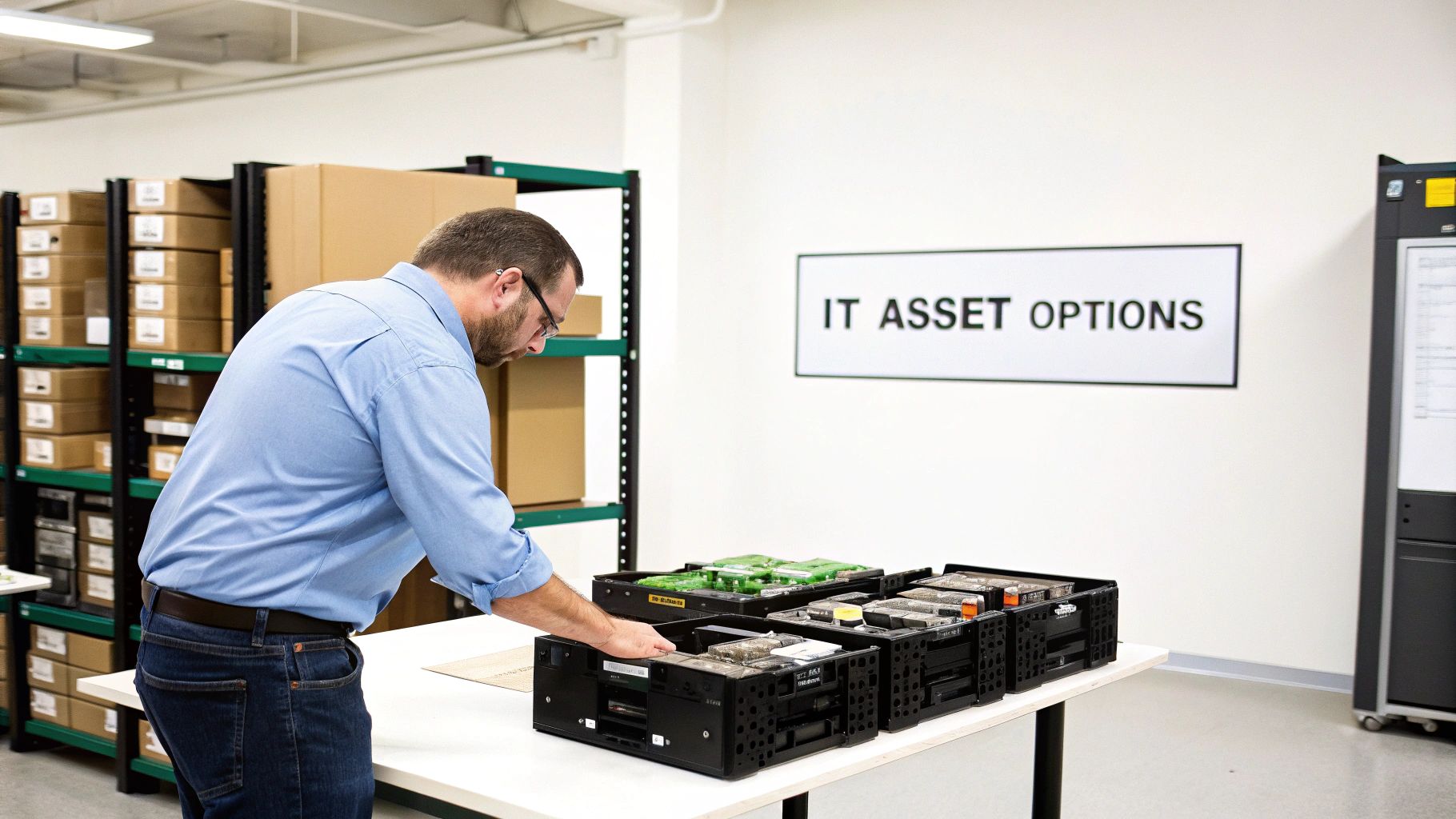
Every organization, whether it's a hospital in Atlanta, a tech firm in Silicon Valley, or a university on the East Coast, eventually ends up with a surplus of old electronics. Those motherboards, CPUs, hard drives, and sticks of RAM are more than just clutter. They represent a mix of potential value, environmental hazards, and—most importantly—massive data security risks.
Making the right call here is crucial. One bad decision can open the door to devastating data breaches, stiff non-compliance fines, and a black mark on your environmental record. But a smart, well-planned national strategy can actually recover value, lock down your sensitive information, and bolster your organization’s sustainability goals.
The Three Core Disposal Pathways
Your journey starts with understanding the three main paths you can take. Each has its own set of pros and cons, especially for businesses that handle any kind of confidential information.
- Reselling: This is the go-to for recovering some of your initial investment. Functional, in-demand components like newer graphics cards or CPUs can still fetch a decent price on the secondary market.
- Donating: Giving working equipment to local schools or nonprofits is a fantastic way to support the community. You extend the hardware's life and might even get a tax benefit out of it.
- Certified Recycling: When parts are broken, outdated, or contain proprietary tech, this is your safest and most responsible bet. Certified recyclers ensure hazardous materials are managed properly and that valuable raw materials are recovered and reused.
No matter which path you choose, data security has to be priority number one. Simply hitting "delete" on a file does absolutely nothing to protect your organization.
The biggest mistake we see organizations make is underestimating the data left on old drives. A single improperly discarded hard drive can hold enough information to cause a catastrophic security breach. This makes professional data sanitization a non-negotiable step.
Comparing Your Options for Old PC Parts
To make things simpler, let's put these options side-by-side. This quick comparison helps organizations weigh the pros and cons of each approach before locking in a disposal strategy.
| Disposal Option | Data Security Risk | Environmental Impact | Potential Return | Best For |
|---|---|---|---|---|
| Reselling | High (without certified wipe) | Low (promotes reuse) | Moderate | Newer, high-value components |
| Donating | High (without certified wipe) | Low (promotes reuse) | Tax benefit | Functional, non-sensitive items |
| Certified Recycling | Very Low (guaranteed destruction) | Positive (resource recovery) | Varies (material credits) | All end-of-life or sensitive assets |
As you can see, both reselling and donating carry a high data security risk unless you bring in a certified partner to professionally wipe the drives first. For any asset that held sensitive information, or for any parts that are simply too old to be useful, certified recycling is the only path that truly eliminates risk.
The Hidden Value in Your Obsolete IT Assets
It’s easy to look at a storeroom filled with old PCs and just see e-waste. For any busy organization, that pile of outdated hardware feels like a logistical headache—something to deal with… eventually. But writing these assets off as junk is a huge mistake.
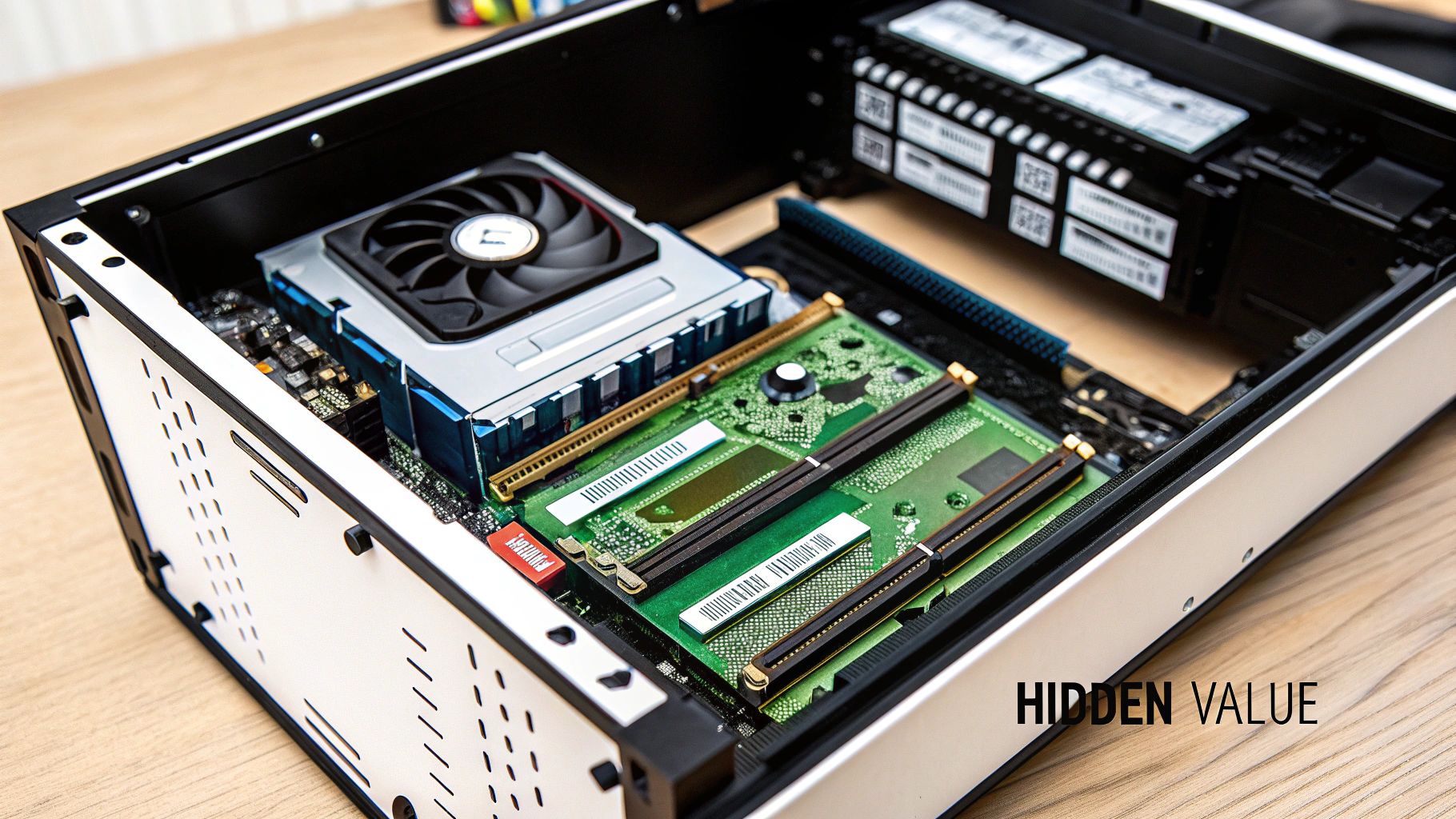
Think of each old desktop, server, and laptop as a small treasure chest. Inside every machine, components like CPUs, RAM modules, and motherboards are packed with small but significant amounts of valuable materials. We're not talking about scrap; we're talking about precious metals.
These old PC parts contain gold, silver, copper, and palladium, all of which can be pulled out through a certified recycling process. This is the whole idea behind the circular economy—reclaiming materials from products at the end of their life and putting them back into the national supply chain. It means less need for new mining operations.
Unlocking the Economic Potential of E-Waste
The scale of this hidden value is pretty staggering. The global electronics recycling market is booming, and it's fueled directly by the mountains of retired IT assets coming from businesses, hospitals, and universities across the nation. This isn't some niche industry; it's a massive economic engine turning forgotten hardware back into raw materials.
In 2025, this market is valued at an incredible USD 43.2 billion. PCs and laptops are the biggest players, making up 45% of the market share and becoming the top priority for responsible disposal. This growth is particularly strong right here in North America, which holds a 39.2% global share thanks to the sheer volume of e-waste coming from commercial sectors. Looking ahead, the market is projected to hit USD 147.9 billion by 2035, all driven by the high value of those recoverable metals that can directly offset disposal costs.
This completely changes the financial picture for organizations. Instead of paying someone to haul your e-waste away, you can work with a vendor who knows how to unlock its built-in value.
For organizations like hospitals, labs, and government agencies, proper IT asset management is more than just clearing out space. It's a dual opportunity to boost your corporate social responsibility (CSR) profile and get a return from assets you once considered worthless.
From Cost Center to Value Generator
This economic reality flips the script on what to do with old PC parts. A well-managed IT asset disposition (ITAD) program can transform what was once a cost center into something that’s cost-neutral or even brings in revenue.
Here’s a simple breakdown of how the finances work:
- Assessment: Your inventory of old PC parts is evaluated to see what recoverable materials are inside.
- Logistics: A certified national partner handles the pickup, transport, and secure processing.
- Recovery: Valuable metals and any still-usable components are extracted.
- Credit: The market value of these recovered materials is tallied up and applied as a credit against your service fees.
For big projects, like a full office or lab cleanout, these credits can often cover the entire cost of the service—including secure data destruction. That's a huge deal for any organization trying to manage its budget while staying compliant. The benefits are even greater for massive operations, like those seen in comprehensive data center equipment recycling programs.
Ultimately, by recognizing the hidden value in your obsolete assets, you're doing more than just cleaning out a closet. You’re making a smart financial decision that supports sustainability, reinforces your brand’s commitment to responsible practices, and guarantees your data stays secure.
Navigating Data Security and Compliance Risks
Every old hard drive, server, and computer gathering dust in your storage room is more than just obsolete equipment—it's a ticking time bomb of liability. Deciding what to do with these parts without a professional data sanitization plan is like leaving your company’s digital front door unlocked. A simple file deletion or drive reformat offers a false sense of security; commercially available software can easily recover that "erased" data in minutes.
This kind of oversight can lead to catastrophic data breaches, crippling financial penalties, and irreversible damage to your company’s reputation. These aren't just abstract fears. They're real-world risks defined by strict legal and regulatory frameworks that govern data privacy nationwide.
Understanding Key Compliance Mandates
For organizations in specialized fields like healthcare or government contracting, the rules are even stricter. Failing to comply with national and local data protection standards during equipment disposal isn't a small mistake—it can trigger significant legal and financial consequences.
- Healthcare (HIPAA): The Health Insurance Portability and Accountability Act (HIPAA) has ironclad rules for handling Protected Health Information (PHI). Any old PC part that ever stored patient data must be sanitized or destroyed according to its guidelines. Understanding these rules is a non-negotiable part of business for anyone in the medical sector, as explained in this guide to HIPAA compliance for SMBs in the medical sector.
- Government & Contractors (NIST): The National Institute of Standards and Technology provides the gold standard for media sanitization with frameworks like NIST SP 800-88. If you're a federal agency or a contractor, following these protocols isn't optional.
- Corporate Entities (Various): Regulations like GDPR for international business and CCPA in California impose strict rules on handling consumer data. Disposal is the final, critical step in the data lifecycle, and regulators are watching.
These aren't just suggestions; they are legally enforceable requirements with steep penalties for getting it wrong.
The Difference Between Deleting and Destroying Data
It's absolutely critical to understand the technical difference between hitting "delete" and truly sanitizing a drive. A standard delete or format command only removes the pointers that tell the computer where the data is. The actual information? It’s still there, just waiting to be recovered. True data destruction is far more absolute.
"True data sanitization isn't about making data hard to find; it's about making it impossible to recover, ever. This is the only way to meet modern compliance standards and protect your organization from a breach."
There are really only two ways to guarantee this level of security:
- Data Sanitization (Wiping): This is a software-based approach that overwrites the entire hard drive with random characters, often in multiple passes. For instance, the DoD 5220.22-M standard uses a 3-pass overwrite that effectively scrambles the original data into oblivion, making it irrecoverable.
- Physical Destruction (Shredding): For the most sensitive data—or for drives that are broken and can't be wiped—physical destruction is the final answer. Industrial shredders grind hard drives into small, unrecognizable pieces of metal. There's simply no coming back from that.
These processes are crucial, especially as regulations like the Resource Conservation and Recovery Act (RCRA) tighten their grip on e-waste. North America's e-waste recycling market is projected to hit USD 17.3 billion by 2025, showing just how seriously this is being taken. For medical labs, improper disposal can lead to fines up to $50,000 per violation under U.S. EPA rules—and that's before you even consider the cost of a data breach.
Partnering with a certified vendor who provides a clear chain of custody and verifiable proof of destruction isn't just a good idea; it's a fundamental part of modern risk management. To see how this works in practice, check out our guide on how secure data destruction works. This is how you turn a potential liability into a documented, compliant, and secure process.
Choosing a Sustainable Path: Reuse, Refurbish, or Recycle
When it comes to getting rid of old IT assets, a smart disposition strategy is about more than just clearing out closet space. It’s about following a clear hierarchy of environmental responsibility. When you're deciding what to do with old PC parts, you really have three sustainable choices: reuse, refurbishment, and recycling. Each one plays a unique role in building a more circular economy.
The absolute greenest option is reuse. This is as simple as it sounds: taking a perfectly functional computer or component and putting it straight back into service. This could be within another department in your own organization or through donation. Think of it as giving that equipment a second life in its current form, completely sidestepping the massive energy and resources needed to manufacture something new.
Next up is refurbishment. This is the perfect path for equipment that still works but might be a bit dated or needs a minor tune-up. A technician can give it a good cleaning, maybe upgrade the RAM or pop in a new SSD, and get it ready for its next user.
The Hierarchy of Sustainability
The goal should always be to keep electronics in circulation for as long as humanly possible. While recycling is a vital part of the process, it should always be the last resort when an item simply can't be reused or fixed.
- Reuse (Highest Priority): This directly extends a device's life, maximizing the original investment and having the smallest environmental impact. You avoid the carbon footprint of new manufacturing altogether.
- Refurbishment (Second Priority): Gives aging but still-capable hardware a new lease on life, bridging the gap between brand-new and obsolete. It's a fantastic strategy for cutting down the demand for new products.
- Recycling (Final Step): This is reserved for parts that are truly broken or so old they're no longer useful. The process recovers valuable raw materials like gold and copper while ensuring hazardous materials like lead and mercury are handled safely.
This decision-making framework is crucial, especially when you have to balance your sustainability goals with ironclad data security. The image below really drives home the difference between proper data sanitization and just hoping for the best.
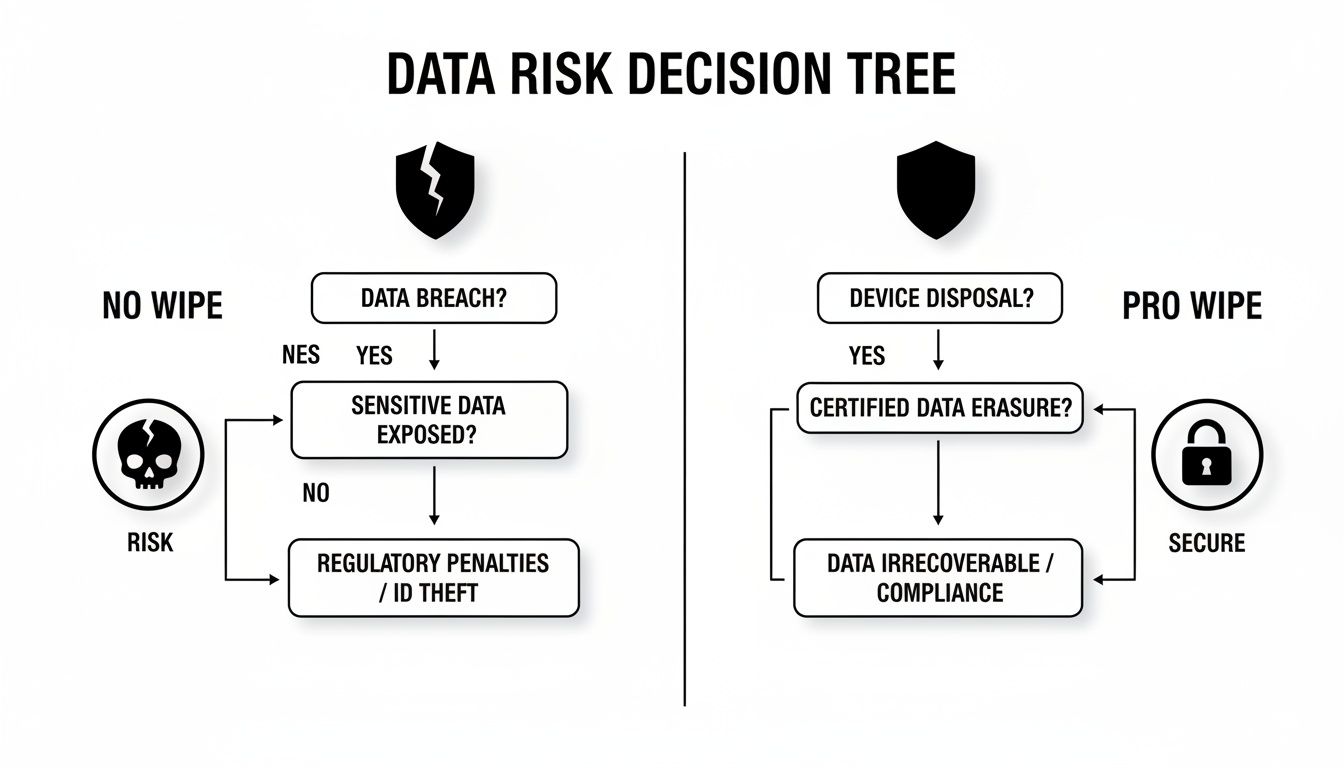
As you can see, it's a clear choice: professional data wiping secures your assets against massive risk, while skipping this step leaves your organization wide open to a potential breach.
Decision Matrix: Reuse vs. Refurbish vs. Recycle
To make the decision process even clearer, here’s a practical matrix to help guide your organization on the best path for old PC parts based on their condition, age, and security needs.
| Component Status | Recommended Action | Key Considerations | Environmental Benefit |
|---|---|---|---|
| Fully functional, modern | Reuse | Is there an internal need? Can it be donated to a local school or non-profit? | Highest. Avoids all new manufacturing and extends the device's original life cycle. |
| Functional, slightly aged | Refurbish | Can a minor upgrade (RAM, SSD) extend its life for a new user? | High. Reduces demand for new products and keeps viable electronics in use. |
| Non-functional, broken | Recycle | Is the part truly beyond repair? Does it contain sensitive data needing physical destruction? | Good. Recovers valuable materials and prevents hazardous waste in landfills. |
| Obsolete, no market value | Recycle | Is the technology too old to be useful, even if functional? | Good. Ensures responsible management of e-waste and material recovery. |
This table serves as a quick reference, but every organization's needs are different. The key is to evaluate assets systematically before defaulting to the scrap pile.
Why Certified Recycling Matters
When reuse or refurbishment just isn't an option, picking the right recycling partner is absolutely critical. With global e-waste recycling rates projected to plummet to just 20% by 2030, the problem of old hardware piling up in landfills is only getting worse. For clinics, schools, and research labs nationwide, certified partners like S.E.D. make the sustainability hierarchy a priority. We find that up to 30-50% of office computers often qualify for refurbishment, which directly slashes the need for new raw materials.
A certified recycler does more than just break down hardware. They follow strict, documented protocols to maximize resource recovery, protect worker safety, and provide a transparent chain of custody for every single asset.
Certifications like R2v3 (Responsible Recycling) are the gold standard in our industry. They're your guarantee that a vendor operates under the highest ethical and environmental standards. This includes vetting all their downstream partners to ensure no shady exports of hazardous materials, in line with global agreements like the Basel Convention. A certified partner gives you documented proof that your old PC parts were handled the right way, from your door to their final destination. To learn more about how these processes work, check out our guide to IT equipment recycling.
Managing the Logistics of IT Asset Disposal
Let's be honest, figuring out what to do with old PC parts is more than just deciding between reuse or recycling. It's a full-blown operational puzzle. The logistics of IT asset disposal—from tracking every last component to packing it up and moving it securely—can quickly become a massive drain on your team and budget. A lot of organizations just try to handle it themselves, completely unaware of the hidden costs that start piling up.
This isn't just about hauling away some boxes. It’s about the staff hours you're pulling away from core business functions. It's about buying the right packing materials to keep things from getting damaged. It's about the sheer physical labor needed to move heavy, awkward equipment. Plus, there are real risks of workplace injuries when you ask employees who aren't trained in manual handling to decommission and lug around heavy servers or entire racks of computers.
The True Cost of a DIY Approach
When you decide to manage IT asset disposal in-house, the expenses pop up in places you wouldn't expect. Sure, there are the obvious labor costs, but what about when improper handling leads to damaged equipment? That instantly kills any resale value you were hoping for. Even worse, a disorganized process dramatically increases the odds of assets simply "walking away," which is a data security nightmare if those devices still hold sensitive information.
Think about these common logistical headaches you'll run into:
- Inventory Management: Trying to accurately track every single asset by its serial number is incredibly tedious, but it's absolutely critical for maintaining a clean chain of custody.
- Secure Packing: Old PC parts, especially fragile hard drives, have to be packed carefully to prevent any damage during transit that could compromise data or wipe out their value.
- Transportation: You need to arrange secure transport that guards against theft or loss, which requires serious planning whether you're moving assets across town or across the country.
The physical collection and removal of obsolete IT equipment is the core of disposal logistics. You can get a general sense of the challenges involved from resources on topics like Junk Removal and Storage Services, which really highlights the complexities of dealing with various unwanted items.
Streamlining Disposal with a Professional Partner
Now, contrast that DIY headache with bringing in a professional ITAD service. The whole process is transformed from a logistical nightmare into a smooth, efficient operation. A specialized vendor takes care of everything—from on-site de-installation and packing to secure pickup and transport. This complete, end-to-end management frees up your staff and gets rid of all the risks that come with doing it yourself.
For businesses that need a fast, dependable solution nationwide, a partner who offers services like a free electronics pickup can be a total game-changer, especially when you're dealing with a large-scale decommissioning project. It’s worth looking into how a streamlined pickup process actually works and what it can do for your business.
The real value of an expert partner isn't just in hauling away old gear. It's in their ability to turn a potential cost center into a value-neutral or even profitable activity through strategic material recovery.
This is all made possible through something called material recovery credits. The valuable components and raw materials pulled from your old PC parts have a real market value. A certified disposal partner calculates this value and applies it as a credit against your service fees. With large volumes of equipment, these credits can often significantly reduce or even completely cover the cost of disposal—including certified data destruction—making the business case for outsourcing crystal clear.
How to Choose the Right Disposal Partner
Picking the right e-waste vendor is a huge business decision, one that impacts everything from your data security to your bottom line and legal liability. Whether you're in Atlanta or anywhere else in the country, you absolutely have to do your homework. You need more than a company that just hauls away your old gear; you need a partner who protects you from what comes after.
The very first thing you should be looking for is proof of industry certifications. These aren't just fancy badges for a website—they're your guarantee that a vendor meets the highest standards for how they operate. The most important one to see is R2v3 (Responsible Recycling), which is the gold standard for ethical and environmentally safe practices.
Key Vetting Criteria
When you're trying to figure out what to do with old PC parts, your checklist for a partner should focus on four core things. These are the details that separate a true asset management expert from a basic scrap hauler, making sure your company is covered from every angle.
- Verifiable Data Destruction: Get specific with them. Do they offer DoD 5220.22-M compliant data wiping? Can they shred hard drives on-site at your facility or at theirs? Crucially, they must provide a Certificate of Destruction for every single drive, giving you a clear, auditable paper trail.
- Transparent Chain of Custody: From the moment that equipment leaves your office, you need to know exactly where it is and who’s responsible for it. A real pro will give you detailed asset tracking and reporting, so you have full visibility from pickup all the way to final disposition.
- Comprehensive Logistics: A top-tier partner should make this whole process easy for you. That means offering services like on-site de-installation, professional packing, and secure transport using their own trucks. This gets rid of logistical headaches and keeps disruption to your business at a minimum.
- Local and Nationwide Capability: Even if your main office is in a city like Atlanta, your partner should be able to handle projects of any size, anywhere in the U.S. This is a big deal for companies with multiple locations, as it ensures you get the same compliant service everywhere you operate.
Red Flags to Watch For
Knowing what to look for is only half the battle; you also need to know what warning signs to run from. An unqualified vendor can open your organization up to massive risks, from data breaches to serious environmental fines.
A classic red flag is a vendor who gets cagey when you ask about their downstream recycling partners. If they give you vague answers about where your e-waste actually goes, it could mean it's being shipped overseas improperly—creating a huge compliance and PR nightmare for you.
Be skeptical of any company that can’t show you proper certifications, offers a price that seems way too good to be true, or isn't willing to provide detailed paperwork for their process. Your final choice should be a partner that lets you confidently handle your old PC parts by entrusting them to someone who delivers a secure, compliant, and sustainable solution.
Got Questions About PC Part Disposal? We’ve Got Answers.
When it comes to getting rid of old IT assets, the questions start piling up fast. From data security worries to the real-world costs and logistics, you need clear answers to make the right call for your business. Here are some of the most common questions we hear from organizations trying to figure out what to do with their old PC parts.
Can We Just Donate or Resell Our Old Company Computers?
While the idea of donating or reselling old computers is great in theory, it’s a massive security risk if you don’t handle it properly. Simply deleting files or reformatting a hard drive just doesn't cut it. With the right software, someone can easily pull sensitive information right off a drive that wasn't professionally wiped.
For any business, especially if you’re in healthcare, finance, or a government-related field, certified data destruction isn't just a good idea—it's mandatory. This step is what keeps you compliant with regulations like HIPAA and protects you from a potential data breach, which can come with huge fines and a damaged reputation that’s hard to fix.
A certified vendor will use proven methods like DoD 5220.22-M wiping to make sure every last bit of data is gone for good. This gives you a documented, secure process that turns a potential liability into a safe, reusable asset.
How Much Does It Really Cost a Business to Recycle Old PC Parts?
This is one of the first questions everyone asks, and the answer is often surprising: it can be very minimal, or sometimes even free. The secret is in the value hidden inside the old PC parts themselves. Components like motherboards, CPUs, and RAM contain small but valuable amounts of materials like copper, gold, and silver that can be recovered.
A good ITAD partner knows how to pull that value out through certified recycling. They’ll then apply the market value of those reclaimed materials as a credit against the service fees for things like labor, logistics, and data destruction.
For bigger projects, like a full office cleanout or a data center decommissioning, these material recovery credits can often cover the entire cost of the service. It makes professional, secure disposal a much smarter financial move than risking the crazy-high fines that come with doing it the wrong way.
To get a hard number, your best bet is to ask for a quote based on your specific inventory and location, whether you’re here in Atlanta or anywhere else in the country.
How Do I Make Sure My Company Stays Compliant with E-Waste Rules?
Staying compliant with e-waste regulations comes down to having a solid process and the right partner. The most important thing is to keep your electronics out of a landfill. Not only is it illegal for businesses in many states, but it also violates federal laws like the Resource Conservation and Recovery Act (RCRA).
The easiest way to guarantee you're compliant is to work with a certified recycler, especially one that holds an R2v3 (Responsible Recycling) certification. This certification is your proof that the vendor meets the highest industry standards for protecting the environment, securing data, and keeping workers safe.
A certified partner will give you a full chain of custody for every single asset they touch. This paperwork, including official Certificates of Destruction and Recycling, is your verifiable proof that you’ve met all your legal and ethical duties.
Will You Pick Up Old Equipment Right from Our Office?
Absolutely. A full-service ITAD partner should handle all the heavy lifting for you. The process of unplugging, packing, and moving a bunch of bulky IT equipment is a huge headache for any business. A professional service takes that entire burden off your plate.
Top-tier vendors can provide a whole range of on-site services, including:
- De-installing servers and workstations from desks and racks.
- Tagging and inventorying every item to maintain a clear chain of custody.
- Securely packing all components so nothing gets damaged in transit.
- Using their own secure trucks to transport everything from your facility.
This kind of end-to-end management means less disruption for your team and ensures the whole disposal process is handled securely and professionally from the moment the gear leaves your sight.
Ready to take the guesswork out of what to do with your old PC parts? Scientific Equipment Disposal offers secure, compliant, and sustainable solutions for businesses in Atlanta and nationwide. We handle everything from on-site pickup to certified data destruction, ensuring your assets are managed responsibly. Contact us today for a seamless and secure disposal experience.