Atlanta Computer Recycling Free: Secure 2026 Guide

A lot of Atlanta organizations end up with the same problem. There’s a locked server room, a back hallway, or a spare lab where retired laptops, towers, monitors, and external drives keep piling up because nobody wants to be the person who disposes of them the wrong way.
That hesitation is justified. For a hospital, clinic, university, or research lab, old electronics aren’t just clutter. They can carry protected data, chain-of-custody risk, environmental liability, and avoidable transport headaches. If the load includes both standard IT gear and specialized lab equipment, the job gets more complicated fast.
Your Guide to Free Business Computer Recycling in Atlanta
If you're searching for atlanta computer recycling free options, the first thing to understand is that “free” must function practically. Pickup crews, box trucks, labor, secure handling, inventory review, and downstream processing all cost money. The reason no-cost programs exist in Atlanta is that established nonprofit and commercial recyclers have built service models around reuse, remarketing, and material recovery for qualifying loads.
The need is bigger than one office cleanout. Only 15 percent of electronic devices and equipment are recycled in the United States, meaning approximately 85 percent is sent to landfills or improperly disposed of, according to Atlanta recycling advantages. For regulated organizations, that gap matters because the wrong disposal path creates two problems at once. You lose control of data-bearing assets, and you push hazardous material into the wrong waste stream.
What free recycling usually means in practice
For businesses, free service generally means one of two things:
- Drop-off for smaller quantities: A business can bring accepted electronics to a participating facility.
- Pickup for qualifying volume: Larger loads can qualify for collection if the equipment mix supports transport and processing.
Atlanta has mature options. The local infrastructure includes Reworx Recycling, Goodwill of North Georgia, and the Atlanta Recycling Center, serving both residents and businesses through a mix of drop-off and project-based pickup models.
Practical rule: Free service is usually a logistics and asset-value decision, not a universal promise for every load.
That distinction matters for healthcare and research settings. A pallet of laptops, servers, and switches is very different from a mixed room containing obsolete peripherals, broken furniture, untagged lab devices, and unknown media. One can move cleanly through a compliant recycling workflow. The other usually needs sorting before anyone should schedule a truck.
Why Atlanta organizations need a stricter process
Hospitals and labs can’t treat e-waste like ordinary junk removal. They need a recycler that understands secure packing, de-installation, serialized tracking when required, and documented data destruction. If your internal team can’t prove what left the building, who handled it, and how the media was destroyed or sanitized, the “free” part stops mattering.
That’s why the best atlanta computer recycling free programs are the ones that combine affordability with discipline. The primary value isn’t just avoiding a hauling fee. It’s avoiding a security, compliance, or audit problem later.
Qualifying for Free E-Waste Pickup Services
A hospital IT lead schedules a “simple” pickup for retired PCs. When the truck arrives, the load includes workstations from three floors, loose hard drives, old badge printers, a rack-mounted server, and two analyzers parked in the same staging room. At that point, the question is no longer “is pickup free.” It is whether the job was scoped accurately enough to move without delays, added labor, or a chain-of-custody problem.
That is how free pickup gets approved or rejected in Atlanta. Providers look at the load, the access conditions, and the handling requirements before they commit a truck.
Start with what the recycler can actually move profitably
For commercial accounts, free pickup usually depends on volume and equipment mix. A pallet of standard IT assets often works. A scattered, partially identified cleanout often does not.
A “major item” usually includes:
- Desktops and laptops: Strong candidates when they are counted and staged.
- Servers, switches, and other network gear: Often helpful because they improve load value.
- Monitors and business printers: Common in office refreshes, but not all units support the same pickup economics.
- Docking stations, phones, and mobile devices: Best included as part of a documented IT load, not as a stand-alone small batch.
If the load is small, pickup may still be available on a paid basis. That is a normal outcome, not a red flag. Truck time, labor, and downstream processing have to make sense for the recycler.
What usually qualifies, and what usually gets re-scoped
The easiest jobs to approve are organized IT refreshes. Equipment is counted, staged, and reasonably accessible. The hardest jobs are mixed rooms where no one has separated standard electronics from specialty equipment or general junk.
| Load type | Likely outcome |
|---|---|
| Palletized office IT refresh with laptops, desktops, servers, and switches | Strong candidate for free pickup |
| Multi-floor collection with clear counts and staging by room or department | Often qualifies |
| Small batch of devices spread across multiple offices | Usually better for drop-off or paid service |
| Mixed load with unknown devices, scrap, furniture, or non-IT debris | Often delayed, re-scoped, or billed |
| Older load heavy on low-value peripherals or difficult legacy gear | Reviewed case by case |
For healthcare and research sites, there is another filter. Regulated environments create labor that an ordinary office cleanout does not. De-installation, badged access, freight elevator coordination, after-hours pickup windows, and signoff at each handoff point all affect whether a no-charge pickup is realistic.
Three steps that improve approval odds
Before calling a recycler, tighten the scope first.
- Give exact counts by device type. “Twelve laptops, six desktops, three servers, nine monitors” is usable. “A storage room full of equipment” is not.
- Separate IT assets from regulated or specialty items. Do not mix computers with lab instruments, biohazard-adjacent equipment, chemical containers, or bench waste.
- Send current photos of the staged load and loading path. Providers need to see pallets, carts, stairs, elevators, dock access, and whether de-installation is still required.
Businesses that want a faster go or no-go decision can use this free electronics recycling pickup checklist for commercial loads. Good scoping saves time for both sides.
Understating the job is one of the fastest ways to lose free-pickup status.
The reality for healthcare and labs
A clinic, hospital, or research facility rarely has a “standard” e-waste load. Devices may hold patient data, research data, or both. Some assets need serialized tracking. Some cannot leave the site until the client approves the inventory. Some are still connected to carts, mounts, or instrument setups that require de-installation before anything can be wrapped and removed.
That changes the pickup decision.
If the recycler is expected to collect loose drives, document custody, work around patient care areas, or remove equipment from active labs, free service depends on whether the recoverable value in the load covers that extra work. In many cases, a well-organized batch of laptops, desktops, and servers still qualifies. A mixed project with unknown media, specialty devices, and access restrictions often needs a revised scope.
The practical move is simple. Build the inventory like an asset disposition project, not a last-minute purge. Atlanta companies that do that usually get a clear answer quickly, and they avoid the billing surprises that show up when the truck finds a very different job than the one described.
Data Security Wiping Versus Physical Shredding
A hospital IT manager in Atlanta approves a pickup for retired nurse-station PCs. On the same truck route, a lab manager wants old instrument controllers removed from a research floor. Both jobs involve “computer recycling.” The data destruction decision is different.
For healthcare, research, legal, and finance environments, the first question is not where the equipment goes. It is how the data-bearing media will be controlled, sanitized, documented, and, if needed, destroyed. If that part breaks, the recycling outcome does not matter.
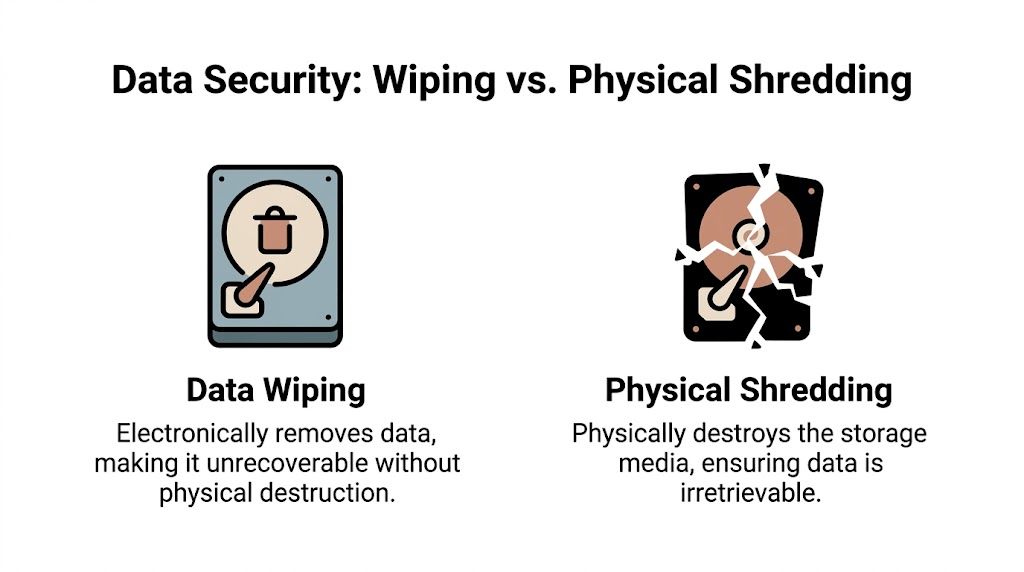
Atlanta recyclers generally offer two paths. Software-based wiping applies to working media that can still be read and processed. Physical shredding destroys the media itself. Those methods are not interchangeable for every load, especially where HIPAA, internal retention rules, chain-of-custody requirements, or counsel review shape the disposition plan.
What wiping does well
Wiping fits functional drives in systems that still have reuse value. A working laptop, desktop, or server can be sanitized, documented, and kept intact for resale, redeployment, or parts recovery. That matters on free or low-cost pickup projects because preserved asset value can help offset transportation and processing.
Many providers still reference DoD 5220.22-M style overwrite processes in commercial workflows. The more practical point for Atlanta businesses is simpler. Wiping depends on media that powers on, responds properly, and stays under controlled custody from removal through processing.
Wiping usually makes sense when:
- The drive is functional and readable
- You want to preserve remarketing or reuse value
- You need serialized records for a large batch of standard IT assets
- Your compliance team accepts sanitization with documentation instead of physical destruction
What shredding does better
Shredding is the cleaner answer when the media is dead, damaged, encrypted with unknown credentials, or too poorly tracked to defend later. It also fits loads where policy requires destruction regardless of drive condition.
That comes up often in regulated environments. A clinic may have loose drives from prior upgrades with no reliable custody record. A university lab may have legacy storage pulled from instruments over several years. A hospital biomed department may have embedded media from equipment that sat in storage waiting for approval. In those cases, sanitization can be harder to validate than destruction.
Organizations that use a destruction-first policy should review hard drive shredding services for business media destruction before pickup is scheduled, especially if the load includes loose drives, failed servers, or equipment with embedded storage.
Data destruction methods compared
| Attribute | Wiping | Physical Shredding |
|---|---|---|
| Primary purpose | Sanitizes functional media for secure reuse | Permanently destroys media |
| Best fit | Reusable computers, servers, and storage devices | Failed, damaged, obsolete, or high-risk drives |
| Asset value recovery | Preserves potential resale or reuse value | Eliminates reuse value for the media |
| Environmental outcome | Supports reuse before downstream recycling | Supports destruction before material recovery |
| Proof requirement | Documented sanitization records | Documented destruction records |
| Operational trade-off | Requires functional media and tighter process control | Requires accepting total destruction of the media |
The compliance trade-off for regulated industries
The actual decision is usually about defensibility, not theory.
Wiping can be the better operational choice when devices are removed under supervision, logged by serial number, and transferred through a documented chain of custody. That is common for scheduled refreshes of office workstations, standard laptops, and data center equipment. In those cases, wiping protects data and preserves value.
Shredding is easier to defend when custody is incomplete or the media itself is unreliable. That includes failed drives, unknown loose media, retired lab systems with uncertain storage architecture, and equipment removed from clinical or research settings without a clean audit trail. Compliance officers and privacy teams often prefer destruction in those situations because it reduces argument later.
A simple rule works well here:
Choose wiping for functional media with intact custody and a clear reuse path. Choose shredding for failed, unverified, or destruction-only media.
Questions to settle before pickup
Use these questions with IT, compliance, legal, or the department releasing the assets:
- Is the media functional enough to sanitize reliably?
- Does internal policy allow wiping, or does it require destruction?
- Will the organization benefit from preserving asset value?
- Can you document custody from point of removal to final processing?
- Is the storage embedded in medical, lab, or specialty equipment that requires de-installation first?
The strongest Atlanta recycling programs do not treat wiping and shredding as interchangeable boxes to check. They match the method to the condition of the media, the recordkeeping available, and the compliance risk the organization is willing to carry.
Preparing Your Equipment for a Smooth Pickup
At 7:30 a.m., the truck is at the loading dock, facilities is waiting on clearance, and the department contact suddenly mentions two analyzers upstairs that were never listed. One has embedded storage. The other is still connected to the network. That is how a routine Atlanta pickup turns into a delay, a change order, or a custody problem.
Preparation fixes most of that.
Build a field inventory, not an accounting report
Pickup crews need a document they can work from on site. A fixed asset export usually does not help much because it is built for finance, not removal. It may include retired tags, outdated locations, or generic item names that tell the crew nothing about access, handling, or data risk.
A usable inventory answers four questions fast. What is being removed, how many units are involved, where those units sit, and whether any item needs special handling or de-installation.
For example, “Building B, fourth floor IDF, 2 rack servers, 1 UPS, 6 network switches, 12 loose drives in locked bin” is useful. “Miscellaneous old IT equipment” is not.
Use categories that match what the crew will see:
- Standard office IT: desktops, laptops, monitors, printers, phones
- Infrastructure gear: servers, switches, racks, storage arrays, UPS units
- Data-bearing media: loose hard drives, backup devices, specialty embedded media
- Clinical and lab electronics: analyzers, instrument controllers, cart-mounted systems, attached PCs
Pre-sort to protect pricing, timing, and custody
Pre-sorting is one of the simplest ways to keep a free pickup on track. According to Atlanta computer recycling benchmarks, pre-sorting equipment can help ensure over 90% of pickups qualify for free service.
That matters for more than labor efficiency. Sorted loads are easier to count, easier to document, and less likely to mix standard office gear with items that need a different chain of custody. In healthcare and research settings, that separation matters because a loose monitor is one thing, while a decommissioned lab workstation with embedded storage is another.
Hidden scope causes delays.
I tell clients to separate the load before pickup day, not while the crew is on the clock. Put loose drives in one secured container. Keep servers together. Mark anything from a patient-care area, imaging room, clean room, or lab bench if the item may require access controls or de-installation.
A practical staging checklist
Use this before the pickup window opens:
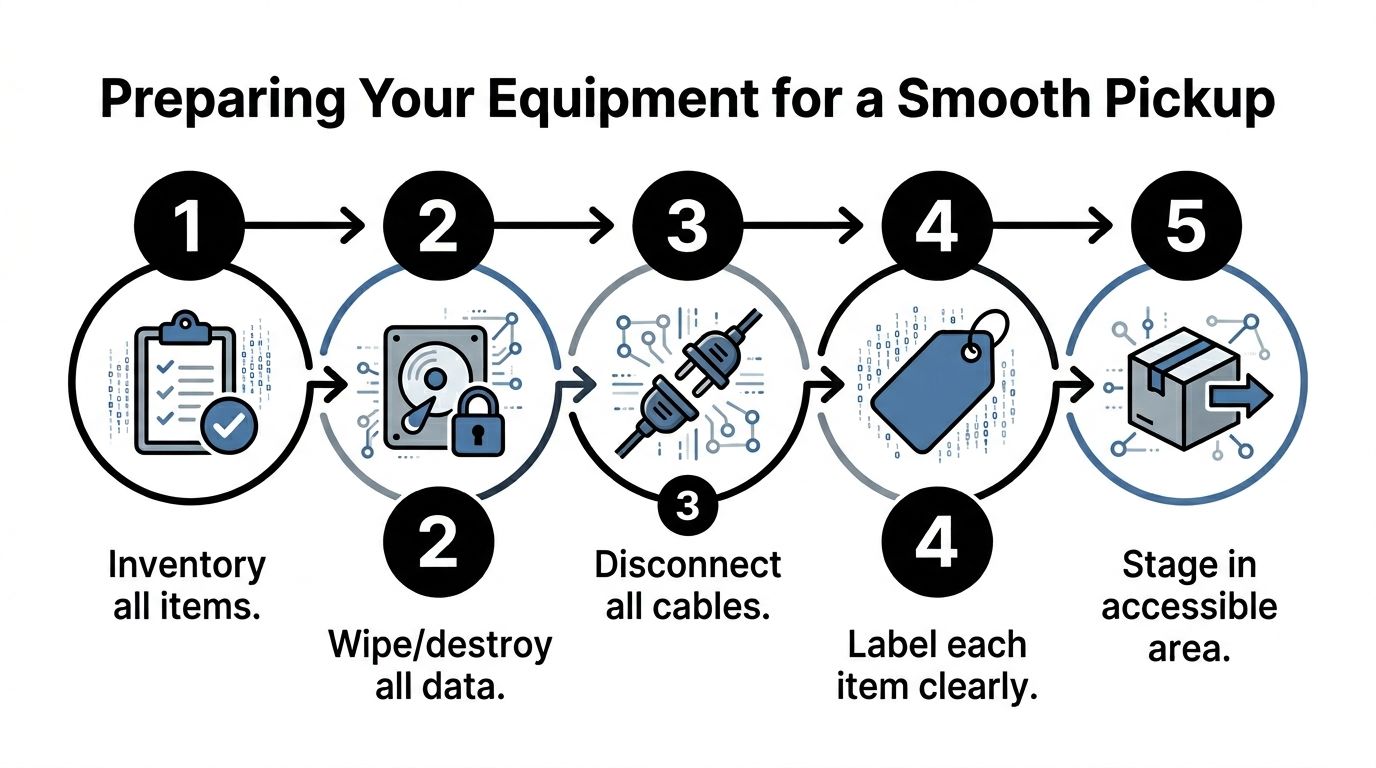
- Disconnect equipment fully. Remove power, network, and accessories unless the recycler asked for complete workstation sets.
- Group by device type. Keep laptops with laptops, servers with servers, monitors together, and loose media in its own secured container.
- Label special handling items. Mark anything with embedded storage, broken casters, missing drives, or department restrictions.
- Clear the route. Confirm loading dock access, elevator reservations, badge access, and after-hours instructions in advance.
- Separate excluded material. Do not mix e-waste with furniture, regulated medical waste, chemicals, sharps containers, broken glass, or general trash.
- Assign one site lead. The pickup goes faster when one person can approve scope, answer access questions, and confirm what stays.
If your team plans to sanitize devices before release, use a documented method and keep records tied to the asset list. For internal IT teams that need a reference, this guide on how to completely clean a hard drive is a practical starting point. Teams that already automate report generation often have an easier time turning wipe logs, serial lists, and pickup manifests into a usable disposition file.
De-installation changes the job in hospitals and labs
Office cleanouts are usually straightforward collection work. Hospitals, clinics, and research sites often require removal work first. Equipment may be bolted to carts, mounted under counters, tied into cable management, or placed in rooms with narrow pickup windows and controlled access.
That changes staffing, tools, and timing. It also changes risk. A cart-mounted workstation in a clinical area may need coordination with facilities and department leadership before anyone touches it. An analyzer in a lab may need a department signoff confirming the unit is released, disconnected, and free of non-electronic hazards before removal starts.
These details should be settled before the truck arrives:
| Issue | Why it matters |
|---|---|
| Mounted or secured equipment | May require tools, added labor, and more time on site |
| Freight elevator or dock restrictions | Affects routing, scheduling, and load sequence |
| Restricted departments | May limit access hours and who can enter |
| Embedded storage | Changes asset handling and media disposition steps |
| Multi-building pickups | Requires staged consolidation and tighter counts |
The trade-off is simple. If the site prepares well, pickup stays fast and documentation stays clean. If departments treat regulated equipment like ordinary surplus, small mistakes at release turn into bigger problems later.
What usually causes delays
The same issues come up again and again:
- Counts are wrong: one pallet on paper becomes three rooms in reality
- Access is not confirmed: no dock reservation, blocked hallway, or elevator lockout
- Streams are mixed: e-waste is piled with trash, furniture, or regulated waste
- Instructions are unclear: nobody can say which assets are approved for pickup
- Specialty equipment was omitted: lab systems, carts, or mounted devices were never added to scope
Well-run pickups are controlled logistics jobs. The organizations that handle them best verify scope, stage the load, secure loose media, and brief one internal lead before the crew gets on site.
Ensuring Full Compliance with HIPAA and Other Regulations
For a regulated organization, recycling is really a documentation exercise attached to a physical removal job. If there’s no proof, there’s no defensible process. That’s why the difference between a certified recycler and a scrap hauler is so large, even when both promise to “take everything.”
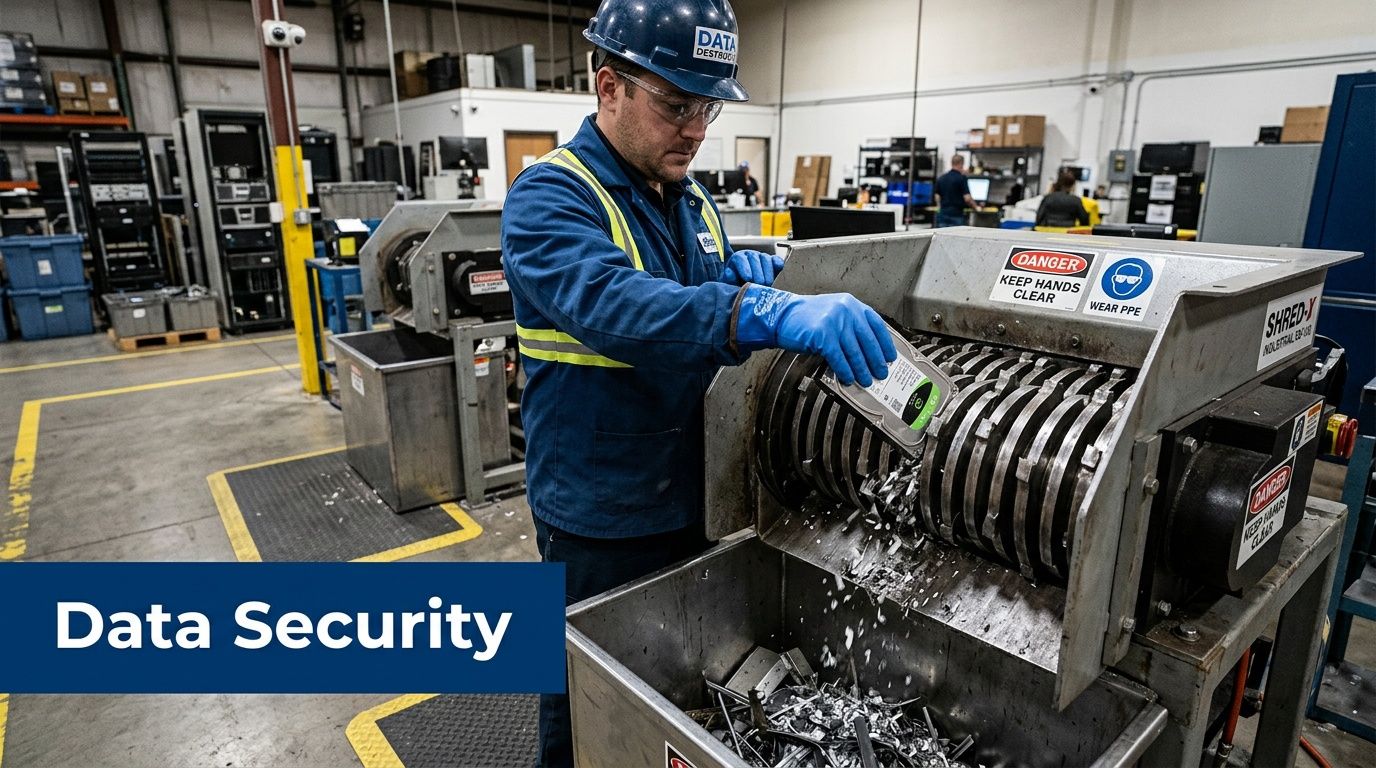
In Atlanta’s business recycling model, certified partners can offer complimentary service because remarketing and component recovery make the downstream work viable. Just as important, using a certified partner helps ensure data destruction procedures meet DoD standards, which is a key requirement for HIPAA compliance, according to Reworx’s Atlanta free electronics recycling overview.
The documents that actually matter
A compliant disposition workflow should produce records you can keep and retrieve later. In practice, that often means:
- Chain-of-custody records: Who handled the assets, when they moved, and where they went.
- Certificates of destruction: Documentation for media or devices that were destroyed.
- Asset lists or serialized records: Especially for servers, storage devices, and regulated endpoint fleets.
- Pickup and processing confirmation: Evidence that the material entered a controlled recycling stream.
For organizations under audit pressure, these records matter because internal memory disappears faster than equipment. Staff changes. Departments merge. Facilities close. Paperwork is what remains.
If your team needs formal proof for downstream audits or policy files, use a recycler that issues a certificate of destruction.
Why chain of custody is the compliance hinge
HIPAA, FACTA, and internal security policies all point to the same operational requirement. Sensitive assets can’t fall into an undocumented gray zone between “retired” and “destroyed.”
That gray zone is where most preventable risk sits:
- Loose drives in open bins
- Unlogged transfers between departments
- Third-party haulers without destruction records
- Shared loading docks with no release control
- Specialty devices no one realized contained storage
Compliance doesn’t fail only when data leaks. It also fails when an organization can’t prove what happened to the device that held the data.
Reporting should be routine, not manual chaos
Large organizations often struggle after the pickup, not during it. Someone has to reconcile what left the site, what was destroyed, what was reused, and what documents belong in which internal folder. If your team is still compiling that by hand from emails and spreadsheets, the process is more fragile than it looks.
For operations teams that want cleaner documentation workflows, this article on how to automate report generation is useful. The point isn’t marketing software. It’s reducing manual reporting gaps when multiple departments need the same disposition data.
How certified recycling differs from “junk removal”
A junk hauler moves material out. A compliant recycler controls what happens next. That includes data destruction standards, downstream accountability, accepted-item rules, and documentation that can stand up to internal review.
For hospitals and labs, that distinction is critical. If a vendor can’t explain custody, media handling, and final documentation clearly, they shouldn’t be touching regulated assets.
Common Recycling Pitfalls and Your Next Steps
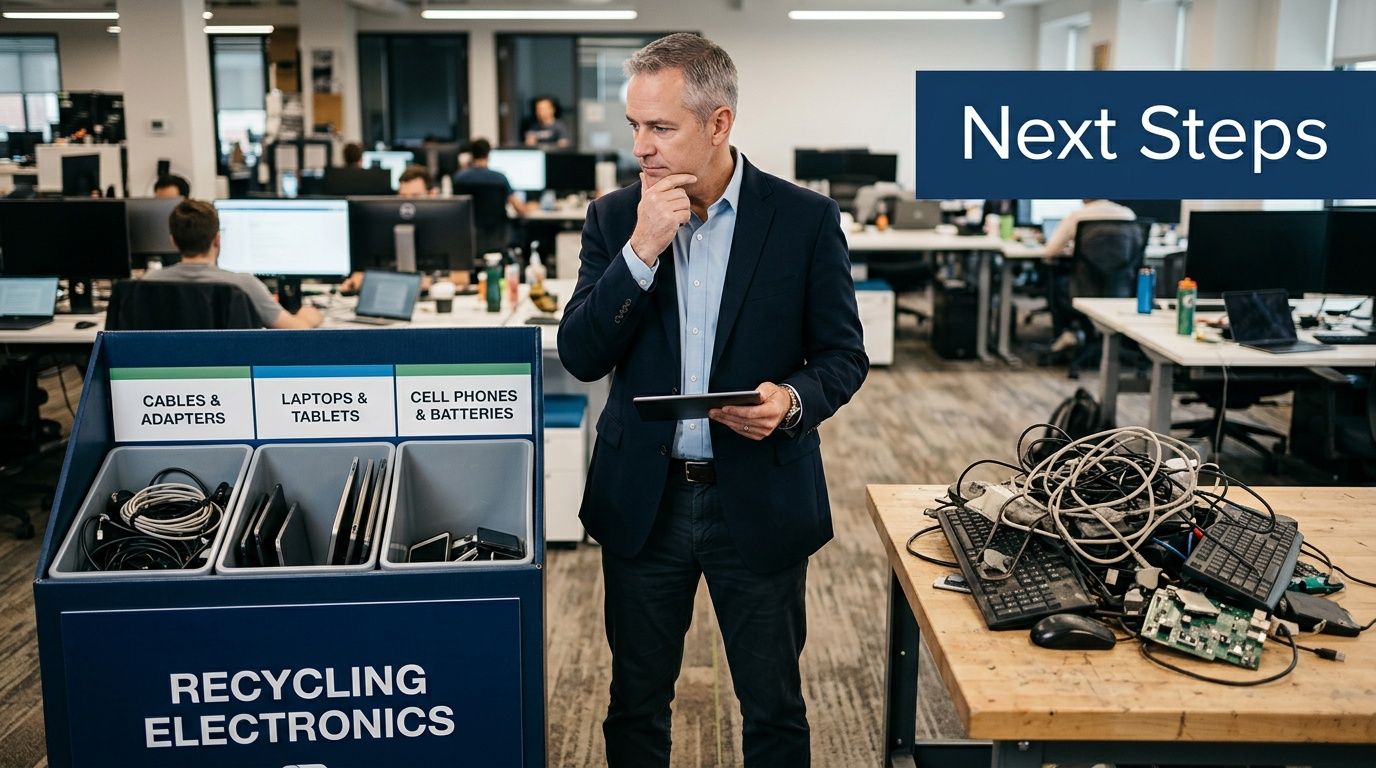
Organizations often assume e-waste jobs fail because the recycler did something wrong. In practice, many of the worst outcomes start on the customer side. The inventory was incomplete. The load was contaminated. The team assumed every item would be accepted. Or someone chose the cheapest hauler without asking how data-bearing assets would be controlled.
Those mistakes are common because old electronics look simple. They aren’t.
The most common failure points
Here are the ones that show up repeatedly in commercial pickups:
- Understating the volume: A manager says “a few old PCs,” but the site has a full floor of retired equipment.
- Mixing streams: E-waste gets combined with furniture, sharps containers, broken lab materials, or general trash.
- Ignoring legacy items: Older monitors and specialty equipment may require special review before pickup.
- Forgetting embedded data: Printers, copiers, analyzers, and certain lab systems can hold data even when they don’t look like computers.
- No access plan: Truck crew arrives and finds no dock reservation, no escort, and no one authorized to release the load.
What doesn’t work
The worst approach is waiting until a move, renovation, inspection, or closure deadline is already active. That creates rushed decisions, weak inventories, and pressure to “just get it gone.” Regulated organizations pay for that later in paperwork gaps and asset uncertainty.
Another bad assumption is that all recycling vendors handle specialty environments the same way. They don’t. Office cleanouts and lab decommissions are different jobs. A vendor that’s excellent at one may not be equipped for the other.
The right question isn’t “Will you take this stuff?” It’s “How will you control, document, and process this exact mix of assets?”
What does work
A disciplined process looks much simpler:
- Accurately scope the load
- Separate standard IT from specialty assets
- Decide on wiping versus shredding before pickup day
- Confirm documentation requirements internally
- Use a recycler with the right certifications and operating model
If your facility team is also trying to improve broader sustainability practices around storage, cleanouts, or surplus handling, this roundup of waste recycling ideas can help frame the bigger picture beyond electronics alone.
Your next move
If you’re evaluating providers, don’t start by comparing who says “free” the loudest. Start with process quality. Ask how they qualify loads, how they handle data-bearing media, whether they can manage de-installation, and what records you’ll receive at the end.
Then compare recyclers using a clear checklist like this guide on how to choose an electronic waste recycling company. That keeps the decision grounded in security, logistics, and compliance instead of marketing language.
For Atlanta businesses, free pickup is real when the load is scoped correctly and handled by a serious recycling partner. The shortcut is usually the risk.
Frequently Asked Questions About Computer Recycling
Does my business need a large volume to get free pickup
Usually, yes. Atlanta business programs commonly look for 10 to 20 major items or a full pallet before no-cost pickup makes logistical sense. If you're below that threshold, drop-off may be the better option, or a provider may quote the job based on labor and transport.
Can a hospital or lab recycle computers and scientific equipment together
Sometimes, but it should never be assumed. Standard IT assets move through a different workflow than many scientific and medical devices. The safest approach is to separate the inventory into categories first, then let the recycler confirm what can travel together and what needs special handling or de-installation.
Do printers, copiers, and lab instruments need data destruction too
They can. Many organizations forget that storage isn’t limited to laptops and servers. Multifunction devices, copiers, and some specialized instruments may contain internal memory or hard drives. If the device stores patient, research, or business information, treat it like a data-bearing asset until proven otherwise.
What if some of our hard drives no longer work
That usually pushes the decision toward physical destruction instead of software wiping. Nonfunctional media should be identified clearly during scoping so the recycler can apply the right destruction method and documentation.
Will old monitors always qualify for free recycling
Not always. Some legacy display types can complicate the load economics and handling requirements. Don’t assume every screen qualifies under the same terms as laptops or servers. Include monitor counts and types in the initial inventory so there are no surprises.
Is chain of custody really necessary if we trust the vendor
Yes. Trust is not documentation. For HIPAA-sensitive, research, or government-related assets, chain-of-custody records help prove who handled the equipment and when. That matters during audits, internal investigations, and policy reviews.
Do Atlanta recyclers only serve local businesses
No. Many Atlanta-area providers serve the metro area directly and can support broader regional or national programs depending on the project. The right fit depends on your site count, asset mix, and documentation requirements.
What’s the best first step before calling a recycler
Make a usable inventory. Count the major items, separate data-bearing assets, identify any specialty equipment, and note the pickup conditions at the site. A clear inventory gets you a faster answer than a general request ever will.
If your organization needs a reliable partner for secure electronics and lab equipment disposition, Scientific Equipment Disposal provides Atlanta-area businesses with practical support for pickups, de-installation, data destruction, and compliant recycling. It’s a strong fit for hospitals, labs, universities, and corporate IT teams that need the job done with clear documentation and controlled logistics.