Computer Recycling Company in Snellville Georgia: B2B Guide

A lot of Snellville organizations reach the same point at once. The spare room is full of retired desktops, a few servers are still on a rack because nobody wants to touch them, old monitors are stacked against a wall, and someone keeps asking whether the hard drives were wiped.
That situation gets more complicated fast if you're managing a clinic, lab, university department, or public agency. You're not just trying to clear space. You're trying to move assets out of the building without losing control of data, paperwork, timing, or accountability.
Your Partner for Compliant E-Waste Disposal in Snellville
The usual local recycling advice doesn't solve that problem. Most pages about Computer Recycling Company in Snellville Georgia talk about accepted items, drop-offs, and basic data protection. They rarely explain compliance standards such as DoD 5220.22-M 3-pass wiping or practical HIPAA concerns for hospitals and labs, which leaves B2B teams with a real gap in guidance (Montclair on Snellville recycling gaps).
What facility managers are actually dealing with
A hospital IT lead in the Snellville area may need to retire workstations from an imaging department while keeping audit documentation intact. A university lab manager may have a mix of old computers, instruments, and storage devices, with no clear line between standard electronics and specialized lab assets. A government office may need records that show exactly what left the building, when it left, and how it was handled.
Generic recycling programs aren't built around those questions.
They usually work fine for household electronics and occasional office cleanouts. They break down when the project involves:
- Sensitive data exposure on laptops, desktops, servers, and removable media
- Mixed asset types such as computers, incubators, peripherals, and network gear
- Department-level accountability where finance, compliance, and facilities all need records
- Physical de-installation of equipment that staff shouldn't unhook or move on their own
Why the local gap matters
Most organizations don't need a recycler. They need an asset disposition process.
That means knowing what equipment exists, separating what must be sanitized from what must be destroyed, coordinating pickup, preserving chain of custody, and making sure final documentation is usable for internal records. If you're evaluating vendors, it's useful to compare standard service models with a more operations-focused view of E-Waste Recycling, especially when your project includes compliance, scheduling, and multiple asset classes.
Practical rule: If the equipment list includes patient data, research data, or institutional records, treat the job as a compliance project first and a recycling project second.
What a B2B-ready service looks like
For organizations in Gwinnett County and the broader Atlanta metro, the right provider should be able to handle the full chain from site pickup to final disposition, not just accept items at the dock. That includes inventory discipline, secure handling, and support for equipment categories that don't fit into a simple office cleanout.
If you're reviewing local options for that level of service, this page on Snellville-area electronics recycling services shows the type of business-focused scope organizations usually need.
The difference is simple. A household recycler helps you get rid of equipment. A compliance-minded disposal partner helps you prove you handled it correctly.
Preparing Your Assets for Compliant Recycling
Good pickups start before the truck arrives. The fastest way to create confusion is to wait until collection day to decide which devices contain sensitive data, which assets still belong to another department, and which items need de-installation.
A clean preparation process reduces risk, shortens on-site time, and makes your final paperwork much easier to trust.
Start with a usable asset list
Don't overcomplicate the inventory. You don't need a perfect database export on day one, but you do need a list that operations, IT, and facilities can all read.
Include the basics:
- Asset description such as desktop, thin client, server, switch, monitor, centrifuge, or incubator
- Location including building, room, floor, and department
- Tag or serial reference if one already exists
- Data status such as unknown, contains sensitive data, no local storage, or failed drive
- Removal notes like wall-mounted, rack-mounted, benchtop, fragile, or requires lab shutdown coordination
That list becomes the backbone for pickup planning and later documentation.
A useful internal handoff often starts with the same discipline you'd use when sorting repair stock or salvaging components. Teams dealing with mixed electronics can also benefit from guidance like this overview of what to do with old PC parts, especially when deciding what can be separated, grouped, or handled as a complete unit.
Separate assets by risk, not by convenience
Many teams stack everything together because it's easier in the moment. That's what creates mistakes later.
Create distinct groups before pickup:
Data-bearing devices
Laptops, desktops, servers, storage arrays, external drives, and anything with onboard memory should be isolated first.Non-data peripherals
Monitors, keyboards, mice, docking stations, cables, and power supplies can usually be grouped separately.Special handling equipment
Rack systems, lab instruments, delicate electronics, and anything hardwired or oversized should be flagged clearly.Questionable items
If no one is sure whether a device stores data, treat it as if it does until someone confirms otherwise.
This approach prevents one common problem. Staff assume a device is harmless because it doesn't look like a computer. In real projects, badge printers, analyzers, network appliances, and lab systems often hold more information than expected.
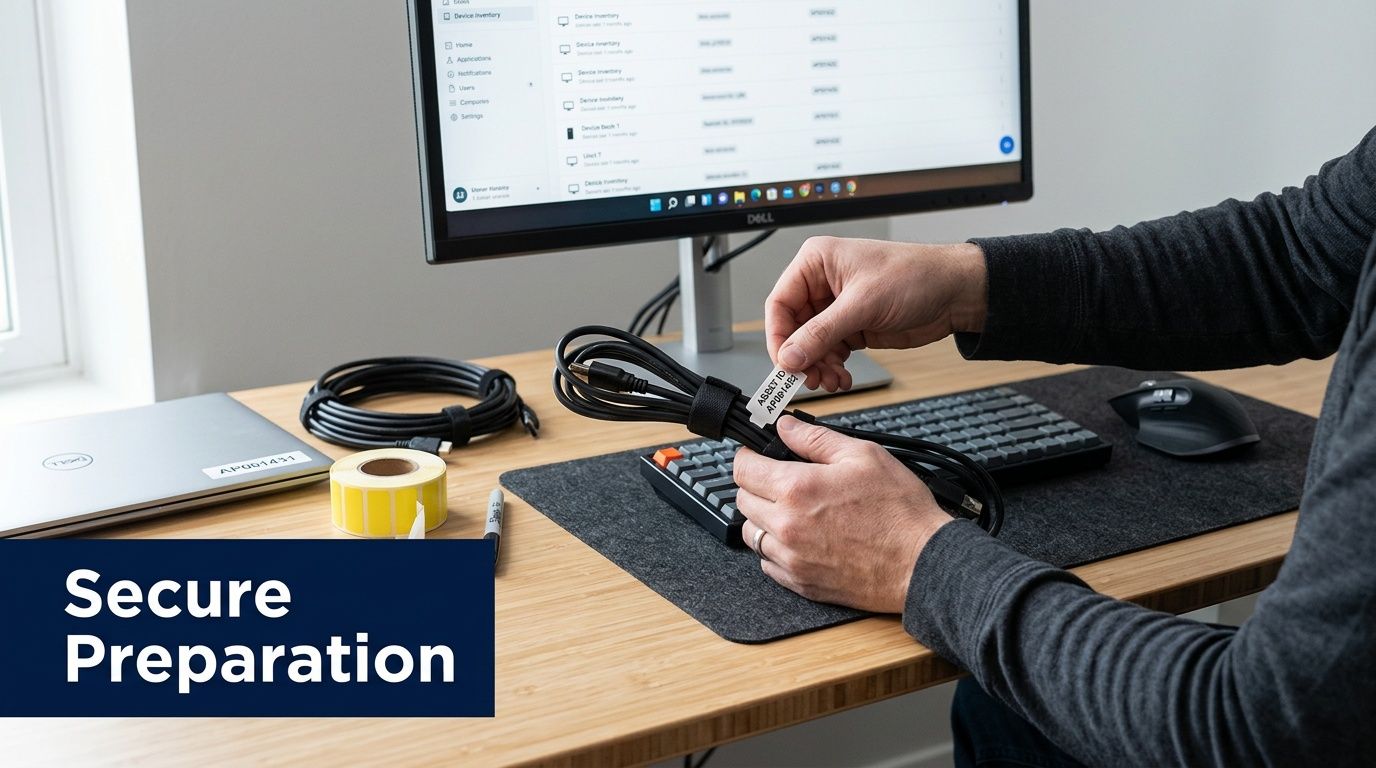
Label for pickup day
You don't need elaborate barcoding to improve control. Even simple internal labeling helps.
Use visible labels that answer three questions:
- What is it
- Where did it come from
- What handling does it need
For example, "Lab B Server Shelf 2, wipe required" tells the crew and your own staff much more than "old server."
Assets move through a building faster than people remember details. A label beats a verbal instruction every time.
Assign one internal owner
Projects stall when everyone owns part of the process and nobody owns the whole job. Name one person to coordinate access, approvals, and last-minute questions.
That person should handle:
- Building access
- Department signoff
- Pickup staging
- Questions about unknown equipment
- Final review of what leaves the site
In hospitals and research settings, this role usually sits between IT, facilities, and compliance. In smaller offices, it may be the office manager or operations lead.
What not to do before pickup
A few habits create more trouble than they solve.
- Don't power on random old devices just to "see what's on them" unless IT has approved that step.
- Don't remove drives informally and leave them in desk drawers.
- Don't let departments create side piles outside the approved inventory.
- Don't mix donation candidates with destruction candidates unless you've already confirmed data status.
Preparation doesn't need to be complicated. It needs to be controlled.
Ensuring Bulletproof Data Security and Compliance
Data security is where a lot of recycling conversations become vague. That's a problem, because organizations don't need vague assurances. They need a method, a decision rule, and records that stand up during review.
For HIPAA and compliance-critical disposals, the industry standard is DoD 5220.22-M 3-pass hard-drive sanitization. In Metro Atlanta, certified recyclers with R2v3 credentials can achieve 95%+ material recovery rates, and best practice includes serialized asset tracking from pickup through final disposition for an auditable chain of custody (Georgia certified e-waste recycling companies).
When wiping is the right choice
DoD 5220.22-M 3-pass wiping is used when a drive is functional and can be sanitized for compliant downstream handling. The process involves three overwrite cycles using pseudorandom data patterns, followed by verification reporting and auditable certificates of destruction.
That matters for organizations that need proof, not just verbal confirmation.
Wiping is often the right fit when:
- Drives are functional and can be processed successfully
- Your policy allows reuse or recycling after sanitization
- You need item-level reporting tied to specific assets
- You want to preserve value in reusable hardware while still maintaining compliance discipline
When physical shredding is the safer call
Physical shredding is the better choice when the media is failed, obsolete, damaged, or barred from reuse by internal policy. It's also common when an organization wants complete physical destruction regardless of whether the device could be wiped.
That choice is usually driven by risk tolerance, not convenience.
Shredding makes sense for:
- Dead or unreadable drives
- Devices with damaged controllers or failed storage media
- High-sensitivity categories where policy requires destruction
- Mixed lots of media that aren't practical to test one by one
If you're reviewing service options, this page on secure data destruction outlines the kinds of workflows organizations usually compare.
Data Destruction Methods Compared DoD Wipe vs Physical Shredding
| Feature | DoD 5220.22-M 3-Pass Wipe | Physical Shredding |
|---|---|---|
| Best use case | Functional drives that can be sanitized and documented | Failed, obsolete, or policy-restricted media |
| Media outcome | Drive is sanitized for compliant downstream handling | Drive is physically destroyed |
| Verification | Software-based verification with reporting | Destruction-based confirmation tied to processed media |
| Reuse potential | Possible after successful sanitization | None |
| Typical decision driver | Need for audit trail plus asset recovery path | Need for irreversible destruction |
Chain of custody is where programs succeed or fail
Many organizations focus on the destruction method and overlook the handoff process. That's a mistake. A secure wipe doesn't help much if nobody can prove which asset was collected, who handled it, and how it moved from room to truck to final processing.
The stronger model uses serialized asset tracking. Each item receives a unique identifier tied to pickup records, photographic documentation, and final disposition reporting. That gives facility managers something usable during internal audits, departmental reconciliation, and external review.
Audit mindset: If someone asks for proof six months later, you shouldn't have to reconstruct the story from email threads.
This is especially important in environments with shared custody. Hospitals, research labs, and universities often have devices owned by one department, used by another, and removed by facilities. The paperwork needs to match the operational reality.
What a Certificate of Destruction should accomplish
A Certificate of Destruction isn't just a ceremonial document. It serves as evidence that the designated media or equipment went through the agreed destruction or sanitization process.
For practical purposes, facility managers should expect it to support three needs:
- Internal records retention
- Audit response
- Asset closeout for finance, compliance, or IT
The certificate matters most when it's paired with item-level or lot-level documentation that traces back to your original inventory and pickup log.
Common mistakes that create exposure
The most expensive errors aren't dramatic. They're administrative.
Non-certified operators commonly run into inadequate chain-of-custody documentation, which affects 30-40% of those operators, and they may also fail to verify data erasure on networked storage arrays, a serious issue for labs facing FDA and CMS scrutiny (covered in the same Georgia certified recycling source cited above). In practice, those failures usually come from loose intake procedures, incomplete asset lists, or treating servers and arrays like ordinary desktop equipment.
A better rule is simple. Decide the destruction method before pickup, identify exceptions early, and require documentation that maps back to actual serialized assets.
Beyond Computers Specialized Lab and IT Equipment Disposal
A lot of recyclers say they handle "medical and laboratory equipment," but the details usually stop there. That creates a major problem for organizations trying to retire assets that don't fit neatly into a desktop-and-monitor workflow.
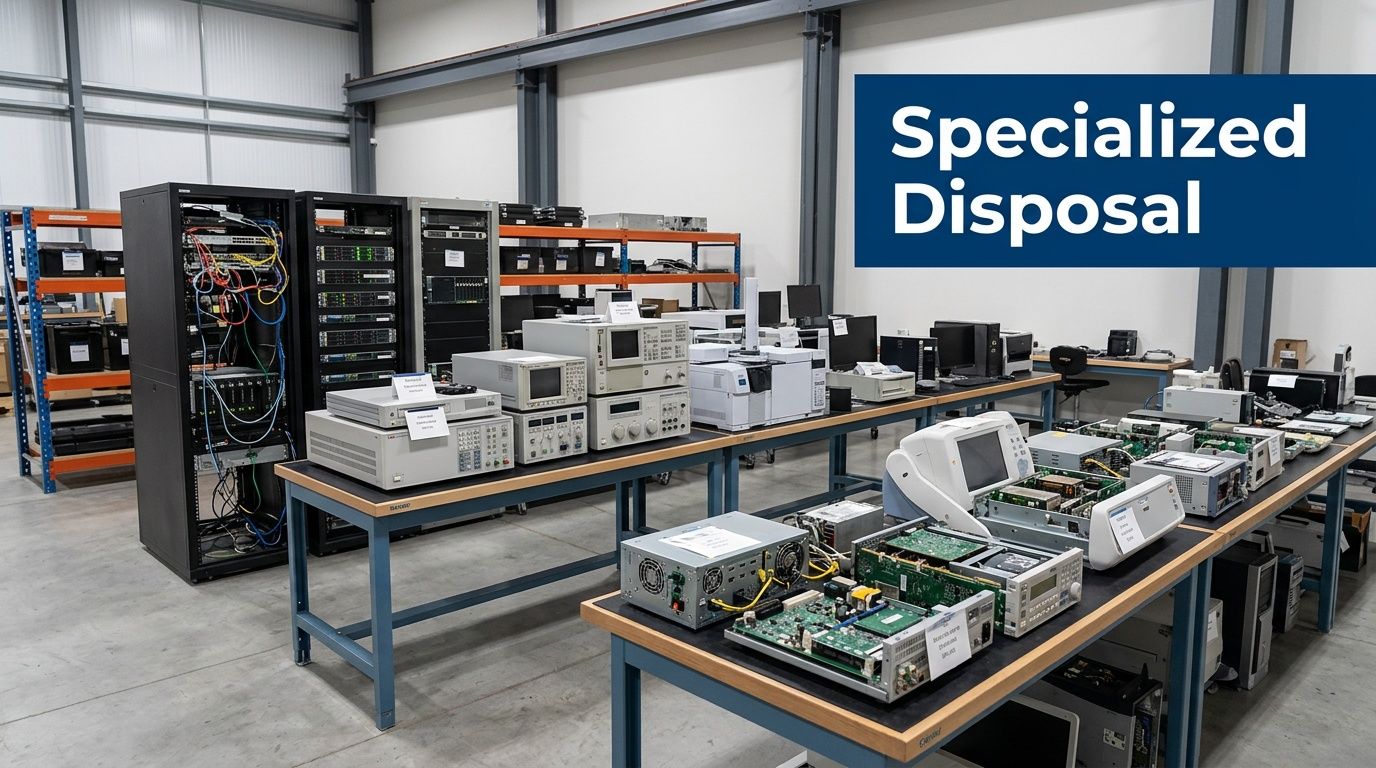
In the Snellville market, specialized disposal for items such as pipettes, incubators, or servers is still underserved. Globally, lab equipment recycling rates lag at 20-30% compared to 50% for consumer electronics, which underscores how often these assets fall outside ordinary recycling channels (Reworx on Snellville recycling needs).
Why generic recycling models fail on lab assets
A desktop rollout is predictable. A lab decommission isn't.
You may be dealing with:
- Benchtop devices such as pipettes, analyzers, balances, and incubators
- IT-heavy systems including servers, storage arrays, and network appliances
- Large infrastructure like fume hoods or equipment that requires careful de-installation
- Mixed-condition inventory where some assets are reusable, some are scrap, and some need special handling because of prior use
The operational challenge isn't just transport. It's classification.
A centrifuge isn't handled like a keyboard. A storage array isn't documented like a monitor. A fume hood isn't moved like a desktop tower.
What a specialist should understand
For these projects, the provider needs to understand how facilities shut down spaces.
That includes:
- Room-by-room removal planning so one lab isn't blocked by another
- Clear accepted-item guidance for non-standard equipment
- Coordination with IT and facilities when devices are networked, mounted, or hard to access
- Packaging and lifting methods that match fragile or oversized assets
A strong specialist also knows that not every item belongs in the same stream. Some equipment needs data handling. Some needs de-installation. Some needs sustainability-focused recycling. Some needs all three.
Common examples that deserve special review
Instead of asking whether a recycler takes "electronics," ask whether they can process your actual inventory.
Examples that usually require extra planning:
- Server racks and storage arrays because they involve rails, cabling, and potential media handling
- Incubators and centrifuges because they're bulky, sensitive, and often left in active lab spaces until late in the project
- Fume hoods and larger lab fixtures because removal affects access, scheduling, and safety planning
- Peripheral scientific devices because they may look simple but still need sorting and documentation
If your project includes more than ordinary office hardware, reviewing a specialist's scope for lab equipment disposal is a much better starting point than relying on a generic accepted-items list.
The hardest disposal jobs aren't defined by volume. They're defined by the variety of assets and the number of stakeholders who need the job done right.
The On-Site Pickup and Logistics Process in Snellville
For most organizations, pickup day is where planning either pays off or unravels. The best logistics process feels quiet. People know where the crew is going, which assets are leaving, and what paperwork gets completed before the truck pulls away.
That doesn't happen by accident. It happens because the workflow is structured.
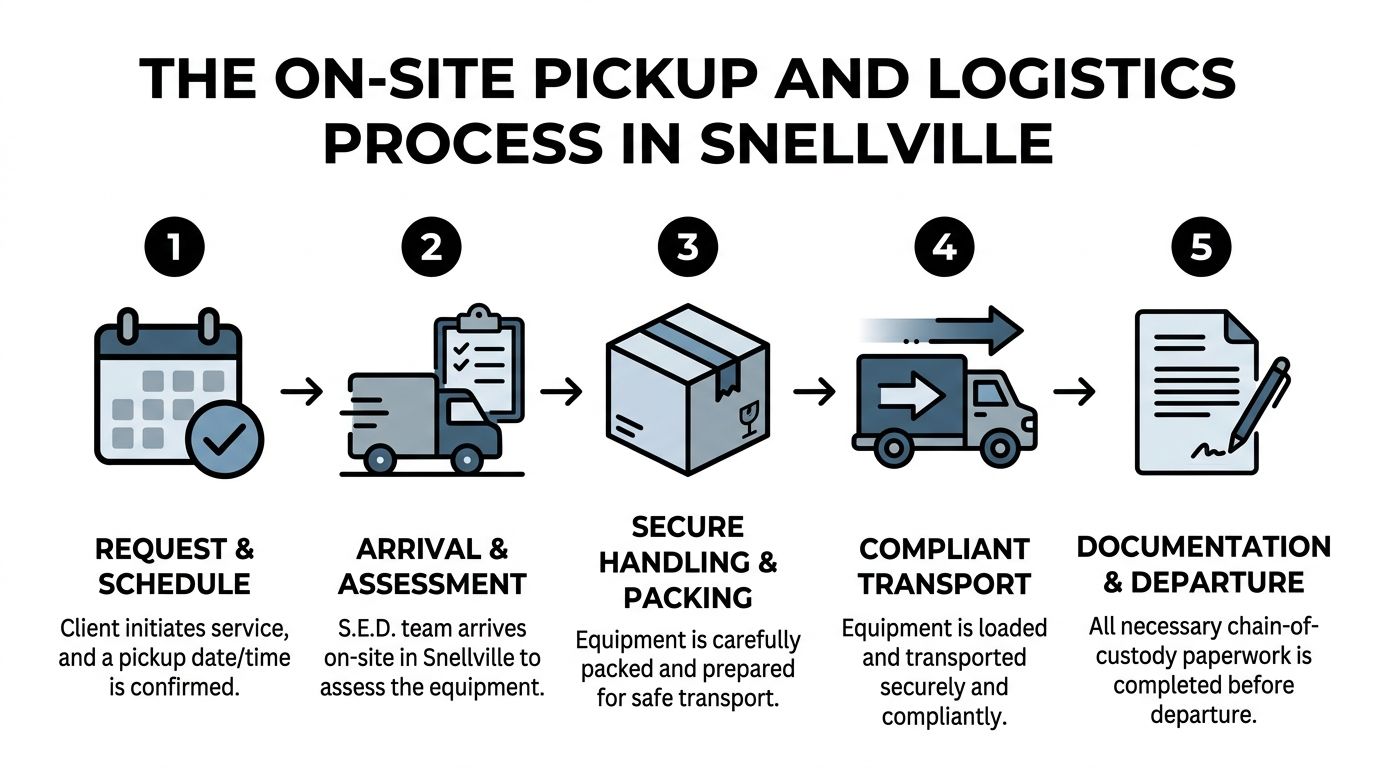
Request and scheduling
The process usually starts with a conversation about scope, not just quantity. A facility manager should be ready to describe the asset types, site access conditions, and any constraints such as loading dock availability, elevator use, active patient areas, or restricted lab rooms.
Useful scheduling details include:
- Access window for the building or department
- Contact person on site
- Whether de-installation is needed
- Whether assets are staged or still in place
- Whether any items require separate handling
For organizations in the county, this kind of pickup model is easier to assess through a service page focused on business electronics pickup in Gwinnett County.
Arrival and on-site assessment
When the crew arrives, the first task shouldn't be lifting. It should be confirmation.
The team should verify:
- What is being removed
- Whether the staged inventory matches the plan
- Which items need tagging or extra documentation
- Any access issues or changes since scheduling
Many projects are saved at this stage. Departments often add items at the last minute, or someone realizes an old closet contains another stack of retired hardware. A disciplined crew documents those changes before loading anything.
A smooth pickup isn't the one that moves fastest. It's the one that preserves control while the scope changes on site.
Secure handling and packing
Professional pickup crews don't treat all electronics the same. Loose carts, open bins, and unlabeled stacks create confusion fast.
Handling should match the asset:
- Small office electronics can be consolidated efficiently if they're already separated by type.
- Data-bearing equipment should stay identifiable throughout handling.
- Rack-mounted or awkward items may require de-installation, careful disconnection, and staged movement.
- Fragile lab equipment should be packed in a way that prevents damage during building exit and transport.
This part matters even if your main concern is compliance. Bad packing leads to lost labels, mixed lots, and paperwork headaches later.
Transport and departure records
Before the truck leaves, the organization should know what was loaded and what documentation was created on site. That handoff is where trust gets formalized.
At minimum, the departure phase should capture:
- Pickup acknowledgment
- Asset references or counts tied to the job
- Any exceptions or added items
- Chain-of-custody handoff details
For facility managers, the simplest check is this: if someone asks what left the building that day, can you answer without guessing?
The strongest logistics operations make that easy. They don't ask your team to improvise around stairs, loading docks, or last-minute room access. They show up prepared, they tag and pack methodically, and they leave behind a record that makes the project defensible.
Frequently Asked Questions for Snellville Organizations
Do I need more than a basic receipt for retired computers?
Yes, in most institutional settings you do. A simple pickup receipt may confirm that equipment changed hands, but it usually doesn't tell you how data-bearing assets were handled or how to support a later audit.
For hospitals, labs, universities, and government offices, the better standard is documentation that ties the equipment collected to its final disposition.
What kinds of organizations need a stricter process?
Any organization that manages regulated data, proprietary research, internal records, or public accountability should use a more formal workflow.
That typically includes:
- Hospitals and clinics
- Medical and research laboratories
- Universities and school systems
- Corporate IT departments
- Local and regional government offices
If your equipment disposal could trigger questions from compliance, legal, procurement, or finance, a casual recycling handoff isn't enough.
How should we handle devices if we're not sure whether they store data?
Treat them as data-bearing until confirmed otherwise.
This is one of the safest habits a facility manager can adopt. Plenty of devices that don't look like computers still contain storage or configuration data. Label the item, isolate it from ordinary peripherals, and let the disposition plan account for it.
What's the biggest mistake organizations make before pickup?
They mix unlike assets together and assume sorting can happen later.
That causes trouble with tracking, data handling decisions, and department reconciliation. Keep sensitive devices separated, keep unusual equipment visible, and don't let unlisted items get added informally after approvals are done.
Can one vendor handle both office electronics and lab equipment?
Yes, but only if the provider is set up for both categories operationally.
The question isn't whether a company says yes to both. The question is whether it can manage the differences in handling, de-installation, packaging, transport, and documentation between a monitor pile and a lab shutdown.
Should drives always be shredded?
Not always.
The right decision depends on asset condition and internal policy. Functional drives may be candidates for certified sanitization. Failed or policy-restricted drives are often better suited for physical destruction. What matters most is that the method is decided intentionally and documented clearly.
What should we have ready before calling for a quote?
A short, practical summary helps more than a perfect spreadsheet.
Include:
- General asset categories
- Approximate site layout
- Whether items are staged or installed
- Whether the project includes servers or lab devices
- Whether sensitive data is involved
- Any timing or access constraints
That gives the provider enough context to plan the job properly.
Is local pickup enough, or should we look for broader service capability?
For many Snellville organizations, local pickup is the immediate need. But broader capability matters if your organization has multiple sites, specialized equipment, or a mix of standard IT and scientific assets.
A provider with both local responsiveness and wider operational experience usually handles variation better. That's especially helpful for healthcare systems, universities, and corporate groups that don't want a different process at every building.
How do I know if a recycler understands B2B compliance needs?
Listen for operational language.
A qualified team should talk clearly about asset lists, chain of custody, data destruction methods, de-installation, and final reporting. If the conversation stays limited to "we take electronics" and "we recycle responsibly," keep looking.
Ask one direct question early: "What records will I have after pickup that prove how these assets were handled?" The answer tells you a lot.
If you're planning a cleanout, lab decommission, server retirement, or multi-department electronics pickup, Scientific Equipment Disposal is built for that level of work. The team supports Atlanta-area organizations with business-focused electronics recycling, secure data destruction, lab equipment disposal, and on-site logistics that remove the burden from your staff while keeping the process organized and defensible.