A Guide to Computer Waste Recycling in 2026

When it's time for an equipment upgrade, those old computers and IT assets can quickly become a massive headache. What seems like a simple disposal task is actually a complex challenge involving serious risk management. Proper computer waste recycling is far more than just getting rid of old hardware; it's a critical process for protecting your data, ensuring legal compliance, and safeguarding your company’s reputation from a potential data breach.
Why Secure Computer Waste Recycling Is a Business Imperative
Most people hear "e-waste" and immediately think about the environment. While that's certainly part of the picture, the real driver for businesses is the immediate and costly risk lurking in retired equipment. Every old desktop, server, and laptop is a storage device, potentially holding sensitive corporate files, customer lists, or patient data.
Simply throwing this hardware away is not an option. Doing so opens your organization up to some pretty severe consequences:
- Data Breaches: Unsanitized hard drives are a goldmine for cybercriminals. A breach can cause reputational damage that takes years and a small fortune to repair.
- Legal & Financial Penalties: Regulations like HIPAA for healthcare or the Gramm-Leach-Bliley Act for finance come with steep fines for mishandling data—even during disposal.
- Environmental Non-Compliance: Dumping electronics can also run afoul of local and federal environmental laws, leading to another layer of fines and legal trouble.
The journey from a global environmental issue to a specific business challenge—and its solution—is something we deal with every day.
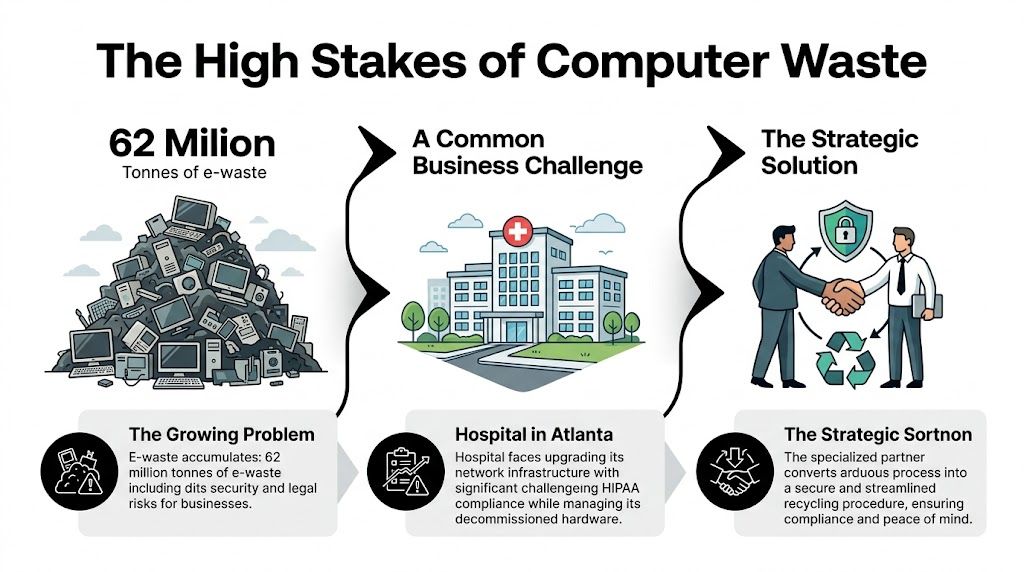
This infographic shows how that massive global problem becomes a very real, high-stakes operational task for your business, one that requires a specialized partner to manage correctly.
The Scale of the E-Waste Challenge
The mountain of global electronic waste is growing at a shocking pace. The world generated a staggering 62 million tonnes of e-waste in 2022 alone—an 82% increase from 2010. Projections show that figure climbing another 32% to 82 million tonnes by 2030.
Worse yet, this growth is outpacing documented recycling efforts by a factor of five. Only 22.3% of all e-waste is being properly collected and processed.
For any organization, the primary concern is clear: the data on retired assets poses a greater immediate threat than the hardware itself. Managing this risk is the core of a responsible computer recycling program.
From Global Problem to Local Reality
Think about a healthcare system in Atlanta upgrading its entire network. The challenge isn't just about hauling away old servers and workstations. It’s about making absolutely sure every single device containing protected health information (PHI) is handled in strict compliance with HIPAA. This same scenario plays out for businesses in cities like Miami, Orlando, Charlotte, and across the nation.
This scenario is something we see constantly with hospitals, universities, and corporations across the country. What seems like a straightforward logistics job is actually a high-stakes security operation. A specialized partner can turn this burden into a secure, documented process, connecting the dots between the global e-waste problem and the real-world needs of your business.
For more on this topic, check out our other resources on managing e-waste.
Developing Your IT Asset Disposition (ITAD) Plan
A solid computer waste recycling program doesn't start when the truck arrives. It begins with a clear, documented IT Asset Disposition (ITAD) plan. This is your internal roadmap for getting rid of old technology the right way—securely, compliantly, and efficiently.
It's a framework that works whether you're a small local business with a handful of PCs or a national corporation retiring thousands of assets. Without one, you're just guessing.
Building a Comprehensive Asset Inventory
First things first: you can't protect what you don't know you have. That's why the starting point is always a detailed asset inventory. This isn't just about counting computers; it's about digging into the specifics for every single piece of equipment you plan to dispose of.
Think of this inventory as a living document, not a one-time checklist. It’s the data-driven foundation for every decision that comes next.
For each asset, you absolutely need to capture:
- Asset Type: Is it a laptop, desktop, server, network switch, or maybe a specialized piece of lab equipment?
- Serial Number/Asset Tag: This is non-negotiable. It's the unique ID you'll use to track an asset from your desk to its final destruction.
- Physical Location: Note the department, room, or even the specific data center rack where it currently sits.
- Age and Condition: Documenting the age helps you figure out if it has any resale value or if it's headed straight for the recycler.
Getting this basic data down is a great start, but the real risk management begins with the next layer of information.

Classifying Assets by Data Sensitivity
Once you have your list, it's time to classify each asset based on the sensitivity of the data it holds. This step is what will ultimately dictate the data destruction method you need to use.
A laptop from the marketing team probably has very different data security needs than a server from your accounting department or a diagnostic machine from a hospital wing.
A common—and dangerous—mistake is treating all assets the same. A truly defensible ITAD plan requires you to categorize devices. This ensures anything with sensitive PII, PHI, or intellectual property gets the highest level of security, like on-site physical destruction.
For instance, a five-year-old server that stored your company's confidential financial records should be flagged for shredding on-site, no questions asked. On the other hand, a newer laptop used for general admin tasks might be a perfect candidate for secure data wiping and potential remarketing. This classification is your primary defense against a data breach.
Developing a robust ITAD plan starts with understanding the entire journey of your technology assets. For a broader perspective, explore a comprehensive guide to IT Asset Lifecycle Management.
This detailed inventory and classification process creates an auditable trail that proves your due diligence. For any organization dealing with HIPAA, Sarbanes-Oxley, or other strict regulations, this documentation isn't just nice to have—it's essential. It shows you have a methodical process for every decision you make, which is the cornerstone of compliance.
To learn more about how we handle this crucial stage, you can find in-depth information on our approach to IT asset disposal.
Data Destruction and Security: Your Biggest Liability
When it comes to computer waste recycling, the hardware is the least of your worries. The real danger is the sensitive data left on those old hard drives. For any company, failing to properly destroy that data isn't just a minor slip-up—it's a massive security, reputational, and legal risk.
This is exactly why certified data destruction isn't optional; it's your most important line of defense.
To Wipe or To Shred? Making the Right Call
You have two primary options: data sanitization (wiping) and physical destruction (shredding). These are not interchangeable, and picking the right one comes down to the asset itself and the data it holds.
Data sanitization, or wiping, involves using specialized software to completely overwrite a hard drive with random data, often in multiple passes. Done correctly, it makes the original information impossible to recover. The gold standard here is the NIST 800-88 guideline, a framework from the National Institute of Standards and Technology for media sanitization.
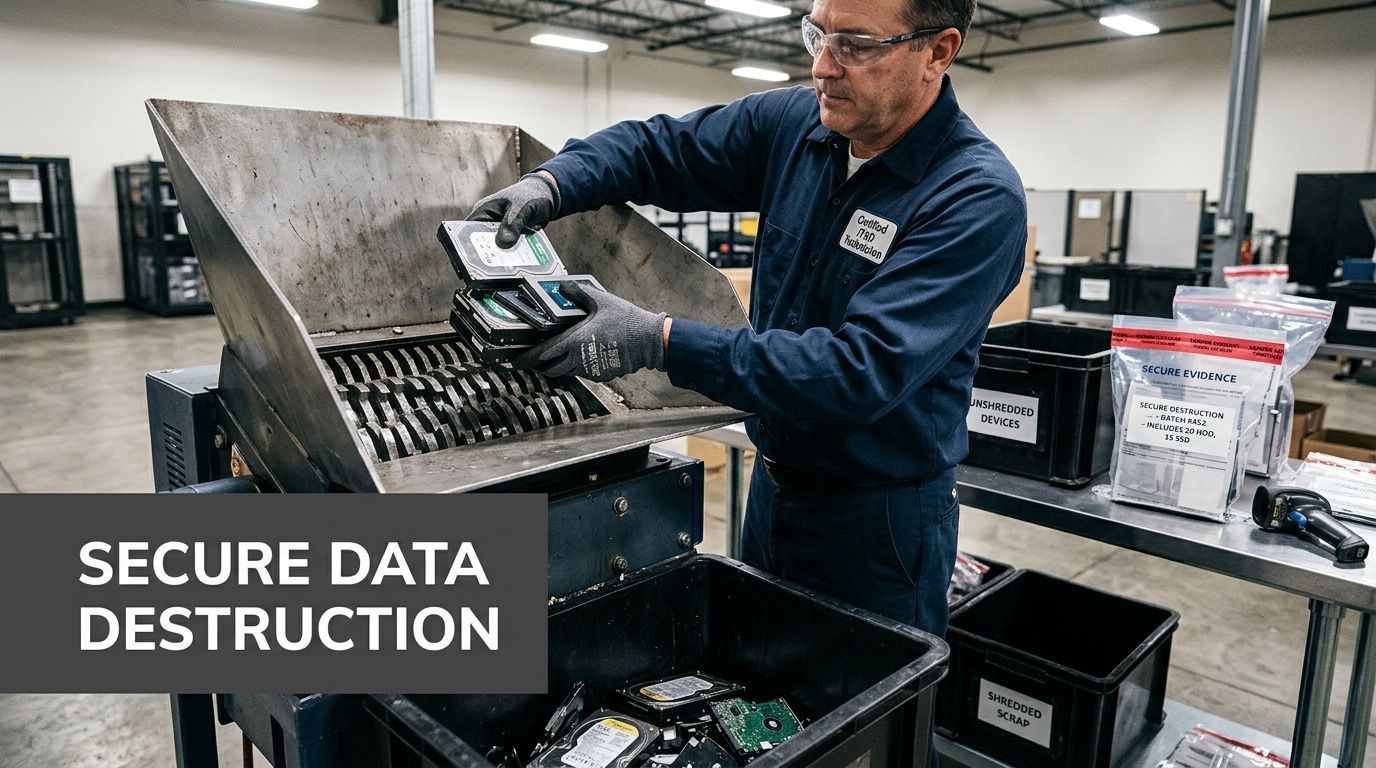
Physical destruction is as blunt as it sounds. We feed the hard drive into an industrial shredder that pulverizes it into tiny metal fragments. There's no coming back from that. The drive and the data are gone for good.
So, how do you choose?
- Wipe it when: The hard drive is in a newer, working computer that could be resold or used again. Wiping lets you securely give the asset a second life.
- Shred it when: The drive is old, broken, or held highly sensitive data (like patient records, financial data, or R&D). For this kind of information, zero risk is the only acceptable outcome.
Picture a financial firm in Charlotte decommissioning an old data center. For servers that stored years of client financial history, physical shredding is the only defensible option. A single data leak could trigger enormous regulatory fines and do irreparable damage to their brand. Simply wiping those drives would be a gamble they can't afford to take.
Deciding between wiping and shredding is a crucial step. Here’s a quick breakdown to help you weigh your options based on your specific needs.
Data Sanitization vs Physical Destruction
| Factor | Data Sanitization (Wiping) | Physical Destruction (Shredding) |
|---|---|---|
| Security Level | High; renders data unrecoverable with software tools. | Absolute; the storage media is physically destroyed. |
| Best For | Newer, functional assets with resale or reuse value. | Old, non-functional, or highly sensitive drives. |
| Compliance | Meets standards like NIST 800-88 and DoD 5220.22-M. | The ultimate form of compliance for data elimination. |
| Asset Value | Preserves the hardware for resale or redeployment. | Destroys the asset, eliminating any resale value. |
| Proof | Certificate of Sanitization with drive serial numbers. | Certificate of Destruction with serialized inventory. |
Ultimately, both methods provide a documented, auditable trail, but shredding offers a level of finality that high-security environments demand.
Staying Compliant and Proving It
A focus on secure destruction is critical because most e-waste is not handled correctly. It’s a shocking fact, but only 17.4% of global e-waste is properly recycled. With 62 million tonnes of e-waste generated in 2022 alone, that means a staggering 78% is left unmanaged, creating enormous data security and environmental risks.
If your organization handles protected health information (PHI), the stakes are even higher. Regulations like HIPAA don't just suggest data protection; they legally require it. Using a thorough HIPAA risk assessment template is a fundamental step to ensure your IT asset disposal process is compliant.
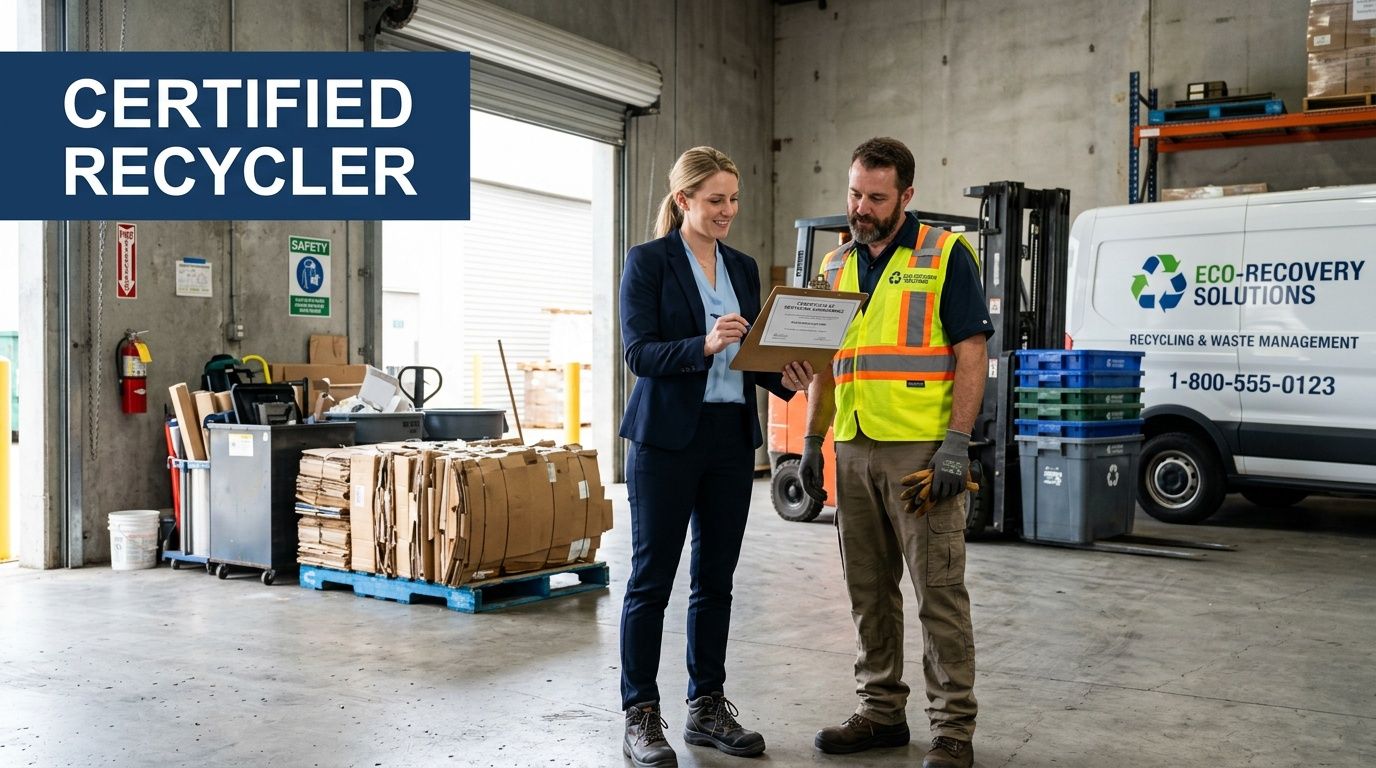
Working with a certified vendor gives you the auditable proof you need to satisfy regulators. You should always receive a Certificate of Destruction, a formal document that details every single serialized asset that was destroyed, the method used, and the date of completion. This piece of paper is your proof of due diligence and compliance.
Choosing the right destruction method is a core part of any effective security and data destruction strategy. We can help you implement these secure processes and ensure your organization is fully protected.
How to Vet and Select a Certified E-Waste Recycler
Choosing the right partner for computer waste recycling is probably the single most important decision you'll make in this entire process. Whether you need a local partner in Atlanta or a nationwide solution, the vetting process is key. The right recycler is a shield, protecting your organization from devastating data breaches and compliance nightmares. The wrong one? They can blow a hole in your best-laid plans, exposing you to massive financial and legal risks.
Don't think of this as just finding someone to haul away old gear. You're hiring a security specialist who understands the gravity of what's at stake. You need a vendor who can deliver, whether you're a single-site lab in Atlanta or a multinational corporation with offices scattered across the country.
The Gold Standard: R2 and e-Stewards Certifications
When you start looking for "computer waste recycling near me," the very first thing to check is their certifications. In our world, two certifications are the undisputed gold standard for electronics recycling: R2 (Responsible Recycling) and e-Stewards.
These aren't just logos they can slap on a website. They represent tough, third-party audited standards that prove a recycler is serious about both environmental protection and data security.
- R2v3 Certification: This is all about the entire lifecycle of your old equipment. An R2-certified recycler is audited on everything from their data security protocols and employee safety to how they manage their own vendors downstream. It ensures nothing gets dumped in a landfill.
- e-Stewards Certification: Created by the Basel Action Network, this certification is famous for its incredibly strict ban on exporting hazardous e-waste to developing countries. It offers the highest possible guarantee of environmental and social responsibility.
A vendor holding both R2 and e-Stewards certifications has proven they can meet the industry's toughest benchmarks. It’s the clearest sign you’re dealing with a top-tier, trustworthy partner for secure and ethical computer waste recycling.
Key Questions to Ask Any Potential Recycling Partner
Once you've shortlisted vendors with the right certifications, it's time to dig deeper. Your mission is to get a crystal-clear picture of their entire process, from your loading dock to final disposition.
Don't be shy about asking tough questions. Here's a practical checklist I use:
- Can I see a sample Certificate of Destruction? This isn't optional. Your CoD is the primary document for any audit. It should list every single serialized asset and confirm the exact date and method of destruction.
- What does your downstream audit trail look like? A certified recycler must track all materials to their final destination. Ask them to prove that commodities like plastics, glass, and metals are sent only to approved, environmentally sound processors.
- Do you handle the on-site work yourselves? For any large-scale project, you need much more than a simple pickup. Do they have their own trained team for on-site de-installation, palletizing, and secure transport? Or are they just subcontracting it out?
- What are your data destruction standards? Get specific. They need to confirm they can wipe drives to NIST 800-88 standards and, crucially, offer on-site physical shredding. A premier e-waste recycling company should offer both options without hesitation.
Think about a university lab in Gainesville, Florida, decommissioning an entire facility. They brought in a certified partner who managed everything from start to finish—carefully de-installing sensitive analytical instruments, securely packing hundreds of PCs, and managing the transport logistics. That end-to-end service turned a logistical nightmare into a smooth, compliant project and freed up the university’s staff to do their actual jobs.
The Real Logistics and ROI of Computer Recycling
Let's talk about the side of computer recycling that gets overlooked: the actual, on-the-ground logistics and the real financial picture. It's one thing to talk about compliance, but it's another to coordinate a secure pickup from a high-rise office in downtown Atlanta or manage a full-blown data center decommissioning without bringing your entire operation to a halt.
We’ve seen it all. The practical side of this involves scheduling secure transport, maintaining an unbreakable chain of custody from your facility to ours, and having a team on-site that can handle the heavy lifting—literally. Think de-racking servers, palletizing hundreds of desktops, and getting everything out the door without a single disruption. For most businesses, the logistics alone are a compelling reason to bring in an experienced partner.
Shifting from Cost Center to Risk Mitigation
It’s tempting to look at electronics disposal as just another expense on the budget sheet. Honestly, that’s a dangerous way to think about it. Proper computer waste recycling isn't a cost center; it's a direct investment in protecting your company from massive financial risks.
Just think about the potential fines for a data privacy violation under regulations like HIPAA. A single incident can easily spiral into six-figure penalties. When you weigh that against the cost of certified, professional data destruction, the choice becomes crystal clear.
The true return on investment (ROI) isn’t just about the money you might recoup from reselling old equipment. It's about the catastrophic costs you actively prevent—from staggering regulatory fines and legal battles to the devastating, long-term damage a data breach does to your reputation.
Changing your perspective on this is crucial. A strategic partnership isn't an expense. It's an insurance policy against your biggest digital liabilities.
Uncovering the Financial Upside
Beyond just avoiding disaster, a well-structured recycling program can deliver some very real financial wins. This is especially true now that the electronics recycling industry has matured into a significant economic sector. For instance, the US electronic goods recycling market has expanded into a massive industry with revenues reaching $28.1 billion back in 2024. You can discover more insights about the electronic goods recycling market from IBISWorld to see the scale of this growth.
This established market creates several avenues for a positive ROI:
- Asset Remarketing: Newer, still-functional equipment can often be securely sanitized and resold. This generates a direct cash return that can significantly offset—or even cover—the entire cost of your disposal project.
- Component Harvesting: Even older, non-working devices are full of valuable materials. Precious metals and functional components can be recovered by the recycler, which in turn helps lower your service fees.
- Brand Protection: In an era where customers and partners demand corporate responsibility, having a transparent and ethical recycling program is a powerful asset. It strengthens your brand image in a way that advertising can't buy.
When you look at the whole equation—the costs you avoid plus the returns you can generate—it's clear that professional e-waste management is simply a smart, fiscally responsible move. If you're ready to see how this can work for your organization, our corporate e-waste solutions provide a clear roadmap to get started.
Your Top Computer Recycling Questions, Answered
Even with a detailed plan in place, you’re bound to have a few questions. That's normal. We hear them every day from organizations big and small, whether they're in Georgia, Florida, or anywhere else in the U.S. Here are some straightforward answers to the questions we get asked the most.
What Kind of Equipment Do You Actually Take?
It’s not just about desktops and laptops. A true IT and lab asset recycler can handle just about everything you’d find in an office, data center, or laboratory.
We routinely and securely process a huge range of gear:
- Desktops, laptops, and all types of servers
- Networking hardware like switches, firewalls, and routers
- Old monitors, including bulky CRTs and modern flat-panels
- Specialized laboratory and medical equipment
The whole point is to give you a single point of contact for all your retired tech. You shouldn't have to call three different vendors. While it's always smart to confirm your specific inventory list, a professional service should make your project much simpler by accepting a comprehensive range of assets.
Is This Going to Cost Us Money?
This is probably the number one question we get, and the honest answer is: it depends. The cost is directly tied to the age, condition, and type of equipment you have.
For example, a large batch of more recent laptops or enterprise servers might still hold significant resale value. In those cases, the service could come at no charge—or you might even get a return—because the recycler can recover value by remarketing the equipment. On the other hand, older, obsolete assets with no resale potential will have a cost for the labor involved in data destruction and responsible materials recycling.
Always demand a transparent, itemized quote. It should clearly break down any and all potential charges so there are no surprises.
How Can I Be Sure My Data Is Gone for Good?
This is the most critical part of the process, and it’s completely non-negotiable. Any recycler worth their salt must provide you with a Certificate of Destruction. This is your legal, official proof that your data has been permanently and securely eliminated.
Never, ever partner with a vendor that is hesitant or unable to provide this document. A legitimate certificate will detail the unique serial numbers of the devices it covers and specify the destruction method, whether it was data erasure following NIST 800-88 guidelines or physical shredding.
This certificate is your audit trail. It’s what proves you did your due diligence and is absolutely essential for passing any compliance or internal security audit.
Can You Come to Our Facility to Pick Everything Up?
Yes. Secure, on-site logistics is a core part of what a professional ITAD partner does. This is an essential service for businesses in busy metro areas like Atlanta and for any organization that needs a seamless, hands-off process. A national provider can coordinate pickups across multiple states.
A proper on-site service should always include:
- Full coordination of scheduling and all logistics.
- A documented, secure chain of custody from the moment the assets are in our hands.
- The use of a dedicated fleet and trained, badged personnel to de-install, pack, and transport your equipment.
This kind of white-glove service takes the burden completely off your team’s shoulders, making sure the entire computer waste recycling process is secure, efficient, and professional from start to finish.
Ready to simplify your computer and lab equipment disposal with a trusted, certified partner? Scientific Equipment Disposal provides secure, compliant, and cost-effective solutions for organizations throughout the Atlanta area and beyond. We offer both local service in the Southeast and coordinated nationwide programs. Learn more at https://www.scientificequipmentdisposal.com.