E Waste Computer Recycling Your B2B Compliance Guide

A lot of e waste computer recycling projects start the same way. IT has a row of retired laptops under a bench, a server closet full of pulled drives, and a facilities manager asking when the space will be cleared for the next move, renovation, or shutdown.
In Atlanta hospitals and universities, that pile rarely contains “just old computers.” It usually includes patient-facing workstations, research lab PCs, shared departmental printers, storage arrays, instrument controllers, and a few mystery devices nobody wants to claim. The mistake is treating that backlog like junk removal. It’s not. It’s a controlled asset disposition project with security, compliance, and environmental consequences.
When e waste computer recycling is handled properly, the process reduces exposure on three fronts at once. It closes data risk, creates a clean chain of custody, and routes material into formal recycling instead of informal disposal. When it’s handled casually, the organization keeps the liability even after the equipment leaves the building.
Beyond the Storage Closet The Real Risks of Business E-Waste
An IT manager at a hospital usually knows where the obvious devices are. The trouble starts with the overlooked ones. A nurses’ station PC gets replaced. A radiology admin laptop loses support. A lab freezer controller with embedded storage is removed during an upgrade. Those devices don’t always make it into a formal retirement workflow. They end up in staging rooms, closets, loading docks, and sometimes unsecured hallways during a renovation.
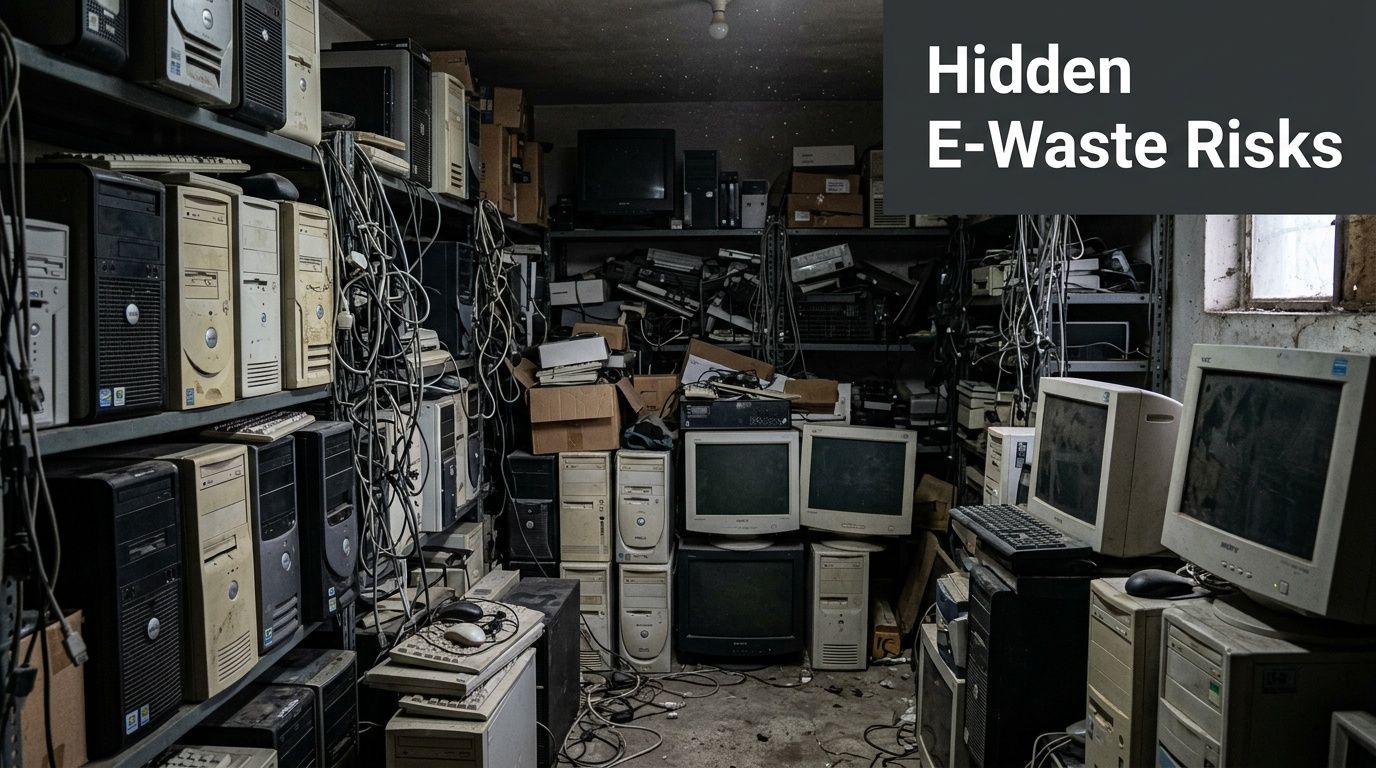
That’s where risk multiplies. A decommissioned computer still holds data until someone proves otherwise. A surplus server still carries chain-of-custody obligations. A broken monitor or battery pack still requires controlled handling.
What usually gets missed
The first risk is data exposure. In healthcare, that means HIPAA concerns. In universities, it may be student records, research files, grant data, or HR records. In government, retention rules and sanitization standards often drive the disposal method. “Out of service” does not mean “safe to discard.”
The second risk is documentation failure. If nobody can show what left, when it left, who received it, and how storage media was sanitized or destroyed, the organization has a gap in its compliance record. That gap becomes painful during an audit, internal investigation, insurer review, or contract dispute.
The third risk is environmental liability. Electronics contain mixed materials and components that can’t be handled like ordinary trash. Businesses that use a casual hauler or an uncertified downstream outlet may think they’ve solved the problem, when they’ve only moved it offsite.
Practical rule: If a device ever stored credentials, patient information, research data, financial records, or internal email, treat it as a controlled asset until sanitization is documented.
The scale of the broader problem explains why these backlogs matter. The world generated 136 billion pounds of electronic waste in 2022, but only 22 percent was formally collected and processed through proper recycling channels, according to Omega Recycling’s summary of e-waste data. For a business, that means a huge volume of devices still leaves formal handling pathways, which turns routine disposal into a security and environmental exposure point.
Why Atlanta facilities feel this acutely
Dense metro environments create operational pressure. Hospitals don’t have spare storage. Universities cycle equipment around semesters, grant closeouts, and department moves. Corporate campuses need old gear removed without disrupting production floors, clinics, or classrooms.
That’s why a disposal plan has to be more than a pickup date. It needs controlled packaging, loading, manifests, and a clear destination. A basic overview of that workflow appears in this guide to managing e-waste, but in regulated settings the standard is higher. You need records strong enough to defend decisions later, not just enough effort to clear the room today.
The Pre-Disposal Audit Cataloging Your IT Assets for Disposal
Most failed disposal projects fail before pickup. The root problem is usually the same. Nobody built a usable inventory.
A pre-disposal audit does more than count boxes. It creates the working document for finance, compliance, facilities, and the recycler. Without it, equipment leaves in batches that nobody can reconcile later.
Start with categories that matter operationally
Don’t begin with brand or age. Start with categories tied to handling requirements.
- Data-bearing devices: desktops, laptops, servers, network storage, external drives, tablets, and equipment with embedded storage.
- Non-data-bearing peripherals: monitors, keyboards, mice, docking stations, cables, and most basic accessories.
- Lab and medical devices with embedded computing: analyzers, centrifuges, incubators, controllers, imaging workstations, and specialized instruments that may contain drives or memory.
- High-risk media: failed hard drives, solid-state drives, backup tapes, and removable media that can’t be verified through standard wiping.
That first pass tells you what needs sanitization, what can move directly into recycling preparation, and what may require technician review before de-installation.
Build a manifest that someone else can audit
A useful manifest is boring on purpose. It should be easy for a third party to read and hard to dispute later.
Capture:
| Field | Why it matters |
|---|---|
| Asset tag | Ties the item to internal records |
| Serial number | Supports identity verification at transfer |
| Device type | Drives handling method |
| Department or room | Helps trace ownership and retrieval |
| Data-bearing status | Separates sanitization workflows |
| Physical condition | Identifies items that may need shredding instead of wiping |
| Power status if known | Helps crews plan testing and removal |
| Notes on embedded storage | Critical for lab and specialty equipment |
If your team can’t capture every field, don’t wait for perfect data. Start with asset tag, serial number, device type, and location. Then refine.
A sloppy manifest creates two bad outcomes at once. It weakens data destruction records and it weakens financial retirement records.
Watch the hidden devices
In university and healthcare environments, the inventory gap is rarely the obvious desktop fleet. It’s the edge equipment.
Examples include:
- Instrument controllers attached to lab equipment.
- Departmental servers tucked under benches or in locked cabinets.
- Workstations in exam rooms retired by local staff instead of central IT.
- Research storage devices moved during lab reconfiguration.
- Printers and copiers with internal memory.
These devices often bypass standard lifecycle controls because they were purchased by a department, maintained by a vendor, or installed as part of a larger instrument package.
Assign ownership before scheduling anything
A clean project has named owners. Without that, the recycler arrives and nobody can approve access to rooms, verify counts, or sign transfer documents.
A practical division looks like this:
- IT: confirms data-bearing status, approved sanitization method, and any hold lists.
- Facilities: manages access, loading routes, elevators, dock timing, and room clearance.
- Compliance or privacy: signs off on handling requirements for regulated data.
- Department lead: validates what should leave and what must remain.
- Procurement or finance: confirms asset retirement expectations if needed.
For larger projects, schedule a walk-through. In Atlanta campuses with multiple buildings, that simple step prevents trucks from waiting while teams search for keys, carts, or contact people.
Don’t mix redeployment and recycling in the same pile
This causes confusion every time. If some equipment might be reused internally, move it into a separate workflow with separate labels. Don’t let redeployment candidates sit beside material approved for destruction.
Use a simple disposition code on the manifest:
- Sanitize and redeploy
- Sanitize and recycle
- Destroy media and recycle hardware
- Hold for review
That code helps everyone downstream. It also keeps a university department from accidentally sending a research workstation into a destruction stream that finance expected to reuse.
Teams that need help structuring the handoff often start with an ITAD workflow like this overview of IT asset disposition services in Gwinnett County, GA. The important part isn’t the geography. It’s the discipline: inventory first, transfer second.
Data Sanitization DoD Wiping vs Physical Destruction
The central question in e waste computer recycling isn’t whether data must be removed. It’s how you’ll prove it was removed in a way that matches the asset, the condition of the media, and the organization’s rules.
In regulated sectors, the right answer is often one of two paths. Software-based DoD 5220.22-M wiping or physical destruction. Both can be appropriate. They solve different problems.

When wiping makes sense
A 3-pass wipe aligned with DoD 5220.22-M is used when the media is functional enough to be addressed by software and the organization wants a documented sanitization process before recycling or possible remarketing. This path is common for working desktop drives, laptop drives, and some server storage pulled during refresh cycles.
The advantage is traceability. A proper wipe workflow can generate records tied to the device or drive, which matters when compliance staff need evidence that sanitization occurred before the asset changed hands.
Wiping is usually the better choice when:
- The drive is functional
- The hardware still has reuse or resale value
- Your policy allows logical sanitization
- You need auditable documentation by serial number
For healthcare, this can support controlled retirement of workstations and office systems. For universities, it often fits departmental laptop and desktop refreshes where the institution wants strong records without destroying every working drive.
When destruction is the safer call
Physical destruction is the right choice when you can’t trust the media to respond to software or when policy requires irreversible destruction. That includes failed drives, damaged solid-state media, and storage removed from high-sensitivity environments.
Shredding also closes off a common operational problem. If a drive won’t power on, a wipe report won’t prove sanitization because the software never completed. In that situation, destruction is the defensible answer.
Use physical destruction when:
| Scenario | Better method |
|---|---|
| Working drive with reuse value | DoD wipe |
| Failed or unreadable drive | Physical destruction |
| Media from high-security environment | Physical destruction |
| Embedded drive that can be removed and tested | Depends on condition and policy |
| Nonfunctional backup media | Physical destruction |
The source gap in ordinary recycling programs is real. For organizations in healthcare, academia, and government, standard recycling programs often overlook HIPAA and DoD 5220.22-M requirements. That’s one reason data privacy concerns remain a major barrier to proper disposal, as outlined in this discussion of barriers to e-waste recycling.
If you can’t verify that software reached and sanitized the media, don’t call it sanitized. Move it to destruction.
The trade-off most buyers care about
This isn’t only a security decision. It’s also an operations decision.
Wiping preserves more downstream options. If a drive and system remain usable, the organization may have a cleaner path for asset recovery, internal redeployment, or resale through approved channels. Physical destruction closes that path, but it lowers ambiguity.
That trade-off matters in Atlanta hospital networks and university systems where one project may include both ordinary office equipment and highly sensitive machines. The correct workflow is often mixed. Wipe what can be verified. Shred what can’t.
How to choose by environment
A practical decision framework looks like this.
- Hospitals and clinics: if a device handled patient data, use the organization’s privacy rule set first. Functional office computers may qualify for documented wiping. Failed media should move directly to shredding.
- Universities: separate routine administrative devices from research systems. Research labs often have stricter internal requirements than general office environments.
- Government agencies: contract terms and agency policy often decide the method before the equipment is even removed.
- Labs with embedded controllers: determine whether storage is removable, accessible, and testable. If not, destruction of the media or whole component may be the cleaner option.
Sometimes the best way to understand the stakes is to look at the opposite side of the problem. A service like Data Recovery in Perth is a useful reminder that data can often be retrieved from media businesses assume is unreadable. That’s exactly why failed or uncertain drives shouldn’t be treated casually during disposal.
What good documentation looks like
Whatever method you choose, the documentation has to match.
For wiping, expect device-level records tied to the media or system. For shredding, expect destruction records tied to the received inventory and the destroyed media batch. If the project includes both, keep the logs separate so auditors don’t have to guess which method applied to which device.
A straightforward reference for technical expectations appears in this guide on how to wipe a hard drive. The operational takeaway is simple. Pick one standard per asset class, document exceptions, and don’t improvise on pickup day.
Managing Logistics Chain of Custody and Hazardous Materials
A recycler can have strong data destruction procedures and still create risk if pickup, transfer, and downstream processing are loose. That’s why chain of custody matters just as much as sanitization.
For B2B e waste computer recycling, chain of custody means the organization can show where assets were, who controlled them, and what happened to them after removal. If a hospital can’t trace a retired workstation after it leaves a loading dock, the problem isn’t solved. It has only changed location.

What chain of custody should include
At minimum, the paperwork should connect the original manifest to the physical handoff.
Look for these controls:
- Serialized inventory references that match the pre-disposal audit.
- Pickup confirmation signed by the releasing party and the receiving crew.
- Container control for boxed drives, loose media, or sensitive devices.
- Transport records that show where assets moved next.
- Final disposition documents for sanitization, destruction, and recycling.
That paper trail protects both sides. It tells your compliance team what happened. It tells the recycler what they received. It also narrows disputes when counts don’t match.
Why loading dock discipline matters
Such situations frequently cause projects to go sideways. Equipment gets staged too early. Unlabeled carts sit in common areas. Sensitive devices are mixed with ordinary scrap. A well-run pickup avoids all three.
In hospitals and universities, schedule by building and by department when possible. Move sensitive media last, or stage it in a supervised room until the truck is ready. If the project includes de-installation from labs or secure offices, the crew should know that before arrival.
A simple operational rule helps:
Don’t let retired assets become “building clutter.” Once they’re approved for disposition, move them through a controlled schedule with named handoff points.
Hazardous material handling isn’t optional
Electronics recycling is not simple dismantling. The processing stream is specialized because the equipment contains mixed materials and components that need separation and controlled handling.
The downstream process matters. E-waste recycling requires a multi-stage mechanical and chemical separation process. After manual dismantling to remove higher-risk components such as batteries and circuit boards, material is shredded into small pieces so metals, plastics, and glass can be separated using magnets and water-based systems, according to Sensoneo’s explanation of e-waste recycling. That’s why corporate IT gear and lab equipment shouldn’t be treated like ordinary bulk waste.
Devices that deserve special attention
Certain items need extra review before transport:
| Asset type | Main concern |
|---|---|
| Batteries and UPS units | Fire risk and separate handling |
| Circuit boards | Sensitive components and recovery value |
| Monitors and displays | Fragile materials and specialized processing |
| Lab instruments with embedded electronics | Mixed stream of metal, plastic, boards, and data-bearing components |
| Loose hard drives and SSDs | Security risk during staging and transit |
For lab closures, this becomes more complicated because one room can contain both data-bearing systems and equipment with hazardous internal components. A centrifuge controller, a fume hood monitor, and a desktop workstation may all need different handling instructions even though they leave the same space on the same day.
Match your documents to your liability
Businesses often focus on the certificate at the end. That’s useful, but it’s not enough by itself. If the inventory was weak or the transfer was undocumented, the final certificate can’t repair the gap.
Use the full record set:
- Manifest
- Pickup receipt
- Chain-of-custody transfer
- Data destruction records where applicable
- Final recycling or destruction certificate
Organizations that want a benchmark for this level of control often compare vendors based on secure handling protocols such as those described in security data destruction. The important point is consistency. Every handoff should be documented the same way, whether the project is ten laptops or a multi-building decommission.
How to Select a Certified E-Waste Recycling Partner
Choosing a vendor for e waste computer recycling is not the same as hiring a junk hauler, office mover, or metal recycler. You’re selecting a company that will touch data-bearing equipment, remove potentially hazardous material, and represent your organization in the downstream recycling chain.
The market is crowded. The U.S. electronic goods recycling industry includes over 860 businesses and is forecast to reach $28.1 billion, growing at 8.0% CAGR, while recycling rates in the Americas remain around 30%, according to ERI Direct’s discussion of e-waste recycling market conditions. That combination tells buyers something important. There are many providers, and quality varies.

Certifications matter, but only if operations match them
Ask whether the provider holds recognized certifications such as R2 or e-Stewards. Then go one step further. Ask how those standards show up in day-to-day work.
A serious vendor should be able to explain:
- how assets are tracked from pickup through final processing
- how data-bearing media is segregated
- how downstream vendors are controlled
- how hazardous components are handled
- what documents are issued at project closeout
Certification is the starting point. Process discipline is the proof.
Questions worth asking in the first call
Not every vendor can handle Atlanta-area B2B environments well. A company may accept laptops at a warehouse and still struggle with hospital dock restrictions, university building access, or lab de-installation.
Ask direct questions:
- Can you perform on-site pickup for multi-building projects?
- Do you handle de-installation, packing, and loadout, or only dock pickup?
- How do you separate wiping candidates from media that must be shredded?
- What does your chain-of-custody paperwork look like?
- How do you handle embedded computers inside lab or medical equipment?
- Will your team work around clinical schedules, lab shutdown windows, or campus access controls?
Those answers reveal more than a brochure ever will.
A useful comparison from another compliance-heavy field
The evaluation logic is similar to vendor selection in cross-border logistics. This customs broker selection guide is useful because it shows how experienced buyers vet partners handling regulated movement, documentation, and liability transfer. The categories are different, but the mindset is the same. Ask about process, controls, exceptions, and accountability, not just price.
The cheapest pickup is often the most expensive disposal decision if the provider can’t document custody, sanitization, and downstream handling.
What good local fit looks like
For Atlanta hospitals, universities, and research facilities, the right partner usually has three traits.
First, they can work on-site. That means crews, vehicles, scheduling discipline, and people who understand loading docks, freight elevators, and controlled access rooms.
Second, they can handle mixed projects. Many B2B jobs aren’t just “computer recycling.” They include servers, drives, monitors, instrument controllers, and lab equipment in one coordinated removal.
Third, they can support compliance documentation without creating extra work for the client. If your team has to chase every serial number after the pickup, the vendor isn’t solving the hard part.
One example in the Atlanta market is Scientific Equipment Disposal’s e-waste recycling company page, which describes B2B pickup, de-installation, computer recycling, and data destruction for lab and IT assets. That kind of model is useful when a project combines ordinary office hardware with research or medical equipment.
A short vendor scorecard
Use a simple pass-fail scorecard during review.
| Checkpoint | Pass if |
|---|---|
| Certification | Recognized standard is current |
| Data handling | Wiping and shredding options are documented |
| Logistics | On-site pickup and controlled transport are available |
| Documentation | Chain-of-custody and final records are clear |
| Scope | Vendor can handle both IT and specialty equipment if needed |
| Local execution | Team understands access and scheduling constraints |
If a vendor gives vague answers on any of those points, keep looking. Disposal risk hides in ambiguity.
Your E-Waste Computer Recycling Project Checklist
Most organizations don’t need a theory of e waste computer recycling. They need a repeatable plan they can run during refresh cycles, lab closures, mergers, and shutdowns. A checklist works because it keeps multiple departments aligned and prevents rushed decisions at the loading dock.
The environmental case is obvious, but there’s also a business case. An estimated $4 billion in copper, gold, and palladium is lost annually in the U.S. from discarded computers alone, according to BCG’s analysis of e-waste value recovery. That doesn’t mean every project generates a payout. It does mean retired enterprise hardware contains recoverable value, and poor disposal throws that value away along with the compliance record.
Project checklist for regulated organizations
Freeze the scope before pickup
Decide which rooms, departments, and buildings are in the project. Last-minute additions create inventory gaps and chain-of-custody problems.Separate assets by disposition path
Keep redeployment candidates away from recycling material. Split data-bearing devices from non-data-bearing equipment. Isolate failed media for destruction review.Build the manifest
Record asset tags, serial numbers, device type, location, and condition. For lab equipment, note whether the unit contains embedded storage or attached controllers.Confirm data handling rules internally
Privacy, IT, and department leadership should agree on which asset classes can be wiped and which must be physically destroyed. Don’t leave that decision to pickup day.Identify exception items early
Call out broken drives, locked rooms, oversized equipment, battery-heavy devices, and instruments that require de-installation. Exceptions drive scheduling.Vet the recycler like a compliance vendor
Ask about certifications, chain-of-custody documents, on-site logistics, downstream handling, and whether the crew can work in hospitals, campuses, and labs without disruption.Schedule the site operationally, not just by calendar
Coordinate loading dock windows, elevator access, badges, escorts, room contacts, and packing materials. In active facilities, timing matters as much as the truck.Control staging
Don’t leave retired devices in unsecured hallways or mixed with ordinary surplus. Use supervised rooms and labeled containers, especially for loose media.Match paperwork at handoff
The pickup receipt should reflect the manifest. If counts differ, resolve it before the truck leaves.Review the final closeout package
Check that sanitization reports, destruction records, and recycling certificates match the project scope. File them where compliance, IT, and procurement can retrieve them later.
Common failure points
A few errors show up repeatedly.
- No owner assigned: everyone assumes someone else approved the release.
- Mixed pallets: wiped devices, failed drives, and scrap monitors travel together with weak labeling.
- Departmental side deals: a local team adds “just a few more PCs” after the manifest is closed.
- Weak exception handling: embedded controllers are treated as peripherals instead of data-bearing assets.
What works in practice
The smoothest projects are usually the least dramatic. The organization does a short walk-through, tags the assets, decides wipe versus shred in advance, and gives facilities a real pickup plan. The recycler arrives with the right containers, the right crew, and the right paperwork. The handoff is quick because the decisions were already made.
Keep the process simple enough to repeat and strict enough to audit.
That balance is what turns e waste computer recycling from a dreaded cleanup project into a controlled business process.
If your organization needs a B2B partner for computer, server, and lab asset disposition in the Atlanta area, Scientific Equipment Disposal provides on-site pickup, de-installation, DoD 5220.22-M 3-pass hard-drive wiping, shredding for nonfunctional media, and recycling support for hospitals, universities, corporations, and government facilities.