Computer Recycling Services Peachtree Corners Georgia

A lot of Peachtree Corners organizations have the same problem hiding in plain sight. It starts with a few retired laptops in a closet, then a stack of monitors from a department refresh, then old servers nobody wants to touch because they still contain sensitive data.
For a facility manager or IT director, that pile isn't just clutter. It's a chain of custody problem, a compliance problem, and a scheduling problem. If some of the equipment came from a clinic, lab, research department, or administrative office, disposal has to be handled with the same discipline you apply to active assets.
That’s why Computer Recycling Services Peachtree Corners Georgia isn’t a simple hauling question for regulated businesses. It’s an IT asset disposition decision. The right process protects data, keeps the project moving, and produces documentation you can use in an audit.
Your Partner for Computer Recycling in Peachtree Corners
A common call starts with a room that was supposed to be temporary storage. The room now holds desktop towers, switches, failed hard drives, old UPS units, and a few carts of mixed electronics from a recent upgrade. Nobody wants the equipment back in service, but nobody wants to release it without knowing exactly how it will be handled.
That’s where a professional B2B process matters. In Peachtree Corners, there’s already a strong regional recycling backbone. Certified providers in Metro Atlanta have built real processing capacity. For example, Montclair Crew Recycling reports over 210 million pounds of electronics recycled since 2004 and a 95%+ material recovery rate through its certified operation, which shows the scale of infrastructure available to local businesses (Montclair Crew Georgia certified e-waste recycling companies).
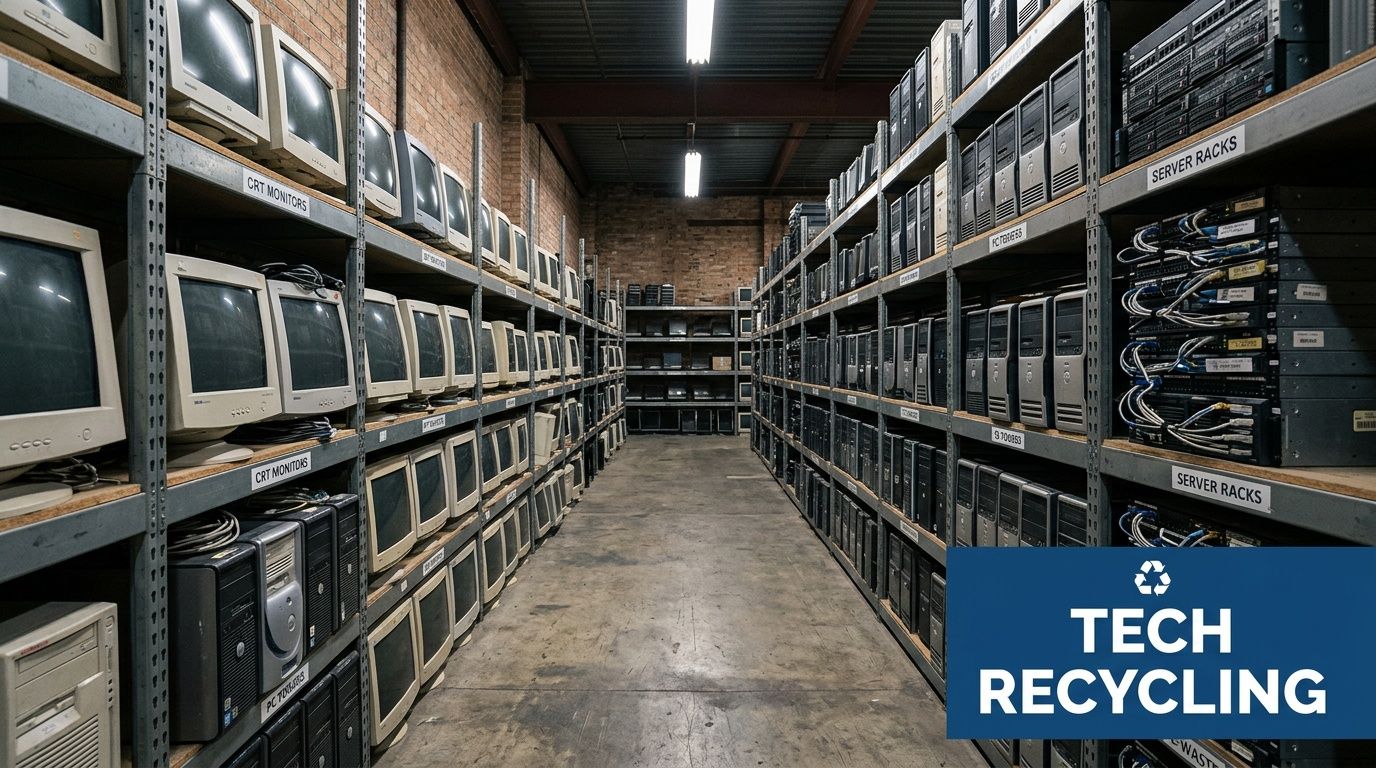
What B2B clients usually need
Hospitals, schools, labs, and corporate offices rarely need a basic drop-off option. They need a managed removal program that accounts for:
- Sensitive data exposure: retired endpoints and servers still hold regulated or confidential information.
- Building logistics: loading docks, service elevators, after-hours access, and internal move rules all affect pickup planning.
- Mixed asset streams: the load may include computers, networking gear, storage media, and electronics attached to lab workflows.
- Documentation requirements: internal audit teams often want more than a simple receipt.
Some organizations can use a public drop-off site for a few loose devices. That works for small volumes. It does not work well for a department refresh, a clinic closure, or a data room cleanout.
What a practical local partner should handle
For business electronics, the standard should be operational control, not convenience alone. A provider should be able to coordinate pickup, sorting, secure data handling, transport, and downstream recycling without pushing prep work back onto your staff.
Practical rule: If your team has to unplug, palletize, sort, and document everything on its own, you’re not getting a disposal partner. You’re getting a partial service.
Organizations looking for a business-focused program in this area often start with resources like business electronics recycling in Peachtree Corners GA, then narrow the process based on asset type, compliance needs, and pickup scope.
Beyond Recycling The Business Case for Secure IT Disposal
Most disposal mistakes happen because old equipment gets treated like surplus furniture. It isn’t. A retired workstation can expose credentials, patient records, research data, procurement files, or years of internal email. A failed server can still contain exactly the data your security team thought had already been controlled.
That’s why the business case for professional IT disposal has very little to do with getting rid of junk. It has everything to do with reducing risk.
The three risks that matter most
The first is data security. If storage media leaves your control without verified sanitization or destruction, your organization is relying on hope. Hope isn’t a control.
The second is regulatory exposure. This matters most for healthcare, higher education, government, and any business with contractual data handling obligations. Medical and laboratory environments are especially exposed because disposal often involves hybrid assets, such as computers tied to instruments, workstations connected to analyzers, or local systems used for intake, imaging, or results review.
The third is operational disruption. Poorly planned removal projects tie up staff, block staging areas, and create confusion about what can leave, what must stay, and what needs special handling.
Why healthcare and lab environments need more than standard recycling
A major gap in local service content is the lack of detailed attention to medical equipment data security. That matters because a 2025 Georgia EPD report noted a 28% rise in e-waste from Atlanta healthcare facilities, which makes HIPAA-compliant disposal an urgent need rather than a niche concern (Reworx recycling center Peachtree Corners GA).
In practice, the problem usually isn't a single laptop. It's a mixed retirement event. A clinic replaces front-desk computers, label printers, storage arrays, and a few old systems that once interfaced with diagnostic equipment. A lab closes one room and upgrades another. Nobody is fully sure which drives are functional, which are encrypted, and which need shredding instead of wiping.
If a device ever handled protected, regulated, or proprietary information, disposal should follow the same discipline as active security operations.
What works and what doesn't
What works:
- Chain of custody from pickup onward: someone owns the handoff.
- Asset-level decisions for media: wipe reusable drives, shred failed or obsolete media.
- Clear project scoping: accepted items, exclusions, building access, and timing are decided before the truck arrives.
- Final reporting: your team gets proof, not assumptions.
What doesn't:
- Unplanned drop-offs by staff: too much room for missing assets and undocumented handling.
- Bulk removal without media review: that’s how sensitive drives get mixed into generic scrap.
- Relying on “it was probably erased”: if it can't be verified, it shouldn't count.
Organizations comparing options often look at broader waste computer recycling services first, then separate vendors that merely collect equipment from those that can support controlled B2B disposition.
Ensuring Total Data Security Wiping and Shredding
For most IT leaders, this is the part that decides whether the recycling process is acceptable at all. If data destruction is weak, nothing else in the project matters.
There are two main paths. One is software sanitization for media that can still be processed electronically. The other is physical destruction for media that is failed, obsolete, or better removed from service permanently. The correct choice depends on the device condition, the retention decision, and the compliance profile of the asset.
When wiping is the right tool
DoD 5220.22-M 3-pass sanitization is a recognized method for overwriting data so it can't be recovered through normal forensic means. In plain language, the drive’s old contents are overwritten multiple times and then verified. It’s the digital equivalent of sanding down a surface until the original markings are gone.
This approach makes sense when the storage media is functional and there’s a reason to preserve the hardware for remarketing, reuse, or downstream processing as a working component.
A competent wiping workflow should answer four questions:
- Was the media readable enough to sanitize?
- Which standard was applied?
- Was the result verified?
- Can the provider document that result for your records?
If the answer to any of those is unclear, the asset should move to destruction instead.
When shredding is the safer answer
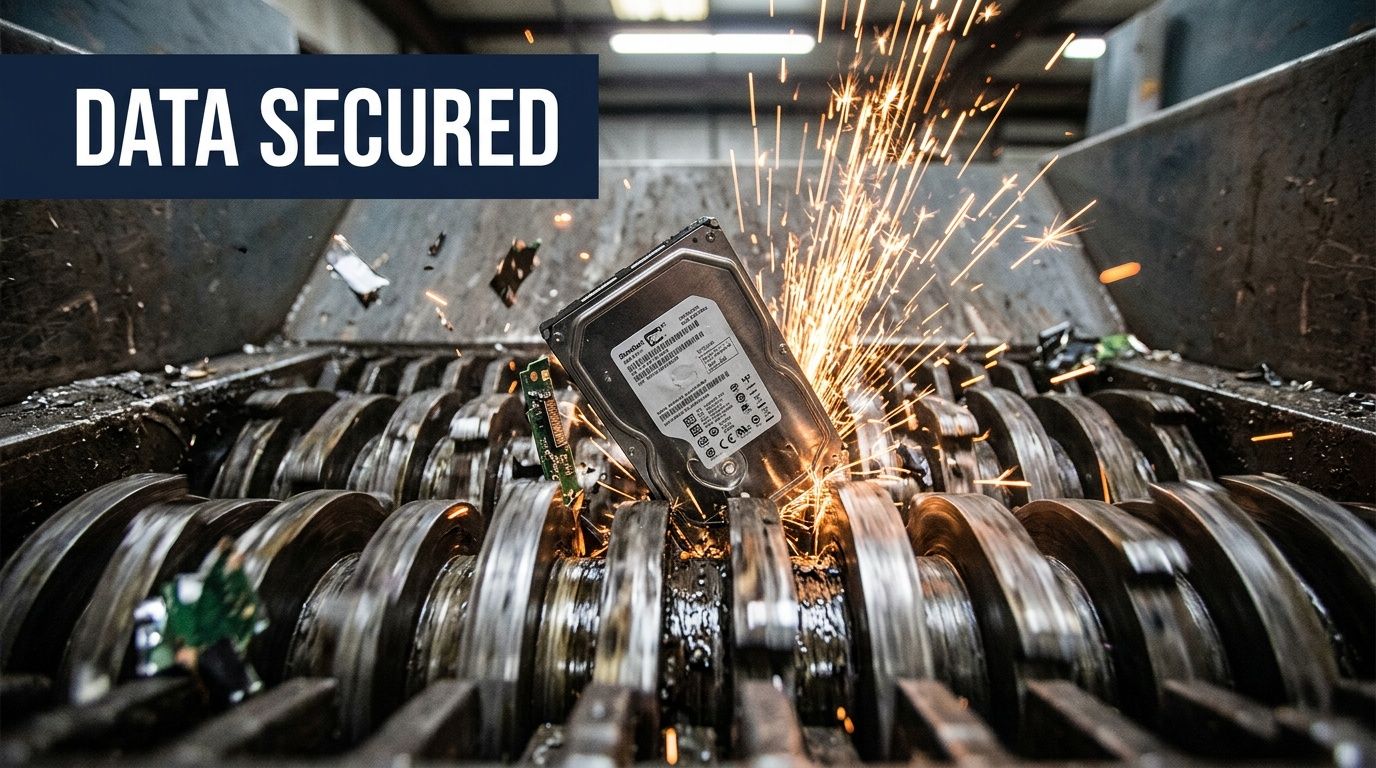
Some drives don't cooperate. Failed hard drives, damaged SSDs, corrupted media, and drives from highly sensitive environments often belong in the shred stream. Physical destruction removes the debate.
Reworx describes data destruction methods that include DoD 5220.22-M 3-pass sanitization and physical shredding that reduces drives to particles smaller than 2mm, supporting compliance needs including HIPAA (Reworx electronic recycling Peachtree Corners GA).
That particle size matters because it takes the media far beyond ordinary breakage. Breaking a drive casing isn't destruction. Drilling a hole in a drive isn't reliable destruction. Smashing a device with a hammer may feel decisive, but it doesn’t create a controlled, auditable result.
Field advice: If a drive is failed, encrypted but undocumented, or tied to regulated workflows, shredding is usually the cleaner decision.
A practical decision framework
Use wiping when:
- The media still functions
- Reuse or resale has value
- You need secure sanitization without destroying the device
- Verification records are available
Use shredding when:
- The media has failed
- The device is obsolete
- The information sensitivity is high
- Your policy requires irreversible destruction
Why mixed environments need both methods
Healthcare and research settings rarely produce a neat stream of identical assets. One pickup may include working office desktops, dead laptops from field staff, RAID members from an old server, and small-form-factor PCs mounted behind lab equipment.
That’s why mixed-method processing works best. Some local providers offer secure services for this kind of work. One option businesses evaluate is secure hard drive destruction in Peachtree Corners GA, especially when the project includes both reusable systems and nonfunctional media.
The important thing is not choosing a favorite method. It’s assigning the right destruction method to the actual condition and risk level of each asset class.
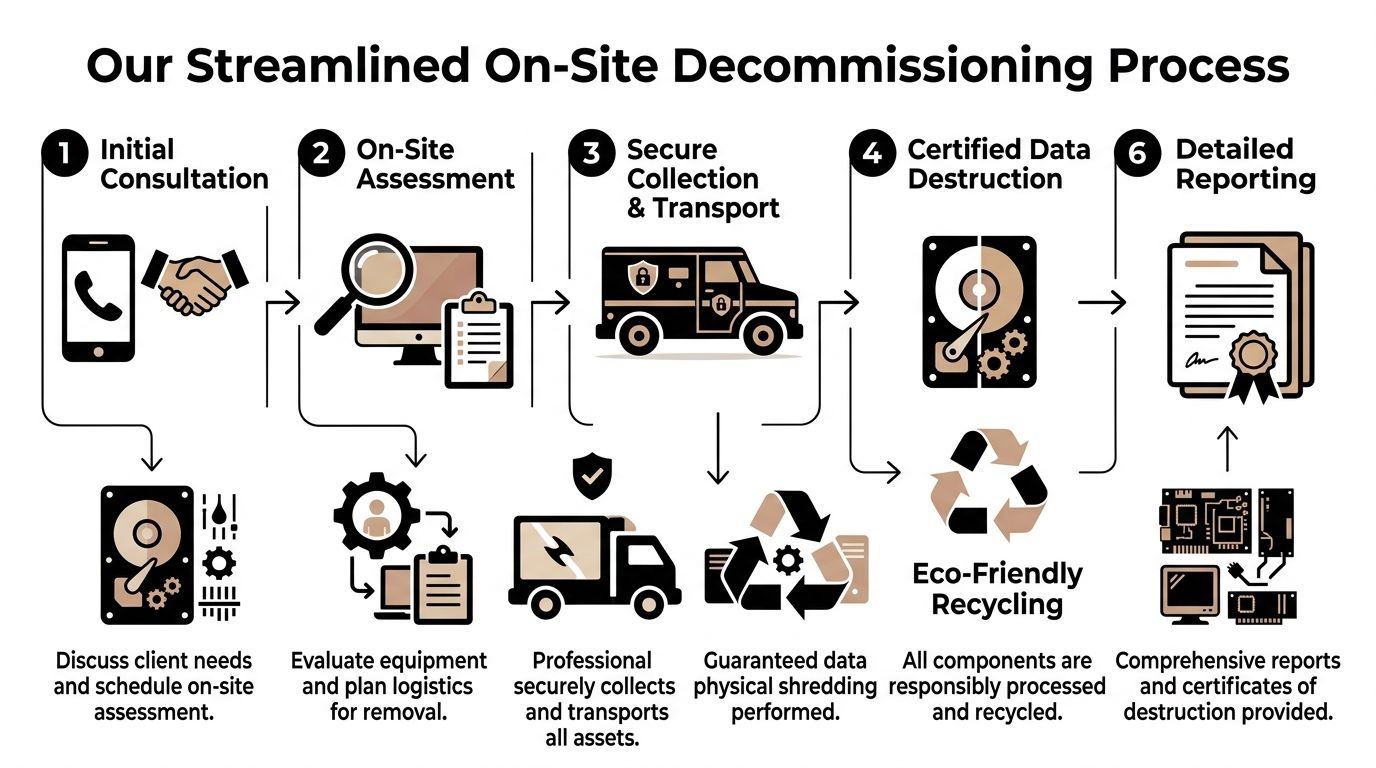
Our On-Site Decommissioning Process
Drop-off recycling has its place. It doesn’t solve a department shutdown, a server room retirement, or a lab renovation where equipment has to be disconnected, moved safely, and documented as it leaves. B2B projects need a removal sequence.
That need has grown with facility change activity. In Atlanta-area lab environments, demand for coordinated decommissioning has increased alongside a 35% increase in lab facility upgrades in Q1 2026, which points to more organizations needing managed on-site asset removal rather than simple collection (Beyond Surplus Gwinnett County electronics recycling).
Step one and step two
The first stage is consultation and site review. Before anyone schedules a truck, the provider needs to understand the asset mix, pickup points, access constraints, and whether the load includes anything that changes handling requirements, such as lab-adjacent electronics or media requiring immediate destruction.
Then comes the on-site assessment. This stage often saves projects from critical errors by catching issues that disrupt pickup day:
- Access limitations: freight elevator windows, dock reservations, badge access.
- Asset spread: one room versus multiple floors or buildings.
- Preparation needs: loose equipment, rack-mounted units, or devices still connected to furniture or instruments.
- Segregation requirements: keeping storage media, reusable devices, and scrap categories separated.
Collection and transport
Once the project is scoped, the crew handles the physical move. That includes packing, staging, labeling where needed, and secure loading for transport.
This phase should look orderly. If assets are being removed from a hospital, school district, or corporate office, staff shouldn't have to guess which pile is leaving or who signed for it. The pickup should produce a clear transfer event.
A well-run on-site process reduces disruption because your team isn't improvising. They’re not hunting for carts, wrapping cables, or arguing over whether one old tower still has a drive inside.
Processing and documentation
After transport, the disposition path should be straightforward. Storage media is routed to the approved destruction method. Recyclable electronics are sorted into reuse, component recovery, or material processing streams. The client then receives documentation that matches the service performed.
A strong indicator of a professional decommissioning project is that your staff can return to normal work the same day.
What clients should expect from start to finish
A sound process usually includes:
- A clear quote and scheduling window
- Pre-pickup instructions, if any
- Arrival by a trained pickup crew
- On-site removal, not just curbside collection
- Secure transfer for downstream processing
- Certificates or reporting for the records file
For organizations planning a larger retirement event, process transparency matters as much as pricing. A useful starting point for evaluating service steps is how the process works, especially for projects involving internal moves, deinstallation, and multiple asset categories.
What slows projects down
These are the failures that drag out a decommissioning:
| Issue | Why it causes problems |
|---|---|
| Incomplete inventory assumptions | Crew arrives without the right labor or vehicle space |
| No media segregation plan | Drives and general electronics get mixed together |
| Unclear building access | Pickup windows are missed or rescheduled |
| Staff-led prep at the last minute | Internal teams lose time and mistakes increase |
The best projects aren't dramatic. They’re quiet, scheduled, and documented.
Meeting Compliance and Sustainability Goals
A lot of recycling language sounds good until an internal auditor asks what it means. “Responsible disposal” is too vague. A facility manager needs to know how the process affects legal exposure, reporting obligations, and sustainability commitments.
What zero-landfill and R2 standards mean in practice
Georgia-focused recycling operations that follow zero-landfill policies and R2 downstream standards report over 99.9% diversion from landfills, with processes designed to reclaim usable materials and keep toxins such as lead and mercury out of the environment (Beyond Surplus Peachtree City computer electronics recycling).
For the client, that means two practical things.
First, the equipment doesn’t disappear into an opaque scrap channel. There is a structured downstream path for reuse, dismantling, and material recovery.
Second, hazardous components are handled in a way that supports your environmental obligations. That matters for old displays, legacy electronics, and mixed loads where certain parts need careful separation.
Why compliance is a documentation issue
Most organizations don't get into trouble because they intended to dispose of equipment incorrectly. They get into trouble because they can't prove what happened after the assets left the building.
That’s why the paperwork matters:
- Certificates of Destruction: confirms that data-bearing media was handled through the required destruction method.
- Pickup records: shows when custody changed hands.
- Asset summaries: supports internal reconciliation.
- Environmental reporting: helps sustainability teams document diversion and recycling activity.
Compliance takeaway: If the process can't produce records that stand up in procurement, audit, or legal review, the process is incomplete.
Sustainability goals are easier to meet when logistics are realistic
A zero-landfill commitment is useful only if the provider can execute it at the speed your operation needs. In real projects, sustainability fails when the logistics fail first. Equipment gets stockpiled, departments bypass the approved process, or urgent cleanouts end up handled informally.
That’s why local service capacity matters. For Atlanta-area organizations managing routine IT turnover or larger cleanouts, electronics recycling in Atlanta GA is usually most effective when the recycling plan is tied to pickup scheduling, chain of custody, and final reporting instead of treated as a separate environmental task.
Accepted IT Assets and Custom Recycling Programs
The most productive disposal projects start with a plain answer to a simple question. What can go on the truck?
In B2B recycling, unclear acceptance rules waste time. They also create compliance problems when a crew arrives and finds mixed materials that were never disclosed. For regulated facilities, accepted-items clarity matters just as much as data destruction.
Accepted and Excluded Items for Recycling
| Accepted Computer & IT Assets | Commonly Excluded Items |
|---|---|
| Desktop computers and towers | Biohazard-contaminated items that haven’t been decontaminated |
| Laptops and docking stations | Loose chemicals and reagents |
| Servers and rack equipment | Radioactive materials |
| External hard drives and storage arrays | Items with active contamination concerns |
| Network switches, routers, and firewalls | General trash or construction debris |
| Monitors, keyboards, mice, and cables | Assets the client cannot legally release |
| Printers and related office electronics | Equipment requiring a different regulated waste stream |
Those categories are the starting point, not the entire plan. A university surplus room, a clinic back office, and a research lab may all have “computers,” but the pickup design should look different for each.
Hospital and clinic programs
Healthcare environments usually need tighter chain of custody and more disciplined media handling. The challenge isn't just desktops at nurses’ stations. It’s also old thin clients, check-in kiosks, storage media from imaging or admin systems, and computers used alongside medical workflows.
A healthcare recycling program usually works best when it includes:
- Scheduled pickups by site or department: useful for multi-location systems.
- Drive handling rules: wipe functional media, shred failed or obsolete media.
- Documentation consistency: records that match HIPAA-sensitive disposal needs.
- Loading and access planning: many clinical environments need narrow pickup windows.
University and school programs
Education clients often have the opposite problem. Asset volume can spike fast during lab refreshes, summer projects, or semester turnover.
An effective university program often includes internal staging guidance and a pickup calendar tied to academic downtime. That keeps old equipment from drifting into hallways, closets, or ad hoc campus storage.
Corporate and data center programs
Corporate offices and server environments usually care about speed, minimal disruption, and reporting. They often want pickup teams to remove equipment from suites, IT rooms, or rack rows without turning the project into an all-day event for internal staff.
What usually works:
- Batch pickups linked to refresh cycles
- Separation between reusable equipment and scrap
- Serialized media destruction records where needed
- A single point of contact for facilities and IT
Why custom programs beat generic pickups
A generic pickup service asks, “How much stuff do you have?”
A real recycling program asks better questions:
- What kinds of data touched these devices?
- Which assets are still mounted or in service locations?
- Does your team need deinstallation help?
- Are there internal forms or chain-of-custody requirements?
- Is this a one-time cleanout or a recurring stream?
Those details matter because the wrong plan creates friction. Staff lose time sorting equipment, compliance teams get incomplete records, and pickups take longer than they should. The right plan makes disposal repeatable, which is exactly what large organizations need.
Frequently Asked Questions
How quickly can pickups be arranged in Peachtree Corners
Timing depends on project size, building access, and whether the load includes deinstallation work or mixed IT and lab assets. Small office pickups are usually simpler than a server room or clinic cleanout.
The fastest projects are the ones with a clear asset summary, contact person, pickup address, and access notes ready at the start.
Do we need to inventory every item before scheduling service
Not always. A full serialized inventory may help for some internal controls, but many pickups can begin with a practical scope description and photos.
If your site has sensitive storage media, call that out early. Media handling drives the disposal plan more than monitor count or cable volume.
Can you handle computers that were used with laboratory or medical equipment
Yes, but they need to be identified as part of the project scope. Systems connected to lab or medical workflows often require extra review because the disposal issue isn’t just the computer itself. It’s the possibility of retained regulated data, attached peripherals, or contamination questions.
That’s why mixed loads should be disclosed before pickup day.
What documentation should we expect after service
For most business clients, the key records are a pickup record and, when applicable, a Certificate of Destruction for data-bearing media. Some organizations also need asset summaries or internal reconciliation support.
If your compliance team has a standard vendor packet or reporting format, provide that up front. It’s easier to match documentation expectations before the truck rolls.
Ask for the exact records you’ll need in audit season, not the records that seem sufficient on pickup day.
Is wiping enough, or should all drives be shredded
It depends on the condition and policy status of the media. Functional drives can often be wiped under an approved sanitization standard. Failed, obsolete, or high-sensitivity media is often better routed to physical destruction.
The right answer is policy-based and asset-based. It shouldn’t be guessed in the loading dock.
Do you price by item or by volume
Pricing structure varies by the project. Some jobs are driven by labor, access complexity, deinstallation needs, and transportation. Others are shaped by the type of electronics, the amount of data-bearing media, and whether the load is a recurring program or a one-time cleanout.
The useful quote is the one tied to the actual workflow, not just a rough headcount of devices.
What should our team do before pickup day
Keep it simple:
- Separate clearly identified assets if your internal policy requires it.
- Flag anything with data-bearing media that needs special handling.
- Identify excluded materials so they don’t get mixed into the load.
- Confirm access details such as dock doors, elevators, and site contacts.
You shouldn’t have to turn your employees into a moving crew just to recycle retired IT equipment.
What’s the biggest mistake organizations make with computer recycling
They wait too long. Once surplus equipment sits for months, ownership gets fuzzy. Staff changes happen. Labels fall off. Questions about data retention, release approval, and department responsibility get harder to answer.
A controlled process is easier when the retirement event is still fresh and the asset trail is still clear.
If you’re planning a Peachtree Corners office cleanout, server refresh, lab shutdown, or medical IT retirement, Scientific Equipment Disposal offers B2B recycling and disposition support for computers, servers, lab equipment, and data-bearing electronics, including pickup, deinstallation, secure drive handling, and compliant recycling workflows.