Expert Business Electronics Recycling Peachtree Corners GA

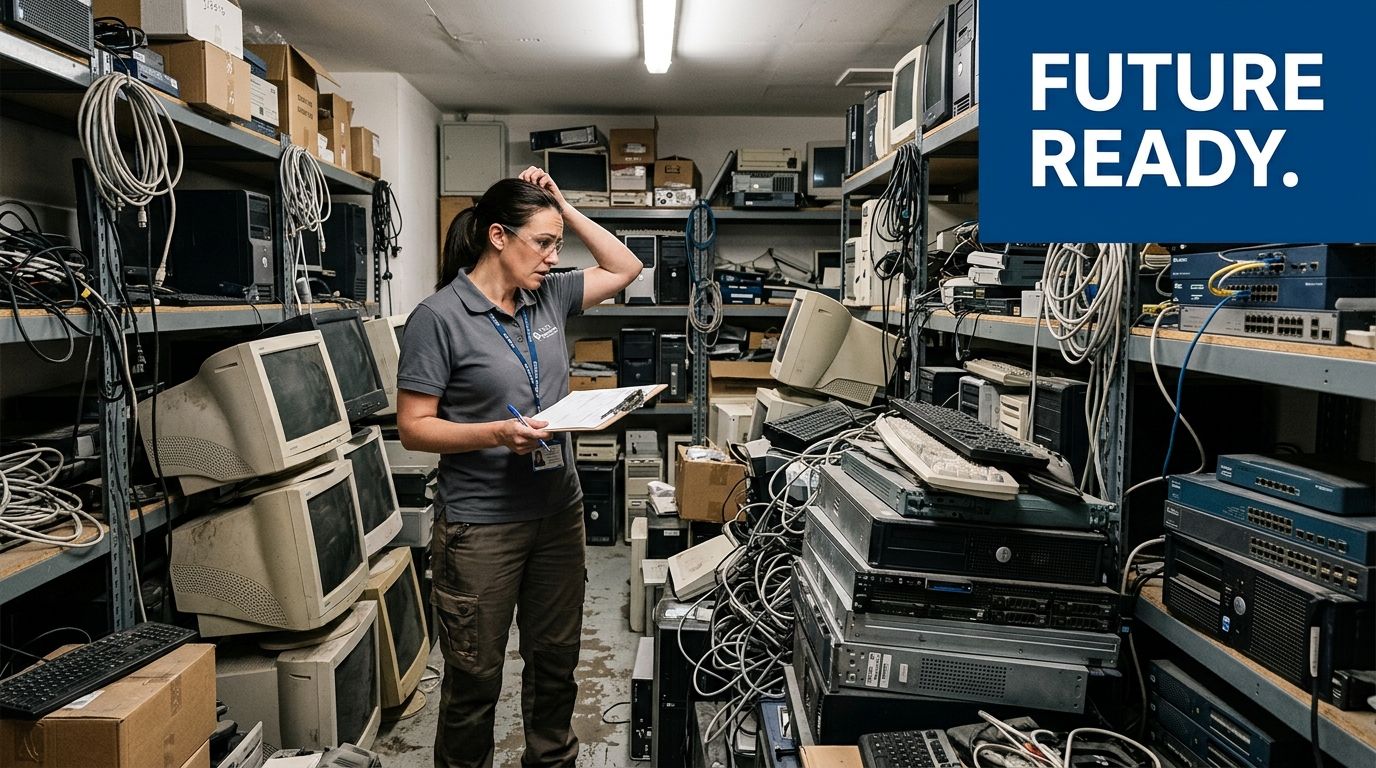
Many organizations in Peachtree Corners reach the same point at once. The server room refresh is done, a clinic has retired older workstations, a lab is closing out a project, and a back hallway suddenly fills with monitors, towers, drives, analyzers, and boxes nobody wants to touch without a plan.
That is where Business Electronics Recycling Peachtree Corners GA stops being a housekeeping task and becomes an operations issue. If your team handles regulated data, leased equipment, specialty lab gear, or facility shutdown deadlines, the wrong disposal decision can follow you long after the loading dock is empty.
Why Smart Electronics Recycling Matters in Peachtree Corners
Peachtree Corners is not a market where businesses struggle to find recyclers. The Better Business Bureau lists 50 results for electronics recycling services near Chamblee, which reflects how dense this service category is in the area and how much demand is coming from businesses, hospitals, universities, and government agencies in and around Peachtree Corners (BBB electronics recycling listings near Chamblee).
That density creates a trade-off. More options can help, but it also makes it easier to confuse a pickup service with a compliant ITAD or lab decommission partner.
What separates a recycler from a secure partner
A basic hauler can move material off your floor. That does not mean they can document chain of custody, separate resale from destruction, or support a hospital, lab, or data center audit later.
A qualified business recycler should be able to speak clearly about:
- Data-bearing assets: Servers, laptops, desktops, storage arrays, backup devices, and loose drives need a documented destruction path.
- Regulated environments: Healthcare, research, education, and public-sector facilities usually need stronger records than a generic load-out receipt.
- Value recovery: Working assets should not automatically be shredded if refurbishment or remarketing is the better fit.
- Downstream handling: If a vendor gets vague when you ask where material goes next, that is a problem.
Practical rule: If a recycler talks mainly about “free pickup” and not about manifests, serial tracking, sanitization methods, or final reporting, keep asking questions.
Why local concentration raises the standard
Peachtree Corners sits in a corridor where tech, healthcare, research, and office users all generate e-waste with different risk profiles. That means your standard should be operational, not just environmental.
For a facility manager, the issue is often timing and space. For an IT director, it is data risk. For a lab manager, it may be de-installation, decontamination, and safe handling before the truck ever arrives.
A local vendor can be convenient. A compliant vendor is useful.
That distinction matters during a cleanout, but it also matters for visibility. If you manage a business that wants to appear in the right local searches, it helps to understand what is local SEO marketing because service-area visibility often shapes which vendors even make your shortlist. For organizations comparing Atlanta-area options for business e-waste and lab asset removal, it also helps to review a practical local service page such as https://www.scientificequipmentdisposal.com/recycling-atlanta-ga/ and compare what is spelled out versus what is left unsaid.
What smart organizations do differently
The strongest projects usually start before anyone schedules pickup. They do not treat old electronics as junk. They classify them as assets with one of several paths:
| Asset type | Smart handling approach |
|---|---|
| Data-bearing IT equipment | Inventory first, sanitize or destroy with records |
| Functional newer equipment | Evaluate for reuse, resale, or profit-sharing |
| Broken electronics | Recycle through documented downstream channels |
| Lab equipment | De-install, decontaminate, pack, then move under custody controls |
That is the practical difference between reactive disposal and controlled disposition. In Peachtree Corners, where there are many providers, smart electronics recycling is less about finding someone willing to take the load and more about choosing someone who can prove what happened to every critical item after pickup.
Preparing Your Assets for Secure and Compliant Pickup
The best pickup days are uneventful. That only happens when the prep work is solid.
Most failed projects start with one of two mistakes. The first is mixing everything together. The second is assuming the recycler will sort out internal compliance gaps for you at the dock.
Build the inventory before you move anything
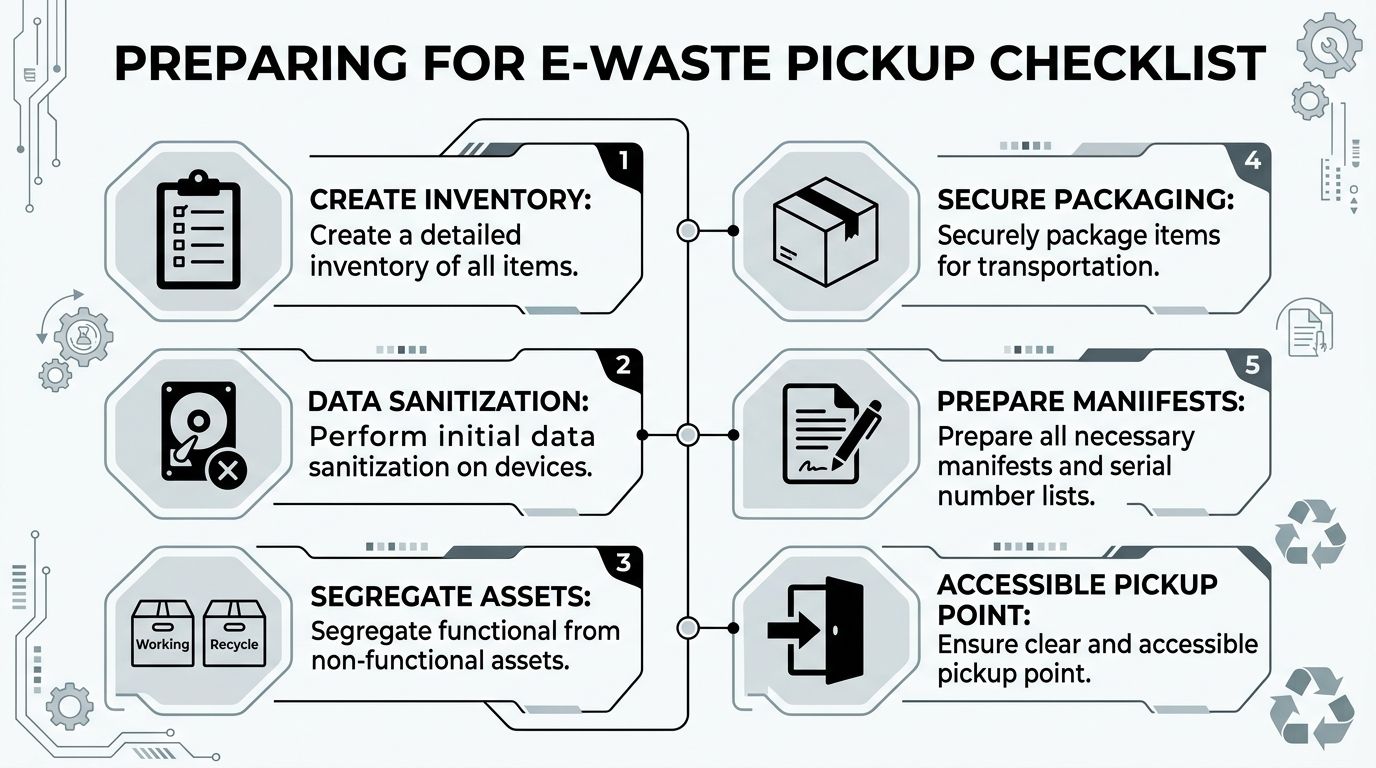
For business electronics recycling in Peachtree Corners GA, the internal inventory is the foundation of chain of custody. Start with a simple working list that captures serial number, asset tag, device type, department, physical location, and whether the item stores data.
Do not wait for pickup day to identify problem items. Loose hard drives, retired network gear, and old lab PCs often show up late and create documentation gaps.
A clean inventory should separate at least these groups:
- Data-bearing devices: Desktops, laptops, servers, SAN or NAS units, backup devices, loose HDDs and SSDs.
- Non-data electronics: Monitors, keyboards, printers, cables, docking stations, telecom accessories.
- Lab and clinical equipment: Instruments that may need de-installation or prior decontamination.
- Assets with reuse potential: Newer equipment that may fit remarketing or donation channels.
Assign one internal owner
One person should own the release process. In some organizations that is IT. In others, facilities or biomedical engineering takes the lead.
The mistake is shared ownership with no final authority. When that happens, serial lists stay incomplete, leased units get mixed with owned property, and pickup crews end up waiting while internal teams argue over approval.
Use one coordinator to control:
- Final pickup scope
- Building access and dock scheduling
- Sign-off on manifests
- Escalation for surprise assets
- Contact with compliance or legal if needed
Tip: If your organization spans multiple departments, require all last-minute adds to go through the same coordinator. That protects your paperwork.
Separate function from failure
Do not pile working servers in the same gaylord with dead peripherals. Functional equipment may support value recovery. Dead equipment may go straight to dismantling.
That distinction affects both compliance and cost. It also affects how carefully a pickup crew has to handle the load.
A simple floor-staging model works well:
| Staging zone | What goes there |
|---|---|
| Reuse or resale | Functional servers, networking gear, newer PCs, usable lab support equipment |
| Data destruction | Loose drives, failed PCs, obsolete storage, damaged media |
| Commodity e-waste | Cables, monitors, keyboards, printers, accessories |
| Special handling | Lab devices needing decontamination records or careful packing |
For organizations with mixed office and IT loads, this page on commercial computer recycling can help define what belongs in a business pickup stream: https://www.scientificequipmentdisposal.com/computer-recycling/
Prepare data devices the right way
Formatting a drive is not preparation. Pulling a machine from the network is not disposal control. The practical first move is identification, not improvisation.
Tag all data-bearing devices clearly before pickup. If a laptop, desktop, or server contains sensitive information, that status should already be visible on your manifest and staging labels.
If your policy allows internal pre-wipe steps, document them. If not, leave the final sanitization or destruction to the recycler under documented custody. What matters most is that every device has a traceable path from room to truck to final report.
Lab and medical equipment need an extra layer
Electronics recycling gets more complex when a lab is involved. Benchtop instruments, analyzers, incubators, centrifuges, and related devices often have contamination concerns that have nothing to do with e-waste regulations and everything to do with worker safety and transport readiness.
Before pickup, confirm:
- Decontamination status: Mark whether the device has been cleaned and cleared for handling.
- Accessory removal: Remove reagents, samples, sharps, and non-transport-safe consumables.
- Service condition: Note whether the item is intact, partially disassembled, or no longer operational.
- Physical access: Measure tight corridors, elevator constraints, and dock routes if equipment is bulky.
Package for control, not appearance
Shrink wrap and random boxes can look tidy while still creating risk. Pack with the actual movement plan in mind.
Loose drives should be boxed separately and labeled. Tower servers should be palletized if quantities justify it. Screens should be stacked to reduce breakage. Small peripherals should not be mixed with serial-tracked assets unless your manifest reflects that choice.
The right prep reduces pickup delays, protects the chain of custody, and keeps your internal team from rebuilding records after the truck leaves.
A Deep Dive into Data Destruction and Regulatory Compliance
Data destruction is the point where many e-waste conversations become too casual. That is a mistake. In a business setting, “recycled” and “sanitized” are not the same thing.
If your assets hold patient information, employee records, financial files, research data, or internal communications, you need to know which destruction method fits which media type and what evidence you will receive afterward.
Wiping versus shredding
The verified technical baseline in this market is clear. Secure IT asset disposition can include DoD 5220.22-M 3-pass sanitization for hard-drive wiping, with shredding for nonfunctional media. The same source also notes that Electronic Device Elimination Efficiency is used to benchmark responsible disposition, and that industry leaders report rates over 90% by refurbishing viable assets and diverting over 95% of material from landfills under R2 and ISO 14001 practices (Reworx electronics recycling in Peachtree Corners).
That gives you two practical paths.
Software wiping
Software wiping fits drives that still function and can be processed successfully. It supports reuse, resale, or redeployment because the media remains intact after sanitization.
This is the method to ask about when you want to preserve residual asset value. It also needs reporting. A verbal promise that devices were wiped is not enough.
Physical shredding
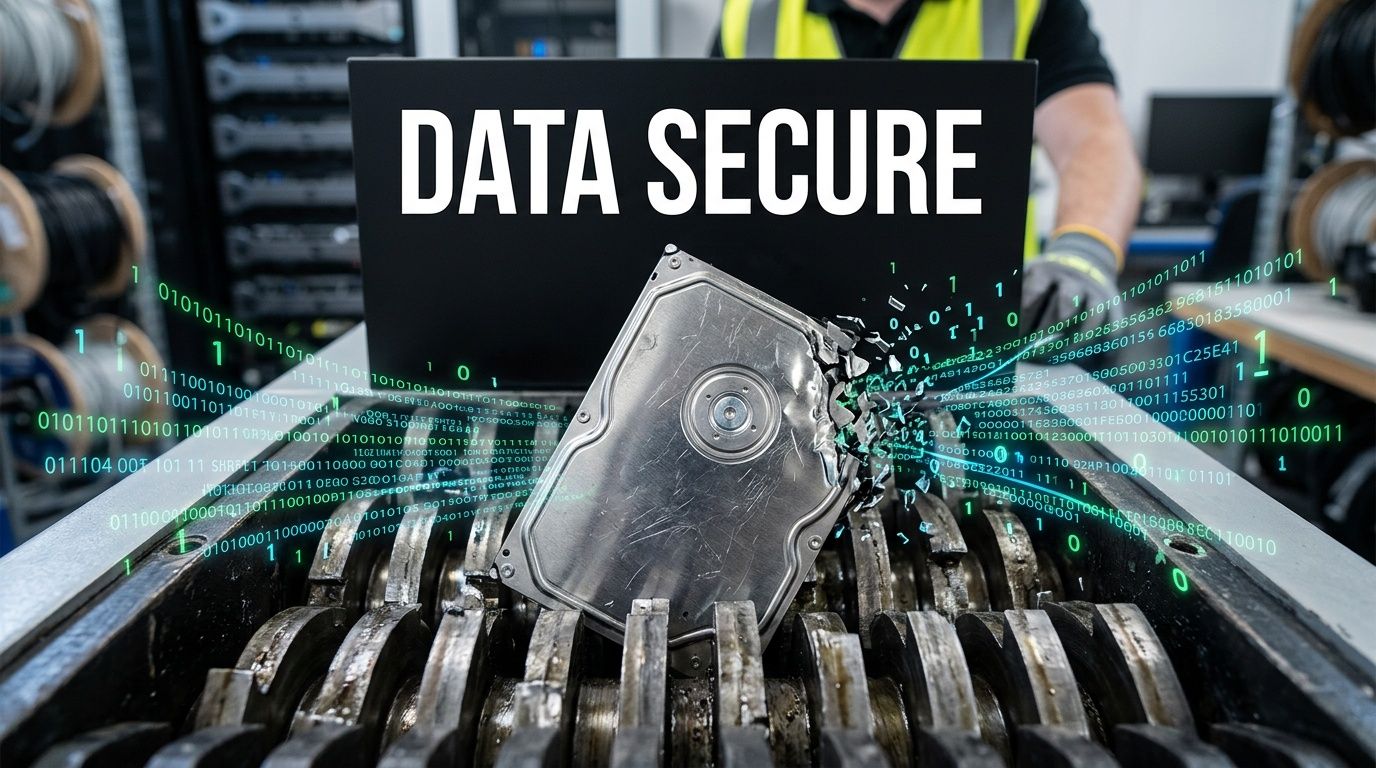
Shredding fits failed drives, damaged media, and assets your policy requires to be physically destroyed. It is also the cleaner answer when a device cannot complete a software wipe or when custody certainty matters more than resale value.
For many regulated organizations, shredding becomes the fallback method. If the drive does not work, the destruction path should still be documented.
Where degaussing fits
Degaussing is often mentioned in broader ITAD discussions for magnetic media. In practice, it is a specialized option and not always the default path for mixed business e-waste loads.
The important point for a facility manager or IT director is not to demand every method on every job. It is to make the vendor explain which method applies to each media type and why. If they cannot map method to asset, they probably cannot defend the process under audit.
Compliance is about proof, not vocabulary
HIPAA, SOX, GLBA, internal retention policies, and contractual requirements all point to the same operational standard. The recycler must be able to show what was handled, how it was handled, when it was handled, and by whom.
A few compliance red flags show up repeatedly:
- Formatting treated as destruction: It is not.
- Bulk receipts with no item detail: Hard to defend later.
- No distinction between functional and failed drives: You need different paths.
- No downstream clarity: Risk moves offsite but does not disappear.
Key takeaway: A data-destruction process is only as strong as the audit trail behind it.
Ask these questions before pickup
A short vendor interview can save weeks of cleanup later. Ask direct questions and listen for precise answers.
| Question | Why it matters |
|---|---|
| How do you identify all data-bearing devices at pickup? | Prevents missed media |
| What happens when a drive fails a wipe? | Confirms fallback destruction path |
| Do you provide serial-level reporting? | Supports audit defense |
| How do you handle SSDs versus HDDs? | Different media may need different treatment |
| What chain-of-custody records do you issue? | Confirms accountable handling |
For organizations that need a local service reference focused specifically on this issue, this Peachtree Corners hard drive destruction page shows the type of service category to compare against your requirements: https://www.scientificequipmentdisposal.com/secure-hard-drive-destruction-peachtree-corners-ga/
Trade-off Implications
The trade-off is not “wipe good, shred better.” The trade-off is value recovery versus irreversible destruction.
If a working server drive can be sanitized correctly and documented, you may preserve remarketing value. If a drive is failed, obsolete, or too sensitive to reintroduce, shredding is the stronger operational decision.
Experienced teams do not pick one method for every job. They define policy by asset class, media condition, and compliance exposure. That is what turns data destruction from a checkbox into a defensible process.
Navigating Pickup Logistics and E-Waste Disposal Costs
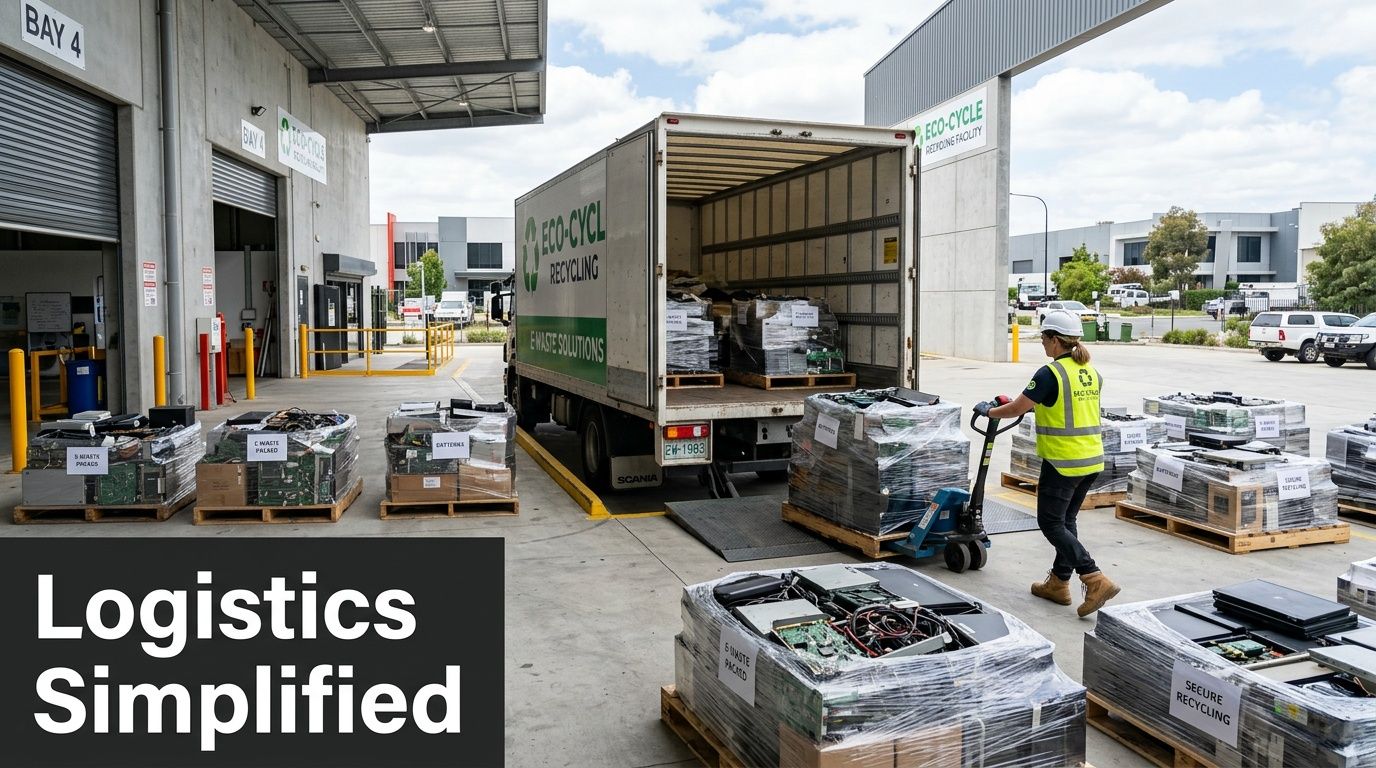
A well-run pickup starts long before the truck backs into the dock. For larger projects in Peachtree Corners, the work usually begins with a site review, a scope check, and a plan for how material will move through the building without disrupting operations.
The verified logistics model used for lab and electronics decommissioning in this area includes on-site assessment, de-installation, secure transport with chain-of-custody, and certified recycling via R2 partners. The same source states that Georgia e-waste initiatives using this model achieve 85-95% diversion rates from landfills, with 20-50% cost offsets via server remarketing (emerging trends in electronics scrap recycling for 2024).
What pickup day involves
For a basic office cleanout, the crew may only need dock access, freight routes, and signed manifests. For a lab or data center project, the work often includes rack removal, disconnect coordination, packing, palletizing, and staged loading.
That is why good vendors ask operational questions early:
- Access constraints: Freight elevator, stairs, loading dock, after-hours rules.
- Labor complexity: Loose equipment versus racked or bench-mounted assets.
- Packaging needs: Pallets, boxes, anti-breakage protection, shrink wrap.
- Custody controls: Who signs, who releases, who verifies counts.
The more precise the scope, the cleaner the quote.
What drives cost
Business electronics recycling does not have one flat price because the labor profile changes from project to project. The expensive part is often not the recycling itself. It is the work required to collect, identify, pack, move, and document the assets correctly.
Common cost drivers include:
| Cost factor | Why it changes pricing |
|---|---|
| Quantity and mix | Commodity monitors are different from servers or lab instruments |
| Building conditions | Tight access adds labor time |
| De-installation needs | Mounted or connected equipment takes longer |
| Data destruction requirements | Serialized reporting adds handling steps |
| Packing and logistics | Pallets, boxes, and protected transport affect scope |
A low quote is not automatically a better quote. If one vendor prices aggressively but excludes serial reporting, de-installation, or difficult access, your internal team will pay for that missing scope one way or another.
Where value recovery changes the math
This is the part many organizations miss. Not every outgoing asset is a disposal cost.
Servers, networking equipment, newer business laptops, storage hardware, and some lab support electronics may still have secondary-market value. That can offset labor and freight. In some projects, it materially changes the budget discussion.
Peachtree Corners providers commonly talk about profit-sharing programs and value recovery as part of business recycling workflows. That matters because older assumptions about e-waste often lead teams to destroy equipment that still has reuse potential.
One local option that works in this category is Scientific Equipment Disposal, which handles business electronics and lab equipment through pickup, de-installation, logistics, and data-focused processing for commercial organizations in the area. For recurring or project-based pickups in Gwinnett County, the service category is outlined here: https://www.scientificequipmentdisposal.com/free-business-electronics-pickup-in-gwinnett-county-ga/
Tip: Ask every recycler to separate the quote into two buckets. Cost to process non-value material, and estimated recovery path for reusable assets.
What works and what does not
What works is a quote built from a real asset mix. What does not work is estimating from a vague description like “one room of old IT stuff.”
What works is onsite review for complex removals. What does not work is discovering on pickup day that half the equipment is still cabled, mounted, or stored on another floor.
What works is treating logistics and financial recovery as one project. What does not work is asking for destruction pricing first, then realizing later that a portion of the lot could have offset the bill.
That is the operational view of Business Electronics Recycling Peachtree Corners GA. Pickup is not just transport. It is the point where labor planning, compliance controls, and asset value either align or fall apart.
Securing Your Certificate of Destruction and Final Reports
The truck leaving your site is not the end of the job. It is the midpoint.
The true finish line is documentation. If your organization cannot prove what happened to each critical asset, then from a compliance standpoint the project is still exposed.
A major gap in local recycling coverage is the lack of detail around compliance verification. That matters because U.S. healthcare data breaches hit 540 million records in 2023, and improper e-waste disposal contributed to 15% of incidents, which makes detailed audit trails, chain-of-custody documentation, and proof of R2 certification especially important for regulated organizations (Peachtree Corners electronics recycling compliance discussion).
What a real closeout package should include
Many businesses accept a generic load receipt and assume that is enough. It usually is not.
A stronger documentation package often includes several layers:
- Pickup manifest: What left the site, by category or by serialized item.
- Chain-of-custody records: Who released, who received, and when custody changed.
- Certificate of Destruction: Which data-bearing assets were destroyed and by what method.
- Certificate of Recycling or processing summary: Confirmation that non-data material entered proper downstream handling.
If your policy requires serial-level accountability, then your destruction records should reflect that. A broad statement that “all hard drives were destroyed” leaves too much room for dispute.
What to look for in a Certificate of Destruction
A Certificate of Destruction should stand on its own in an audit. If it cannot answer the obvious questions, it is little more than a branded receipt.
Review the document against this checklist:
| Document element | Why it matters |
|---|---|
| Company identity | Confirms who performed the work |
| Service date | Ties the record to the actual project |
| Asset detail or serial numbers | Connects destruction to specific devices |
| Destruction method | Shows whether media was wiped or shredded |
| Authorized signatures or issuer details | Supports record authenticity |
| Related chain-of-custody reference | Links the paper trail from pickup to destruction |
If the certificate is missing the destruction method, ask for clarification. If it has no item detail for serialized assets, ask how your organization is supposed to reconcile it against the pickup manifest.
The paperwork mistake that creates future liability
The most common mistake is accepting a summary document because the operational team is ready to close the project file and move on. That saves time in the short term and creates uncertainty later.
Auditors, legal teams, compliance officers, and cyber insurers often want specifics. They want to know whether a given drive, server, or workstation entered the destruction process and whether the recycler can show that path.
Practical rule: If you cannot match your internal asset list to the recycler’s final reporting, the documentation is incomplete.
Verify the recycler, not just the form
The document matters, but the issuing company matters just as much. A polished certificate does not prove strong downstream controls by itself.
Ask the recycler to support their paperwork with:
- Current certification information where applicable
- Explanation of downstream partners
- Clarity on failed media handling
- Retention practices for destruction records
If you want to see what a more structured destruction record looks like before you commit to a vendor, review an example format such as https://www.scientificequipmentdisposal.com/sample-certificate-of-destruction/
Keep the final package where audits can find it
This sounds obvious, but many organizations fail here. The facilities team gets the manifest, IT gets the destruction certificate, and procurement gets the invoice. Months later, no one can reassemble the record quickly.
Store the full closeout package together. Link it to the internal ticket, project number, or disposal approval. If your business operates multiple locations, use the same retention practice every time.
Documentation is the defense. Pickup, recycling, and destruction are operational actions. The final reports are what allow you to prove those actions happened as represented.
Answering Your Top Electronics Recycling Questions
The questions below come up most often when a project is larger, more regulated, or messier than a standard office cleanout.
Peachtree Corners is a strong market for certified business recycling and value recovery. That matters because responsible recovery is still far from universal globally. Only 17.4% of the 53.6 million metric tons of e-waste generated in 2019 was properly recycled, which is one reason local business programs that focus on recovery and profit-sharing matter so much (Reworx recycling center in Peachtree Corners).
What if some equipment is leased and some is owned
Treat those as separate streams from the start.
Leased assets usually come with return conditions, approved handling requirements, or restrictions on destruction and resale. Owned assets give you more flexibility, but they still need proper data handling and documentation. Mix them together and you create avoidable confusion.
A practical approach is:
- Pull lease schedules or lessor records first.
- Match those records against your asset inventory.
- Tag leased units before staging.
- Confirm whether drives must be removed, wiped, or returned intact.
If you are unsure, pause that subset of equipment until procurement or legal confirms the contract terms.
How should we handle batteries and other hazardous components
Do not bury them in general e-waste pallets and hope the recycler sorts it out later.
Some business loads include UPS batteries, swollen laptop batteries, specialty backup units, mercury-containing devices, or older lab components that need special handling. The operational issue is not just recycling. It is safe segregation, packing, and transport.
Use a separate hold area for anything that appears damaged, leaking, or chemically sensitive. Then disclose it before scheduling pickup. Surprises at the dock create delays and can change what equipment a crew is able to load that day.
How long does a large lab or data center cleanout take
There is no honest one-size-fits-all answer. A straightforward office electronics pickup can move quickly. A data center decommission or lab shutdown usually takes planning, internal approvals, access coordination, and staged removal.
The timing depends on questions like these:
- Is the equipment loose or still installed?
- Do you need after-hours work?
- Are there freight or dock restrictions?
- Do internal teams need to approve every serialized asset?
- Are there decontamination requirements for lab devices?
The best timeline conversations happen after a real scope review, not before. If a vendor gives you a fast answer without asking operational questions, that answer may not survive contact with the site.
Can we set up recurring pickups instead of waiting for a purge
Yes, and for many organizations that is the cleaner model.
Recurring pickups work well for hospitals, universities, clinics, school systems, and companies with steady hardware turnover. Instead of waiting until a storage room becomes unmanageable, they build a routine release process with the right internal approvals and staging rules.
A recurring program usually works best when you define:
| Program element | Why it helps |
|---|---|
| Standard asset intake form | Keeps records consistent |
| Approved staging area | Prevents scattered accumulation |
| Named internal coordinator | Avoids custody confusion |
| Rules for data devices | Protects sensitive assets |
| Pickup cadence | Keeps storage under control |
That turns disposal from a scramble into maintenance.
Should we wipe devices in-house before pickup
Sometimes yes. Often no.
If your organization has mature internal controls, approved tools, and staff who can document the work, in-house pre-sanitization may make sense for certain assets. If your process is inconsistent, partial, or undocumented, it can create more confusion than protection.
What matters is clarity. Decide whether the sanitizer of record is your internal team or the recycler. Split responsibility only when both sides know exactly which assets fall into which path.
Is it better to destroy everything or recover value where possible
Neither choice is universally right.
Some organizations prefer blanket destruction because it feels simpler. In practice, that can waste recoverable value and increase disposal cost. Other organizations chase resale too aggressively and forget that some media or systems should be destroyed without debate.
The right decision comes from policy. If a device can be sanitized correctly and your policy allows release for remarketing, value recovery is often the better operational choice. If the asset is failed, highly sensitive, or restricted by policy, destruction is cleaner.
What should we do with mixed rooms full of office IT and lab equipment
Do not bid that as one undifferentiated pile.
Mixed rooms need sorting before pricing and pickup. A room with office monitors, old desktops, centrifuges, broken printers, boxed cables, and storage arrays contains several disposal paths, not one.
Start by dividing the room into categories:
- Data-bearing IT
- Commodity electronics
- Functional equipment with reuse potential
- Lab assets requiring de-installation or decontamination
- Items needing special handling or internal review
That sorting exercise improves the quote, the pickup plan, and the final documentation.
What is the simplest way to choose the right recycler
Use a decision filter instead of a marketing filter.
Ask each vendor for the same things: how they handle data-bearing media, what pickup documentation they issue, whether they support serialized reporting, how they manage downstream processing, and whether they evaluate assets for recovery before destruction.
Then compare the answers. The right partner is usually the one who can explain the process plainly, scope the job realistically, and document the result in a way your organization can defend later.
If your organization needs help with business electronics recycling, lab equipment disposal, secure data destruction, or a facility cleanout in Peachtree Corners or the wider Atlanta area, Scientific Equipment Disposal provides B2B pickup, de-installation, logistics, and compliant recycling support for hospitals, labs, schools, corporations, and government agencies.