Secure Hard Drive Destruction Peachtree Corners GA: A Guide

A lot of Peachtree Corners organizations are sitting on a problem they know they need to solve, but keep pushing down the list.
It usually starts with a refresh cycle, a lab shutdown, a server replacement, or a department move. Old desktops are boxed up. Workstations from a nursing station are parked in storage. A stack of retired lab PCs sits next to obsolete instruments waiting for facilities or IT to decide what happens next.
Those devices may be out of service, but the data liability is still active. Secure Hard Drive Destruction Peachtree Corners GA is not really an e-waste question first. It is a compliance, chain-of-custody, and risk-management decision.
The Hidden Liability in Your Old Equipment
A retired device is rarely empty.
An old hospital workstation can still hold patient files, login tokens, cached documents, and local exports. A university research computer may contain study data, grant materials, or unpublished work. A corporate laptop can carry contracts, payroll records, internal email archives, and synced cloud folders.
Why stored equipment becomes a live security issue
The main mistake is assuming that if a device is unplugged, it is no longer dangerous.
It is often the opposite. Once equipment leaves daily use, control gets weaker. It gets moved between rooms, mixed into surplus piles, handed off between departments, or left waiting for pickup. That is where disposal projects fail.
The larger market reflects how seriously organizations now treat that risk. The global market for secure hard drive destruction is projected to grow from $1.65 billion in 2024 to $5.05 billion by 2035, driven by escalating data security threats and regulations including HIPAA, GLBA, and Sarbanes-Oxley, according to Reworx Recycling.
For facility managers and IT directors, the practical takeaway is simple. Data does not disappear because the equipment is old.
What a defensible response looks like
The right process starts before pickup day.
- Identify what holds data: desktops, laptops, servers, external drives, backup media, and embedded drives inside lab or diagnostic systems.
- Separate reuse from end-of-life: some drives may qualify for wiping and redeployment. Others should go straight to physical destruction.
- Control handling from the start: inventory, labeling, pickup staging, and witness options matter.
- Document final disposition: if you cannot prove what happened to each drive, you still have exposure.
Teams that want to tighten their broader program should also review thorough data security practices, especially around storage, transport, and internal access controls.
For organizations sorting through mixed electronic surplus, this guide on what to do with old PC parts is also a useful starting point.
Old equipment becomes a liability the moment ownership is unclear. The safest projects are the ones where IT, facilities, compliance, and disposal logistics are aligned before the first asset moves.
Why Pressing "Delete" Guarantees Nothing
Deleting a file does not destroy the data.
It only removes the easy path back to it. The information often remains on the storage media until something else overwrites it, and even then, not every situation is as straightforward as users assume.
Delete and format are not destruction
A simple way to explain it is this.
Deleting a file is like removing the table of contents from a book. The chapters are still there. Formatting is closer to removing the chapter labels too. The text still exists on the pages.
That is why internal shortcuts create compliance gaps. A user deletes files before turning in a laptop. An IT tech performs a quick format before sending equipment to surplus. Someone assumes the drive is now clean because the operating system no longer shows the old folders.
It is not enough.
If anyone doubts how recoverable “deleted” information can be, even consumer-oriented examples such as this walkthrough on how to recover data from a formatted SD card make the basic point clearly. Formatting is not the same thing as permanent sanitization.
Where organizations get exposed
The risk is rarely dramatic in the moment. It looks routine.
A storage room cleanout. A relocation. A decommissioned lab. A vendor pickup scheduled at the loading dock. If the drives inside those assets were only deleted or reformatted, the organization may have transferred recoverable data without realizing it.
Common failure points include:
- User-level cleanup: employees delete folders or clear the recycle bin and assume the machine is safe.
- Basic reimaging: reinstalling an operating system does not automatically sanitize all prior data.
- Inconsistent technician practices: one team may follow a written process while another improvises.
- Damaged drives: if the media is failing, software-based cleanup may not run correctly at all.
What qualifies as actual sanitization
A defensible process uses a recognized destruction or sanitization method and ties it to documentation.
That may mean certified wiping for reusable drives. It may mean physical shredding for obsolete, damaged, or higher-risk media. The method depends on the asset and the compliance context.
Organizations often benefit from comparing their internal assumptions with a more formal workflow. A practical reference is this overview of how to wipe a hard drive completely, which helps separate true sanitization from ordinary file removal.
If your disposal process starts with “we deleted everything,” it is not finished. It has barely started.
Software Wiping vs Physical Shredding
Not every drive should be handled the same way.
Some media can be sanitized and reused. Some should be destroyed without debate. The right choice depends on whether the drive still functions, whether it needs to stay in circulation, and how much tolerance your organization has for residual risk.
When software wiping makes sense
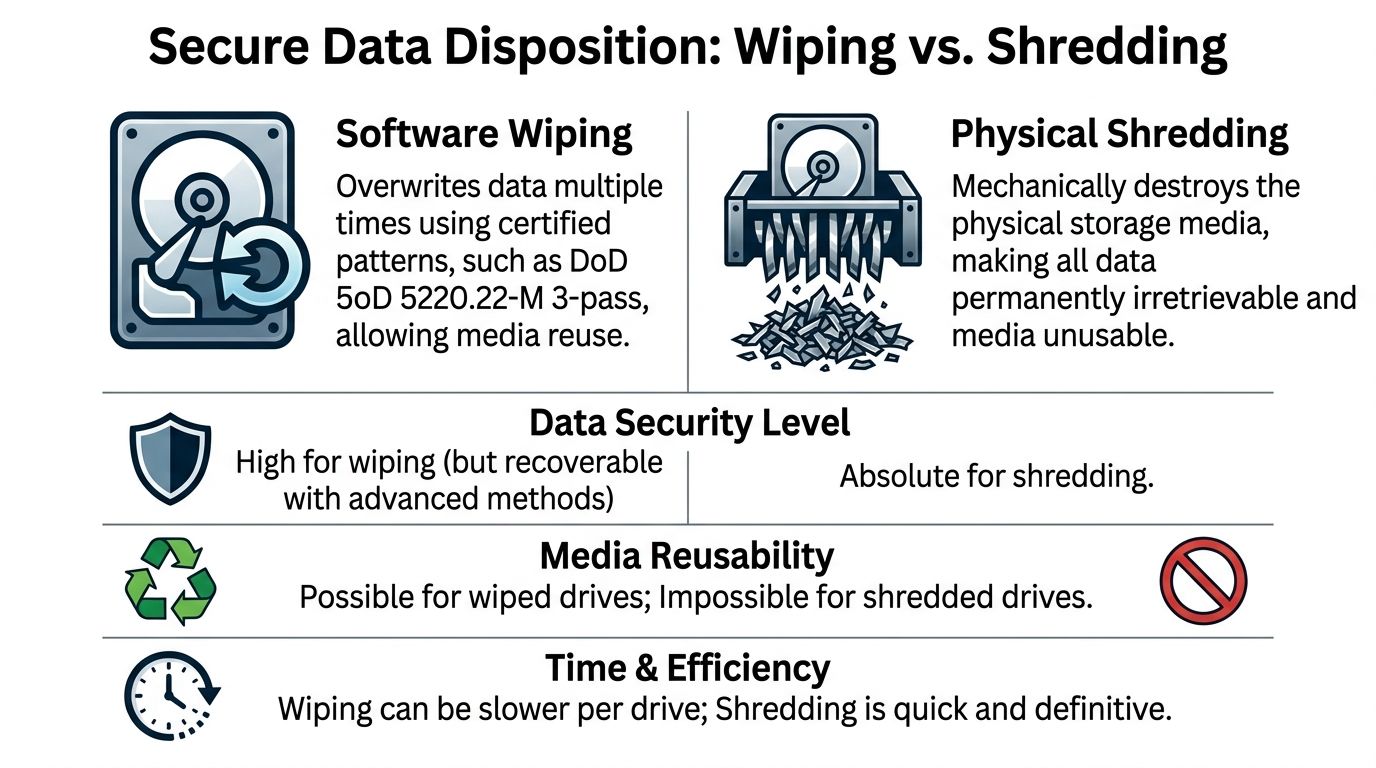
Software wiping is used when a drive is still operational and reuse is part of the plan.
A common standard is DoD 5220.22-M 3-pass sanitization. In practice, that means the process overwrites the drive with certified patterns so the prior data is not accessible through normal means. For organizations trying to redeploy equipment internally or capture value from reusable assets, wiping can be the right path.
This method works best when:
- The drive is healthy: failed or unstable media may not complete a proper wipe.
- Reuse is intended: refurbished systems, redeployment pools, and resale channels often require sanitization rather than destruction.
- Asset tracking is strong: the organization can tie the serial number to the wipe record and final destination.
Wiping is a tool. It is not a shortcut.
When physical shredding is the better answer
Physical shredding is the end-of-life option.
It is the right fit for drives that are obsolete, failed, encrypted but no longer needed, or too sensitive to keep in circulation. It is also the clearest answer when you want finality. Once the media is physically reduced to fragments, the storage device is gone as a data-bearing object.
That matters because secure destruction standards like DoD 5220.22-M have been critical since the early 2000s, but over 60% of data breaches involve lost or stolen media, and physical shredding has become the gold standard for guaranteeing data is unrecoverable, according to Montclair Crew.
HDDs and SSDs are not the same
This distinction trips up a lot of teams during mixed-asset projects.
Traditional hard disk drives store data magnetically on spinning platters. Solid-state drives store data on flash memory. That difference changes the disposal decision. A workflow that is acceptable for some functioning HDD reuse scenarios may not be the right answer for SSDs at end of life, especially when the organization wants certainty rather than theoretical recoverability arguments.
In practical terms:
| Media type | Wiping use case | Shredding use case |
|---|---|---|
| HDD | Functional drive staying in service | Failed, obsolete, or high-risk drive |
| SSD | Limited reuse situations with strict controls | Preferred for end-of-life and high-sensitivity data |
| Mixed server arrays | Possible if each drive is verified | Often simpler and more defensible during decommissions |
One option organizations in the Atlanta area use for end-of-life media handling is hard drive shredding, especially when the project includes servers, workstations, and lab-adjacent electronics in the same pickup.
The trade-off in plain terms
Wiping preserves utility. Shredding preserves certainty.
A facility manager usually cares about clean logistics, documented custody, and minimal disruption. An IT director usually cares about data irretrievability, asset reporting, and reuse decisions. Good projects respect both.
Choose wiping when the drive still has a future. Choose shredding when the drive should not exist anymore.
Choosing Your Workflow On-Site vs Off-Site Destruction
The next decision is not about the media. It is about the workflow.
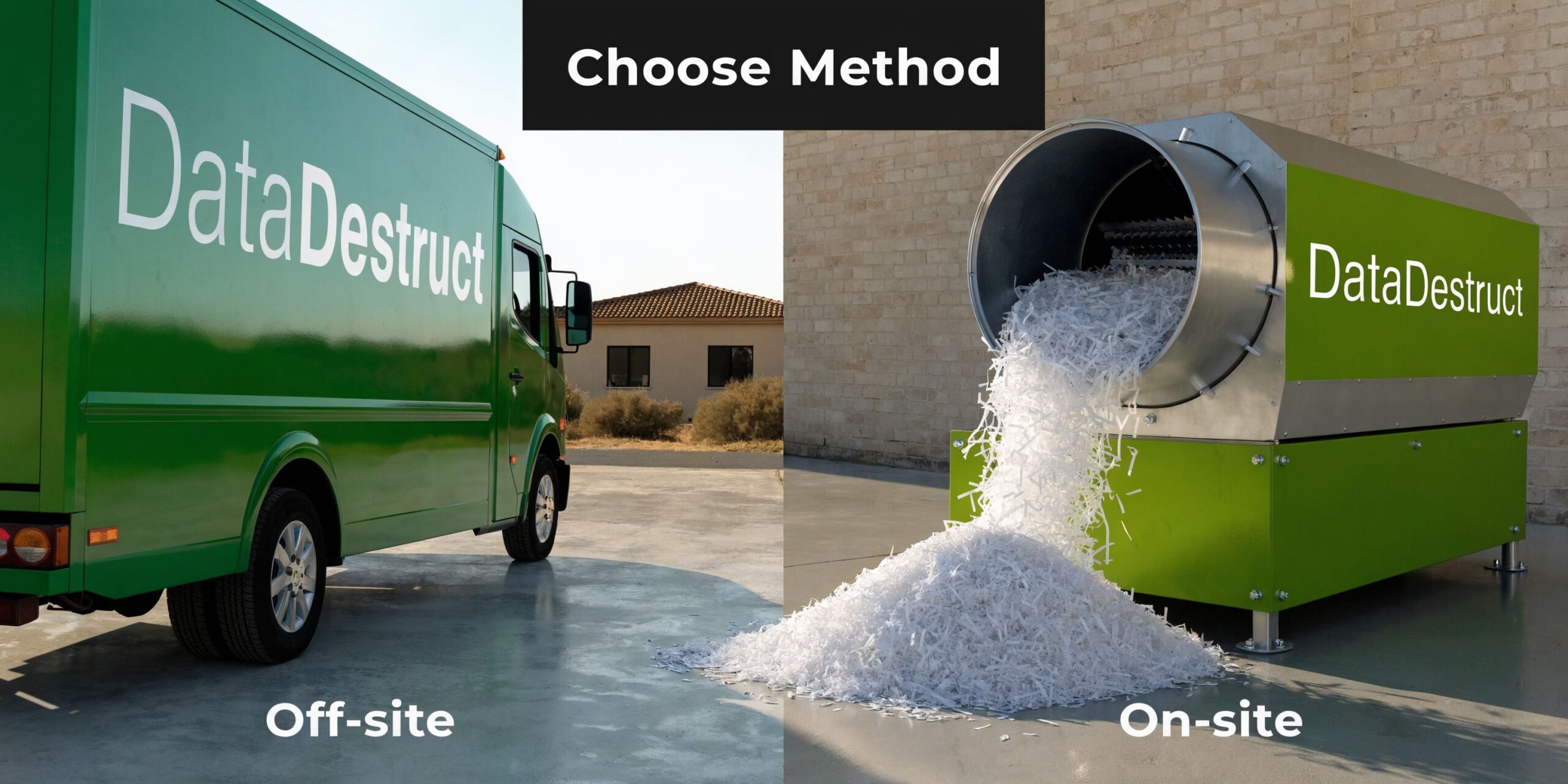
You can have drives destroyed at your location or transported to a secure facility. Both models exist for a reason, but they do not carry the same chain-of-custody exposure.
Why on-site changes the risk profile
For hospitals, universities, research facilities, and government agencies, on-site destruction is usually the cleaner answer.
On-site destruction using NSA-approved mobile shredders guarantees compliance with NIST SP 800-88 by physically rendering data irretrievable into particles smaller than 2mm, and it reduces data breach probability by over 99% compared to off-site methods because the chain of custody never leaves the client’s premises, according to Reworx Recycling.
That difference is operational, not theoretical. When the shredding truck is on your property, your team can watch serial numbers get scanned, confirm the assets presented for destruction, and close the process before the truck leaves.
What off-site can still do well
Off-site destruction can work for lower-sensitivity projects, recurring surplus programs, or situations where access constraints make mobile processing difficult.
A secure facility can provide controlled destruction, documented intake, and downstream recycling. But transport is the weak point. The moment media is loaded for movement, custody depends on seals, manifests, personnel, route control, and handoff discipline.
That is manageable. It is just not as direct as witnessed destruction.
A side-by-side comparison
| Feature | On-Site Destruction | Off-Site Destruction |
|---|---|---|
| Chain of custody | Remains at your premises through destruction | Extends through pickup, transport, intake, and processing |
| Witness option | Directly witnessed by client staff | Usually limited or indirect |
| Speed of verification | Immediate | After facility processing |
| Best fit | HIPAA-heavy, legal, research, government, high-sensitivity assets | Large batch logistics, lower-sensitivity surplus, facility-based workflows |
| Operational concern | Requires site access and truck coordination | Requires secure transport controls |
What the on-site process should look like
A well-run on-site project is straightforward.
Pre-service inventory
Your team identifies assets, confirms access points, and separates drives or systems slated for destruction.Arrival and verification
The technician checks the manifest, pickup area, and witness requirements.Serial scanning and control
Assets are scanned or logged before destruction so the record matches what was handled.Destruction at the curb or dock
Media is shredded on-site in the mobile unit.Documentation issued
Your team receives destruction records tied to the completed work.
If your internal policy requires certainty on the same day the assets leave service, on-site destruction is usually the workflow that closes the loop without ambiguity.
Mastering Compliance and Chain of Custody Documentation
Destroying the drive is only half the job.
If an auditor, compliance officer, or internal investigator asks what happened to a specific asset, you need a paper trail that answers the question cleanly. Vague statements about pickup or disposal are not enough.
What chain of custody means
Chain of custody is the documented history of who controlled the media from collection through final destruction.
For a Peachtree Corners healthcare network, that may start in a clinic closet, move through IT staging, pass to a destruction technician, and end with a destruction record tied to the asset serial number. For a university lab, it may begin during decommissioning when research workstations and instrument controllers are removed from service.
Each step matters because every unlogged handoff creates uncertainty.
What to look for in the paperwork
A defensible Certificate of Destruction should be specific.
It should identify the date, the method used, the media type, and the serialized assets when applicable. If the project was witnessed or tied to a facility location, the record should reflect that too. The stronger the detail, the easier it is to answer questions later.
Useful records often include:
- Asset identifiers: serial numbers or inventory references tied to the destroyed media.
- Method detail: wiped, shredded, or another documented sanitization path.
- Service date and location: especially important for distributed facilities.
- Vendor verification: signature, service confirmation, or equivalent completion record.
A sample format helps teams know what they should expect. This example of a sample certificate of destruction shows the level of detail that supports audit readiness.
Why certification matters
Certification is where process discipline becomes visible.
NAID AAA certification mandates an unbroken chain of custody, including real-time serial scanning and video-monitored shredding. Partnering with a certified vendor can reduce audit failure rates by up to 85% compared to non-certified vendors, and that matters for Georgia enterprises facing HIPAA fines that can reach $500K per violation, according to the Georgia data destruction compliance guide.
That does not mean certification replaces your internal controls. It means the vendor side of the process is more likely to hold up under scrutiny.
The standard that keeps audits manageable
The best documentation systems are boring in the best sense.
They are consistent. They match the manifest. They can be filed by location, project, or department. They do not require someone to reconstruct events from email threads six months later.
In regulated environments, the certificate is not an extra. It is the evidence that the destruction process happened as required.
Your Local Partner for Secure Disposal in Atlanta
Atlanta-area organizations rarely need a standalone answer to one disposal problem.
They usually need a coordinated answer to several at once. Retire the computers. Remove the server room overflow. Pack out the lab benches. Separate reusable electronics from scrap. Make sure the drives are handled correctly. Keep the loading dock clear and the project moving.
That is why local logistics matter.

What a practical regional solution looks like
A provider serving Peachtree Corners, Norcross, Alpharetta, Marietta, Decatur, and the broader Atlanta metro needs to understand more than drive destruction alone.
Hospitals may have mixed loads of nursing station computers, monitors, and obsolete biomedical-adjacent electronics. Universities may have faculty offices, surplus storerooms, and research labs all feeding into the same project. Industrial and biotech sites often need de-installation, packing, and removal before any data-bearing media is even accessible.
In those settings, the disposal workflow works better when one team can manage:
- On-site pickup coordination
- Packing and de-installation
- Segregation of data-bearing assets
- Recycling and downstream material handling
- Documentation for the destruction portion of the job
Where integrated service helps most
Integrated service is especially useful during lab moves and shutdowns.
A pure shredding vendor may handle the drives, but not the instrument removal around them. A general recycler may move the equipment, but not have the compliance process your IT or privacy team needs. Combining both functions reduces handoffs and confusion.
In the Atlanta market, one local option for that broader workflow is IT equipment disposal in Peachtree Corners, Georgia, which covers business electronics and related logistics for surplus assets.
Why local operations change the project
National chains can process volume. Local operators often solve the site-specific details faster.
They know the property layouts, dock limitations, scheduling windows, and access constraints that shape real-world pickups. They are also better positioned when a project expands from “remove these old drives” to “clear this room, palletize that equipment, and coordinate with facilities before Friday.”
Scientific Equipment Disposal handles that kind of integrated B2B work in the Atlanta area, including electronics, lab equipment, drive wiping, and shredding where appropriate. For facility managers and IT directors, that matters because disposal projects tend to widen once the first closet gets opened.
Your Hard Drive Destruction Questions Answered
Teams frequently ask the same practical questions once they are ready to schedule service.
The answers depend on media type, workflow, documentation needs, and the scope of the pickup. Cost matters, but so does whether the service closes the compliance gap you are trying to fix.
What affects the cost of hard drive destruction
Pricing is shaped by the service model, the quantity and type of media, labor requirements, pickup logistics, and whether the project includes broader e-waste or lab equipment removal.
What does not work well is focusing only on the quoted line item for shredding. Many Atlanta businesses overspend by up to 25% on e-waste because of hidden transport fees from national chains, while a transparent local provider can produce a lower net cost, especially when recycling credits are factored in. The same source notes that Q1 2026 Georgia DEP incentives can further reduce costs for certified destruction services, according to Ecycle Atlanta.
That is why “free” should always be examined carefully. It may depend on commodity value, acceptable material mix, or exclusions that only show up after pickup.
Is destroying SSDs different from destroying HDDs
Yes.
HDDs and SSDs are both data-bearing assets, but they are not identical from a sanitization standpoint. SSDs use flash memory, which is one reason many organizations prefer physical destruction for end-of-life SSDs rather than relying on assumptions based on older spinning-disk workflows.
When your inventory includes servers, workstations, external drives, and embedded storage from instruments, the safest move is to identify the media type before scheduling. That lets the vendor apply the right process to each asset category.
What happens to the shredded material
After destruction, the remaining material enters the recycling stream through appropriate downstream handling.
The key point for the client is separation of objectives. First, the media must be rendered unusable as a data device. Then the residual material can be managed as scrap or e-waste through compliant recycling channels. Security comes first. Recycling follows after the destruction standard is met.
Ask two separate questions during vendor review. How is the data destroyed, and how is the residual material recycled. A strong answer should cover both.
How should a Peachtree Corners facility prepare for pickup
A smooth job starts with basic staging.
- Gather the assets: centralize drives or the equipment that contains them.
- Mark exclusions clearly: if some systems are not authorized for destruction, label them before the truck arrives.
- Provide site access details: loading dock rules, elevator access, security check-in, and contact names.
- Decide on witness requirements: compliance teams often want a specific person present.
What are the steps to schedule service
The fastest projects usually follow a simple sequence.
First, send an inventory or rough description of what you have. Second, confirm whether you need wiping, shredding, or a mixed workflow. Third, align on pickup location, timing, and documentation requirements. Last, make sure the internal owner is clear. Facilities, IT, compliance, or lab operations should know who is signing off on the asset release.
A clean handoff is what makes Secure Hard Drive Destruction Peachtree Corners GA work the way it should. No guessing, no loose assets, no weak paperwork.
If your team is preparing for an IT refresh, lab decommission, office cleanout, or secure media pickup in Peachtree Corners or the Atlanta metro, Scientific Equipment Disposal can help you plan the right workflow for wiping, shredding, recycling, and documentation so the project stays compliant from pickup through final disposition.