A Guide to Secure Hard Disk Disposal for US Businesses

Let's be honest—a retired hard drive is a ticking time bomb for your data. For any organization, whether it's a bustling hospital in Atlanta, GA or a research lab in Boston, MA, secure hard disk disposal is much more than an IT cleanup task. It's a non-negotiable part of your nationwide risk management strategy.
Proper disposal means one of two things: certified data sanitization or complete physical destruction. Anything less is an open invitation for a data breach and compliance nightmares.
Why Disposal Is a Core Business Function
Simply shoving an old hard drive into a storage closet or tossing it in an e-waste bin is a massive liability. Every single device, from an old server in a data center to a decommissioned lab instrument or an employee's laptop, holds a detailed history of your organization's operations.
That history could be patient health records, proprietary research, customer financial details, or sensitive employee files. The risk of this data ending up in the wrong hands isn't some far-off possibility; it’s a real and immediate threat to your bottom line and your reputation, whether your business operates locally or across the country.
The fallout from getting this wrong is severe. One improperly handled drive can set off a chain reaction of disasters:
- Crippling Financial Penalties: Nationwide regulations like HIPAA and various state privacy laws come with enormous fines for data breaches, often running into millions of dollars for a single incident.
- Irreversible Reputational Damage: Once news of a breach gets out, the trust you've built with customers and partners can be shattered. Rebuilding it can take years, if it's even possible.
- Legal and Operational Disruption: Cleaning up a breach is a nightmare of expensive forensic investigations, legal battles, and massive operational downtime.
From Reactive Cleanup to Proactive Defense
When you put a formal process in place for secure hard disk disposal, you shift your entire security posture from reactive to proactive. You stop seeing old hardware as junk and start treating it for what it is: a potential security threat that needs to be neutralized before it ever leaves your sight.
This mindset is the bedrock of any solid data protection plan. For any business handling sensitive information, the principles of data center physical security don't just stop at the server room door; they follow every asset through its entire lifecycle, right up to its final disposal.
This guide is designed to get you past the basics and show you how to build a data destruction process that will actually stand up to scrutiny. We'll break down the real-world risks and explore the three pillars of secure disposal: wiping, degaussing, and physical destruction.
You can learn more about the bigger picture in our article on https://www.scientificequipmentdisposal.com/it-asset-disposal/. Ultimately, a well-executed disposal plan is what protects your most critical information, whether you're running a local clinic or a national corporation.
Matching Your Disposal Method to Your Data Risk
Not all data is created equal, and your disposal method shouldn't be a one-size-fits-all solution. Before you even think about wiping, degaussing, or shredding, you need to do a clear-eyed risk assessment. It boils down to one simple question: what information lives on these drives, and what's the fallout if it gets into the wrong hands?
Think about it this way. A retired server from a university lab in Boston might hold years of priceless, proprietary research data. The risk of intellectual property theft there is massive, which immediately points toward irreversible physical destruction. On the other hand, an office computer used for basic administrative tasks probably holds low-risk data. For that machine, a secure software wipe is a perfectly responsible—and much more sustainable—option, allowing the hardware to be reused.
This classification process is the bedrock of any defensible and cost-effective secure hard disk disposal policy. It stops you from overspending to shred low-risk assets or, far worse, failing to properly protect your most critical information.
This flowchart gives you a straightforward path for deciding whether to reuse or destroy a drive based on its condition and the sensitivity of the data it holds.
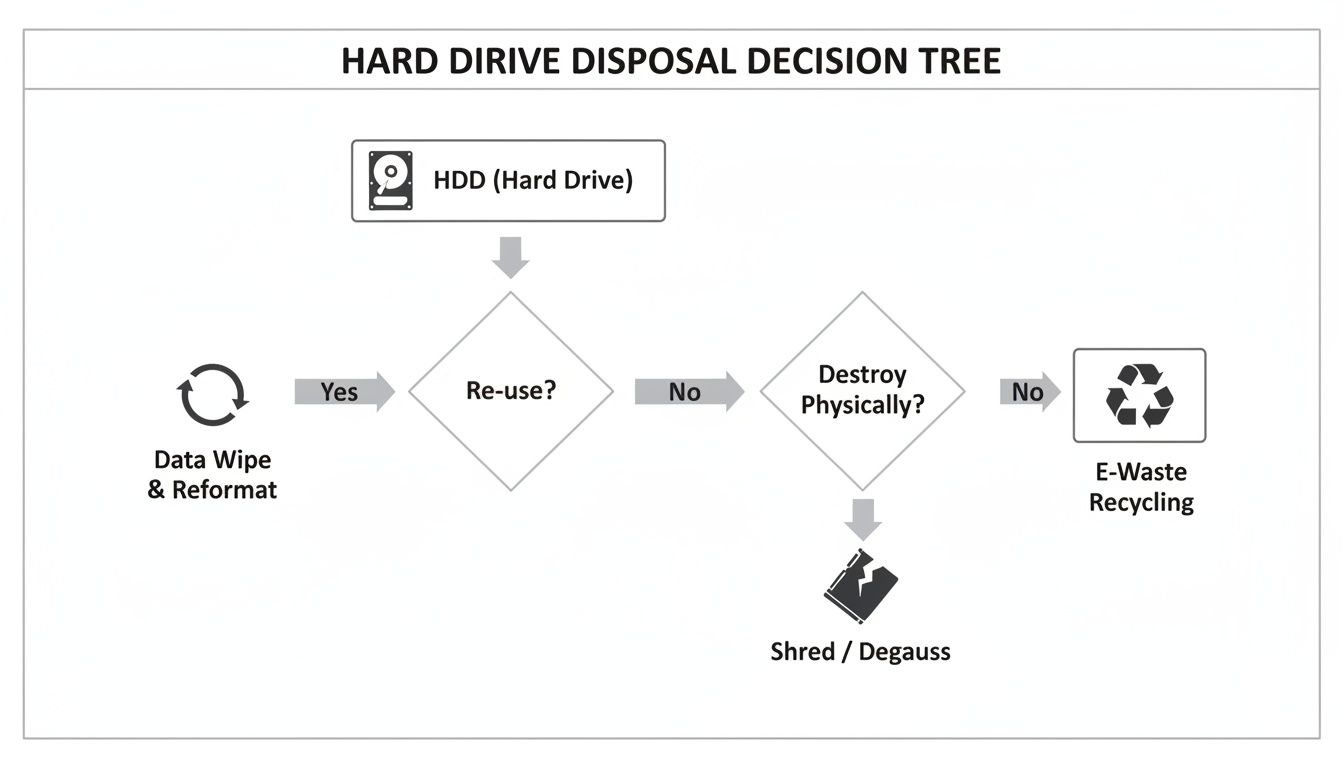
As you can see, the first critical step is evaluating the drive's future. That single decision dictates whether you'll be using certified data wiping software or calling in the shredder.
When Software Sanitization Is the Right Call
Believe it or not, not every hard drive needs to be turned into a pile of metal fragments. When a drive is still functional and you plan to redeploy it internally, donate it, or resell it, software-based data wiping is a highly secure and environmentally responsible choice.
This is far more than just formatting the drive. It involves using specialized software to methodically overwrite every single sector with random data, effectively burying the original information beyond recovery.
Professional wiping services adhere to strict standards, and these are the two you'll see most often nationwide:
- NIST 800-88 Clear/Purge: This is the current gold standard. It provides a detailed framework for sanitizing all kinds of media, including modern SSDs. The "Purge" level is designed to protect against even laboratory-level recovery attacks.
- DoD 5220.22-M: An older, three-pass overwrite method from the Department of Defense. While it's been around for a while, it’s still widely used and accepted as secure for many common applications.
Using these methods allows you to confidently give hardware a second life without risking a data breach. If you want to dive into the technical details, our guide on how to wipe a hard drive for secure disposal is a great next step.
When Physical Destruction Is Non-Negotiable
For some data, the risk of recovery—no matter how small—is simply unacceptable. This is when physical destruction becomes the only answer. It's the absolute final word in data security.
Imagine a healthcare system in Atlanta, GA, decommissioning servers that hold thousands of patient records protected under HIPAA. The potential for catastrophic fines and reputational ruin makes software wiping a gamble they can't afford to take. In a scenario like this, on-site shredding, where the drives are physically destroyed before they ever leave the facility, is the only way to get complete peace of mind and ensure compliance.
The rule of thumb is simple: if the data is governed by strict regulations (like HIPAA or financial rules) or contains high-value intellectual property, physical destruction is the safest and most defensible path.
The global Hard Drive Destruction Service Market is exploding for this very reason. It’s projected to jump from USD 1.65 billion in 2024 to a staggering USD 5.05 billion by 2035, driven by escalating data security fears and regulatory pressure. North America is leading the charge, with firms in IT, finance, and healthcare needing to comply with HIPAA, CCPA, and GDPR, where improper hard disk disposal can lead to fines of up to 4% of global revenue.
Choosing the right method isn't just a technical decision; it's a critical business risk assessment. By aligning your disposal method with the sensitivity of your data, you create a process that is both secure and operationally sound.
Hard Drive Disposal Methods Compared
To make the decision clearer, here’s a breakdown of the three main methods. Each has its place, and understanding the trade-offs is key to building a smart disposal strategy that fits your organization's specific needs, whether you're a hospital in Georgia, a university lab in Massachusetts, or a corporate data center anywhere in the USA.
| Method | Effectiveness | Best For | Compliance Level (HIPAA/NIST) | Cost & Time |
|---|---|---|---|---|
| Software Wiping | High (when done to NIST/DoD standards). | Reusing, donating, or reselling functional drives with low to moderate-risk data. | Meets NIST 800-88 Clear/Purge. Often acceptable for HIPAA if documented. | Lower cost. Can be time-intensive, especially for large batches of drives. |
| Degaussing | Extremely High. Renders the drive completely inoperable by destroying its magnetic field. | Magnetic media (HDDs, tapes) with highly sensitive data. Not effective on SSDs. | Exceeds most standards for data destruction, including HIPAA. | Moderate cost for equipment or service. Very fast per-drive processing time. |
| Physical Destruction | Absolute. Data is 100% unrecoverable. | Drives containing the most sensitive data (PII, IP, classified info) or when compliance demands it. | Highest level of compliance for HIPAA/NIST. Provides undeniable proof of destruction. | Higher cost, especially for on-site services. Extremely fast and final. |
Ultimately, the goal is to create a process that protects your organization from every angle. By carefully weighing the effectiveness, compliance requirements, and cost of each method against the data you're handling, you can ensure your disposal plan is both secure and sound.
You've picked the right disposal method—software wipe, degauss, or physical destruction. But that's only half the story. Now you have to decide where it all happens.
The choice between on-site and off-site services is a critical one that directly impacts your security, compliance, and even your daily workflow. This isn't just about logistics; it's a decision that boils down to your organization's risk tolerance and regulatory duties.
The difference is straightforward: on-site brings the shredder to your doorstep, while off-site means your drives take a ride to a secure facility. Let's break down which one makes sense for you.
The Unmatched Security of On-Site Shredding
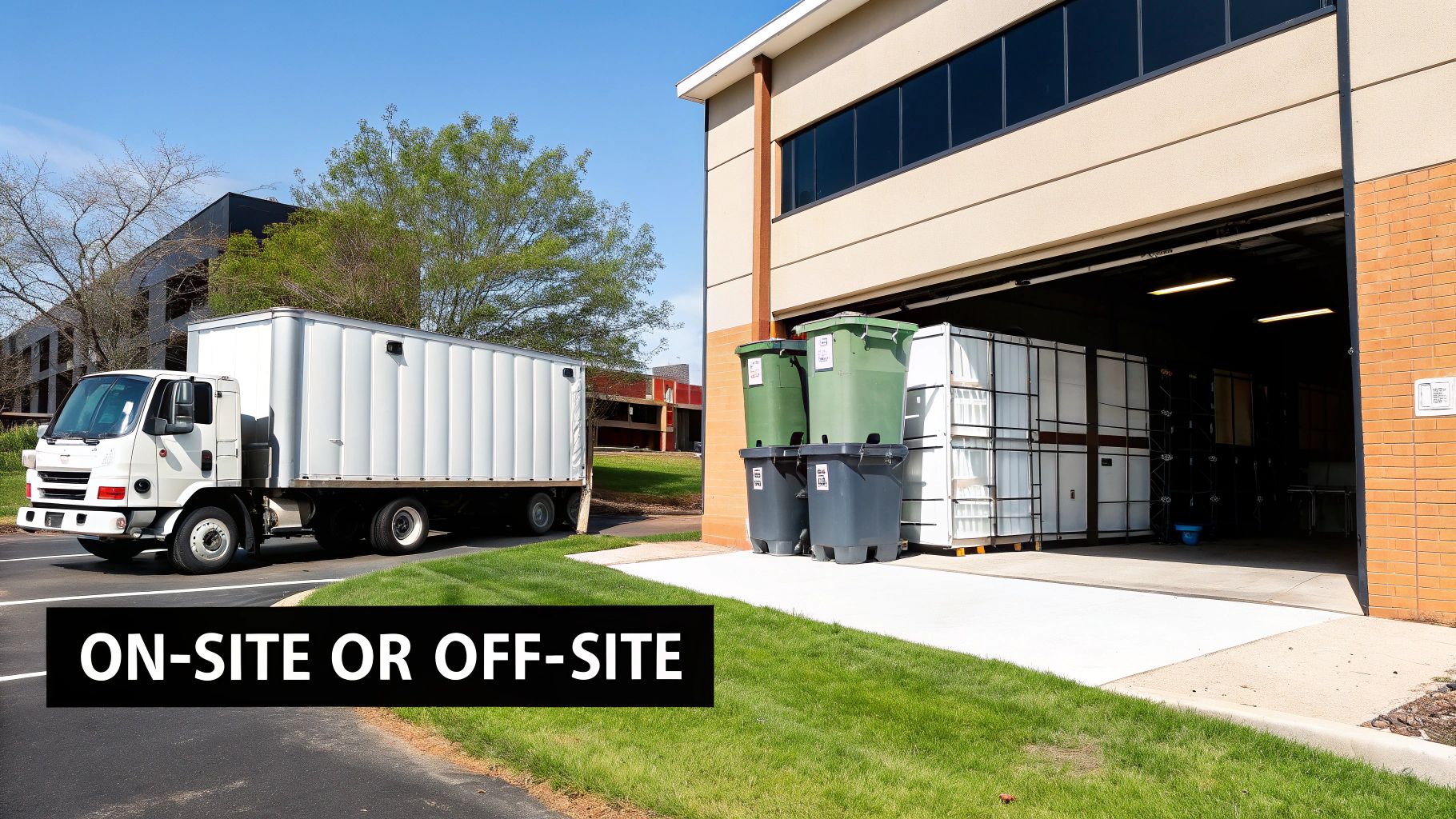
For many organizations, especially those in healthcare, finance, or government sectors, on-site hard drive shredding is simply non-negotiable. This is the white-glove service of data destruction. A specialized mobile shredding truck pulls up to your facility—whether you're a hospital in Atlanta or a research lab in Boston—and does the work right there.
You get to watch the whole thing. Your team can physically see your hard drives being scanned, inventoried, and fed into an industrial-grade shredder. It’s an unbroken chain of custody that leaves absolutely no room for doubt.
The upsides here are massive:
- Total Transparency: You and your team can personally verify the destruction of every single drive. This is the highest level of assurance you can get.
- Zero Risk in Transit: Since the drives never leave your property intact, the risk of them getting lost or stolen on the road is completely eliminated.
- Instant Compliance Proof: For strict regulations like HIPAA, which demand tight oversight, witnessed on-site destruction is immediate, undeniable proof that you've met your obligations.
This method delivers ultimate peace of mind. There's nothing quite like knowing your sensitive data was turned into tiny metal fragments just a few feet from your office door. It’s the gold standard for secure hard disk disposal.
When Off-Site Destruction Is a Smart Choice
While on-site provides maximum security, it isn't always practical or necessary. Off-site destruction can be a highly efficient and cost-effective option, particularly for larger-scale projects or when dealing with a high volume of media.
This isn't just a matter of handing over a box and hoping for the best. Any reputable nationwide vendor will have a meticulous, documented process designed to maintain security from the moment your drives leave your hands.
A rock-solid off-site process should always include these elements:
- Locked, Tamper-Evident Bins: Your drives are secured in sealed containers before they even cross your threshold.
- GPS-Tracked Vehicles: The truck carrying your assets should be tracked in real-time all the way to the destruction facility.
- Secure Facilities and Vetted Staff: The plant itself must have controlled access, 24/7 video surveillance, and be staffed by background-checked professionals.
Off-site destruction is a great fit when you have a lot of drives and a certified partner you trust. The key is digging into their chain-of-custody protocols to make sure they're transparent, verifiable, and meet your compliance needs.
This approach is often quicker and more budget-friendly for big jobs like data center decommissioning or company-wide hardware refreshes. You can find out more about how professional computer shredding services manage this process without compromising security.
Ultimately, the decision comes down to a practical balance between your organization's security policies, your budget, and your operational needs.
Creating an Audit-Proof Documentation Trail
In the world of data security, if you can't prove it, it didn't happen. The physical act of destroying a hard drive is only half the battle. The documentation proving it was done right is just as critical, serving as your ultimate liability shield.
Think of it less as tedious paperwork and more as the final, crucial step in your secure hard disk disposal process. Without this paper trail, you’re leaving your organization wide open to regulatory penalties and legal headaches. This documentation is your undeniable evidence that you fulfilled your due diligence in protecting sensitive information.
Proper documentation is essential, and understanding how auditors view these records is key. For those looking to go deeper, exploring resources on managing audit evidence offers great context on why this is so important.
Demystifying the Certificate of Destruction
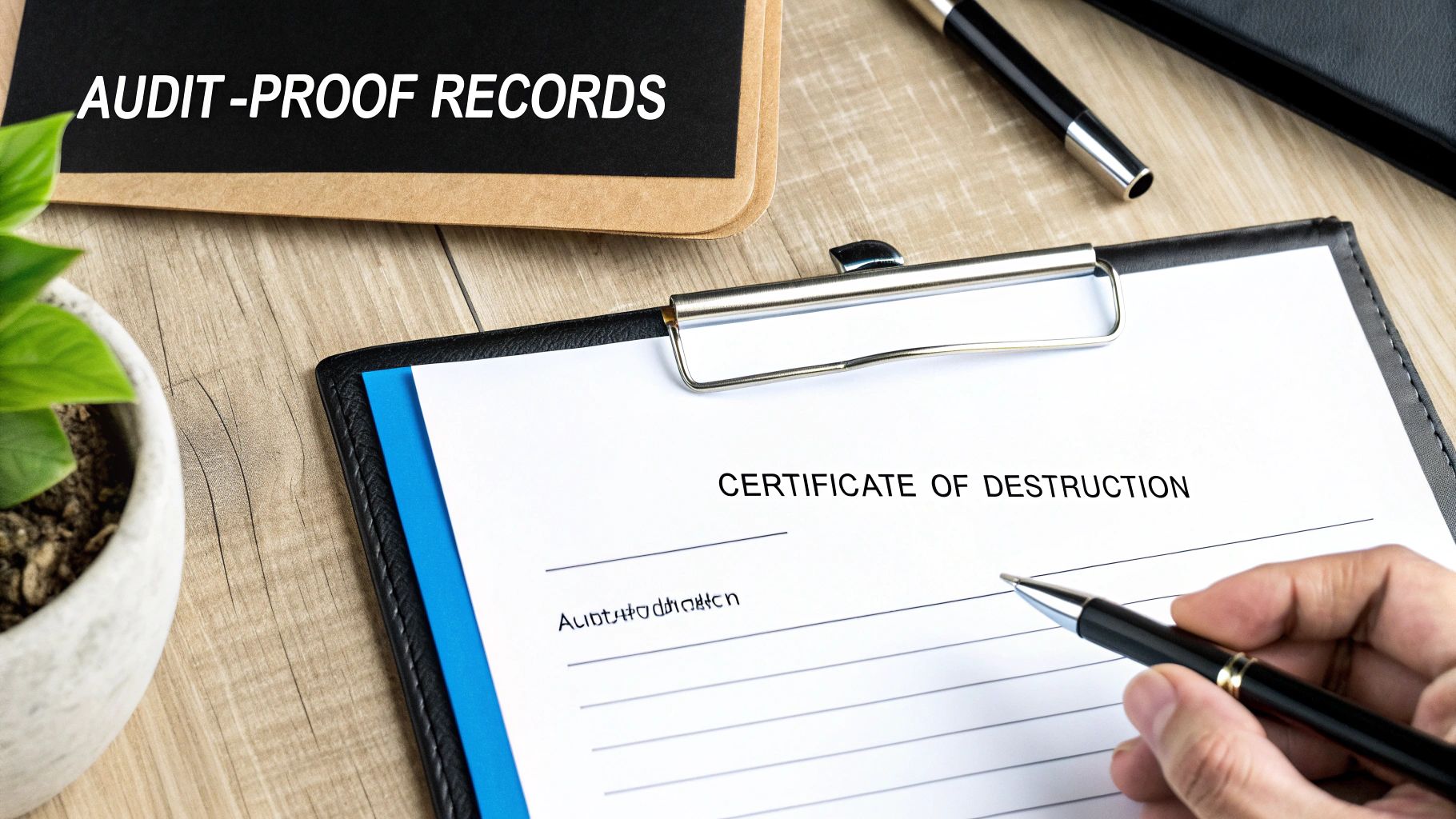
The cornerstone of your documentation is the Certificate of Destruction (CoD). This isn't just a simple receipt; it's a formal, legally binding document from your disposal vendor confirming the complete and irreversible destruction of your assets. It’s the first thing you’ll hand over in an audit to prove you met your obligations under regulations like HIPAA.
A legitimate CoD is never vague. It has to contain specific, verifiable details to hold up under scrutiny.
Your certificate should always include:
- Unique Serial Numbers: A complete, itemized list of every single hard drive or media device destroyed.
- Method of Destruction: A clear statement on how the drives were destroyed (e.g., shredding, degaussing) and the standard followed.
- Chain of Custody Details: Information on the date, time, and location of destruction, along with the names of the technicians involved.
- Authorized Signatures: An official signature from the vendor, certifying that the process was completed as described.
This document effectively transfers liability from your organization to the certified vendor. You can see what a comprehensive document looks like by reviewing our sample Certificate of Destruction form.
Maintaining a Comprehensive Asset Disposition Log
While the CoD is the final proof, your internal records are just as important. Think of an asset disposition log as your internal ledger that tracks every device from the moment it's slated for retirement to its final destruction. This log provides a complete, unbroken history for each asset.
This internal log should capture key data points for every single drive:
- Asset Tag or Identifier: The unique internal tracking number for the device.
- Drive Serial Number: This has to match the vendor's CoD.
- Date Taken Offline: When the device was removed from service.
- Designated Destruction Method: The approved disposal method based on your data classification policy.
- Date Sent for Destruction: When it was handed over to the vendor.
- CoD Reference Number: A number linking the asset to the specific Certificate of Destruction.
An organized and detailed asset disposition log is your first line of defense in an audit. It demonstrates a systematic, proactive approach to data security, showing auditors you have a repeatable and verifiable process.
The stakes for getting this right are higher than ever. Breaches from improper disposal cost an average of $4.45 million per incident in 2023. This massive financial risk is fueling the growth of the Secure Data Destruction market, which was valued at USD 6.50 billion in 2022 and is projected to hit USD 12.50 billion by 2030.
As organizations across North America—especially HIPAA-bound hospitals and labs—decommission more equipment, the demand for certified, documented disposal is soaring.
By combining a detailed internal log with a thorough Certificate of Destruction from your vendor, you create a powerful, two-pronged documentation strategy. This audit-proof trail ensures you can confidently answer any questions about your hard disk disposal practices, protecting your organization from every angle.
How to Vet a Secure Data Destruction Vendor
Choosing the right partner for your secure hard disk disposal is one of the most important security decisions you'll make. The right vendor is an extension of your compliance team, shielding you from massive risk. A bad one? They can expose your organization to devastating data breaches and legal nightmares. You have to look past the slick sales pitch and know exactly what to ask.
The easiest first step in your vetting process is checking for certifications. This is a simple, effective way to immediately filter out the unqualified players. The single most important credential to look for is NAID AAA Certification from the International Secure Information Governance & Management Association (i-SIGMA).
Think of this less as a membership badge and more as proof of competence. It means the vendor is subject to rigorous, unannounced third-party audits covering everything from their hiring practices to their security protocols and destruction methods. A NAID AAA certified vendor has already proven they meet the highest industry standards nationwide.
Key Questions to Ask Potential Vendors
Once you've confirmed their certifications, it's time to dig deeper. How a vendor answers specific operational questions will tell you everything you need to know about how seriously they take their role. A confident, transparent partner will have no trouble giving you detailed answers.
Here are the questions I always start with:
- Employee Screening: "Can you walk me through your employee background check and drug screening process?" You absolutely need to know that every single person handling your sensitive data has been thoroughly vetted.
- Chain of Custody: "What does your documented chain-of-custody look like, from pickup to final destruction?" Get specifics. Ask about locked containers, GPS-tracked vehicles, and access controls at their secure facility.
- Compliance Expertise: "Describe your experience working with organizations that fall under HIPAA (or NIST, GDPR, etc.)." They need to speak your language and understand the regulations that govern your industry inside and out.
- Insurance Coverage: "Can you provide a certificate of insurance for professional liability and data breach coverage?" This isn't just a formality; it's your safety net in the unlikely event something goes wrong.
A vendor’s hesitation or inability to provide clear, confident answers to these questions is a major red flag. A truly secure partner will welcome this level of scrutiny and have their documentation ready to share.
Scrutinizing Their Service Offerings
Finally, make sure their actual services line up with your specific needs, both for today and down the road. Can they handle on-site shredding for your most sensitive drives while also managing off-site destruction for bulk disposals? Do they offer data sanitization that follows NIST 800-88 standards for drives you might want to reuse?
The scale of this industry is just massive, which really underscores its importance. In 2022, Microsoft alone shredded two million hard disks—enough to fill up to nine Boeing 747 cargo holds. This is what's fueling the Hard Disk Destruction Equipment Market, which hit a value of USD 1.76 billion in 2024 and is projected to climb to USD 2.56 billion by 2032, largely driven by regulations like HIPAA.
A partner offering a full suite of services gives you a flexible, long-term solution. I also recommend choosing a vendor that operates as a dedicated e-waste recycling company. It shows they're committed to responsible, sustainable practices beyond just destruction. By being diligent and asking the right questions, you'll find a provider that delivers more than just destruction—they'll provide documented, compliant, and reliable security.
Common Questions on Hard Disk Disposal
When it comes to getting rid of old IT assets, a lot of practical questions come up. We hear them all the time from businesses here in Atlanta and across the country. Let's clear up some of the most common ones so you can make the right call for your secure hard drive disposal plan.
Is Drilling Holes in a Hard Drive Good Enough?
It might feel like you're destroying it, but drilling a few holes in a hard drive is far from a secure or compliant disposal method. Sure, it damages the magnetic platters, but it leaves huge portions of the data surface completely intact.
A determined person with the right forensic recovery tools could still piece together data from the remaining fragments. For any organization that has to follow compliance rules like HIPAA, this method is a non-starter. It fails to guarantee that 100% of the data is unrecoverable. You need professional methods like industrial shredding or degaussing to truly eliminate the risk.
What's the Difference Between Degaussing and Shredding?
Both degaussing and shredding are top-tier, certified methods for destroying data, but they get the job done in very different ways. Knowing the difference helps you pick the right service for your needs.
- Degaussing zaps magnetic media (like HDDs and tapes) with an incredibly powerful magnetic field. This instantly scrambles the drive's magnetic structure, wiping the data clean and making the drive useless. It's fast, quiet, and leaves the drive physically whole.
- Shredding is all about physical force. An industrial shredder grabs the drive and grinds it into a pile of small, mangled metal bits. This gives you irreversible, visible proof that the drive is gone for good, which is why it's the go-to for the highest security needs.
While both are accepted for magnetic media under most regulations, you just can't beat the peace of mind that comes from seeing a drive turned into confetti.
Do I Need to Destroy SSDs Differently Than HDDs?
Yes, absolutely. This is a critical point many people miss. Solid-State Drives (SSDs) don't use magnetic platters like traditional hard drives; they store data on tiny flash memory chips. Because of this, degaussing has zero effect on an SSD.
The only truly effective ways to handle an SSD are through cryptographic erasure (a built-in command that wipes the drive's encryption key) or good old-fashioned physical destruction. For guaranteed, compliant disposal, shredding is the most reliable option. But you need a specialized shredder designed to grind the drive into much smaller fragments to ensure every single one of those tiny memory chips is obliterated.
Trying to degauss an SSD is a major security mistake. Always make sure your disposal vendor is using the right method for the media type. For SSDs, that means a high-security shredder, period.
Can Data Be Recovered After a DoD-Standard Wipe?
From a practical standpoint, the answer is no. When a hard drive is properly sanitized using a multi-pass overwrite method like the DoD 5220.22-M standard or the more current NIST 800-88 Purge guidelines, the original data is written over again and again with random characters.
This process effectively buries the original information so deep that it’s impossible to get back with any known software or standard hardware recovery tools. People in academic circles sometimes talk about theoretical recovery using incredibly advanced and expensive lab equipment, but it’s not a realistic threat for almost any commercial or government scenario.
For drives that an organization in Atlanta or anywhere else plans to reuse, resell, or donate, a certified software wipe is a highly secure and cost-effective sanitization method. It's a great sustainable alternative to physical destruction for assets that are still functional.
Your data security is too important to leave to chance. At Scientific Equipment Disposal, we provide Atlanta-area businesses and clients nationwide with NAID AAA Certified data destruction services, ensuring your hard drives are disposed of securely and in full compliance with regulations like HIPAA. Whether you need on-site shredding for maximum peace of mind or certified wiping for asset reuse, our team has you covered.
Protect your organization from a data breach. Schedule your secure hard disk disposal service today.