Secure Data Destruction in Snellville GA: A 2026 Guide

A lot of Snellville organizations have the same problem sitting behind a locked door, in a back office, or at the end of a lab bench. Old desktops. Retired servers. Failed SSDs. Diagnostic equipment with embedded storage. Boxes of drives nobody wants to throw away, but nobody wants to own either.
The risk isn't the hardware. It's the liability still sitting on it.
For a clinic, that can mean patient records. For a school or university department, it can mean staff files, student data, or research materials. For a corporate IT team, it can mean account records, contracts, financial data, credentials, and internal documents that should never leave controlled custody. Deleting files or reformatting a drive doesn't solve that problem.
The demand for secure disposal keeps rising for a reason. The secure data destruction market is projected to grow from $3.72 billion in 2025 to $5.64 billion by 2029 because of escalating data threats and compliance pressure, according to the secure data destruction market report. Closer to home, the 2018 Atlanta ransomware attack cost the city $2.7 million and led to the irrecoverable loss of vital data, which is exactly why Snellville organizations can't treat end-of-life electronics as ordinary junk.
Your Guide to Secure Data Destruction in Snellville GA
A facility manager usually notices the problem all at once.
A storage room fills up. An office move leaves a stack of towers under a conference table. A lab decommission leaves behind analyzers, workstations, and external drives with unknown histories. Then someone asks the question that matters: "What's on these devices, and how do we prove it's gone?"
That's where Secure Data Destruction in Snellville GA stops being a recycling issue and becomes a compliance issue.
What turns old equipment into active liability
Retired equipment often still holds:
- Protected health information from patient intake, diagnostics, imaging, or billing
- Personally identifiable information tied to employees, vendors, students, or customers
- Business records such as contracts, internal emails, archived reports, and financial files
- Research and technical data stored on instruments, workstations, and removable media
The mistake many teams make is assuming age reduces risk. It doesn't. An old drive can create a current breach if it leaves your control without proper sanitization and documentation.
Why local organizations need a stricter process
Snellville sits inside a metro area with dense healthcare, education, logistics, and IT activity. That means a lot of devices cycle out of service every year, and many of them carry regulated or sensitive data. Disposal has to cover more than removal. It has to address method, custody, proof, and liability transfer.
Practical rule: If you wouldn't hand that device to a stranger as-is, it needs a documented destruction process.
A compliant program usually starts with asset identification, then method selection, then final documentation. It also requires a vendor that can handle pickup, packing, transport, and destruction without breaking custody along the way.
For organizations sorting through local options, it's smart to start with providers that already serve the area and handle business equipment at scale, including computer recycling services in Snellville Georgia.
The Hidden Risks in Your Retired Equipment
The biggest disposal mistakes happen when teams focus on the visible device and miss the invisible data trail.
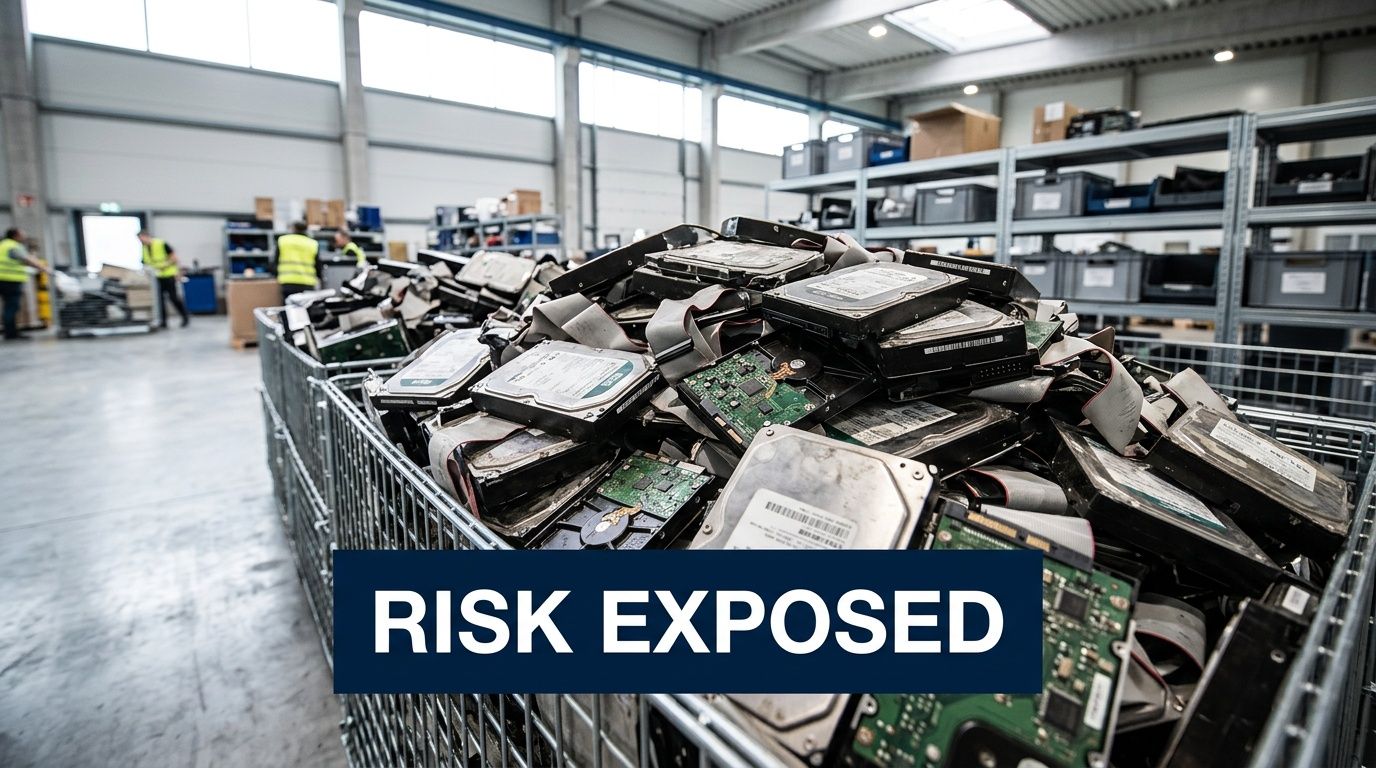
A hard drive in a closet looks harmless. An SSD pulled from a failed workstation looks dead. A retired lab instrument may look like scrap metal. None of that tells you whether regulated data is still inside.
Where sensitive data hides
Think of digital storage like plumbing in a building. You may only see the sink, but the lines run behind the walls.
The same thing happens with retired electronics. Data can remain on:
- Desktop and laptop drives
- Server arrays and backup devices
- Solid-state drives in modern workstations
- Copiers, printers, and multifunction devices
- Embedded storage inside scientific and medical equipment
- External media used for exports, diagnostics, or temporary transfer
For healthcare groups, the concern is often PHI under HIPAA. For lenders, insurers, and finance-related operations, it may be PII under GLBA. For research, manufacturing, and corporate offices, the issue is often intellectual property and internal business records.
Why deletion doesn't solve the problem
A deleted file usually isn't destroyed as commonly assumed. The operating system may remove the pointer to the data while the underlying information remains recoverable until it is overwritten or the media is physically destroyed.
That matters more in Atlanta's data-heavy environment. The metro area is the world's second-largest data center market by capacity, and 2,116 data breaches were reported in the U.S. in early 2023 alone, surpassing previous records, as noted in this overview of secure data destruction in Georgia. More data moving through local organizations means more data eventually retiring with their equipment.
What the business fallout looks like
For a Snellville clinic or lab, the direct issue is compliance exposure. For an IT director, the operational issue is proving reasonable handling. For leadership, the problem is broader.
A disposal failure can trigger:
- Regulatory scrutiny when protected data leaves controlled custody
- Legal disputes over whether the organization acted reasonably
- Insurance complications if documentation is incomplete
- Reputation damage in a local market where trust matters
- Internal disruption when teams scramble to reconstruct asset history
Retired equipment is often treated like surplus property. Auditors and opposing counsel may treat it like evidence.
Many organizations don't know exactly what they have until a cleanout starts. That's why the safest approach is to inventory first, assume data is present unless proven otherwise, and choose destruction methods based on media type and sensitivity, not convenience.
Data Destruction Methods Wiping Shredding and Beyond
Not all destruction methods do the same job. The right choice depends on the media, the sensitivity of the data, whether the device still works, and whether you need the hardware reused or the media rendered permanently unreadable.
The NIST framework that matters
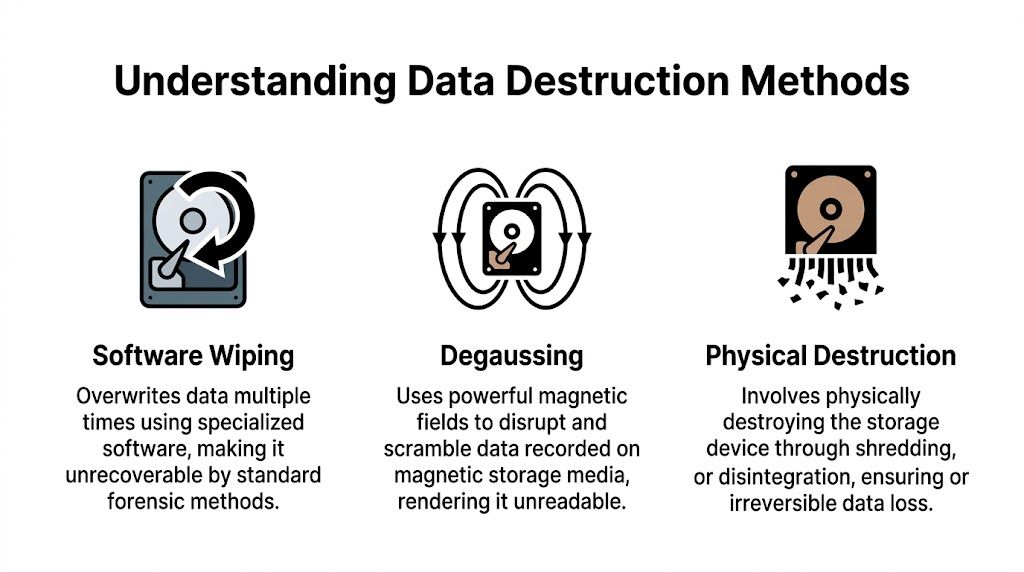
NIST SP 800-88 uses three sanitization levels: Clear, Purge, and Destroy. Clear means logical overwriting. Purge goes further with methods such as cryptographic erase or stronger overwriting approaches. Destroy means the media is physically broken down so recovery isn't possible.
A useful summary appears in this Georgia-focused page on NIST SP 800-88 and secure media destruction, which also notes a 2014 study that recovered data from 56% of "wiped" enterprise SSDs. That's the key technical warning modern IT teams can't ignore.
Software wiping
Wiping is the best fit when a working drive can be sanitized and the hardware may be reused or remarketed.
A common example is DoD 5220.22-M 3-pass wiping, which overwrites existing data with controlled patterns. In practical terms, this method is designed to prevent recovery by standard software tools and support a documented sanitization record.
Wiping works best when:
- The drive is functional
- The media type is appropriate
- You need the asset preserved for reuse or resale
- You can document the process by serial number
It works less well when the device has failed, has hidden storage behavior, or belongs to a high-security environment that requires irreversible physical destruction.
Degaussing
Degaussing uses a strong magnetic field to scramble data on magnetic media. It's relevant for certain HDDs and tapes, not for SSDs.
The trade-off is straightforward. Degaussing can be effective for magnetic storage, but it also renders the media unusable. It also doesn't solve every mixed-load scenario because many organizations retire multiple device types at once, including SSDs, flash media, and embedded storage that magnets won't sanitize.
Physical destruction
Physical destruction is the final answer when certainty matters more than reuse.
Methods include:
- Shredding
- Crushing
- Pulverization
For SSDs, physical destruction is often the safest choice because wear-leveling and over-provisioned cells can leave data outside the areas a standard wipe touches. That's why organizations handling healthcare, finance, legal, and government data often default to destruction for failed or retired SSDs.
If a drive is nonfunctional, unknown, encrypted but unmanaged, or tied to regulated data, destruction is usually the cleaner compliance decision.
For teams evaluating service options, it helps to review how providers handle hard drive shredding and whether they distinguish between HDDs and SSDs instead of applying one generic process to every device.
What works and what doesn't
A few field-tested rules are worth keeping in mind.
| Media type | What usually works | What often fails |
|---|---|---|
| Functional HDD | Documented wipe, degaussing, or shredding | Simple file deletion or quick format |
| Failed HDD | Shredding or other physical destruction | Software wipe on an unreadable drive |
| Functional SSD | Carefully selected purge methods, sometimes destruction | Assuming a standard overwrite reaches all cells |
| Failed or retired SSD with sensitive data | Physical shredding or pulverization | Treating it like a traditional hard drive |
| Mixed lab and IT loads | Asset-by-asset sorting and documented method selection | One blanket process for every item |
The most expensive mistake isn't choosing the stronger method. It's choosing a weaker method that can't be defended later.
Ensuring Compliance With a Defensible Chain of Custody
The destruction method matters, but the paperwork and handling process decide whether your program stands up in an audit, investigation, or legal dispute.
A drive that was "probably destroyed" doesn't help much when your compliance team needs proof. A vendor saying "we take care of that" isn't enough either. What matters is whether every transfer, scan, signature, and final disposition record can be traced from pickup through destruction.
What chain of custody actually means
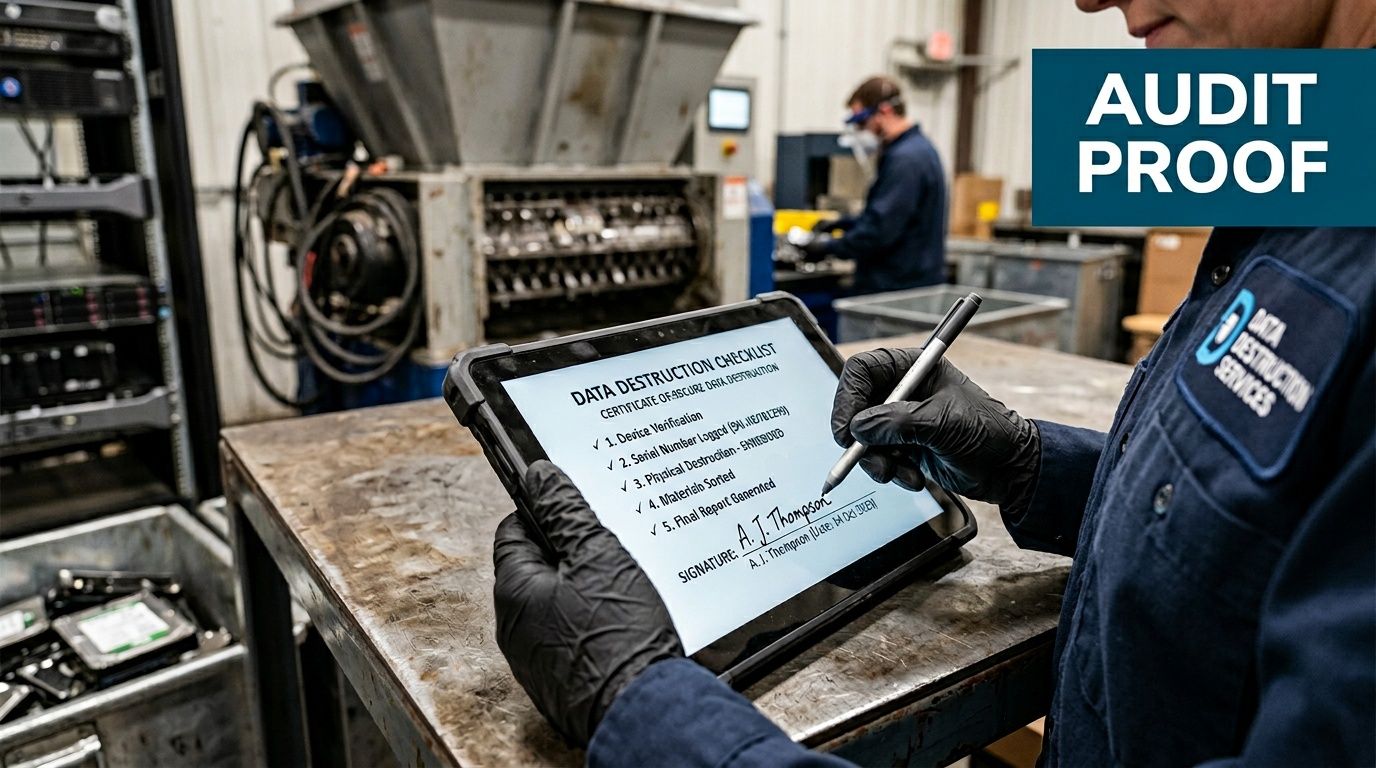
In practice, chain of custody is the documented record showing who controlled an asset, when they controlled it, how it moved, and how it was ultimately sanitized or destroyed.
That should include more than a pickup receipt.
A defensible program typically includes:
- Serialized asset tracking at the device or media level
- Pickup documentation signed by both parties
- Secure transport records that show where assets went after leaving the facility
- Controlled intake procedures at the processing location
- Final destruction records tied back to the original asset list
According to this review of secure data destruction and chain-of-custody practices, off-site service can be just as defensible as on-site shredding when the process includes serial number scanning at pickup, dual-signed manifests, GPS-tracked transport, and a detailed Certificate of Destruction.
Why the Certificate of Destruction matters
A Certificate of Destruction, or CoD, isn't a courtesy document. It's the legal proof that the media listed on it was destroyed by a stated method on a stated date under a documented process.
A strong CoD should identify:
| CoD element | Why it matters |
|---|---|
| Asset serial numbers or unique identifiers | Ties the document to specific devices |
| Destruction method used | Shows whether the process matched the risk |
| Date and time | Establishes a clear event record |
| Authorized signatures | Confirms accountability |
| Scope of service | Clarifies what was included in the destruction event |
If a vendor can't show you a sample CoD before pickup, that's a warning sign. The document should be detailed enough to support internal audits and outside review, not just broad enough to function as an invoice. Organizations comparing formats can review what a formal certificate of destruction should include.
How this connects to compliance management
Most disposal failures aren't isolated. They're part of a larger control gap. The same organization that lacks media tracking often lacks a consistent risk review process for vendors, records retention, and offboarding.
That's why security and compliance teams often pair destruction planning with a broader framework for mastering compliance risk assessment. Disposal is one control. Governance is the system around it.
The best chain of custody is boring. Every handoff is logged, every asset is traceable, and no one has to rely on memory.
On-site versus off-site proof
On-site shredding gives immediate visibility. Some organizations prefer that because they can witness destruction directly.
Off-site processing can still be solid if the vendor controls transport, intake, and reporting tightly. The wrong way to compare the two isn't "Which sounds safer?" The right question is "Which process produces cleaner evidence for our media mix, staff availability, and audit requirements?"
If the answer isn't documented, it won't help much later.
Checklist for Choosing a Data Destruction Partner in Snellville
Most organizations don't hire a destruction vendor often enough to build an internal playbook. That makes selection riskier than it looks. A polished website or low pickup price doesn't tell you much about method selection, chain of custody, or what happens when a load includes both standard IT assets and lab equipment with embedded storage.
The best approach is to ask pointed questions and compare answers side by side.
Vendor selection checklist for secure data destruction
| Evaluation Criteria | What to Ask | Why It Matters (Compliance & Security) |
|---|---|---|
| Service model | Do you offer on-site destruction, off-site destruction, or both in Snellville? | You need a process that matches your risk level, witness requirements, and facility constraints. |
| Media expertise | How do you handle HDDs, SSDs, flash media, and embedded device storage differently? | A vendor that treats every device the same may miss SSD-specific risk. |
| Documentation | Can you provide a sample Certificate of Destruction before service? | You should know what proof you'll receive before assets leave your site. |
| Asset tracking | Do you scan serial numbers at pickup and reconcile them later? | This creates traceability from your inventory to final destruction. |
| Transport security | Who transports the material, and how is it secured in transit? | Liability doesn't pause between pickup and processing. |
| Scope of handling | Can you remove, pack, and segregate both lab equipment and IT assets? | Mixed decommission projects need more than a simple electronics pickup. |
| Exception handling | What happens with failed drives, locked devices, and unidentified media? | Your highest-risk assets are often the ones that don't behave normally. |
| Reporting | Do you provide asset lists, destruction details, and final recycling records? | Reporting supports audits, internal signoff, and records retention. |
| Sustainability practices | How are non-data-bearing materials processed after destruction? | Disposal should address both compliance and responsible downstream handling. |
| Insurance and accountability | Who assumes responsibility after transfer, and where is that reflected? | Liability transfer should be explicit, not implied. |
Questions that separate serious vendors from generic recyclers
Some answers matter more than the sales language around them.
- Ask about SSDs specifically. If the response stays vague or circles back to "we wipe everything," keep digging.
- Ask to see the paperwork before the job. That includes pickup records, manifests, and the final CoD format.
- Ask who performs the logistics. Direct control usually produces cleaner custody than loosely coordinated third-party handoffs.
- Ask how they handle unknown equipment. Labs, imaging rooms, and server closets often contain devices that don't fit a standard office recycling script.
A strong vendor should also be comfortable discussing chain of custody in plain language. If they can't explain how an asset stays traceable from your loading dock to final destruction, they may not control the process tightly enough.
What healthcare and IT teams in Snellville should prioritize
A clinic may focus first on HIPAA exposure. A corporate IT group may focus on media handling and documentation. A school district may care about pickup logistics across multiple buildings. Those priorities differ, but essential requirements remain constant.
Look for a partner that can handle:
- Inventory discipline
- Media-specific destruction decisions
- Secure pickup and transport
- Detailed post-service documentation
- Responsible downstream recycling
For organizations building their evaluation process, this guide on how to choose an electronic waste recycling company is a useful starting point because it pushes the conversation beyond convenience and into accountability.
A recycler removes equipment. A destruction partner removes liability.
The best vendor interview usually feels less like a sales call and more like an operations review. That's a good sign.
The SED Process for Snellville and Metro Atlanta Clients
A good destruction program should feel controlled from the first call through the final paperwork. That matters even more when the project includes more than a few hard drives and becomes a room cleanout, office relocation, lab shutdown, or phased decommission.
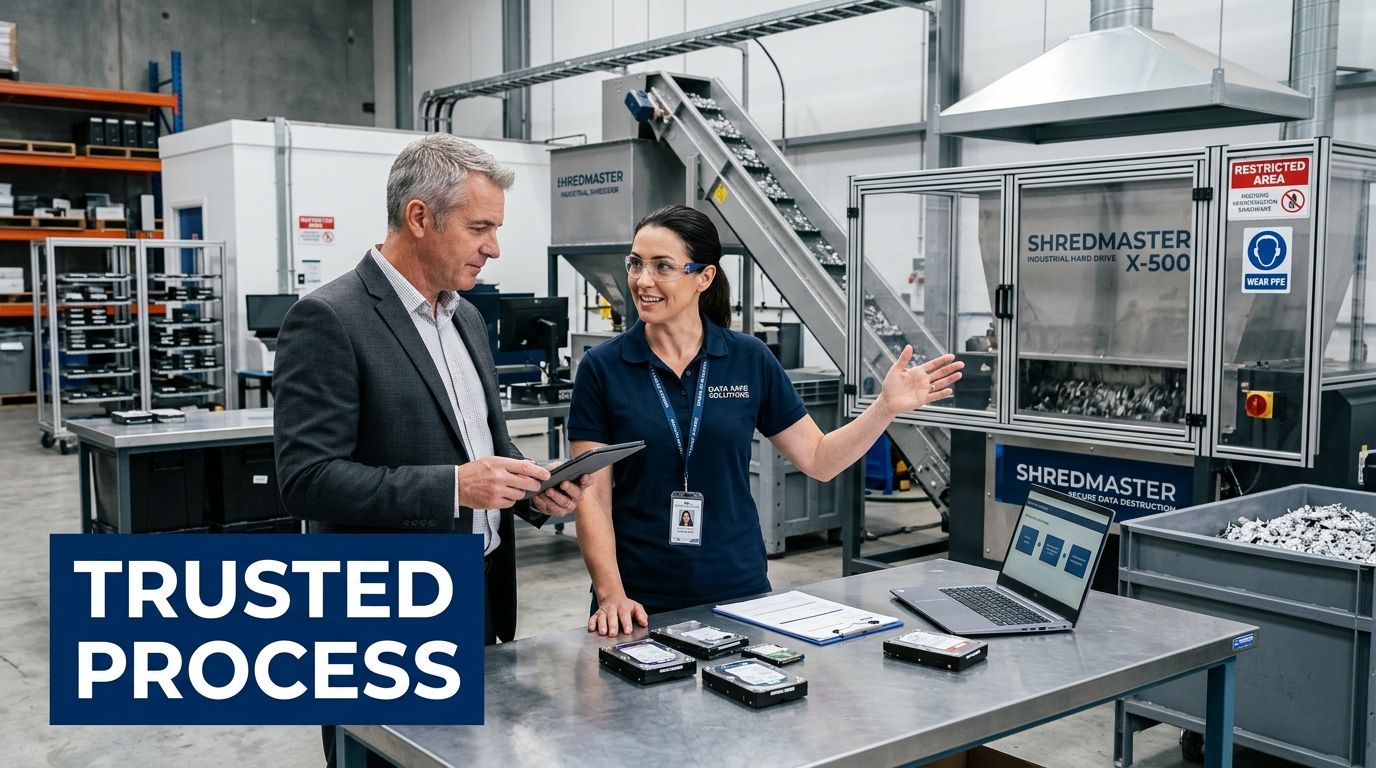
The process below reflects what a full-service, business-focused program should look like for Snellville and metro Atlanta clients.
Step one through pickup planning
The process starts with scope. The client identifies what needs to leave, what may contain data, whether assets are being decommissioned from active rooms, and whether the job includes standard office hardware, servers, lab devices, or a combination.
From there, scheduling and logistics are set. For some projects, that means a simple pickup. For others, it means de-installation, packing, and coordinated removal from multiple areas in the building.
What matters at this stage is clarity on three points:
- What assets are in scope
- Which items require data sanitization or destruction
- How custody will be documented from pickup onward
On-site handling and transport
Once service begins, trained crews remove and stage equipment for secure movement. For organizations with overloaded storage areas or active lab spaces, this matters as much as the destruction itself. Poor handling at pickup can create inventory gaps before the truck even leaves the property.
A stronger process includes direct fleet control, organized packing, and asset segregation so data-bearing items don't disappear into a mixed load of general surplus.
Processing and destruction
At processing, the media is handled according to the agreed method. Functional drives may be wiped using DoD 5220.22-M 3-pass sanitization when reuse is appropriate. Obsolete, failed, or higher-risk media is typically shredded.
That distinction matters. A mature vendor doesn't force every asset into a single outcome. The method should match the media and the compliance exposure.
Documentation and final disposition
The job isn't done when the drives are destroyed. It's done when the client receives complete records.
That usually includes the destruction record, supporting asset information, and confirmation that the remaining materials entered responsible recycling channels rather than being dumped into uncontrolled disposal streams.
A clear walkthrough of that service flow is available in this overview of how the process works.
The best client experience is simple on the front end and rigorous behind the scenes. Pickup happens when scheduled. The chain of custody stays intact. The records arrive promptly. The room is cleared, and the liability is too.
Frequently Asked Questions About Data Destruction
Is software wiping ever enough for SSDs
Sometimes, but only under the right conditions.
If the SSD is functional and the sanitization method is appropriate for that specific media, a purge-based approach may be acceptable in some environments. But the risk with SSDs is technical, not theoretical. Recent data cited in this Georgia disposal guide says 35% of e-waste breaches in major markets like Atlanta stem from improper SSD handling, and it notes potential fines up to $50K per incident when organizations miss updated requirements around failed or retired SSDs. The same source explains why physical shredding or pulverization is often the safer answer for sensitive SSD media in 2026, especially when wear-leveling makes wiping unreliable. See the full discussion in this article on corporate electronics disposal services in Georgia.
Is on-site shredding always the best option
Not always.
On-site shredding gives immediate witness visibility, which some healthcare and government clients prefer. Off-site destruction can still be defensible if the vendor controls serial tracking, manifests, transport, intake, and final documentation tightly. The better option depends on your media mix, internal staffing, and whether witnessing destruction matters more than centralized processing efficiency.
Beyond the Certificate of Destruction, how can I verify the process
Ask for more than one layer of proof.
Useful verification can include asset-level reconciliation, pickup manifests, serial number reporting, and a clear description of the destruction method used. For larger projects, many IT directors also want a pre-service inventory review so there is less ambiguity about what was collected.
Good verification doesn't rely on trust alone. It relies on records that match the equipment you handed over.
What about lab equipment with embedded storage
Treat it as potentially data-bearing until someone qualified confirms otherwise.
That's especially important with analyzers, imaging peripherals, control PCs, and instruments that store user profiles, test data, calibration files, or export logs. The right vendor should be able to separate the equipment value question from the data risk question. A device can be recyclable and still require secure media removal first.
What should a Snellville organization do first
Start with an internal list.
Identify where retired media currently sits, who owns the decision, and which assets likely hold regulated or confidential information. Once that's clear, bring in a vendor that can review the scope, recommend method by media type, and document the entire job from pickup through final disposition.
If your organization in Snellville needs a secure, documented way to remove old computers, servers, hard drives, or lab equipment, Scientific Equipment Disposal provides business-focused pickup, logistics, data destruction, and responsible recycling for healthcare, education, corporate, and government clients across metro Atlanta.