Secure Electronics Recycling Atlanta Services

A room full of retired equipment rarely looks dangerous. It looks inconvenient. There are old desktops under benches, boxed monitors in storage, a rack of servers waiting for approval, and a few lab instruments that nobody wants to touch because no one is fully sure what was run through them last.
That’s where electronics recycling atlanta gets complicated for hospitals, universities, research labs, and corporate IT teams. You’re not just clearing space. You’re dealing with data-bearing assets, regulated equipment, internal chain-of-custody requirements, pickup logistics, and downstream handling that has to stand up in an audit.
Generic e-waste advice usually stops at “find a recycler.” That’s not enough when your inventory includes both standard IT hardware and specialized lab equipment. The right process has to protect data, protect staff, and document every handoff from the first asset tag to the final certificate.
The Hidden Risks in Your Organization's Surplus Equipment
Most organizations don’t run into trouble because they meant to cut corners. Trouble starts when surplus equipment gets treated like ordinary junk removal.
A clinic closes a department and stacks old PCs next to analyzers. A university empties a research room and discovers incubators, centrifuges, and external drives mixed together. A data center refresh leaves retired storage arrays sitting in a cage while procurement decides what happens next. The equipment is already out of service, but the risk is still active.
The scale of the problem is bigger than most internal teams realize. The United States generates over 3.5 million tons of e-waste annually, and it’s the fastest-growing municipal waste stream, while the global recycling rate is only 17.4%, according to Atlanta e-waste recycling figures summarized by Reworx. For Atlanta organizations, improper disposal can create data breach exposure, HIPAA problems, and missed recovery value from reusable materials.
Why mixed surplus creates the biggest headaches
Standard office electronics are only one part of the issue. The harder jobs involve mixed environments where decommissioned assets include:
- Data-bearing IT equipment such as laptops, servers, storage arrays, network switches, and backup media
- Lab instruments that may need decontamination clearance before anyone can move them
- Peripheral systems such as monitors, carts, printers, and bench-top electronics that often get left off master inventories
- Legacy devices with unclear ownership, unknown passwords, or incomplete asset records
When those categories are handled together without a plan, the project usually slows down. Facilities teams wait on IT. IT waits on compliance. Compliance waits on documentation that doesn’t exist yet.
Practical rule: If an asset has storage, touched patient or research workflows, or sat in a controlled lab environment, treat it as a controlled disposition item until proven otherwise.
That’s especially true for what many organizations classify as ADPE or automated data processing equipment. If your team works with federal procurement language, that term helps separate ordinary surplus from equipment that needs formal data and asset controls.
What generic recycling programs often miss
Most public-facing recycling guidance focuses on convenience. That works for household drop-off. It doesn’t work for institutional surplus.
A practical B2B disposition process needs to answer questions that generic programs usually don’t address:
- Who verifies that a lab device is safe to handle?
- Which drives get wiped, and which must be shredded?
- How are pickups scheduled without disrupting patient care, classes, or production?
- What paperwork will support an audit later?
A useful starting point is a modern guide to managing e-waste, but the main work begins with a disciplined inventory and risk review. That’s what separates a clean closeout from a rushed removal that creates more problems than it solves.
Building Your Disposal Plan Initial Assessment and Inventory
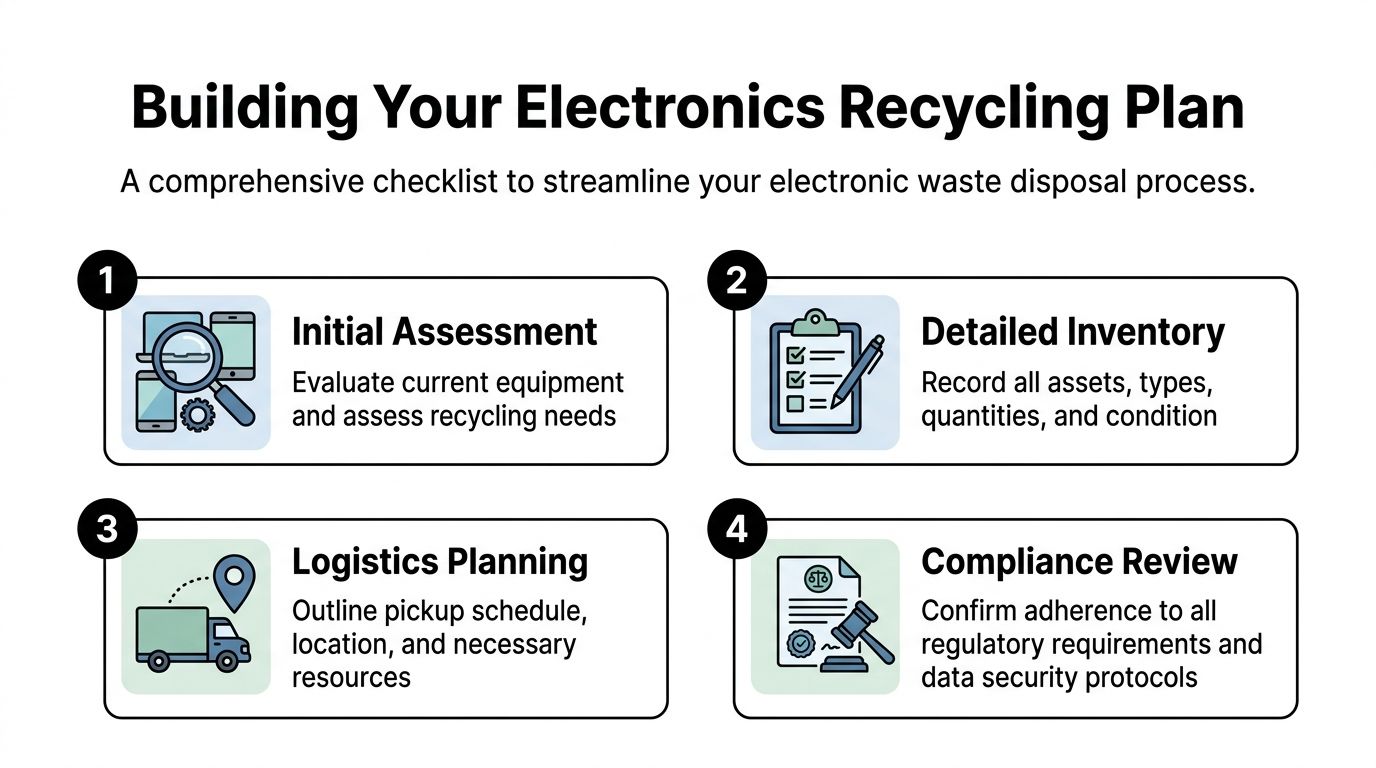
Before anyone unplugs a server or wheels out a centrifuge, build the inventory properly. That sounds basic, but it’s where most electronics recycling atlanta projects either become manageable or go sideways.
Current Atlanta e-waste guides often overlook the specialized compliance needs for scientific laboratory equipment. Medical facilities and research labs face HIPAA, OSHA, and EPA obligations that generic recycling centers may not be equipped to handle, creating a critical risk gap for organizations disposing of items like centrifuges, incubators, or fume hoods, as noted in Atlanta guidance on free electronics recycling and compliance gaps.
A good inventory doesn’t just count pieces. It assigns each asset to a handling path.
Start with four practical categories
Use a working inventory that separates assets into these groups:
Data-bearing electronics
Desktops, laptops, servers, NAS units, external drives, backup tapes, copiers, and some lab systems with onboard storage all belong here. If the device might hold PHI, PII, credentials, or research data, flag it immediately.Lab equipment requiring clearance
Instruments that were used around biological, chemical, or pharmaceutical materials need review before pickup. Don’t assume a recycler can determine field decontamination status on your behalf.General e-waste with no special contamination concerns
Monitors, keyboards, docking stations, cables, phones, and similar support hardware fit here. These are usually straightforward, but they still need quantity, location, and condition documented.Potential reuse or resale candidates
Newer business IT equipment and selected instruments may preserve value if they can be sanitized, tested, and remarketed through the proper channel.
This visual checklist captures the planning workflow many teams need before scheduling removal:
What your inventory should actually include
The inventory has to be useful to operations, not just purchasing. That means every line item should answer the questions a pickup crew, data-destruction team, and compliance reviewer will ask later.
Include:
- Asset description such as Dell tower, HPE server, refrigerated centrifuge, or CO2 incubator
- Quantity and location down to room, floor, closet, cage, or lab number
- Condition such as working, nonfunctional, incomplete, damaged, or unknown
- Data status including “contains drive,” “drive removed,” “unknown,” or “non-data asset”
- Regulatory notes for anything tied to patient records, student data, grant-funded research, or controlled lab environments
- Handling notes such as requires pallet jack, bench disassembly, escort access, elevator booking, or decontamination release
The best inventories are boring. They leave no room for interpretation when the truck arrives.
Flag the items that create delay later
The biggest scheduling problems come from assets that look simple on paper but aren’t simple in the field. A small benchtop device may still require a decon signoff. An office copier may have internal storage. A server may be physically accessible but still tied to a system that hasn’t been cut over.
Review your list with three internal stakeholders before pickup approval:
- IT or information security for data-bearing devices and retention questions
- Lab management or EHS for decontamination status and handling restrictions
- Facilities or operations for loading access, labor constraints, and building rules
If your team needs a baseline for accepted hardware categories and service scope, a focused IT asset disposal resource can help frame that discussion.
Build the quote around the real work
Organizations often ask for pricing before they’ve defined the project. That usually produces a rough estimate, then change orders once the crew discovers stairs, freight elevator restrictions, hidden drives, or unapproved lab gear.
A solid disposal plan gives a provider enough detail to quote the work accurately and route each asset correctly. It also helps your internal team decide what should be wiped, what should be shredded, what can be resold, and what should never enter a generic e-waste stream in the first place.
Secure Preparation and On-Site De-Installation Logistics
Once the inventory is approved, the next phase is physical control. During this phase, many organizations underestimate the difference between “pickup” and actual de-installation.
A straightforward office cleanout might only require staged pallets and labeled carts. A hospital lab shutdown is different. Equipment may be hard-plumbed, bolted to benches, networked into restricted systems, or stored in rooms with limited access windows. If you don’t sequence the removal properly, your team loses time and increases risk.
Separate your responsibilities from the recycler’s responsibilities
The cleanest projects start when each side knows what it owns.
Your organization usually needs to handle:
- Internal approvals for release, surplus signoff, and department ownership
- System shutdown timing so live equipment isn’t disconnected too early
- Decontamination clearance for lab equipment that may have exposure concerns
- Access coordination for loading docks, elevators, badging, and escorts
The disposal partner should handle:
- On-site de-installation for complex or heavy assets
- Packing and loadout that protects both equipment and your facility
- Labeling and segregation so data-bearing items stay in controlled channels
- Transport logistics to move assets into a documented chain of custody
This part of the job is rarely glamorous, but it’s where operational discipline matters most.
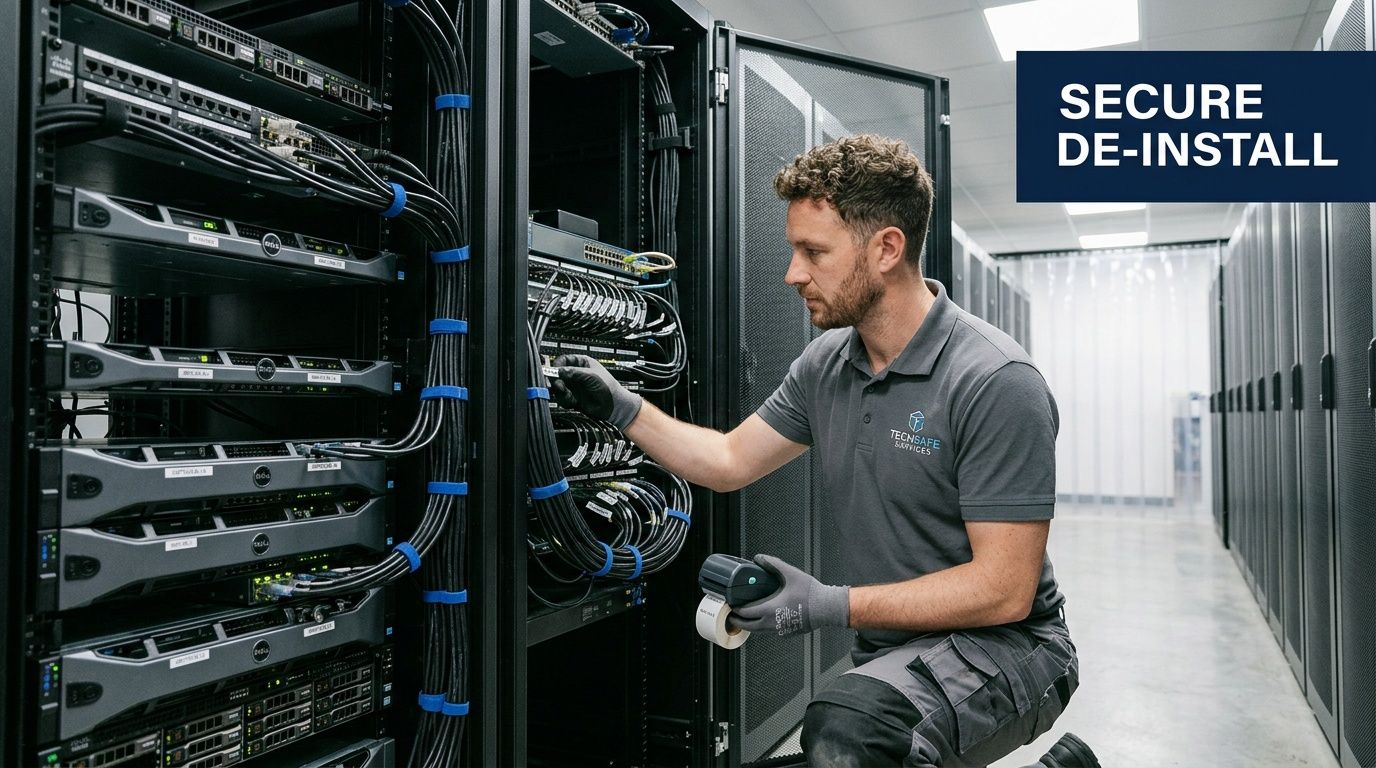
What should happen before pickup day
A well-run site prep checklist is short and specific. Long checklists usually get ignored.
Use this sequence:
Confirm release status
No item should be marked for removal unless the owning department has approved disposition.Verify decontamination where applicable
Lab teams should clear instruments according to internal protocol before anyone else handles them.Identify drives and storage media
Don’t rely on assumptions. Printers, analyzers, workstations, and servers can all store data.Create staging zones
Group items by handling path: wipe, shred, recycle, reuse candidate, or special handling.Reserve building logistics
Book dock times, elevator access, hallway protection, and after-hours windows if needed.
If staff are still deciding what’s in scope when the truck arrives, the project wasn’t ready for pickup.
When professional de-installation is worth it
Some assets shouldn’t be touched by general maintenance staff or junior IT technicians during disposition. Not because the equipment is fragile, but because the removal itself creates risk.
That includes:
- Server racks and storage arrays with dense cabling and multiple dependencies
- Large analytical instruments that need disassembly before they can clear doors or hallways
- Fume hoods and specialized lab fixtures that may involve environmental and safety review
- Mixed-room decommissions where IT hardware and lab equipment must be segregated on site
In those cases, on-site de-installation reduces downtime and prevents the common mistakes. Cables stay identified. Accessories stay matched to the right asset. The pickup team doesn’t damage walls, elevators, door frames, or adjacent benches while rushing a loadout.
Providers with their own logistics capability can simplify this part of the job. For example, Scientific Equipment Disposal operates a box-truck fleet for on-site de-installation, packing, pickup, and movement of both IT equipment and lab assets in the Atlanta area. That matters when a project involves more than a simple dock drop.
What doesn’t work
Three habits create avoidable failures in field logistics:
Loose scope definition
Teams say “take everything in that room,” then discover leased assets, retained equipment, or items that still need records review.Unverified contamination status
Equipment gets set aside because no one can confirm it’s safe to handle.Mixed carts and pallets
Drives, reusable systems, scrap electronics, and regulated lab equipment get combined. That slows intake and increases documentation errors.
Good de-installation work looks methodical because it is. The handoff has to be controlled before the first asset leaves the building.
Choosing Your Data Destruction Method Wiping vs Shredding
Data destruction decisions shouldn’t be made by habit. They should be made by asset type, device condition, and compliance requirement.
For many Atlanta organizations, the biggest mistake is using one method for everything. That’s inefficient. It also sacrifices either security or value depending on which direction you overcorrect. If you shred every drive automatically, you may destroy reusable assets unnecessarily. If you try to wipe failed media, you may end up with incomplete sanitization and a bad audit position.
The key technical baseline is straightforward. The DoD 5220.22-M 3-pass sanitization standard renders data unrecoverable by overwriting it with specific patterns. For nonfunctional media, industrial shredding reduces drives to particles smaller than 2mm, achieving 99.9% data recovery prevention per NIST SP 800-88 guidelines. That dual capability is essential for HIPAA-aligned handling, as summarized in this data destruction overview.
When wiping makes sense
Wiping is the better choice when a drive is functional and the organization wants to preserve reuse or remarketing options.
That usually applies to:
- Recently retired laptops and desktops
- Working servers headed for resale or component recovery
- Storage devices that can still pass intake testing
- Institutional refreshes where asset value still matters
The operational advantage is simple. Software sanitization clears the data while leaving the hardware intact. If the device is still useful, it can move to a remarketing or responsible reuse channel instead of immediate physical destruction.
When shredding is the better decision
Shredding is the right call when a device can’t be trusted to complete a wipe or when policy requires physical destruction.
Common examples include:
- Failed hard drives
- Damaged storage media
- Devices with unknown integrity or inaccessible data
- High-sensitivity environments that require destruction over sanitization
For those assets, shredding closes the loop faster. It also removes debate. There’s no question about whether the media booted, whether a wipe completed, or whether the storage module was hidden inside a non-obvious device.
Some drives are too old, too damaged, or too risky to spend time on. Shredding is the clean answer when certainty matters more than residual value.
Data Sanitization Methods Wiping vs Shredding
| Method | Best For | Compliance Level (HIPAA, NIST) | Cost Impact | Asset Value Preservation |
|---|---|---|---|---|
| DoD 5220.22-M 3-pass wiping | Functional drives in laptops, desktops, servers, and other reusable systems | Appropriate when sanitization is documented and the media can be successfully processed | Often supports lower net disposition cost when the asset retains reuse value | High |
| Industrial shredding | Nonfunctional media, failed drives, damaged storage, and high-security destruction requirements | Strong fit for environments that require physical destruction and documented end state | Can increase direct destruction cost but reduces ambiguity and rework | None after destruction |
How to decide without overcomplicating it
A practical decision tree looks like this:
- If the drive works and the hardware still has disposition value, choose wiping.
- If the drive fails, can’t be accessed, or policy requires destruction, choose shredding.
- If the asset type is unclear, isolate it first. Don’t guess.
- If the device may contain PHI or other regulated data, make sure the method and records will satisfy your compliance team.
That’s where many IT and compliance teams benefit from reviewing a dedicated secure data destruction process before the project starts. The method should be chosen deliberately, then documented consistently across the inventory.
What works in real operations
The best programs don’t argue wiping versus shredding as if one method is superior in every case. They use both.
Wiping is efficient when the media is functional and the organization wants to preserve asset value. Shredding is definitive when the media is dead or the risk threshold is higher. The mistake is forcing every asset into the same lane just because that’s what the last project did.
For electronics recycling atlanta projects that involve both office IT and lab-connected computing systems, that distinction matters even more. Lab environments often contain hybrid devices. Some look like instruments but contain storage. Others look like standard workstations but are tied to regulated workflows. Your destruction method has to match the device, not the label on the room.
From Pickup to Processing The Secure Chain of Custody
The moment equipment leaves your building, trust shifts from your internal controls to your recycler’s operational controls. If that handoff isn’t documented, the rest of the process becomes hard to defend.
Atlanta’s recycling system relies on certified chains of custody to manage a device influx in Georgia that grew from 2,000 units in 2013 to 55,000 by 2017. Professional B2B services tag, track, and properly process assets, unlike the 12% national average for e-waste recycling noted in this overview of Atlanta electronics recycling operations.
What a controlled handoff looks like
A secure chain of custody starts on site, not at the warehouse. Assets should be identified, counted, and loaded in a way that preserves the inventory categories established earlier. Data-bearing devices shouldn’t disappear into a generic bulk stream. Lab equipment with special handling notes shouldn’t be mixed with ordinary peripherals.
This infographic reflects the process organizations should expect from pickup through final reporting:
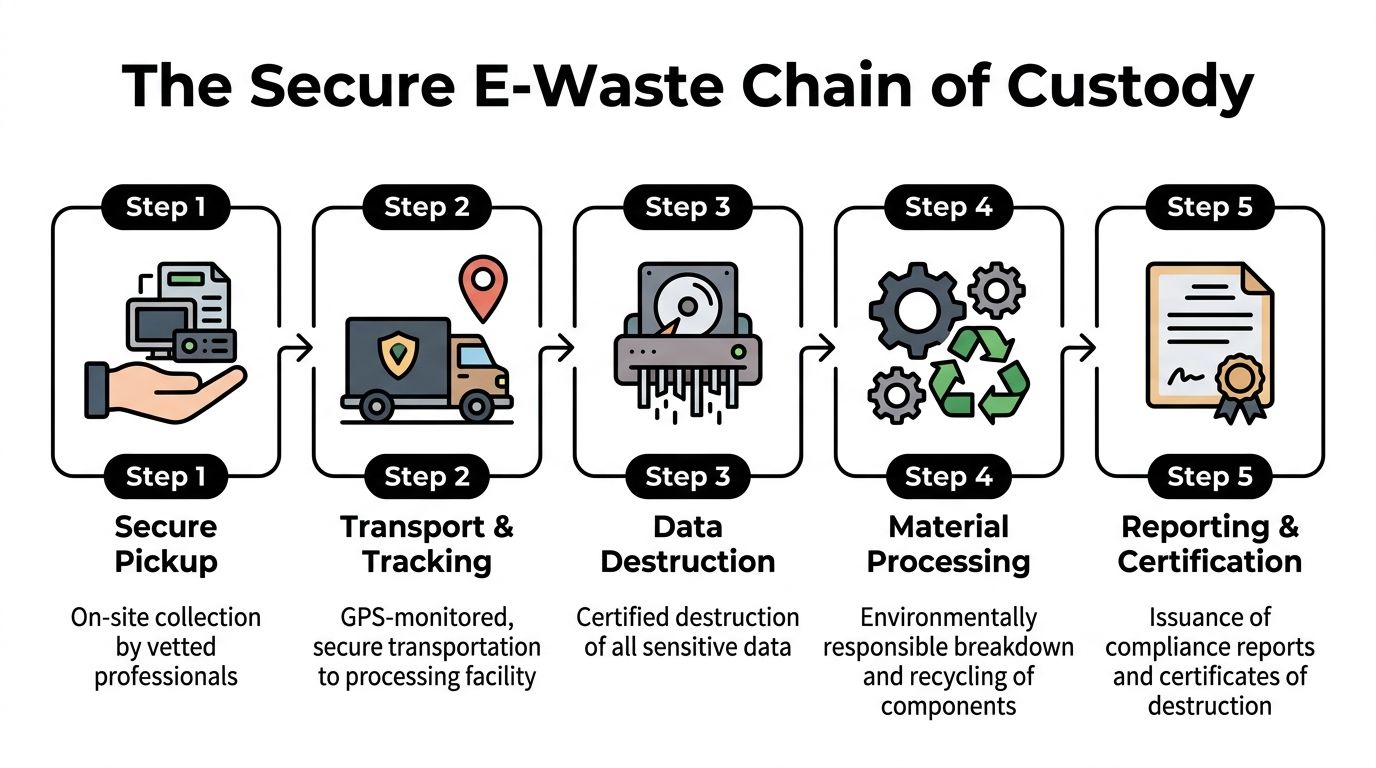
A disciplined downstream path usually includes:
- On-site pickup records that tie items to a service event
- Transport tracking so the load moves directly into a controlled facility workflow
- Facility intake and reconciliation against the outbound inventory
- Assigned processing path for wiping, shredding, reuse evaluation, dismantling, or recycling
- Final reporting that confirms what happened to the assets
What happens inside the facility
Operator shortcomings are revealed. If intake is sloppy, everything after it gets murky.
A credible processing workflow typically includes a controlled check-in, review of asset categories, and separation of data-bearing devices from general scrap. From there, storage media moves to the approved destruction path. Other electronics move into disassembly and material recovery workflows based on type, condition, and reuse potential.
A certificate matters, but the operating discipline behind it matters more. Paperwork should reflect the process, not replace it.
For clients, transparency matters. You should be able to ask basic operational questions and get clear answers. How are loads checked in? How are data devices segregated? How are exceptions handled when inventory and received material don’t match?
If you want a model for how the service flow should be structured, review a practical how-it-works overview for compliant equipment disposition. The key is not marketing language. The key is whether the process is specific enough to stand up under scrutiny.
Where organizations get exposed
The biggest risks in chain of custody usually come from avoidable gaps:
- Bulk pickups with poor tagging
- Mixed handling of IT and lab equipment
- No intake reconciliation
- Unclear downstream vendors
- Delayed or incomplete processing records
When a provider can’t explain exactly how assets move from truck to intake to destruction or recycling, the customer is left carrying the risk. For hospitals, universities, government agencies, and corporate IT teams, that’s a bad trade.
Final Documentation and Understanding Costs
The pickup isn’t the finish line. The finish line is defensible documentation.
Organizations often focus on truck schedules, labor, and whether the room gets cleared on time. That matters operationally, but audits don’t care how fast the loadout happened. Audits care whether you can prove what equipment left, how data was destroyed, and how the material was processed afterward.
The documents you should ask for every time
At minimum, your records package should address both data destruction and material disposition.
Look for:
- Certificate of Destruction for data-bearing media and devices processed through approved destruction workflows
- Certificate of Recycling or equivalent material disposition documentation for non-data equipment
- Asset-level or batch-level reporting that aligns with your original inventory
- Pickup and service records showing dates, locations, and custody transfer details
This is the paperwork that closes the loop for compliance, legal review, and internal asset control.
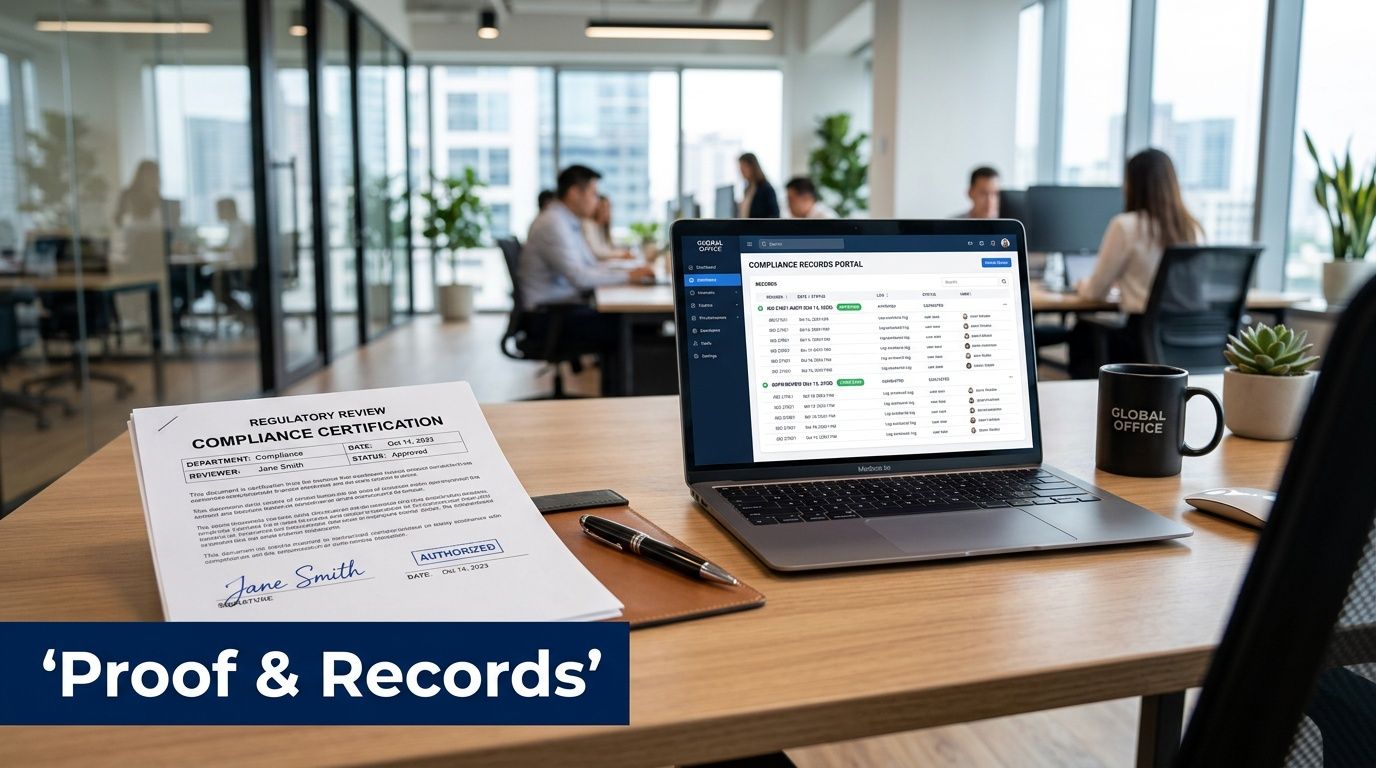
If your team hasn’t seen one before, a sample certificate of destruction is useful because it shows the level of specificity you should expect, not just the title of the document.
Why low-price disposal can become expensive later
Cheap disposal often strips out the parts of the process that matter most. The quote may look attractive because the provider assumes dock-ready material, no de-installation complexity, no inventory reconciliation, and minimal reporting.
Then the real job starts. Someone finds hidden drives. A lab manager objects to moving an instrument without decon documentation. Facilities discovers the freight elevator wasn’t reserved. The provider bills extra or leaves half the job behind.
A better way to evaluate cost is to look at what’s included:
| Cost factor | What to verify |
|---|---|
| Pickup scope | Is this dock pickup only, or does it include on-site de-installation and packing? |
| Data destruction | Are wiping and shredding options defined clearly for different asset conditions? |
| Labor complexity | Does the quote account for stairs, bench removal, palletizing, or after-hours work? |
| Documentation | Will you receive destruction and recycling records that satisfy internal compliance review? |
| Reuse potential | Is there a path for value recovery on eligible equipment instead of treating everything as scrap? |
The non-negotiable point
If a recycler can’t provide clean documentation, the service wasn’t complete. It doesn’t matter whether the room is empty.
Your finance team may approve the invoice. Your compliance team has to live with the paper trail.
That’s why final reporting should be part of the original scope, not an afterthought requested days later. In electronics recycling atlanta work, documentation is what turns a disposal event into a defensible disposition record.
Building a Sustainable Asset Disposition Program in Atlanta
The strongest organizations don’t treat equipment disposition as a one-time cleanup. They build a repeatable program.
That program starts with disciplined inventory, then moves through controlled site prep, informed data-destruction decisions, documented transport, and final certification. Each step reduces a different kind of risk. Inventory reduces surprises. De-installation planning reduces operational disruption. Proper wiping or shredding reduces data exposure. Chain-of-custody controls reduce accountability gaps. Documentation reduces legal and audit exposure.
For Atlanta hospitals, clinics, universities, labs, and IT departments, the key differentiator is whether the process can handle both ordinary electronics and specialized equipment in the same project. That’s where generic guidance often falls short. Mixed inventories need more than recycling access. They need operational sequencing, compliance awareness, and a provider that understands why a centrifuge, a storage array, and a copier can’t all be treated the same way.
A sustainable disposition program also improves internal decision-making. Teams stop improvising at end of life. They know how to classify assets, who signs off on decontamination, when to schedule pickup, and what paperwork to retain. That consistency is what keeps surplus from turning into a recurring fire drill.
If your organization is planning a lab decommission, data center refresh, office consolidation, or campus-wide equipment removal, don’t start with the truck. Start with the handling path for each asset and the compliance record you’ll need at the end.
If you need a practical partner for Scientific Equipment Disposal, the company handles Atlanta-area B2B pickup, de-installation, lab equipment removal, secure data destruction, and compliant recycling for hospitals, universities, government agencies, and corporate IT teams. A consultation can help map your inventory, identify special handling requirements, and build a disposal plan that’s secure, documented, and workable in the field.