Electronics Recycling Services in Dacula GA: Electronics

You’re probably dealing with one of two situations right now. Either a refresh project got approved and now you’ve got a back room full of retired desktops, switches, drives, and monitors, or a lab, clinic, or university department in the Dacula area is closing, moving, or upgrading and nobody wants to own the pile of aging analyzers, centrifuges, incubators, and embedded electronics.
That’s where Electronics Recycling Services in Dacula GA stop being a simple pickup problem and turn into a compliance and logistics job. The wrong vendor treats everything like scrap. The right vendor treats every asset like a tracked item with environmental, security, and operational consequences.
The High Stakes of Specialized E-Waste in Dacula
A Dacula lab closes one room for renovation and the disposal list looks simple at first. Then facilities walks the space and finds bench instruments with embedded memory, UPS units under counters, a freezer monitor tied into the network, a copier with a hard drive, and retired workstations that still sit inside a clinical workflow. At that point, disposal stops being a junk removal task and becomes a security, compliance, and logistics job.
That distinction matters most for hospitals, universities, research groups, and technical departments. Consumer drop-off programs are built for phones, TVs, and a few laptops. They are not set up to manage de-installation in active spaces, chain of custody for data-bearing assets, or the handling requirements that come with analyzers, centrifuges, incubators, imaging peripherals, and mixed battery-backed equipment.
Why business and lab assets are different
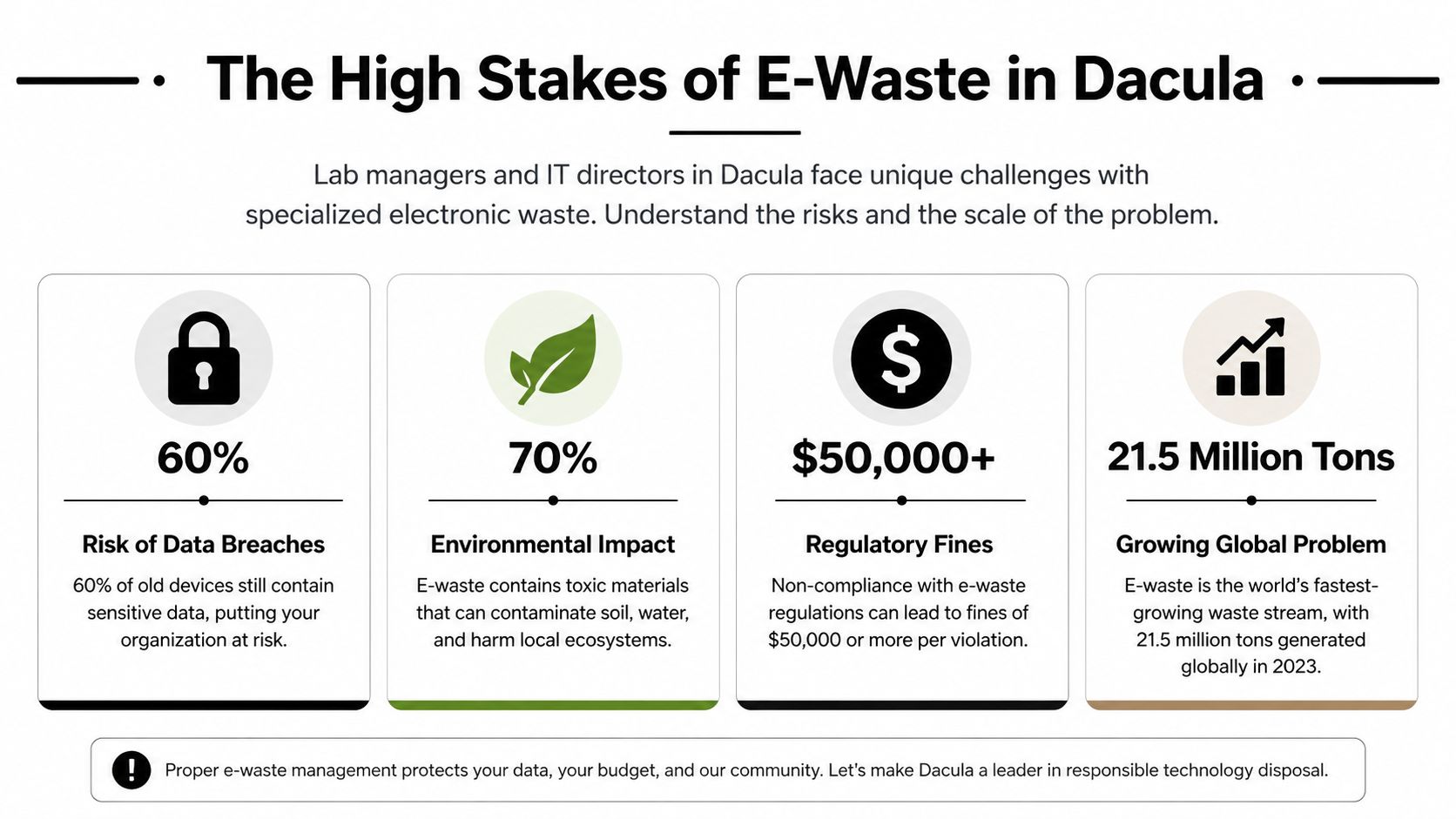
In practice, specialized e-waste creates three separate control problems at the same time.
- Data exposure: Desktops, servers, copiers, external drives, and lab equipment with onboard storage can retain regulated or confidential information long after users assume the device is inactive.
- Environmental handling: Batteries, lamps, leaded components, mercury-containing parts, and other regulated materials need the right downstream process, not a general cleanout crew.
- Site logistics: Heavy, fragile, or installed equipment often needs coordinated shutdown, de-installation, packing, and staged removal without interrupting nearby operations.
I see the same mistake on mixed-asset projects across healthcare and higher education. Teams group everything under "electronics" and expect one disposal path to fit all of it. That is how hard drives get missed, decontamination questions surface late, and an easy pickup turns into a delayed project with compliance exposure.
Local e-waste volume adds pressure, but the primary risk sits inside the asset mix. Earlier source data in this article notes that Dacula generates a meaningful amount of electronic waste each year and that only a limited share is properly recycled. For an organization with regulated data or specialized equipment, the operational issue is not the citywide total. The issue is whether each retired asset moves through the correct chain of custody, data destruction method, and downstream recycling channel.
That is why a hospital wing cleanout, a university lab refresh, and a biotech equipment swap require more control than a standard public recycling option. A recycler may be perfectly fine for consumer devices and still be a poor fit for boxed medical peripherals, loose storage media, and instruments that need careful handling before they leave the building.
Packaging also gets overlooked. During internal staging, poor packing decisions create avoidable breakage, battery incidents, and confusion at pickup. Using responsible packaging practices helps protect fragile equipment and keeps mixed loads more organized once departments start consolidating material from multiple rooms.
For teams building policy around these projects, this modern guide to managing e-waste gives useful context on how retired scientific and business electronics become a liability when disposal planning starts too late.
Phase One Your Pre-Disposal Planning and Asset Inventory
Most disposal problems start before a truck ever arrives. Someone says, “We have about a pallet or two,” and the actual count turns out to include lab benches, loose drives, cables, monitors, battery backups, and a few instruments nobody listed because they were in a side room.
That’s why the first job is inventory. Not a rough estimate. A working manifest.
Build the inventory the way your recycler will need it
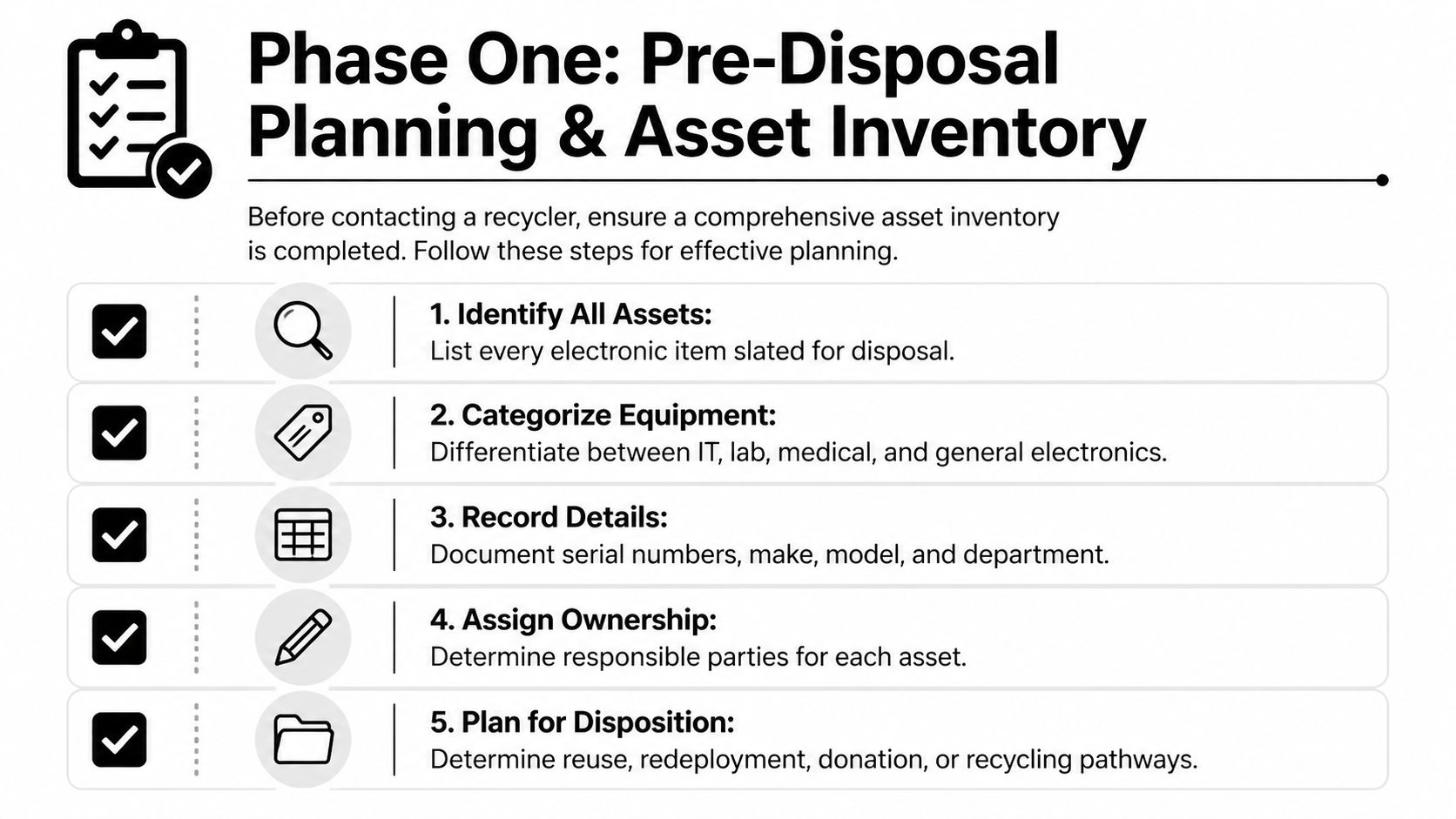
The best internal inventories are simple enough for department staff to complete and detailed enough for chain-of-custody purposes later. The useful fields are usually the same across most projects:
| Inventory field | Why it matters |
|---|---|
| Asset type | Separates IT, lab, medical, and general electronics |
| Manufacturer and model | Helps determine handling, reuse potential, and pickup needs |
| Serial number | Supports traceability and audit records |
| Condition | Distinguishes resale candidates from scrap or destructive processing |
| Current location | Speeds collection and route planning inside the building |
| Data-bearing status | Flags wiping or shredding requirements |
| Decontamination status | Identifies items that can move immediately versus items needing clearance |
If you skip serial numbers on data-bearing equipment, you make your own audit trail weaker. If you skip condition notes, you make quoting slower and less accurate. If you skip locations, your staff and the pickup crew waste time walking the site.
Separate by risk, not just by department
A common mistake is grouping everything by who owns it. Accounting’s pile. Biology’s pile. Radiology’s pile. That helps internally, but it doesn’t tell the recycler how to process the material.
Use operational categories instead:
- Data-bearing assets: laptops, desktops, servers, SAN units, external drives, copiers, printers with memory, networking gear, embedded controllers
- Standard peripheral electronics: monitors, docks, keyboards, mice, cables, phones
- Lab and scientific equipment: pipettes, centrifuges, incubators, balances, analyzers, microscopes, fume hood electronics
- Special handling items: batteries, UPS units, devices with broken screens, equipment pending decontamination clearance
That one decision reduces confusion fast. It also helps you assign the right internal approvals. IT can review storage media. EHS can review contamination status. Facilities can coordinate access and loading paths.
Practical rule: If a device can store, transmit, or cache information, treat it as data-bearing until someone qualified confirms otherwise.
Flag devices that need a different path
Some assets don’t belong in the same pickup stream as general electronics. For example:
- Nonfunctional drives should usually be earmarked for physical destruction rather than software wiping.
- Instruments used in wet labs may need decontamination confirmation before a crew can handle them.
- Oversized or bench-mounted equipment may require disconnection, tools, or lift support.
- Equipment tied to grants, leases, or internal asset controls may need finance approval before release.
The cleanest projects have one owner internally. Usually that’s facilities, IT, operations, or lab management. That person doesn’t need to touch every item, but they do need to control the master list and approve what leaves the site.
What works and what usually causes delays
A strong inventory doesn’t have to be elegant. A spreadsheet is fine. A shared asset list exported from your CMDB is fine if it’s updated. Handwritten notes in three departments are not fine.
What works:
- One master file with current revisions
- Room-by-room validation before scheduling pickup
- Photo references for odd or oversized assets
- A clear yes/no field for data-bearing devices
- A decontamination signoff field for lab equipment
What usually fails:
- Using estimates instead of counts
- Leaving loose drives off the list
- Assuming all lab equipment is safe to handle
- Ignoring storage closets and secondary rooms
- Waiting until pickup day to identify access issues
If your team needs a benchmark for how recyclers think about secure retirement of business electronics, this overview of IT asset disposal is the right level of detail.
How to Vet Your Recycling Partner for Security and Compliance
A hospital in the Dacula area clears a pathology lab. An IT team retires storage from a research cluster. A university department sends out instrument controllers, failed drives, and bench equipment with embedded memory. At that point, vendor selection stops being a recycling question and becomes a risk decision.
You need a provider that can control custody, document processing, and handle specialized assets without guessing. General consumer e-waste services usually are not built for that standard.

Start with chain of custody and data destruction
The first screen is simple. Ask the provider to show how an asset moves from your room list to final processing, and what record they produce at each handoff.
For labs, hospitals, and universities, that record trail matters more than marketing language. If a recycler cannot produce serialized tracking for covered devices, identify data-bearing assets before processing, and issue a destruction certificate tied back to your load, they are not a fit for regulated material.
That applies to more than laptops and servers. In this market, risk often sits inside instrument workstations, analyzers with embedded storage, networked imaging devices, and loose drives pulled during decommissioning.
Ask how they sanitize media
Good vendors answer this in plain terms. They explain which media can be sanitized for reuse, which failed devices go straight to destruction, and how they document both paths.
Look for answers like these:
- Reusable drives and functional media: software sanitization using a recognized standard and verification process
- Obsolete, failed, or damaged media: physical shredding or other documented destruction
- Mixed loads: clear segregation of data-bearing devices before any resale or commodity processing
- Reporting: serial-linked records and Certificates of Data Destruction
If your internal security team is also reviewing retention controls and outbound information handling before equipment leaves the site, this guide to data loss prevention is a useful companion.
If the answer is "we wipe everything" and nothing more, keep looking.
Certifications matter if the process behind them is visible
Buyers often stop at logos on a website. I would not. Certifications help, but only if the operating process holds up when you ask detailed questions.
Use this screening view:
| What to check | What you want to hear |
|---|---|
| Data handling | Serialized tracking, documented wipe and shred procedures, destruction certificates |
| Downstream controls | Clear material flow, approved downstream vendors, stated policy on landfill avoidance |
| Pickup security | Trained crews, controlled loading, documented exceptions, signed transfer records |
| Reporting | Asset-level documentation, not just pallet counts or weight tickets |
| Specialized assets | Clear acceptance criteria for lab, medical, scientific, or embedded electronic equipment |
A provider serving Dacula institutions should be able to explain how they handle mixed business loads that include standard IT gear, specialty instruments, batteries, and damaged electronics. If they mainly talk about TVs, household drop-offs, and scrap weight, that tells you what operation they are built for.
Questions that expose weak vendors quickly
These are the questions I would put in front of any recycler bidding on a hospital, lab, or campus project:
- Can you provide serialized chain-of-custody records for all listed data-bearing assets?
- Do you issue a Certificate of Data Destruction after processing?
- What determines whether media is sanitized for reuse or physically destroyed?
- Can you handle scientific or lab equipment with embedded electronics or storage?
- What do you require before accepting decommissioned lab or medical devices?
- Do you provide on-site de-installation and packing, or does my staff need to stage material?
- How do you handle failed drives, UPS units, batteries, and damaged equipment?
- What documentation do you provide for HIPAA, internal audit, or university property controls?
Listen to how they answer. Strong providers answer directly and stay specific about custody, media handling, and exceptions. Weak providers drift back to pickup speed or price because they do not have a disciplined process.
Execution quality matters more than footprint
The primary issue is execution quality, not whether a provider is local or national. A nearby company can do excellent work if its chain of custody is tight, crews are trained, and documentation is consistent. A larger provider can also work well if local operations are controlled and your site is not being handed off through multiple layers.
The trade-off is practical. Local teams may give you faster site access and better familiarity with building constraints in Dacula-area facilities. Larger networks may offer broader processing capacity for mixed loads across departments. Neither model helps if custody breaks down, reporting is vague, or specialized assets fall outside the crew's experience.
For a practical framework on evaluating providers without getting distracted by marketing claims, review this article on choosing a local or nationwide e-waste recycling company you can trust.
Executing a Seamless Pickup De-Installation and Logistics
The day of pickup tells you whether the project was planned well. A professional operation looks quiet. The crew checks in, reviews scope, confirms loading paths, separates priority assets, packs what needs protection, and moves material without disrupting half the building.
A weak operation looks busy and uncertain. Staff start asking for carts, extension cords, and extra help because the vendor assumed everything would be waiting at the dock.

What a managed pickup usually looks like
For a Dacula-area lab cleanout or data room retirement, the cleanest sequence usually goes like this:
Site arrival and scope confirmation
The crew reconciles the manifest with what’s onsite, identifies any exceptions, and confirms which items require special handling.De-installation of connected equipment
Rack equipment, bench instruments, or fixed electronics are disconnected methodically so nothing gets damaged and no unknown device gets left behind.Segregation by processing path
Data-bearing items, reusable equipment, scrap electronics, batteries, and special handling materials are separated before loading.Packing and protection
Fragile instruments, drives, and components are boxed, wrapped, palletized, or otherwise secured for transport.Controlled load-out
Material moves through approved hallways, elevators, loading docks, or service entrances with building rules in mind.
That process matters because staff shouldn’t have to improvise on pickup day. Facilities teams already have enough going on.
A realistic example from a mixed-asset project
Consider a common Atlanta-metro scenario. A research group vacates one suite while central IT retires old network gear from an adjacent room. The lab has benchtop instruments, monitors, power supplies, and a few devices no one has touched in years. IT has switches, servers, rails, loose drives, and backup units.
If you use multiple vendors, coordination gets messy fast. One company says they only take general electronics. Another won’t touch anything from the lab. A third expects all assets packed and waiting downstairs. Internal staff then spend hours sorting, labeling, and moving items they weren’t trained to decommission.
The cheapest quote often assumes your team does the hardest part. That’s where projects go sideways.
A full-service crew changes that. They can work room by room, handle de-installation, document exceptions, and pack equipment correctly before it leaves the facility. That reduces building risk, staff strain, and chain-of-custody gaps.
Details that separate smooth jobs from rough ones
The logistics details usually decide whether the project feels under control:
- Access planning: loading dock rules, elevator reservations, badging, and after-hours entry
- Equipment handling: anti-static protection for some electronics, containment for loose components, stable packing for instruments
- Traffic flow: keeping hallways, patient areas, classrooms, and active labs clear
- Signoff process: confirming what left, what stayed, and what was excluded
For Gwinnett County organizations that need a local pickup reference point, this page on business electronics pickup in Gwinnett County GA gives a practical view of what coordinated collection should look like.
Closing the Loop Documentation and Financials
A hospital IT manager signs off on pickup Friday afternoon. By Monday, legal wants the destruction record, finance wants the invoice split by department, and compliance wants proof that the drives and instrument controllers went through the promised process. If your recycler cannot produce that file package quickly, the project is still open.
Post-pickup records are what turn removal into a defensible disposal event. Labs, hospitals, and universities in the Dacula area usually need more than a basic haul-away receipt because they are managing regulated data, grant-funded equipment, mixed ownership, and internal audit requirements at the same time.

The documents you should expect
A qualified recycler should be able to close the file with records that answer four practical questions: what left the site, which assets were specifically tracked, what happened to data-bearing media, and where the material went next.
| Document or record | What it proves |
|---|---|
| Pickup record or manifest | What was collected and when |
| Serialized asset report | Which specific covered assets entered the process |
| Certificate of Data Destruction | That data-bearing media was sanitized or destroyed |
| Recycling or downstream documentation | That materials moved through the stated processing path |
The exact mix depends on the project. A university surplus cleanout may focus on serialized inventory and value recovery. A hospital disposal file usually needs stronger media documentation. A lab retirement project may also need internal clearance records for equipment that was held back due to contamination review.
Generic receipts are a problem. They do not tell your audit team which server, analyzer workstation, freezer controller, or removable drive was processed.
Why specialized equipment changes the financial picture
Specialized scientific and medical assets cost more to retire correctly because they create work that consumer-focused e-waste programs usually do not cover. A centrifuge with embedded controls, an HPLC workstation, an imaging system console, or a rack of storage arrays may all require different handling, different documentation, and different downstream decisions.
Some assets have resale value. Many do not. Older lab instruments often have limited secondary demand unless they are complete, functional, and supported. Standard monitors and low-grade peripherals usually add weight without adding recoverable value. On the IT side, newer servers, network gear, and enterprise laptops can sometimes offset part of the project cost if the chain of custody, testing, and remarketing path are set up correctly.
That is why price should be reviewed as total closeout cost, not truck cost.
What usually drives pricing
Quotes move up or down based on labor, documentation, asset type, and recovery potential. The main factors are usually:
- Asset mix: office electronics price differently than SAN hardware, UPS units, lab analyzers, and devices with embedded storage
- Data handling: wiping, shredding, serialized tracking, and exception reporting add processing steps
- Documentation depth: finance may only need an invoice, but compliance and audit often require manifests, serial reports, and destruction records
- Recovery potential: functional enterprise IT assets may return some value, while obsolete or incomplete equipment usually does not
- Site and accounting complexity: department-level billing, grant ownership, restricted-access areas, and scheduled documentation reviews all add admin time
Low bids often strip out the paperwork, testing, or asset-level tracking that your internal teams expect later.
If you need a benchmark for what that paperwork should look like, review this sample certificate of destruction for serialized media processing before approving a vendor. It sets a clear standard for what “documented” should mean after the equipment leaves your building.
Answers to Your Top Lab and IT Recycling Questions
Some disposal projects don’t fit the standard script. Labs have contamination concerns. Hospitals need quiet scheduling windows. Universities have mixed ownership and grant rules. IT teams have loose media in multiple closets. These questions come up all the time.
Common questions on specialized electronics recycling
| Question | Answer |
|---|---|
| Can a recycler take both lab equipment and standard IT assets in the same project? | Sometimes, but only if the provider is set up for mixed streams. Ask whether they accept scientific equipment with embedded electronics, not just office devices. |
| What should we do with equipment that may be contaminated? | Hold it out of the pickup stream until your EHS, lab manager, or other authorized internal party clears it for handling. Don’t assume an electronics recycler can make contamination determinations onsite. |
| Do old lab instruments contain data? | Many do, especially instruments with onboard storage, user profiles, test logs, network connections, or removable media. Treat them as potential data-bearing assets until reviewed. |
| Is software wiping enough for every drive? | No. Functional media may be suitable for wiping under a documented process such as DoD 5220.22-M. Failed or obsolete media usually need physical destruction. |
| Can pickups happen after hours? | Many business-focused providers can coordinate around building operations if access, security, and site contacts are arranged in advance. That’s often useful for clinics, campuses, and active research sites. |
| Do we need serial numbers for everything? | Not always for every low-risk peripheral, but you do want serial-level tracking for data-bearing assets and for any equipment that needs a stronger audit trail. |
| What if our inventory is incomplete? | Start with what you know, then validate room by room before pickup. Incomplete inventories are common, but they create scope drift, delays, and documentation gaps if nobody cleans them up early. |
| Are monitors, cables, and small peripherals worth listing? | Yes, usually by category and count. They affect volume, labor, and load planning even when they don’t need the same level of tracking as storage devices. |
| Can one pickup include loose hard drives from several departments? | Yes, but consolidate them under controlled internal custody first. Loose media are easy to miss and easy to mishandle if each department stages them differently. |
| What’s the biggest mistake facilities teams make? | Letting internal staff de-install or move specialized equipment without a clear plan. That creates safety issues, breaks chain of custody, and increases the chance that something important gets left behind. |
| What’s the biggest mistake IT teams make? | Assuming obvious devices are the only data risk. Copiers, printers, lab instruments, firewalls, and network appliances can all retain information. |
| How should we compare vendors if all of them claim to be compliant? | Ask for sample documentation, a clear explanation of wipe versus shred decisions, and a description of onsite handling. Real operational detail is more useful than broad marketing claims. |
A few edge cases worth deciding early
Some projects slow down because teams wait too long to resolve special situations. These are the ones I’d settle before scheduling:
- Embedded electronics in lab devices: Decide who reviews them for data and contamination status.
- Shared ownership assets: Confirm whether the department, central IT, procurement, or grants office has release authority.
- Oversized equipment: Verify how the crew will move it and whether doors, elevators, or dock access create constraints.
- Mixed storage media: Separate functional drives from failed drives if you already know their condition.
- Building rules: Confirm insurance, loading windows, escort requirements, and certificate needs before arrival.
What good internal coordination looks like
The best projects usually have three internal owners, even if one person leads:
- IT or information security handles data-bearing identification.
- Facilities or operations manages access, staging, and building coordination.
- Lab leadership or EHS clears specialized equipment for handling if needed.
That shared ownership model keeps decisions from getting trapped in email threads. It also reduces the last-minute surprises that cause missed pickups or partial removals.
Good e-waste projects aren’t won by the truck. They’re won by the prep, the documentation, and the handoff between departments.
If you’re evaluating Electronics Recycling Services in Dacula GA for a hospital, university, lab, or IT environment, keep the standard high. You want secure custody, clear data destruction methods, practical onsite logistics, and paperwork your compliance team can use.
If you need a business-focused partner for lab equipment, servers, storage, and mixed electronics in the Atlanta metro, Scientific Equipment Disposal provides compliant pickup, de-installation, packing, data sanitization, and responsible recycling for hospitals, universities, research facilities, and corporate IT teams.