Computer Recycling Company in Suwanee Georgia

A Suwanee office move, hardware refresh, lab renovation, or hospital storage cleanout usually starts the same way. Someone opens a back room and finds stacked monitors, retired laptops, old servers, dead UPS units, and a few devices nobody wants to claim. In research and healthcare settings, the pile often includes harder items like incubators, centrifuges, pipettes, and equipment that has been exposed to controlled environments or regulated workflows.
At that point, the problem isn't clutter. It's risk.
A business can’t treat retired electronics like ordinary junk. Data-bearing devices may still hold patient records, financial files, login credentials, or research data. Lab equipment may require more than a standard electronics pickup because de-installation, contamination concerns, and downstream handling matter just as much as hauling it out of the building. If you're searching for a Computer Recycling Company in Suwanee Georgia, the right question isn’t who will take it fastest. It’s who can document the process, protect the data, and handle the difficult items correctly.
Your Suwanee Facility Has Piles of Old Computers What Now
The first mistake most organizations make is assuming all e-waste is the same. It isn’t. A batch of office desktops is one thing. A set of servers from a medical practice, or a decommissioned centrifuge from a biotech workspace, is another.
Standard office electronics usually raise two immediate concerns. First, data security. Second, chain-of-custody. Lab and scientific assets add another layer because the item itself may need specialized handling before it can even leave the room. That’s where many local recycling conversations fall apart.
Office IT is straightforward. Lab assets are not
A lot of local recycling pages focus on laptops, desktops, monitors, and general business pickups. That helps if you’re clearing a cubicle farm. It doesn’t help much if your facility has incubators, fume hoods, or devices used in research or clinical environments.
Existing Suwanee-area recyclers often don’t address specialized disposal for laboratory equipment like centrifuges and incubators, even though that gap matters to hospitals and research facilities. That need is becoming more visible, with a 15% rise in Gwinnett County lab e-waste in 2025 noted by Reworx’s Suwanee recycling page.
Practical rule: If the equipment touched regulated data, hazardous environments, or controlled workflows, don’t book it like a junk haul.
What works and what doesn’t
What works is a documented, facility-aware pickup plan. Someone inventories what’s being removed, identifies the data-bearing devices, separates reusable assets from scrap, and confirms whether any scientific equipment needs de-installation or special packing.
What doesn’t work is pushing everything to the loading dock and hoping one vendor can “take care of it.” That approach creates gaps fast.
- Untracked devices: A missing laptop or loose hard drive creates avoidable exposure.
- Mixed loads: Combining ordinary office e-waste with specialized lab equipment can complicate downstream processing.
- Informal disposal: General haulers often remove the material, but they don’t provide the compliance trail your legal, IT, or facilities team may need later.
For organizations in Gwinnett County that need a more organized starting point, a dedicated business electronics pickup service in Gwinnett County is usually the better first step than ad hoc removal.
If your storeroom is full, don’t start by asking how fast it can disappear. Start by asking what each asset category requires before it leaves your control.
The High Cost of Improper E-Waste Disposal for Georgia Businesses
A Suwanee office closes out a workstation refresh, and the old equipment gets stacked in a back room until someone can “haul it off.” A nearby lab retires an analyzer with an internal drive and assumes it counts as scrap metal once it is unplugged. Both situations create the same problem. The equipment leaves the building, but the compliance risk often stays with the business.
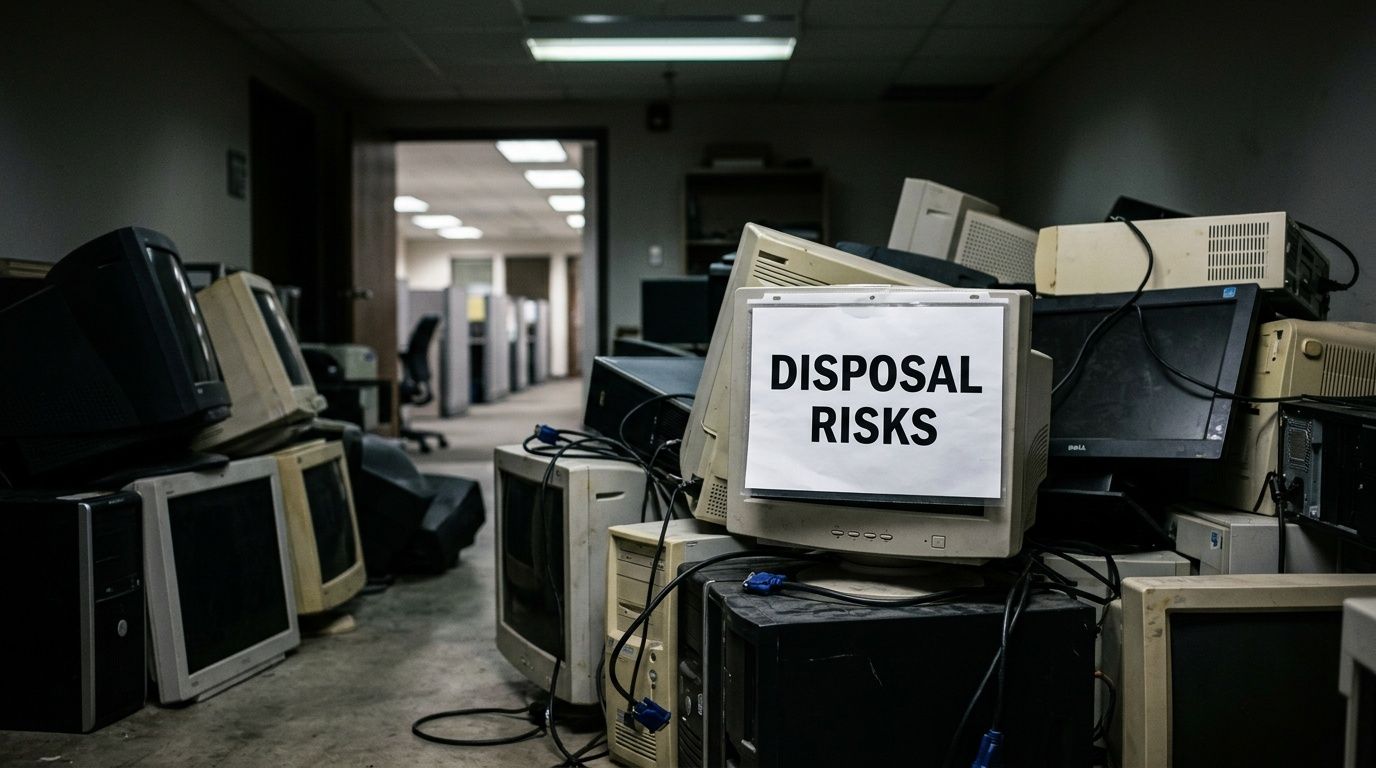
Liability doesn’t end at the dock door
Once a device enters disposition, your organization still needs to account for the data, the handling method, and the downstream path. That applies to standard office equipment, but it matters even more for healthcare, biotech, and research facilities in the Suwanee area, where retired assets can include lab PCs, instrument controllers, imaging peripherals, and scientific equipment with embedded storage.
A low-cost pickup can become expensive fast if there is no asset log, no chain of custody, and no proof of destruction. Security teams get pulled in to identify what left. Compliance asks for records that do not exist. Legal and procurement have to explain why material was released without documented controls.
For Georgia businesses, the practical risks usually fall into three categories:
| Risk area | What goes wrong | What a compliant recycler should provide |
|---|---|---|
| Data exposure | Drives leave the site intact, or devices disappear between pickup points | Serialized tracking, documented sanitization or destruction, and final reporting |
| Environmental handling | Equipment is dumped, stored poorly, or sent into weak downstream channels | Clear recycling methods and traceable downstream processing |
| Audit failure | The business cannot show what happened to each asset | Certificates, pickup records, inventory reconciliation, and chain-of-custody documentation |
Regulated sectors carry a different level of risk
Hospitals, physician groups, testing labs, and R&D operations face a harder disposal problem than a typical office cleanout. A laptop is easy to identify as a data-bearing asset. A chemistry analyzer, ultrasound accessory, refrigerated lab workstation, or instrument control tower is easier to miss, especially if facilities is leading the removal and IT never reviews the equipment list.
That gap is common in real projects. Office IT usually has a retirement process. Specialized lab and scientific equipment often does not.
The risky assumption is that only obvious computers store sensitive information. In practice, analyzers, diagnostic devices, attached controllers, and older scientific systems may retain patient data, test results, user credentials, or proprietary research files.
For Atlanta-area organizations handling those mixed asset streams, a controlled electronics recycling process in Atlanta is usually a better fit than a basic drop-off or bulk junk removal model.
Businesses that process payment card data or protected health information also need the disposition process to support broader documentation requirements tied to PCI DSS and HIPAA compliance.
Cheap disposal often creates expensive cleanup
The invoice from an informal hauler may look fine. The cleanup comes later.
IT has to reconstruct serial numbers from old procurement records. Compliance has to answer whether media was wiped, shredded, or neither. Facilities has to explain who approved removal of equipment that may have contained hazardous components, regulated data, or both. If lab equipment was included in the load, the questions get harder because those assets often need de-installation notes, accessory tracking, and special handling before they can be recycled correctly.
The better standard is simple. Treat e-waste disposition as a controlled exit process. Classify the assets before pickup, separate standard office hardware from specialized lab equipment, document each handoff, and use a recycler that can show what happened after the truck left.
Navigating Data Security and HIPAA Compliance in Asset Disposition
A Suwanee clinic closes a lab, pallets of retired equipment are staged for pickup, and one question determines whether the job is routine or risky. Which of those assets still hold data, and who can prove how that data will be destroyed?
That question goes beyond laptops and file servers. In healthcare, biotech, and research settings, analyzers, imaging accessories, instrument controllers, and older lab workstations can store user credentials, patient-related records, test data, configuration files, or proprietary research. A recycler that only understands standard office IT can miss those devices entirely.
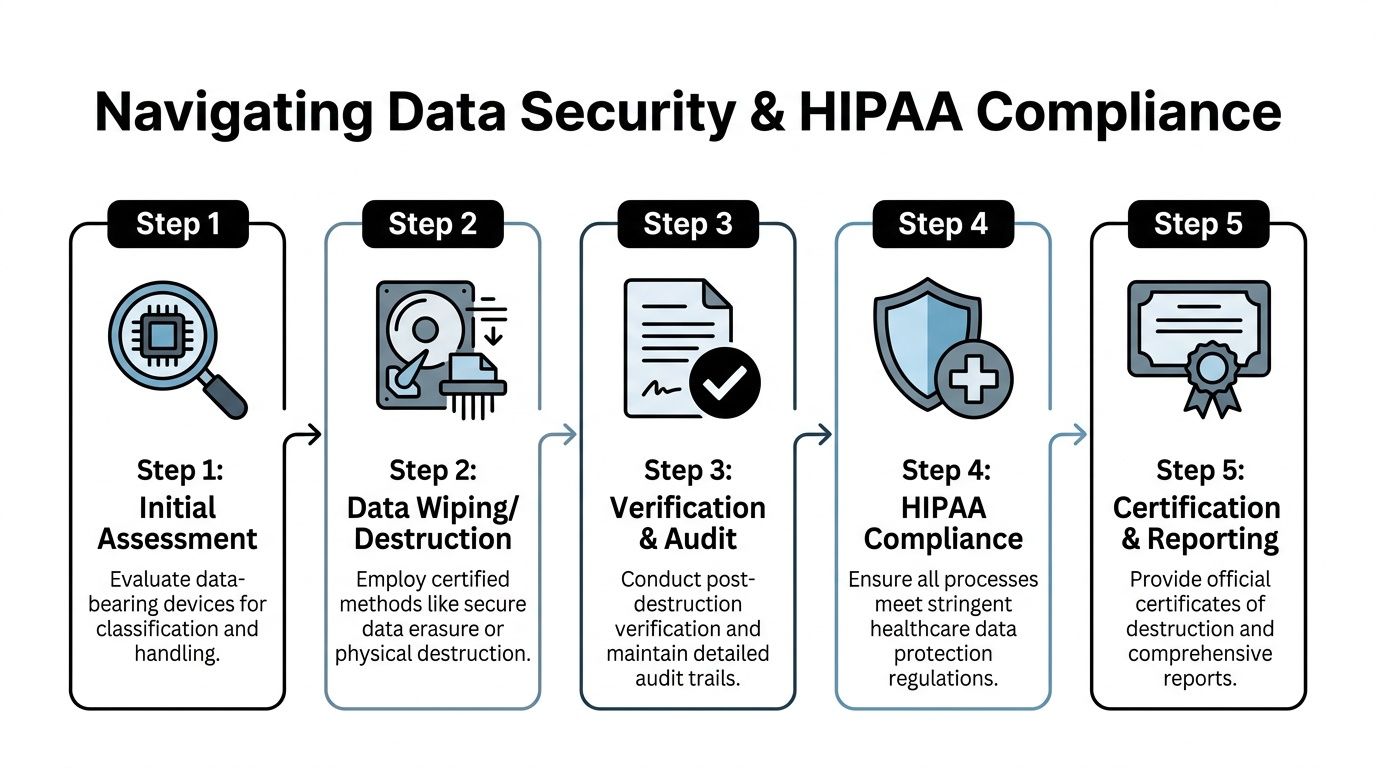
What secure destruction should look like
Secure disposition starts with identifying the media. If the vendor cannot tell you which assets are data-bearing, the rest of the process is paperwork without control.
For healthcare and research environments, the right method depends on the asset condition and the type of storage involved. The DoD 5220.22-M 3-pass sanitization protocol is still commonly referenced for overwrite-based erasure, but overwrite only works when the drive is functional and accessible. If media is damaged, locked, obsolete, or built into specialized equipment that cannot be reliably sanitized in place, physical destruction is usually the safer choice.
The result should be documented at the asset level. Your team should receive records showing what was processed, which method was used, when it occurred, and who handled custody at each stage. That level of detail matters even more for mixed loads that include medical IT and lab equipment.
Five vendor requirements to verify before pickup
Ask for these details before any truck is dispatched:
A clear device identification process
The vendor should have a method for spotting all data-bearing assets, including servers, backup media, network appliances, instrument PCs, embedded storage, and lab systems that do not look like typical office hardware.Method selection rules
They should explain when they sanitize, when they shred, and when de-installation or device disassembly is required before either step can happen safely.Chain-of-custody documentation
You need a traceable handoff from your site to final processing. That includes pickup records, transport control, and downstream handling.Audit-ready reporting
Privacy, legal, and compliance teams should be able to review the file later and understand it without reconstructing the event from email threads.Certificates of Destruction
The certificate should match the assets processed, not serve as a vague summary with no usable inventory reference.
A critical point: if a vendor cannot explain its custody trail in plain English, the process is not ready for regulated equipment.
HIPAA applies to the handling process
Organizations often focus on the end result, whether data was destroyed. Auditors also look at how the equipment moved from active use to final destruction. Was it secured while waiting for pickup? Was access limited? Was transport documented? Was destruction verified against the inventory?
Those questions become harder when the load includes retired lab devices or medical systems with attached PCs, internal drives, or removable media. Standard office cleanouts rarely account for those details. Specialized asset streams do.
If your team is reviewing broader obligations around PCI DSS and HIPAA compliance, asset disposition should follow the same discipline used for access control, retention, and incident prevention. For organizations retiring medical IT, scientific instruments, or storage hardware, a documented secure data destruction service for regulated equipment should support both sanitization and physical destruction.
Internal checklist for pickup day
Before anything leaves the building, complete a short control check:
- Tag every data-bearing asset. Include obvious devices and less obvious ones such as instrument controllers, docking stations with storage, external media, and embedded systems.
- Separate failed or damaged media. Those units often need shredding rather than software erasure.
- Assign one internal owner. IT, compliance, or facilities should approve the final asset list and the release.
- Keep one audit file. Inventory records, pickup paperwork, destruction certificates, and exception notes should stay together.
Handled correctly, disposal becomes a documented control instead of a blind spot.
How to Choose a Computer Recycling Partner in the Atlanta Metro Area
A Suwanee office can clear out laptops and monitors with little planning. A Suwanee lab, clinic, or biotech space usually cannot. The moment a pickup includes instrument controllers, attached PCs, embedded storage, or bench equipment that facilities staff should not disconnect on their own, vendor selection becomes an operations and compliance decision, not a hauling decision.
What a strong vendor conversation sounds like
The first call tells you a lot. A capable recycler does not jump straight to pickup dates and “free” service. They ask what the assets are, where they sit, who uses the space, and what cannot be disturbed without coordination.
That matters more in specialized environments. A stack of retired desktops is straightforward. A pathology analyzer with an attached workstation, a freezer monitor with local storage, or an old imaging cart is different. Those assets often sit inside controlled work areas, may require de-installation, and can create chain-of-custody problems if they are treated like ordinary office surplus.
A strong vendor usually asks questions such as:
- What types of assets are included? Separate standard office IT from lab devices, medical systems, network gear, A/V equipment, and anything with embedded storage.
- Which items are still installed? Removal planning changes if equipment is under desks, in racks, on lab benches, or connected to utilities.
- Are there regulated or restricted areas? Clinics, research spaces, and production rooms often need scheduled access and escorted crews.
- What documentation does your team need? IT, compliance, and facilities rarely need the same records.
- Are any assets damaged or incomplete? Broken drives, failed instruments, and partial systems need a different handling path.
A vendor that asks better questions usually runs a better project.
Ask for proof, not slogans
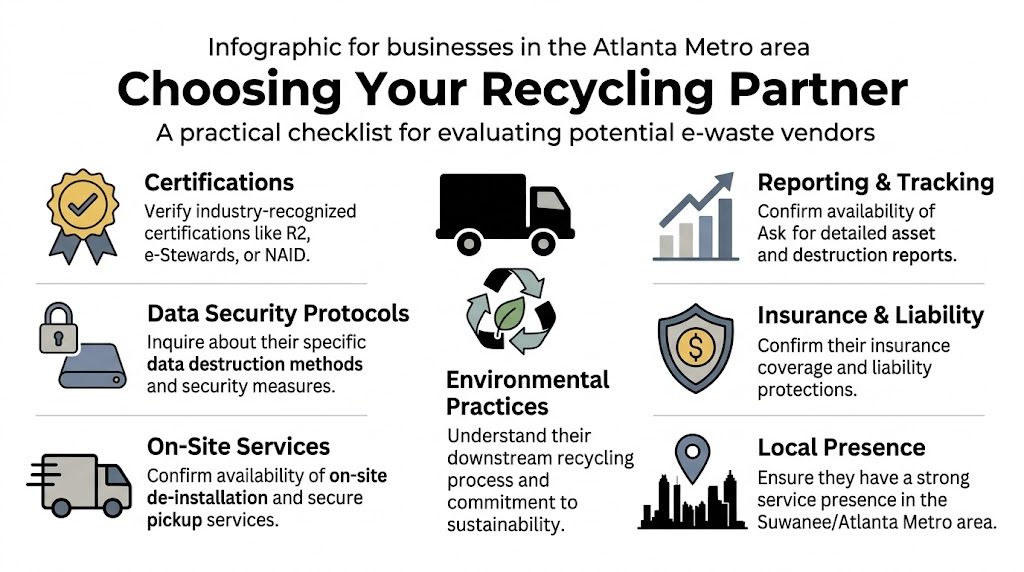
Start with certifications and documented process control. R2v3 certification is a useful screening point because it addresses recycling controls, downstream accountability, and data-bearing devices. Then keep going. Certification should support the conversation, not end it.
Experience also matters, especially with mixed loads. A provider may handle office cleanouts well and still struggle with scientific or clinical equipment. Ask whether they regularly process instrument-connected computers, medical carts, lab electronics, and specialty devices that do not fit a simple desktop-and-monitor pickup.
Use direct questions:
- What certifications do you hold, and what activities do they cover?
- How do you identify data-bearing components in nonstandard equipment?
- Can your crew de-install servers, network gear, and bench-mounted systems?
- What post-service records will we receive?
- How do you qualify and monitor downstream vendors?
- What insurance coverage applies to on-site work and data-related claims?
A recycler should answer without vague language or repeated transfers between sales, operations, and compliance.
Local presence matters for execution
Regional service capability affects the parts clients notice on pickup day. Arrival windows, building access, crew readiness, and familiarity with active business sites usually matter more than marketing promises.
For that reason, many organizations look for a provider with established metro service coverage for computer recycling in Atlanta, especially when Suwanee projects include mixed office IT, lab hardware, and items that need removal from controlled spaces.
A quick evaluation table
| What to evaluate | Weak answer | Strong answer |
|---|---|---|
| Certifications | “We follow best practices” | Specific certifications, scope, and how they apply to your asset types |
| Pickup planning | “Have everything ready by the door” | Site-specific removal plan based on layout, access rules, and labor needs |
| Data handling | “We wipe drives” | Clear process for sanitization, shredding, and exception handling for failed media |
| Reporting | “We can send a receipt” | Defined inventory reporting, destruction records, and recycling documentation |
| Specialized equipment | “We mostly take computers” | Clear method for lab systems, medical carts, instrument controllers, and embedded electronics |
The right partner reduces risk before the truck arrives. They define the asset scope clearly, account for the awkward items, and give your team paperwork that holds up after the job is finished.
The On-Site De-installation and Pickup Process Explained
A lot of businesses assume they need to unplug everything, palletize it, and stage it by the door before a recycler arrives. That’s not always the best approach. In many facilities, early staging creates more security and operations problems than it solves.
Why “free pickup” can be the wrong question
The common assumption is that if pickup is free, the service is efficient and cost-effective. In practice, “free” often means the vendor wants only the easiest, highest-value items, while your team handles the awkward labor, disconnects the equipment, and deals with anything low-value or complicated.
That model breaks down fast in active offices, hospitals, and schools. Someone from your staff has to touch every item, move it through hallways, and supervise the pile until the truck arrives. For data-bearing assets, that’s a poor chain-of-custody habit.
What a professional pickup usually looks like
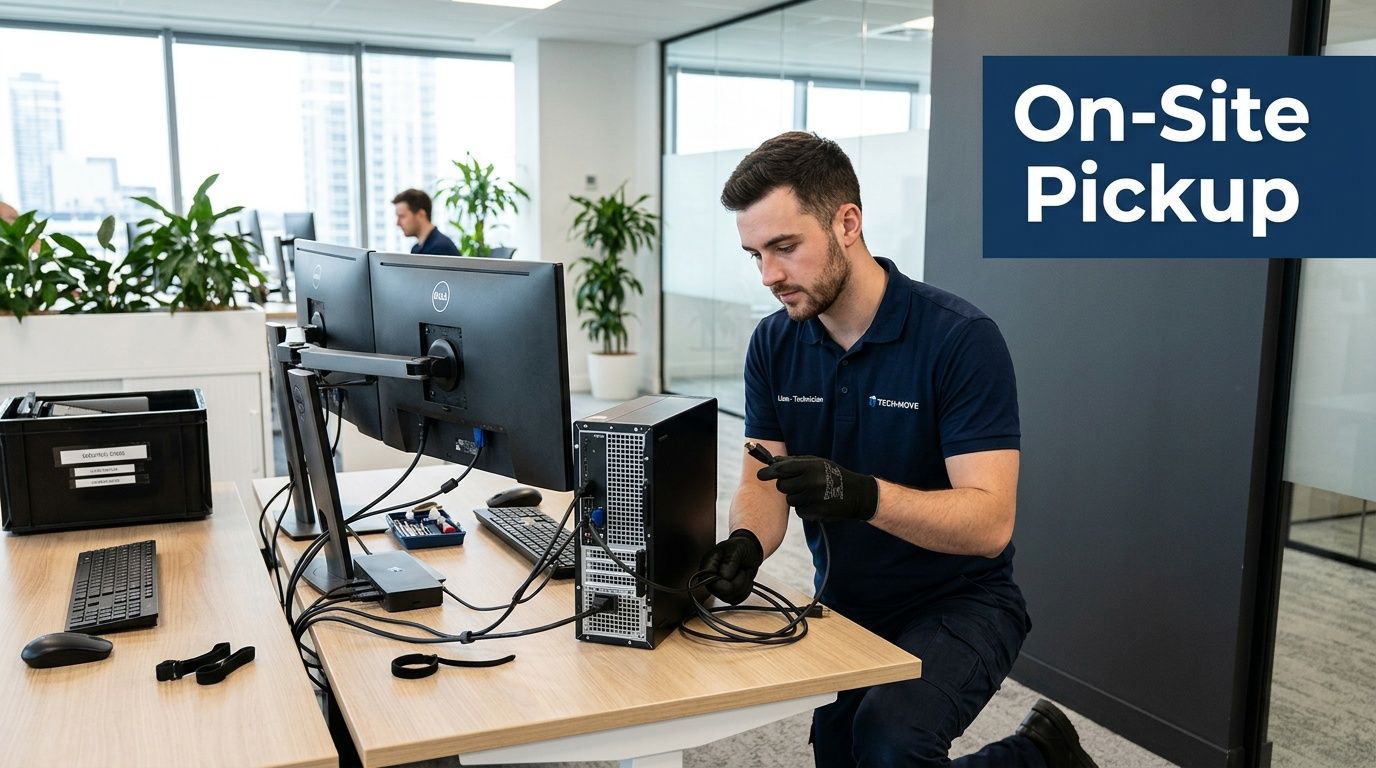
A better process is coordinated around your facility, not the recycler’s convenience. In a well-run job, the steps usually look like this:
- Pre-pickup review: The vendor confirms asset types, access conditions, and whether any devices need secure media handling.
- Arrival and check-in: The crew signs in, coordinates with the site contact, and follows building rules.
- De-installation: Technicians disconnect desktops, rack equipment, peripherals, or select lab devices as needed.
- Packing and segregation: Data-bearing devices, reusable assets, scrap electronics, and specialized equipment are separated correctly.
- Secure loading: Material moves directly from the work area to the truck under supervision.
- Post-pickup documentation: The client receives the records tied to the service level requested.
The smoothest pickups happen when the vendor does the physical work and your staff only needs to confirm scope and access.
For businesses that want that model instead of self-managed staging, scheduled electronics recycling with free pickup makes more operational sense than trying to turn office staff into movers.
Minimal disruption is a real service feature
Good crews don’t wander. They work from an agreed scope, use the approved path through the building, and keep the pickup contained. That matters in clinical spaces, education environments, and offices where regular operations still need to continue.
The best sign of a capable provider isn’t a flashy promise. It’s that your team can keep working while the old equipment leaves the building in a controlled way.
Understanding Recycling Costs and Maximizing Asset Value
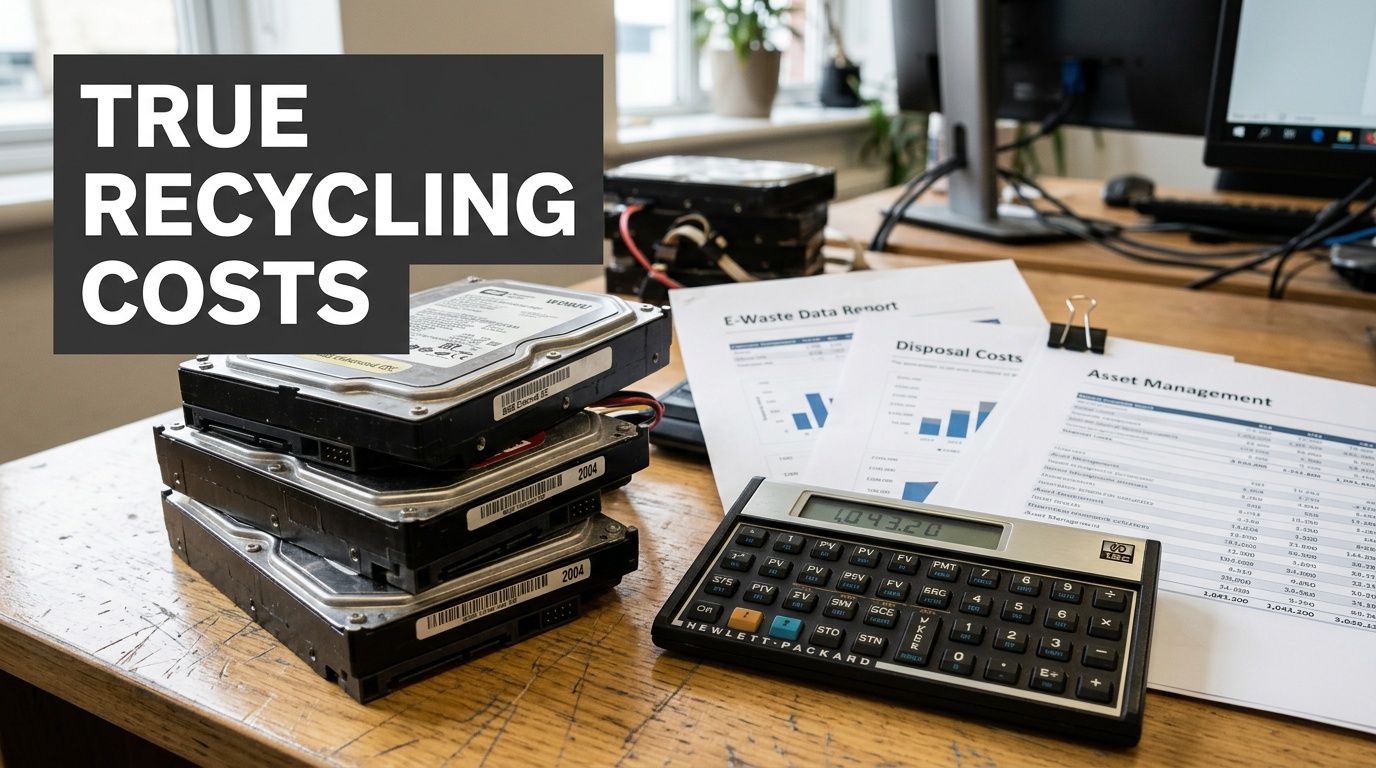
Most buyers ask the wrong cost question first. They ask, “Do you charge for pickup?” The better question is, “What exactly is included, and can any of this equipment recover value?”
Why pricing feels inconsistent
In this market, “free” can mean several different things. It may mean the vendor only wants resale-friendly laptops. It may mean there are fees for monitors, broken equipment, stairs, or heavy removal. It may also mean the service is free only if your load contains enough recoverable value to subsidize the rest.
That’s why pricing confusion persists. According to Beyond Surplus’s Suwanee recycling page, U.S. e-waste recycling revenues grew 12%, ITAD programs may recover 5% to 10% of asset value through refurbishment, and up to 40% of organizations overpay due to unclear surcharges. Those numbers explain what many buyers already suspect. Hidden pricing usually hurts the customer, not the recycler.
Three common scenarios
A hospital may have retired nursing-station PCs, old thin clients, and failed drives. Some equipment has residual value. The failed media does not. If the quote doesn’t separate value recovery from destruction work, finance can’t tell what it’s approving.
A corporate office may be closing a floor and clearing monitors, docking stations, desktops, and conference room gear. The lowest quoted price can still be the worst option if the vendor excludes de-installation and reporting.
A university lab may have a mix of ordinary IT and obsolete instruments. In that setting, one combined quote often hides the actual problem. General e-waste is easy. The specialized items are where labor, packing, and compliance complexity appear.
What transparent ITAD pricing usually includes
Look for pricing that accounts for actual service components, such as:
| Cost factor | Why it changes the quote |
|---|---|
| Asset mix | Functional devices may offset some cost through refurbishment |
| Data destruction needs | Wiping and shredding involve different handling steps |
| Access conditions | Stairs, elevators, long walks, and loading rules affect labor |
| Specialized equipment | Lab devices often require more careful removal and packing |
| Documentation level | Detailed reporting adds value when audits matter |
Cost control advice: Ask the vendor to separate pickup labor, destruction scope, and potential resale recovery in writing. That’s how you compare bids fairly.
Value recovery is real, but it has limits
Newer, functional equipment may return some value through refurbishment. Dead, incomplete, or obsolete gear usually won’t. The mistake is expecting one pricing model to cover both equally.
A mature ITAD conversation is more honest. It tells you which assets might offset costs, which ones are pure recycling, and which specialized items require careful handling no matter what their resale outlook is. That clarity is usually worth more than a vague promise of “free recycling.”
Your Partner for Secure and Compliant Disposal in Suwanee
Most organizations in Suwanee don’t need another generic recycling pitch. They need a disposal process that stands up to scrutiny after the equipment is gone. That means secure handling for data-bearing devices, responsible downstream recycling, practical pickup logistics, and documentation that your IT, compliance, and facilities teams can use.
The local challenge is straightforward. Standard office e-waste is common, but many providers still leave a gap around specialized scientific and laboratory equipment. For hospitals, clinics, universities, biotech operations, and research facilities, that gap is where significant disposal risk exists. The right recycling partner has to handle both sides of the job. Everyday computers and monitors, plus the harder assets that require de-installation, segregation, and controlled removal.
If you’re evaluating a Computer Recycling Company in Suwanee Georgia, focus on what protects your organization after the pickup. Ask how the vendor classifies devices, secures media, documents custody, removes difficult equipment, and reports final disposition. Those details separate a compliant asset disposition process from a basic hauling service.
A strong program also simplifies your internal work. IT doesn’t need to improvise. Facilities doesn’t need to guess how to stage equipment. Compliance doesn’t need to chase paperwork after the fact. The process should be planned, documented, and easy to defend.
For organizations across Suwanee and the wider Atlanta metro, the best disposal outcomes usually come from one coordinated approach: secure data handling, responsible electronics recycling, and specialized support for lab and scientific equipment when standard vendors fall short.
Scientific Equipment Disposal helps Atlanta-area businesses, hospitals, labs, schools, and government agencies retire electronics and scientific equipment with a documented, practical process. If you need pickup, de-installation, secure hard-drive wiping, shredding for non-functional media, or help disposing of specialized lab assets, contact Scientific Equipment Disposal for a no-obligation consultation.