Business Electronics Recycling in Suwanee GA

A lot of Suwanee businesses reach the same point at once. The server closet is full, a renovation or lab move is coming up, finance wants old assets off the books, and nobody wants to be the person who shipped a data-bearing device out the door without a defensible process.
That problem gets harder when the pile isn’t just laptops and monitors. Many facilities in the Atlanta metro are dealing with a mixed stream of retired desktops, network gear, analyzers, centrifuges, incubators, printers, storage arrays, and oddball accessories that never fit neatly into a standard office cleanout. Business Electronics Recycling in Suwanee GA works best when you treat it as a compliance and logistics project, not a junk removal job.
The Challenge of Surplus Equipment in Suwanee
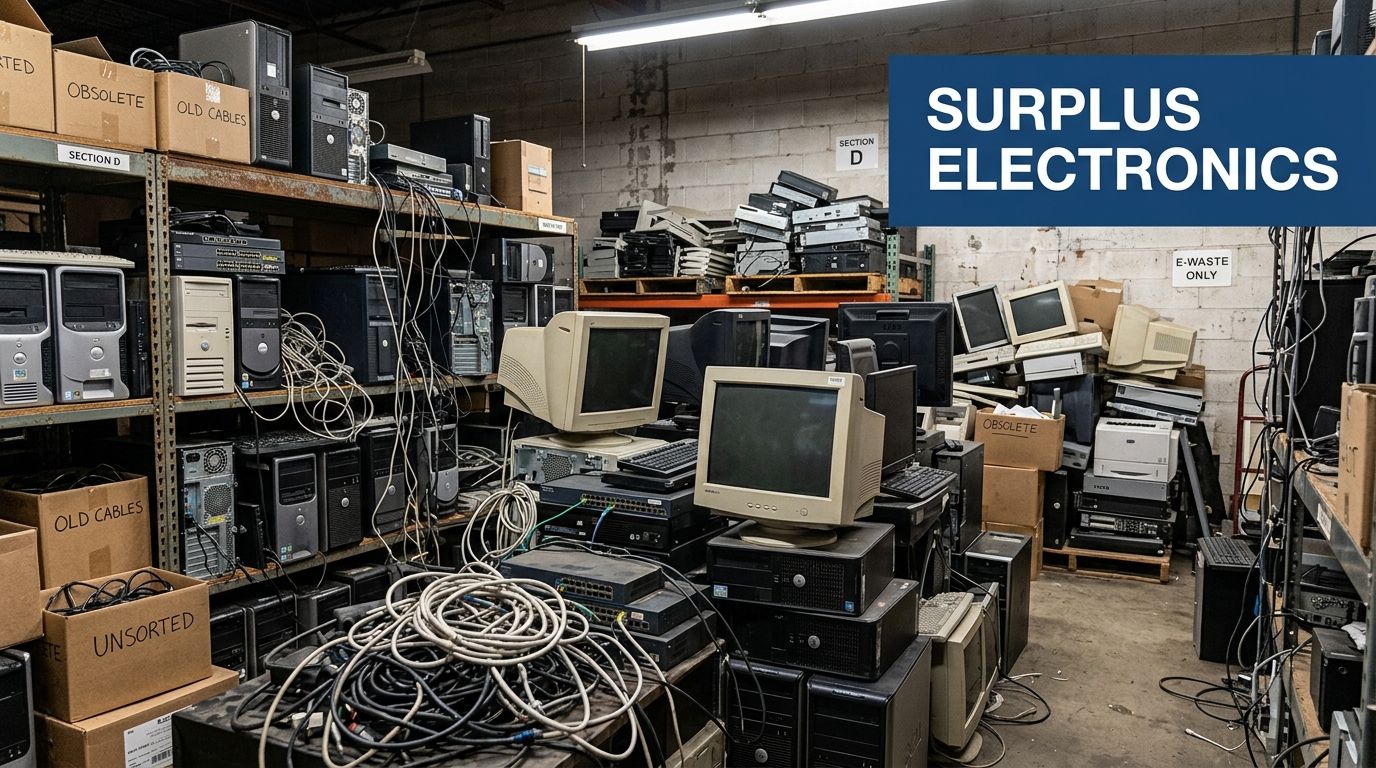
A typical first-time disposal project starts with a room that has become a holding area. One shelf has retired laptops and docking stations. Another has dead UPS units, spare monitors, and a few printers nobody claims. In the back, there may be lab carts, benchtop devices, old pipettes, or a centrifuge that was unplugged months ago after replacement.
That mixed inventory is where many local projects go sideways. Standard e-waste programs are usually set up for common IT assets. They know how to handle computers, laptops, servers, and displays. They often don’t provide detailed guidance for specialized laboratory equipment, especially when deinstallation, packing, chain of custody, and regulated-site coordination are involved.
Why one-size-fits-all recycling falls short
Local search results in and around Suwanee show plenty of companies promoting computer recycling, TV disposal, and office electronics handling. But an often-missed gap is the lack of detailed support for lab-specific deinstallation, packing, and logistics. That gap is documented in this overview of Suwanee electronics recycling service gaps for lab equipment, which notes that providers commonly focus on standard IT assets while hospitals, universities, and research facilities are left without specialized B2B guidance for lab decommissions.
If you manage a clinic, university department, testing lab, or industrial site, that distinction matters. A pallet of old monitors is simple. A room with incubators, fume hoods, peripheral pumps, and data-bearing instruments is not.
The risk isn’t only environmental. It’s operational. Teams lose time when they have to sort everything themselves, guess what can be recycled, separate sensitive devices from non-sensitive scrap, and coordinate movers who don’t understand regulated equipment.
The safest disposal projects start by assuming that any mixed room contains both data risk and handling risk until proven otherwise.
The local reality in Gwinnett County
Suwanee is well placed for regional pickups and removals because of its location in the broader Atlanta logistics network. That helps with transportation, but it doesn’t solve the planning problem inside your building. Facility managers still need a process that covers access, timing, packaging, security, and final documentation.
That’s why the most useful starting point is to separate the job into two tracks:
- Commodity IT recycling: desktops, laptops, monitors, networking equipment, storage devices, printers, and accessories.
- Specialized equipment disposition: lab instruments, carts, benches with attached electronics, and devices that may require deinstallation or extra handling.
A vendor may be excellent at the first track and weak at the second. That mismatch is common.
For organizations that need local business pickup support in Gwinnett County, it helps to review options built around free business electronics pickup in Gwinnett County GA before you commit to an internal cleanup plan. Even if pickup is available, your internal prep work determines whether the project stays compliant and efficient.
What works and what doesn’t
What works is a controlled project with an inventory, a data plan, and a pickup scope that reflects the actual asset mix.
What doesn’t work is calling the first recycler you find and saying, “We have some computers and lab equipment.” That description is too vague to price correctly, too vague to schedule correctly, and too vague to protect you if questions come up later from compliance, legal, finance, or internal audit.
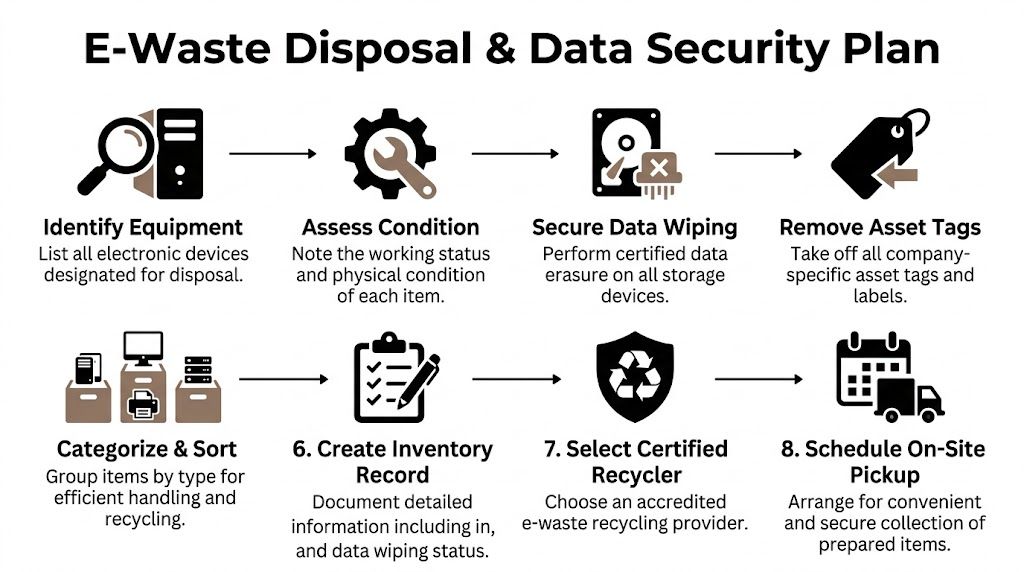
Creating Your Disposal Inventory and Data Security Plan
The most important work happens before pickup day. If your inventory is sloppy, your chain of custody will be sloppy. If your data plan is vague, your risk doesn’t disappear just because the truck left.
Start by building a disposal list that operations, IT, and compliance can all read. Don’t rely on memory and don’t use a single line item like “miscellaneous electronics.” That’s how drives get missed and departments dispute what was removed.
Build an inventory that people can actually use
Your inventory should separate equipment by function and by risk. Condition matters, but it’s not the first sorting rule. The first sorting rule is whether the item stores data, whether it needs deinstallation, and whether it has any special handling requirements.
Useful inventory fields include:
- Asset description: server, desktop, monitor, managed switch, pipette controller, centrifuge, incubator, analyzer, printer.
- Manufacturer and model: enough detail for identification on pickup day.
- Serial number: especially for devices that need downstream tracking.
- Location: building, floor, room, lab, closet, cage, or department.
- Data status: no storage, storage present, unknown, or confirmed sanitized.
- Physical condition: working, nonfunctional, damaged, or incomplete.
- Handling notes: heavy item, bench-mounted, fragile, requires deinstall, contains accessories.
Don’t wait for perfect information. A good working inventory beats a delayed perfect inventory every time.
The other common mistake is letting each department create its own spreadsheet with different fields. Use one format. One owner should reconcile it before the equipment is touched.
Identify every place data can hide
Businesses often remember desktops and laptops. They forget copiers, multifunction printers, external drives, old backup units, lab workstations, instrument control PCs, and some network appliances. In healthcare and research settings, that oversight is where disposal projects become exposure events.
Create a separate list of all data-bearing items. If there’s uncertainty, treat the item as if it contains sensitive data until IT verifies otherwise. “Probably empty” is not a sanitization standard.
Documentation rule: if a device had storage media, your records should show what happened to that media before, during, or at pickup.
Choose wiping, shredding, or both
Not every storage device needs the same treatment. Reusable drives in working condition may be eligible for software sanitization if your organization allows it. Failed, obsolete, encrypted-but-unverified, or physically damaged media often belong in physical destruction.
In practical terms:
- Use certified wiping when the drive is functional and your policy accepts data erasure as the final control.
- Use shredding when the drive is dead, the device is too old to justify recovery, or the media presents a higher risk profile.
- Escalate unknown devices to a manual review rather than guessing.
If your organization needs a benchmark for the process itself, review a provider approach to secure data destruction for business electronics. The important issue isn’t marketing language. It’s whether the process is documented, repeatable, and tied to the exact devices in your inventory.
Set the chain of custody before pickup day
A strong chain of custody starts inside your building. The best teams designate a staging area, assign a project lead, and control who can move equipment once the inventory is locked.
Use a short internal checklist:
- Freeze additions: after a cutoff date, no one adds unlisted items without project approval.
- Tag exceptions: if an item can’t be wiped before pickup, flag it clearly.
- Separate categories: data-bearing devices, non-data electronics, and specialized lab assets should not be mixed randomly.
- Capture signoff: IT, facilities, and the asset owner should all agree on the scope.
A lot of disposal trouble comes from late changes. Somebody adds a forgotten workstation the morning of pickup. Somebody unplugs a lab PC but forgets the attached drive bay. Somebody wheels out a copier that was never on the list. Good chain of custody prevents that creep.
Remove labels carefully, not blindly
Many organizations remove asset tags before transport. That can be smart, but timing matters. Don’t strip identifiers before your inventory is reconciled. Once labels are gone, matching devices back to internal records gets harder.
A safer sequence is:
| Step | Better practice |
|---|---|
| Inventory | Record asset details and serials first |
| Data action | Wipe or flag for destruction |
| Reconciliation | Confirm listed items match staged items |
| Label removal | Remove internal identifiers after records are complete |
That order protects both privacy and auditability.
Navigating E-Waste Compliance for Suwanee Businesses
A Suwanee clinic clears storage for a renovation and finds more than old laptops. There is a retired ultrasound cart, a chemistry analyzer with an embedded PC, a copier from billing, and two shelves of monitors and docks. At that point, disposal stops being a simple recycling pickup. It becomes a compliance project with different rules for different asset types.
That distinction matters most for labs, medical offices, and mixed-use facilities. Standard computer recycling programs often handle office IT well enough, but they are not always set up to document, dismantle, and route scientific or clinical equipment correctly. If your load includes both data-bearing IT and specialized instruments, your process has to account for both.

What compliance means in day-to-day disposal work
Compliance in e-waste projects comes down to proof. Can your team show what left the site, whether it held sensitive data, what happened to that data, and where the equipment went next?
The answer changes by asset class. A keyboard has little compliance weight. A nurse-station PC, lab workstation, multifunction copier, or analyzer with onboard storage carries more risk because those devices can hold patient data, research records, login credentials, or regulated business information. Facilities teams often miss the copier and the instrument controller. Auditors usually do not.
For many Suwanee businesses, the main frameworks are familiar. HIPAA applies where protected health information may be present. FACTA can matter if customer or consumer information is stored on retired devices. SOX can affect how public companies document asset retirement and destruction records. Recycler certifications such as R2 and ISO 14001 do not replace those obligations, but they can help you screen for vendors with formal process controls, documented downstream management, and traceable handling.
Where first-time project leads get exposed
The common failure is treating all retired equipment as one waste stream. It is not.
An office monitor, a freezer controller, a mass spec workstation, and a copier may leave the same building on the same day, but they should not all move through the same decision path. Some need data sanitization. Some need hazardous component review. Some need deinstallation and model-specific handling. Some may be better suited for resale, parts recovery, or manufacturer take-back.
That is why I tell facility managers to challenge the vendor on edge cases, not just the easy items. Ask how they classify embedded storage in medical or lab equipment. Ask whether they can issue item-level records for drives, PCs, and devices sent for destruction. Ask what happens if a unit arrives with unknown contamination concerns or missing serial tags. Those answers tell you far more than a generic promise of certified recycling.
A pickup receipt is only a transfer record. It does not prove sanitization, shredding, or final downstream processing.
Standards help, but scope matters more
A recycler can hold the right certifications and still be the wrong fit for your project. The weak point is usually scope. Many vendors are built for mainstream office electronics and have limited procedures for scientific equipment, bench instruments, imaging peripherals, or devices that combine electronics with regulated components.
That is where a documented IT asset disposal process for business equipment helps. It gives you a control baseline for data-bearing assets, then you can test whether the vendor extends that same discipline to specialized equipment instead of treating it as scrap after pickup.
Use a practical screen:
- Data handling by device type: laptops, servers, copiers, instrument controllers, and removable media should not be lumped together.
- Traceable documentation: records should connect sanitization or destruction to specific assets where the risk warrants it.
- Downstream clarity: the vendor should be able to explain refurbishment, parts harvest, commodity recovery, and final disposal routes in plain language.
- Specialized equipment capability: if your project includes lab or medical gear, ask who deinstalls it, how it is packed, and whether they have handled comparable equipment before.
Compliance should set the order of work
Rushed timelines create avoidable mistakes. Facilities wants the room cleared. IT is still reviewing drives. The lab manager says an analyzer is dead, but no one has confirmed whether the onboard computer was removed or wiped. Those are the points where projects drift out of compliance.
A defensible sequence is simple and strict:
| Project stage | Compliance check |
|---|---|
| Scope approval | Confirm the departments, equipment classes, and excluded items |
| Risk review | Identify data-bearing devices, embedded computers, and specialized lab or medical assets |
| Data disposition | Record wipe, destruction, or exception status before release |
| Vendor handoff | Match transferred assets to approved project records |
| Final closeout | Retain certificates, bills of lading, and downstream documentation |
That order protects more than records. It protects your team from having to explain, months later, why a copier with a hard drive or an analyzer PC left the building without clear disposition history.
Arranging Logistics from On-Site Pickup to Final Disposal
At 7:30 a.m., facilities has a dock reserved for two hours, IT has a cart of retired laptops ready to release, and the lab manager is still asking whether the spectrometer can move with its controller attached. That is a normal pickup day in Suwanee. It is also where good planning either keeps the project on schedule or turns a simple removal into a chain-of-custody problem.
Logistics starts with scope. A boxed office electronics pickup is one type of job. A decommission inside a lab, clinic, or test space is another. If equipment is still installed, connected to gas, water, network, bench power, or paired accessories, treat it as a deinstall project and staff it that way.
What a straightforward pickup looks like
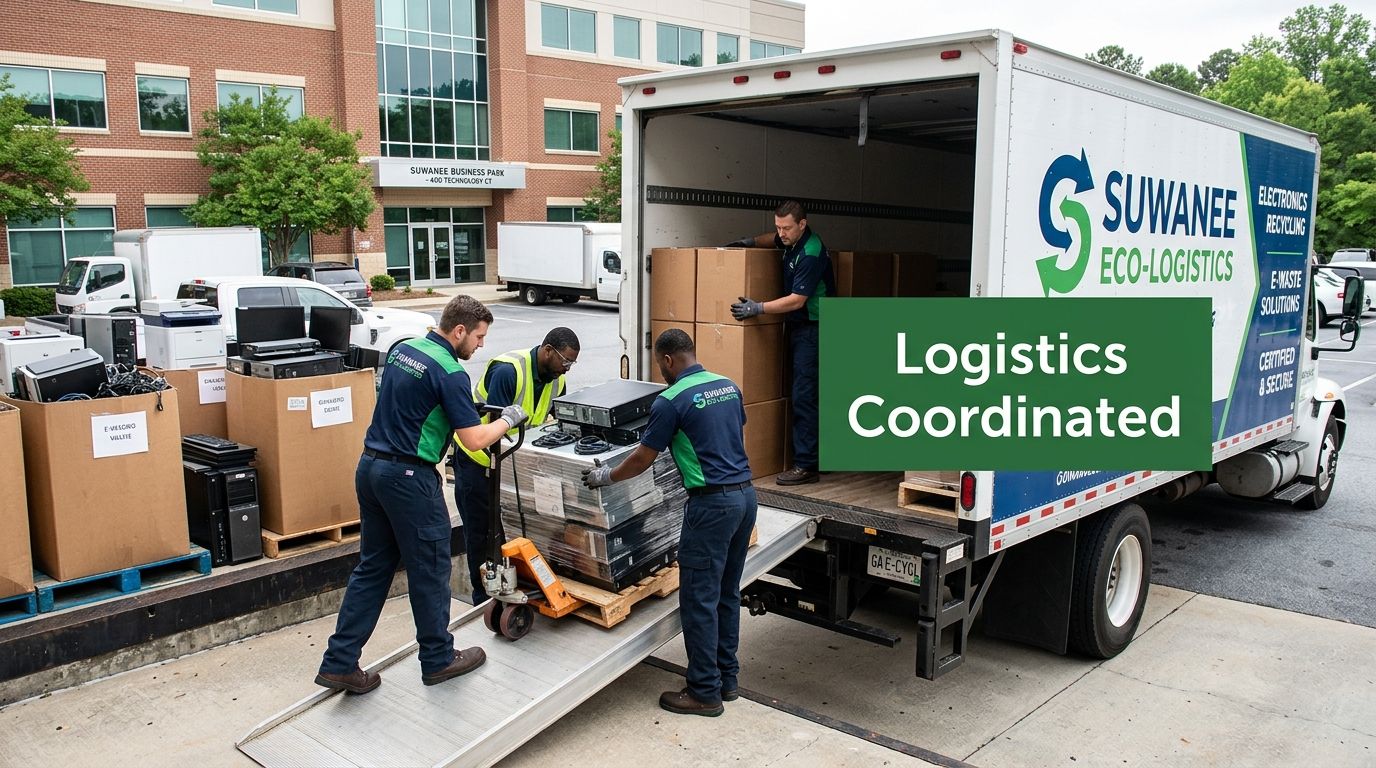
For standard office gear, the best pickup is boring. Assets are already staged, clearly marked, and easy to reach. The driver is not waiting while three departments decide whether a pile of cables or an old copier is part of the load.
This setup usually works well for laptops, monitors, docking stations, phones, network gear, keyboards, and boxed peripherals. The operational goal is simple: reduce touches, keep the release list clean, and avoid mixing approved assets with last-minute additions.
A practical staging checklist:
- Use one controlled staging area: one room or one dock zone is easier to supervise than scattered pickup points.
- Pre-clear the path: confirm doors, elevators, hallways, and dock access before the truck arrives.
- Isolate data-bearing items: drives, backup media, and small devices should be segregated and labeled.
- Set one release contact: one site lead approves what leaves the building and answers field questions.
Lab and medical removals require a different playbook
Many Suwanee businesses often get caught off guard. Standard e-waste providers can load pallets of monitors all day. That does not mean they are prepared to remove analyzers, refrigerated lab units, imaging peripherals, or benchtop systems with embedded PCs and fragile accessories.
Scientific and medical equipment creates real trade-offs. Leaving accessories attached can preserve resale value and help downstream identification. It can also make the unit harder to move safely through narrow doors or around casework. Pulling items apart too early may speed the move, but it increases the chance that probes, trays, controllers, and power supplies get separated from the parent asset.
Set the work sequence before pickup day. Decide who disconnects the unit, who verifies whether an onboard computer or storage device is present, what stays with the instrument, and what must be packed separately. If your internal team would not normally move the item with confidence, assign that work to a recycler that handles scientific equipment regularly.
Clarify what the truck crew is actually responsible for
Pickup language can hide scope gaps. "On-site pickup" may only mean collection from a ground-floor staging area. It may not include teardown, bench removal, palletizing, stair carries, inside packing, or access to controlled spaces.
Ask direct operational questions:
- Will the crew disconnect equipment, or must your staff present it ready to move?
- Are they bringing pallet jacks, liftgate service, packing materials, and anti-static protection if needed?
- Can they remove equipment from upper floors or restricted labs?
- How will they handle mixed loads that include office IT, secure media, and scientific instruments?
- What documents are issued at pickup, and who signs them?
Those answers matter more than a general promise of "free pickup." A no-charge collection can still become a labor-heavy project once a vendor sees tight hallways, wall-mounted devices, or a chemistry lab full of bench equipment.
How to prepare your site for pickup day
The cleanest removals use a short site plan. It does not need fancy software or a long meeting. It needs enough detail so facilities, IT, and department managers are working from the same instructions.
Use this sequence:
- Reconfirm the approved load list the day before. If someone finds extra equipment in a closet, route it through the same approval process instead of adding it at the dock.
- Map the internal route. Note freight elevator access, door widths, dock restrictions, alarmed corridors, and any rooms that require escorts.
- Reserve building access. Lock in dock times, elevator windows, and building management approvals early.
- Mark exception items. Flag anything that needs on-site media handling, special packing, deinstallation, or environmental review before release.
- Assign one release authority. One signature chain prevents disputes about whether a device was approved to leave.
If you want to compare vendors before scheduling, review the pickup request form for business and scientific equipment recycling. The intake questions tell you a lot about how the recycler runs projects. A capable provider asks about asset type, quantity, access limits, and specialized handling needs. A weak intake process usually means the crew is showing up with incomplete instructions.
Final disposal is shaped on your site
Downstream outcomes are decided long before processing starts. If reusable electronics, scrap material, secure media, and specialized instruments all get thrown into one mixed load, the recycler has to sort risk back out later. That is where labeling errors, accessory loss, and chain-of-custody confusion show up.
Separated loads work better. Office IT can move through standard handling. Drives and media stay under tighter control. Lab and medical equipment can be evaluated with the accessories and identifiers that affect refurbishment, parts recovery, or final dismantling.
For Suwanee facilities handling both IT and scientific equipment, that distinction is not a detail. It is the difference between a fast pickup and a controlled project that stands up to internal review later.
How to Vet and Select Your Recycling Partner
At this stage, the risk shifts from your inventory list to the company you let through the door. A recycler can say the right things on the phone and still struggle once the load includes retired laptops, loose drives, analyzers, carts, and equipment that came out of a patient care or lab setting.
I tell Suwanee facility teams to treat vendor selection like an operational review, not a pricing exercise. The question is not whether a company recycles electronics. The question is whether it can control chain of custody, document the work, and handle mixed assets without creating new compliance problems for you.
Start with fit, not marketing
As noted earlier, local credentials and longevity help set a baseline. They do not tell you whether the crew can manage a real project in your building.
That distinction matters more for labs, clinics, and medical offices than it does for a routine office cleanout. Standard IT recycling is one workflow. Scientific and medical equipment disposal often adds accessories, embedded storage, deinstallation steps, model-specific handling, and more internal scrutiny after the pickup. A vendor can be legitimate and still be the wrong fit if its process is built only for monitors, desktops, and loose networking gear.
Vendor Vetting Checklist
| Verification Area | Key Question to Ask | What to Look For (Green Flag) |
|---|---|---|
| Certifications | Which certifications do you currently maintain for electronics recycling and process control? | The vendor names them clearly and explains which parts of the operation they cover |
| Data destruction | How do you handle working drives, failed drives, and unknown media? | The answer separates wiping, shredding, and exception handling |
| Chain of custody | How is equipment tracked from pickup through processing? | Serialized or itemized tracking is available where the asset risk justifies it |
| Scope fit | Have you handled loads that include IT gear plus lab or medical equipment? | The vendor describes the workflow, staffing, and documentation, not just "yes" |
| Pickup operations | Who performs the onsite work, and what site prep do you expect from us? | Access needs, labor assumptions, and building coordination are spelled out |
| Downstream accountability | Where do materials go after collection and sorting? | The vendor gives direct downstream answers without vague sustainability language |
| Documentation | What records do we receive at the end of the project? | Transfer records, destruction records, and asset reporting are defined before pickup |
| Insurance and liability | What coverage do you carry for onsite handling and transport? | Proof is available, and the vendor can explain what the policy applies to |
| Compliance fit | How do you support healthcare, education, or government requirements? | The response addresses regulated environments with specific controls |
| Exception handling | What happens if you find an unlisted storage device or nonconforming item? | There is a written escalation process |
Questions that expose the real operation
Ask for a sample closeout package. Ask whether they can produce item-level records for selected assets instead of forcing everything into a bulk receipt. Ask who makes decisions onsite when the crew finds something your team missed.
Then ask about the hard parts.
How do they handle a centrifuge with a control module, or an imaging device with uncertain storage media? What happens if a department adds boxed electronics after the scope is approved? Can they work inside a building that requires COI paperwork, dock scheduling, badge escorts, or after-hours access? Vendors that do this work every week answer quickly and specifically.
A dependable recycler explains controls in plain language. Sales language is easy. Process detail is harder to fake.
What usually turns into a red flag
Be cautious when a vendor:
- Stays general: plenty of environmental language, little detail about process and records
- Avoids downstream questions: a weak answer here usually means weak oversight
- Blurs data destruction methods: wiping, shredding, and failed media handling should never sound interchangeable
- Treats every pickup as the same job: office IT, lab equipment, and medical devices do not move through the same workflow
- Leaves scope vague: unclear labor assumptions often become day-of-project disputes
- Promises free service without boundaries: you need the exclusions in writing
For a useful comparison point, review how a specialized e-waste recycling company for business and lab assets describes project scope, asset categories, and documentation. The goal is not to find polished copy. The goal is to find a partner that can handle Suwanee projects where standard office electronics and specialized equipment leave the site under the same chain of custody.
Understanding the Costs of Compliant E-Waste Recycling
A Suwanee facility manager approves a low quote for equipment removal. On pickup day, the crew finds instrument-attached PCs, boxed monitors with no asset list, and a centrifuge that still needs deinstallation. The price changes fast. That is how disposal projects go off budget.
Cost in Business Electronics Recycling in Suwanee GA is driven by scope, labor, and control requirements. A simple office cleanout with palletized desktops and no data-bearing devices is one type of job. A mixed project involving laptops, servers, lab instruments, medical devices, and secure media is another. The second job takes more planning, more documentation, and usually more onsite time.

What “free pickup” usually means
Free pickup usually applies to a narrow scope. The material needs to be standard electronics, easy to access, and worth enough in reuse or commodity recovery to cover the trip.
Charges commonly appear when the project includes:
- Deinstallation from benches, racks, or carts
- Packing and palletizing
- Stair carries, tight hallways, or limited dock access
- After-hours scheduling or escorted access
- Hard drive shredding or serialized data destruction
- Lab and medical equipment handling that falls outside standard IT recycling
That is not a problem if the quote spells it out. It becomes a problem when a business expects office cleanout pricing for a project that includes analyzers, incubators, attached computers, and chain-of-custody records.
What changes the price
Labor is usually the biggest variable. Ten loose devices in a lobby cost less to remove than the same ten devices spread across three departments with badge access and signoff requirements.
Asset type matters too. Standard office electronics move through familiar processes. Scientific and medical equipment often needs extra review before pickup because the recycler has to confirm condition, contamination status, accessory handling, and whether any embedded storage is present. That is one reason labs and clinics in Suwanee should avoid using a generic pricing assumption built around desktops and monitors alone.
Timing affects cost as well. One scheduled pickup is more efficient than several partial collections caused by incomplete internal coordination.
What can reduce net cost
Some assets still carry reuse value. Newer business laptops, network gear, working monitors, and certain instrument-attached systems can offset part of the bill if condition, age, and market demand support remarketing. Older CRTs, broken printers, damaged LCDs, and obsolete lab equipment usually do not.
Many teams often misread the numbers. They focus on what a few items might be worth and miss the labor required to remove everything else correctly.
How to judge the quote
A usable quote separates transportation, labor, packing, data destruction, and any special handling. It also states what records you will receive after the job is done. For regulated environments, that paperwork is part of the service, not an extra detail.
The cheapest number on the page does not tell you much by itself. The better question is whether the quote matches the actual job inside your building. If your Suwanee project includes both IT assets and specialized equipment, cost control comes from accurate scope at the start, not from stripping out the controls that keep the disposal compliant.
Frequently Asked Questions for Suwanee Businesses
Can a recycler handle lab equipment and standard office electronics in the same project
Sometimes yes, but don’t assume it. Many providers are set up for common IT assets first. If your project includes pipettes, centrifuges, incubators, analyzers, fume hoods, or instrument-attached computers, ask the vendor to define exactly what they’ll disconnect, pack, move, and document. Mixed projects fail when the scope says “electronics recycling” but the onsite reality is a partial lab decommission.
What records should we keep after pickup
Keep everything tied to transfer and final handling. That usually means your approved inventory, internal signoff, pickup records, and any certificates related to data destruction or recycling. If your organization is regulated, retain them in the same records system used for other compliance documents so they can be retrieved later without relying on individual email inboxes.
Do we need wiping, shredding, or both
That depends on the condition and policy classification of the media. Functional drives may be candidates for sanitization if your internal rules allow it. Failed, damaged, obsolete, or higher-risk devices are often better handled with physical destruction. The important part is consistency. Similar device classes should follow the same decision logic.
Are zero-landfill claims enough to prove a vendor is safe
No. A zero-landfill claim can be meaningful, but it doesn’t answer the full set of questions around chain of custody, certified processing, and data security. It should be one screening factor, not the entire screening process.
How do recent recycling trends affect business decisions in Georgia
One under-addressed issue is how advanced material recovery for rare earth elements and AI-driven sorting may change cost-effectiveness and compliance planning for Georgia businesses. A source focused on Georgia schools and universities notes that these 2024 to 2025 trends are being discussed more widely, along with a growing emphasis on refurbishment for digital equity, but local provider content often doesn’t explain how those shifts affect ROI for corporate IT decommissions. The same source references global e-waste containing $62B in metals annually and notes that trend analysis is increasingly tied to recovery value and processing efficiency (Georgia schools and universities electronic waste recycling trends).
For a Suwanee business, the practical takeaway is simple. Better sorting and better recovery may improve downstream value in some cases, but they don’t remove the need to verify certifications, documentation quality, and handling scope. Technology can improve processing. It can’t fix weak chain of custody.
What’s the biggest mistake first-time project leads make
They underestimate the planning needed for mixed assets. The room looks like clutter, so the job gets treated like a cleanup. In reality, it’s an asset tracking, data security, and logistics exercise. Once you approach it that way, the right decisions become much easier.
If your team is planning a lab cleanout, IT refresh, clinic shutdown, or mixed-asset pickup in the Atlanta area, Scientific Equipment Disposal can help you handle both electronics and specialized lab equipment with a compliant, business-focused process. Their team supports pickup, deinstallation, packing, secure data handling, and sustainable recycling for organizations that need more than a standard computer haul-away service.