Business Electronics Recycling in Grayson Georgia

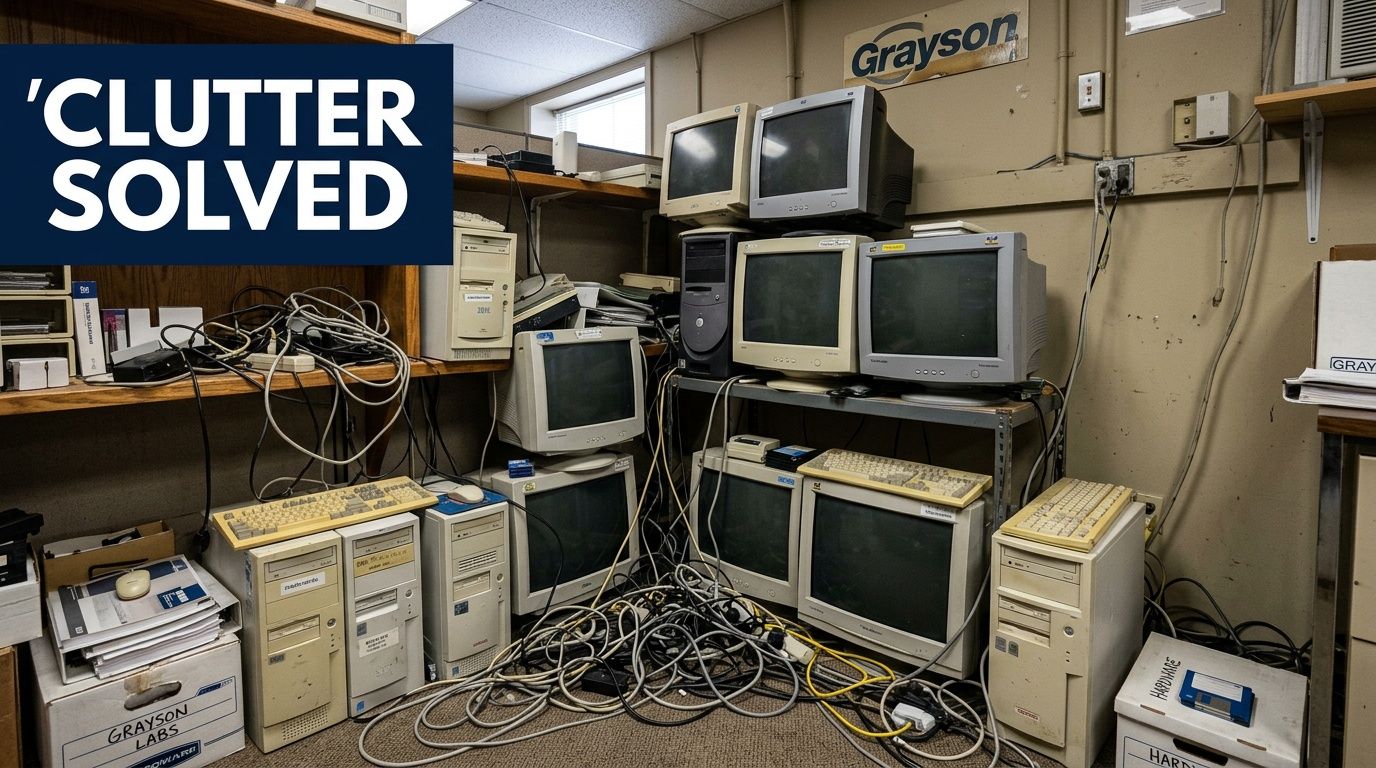
A lot of Grayson businesses reach the same point at once. The old server room is full. A lab renovation is scheduled. Storage closets hold dead laptops, retired monitors, bench instruments, loose drives, and equipment nobody wants to touch because nobody is sure what has data, what has contamination risk, and what can legally go in a dumpster.
That mix is where routine cleanouts turn into compliance problems.
Business Electronics Recycling in Grayson Georgia isn't just about hauling away obsolete computers. For medical practices, labs, schools, manufacturers, and corporate offices, the harder part is sorting standard IT assets from specialized equipment, protecting data, documenting custody, and getting everything off-site without disrupting operations. In practice, the disposal plan matters as much as the recycling itself.
Why Compliant Recycling Matters for Grayson Businesses
The first mistake most organizations make is treating electronics disposal as a junk removal task. It isn't. Once your load includes hard drives, backup appliances, network gear, lab analyzers, incubators, or anything that may have stored regulated information or contacted hazardous material, the job changes.
A Grayson clinic clearing out an imaging workstation has one set of risks. A research lab retiring centrifuges and data-connected instruments has another. Both still need a disposal process that protects data, documents transfer, and routes assets through a legitimate downstream chain.
The risk is operational, legal, and financial
Improper disposal creates problems in three directions at once:
- Data exposure: retired desktops, servers, NAS devices, and lab systems often still contain patient, employee, customer, or research data.
- Compliance failures: healthcare, education, government, and contracted organizations can't rely on informal disposal methods.
- Bad logistics: if your staff has to disconnect, move, sort, and stage everything alone, projects stall and assets get mishandled.
The scale of the issue is larger than most facility teams expect. The global e-waste stream reached 57.4 million tons in 2021, is growing by 2 million tons annually, and only 17.4% is formally recycled. At the same time, the precious metals recovery market is projected to reach USD 8.75 billion by 2030, which shows why these assets shouldn't be treated as worthless trash (Grand View Research on the e-waste recovery market).
Practical rule: If an asset once plugged into your network, held a drive, or supported regulated work, treat disposal as a controlled project, not a cleanout.
Why local execution matters in Grayson
For companies in and around Grayson, the challenge isn't finding someone who says they recycle electronics. The challenge is finding a process that can handle mixed loads. That means office IT, server hardware, storage media, and specialized equipment in the same pickup without pushing the burden back onto your team.
That's why many organizations start by looking for a provider that understands county-level service coverage and business pickups in the area, such as business electronics recycling in Gwinnett County GA.
What works is simple. Build the project around security, chain-of-custody, and item-level planning. What doesn't work is calling a generic junk hauler after the shutdown date is already set.
The Decommissioning Blueprint Planning Your Asset Disposal
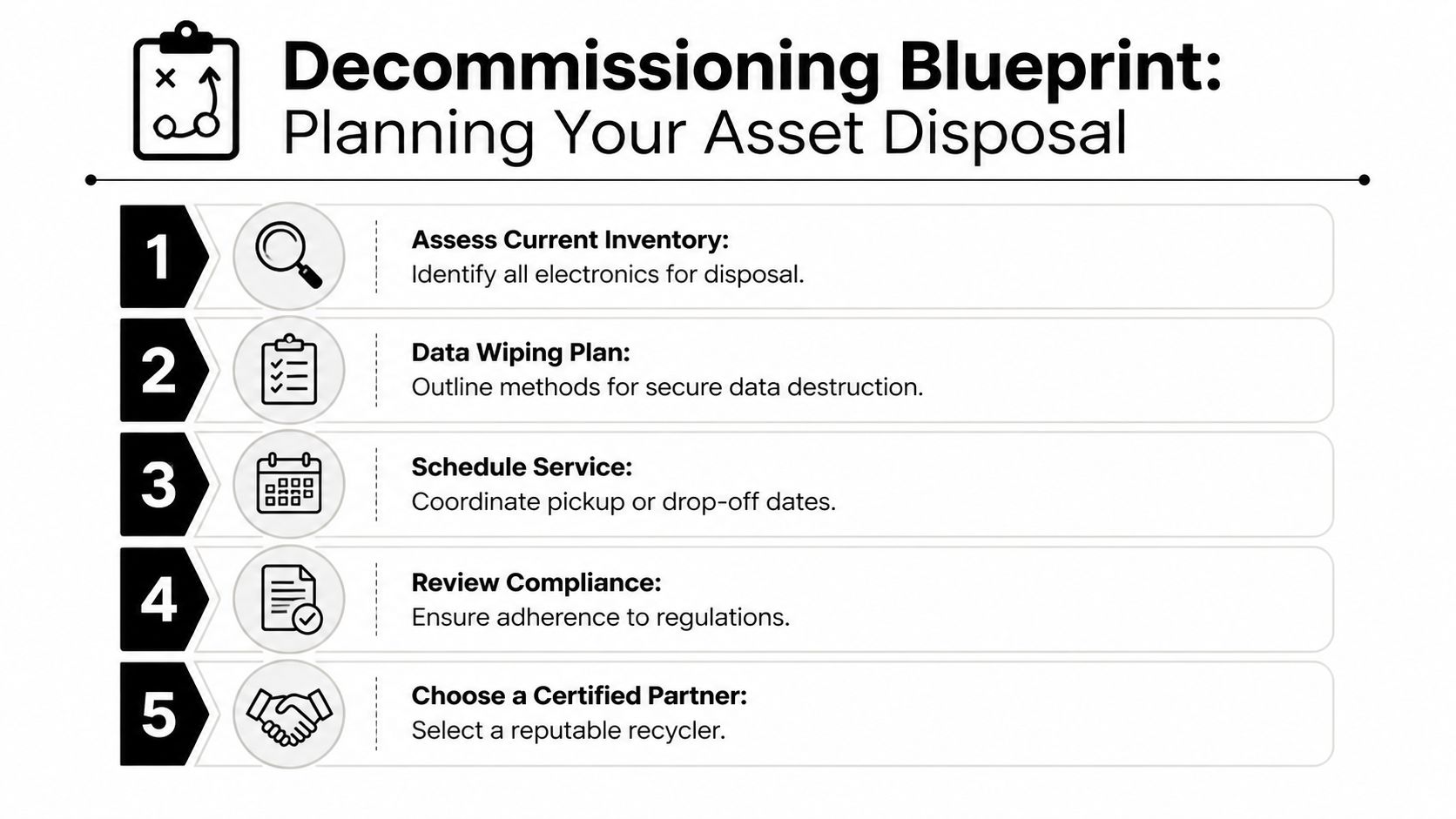
Most failed decommissions don't fail at pickup. They fail in planning. Someone underestimates how many assets are on site, nobody separates storage media from scrap, and the lab equipment gets treated like office furniture.
A workable decommissioning plan starts with inventory discipline. Before a single cart rolls out of the room, you need to know what you're disposing of, what requires wiping, what requires destruction, and what needs special handling because it was used in a lab environment.
Start with an inventory that can survive an audit
A handwritten list isn't enough for a business electronics retirement project. Your inventory should be structured so IT, facilities, compliance, and procurement can all use the same document.
Include these fields:
| Asset detail | Why it matters |
|---|---|
| Asset type | Separates desktops, servers, switches, incubators, centrifuges, and other equipment |
| Serial number | Supports chain-of-custody and final reconciliation |
| Asset tag | Confirms internal ownership and retirement status |
| Physical location | Speeds pickup and avoids missed rooms or departments |
| Data status | Identifies assets that need wiping or shredding |
| Condition | Helps determine resale, reuse, dismantling, or scrap routing |
For standard office electronics, this is usually straightforward. For labs, it rarely is. Instruments may have embedded storage, attached computers, proprietary controllers, or accessories packed in different rooms.
Separate IT assets from lab assets early
Generic e-waste guides often prove inadequate for complex scenarios. In Grayson, businesses with research, medical, industrial, or educational labs often have mixed loads. That's exactly the category that causes delays.
A key issue is that 70% of recyclers report challenges with mixed e-waste streams, which is why items like centrifuges and incubators need a specialized disposal approach instead of getting folded into a routine IT pickup (Georgia compliant electronics recycling guidance).
If you're sorting for a project, split assets into at least these groups:
Standard IT
Laptops, desktops, monitors, printers, servers, switches, phones, storage arrays, and UPS units.Data-bearing peripherals
External drives, backup devices, copier hard drives, embedded controller modules, and removable media.Lab equipment with electronic components
Pipettes with charging bases, centrifuges, incubators, analyzers, spectrometers, and digital benchtop systems.Equipment requiring prior clearance
Any item that may have contacted chemicals, biological material, or other controlled substances before transport.
This is also the point where many teams decide they need a recycler that accepts both categories of assets, including lab equipment recycling and removal services.
Mixed loads create mistakes when nobody owns the classification step. Assign one person to validate every room before pickup day.
Prepare the room, not just the equipment
Teams often focus on the assets and ignore the site conditions. That slows the crew and increases handling risk. A good plan accounts for building access, elevators, dock schedules, loading restrictions, and any rooms that need escort access.
A few practical checks make the job smoother:
- Access paths: confirm whether heavy items can clear doorways, corners, and elevator thresholds.
- Utility disconnects: identify equipment still tied to power, network, water, exhaust, or bench mounting.
- Staging areas: choose a secure holding point if pickup will happen in phases.
- Internal approvals: make sure compliance, facilities, and department heads sign off before anything moves.
Lab equipment needs one more layer of review
A centrifuge isn't just a heavy electronic item. An incubator isn't just a box with wires. These assets may need deinstallation, packing support, or confirmation that they are cleared for removal.
What works is getting those questions answered before scheduling:
- Has the unit been emptied and cleared by the department?
- Are accessories, rotors, probes, cords, and carts included?
- Does the equipment contain attached computing hardware?
- Does the destination processor accept that category of equipment?
What doesn't work is finding those answers while the truck is already on site.
Securing Your Data Before and During Disposal
For most IT directors, this is the part that drives the decision. They can tolerate scheduling headaches. They can't tolerate uncertainty around drives, records, or chain-of-custody.
The right disposal method depends on the asset, the condition of the media, and the sensitivity of the data. A functioning desktop hard drive can be handled differently from a failed RAID array pull. A lab workstation tied to regulated records should not be treated the same as an empty display monitor.
Wiping versus shredding
You usually have two defensible paths for data-bearing media. One is sanitization for functional drives. The other is physical destruction for drives that are obsolete, failed, or too sensitive to release intact.
| Method | Best fit | Main advantage | Limitation |
|---|---|---|---|
| DoD 5220.22-M 3-pass sanitization | Functional storage media intended for compliant processing or reuse pathways | Preserves the device after data removal | Requires the drive to be readable and processable |
| Physical shredding or certified destruction | Failed drives, highly sensitive media, or assets that can't be sanitized reliably | Eliminates the media itself | No reuse of the media |
For HIPAA-related disposal, the baseline isn't casual wiping. Secure disposal requires DoD 5220.22-M 3-pass sanitization and a documented chain-of-custody, and organizations should use certified ITAD providers that issue destruction verification certificates because unregulated recyclers create serious data breach risk (Atlanta e-waste data security guidance).
What chain-of-custody should look like
A real chain-of-custody process isn't a vague promise that your equipment will be handled carefully. It should create a record from pickup through final disposition.
Look for these elements:
- Serialized intake records: each device or media item is logged against your inventory.
- Controlled handoff: staff don't leave drives unattended in a common staging area.
- Secure transport: assets move in dedicated business logistics, not mixed with public drop-off material.
- Final certificates: you receive documentation showing what was sanitized or destroyed.
One option in the Grayson market is secure hard drive destruction in Grayson GA, which is relevant when you need a documented path for storage media rather than general scrap handling.
If your recycler can't explain how a drive moves from your rack or workstation to final destruction, you don't have a disposal process. You have a trust problem.
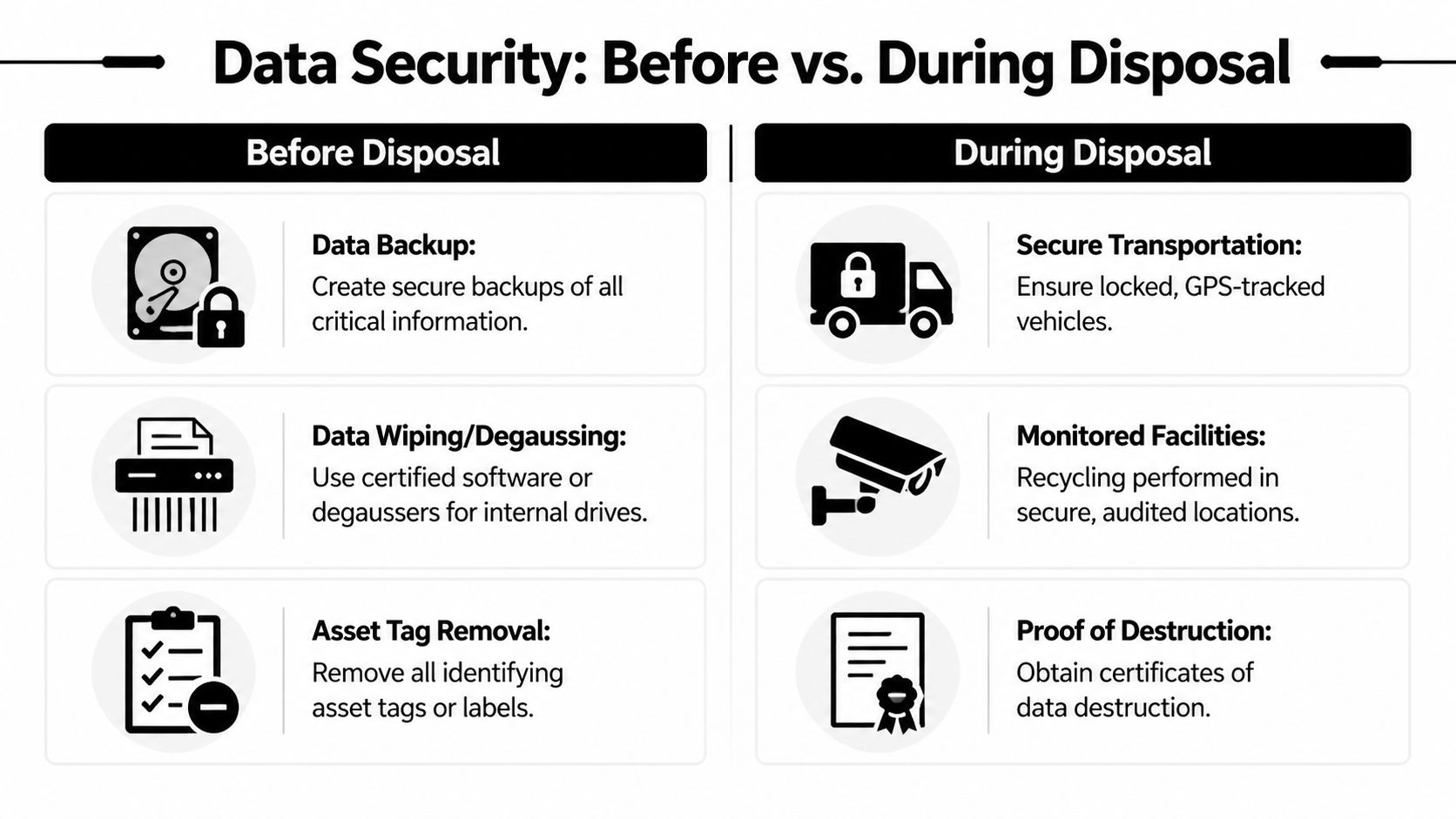
Before pickup and during pickup are different control points
The mistake many teams make is thinking data security begins when the truck arrives. It starts earlier.
Before pickup:
- Back up business-critical data.
- Identify removable drives and embedded storage.
- Remove or document asset tags according to internal policy.
- Flag devices that must be shredded rather than wiped.
During pickup:
- Verify counts against the inventory.
- Limit access to staging areas.
- Keep media with higher sensitivity segregated from general electronics.
- Confirm who signs transfer documents on behalf of your organization.
Matching method to risk
A simple rule helps. If the drive works and your compliance team accepts sanitization, wiping can make sense. If the drive is damaged, unknown, or tied to a higher-risk data environment, destruction is usually the cleaner decision.
That same logic applies to embedded storage in copiers, lab instruments, and appliance-like systems that people forget are data-bearing. Those devices often create the worst surprises because they don't look like traditional computers.
On-Site Logistics De-installation and Pickup in Grayson
The pickup day tells you whether the planning was real. Good logistics look calm. Assets move room by room, counts get verified, sensitive items stay controlled, and the team on site doesn't ask your staff to improvise the hard parts.
The weak version of the process is common in Georgia. There are many regional vendors, but most expect the client to handle much of the physical preparation. That's why logistics matter so much for complex jobs in Grayson.
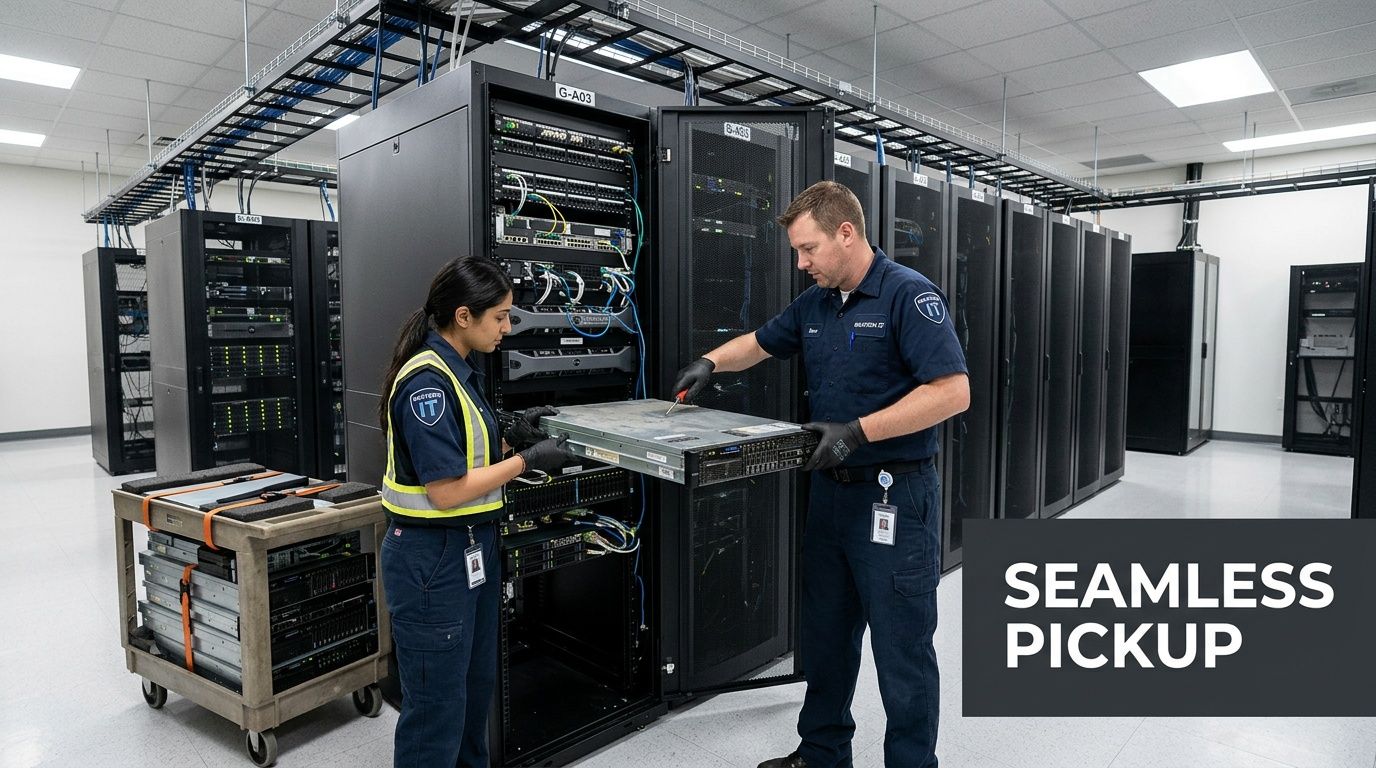
What a managed pickup should include
Georgia has a visible vendor network for electronics recycling, including companies in Alpharetta, Marietta, and Dawsonville, along with municipal programs in the broader region. But many of those pathways leave collection and transport logistics on the client side. A B2B provider with its own fleet can coordinate on-site service across metro Atlanta, which is especially important for complicated lab decommissions (Georgia e-scrap vendor network and regional recycling infrastructure).
That difference shows up immediately on site:
- Arrival and verification: the crew checks the agreed asset list and confirms scope.
- De-installation: server hardware, bench equipment, and bulky units are disconnected and removed in sequence.
- Packing and segregation: fragile instruments, loose media, and bulk scrap don't get piled together.
- Load control: every item that leaves the room gets accounted for before transport.
A local service model for free business electronics pickup in Gwinnett County GA can be useful when you're comparing how much of the labor stays with your team versus the recycler.
The hardest items are rarely the obvious ones
A rack server looks difficult, and it is. But the items that usually slow the job are the awkward ones. Under-bench instruments wired into old workstations. Fume hoods that require prior coordination. Storage closets full of mixed cables, docks, adapters, and unlabeled drives. Printers and copiers with internal storage that were never added to the retirement list.
Those assets don't respond well to a simple truck-and-dolly approach.
On complex jobs, the real value is removal sequencing. Heavy assets, sensitive media, and fragile lab equipment shouldn't all move through the same workflow.
What clients should have ready
On the day of service, the client-side role should be limited and clear. You shouldn't need your IT manager carrying monitors or your lab staff disassembling equipment in a rush.
Have these ready:
- a final contact person for sign-off
- room access and badge coordination
- any required building or dock permissions
- the latest approved asset list
- notice to departments that pickup is in progress
When those basics are covered, de-installation and transport become a controlled handoff instead of a chaotic shutdown task.
Understanding Costs Value Recovery and Final Documentation
Many Grayson businesses get bad information. Residential recycling language has trained people to expect electronics disposal to be free, or close to it. Business disposal often isn't. Once the job includes compliance handling, secure transport, labor, de-installation, and documentation, the price structure changes.
That doesn't mean the project is pure expense. It means you need to look at cost and value recovery together.
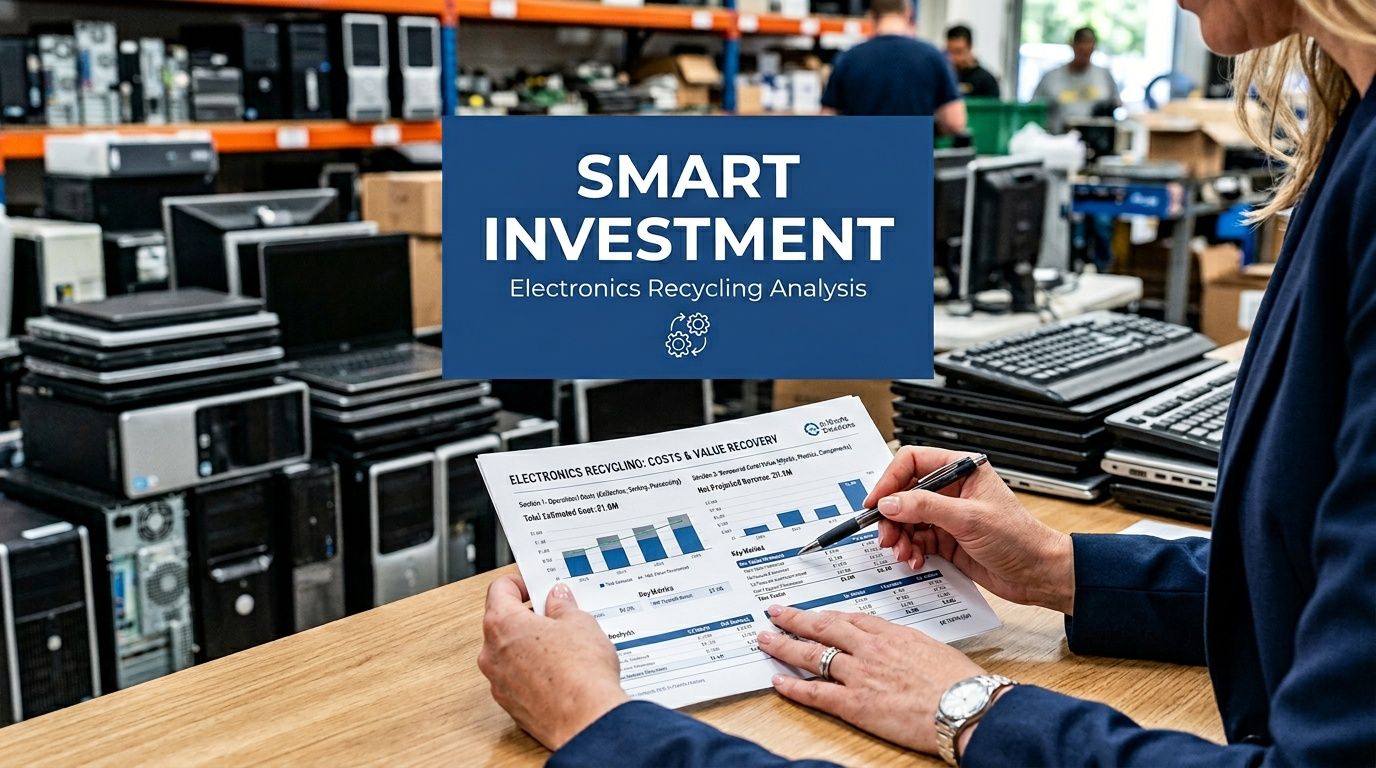
Why business recycling isn't priced like household drop-off
In Georgia, some public recycling options charge modest residential fees, but those don't reflect the demands of a business decommission. For compliant commercial service, guides that advertise free recycling often leave out the actual business-side economics. Georgia businesses often pay 15% to 30% more for compliant services due to federal EPA rules, while certified dismantling can recover up to 85% of asset value, and non-compliance can expose companies to RCRA fines up to $50,000 (Atlanta-area discussion of compliant electronics recycling costs).
The practical takeaway is simple. You're not paying only for haul-away. You're paying for controlled handling.
What typically drives the quote
Most pricing is shaped by a handful of variables:
| Cost factor | Effect on project scope |
|---|---|
| Asset mix | Servers, storage devices, and lab instruments require different handling than monitors or keyboards |
| Labor complexity | De-installation, stair carries, packing, and room-by-room removal add time |
| Data services | Wiping, shredding, and reporting increase control requirements |
| Logistics | Distance, truck capacity, scheduling constraints, and loading access affect execution |
| Documentation | Audit-ready reporting and certificates add administrative work |
The least expensive quote isn't always the lowest-risk quote. If a vendor assumes your staff will disconnect everything, palletize it, move it to a dock, and separate all media in advance, the invoice may look lean while your internal labor cost simultaneously rises.
Where value recovery changes the math
Not every retired asset is scrap. Some equipment still has reuse or component value. Newer IT hardware, serviceable lab electronics, and commodity-rich devices may offset part of the project when they move through proper dismantling or resale channels.
One factual example worth noting in this market is that Scientific Equipment Disposal provides business pickup, accepts both electronics and laboratory assets, and offers DoD 5220.22-M 3-pass wiping with shredding for obsolete or nonfunctional media as part of its service model. For organizations evaluating documentation needs, it's also useful to review a sample certificate of destruction.
That final paperwork matters for more than records retention.
Don't close the project without the documents
At the end of a decommission, you should expect documentation that proves the outcome. Depending on the load, that may include asset reconciliation, certificates of destruction for storage media, and recycling documentation that supports internal compliance files and sustainability reporting.
A short closing checklist helps:
- Match the final paperwork to the pickup inventory
- Store destruction certificates with your compliance records
- Confirm any excluded items were documented
- Share recycling results with facilities, IT, and procurement
- Keep the file accessible for audits and internal reviews
Good documentation doesn't fix a bad process. But without documentation, even a careful process becomes hard to defend later.
Your Grayson E-Waste Decommissioning Sample Timeline
Most projects move faster when the organization treats disposal like a scheduled operation instead of a last-minute removal request. The timeline below is a practical model for a Grayson office, clinic, school, or lab preparing for a moderate decommission. Adjust the pace to match your site, approval chain, and building access requirements.
Sample project timeline
| Phase | Key Actions | Timeline |
|---|---|---|
| Project kickoff | Assign internal owner, identify departments involved, define scope of disposal | Week 1 |
| Asset inventory | Record serial numbers, asset tags, locations, data-bearing devices, and special handling needs | Week 1 to Week 2 |
| Compliance review | Confirm data handling method, identify regulated assets, clear lab equipment for removal | Week 2 |
| Vendor coordination | Request scope review, confirm logistics, building access, and pickup date | Week 3 |
| Site preparation | Disconnect approved equipment, prepare access paths, brief department contacts | Week 3 to Week 4 |
| Pickup and de-installation | Verify inventory on site, remove assets, maintain chain-of-custody, load for transport | Week 4 |
| Processing and reporting | Complete wiping or destruction, reconcile assets, issue final documentation | Week 5 to Week 6 |
A realistic internal checklist
The timeline works best when one person owns the checklist and pushes decisions forward. In most organizations, that's a facility manager, IT director, operations lead, or lab manager.
Use this order:
Lock the scope first
Don't let departments keep adding surprise assets after scheduling unless there's a formal change process.Flag sensitive items separately
Drives, backup media, embedded storage, and specialized instruments should never be left for same-day identification.Confirm building logistics in writing
Elevators, dock reservations, alarms, and access control issues create avoidable delays.Keep final sign-off centralized
One authorized person should approve the pickup inventory and receive the final paperwork.
The cleanest projects are the ones where staff know exactly what is leaving, who approved it, and what document will prove it afterward.
What usually delays a Grayson decommission
The delays are predictable. Missing room lists. Unapproved equipment still in use. Department heads who weren't told pickup was scheduled. Equipment with unknown contamination status. Drives found loose in drawers after the main load has already left.
You can avoid most of that by doing a short pre-pickup walk-through with IT, facilities, and the department that used the equipment. That single meeting usually surfaces the problems that email chains miss.
For organizations handling mixed IT and lab assets, the strongest plan is the one that stays simple. Inventory everything. Separate sensitive items. Confirm who is moving what. Require final documentation. Then schedule the project before your shutdown, renovation, or relocation date gets too close.
If you're planning a cleanout, shutdown, renovation, or lab decommission in Gwinnett County, Scientific Equipment Disposal can help you map the asset list, coordinate pickup logistics, and document secure disposition for both standard IT equipment and specialized lab electronics.