Secure Atlanta Computer Recycling for Businesses

If you're responsible for an Atlanta facility, you probably have a room nobody wants to deal with.
It might be a locked storage area behind the IT office. It might be a lab support room with retired analyzers, dead monitors, old desktops, and a pile of loose hard drives in banker boxes. In hospitals, universities, clinics, and research buildings, this buildup accumulates. A refresh project finishes, a lab moves, a server closet gets cleaned out, and the equipment stays put because nobody wants to create a compliance problem by moving too fast.
That’s where atlanta computer recycling gets more complicated than most vendors admit. Getting rid of old computers is one task. Handling computers, servers, storage media, and specialized lab equipment under the right chain of custody is a different job entirely. If your facility has both IT assets and scientific equipment, a generic e-waste pickup service often leaves a dangerous gap.
Your Atlanta Facility Has an E-Waste Problem
A typical call starts the same way. An IT manager says they have obsolete laptops, monitors, and a few racks of aging hardware. Then the facilities lead adds that there are also incubators, centrifuges, benchtop devices, and a few pieces of equipment from a lab closure. Then compliance asks what happens to the drives, whether anything has contamination concerns, and who signs off on final disposition.
That’s not a simple junk removal job. It’s an asset disposition project.
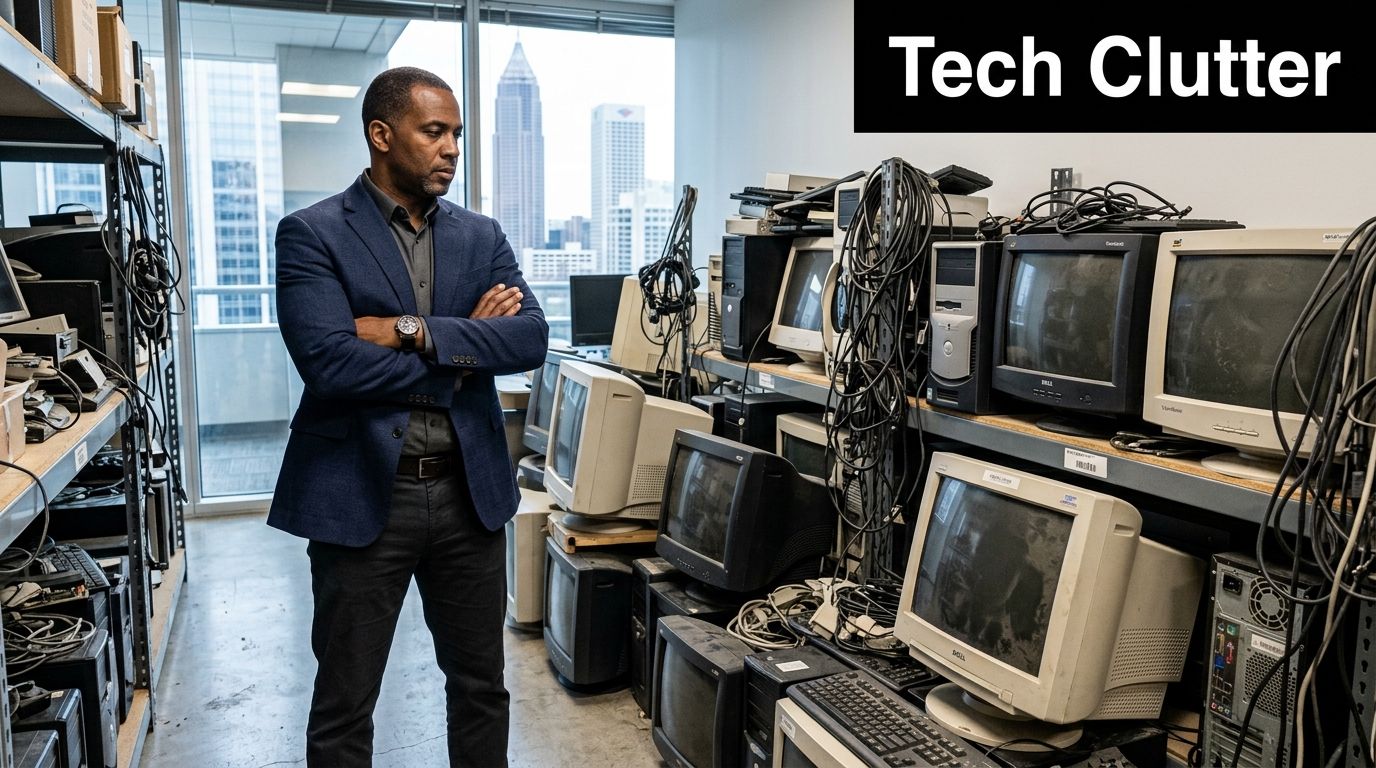
In Atlanta, this problem shows up across healthcare systems, university campuses, biotech labs, school districts, government offices, and corporate IT departments. The equipment mix is rarely clean. You may have:
- Retired office systems sitting next to still-tagged lab computers
- Server room leftovers that require controlled removal, not casual hauling
- Storage media that can't leave the building without a documented destruction process
- Lab equipment that may need separate handling before it can enter a normal recycling stream
The operational pain is real. Your team already has a full workload. Asking them to sort, palletize, transport, document, and vet disposal vendors usually means the project stalls for months.
What usually goes wrong
Most delays come from one of three issues:
- The wrong vendor scope. A recycler takes standard electronics but won't touch specialized lab assets.
- Unclear data handling. Nobody can tell you exactly how drives are wiped, shredded, tracked, or documented.
- Internal labor drain. The “cheap” option requires your staff to do the packing, movement, and coordination.
Old electronics don't become low risk just because they're unplugged.
If you’re trying to solve this across one building or multiple sites, it helps to start with a local process built for commercial and institutional work. For a broader view of how business pickups work in the metro area, see S.E.D.’s page on recycling in Atlanta, Georgia.
What works in practice
The cleanest projects start with a site review, an itemized scope, and one chain of responsibility from pickup through final disposition. That matters even more when your inventory includes both standard IT equipment and scientific assets.
If your current storeroom has become a holding zone for “deal with later,” you’re not behind. You’re in the same position as a lot of Atlanta organizations that have outgrown basic e-waste options.
Why Proper E-Waste Disposal Matters More Than Ever
Atlanta organizations don’t have an e-waste problem only because devices age out quickly. They have one because old electronics carry environmental exposure, governance risk, and public accountability all at once.
The scale of the issue has been clear for years. In 2007, the U.S. Environmental Protection Agency reported that over 63 million computers were discarded annually nationwide, or roughly 173,000 per day, and noted that discarded computers contain hazardous materials such as lead, mercury, and cadmium. The same source points to the Resource Conservation and Recovery Act of 1976 as the regulatory foundation for modern e-waste management (EPA figures summarized here).
Why this matters to a business, not just the environment
Those materials don’t stop being hazardous because your device is obsolete. If equipment is mishandled, sent to the wrong downstream outlet, or dumped into a landfill path that shouldn’t have been used, the problem becomes operational and reputational.
For a commercial facility, proper recycling supports several goals at once:
- Environmental stewardship. You keep hazardous components out of improper disposal streams.
- Internal governance. Procurement, compliance, EH&S, and IT all need a disposal process they can defend.
- Brand protection. If your organization promotes sustainability, your surplus equipment process should match that claim.
- Audit readiness. Documented disposition is easier to defend than informal cleanouts.
Atlanta has a different risk profile
Atlanta isn’t a small market with occasional equipment turnover. It’s a dense commercial and institutional environment with hospitals, universities, research operations, government sites, and data-heavy businesses. That concentration changes the stakes.
When a single facility clears one room of obsolete equipment, that’s manageable. When a campus refresh, lab shutdown, or server decommission creates mixed streams of electronics, the disposal process has to hold up under scrutiny.
A few trade-offs are worth stating plainly:
| Situation | What works | What doesn't |
|---|---|---|
| Small volume of non-sensitive office electronics | Simple scheduled recycling | Treating mixed assets like ordinary scrap |
| Devices with storage media | Certified sanitization and documented destruction | Informal handoff with no audit trail |
| Lab-adjacent electronics and instruments | Coordinated review before pickup | Assuming every recycler handles specialized gear |
Practical rule: If your disposal plan can't explain where the material goes, how data is removed, and who documented the transfer, it isn't a finished plan.
Responsible recycling is a business decision
A lot of buyers still frame this as “how do we get rid of old stuff?” The better question is “how do we close out retired assets without creating a new liability?”
That shift matters. Proper atlanta computer recycling is part facilities process, part compliance process, and part risk management. It’s not just about clearing space. It’s about controlling what leaves your building, how it leaves, and whether your organization can prove it handled disposal responsibly.
Navigating Data Security and HIPAA Compliance
For most organizations, the biggest disposal risk isn’t the monitor or the keyboard. It’s the data sitting on a drive nobody remembered was still inside a retired machine.
That risk is especially sharp in healthcare, higher education, finance, legal, and government environments. If your old desktop, laptop, server, copier drive, or storage array contains protected or confidential information, disposal has to be handled as a controlled data event, not a recycling errand.
What HIPAA changes
HIPAA doesn’t disappear when equipment reaches end of life. If a retired device stored protected health information, your organization still has to make sure that data is rendered inaccessible before final disposition.
That affects more than obvious endpoints. In healthcare and lab settings, PHI may live on:
- Desktop and laptop hard drives
- Server and backup storage
- External drives and removable media
- Embedded drives inside multifunction devices or specialized systems
For a useful outside perspective on policy design, retention controls, and navigating compliance challenges in data handling, that Nutmeg Technologies guide is worth reviewing alongside your own internal disposal policy.
Wiping, degaussing, and shredding are not the same
Buyers often hear these terms used interchangeably. They aren’t interchangeable.
Wiping
DoD 5220.22-M 3-pass wiping is a software-based sanitization method used on functional media. In Atlanta recycling workflows, this standard is commonly referenced for business IT asset disposition and secure erasure of reusable drives.
Use wiping when the drive is operational and the goal is sanitization before remarketing, redeployment, or compliant recycling.
Degaussing
Degaussing disrupts the magnetic field on certain media. It has a place in some destruction workflows, but it isn’t the universal answer for every storage type in a mixed modern environment.
Use it only when the media type and your security policy support it.
Physical shredding
Shredding physically destroys the media. This is the right call for nonfunctional drives, obsolete media, or situations where your policy requires destruction rather than sanitization.
Use shredding when the device can’t be wiped, shouldn’t be reused, or presents significant risk.
If you don't know whether your drives are functional, assume the project needs triage before removal starts.
What to ask your recycler before anything leaves the building
A serious vendor should answer these questions clearly:
- How is media identified? Ask how loose drives, in-device drives, and embedded storage are tracked.
- What sanitization method applies to which asset type? You need a real workflow, not a sales phrase.
- When is shredding used instead of wiping? The trigger should be defined.
- What documentation do you receive? A Certificate of Destruction matters because your auditors won't accept verbal assurances.
- Can the process happen on-site if needed? Some organizations require tighter custody from the first touch.
For organizations that need a more formal process, S.E.D. provides secure data destruction with drive wiping and shredding options tied to the asset condition and compliance needs.
The audit trail matters as much as the destruction method
A wiped drive without documentation creates an avoidable problem. A shredded drive without serialized tracking may create a different one. In practice, the strongest programs combine handling discipline, chain of custody, and final records.
That usually includes:
- Asset intake and segregation
- Media identification
- Approved sanitization or destruction
- Recorded disposition
- Certificate issuance for your files
Plainly put, your risk isn’t only data exposure. It’s failing to prove that you prevented it.
What Electronics and Lab Equipment Can Be Recycled
Most Atlanta buyers start by asking whether a recycler takes desktops and laptops. That’s the easy part. A more important question is whether the vendor can handle the full mix of assets your facility has.
Atlanta’s electronics recycling infrastructure commonly accepts desktops, servers, monitors, networking gear such as routers and switches, and mobile devices. The same market also emphasizes certified data destruction, including DoD 5220.22-M 3-pass wiping, and notes that recyclers divert hundreds of millions of pounds from Georgia landfills yearly while national e-waste recycling rates remain at only 15 to 20 percent by EPA estimates (Atlanta recycling overview).
Standard IT assets most businesses can recycle
In day-to-day commercial work, the accepted list usually includes:
- Desktop computers and laptops
- Servers and storage arrays
- Flat-panel monitors
- Routers, switches, and other networking hardware
- Mobile phones and tablets
- Keyboards, docking stations, cables, and common peripherals
This encompasses the core of a normal office refresh or server room cleanup.
What changes the project is the presence of equipment that doesn’t fit a generic electronics stream.
The category many recyclers skip
Hospitals, clinics, universities, biotech firms, and research facilities rarely dispose of IT assets alone. They also have specialized equipment such as pipettes, centrifuges, incubators, and other lab devices that may need de-installation review, contamination screening, or separate handling before recycling.
That’s where many atlanta computer recycling programs fall short. They’re built for office electronics, not mixed lab and IT shutdowns.
One useful reference for facilities handling these broader inventories is S.E.D.’s page on laboratory equipment and lab asset recycling, which reflects the type of item mix research and healthcare sites often need to clear.
A practical sorting method
Before pickup, sort your inventory into three groups:
| Asset group | Examples | Key handling question |
|---|---|---|
| Office and endpoint IT | Laptops, desktops, monitors | Does it contain data? |
| Infrastructure hardware | Servers, switches, storage units | Does it need de-installation or serialized tracking? |
| Lab and scientific equipment | Centrifuges, incubators, pipettes | Does it require separate compliance review before release? |
That simple sort prevents a lot of confusion on pickup day.
What happens after collection
A well-run recycling process doesn’t end at loading the truck. Downstream handling matters.
Devices are typically evaluated for one of two paths. Functional assets may be candidates for remarketing or parts recovery after proper data handling. Nonfunctional items move into material recovery, where components are separated into usable commodities such as metals and plastics.
Recycling works best when the vendor treats your equipment as controlled inventory first, scrap second.
That distinction matters for both sustainability and cost control. If a device still has recoverable value, you want that evaluated before it’s reduced to raw material. If it doesn’t, you still want documented, responsible processing.
For healthcare and research facilities, the strongest result usually comes from treating e-waste and lab surplus as one coordinated disposition project, even when the downstream handling differs by item type.
Choosing Your Service Model On-Site Pickup vs Drop-Off
The right service model depends less on convenience alone and more on what your team can safely control.
Some Atlanta organizations only need a simple drop-off option for a small batch of non-sensitive electronics. Others need a crew that can enter a live facility, remove equipment from multiple departments, segregate data-bearing assets, and coordinate loading without disrupting operations. Those are different jobs and should be priced and planned differently.
When drop-off makes sense
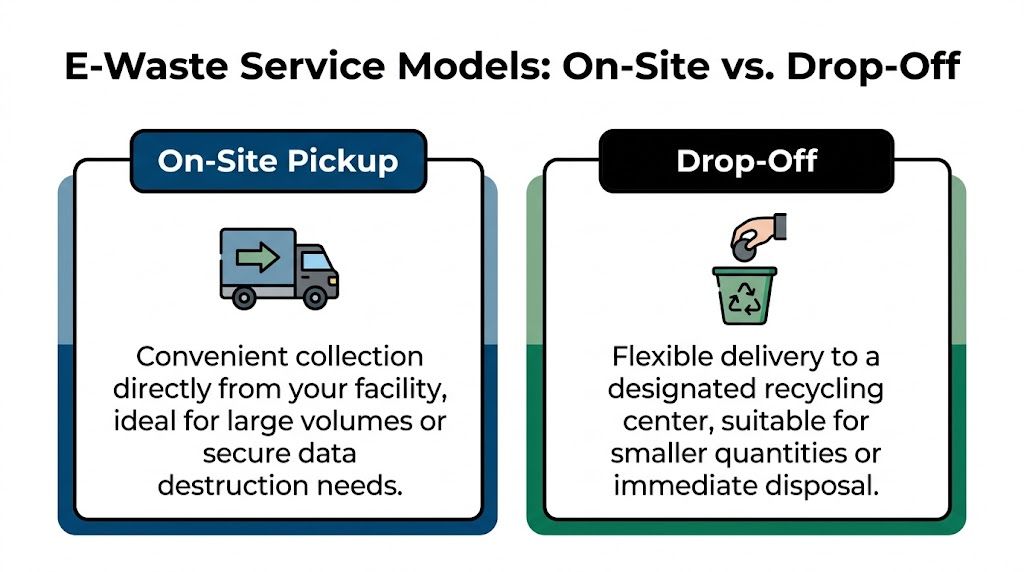
Drop-off is usually the better fit when the project is limited and your team can manage the internal handling.
Choose drop-off if your situation looks like this:
- Small quantity. A modest number of devices, not a building-wide cleanout.
- Low complexity. Standard electronics only, with no mixed lab inventory.
- Internal labor available. Your staff can box, move, and transport the items.
- Minimal chain-of-custody pressure. You don’t need a more controlled pickup workflow.
This model can work well for straightforward disposal. It tends to work poorly when the assets are distributed across departments or when your staff has to spend hours preparing loads.
When on-site pickup is the better choice
On-site pickup is usually the right call for institutional and commercial environments with more than a few devices or any meaningful compliance burden.
It fits best when you have:
- Bulk quantities across offices, labs, storage rooms, or server spaces
- Data-bearing equipment that needs tighter custody
- Heavy or awkward assets that shouldn’t be moved by internal staff
- Facility shutdowns or decommissions where timing matters
- Mixed inventories that include both electronics and scientific equipment
A dedicated fleet and handling crew can de-install, pack, palletize, and remove material in a controlled sequence. That reduces disruption and usually prevents a lot of internal coordination headaches.
For organizations that need that model, S.E.D. offers electronic recycling with free pick up for qualifying business loads, along with logistics support tied to larger disposition projects.
A quick comparison
| Service model | Best for | Main trade-off |
|---|---|---|
| Drop-off | Small, simple loads | Your team does more work |
| On-site pickup | Bulk, sensitive, or mixed assets | Requires scheduling and scope planning |
Choose the model that lowers total handling risk, not just the one that looks cheapest at first glance.
What fails most often
The common mistake is treating a complex project like a simple one. A university department may think it has “a few old computers,” then discover the pickup also includes monitors, networking gear, embedded drives, lab peripherals, and equipment spread across multiple floors.
When that happens, drop-off stops being economical. It becomes delayed, messy, and harder to document. On-site pickup costs more upfront in some cases, but it often solves the project faster and with less internal burden.
Understanding Costs and Calculating Your ROI
Most buyers ask for price first. That’s reasonable. But with atlanta computer recycling, price by itself usually hides the full financial picture.
Current Atlanta recycling content often lacks transparent pricing models, and institutional buyers are left without clear comparisons for volume-based incentives, avoided landfill fees, material recovery credits, or tax deduction scenarios. That same gap creates room to evaluate cost in broader terms such as labor avoided, downtime eliminated, and regulatory risk mitigated (pricing transparency gap noted here).
What actually drives cost
A vendor’s quote usually reflects the shape of the project more than the category label.
Common cost drivers include:
- Volume of equipment. More assets can improve route efficiency, but they also increase handling scope.
- Asset type. Standard office electronics are simpler than mixed server and lab inventories.
- Access conditions. Loading dock access is different from stair carry, restricted areas, or multi-floor removals.
- Data destruction requirements. Wiping, shredding, serialization, and reporting add process steps.
- Project urgency. Tight scheduling often requires more coordination.
If a quote looks unusually low, check what’s excluded. Packing labor, de-installation, drive handling, and documentation are often where “cheap” proposals become expensive later.
ROI is usually found in avoided internal cost
The strongest buyers evaluate more than invoice price. They compare the vendor quote against what their own staff would spend to complete the same job safely.
Look at:
- Staff time spent sorting, moving, and coordinating assets
- Operational disruption in labs, clinics, offices, or server areas
- Compliance exposure if data-bearing devices are handled poorly
- Residual value from equipment that may still be remarketable
The risk side is real
A compliant service often functions like loss prevention. You’re paying for controlled handling, documented destruction, and a process your organization can defend later.
That matters because the most expensive outcome usually isn’t the recycling invoice. It’s the downstream problem caused by poor chain of custody, vague records, or a vendor that accepted equipment outside its real capabilities.
The right question isn't “What does pickup cost?” It’s “What would a failed disposal process cost us?”
Where value can come back
Functional equipment may have remarketing potential. Newer assets sometimes offset part of the project through value recovery rather than pure disposal cost.
Not every load produces that outcome, and you shouldn’t assume it will. But a vendor should at least separate assets worth evaluating from material that clearly belongs in end-of-life processing. That’s one of the practical differences between asset disposition and simple hauling.
How to Choose the Right Atlanta Recycling Partner
A lot of vendor lists in Atlanta look similar at first glance. They all mention electronics recycling. Many mention secure data destruction. Some mention pickups. That’s not enough to make a safe decision for a hospital, university, research lab, or multi-site business.
The more useful approach is to vet vendors against the failure points that show up in real projects.

Existing Atlanta recycling content rarely addresses the disposal challenges of laboratory-specific equipment such as pipettes, centrifuges, and incubators, even though those items may require specialized decontamination protocols. Standard recyclers typically lack those protocols, which creates liability and regulatory risk for institutions. A vendor that handles both IT and laboratory assets under separate compliance frameworks fills a major gap for healthcare and research facilities (lab disposal gap discussed here).
Start with the non-negotiables
A recycler should be able to show you, not just tell you, how the program works.
Check for:
- Relevant certifications. If they mention standards such as R2 or ISO-related programs, ask what those controls look like in practice.
- Documented data handling. You need a defined sanitization and destruction workflow.
- Insurance and chain of custody. Serious vendors expect this question.
- Business logistics capability. Pickup for a commercial site is different from casual collection.
If they answer in broad marketing language, keep asking.
Test their operational depth
Ask practical questions that expose whether they can run your job:
- Can they remove equipment from active work areas?
- Do they handle de-installation and packing?
- Can they separate reusable assets from destruction candidates?
- What happens when they encounter embedded drives or mixed inventory?
- Who coordinates if a lab asset requires different handling from a standard PC?
A strong vendor has clear answers. A weak one keeps redirecting to “we recycle electronics.”
The overlooked criterion that matters most for labs
If your organization has both IT and scientific equipment, single-stream electronics recycling isn’t enough.
This is the decision point many buyers miss. A hospital research wing, university science department, or biotech site may need one project that includes computers, servers, networking equipment, incubators, centrifuges, and related lab assets. If you split that across multiple vendors, responsibility gets blurry fast.
That’s one reason some Atlanta organizations use Scientific Equipment Disposal for combined IT and lab disposition. The company handles electronics and laboratory equipment within one coordinated process, including fleet logistics, de-installation support, and data destruction workflows.
A simple vendor checklist
Use this before awarding a project:
| Question | Why it matters |
|---|---|
| Can they handle both IT and lab equipment? | Prevents split-vendor confusion |
| Do they document media destruction? | Supports audits and compliance |
| Can they perform on-site pickup and removal? | Reduces internal labor and risk |
| Do they explain downstream handling clearly? | Confirms responsible disposition |
For a more detailed screening approach, this guide on how to choose an electronic waste recycling company is a good benchmark for the questions institutional buyers should ask.
A recycler is only a fit if their actual operating model matches your facility's risk profile.
What a good partnership feels like
You shouldn’t have to translate your project into the vendor’s limitations.
A qualified partner understands loading docks, restricted access, chain of custody, mixed inventories, and compliance documentation. They don’t force your team to become packers, movers, and disposal auditors just to clear a room. They take the messy asset mix you already have and turn it into a controlled, documented process.
That’s the standard worth holding in Atlanta, especially if your facility has outgrown basic e-waste service.
Frequently Asked Questions About Business E-Waste Recycling
Do you need a large volume for business pickup
Not always. Pickup depends on the project scope, asset mix, access conditions, and whether the load includes data-bearing devices or lab equipment. Small projects may still qualify, but bulk commercial loads are usually the strongest fit for on-site service.
Can small businesses use atlanta computer recycling services
Yes. Small businesses can recycle computers, laptops, monitors, and related electronics. The best service model depends on whether you have a simple office cleanout or a more sensitive inventory with storage media and documentation needs.
What if your equipment includes both computers and lab devices
That should be identified upfront. Mixed loads often require a different intake plan because standard electronics and specialized laboratory equipment may follow different compliance and handling paths.
Should you remove hard drives before pickup
Not necessarily. In many cases, leaving drives in place preserves chain of custody and avoids internal handling mistakes. What matters is having a documented sanitization or destruction process tied to the device inventory.
What records should you ask for after disposal
Request the paperwork that matches your internal policy. For data-bearing equipment, many organizations ask for a Certificate of Destruction or equivalent disposition records. If you have asset tags or internal IDs, ask how those are tracked.
Is drop-off or on-site pickup better for a facility shutdown
For shutdowns, department moves, and decommissions, on-site pickup is usually easier to control. It reduces internal labor and helps keep mixed assets organized during removal.
If you need a single vendor for computers, servers, storage media, and specialized lab equipment in the Atlanta area, Scientific Equipment Disposal provides business-focused pickup, compliant data destruction, and coordinated asset disposition for healthcare, education, research, government, and corporate facilities.