Secure Data Destruction in Dacula GA: A Complete Guide

A lot of facility managers in Dacula end up in the same spot. A storage room fills with retired desktops, failed servers, old backup drives, decommissioned lab analyzers, and a few pieces of medical equipment nobody wants to touch because everyone suspects there’s still data inside. IT wants it gone. Compliance wants documentation. Operations wants the room back.
That pile isn’t just surplus. It’s liability.
Secure Data Destruction in Dacula GA gets complicated fast when the assets aren’t limited to office laptops. In the Atlanta metro, many organizations are retiring devices from labs, clinics, research environments, university departments, and mixed-use facilities where data can live in obvious places, like servers, and less obvious ones, like instrument controllers and embedded storage inside specialized equipment. If your disposal plan only accounts for “computers and hard drives,” it’s incomplete.
The High Stakes of Data Disposal for Dacula Businesses
A common Dacula scenario starts with a renovation, relocation, lab shutdown, or hardware refresh. The facility team walks into a room with tower servers on a rack, loose hard drives in bins, a few old workstations, and several retired lab devices that were disconnected months ago. Someone asks whether the drives can just be formatted. Someone else says recycling should handle it. That’s where bad decisions usually begin.
The financial stakes are high. The average cost of a data breach for a U.S. business exceeds USD 4.45 million, and businesses in regulated sectors such as healthcare and finance face costs above USD 6 million, according to Beyond Surplus on secure data destruction. For a hospital network, clinic, university research department, or finance office in Gwinnett County, that changes disposal from a cleanup task into a risk-control process.
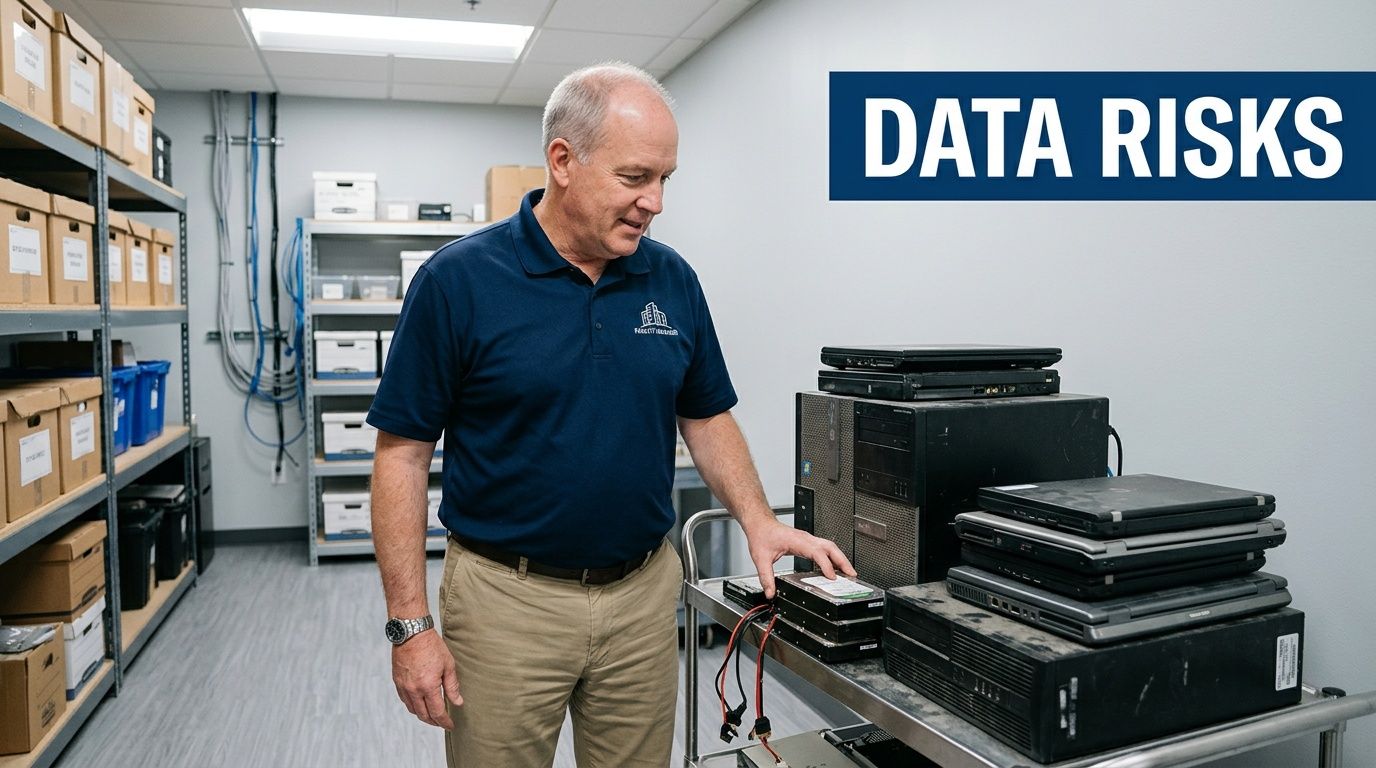
Where Dacula facilities get exposed
The biggest problem isn’t usually active infrastructure. It’s retired assets waiting for a decision.
A facility gets exposed when staff:
- Leave retired drives in unsecured storage until “someone has time” to process them
- Assume deleted files are gone even though delete and format don’t remove data defensibly
- Treat lab equipment like ordinary scrap without checking for onboard memory, internal drives, or removable media
- Use general junk removal or recycling vendors that can haul equipment away but can’t prove secure destruction
Medical and lab settings add another layer. A centrifuge workstation, imaging console, freezer controller, or connected analyzer may hold protected or confidential data even if the device no longer powers on. If your team can’t identify every data-bearing component, you can’t say the asset is clean.
Practical rule: If you can't document where the data was, how it was destroyed, and who handled the asset at each step, you don't have a defensible destruction process.
What works and what fails
What works is straightforward. Inventory first. Separate data-bearing assets from general e-waste. Use a destruction method that matches the media type and the compliance requirement. Require documentation at the end.
What fails is informal handling. A handwritten note, a truck pickup receipt, or a staff member saying “we wiped those last month” won’t stand up well under audit or internal investigation. The issue isn’t whether your team meant well. The issue is whether the process can be proven after the fact.
That’s the operating reality behind Secure Data Destruction in Dacula GA. The organizations that handle it well don’t improvise. They build a documented disposal workflow before the first asset leaves the room.
Understanding Your Data Destruction Options
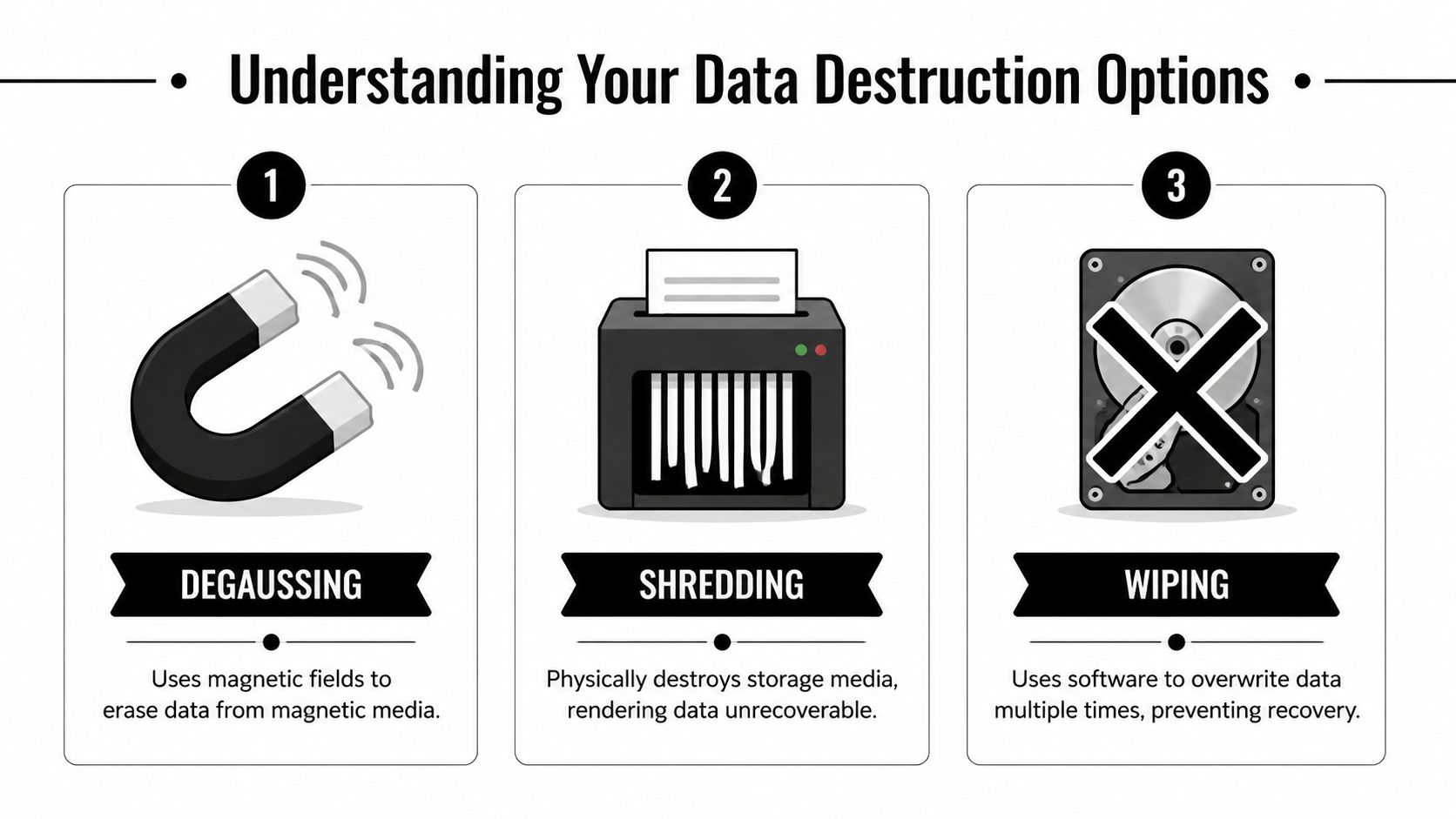
Not every data-bearing asset should be handled the same way. The right method depends on the media, whether the device still works, whether you want to reuse the asset, and how much proof you need after the work is done. In practice, most decisions come down to three methods: wiping, degaussing, and shredding.
A simple way to think about them is this. Wiping is like sanding a surface down and painting over it carefully and completely. Degaussing is like scrambling the material so the original pattern can’t be read. Shredding is demolition. Once the media is destroyed physically, reuse is over, but so is any realistic recovery path.
Wiping when reuse matters
Software sanitization is the best fit when the drive is functional and you want the option to redeploy, remarket, or return the hardware. The most important distinction is that secure wiping isn’t the same as deleting files or reformatting a volume.
The DoD 5220.22-M 3-pass sanitization method writes patterns across the full drive surface three times and has been benchmarked at greater than 99.9% destruction efficacy in validations, according to the Georgia enterprise compliance guide on data destruction. For traditional magnetic hard drives, that’s a defensible option when the device is still operational.
Wiping works well for:
- Functional HDDs headed for reuse or resale
- Enterprise refresh projects where asset value still matters
- Leased equipment returns when the contract requires removal of resident data but the hardware itself must remain intact
It does not work well when a drive is dead, unstable, inaccessible, or physically damaged. If the media can’t complete the overwrite process reliably, you need a destructive method instead.
Degaussing and where it fits
Degaussing uses a strong magnetic field to disrupt data on magnetic media. It has a place, but it isn’t the universal answer many people assume it is. It’s tied to magnetic storage, so it’s mainly relevant to certain legacy media and magnetic hard drives.
The trade-off is simple. Degaussing can render a drive unusable, and it doesn’t leave you with a reusable asset. It also isn’t the best answer for every modern environment, especially when your inventory includes mixed media types and you need a single, easy-to-audit process across a site.
For many Dacula facilities, degaussing is less common than either wiping or shredding because operations teams usually want one of two outcomes: verified reuse or final destruction.
Shredding when certainty matters most
Physical shredding is the endpoint method. It’s the right choice when media is nonfunctional, obsolete, high-risk, or not worth preserving. It’s also the cleanest option when you need a disposal result that’s easy to understand internally. The drive was destroyed. There’s no ambiguity.
This method is often preferred for:
- Failed drives
- Outdated media with no resale value
- Mixed asset loads from lab decommissions
- Sensitive environments where retaining media for reuse isn’t worth the operational complexity
If your team needs this level of finality, hard drive shredding services are usually the most direct route.
Comparing Data Destruction Methods
| Method | How It Works | Best For | Allows Reuse? | Compliance Level |
|---|---|---|---|---|
| Wiping | Software overwrites data across the media | Functional drives that will be reused or returned | Yes | Strong when the process is validated and documented |
| Degaussing | Magnetic field disrupts data on magnetic media | Certain magnetic media where reuse is not required | No | Strong for applicable media when handled correctly |
| Shredding | Physical destruction of the storage media | Failed, obsolete, or high-risk media | No | Highest practical finality for end-of-life media |
If a drive won’t power on, won’t mount, or can’t complete verification, stop trying to save the process with software. Move to physical destruction.
The mistake I see most often is choosing a method based on convenience rather than evidence. A facility should ask one question first: what can we prove happened to each asset? Once you start there, the right method usually becomes obvious.
Navigating HIPAA GLBA and Georgia's Data Disposal Laws
Most compliance problems in data destruction come from treating disposal as an IT housekeeping issue instead of a regulated event. In Dacula, that’s risky for healthcare groups, financial organizations, schools, labs, and any business holding personal information.
Federal regulations such as HIPAA and the FTC Disposal Rule require secure data destruction. Public trust is part of the issue too. A survey found that 54% of people fear businesses are leaving them vulnerable to identity theft through improper handling of retired IT assets, as noted by Beyond Surplus in its Georgia data destruction overview.

What these rules mean in practice
You don’t need to memorize every regulation to manage disposal correctly. You do need to translate the acronyms into operational requirements.
- HIPAA applies when devices may contain protected health information. That includes more than EHR servers. Workstations, portable media, instrument-connected computers, and some medical devices can all fall into scope.
- GLBA matters for financial institutions and any organization handling covered financial information.
- The FTC Disposal Rule focuses on proper disposal of consumer information so it can’t be read or reconstructed.
- Georgia disposal obligations matter too, especially when records and devices contain personal information that must be handled securely at end of life.
The practical takeaway is simple. If the asset ever stored regulated or personally identifiable data, destruction has to be intentional, documented, and provable.
Medical and laboratory equipment is the blind spot
Generic IT disposal guidance often stops at laptops, desktops, and servers. That’s not enough for a hospital lab, clinic, university science building, or research site in the Atlanta metro. Many facilities have data sitting inside equipment that isn’t on the standard IT retirement spreadsheet.
That’s why medical equipment disposal requires a separate compliance lens. If you’re dealing with analyzers, imaging accessories, instrument controllers, or retired lab systems, HIPAA-compliant medical equipment disposal services reflect the kind of process you should expect from any qualified vendor.
Security controls during active use matter, but they don't replace end-of-life destruction. Data that's encrypted in operation can still become a disposal problem when the hardware leaves service.
For teams reviewing their broader data protection posture, FaxZen's guide to E2EE is a useful companion resource because it explains how transmission security differs from end-of-life media handling. Those are related controls, but they solve different problems.
The legal standard is proof, not intent
Auditors and compliance officers don’t evaluate your disposal program based on whether your staff tried hard. They look for evidence.
That means your internal process should answer these questions clearly:
- Which assets held regulated data
- Which destruction method was used
- Who handled the assets from pickup through processing
- What record proves the destruction occurred
A truck ticket or general recycling receipt doesn’t do that. A compliant process does.
The Importance of an Unbroken Chain of Custody
Secure destruction isn’t one event. It’s a sequence of controlled handoffs. If even one handoff is vague, undocumented, or informal, your proof weakens.
That’s why chain of custody matters so much in Secure Data Destruction in Dacula GA. It gives you a continuous record of where each asset was, who controlled it, and what happened before the final destruction step. When done correctly, that record is what shifts liability away from guesswork and toward documented process.
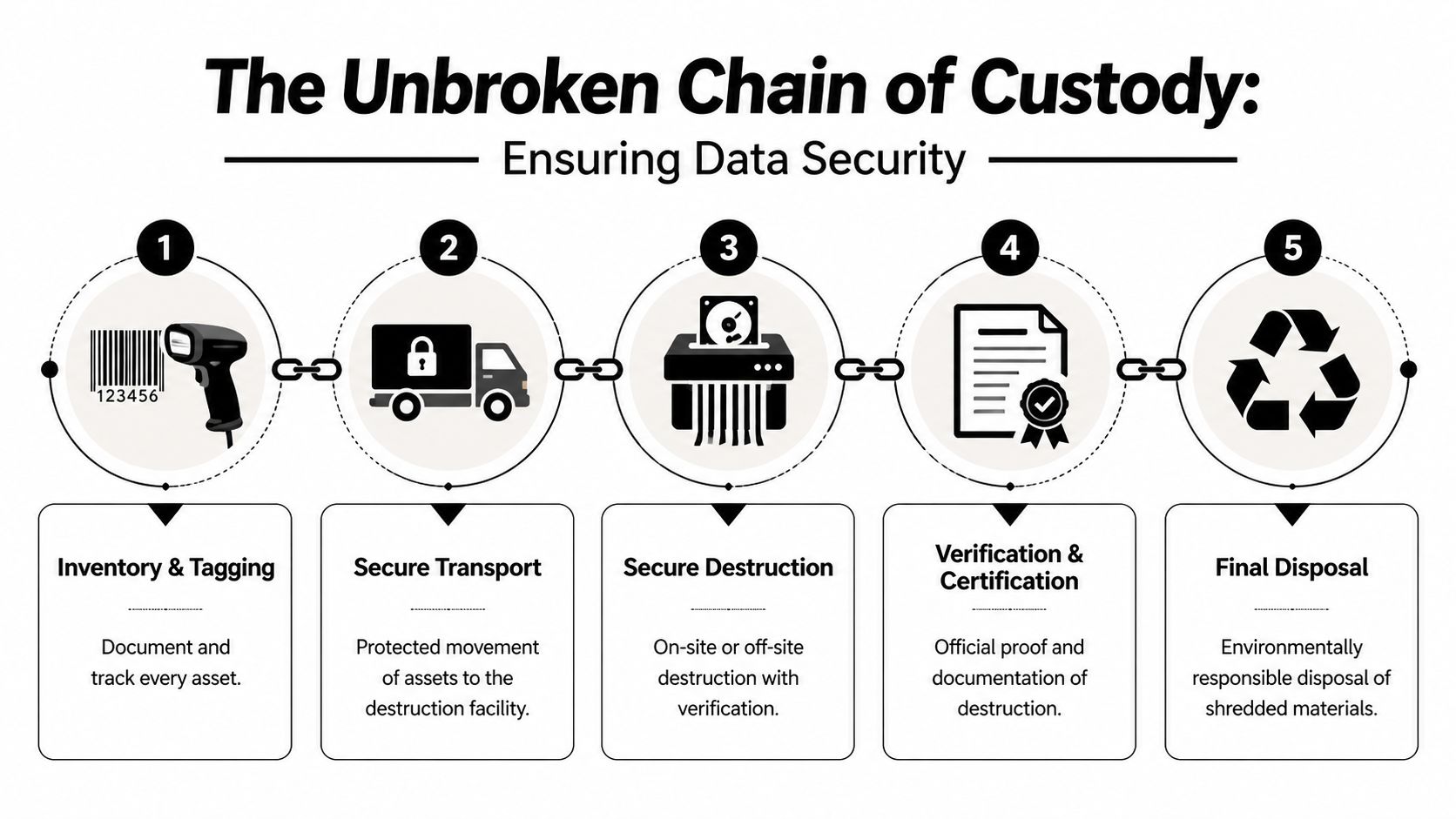
What an unbroken chain actually looks like
In real operations, chain of custody should start before anything is removed from your Dacula facility.
Inventory and tagging
Every asset gets identified before movement. That can include serial numbers, asset tags, model information, and notes about whether the item is a standalone drive, a full workstation, or a lab device with embedded storage.Controlled pickup
Assets are transferred to authorized personnel, not handed to whoever happens to be loading a truck. The handoff needs names, timestamps, and a clear record of custody.Secure transport
Once equipment leaves your site, transport shouldn’t become a black box. The movement from your building to the processing location has to stay controlled and traceable.Verified destruction
The selected method is executed here, whether that means wiping a working drive or physically destroying failed media.Certificate issue and records retention
The process ends with documentation that your compliance team can file and retrieve later. If you want to see what that kind of documentation looks like, review a sample Certificate of Destruction.
Where chain of custody usually breaks
Most breakdowns happen before destruction, not during it.
Common failure points include:
- Bulk boxing without asset-level records
- Open staging areas where multiple departments can access the equipment
- Incomplete pickup paperwork that lists “electronics” rather than specific devices
- Mixed loads where data-bearing media gets combined with general scrap before review
Field advice: The most dangerous phrase in disposal is "we think those drives were in that pallet."
That’s not a chain of custody. That’s uncertainty in written form.
Why the certificate matters
A Certificate of Destruction is the endpoint evidence, but it only has weight if the handling process behind it was disciplined. Good documentation should connect the asset inventory, the transfer record, the destruction method, and the final outcome.
For facility managers, this has a direct operational benefit. When legal, compliance, internal audit, or leadership asks what happened to retired equipment from a decommissioned room, you can produce records instead of explanations.
Preparing Your Dacula Facility for Secure Asset Disposal
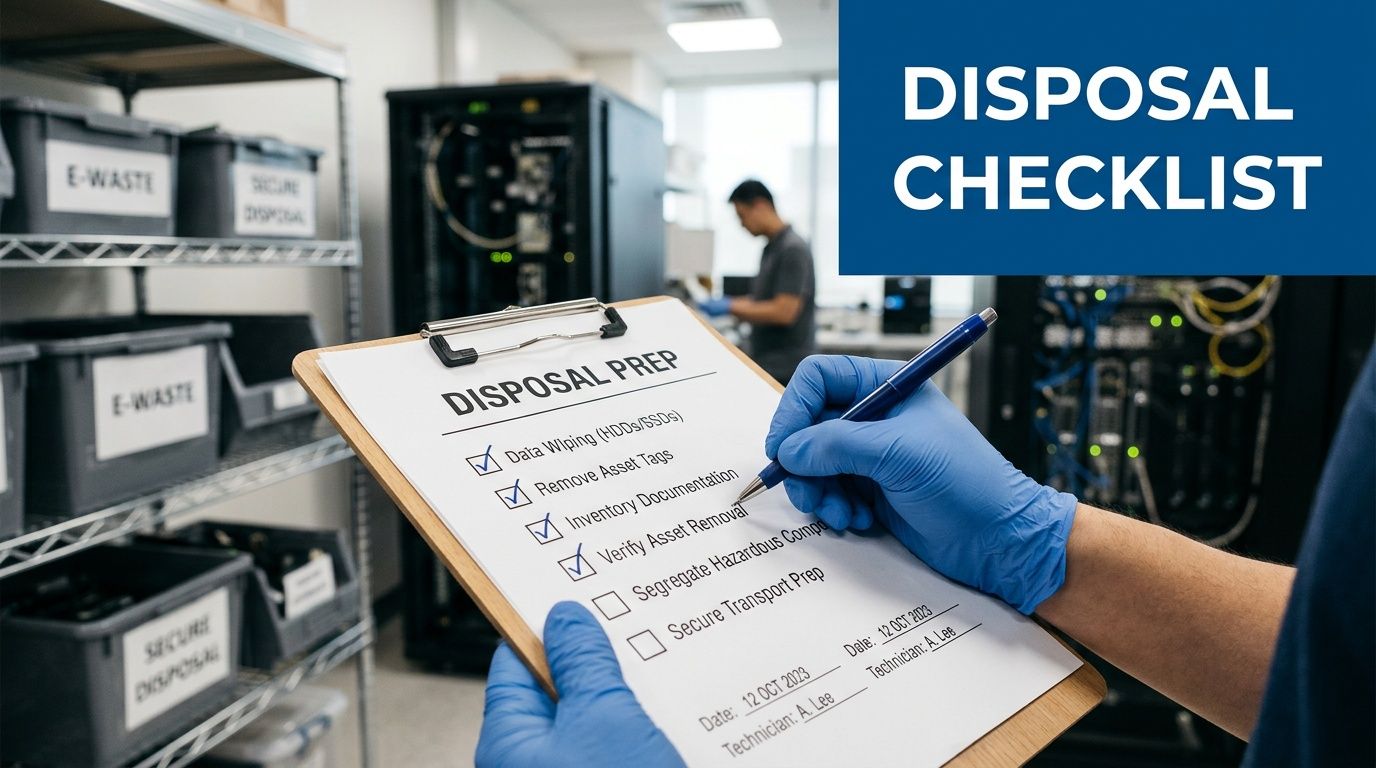
The cleanest destruction project starts before pickup day. If your internal prep is sloppy, the vendor inherits confusion, and your records usually suffer. Facility managers who prepare well move faster, reduce site disruption, and avoid the last-minute question nobody wants to hear: “Did this device have data on it?”
That question comes up often with labs. A key gap in local guidance is compliance for medical labs handling HIPAA data from devices such as centrifuges or servers. A 2025 IBM report cited in CrusA LLC’s discussion of onsite data destruction notes healthcare data breaches cost $10.93 million on average, with improper disposal contributing to 20% of incidents. The implication for Dacula facilities is clear. Data-bearing lab equipment can’t be treated like ordinary surplus.
The pre-pickup checklist that saves time
Before any truck arrives, build a site-specific list. Don’t rely on memory.
- Map every room involved. Include server closets, nurse stations, admin offices, storage cages, and lab benches. Retired media often gets spread across more areas than the official decommission plan shows.
- Flag obvious and hidden data-bearing assets. Servers and desktops are obvious. Instrument controllers, detachable HMIs, external arrays, benchtop PCs, and embedded workstations are the usual misses.
- Separate reuse candidates from destruction candidates. Working hardware may be suitable for sanitization. Failed or obsolete media usually belongs in the destruction stream.
- Handle decontamination first when required. In labs and clinical settings, data destruction and equipment safety are separate issues. If a device needs biological, chemical, or process decontamination, finish that before pickup.
- Get internal approvals in advance. Compliance, IT, biomedical engineering, lab management, and facilities should agree on the disposition path before the first asset moves.
Special handling for mixed office and lab shutdowns
Many Gwinnett County projects aren’t pure IT jobs. They’re mixed decommissions involving office furniture, cubicles, workstations, printers, and lab equipment in the same timeline. In those cases, disposal planning works best when data-bearing assets are removed from the general clear-out stream entirely.
If your project also includes workspace teardown, office decommissioning solutions can help teams think through sequencing so furniture removal and electronics disposition don’t interfere with each other.
Label the secure destruction stream physically, not just on a spreadsheet. A taped-off staging zone beats a shared hallway every time.
What to hand your vendor on day one
A strong handoff package doesn’t need to be fancy. It needs to be usable.
Include:
- A current asset list
- Site access instructions
- Points of contact for facilities, IT, and compliance
- Notes on stairs, elevators, loading dock limits, and restricted areas
- A short list of assets that are known to contain regulated data
For local organizations planning pickup support, Gwinnett County business electronics pickup options show the kind of logistics model that works best when timing and site coordination matter.
Preparation isn’t glamorous, but it prevents the two problems that create most disposal risk: missing assets and bad records.
Why Atlanta Metro Organizations Choose SED for On-Site Destruction
Organizations across the Atlanta metro don’t choose a data destruction partner because the service sounds convenient. They choose based on whether the provider can solve real operational problems without creating compliance gaps. For hospitals, labs, universities, government departments, and corporate facilities, on-site capability is often the deciding factor.
The first reason is control. When a provider can come to the facility, handle pickup, and manage the load with its own logistics team, the organization avoids unnecessary transfers and reduces confusion around staging, packing, and internal movement. That matters in active environments where equipment may be spread across multiple rooms, floors, or buildings.
On-site service fits real decommission conditions
A cleanroom-adjacent lab, a hospital basement storage area, and a university research wing do not behave like a standard office cleanout. Assets may be fragile, oversized, disconnected from power, or mixed with equipment that isn’t going out. A provider needs to work inside those constraints without slowing down your operations.
What tends to work best in these environments is:
- On-site de-installation support when staff can’t easily unplug and roll equipment out
- Packing and pickup by a dedicated fleet instead of relying on generic freight handoffs
- A destruction workflow that covers both IT hardware and specialized lab equipment
- Recycling pathways for the non-data-bearing material after secure destruction is complete
That last point matters more than many teams expect. Once media is destroyed and equipment is cleared for downstream processing, organizations still need a responsible path for the remaining electronics and materials. For that broader end-of-life side, Atlanta electronics recycling support is part of what makes a local partner useful beyond pure destruction.
Why medical and research facilities care about specialization
General e-waste companies can remove computers. That doesn’t mean they understand instrument-attached storage, decommission sequencing in labs, or how to coordinate around compliance-sensitive departments.
A specialist approach is more useful because it accounts for details like:
- whether a freezer controller or analyzer workstation may contain recoverable data
- whether a device should be wiped for reuse or shredded because it’s nonfunctional
- whether chain-of-custody records need to align with an internal audit package
- whether the facility needs one coordinated pickup for both lab assets and enterprise IT equipment
The difference isn’t marketing. It’s whether the provider knows what to look for before something gets missed.
What organizations usually want from one provider
Organizations often don’t want three vendors for one project. They want one provider that can handle the data-bearing pieces correctly and process the remaining material responsibly.
That’s why on-site destruction matters. It reduces movement, simplifies oversight, and gives the facility a clearer record from pickup through final disposition. In environments where operations, compliance, and sustainability all matter, that combination is hard to replace with piecemeal vendors.
Frequently Asked Questions About Data Destruction in Georgia
Does deleting files or formatting a drive count as secure destruction
No. Delete and format change how the system sees the data. They don’t create the same defensible result as validated wiping, degaussing where applicable, or physical shredding. For regulated environments, informal erasure methods leave too much uncertainty.
What should we do with leased computers or leased medical equipment
Check the lease terms before touching the hardware. Some agreements require return of intact equipment, which usually points toward sanitization rather than physical destruction. The right move is to document the asset, confirm contractual obligations, and use a method that removes data without violating return conditions.
Are SSDs handled the same way as traditional hard drives
Not always. Solid-state media doesn’t behave exactly like magnetic hard drives, so your destruction decision should follow the device type and the ability to verify the result. If a facility has mixed media and wants a simple, final outcome, physical destruction is often the cleaner operational choice for end-of-life assets.
How do we handle lab equipment that may contain embedded storage
Assume nothing and inspect everything. Start with the equipment category, then identify whether it includes an internal controller, removable storage, connected workstation, or service module that may retain data. At this point, biomedical staff, lab managers, and IT should work from the same asset list.
Should on-site destruction always be preferred
Not automatically. On-site service is often best when assets are highly sensitive, the load is complex, or the facility wants direct oversight. Off-site processing can still be appropriate if the chain of custody is tight and the documentation is complete. The decision should be based on risk, media type, and operational practicality.
What records should we keep after destruction
Keep the paperwork that ties the whole event together: asset inventory, pickup records, chain-of-custody documentation, and the Certificate of Destruction. Your internal retention policy and compliance counsel should guide how long those records stay on file. The key is that they remain accessible if an audit or legal review happens later.
Can we combine general e-waste recycling with secure data destruction
Yes, but only after you separate data-bearing assets from the rest of the load. Secure destruction should be handled as its own controlled process. Once the media risk is removed and documented, the remaining electronics can move into the appropriate recycling stream.
Who inside the organization should approve a disposal project
That depends on the environment, but the decision usually shouldn’t sit with one department alone. Facilities, IT, compliance, and any department that owns the equipment should align on scope, method, and documentation requirements before pickup begins.
If your team is planning Secure Data Destruction in Dacula GA and needs a provider that understands both regulated data and lab equipment logistics, Scientific Equipment Disposal can help coordinate compliant pickup, secure wiping, shredding, and responsible recycling for hospitals, labs, schools, corporate facilities, and government sites across the Atlanta metro.