Secure IT Equipment Recycling Services In Dacula GA

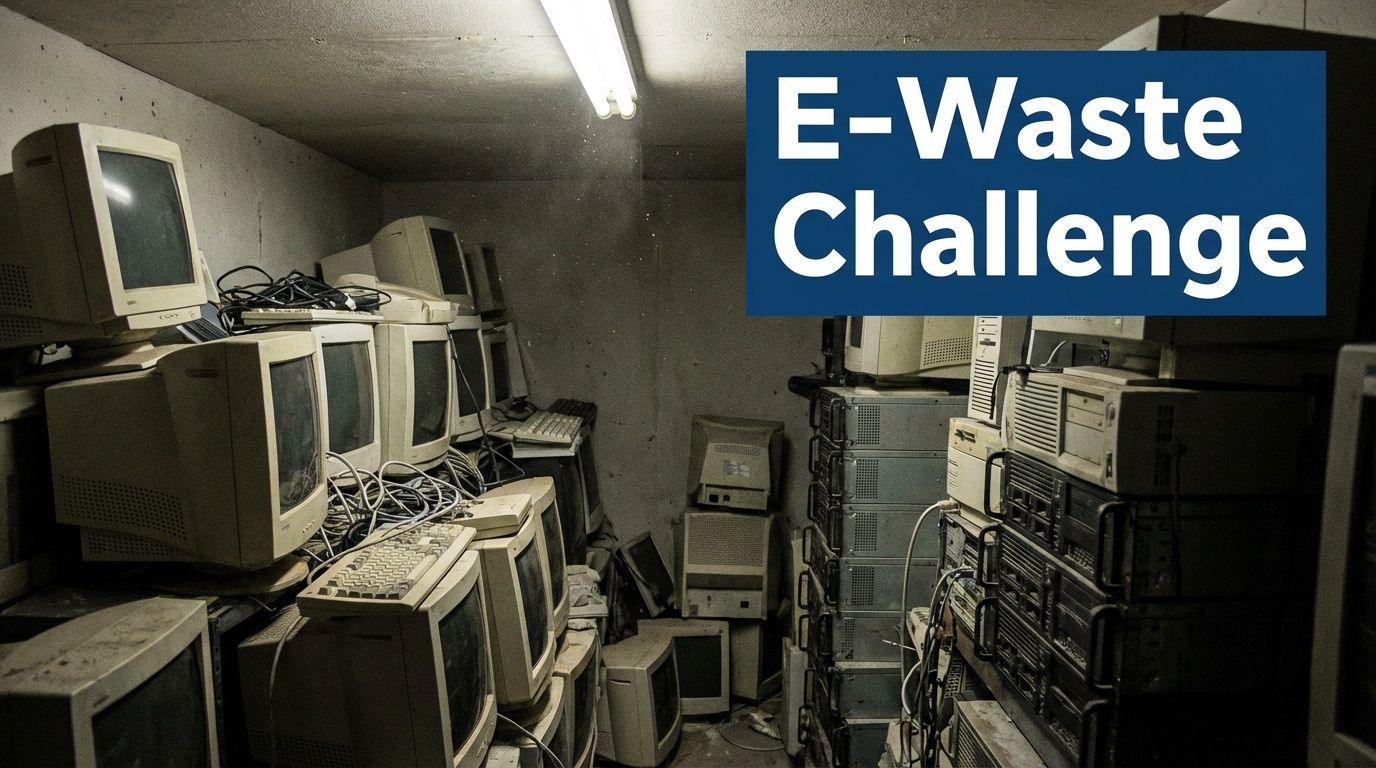
If you're responsible for a facility, server room, clinic, lab, or campus department in Dacula, you probably have the same problem most organizations put off too long. There's a locked room, staging area, or back hallway filled with retired desktops, dead monitors, storage arrays, old network gear, and maybe a few specialized instruments nobody wants to touch because they might still hold data or require special handling.
That pile isn't just clutter. It's a mix of security exposure, compliance risk, internal labor, and disposal logistics. For many organizations, the hardest part isn't deciding that equipment needs to go. It's finding a process that handles IT assets and specialized lab equipment correctly, without creating more work for facilities, IT, compliance, and operations.
Why Your Dacula Business Needs a Professional IT Recycling Plan
A casual cleanout approach fails fast once you look at what those assets are. A retired switch may still contain configuration data. A server may still hold patient records, research files, HR data, or archived financial information. A decommissioned lab instrument may have a hard drive, internal memory, attached PC, or accessory electronics that fall into the same chain of custody problem as standard IT hardware.
Dacula's volume alone makes this a real operational issue. Dacula, GA, with a population of 8,151, generates approximately 163,020 pounds of electronic waste annually, yet only 15% is properly recycled, leaving about 138,567 pounds at risk of improper disposal according to local e-waste data for Dacula. For facilities managers and IT directors, that means plenty of equipment still gets handled through the wrong channels.
What usually goes wrong
Most trouble starts with one of three decisions:
- Store it indefinitely: Equipment sits for months or years because nobody wants to own the disposal decision.
- Treat it like surplus furniture: A team handles electronics the same way they would chairs, cubicles, or shelving.
- Use a general junk hauler: The gear leaves the site, but the documentation, data security, and downstream accountability never get resolved.
For offices doing a larger move or closure, it helps to separate furniture and general workspace clearing from electronics disposition. Resources on responsible office cleanout services can help teams think through the non-IT side of a project, while IT and lab assets need a stricter disposition process.
Why a written plan matters
A professional recycling plan does two things. First, it defines who approves pickup, what gets inventoried, how data-bearing devices are segregated, and what documentation must come back after processing. Second, it turns a stressful event into a repeatable workflow for refresh cycles, office closures, lab moves, and facility shutdowns.
Practical rule: If an asset plugs in, stores data, connects to a network, or came out of a lab, don't let it leave your building without a documented disposition path.
For organizations trying to standardize that process, a formal framework for corporate e-waste solutions is usually the cleanest place to start. It helps align IT, facilities, and compliance before old equipment becomes a liability.
Beyond the Dumpster Understanding IT Asset Disposition
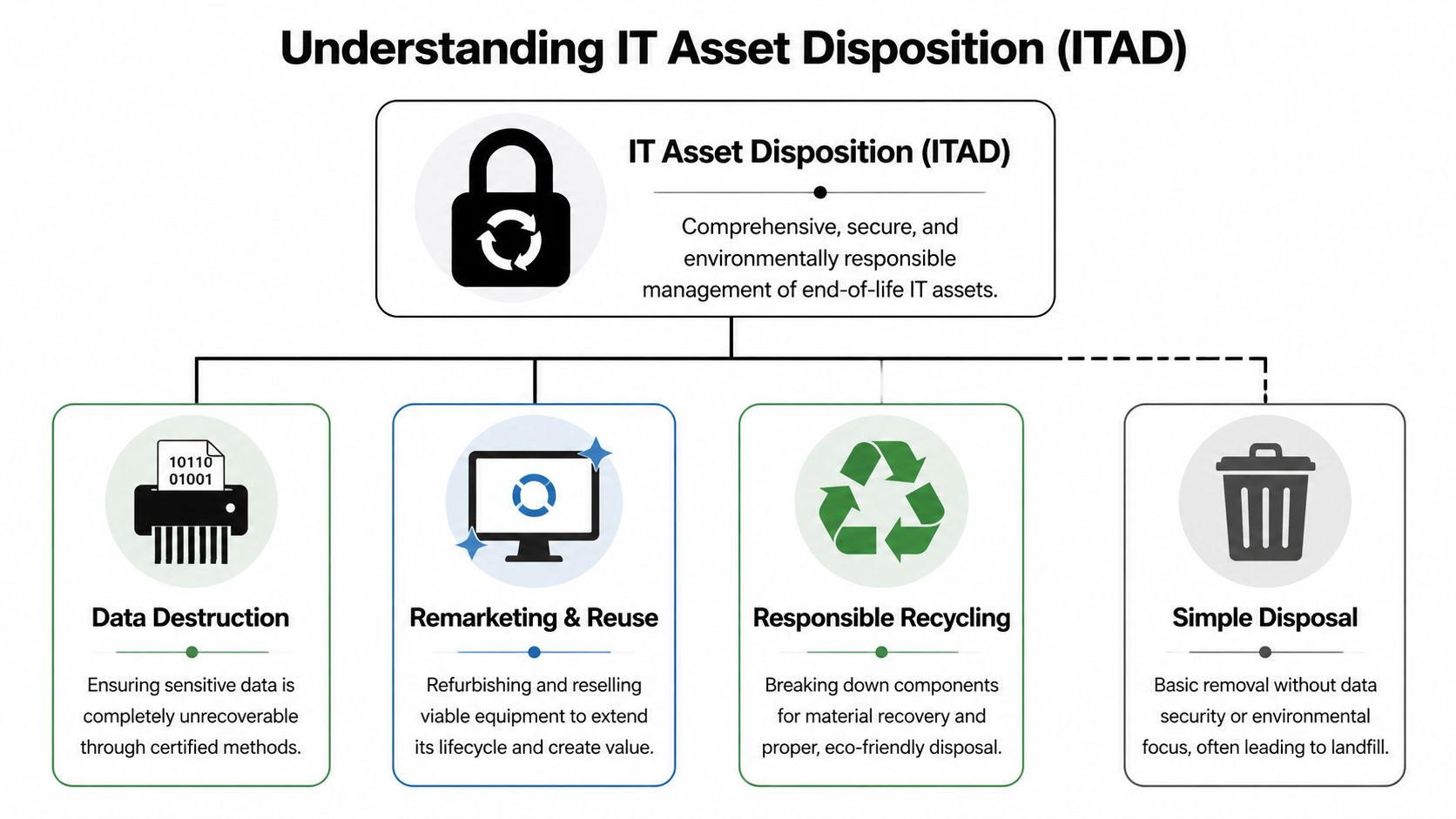
Throwing electronics away and performing IT asset disposition, or ITAD, aren't remotely the same thing. Scrapping an old office chair is simple. Retiring a rack server, firewall, or instrument workstation is closer to decommissioning a ship than unloading a trunk full of broken household gear. You don't just remove it. You document it, secure it, separate what can be reused, and control what happens next.
That distinction matters because the end of an asset's useful life inside your organization isn't the end of its risk.
The four pillars that define real ITAD
A sound ITAD program stands on four practical requirements.
| Pillar | What it means in practice | What fails without it |
|---|---|---|
| Data security | Drives are wiped or shredded using recognized methods, and custody stays controlled | Devices leave with recoverable data |
| Compliance | Records, handling steps, and disposition methods support audits and internal policy | You can't prove due diligence later |
| Environmental handling | Materials go through responsible recycling channels instead of informal disposal | Equipment ends up dumped, stockpiled, or mishandled |
| Value recovery | Reusable assets are evaluated for resale or reuse before destruction | You destroy equipment that still has useful life |
The car-scrap mindset creates avoidable problems
When teams think of retired electronics as "junk," they make junk-removal decisions. That usually means speed over control. A facilities team clears space quickly, but later IT has no serial-level records, finance has no asset trail, and compliance has no evidence showing how data-bearing media were handled.
A better mental model is lifecycle closure. Every server, desktop, storage device, switch, laptop, or instrument controller needs a known endpoint. Sometimes that endpoint is refurbishment. Sometimes it's material recovery. Sometimes it's destruction. The point is that the outcome should be chosen, not guessed.
ITAD isn't a hauling service with a green label. It's the operational process that closes risk at the end of an asset's life.
ITAD is part of asset management, not a separate afterthought
Organizations usually get better results when retirement planning starts before pickup day. If your team already tracks purchases, assignments, refresh timing, and ownership, end-of-life handling becomes much easier. A good primer on managing tech assets effectively can help non-specialist stakeholders understand why retirement, reuse, and disposition belong in the same operational conversation.
For IT departments and facilities teams that need a practical view of what a formal retirement program includes, IT asset disposal services are best understood as an extension of asset governance. The work starts long before a truck arrives. It starts with knowing what the asset is, what data risk it holds, and which end-of-life path makes sense.
Navigating Compliance HIPAA DoD Standards and Georgia E-Waste Laws
For healthcare groups, research organizations, universities, and data-heavy businesses, compliance is usually the primary reason IT recycling moves from "someday" to "right now." The issue isn't whether old hardware is ugly or taking up space. The issue is whether your organization can defend its handling decisions if a regulator, auditor, insurer, or internal investigator asks what happened to a retired device.
That standard is higher than most organizations first assume. Deleting files isn't enough. Sending devices to an unknown downstream vendor isn't enough. A verbal assurance from a pickup company isn't enough.
Why certification matters
R2/RIOS, ISO 9001, and ISO 14001 matter because they support an auditable process rather than an informal promise. According to Reworx's Dacula electronics disposal overview, adherence to these certifications ensures a structured process for handling e-waste and enforces a chain-of-custody protocol that tracks assets from pickup to final recycling.
That chain of custody is what turns disposal into defensible documentation. It creates a record of where the equipment was, who handled it, when it moved, and what happened to it. Without that, a company may know the equipment is gone, but it can't prove the risk is gone.
HIPAA pressure is real
For hospitals, clinics, diagnostic groups, and medical labs around Dacula and the Atlanta metro, retired equipment often includes more than desktop PCs. Think nurses' station workstations, imaging peripherals, tablets, old backup drives, analyzers with onboard memory, and instrument-connected computers. If any of those systems handled protected health information, retirement has to be treated like a compliance event.
Many healthcare teams already understand this principle in adjacent workflows such as digital records transmission. If you're reviewing weak points in your broader compliance setup, this guide to HIPAA compliant internet faxing is useful because it shows how the same standard applies across communication and disposal. The tool changes, but the requirement stays the same. Sensitive information must remain protected through the full workflow.
What Georgia organizations should require from a recycler
A compliant process should answer practical questions clearly:
- Who handled pickup: Names, dates, and custody transfer should be documented.
- What left the site: Asset descriptions or serial tracking should be available.
- How was data destroyed: The method should be defined, not implied.
- Where did materials go next: Downstream handling shouldn't be a black box.
- What proof comes back: Your team should receive documentation suitable for audits and internal records.
If a recycler can't explain the chain of custody in plain English, they probably can't defend it under scrutiny either.
Compliance is cheaper than remediation
The common objection is cost. But cleanup after poor disposition is always harder than controlled retirement on the front end. A single mishandled storage device can trigger legal review, forensic work, stakeholder notifications, and a messy internal timeline reconstruction. Even when no incident becomes public, the labor cost alone is brutal because multiple departments get pulled in.
Healthcare organizations that need handling aligned with protected information standards should evaluate providers with a process built for HIPAA-compliant medical equipment disposal services. The right process functions like business insurance. You hope you never need to prove every detail, but if you do, the paperwork needs to exist.
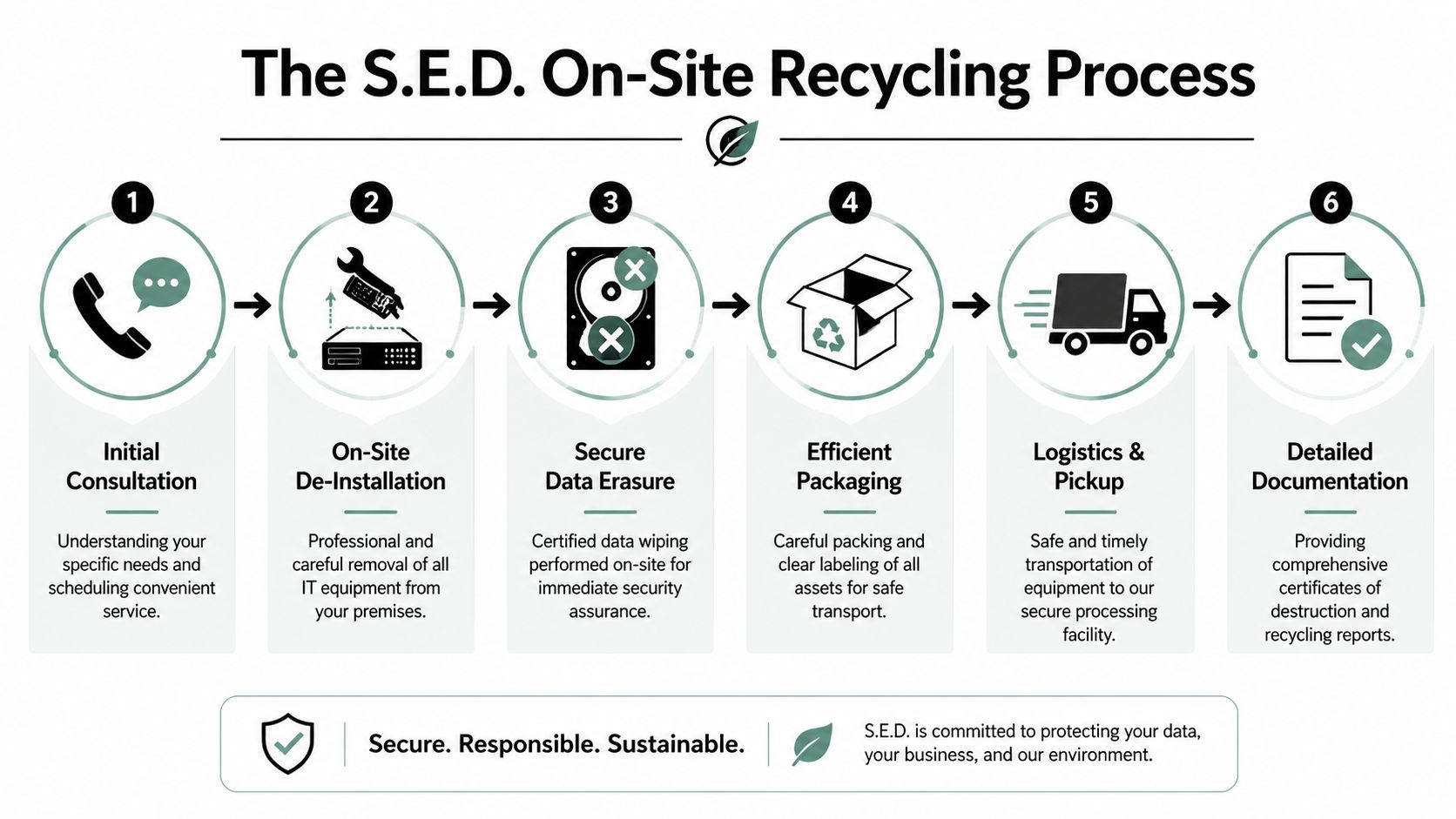
The S.E.D. On-Site Process From De-Installation to Pickup
The easiest projects to manage are the ones your internal team doesn't have to physically orchestrate piece by piece. That's especially true when a retirement project includes both standard IT hardware and specialized lab equipment. The friction usually isn't deciding what should leave. The friction is disconnecting it safely, packing it correctly, staging it, securing it, and moving it out without disrupting the rest of the facility.
A strong on-site process removes that burden from your staff.
What the service call should look like
A well-run pickup starts before anyone arrives. The organization and the recycling team confirm scope, access points, loading conditions, timing windows, and any items that need de-installation. For lab spaces, that also means confirming whether equipment has already been decontaminated and whether accessories, carts, pumps, monitors, and attached PCs are included.
When the crew arrives, the work should be orderly. Equipment is identified, disconnected, removed from racks or work areas, consolidated, and packed for transport. For a facilities manager, that's the difference between supervising a controlled vendor and managing a chaotic cleanup.
The most useful part is often the labor you don't have to assign
Internal teams commonly underestimate how much time retirement projects consume. Someone has to coordinate access. Someone has to identify what stays and what goes. Someone has to remove equipment from server racks, closets, labs, and storage rooms. Someone has to package loose devices and cables. If nobody owns those tasks, projects stall.
A white-glove process closes that gap. It usually includes:
- Pre-pickup coordination so there are no surprises about scope or access
- On-site de-installation for servers, workstations, peripheral devices, and instrument-connected systems
- Sorting and segregation so reusable assets, scrap units, and data-bearing media don't get mixed together
- Packing and loadout handled by the pickup team instead of your own employees
- Transport to processing under controlled logistics
- Post-service documentation returned for records
The best pickup is the one that leaves your site cleaner, your asset trail clearer, and your staff free to get back to their actual jobs.
Where mixed projects usually break down
The difficult jobs are mixed-environment jobs. A corporate office might have laptops, docking stations, and phones. A research floor might add centrifuges, incubators, analyzers, balances, or control systems with attached PCs. A hospital department might combine carts, monitors, desktop towers, old diagnostic peripherals, and storage media.
Those jobs break down when teams split them across too many vendors. One company takes furniture. Another hauls electronics. A third might handle some equipment if it's easy to move. Then nobody has a single custody trail, and the receiving paperwork arrives in fragments.
Why owned logistics matter
Using an in-house fleet and coordinated pickup model reduces confusion because the same provider manages removal and transport as part of one documented process. That matters in loading docks, active labs, medical spaces, campuses, and facilities with strict access control. You want a team that can arrive prepared, move efficiently, and leave with assets accounted for.
For the client, the visible outcome is simple. The room gets cleared. The equipment leaves securely. The paperwork follows. The hidden value is even bigger. Your internal staff didn't have to improvise a decommissioning operation.
Ensuring Data Security With DoD Wipes and Physical Shredding
Most data loss problems at end of life start with a bad assumption. People assume deleting files, reformatting a drive, or removing a user profile makes the device safe to release. It doesn't. Those actions change what the operating system shows a user. They don't reliably destroy the underlying data.
Think of it this way. Deleting files is like removing labels from boxes in a warehouse. Wiping is emptying the boxes and overwriting what's inside. Shredding is destroying the boxes themselves. Each method has a place, but only the last two are actual disposition methods.
The standards that matter
In the Dacula area, secure data destruction for IT recycling follows NIST 800-88 and DoD 5220.22-M standards, and for non-functional media, physical shredding to less than 2mm particles is used to ensure compliance, as described by STS Electronic Recycling's Georgia service information.
That matters because the method should match the asset condition. If a drive is functional and suitable for a secure sanitization workflow, wiping may be appropriate. If media is failed, obsolete, damaged, or too sensitive to remarket, shredding is the stronger path.
Data Destruction Methods Compared
| Method | Process | Standard | Best For | Result |
|---|---|---|---|---|
| Deletion or reformatting | Removes file references or resets the operating system | No recognized disposition standard | Internal temporary reuse only | Data may still be recoverable |
| Data wiping | Overwrites stored data using a recognized sanitization process | NIST 800-88 and DoD 5220.22-M | Functional hard drives and storage media | Data is rendered irrecoverable through compliant sanitization |
| Physical shredding | Destroys media into very small particles | Used when physical destruction is required for compliance | Non-functional, obsolete, or highly sensitive media | Media cannot be reused and data cannot be reconstructed |
Wiping versus shredding
A mature process doesn't treat every device the same.
- Use wiping when the drive works: This is the right path when secure erasure can be completed and the hardware may still have downstream reuse value.
- Use shredding when the drive doesn't work or shouldn't be reused: Failed drives, damaged media, and devices with stricter risk profiles should move directly to destruction.
- Document both methods: If your organization can't show which method was used on which devices, the process isn't complete.
A secure recycling project isn't finished when the drives are gone. It's finished when your records prove how each data-bearing asset was sanitized or destroyed.
Teams that want destruction rather than sanitization should review a process built around hard drive shredding. In practice, the right decision comes down to asset condition, internal policy, and whether reuse is acceptable.
The document that closes the loop
The most important deliverable after destruction is the certificate. A Certificate of Data Destruction gives IT, compliance, legal, and management something they can file. That's what closes the matter for audits, internal controls, and future questions about where the data went.
Without documentation, even a properly destroyed device can become a paperwork problem later.
What IT and Lab Equipment We Recycle in the Atlanta Metro
The most common question after security is simple. "What exactly can you take?" That's a fair question, especially for organizations with a mix of office electronics, data center gear, and specialized instruments.
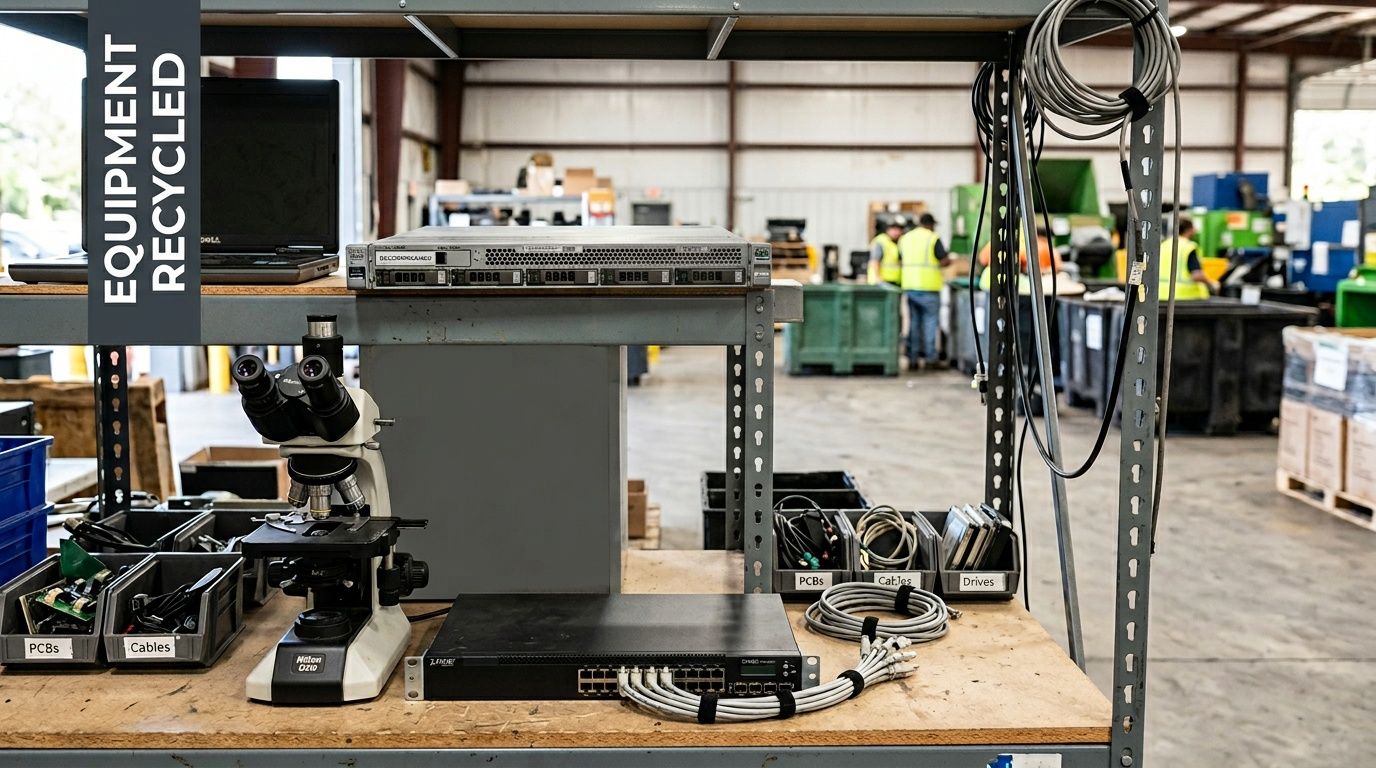
For most commercial, educational, medical, and research environments, the answer is broader than people expect. IT Equipment Recycling Services in Dacula GA often needs to cover far more than desktops and printers because real facilities don't retire assets in neat categories.
Corporate and IT equipment commonly accepted
Most business recycling projects include a mix like this:
- Servers and rack equipment including tower servers, blade systems, rails, rack-mounted appliances, and related components
- Computers and user devices such as desktops, laptops, thin clients, tablets, and workstations
- Storage hardware including external arrays, SAN or NAS units, backup appliances, and loose drives
- Networking gear such as switches, routers, firewalls, wireless equipment, patch panels, and telecom electronics
- Office electronics including monitors, docking stations, printers, scanners, keyboards, mice, phones, and accessories
Some organizations also need removal of power distribution units, UPS systems, KVM hardware, or decommissioned A/V electronics from conference spaces and control rooms. Those are exactly the items that get forgotten until move-out week.
Laboratory and medical equipment that often belongs in the same project
A single-provider approach is helpful. Many facilities don't just have IT gear. They also have instrument-connected systems and retired lab devices that should move through the same coordinated process.
Common examples include:
- Benchtop lab equipment like centrifuges, incubators, mixers, shakers, balances, and water baths
- Analytical instruments such as spectrophotometers and similar electronic lab systems
- Support hardware including attached computers, control modules, displays, and peripheral electronics
- Non-contaminated medical devices that are ready for compliant recycling or disposition after proper internal review
For organizations handling both categories at once, it helps to work from a clear scope of laboratory equipment recycling and disposal solutions. That's usually the difference between one coordinated retirement project and several disconnected ones.
Mixed inventories are normal. The mistake is treating lab devices, attached workstations, and general IT equipment as separate problems when they're all part of one disposition job.
What may require pre-approval or special preparation
Not every item should be loaded immediately.
| Item type | What to confirm first |
|---|---|
| Devices with storage media | Whether wiping or shredding is required |
| Lab equipment from active spaces | Whether it has been cleared for handling |
| Equipment with contamination concerns | Whether decontamination documentation is available |
| Large installed systems | Whether de-installation access and labor are included |
If an item has biological, chemical, or radioactive concerns, don't assume standard pickup applies. Safe disposition starts with proper internal clearance, not with transport.
IT Equipment Recycling FAQs for Dacula and Atlanta Businesses
How much does IT equipment recycling cost
Cost depends on the mix of assets, labor required for de-installation, site access, volume, and whether equipment includes resale value. A simple palletized pickup is very different from removing servers from racks across multiple rooms or clearing a research lab with attached electronics.
The best way to think about pricing is by effort and risk. Projects that require more labor, tighter scheduling, special handling, or more documentation will naturally involve more coordination than straightforward bulk pickups.
Is secure data wiping included
For many organizations, secure wiping is a baseline requirement, not an add-on. The key question isn't whether a provider says they wipe drives. The key question is what standard they follow, when they wipe versus shred, and what documentation they return afterward.
If your devices are functional and suitable for sanitization, wiping may be the right fit. If they're damaged, obsolete, or too sensitive for reuse, destruction is usually the cleaner choice.
Can our organization recover value from newer equipment
Sometimes, yes. Not every retired asset is scrap. Newer systems, usable laptops, some enterprise hardware, and certain instruments may still have remarketing or reuse potential if they're in the right condition.
That said, don't let the hope of resale delay action on a room full of aging gear. Value recovery only works when the equipment is still marketable, complete enough to process efficiently, and retired through a documented program.
How should we prepare for pickup
Preparation helps, but you shouldn't have to turn your staff into a moving crew.
A good internal checklist looks like this:
- Identify decision-makers: Make sure facilities, IT, and any department owners agree on what is leaving.
- Separate obvious keep items: Remove equipment that is still in service or pending review.
- Flag data-bearing devices: Note servers, desktops, laptops, external drives, and anything with embedded storage.
- Confirm site conditions: Share loading dock details, stairs, elevators, restricted areas, and access hours.
- Clear contamination questions early: For lab or medical equipment, verify readiness before scheduling.
Do we need to inventory everything first
Not always to the smallest detail, but some level of inventory discipline helps every project. For routine office cleanouts, a category-level list may be enough to scope the job. For healthcare, research, education, or government environments, more formal serial tracking is often the better choice.
If you're unsure, start with photos, rough counts, and notes about any high-risk devices. That usually gives enough visibility to plan the next step correctly.
Do you handle both IT equipment and lab equipment in one pickup
For organizations with mixed inventories, that's often the most efficient path. Combining both categories under one coordinated retirement project reduces internal handoffs and avoids splitting responsibility across multiple vendors.
This is especially useful for medical labs, universities, research spaces, and corporate facilities with testing or engineering equipment alongside standard IT hardware.
Is this service for residential customers too
This type of service is typically geared toward business-to-business work. That includes hospitals, clinics, labs, universities, school systems, corporations, government agencies, and industrial facilities. Residential electronics recycling usually follows a different collection model and often works better through local municipal or retail drop-off programs.
What's the biggest mistake organizations make
Waiting until a move, closure, audit request, or refresh deadline forces the issue. Once that happens, teams rush, records get incomplete, and assets are more likely to be handled inconsistently.
The better approach is simple. Treat end-of-life electronics as an operational workflow, not a cleanup chore.
If your organization needs a secure, practical way to retire IT hardware, servers, storage devices, and specialized lab equipment, Scientific Equipment Disposal provides business-focused support across the Atlanta metro. The team handles pickup, de-installation, logistics, compliant recycling, and secure data destruction so facilities managers, IT directors, and compliance leaders can close out assets without adding more internal burden.