Retail Technology Trends in Atlanta Businesses 2026

Your store systems probably work just well enough to delay the upgrade. The receipt printer jams twice a day, the back-office PC takes forever to boot, one register can't handle newer payment workflows, and the inventory count still depends on someone walking the floor with a clipboard. In Atlanta, that kind of patchwork setup doesn't hold for long.
Retailers across the metro are replacing aging point-of-sale terminals, adding self-service tools, connecting inventory systems, and pushing more customer activity into digital channels. Those projects usually start as an operations conversation. They end as an asset-disposition problem. Every new checkout lane, smart shelf sensor, mini server, tablet, and digital sign leaves old hardware behind.
That matters more than many operators expect. Retired retail technology isn't just clutter in a stockroom. It can hold payment data, employee records, customer information, store credentials, and business files. It also becomes e-waste the moment your team stops using it. For Atlanta businesses, responsible tech adoption now includes a plan for secure retirement, recycling, and compliance.
The Tech Transformation of Atlanta's Retail Scene
A store manager approves new checkout terminals for one location, then realizes the upgrade also means pulling out receipt printers, back-office PCs, customer-facing displays, routers, and aging tablets. That is how retail modernization usually starts in Atlanta. It begins as an operations fix and quickly turns into a hardware turnover problem.
The local retail market still supports physical stores, but the store itself now has to do more. It has to sell, fulfill, process returns, capture loyalty data, and stay connected to online systems without slowing down the line. That pressure is pushing Atlanta retailers to replace disconnected store hardware with systems that can support faster payment flows, real-time inventory, and better traffic analysis, including tools used for measuring footfall in retail.
The practical change is straightforward. Stores are carrying more connected equipment than they did a few years ago, and each refresh cycle removes more devices than owners expect. A single remodel can retire payment terminals, barcode scanners, thin clients, networking gear, security equipment, and digital signage at the same time.
Connectivity sits underneath all of it. Once POS, loyalty, ordering, signage, and inventory all depend on the same network, internet performance becomes a store-operations decision rather than an IT afterthought. That is why many operators start by reviewing basics such as internet service providers in Atlanta before they roll out new store systems.
What the upgrade cycle looks like on the ground
Retail tech upgrades rarely happen as a clean one-time swap.
A business might replace front-lane systems first, keep old back-office machines for another quarter, then add self-service kiosks or in-store pickup tools later. For a while, the store runs both generations together. That creates operational drag, but it also creates disposal risk because the older equipment usually stays onsite longer than anyone planned.
I see the same pattern across retail cleanouts. Devices pulled from active use get stacked in a stockroom, office, or receiving area with the assumption that someone will handle them later. Many of those units still contain solid-state storage, hard drives, saved credentials, employee files, or customer-related data.
Old retail hardware rarely leaves the building when the project ends. It leaves when someone finally owns the disposal plan.
The question most upgrades skip
Retail technology projects usually have a purchase order, install schedule, and training plan. Many still do not have a documented process for what happens to the equipment coming out. That gap creates downstream problems fast. Hardware without a retirement plan ties up space, increases the chance of data exposure, and turns a routine upgrade into an environmental and compliance issue.
For Atlanta retailers, the primary transformation is not just the adoption of better store technology. It is the shift from treating old hardware as leftover equipment to treating it as regulated electronic waste and a data-bearing asset that needs controlled disposition.
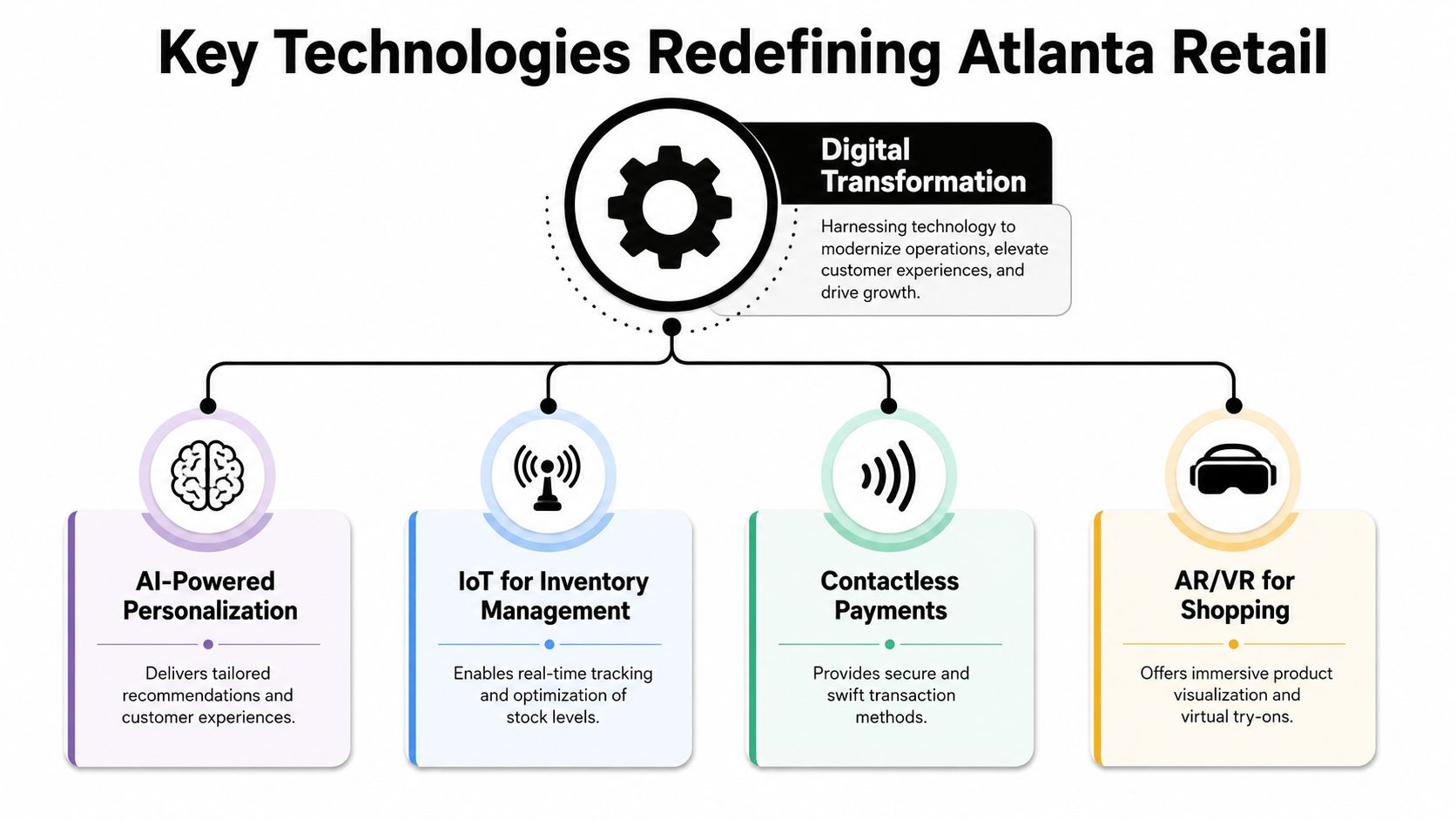
Key Technologies Redefining Atlanta Retail
The current wave of retail technology is less about flashy gadgets and more about tighter store execution. The systems getting funded are the ones that shorten lines, improve visibility, reduce manual work, and connect the physical store to online demand.
Local reporting says 93% of retailers have implemented automation in at least one part of their business, while 70% of retail leaders rely on data analytics for purchasing decisions. That same reporting points to edge-compute and IoT integration as the next step, with in-store servers handling workloads such as computer vision and smart shelves in real time, as noted in WSB-TV's coverage of retail trends.
POS modernization and contactless checkout
Modern POS systems do more than ring sales. They tie together payments, promotions, returns, loyalty, and inventory status. In many stores, the terminal is now one node in a broader commerce system rather than a standalone cash register.
Contactless payment support is part of that shift. Customers expect faster taps, digital wallets, and fewer checkout delays. For operators, newer lanes also simplify software updates and make it easier to standardize store workflows across locations.
The disposal consequence is straightforward. Replacing an old POS environment usually means retiring terminals, receipt printers, barcode scanners, cash drawers, payment pin pads, back-office PCs, and networking gear in the same project.
Inventory visibility and sensor-based retail
A lot of retail margin disappears through stockouts, overstocks, and bad counts. That's why stores are adding connected inventory tools, from handheld scanners to shelf sensors and camera-based monitoring. Teams interested in store-traffic inputs often look at practical discussions around measuring footfall in retail because traffic data only becomes useful when it connects to staffing, replenishment, and conversion decisions.
Here's what tends to work:
- Cycle counts tied to live systems: Staff can correct inventory while selling, not days later in a spreadsheet.
- Shelf-level alerts: Managers can see exceptions faster instead of waiting for a customer complaint.
- Associate mobility: Handheld devices cut down on trips to a back-office terminal.
What usually doesn't work is adding sensors without a process owner. Stores install smart hardware, but no one sets escalation rules, maintenance routines, or replacement schedules. Then the system degrades into expensive noise.
Edge computing and in-store processing
Retailers are moving more processing closer to the store floor. Instead of sending every workload back to a distant environment, they use local compute for speed-sensitive applications like video analytics, smart shelves, and real-time alerts. That architecture can improve responsiveness, but it also means each store starts to look more like a small IT site.
Practical rule: If a store adds compute, storage, cameras, and sensors, it also needs an asset tracking and retirement process. Otherwise the location becomes a graveyard of unmanaged devices.
The hardware trail nobody should ignore
Every tech rollout leaves a physical trail. Newer systems arrive in waves. Older devices pile up in cages, closets, and stockrooms. Businesses that plan ahead usually combine deployment with IT equipment recycling so removal happens on a schedule instead of becoming a delayed cleanup project.
That distinction matters. Retail innovation isn't only about what gets installed. It's also about how the business handles what just became obsolete.
Why These Trends Matter Specifically for Atlanta
A retailer opens a renovated store in a high-rent Atlanta corridor, adds mobile checkout, digital displays, back-room networking upgrades, and a few new security cameras. The launch looks clean from the sales floor. In the stockroom, the older terminals, screens, routers, and drives start stacking up on a pallet because nobody tied the rollout to a retirement plan.

That pattern fits Atlanta. As noted earlier, end-of-year 2025 retail market data showed tight vacancy and rising rents. In practical terms, good space costs more, and retailers feel pressure to get more output from every square foot, labor hour, and hardware purchase.
High-cost corridors force tighter operating decisions
Stores in Buckhead, Midtown, and other premium trade areas do not have much room for waste. A slow checkout line hurts conversion. A poorly placed stockroom terminal takes up space that could support inventory flow. An aging POS lane that crashes during a peak period can cost sales fast.
That pressure pushes retailers toward tools that reduce friction on the floor and compress back-room work. Mobile devices, self-checkout, digital price management, and centralized reporting all make sense in that environment because they help stores do more with less space.
They also increase device count.
That matters more than many operators expect. A store that once ran on a few registers and office PCs can turn into a distributed hardware estate with tablets, scanners, access points, small-form-factor PCs, payment devices, cameras, and display players spread across the building.
Atlanta makes deployment easier, but replacement cycles faster
Atlanta has the vendor base, managed service capacity, and technical hiring pool to support faster rollouts than many mid-sized markets. Retailers here can usually find implementation help, field support, and systems integration without building every capability in-house. That operating model lines up with broader IT outsourcing trends among Atlanta businesses, especially for companies that want speed without expanding internal IT headcount.
The trade-off is straightforward. Faster deployment usually means more frequent refreshes, more mixed fleets, and more handoffs between store operations, IT, finance, and outside service partners. If those groups are not aligned, old equipment sits longer than it should and responsibility gets blurry.
Local growth changes the risk profile at end of life
In Atlanta, retail tech adoption is not just a front-end customer experience story. It creates a downstream disposal problem that gets larger as stores add more connected equipment and update formats more often.
From my side of the industry, local businesses become exposed under these circumstances. The issue is rarely a dramatic security breach on day one. It is ordinary operational drift. Retired devices stay on shelves. Asset tags stop matching reality. Pickup gets delayed until after quarter close. Then a routine upgrade leaves the business holding equipment with stored data, uncertain ownership records, and no documented chain of custody.
For Atlanta retailers, the true significance of tech adoption is not only what the new systems improve. It is whether the business can retire the old hardware with the same discipline it used to install the new stack.
The E-Waste Consequence of Rapid Tech Upgrades
Retail technology projects usually get evaluated on speed, uptime, and customer impact. The discarded hardware doesn't get much attention until someone notices a pile of terminals and monitors in the back room. By then, the upgrade is over and the liability has already started.
What retailers actually retire
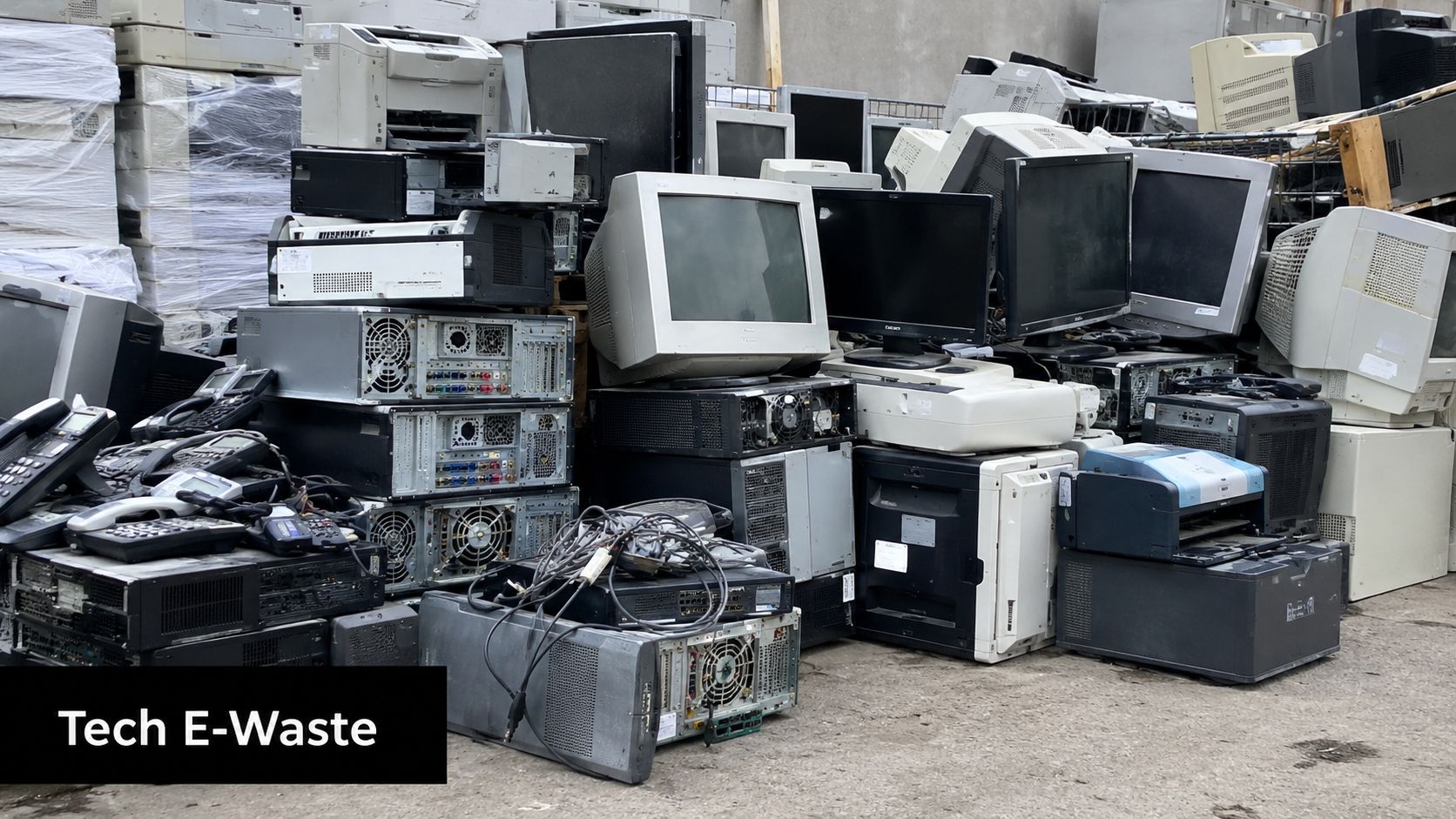
A single modernization effort can produce a surprising mix of outgoing equipment:
- Front-of-store gear: POS terminals, payment devices, receipt printers, scanners, customer displays
- Back-office hardware: desktops, laptops, servers, network switches, firewalls, backup devices
- Store experience assets: digital signage players, screens, kiosks, tablets, handheld units
- Embedded and peripheral tech: cameras, sensors, smart shelf components, access control devices
Some of that hardware still has reuse value. Some doesn't. Either way, it has to be sorted, secured, transported, and processed correctly.
Why stockroom storage is not a strategy
The most common failure isn't malicious disposal. It's passive neglect. A store closes out the project, moves old devices to storage, and assumes someone from IT, facilities, or finance will eventually deal with them. In many organizations, no one has clear ownership.
That creates three problems at once. First, the business loses visibility into which assets are still onsite. Second, old electronics can be damaged, scavenged for parts, or misplaced. Third, a future cleanout becomes more expensive and chaotic because the inventory is no longer accurate.
Retail e-waste becomes harder to manage each month it sits untracked. Labels fall off, devices get mixed together, and chain of custody gets weaker.
Environmental handling is a business issue
Retired electronics contain components that shouldn't be dumped casually. Businesses don't need a chemistry lecture to understand the practical point. If they treat obsolete hardware like ordinary trash, they increase environmental risk and create unnecessary exposure for the brand.
That's why responsible operators build disposal into the project scope instead of treating it as aftercare. Pickup logistics, packing, de-installation, and downstream recycling all need planning. Guidance on managing e-waste becomes particularly useful when a retailer is handling multiple store upgrades, remodels, or location closures at once.
The downstream effect of frequent refresh cycles
Retail tech stacks now change faster than many facilities processes do. A chain might standardize on one tablet this year, change payment hardware later, then retire networking equipment during a security refresh. Each decision may be reasonable on its own. Together, they create a steady stream of obsolete assets.
That's the part many retail technology discussions skip. Faster innovation shortens hardware relevance. If a business doesn't formalize retirement procedures, it turns modernization into an ongoing accumulation problem.
Data Security and Compliance in Asset Disposal
A store closes for a remodel on Friday. By Monday, old POS terminals, tablets, back-office PCs, and networking gear are stacked in a stockroom waiting for pickup. The equipment looks inactive. The data often is not.
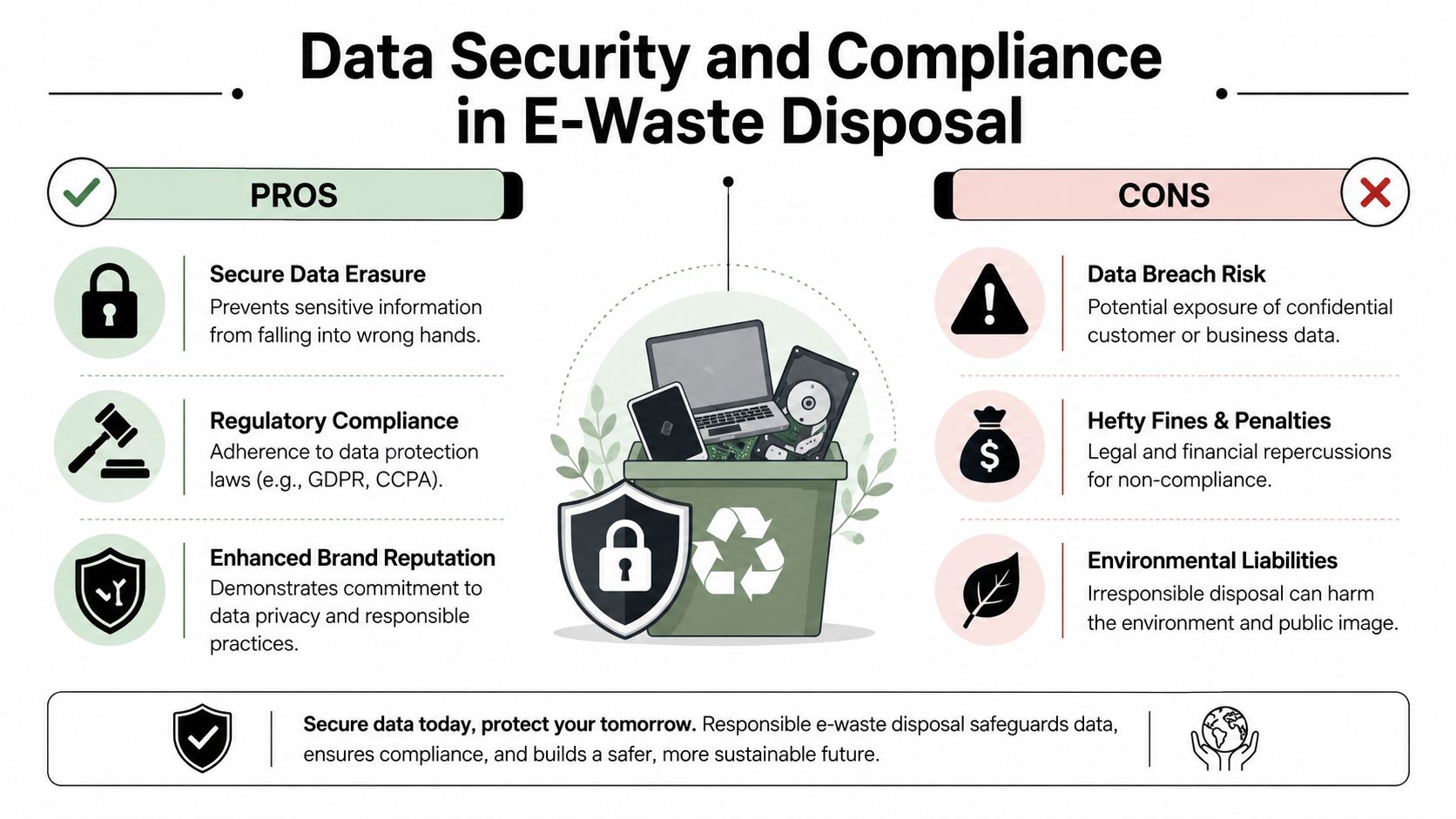
Retailers usually put the most attention on live payment systems, user access, and customer account protection. The disposal phase gets less scrutiny, even though retired hardware can still hold transaction records, employee information, login credentials, surveillance footage, vendor files, and cached operational data. In practice, the risk shifts from cybersecurity controls to asset handling, chain of custody, and proof of destruction.
Deleted doesn't mean destroyed
A factory reset only changes what the next user sees. It does not confirm that stored data is unrecoverable.
That distinction matters in retail. Devices that seem minor at the store level often retain more information than staff expect. A replaced manager laptop, an old self-checkout component, a digital signage player with embedded storage, or a decommissioned firewall can all create exposure if no one verifies what media is inside and what happened to it after removal.
Common disposal assumptions that create risk
Atlanta retailers still run into the same failure points during upgrades, relocations, and closures:
| Assumption | Why it fails |
|---|---|
| The device is outdated, so it has no value | Older equipment can still contain readable data |
| We deleted everything before pickup | Deletion is not verified sanitization |
| The hauler removed it, so the job is done | Removal without documentation does not prove secure handling |
| It did not store sensitive data locally | Many systems cache, sync, or log data without obvious signs to store staff |
The fix is procedural. Someone has to identify which assets contain storage, assign the right sanitization or destruction method, and document each step in a way the business can retrieve later.
Compliance depends on records
Good intentions do not satisfy an audit, an internal investigation, or a customer complaint. Retailers need a paper trail that shows when equipment left the site, who controlled it, how storage media was handled, and whether the device was reused, recycled, or destroyed.
That is why a documented IT asset disposal process matters. The work is not limited to hauling equipment away. It includes chain of custody, asset reconciliation, media handling decisions, and records the business can retain for policy reviews, insurance questions, and compliance checks.
If your team cannot say where a retired drive went, who touched it, and how destruction was verified, the process is still open.
What stronger practice looks like
Retailers do not need complicated theory here. They need controls that hold up during a rushed store refresh.
A sound asset-disposition process usually includes these steps:
- Inventory before pickup: Log each device before it leaves the store, office, or warehouse.
- Media identification: Separate equipment with no storage from systems with hard drives, solid-state media, removable storage, or embedded memory.
- Documented sanitization: Wipe media to an accepted standard when reuse makes sense. Physically destroy media when the device is obsolete, damaged, or unsuitable for redeployment.
- Certificates and logs: Keep records that show what was processed, what was destroyed, and what happened downstream.
Many retailers hand this work to specialists because the risky part is not only recycling. It is controlling the chain from pickup through final disposition. In Atlanta, providers like Scientific Equipment Disposal handle secure data processing and downstream electronics recycling in the same workflow, which reduces handoff gaps that often create security and documentation problems.
End-of-life hardware belongs inside the security program, not outside it. A retailer can spend heavily on active system protection and still create avoidable exposure by treating retired equipment like surplus office junk.
A Smart Action Plan for Sustainable Tech Disposal
Most retail businesses don't need a complicated framework. They need a repeatable one. The strongest disposal programs are simple enough to run during remodels, store closures, POS swaps, and one-off hardware refreshes without reinventing the process every time.
Start with an asset map
Before any pickup is scheduled, build a working inventory. Not a vague note that says “old IT stuff in stockroom.” A usable list should identify the device type, location, serial or asset tag if available, and whether it likely contains storage media.
This step fixes more problems than people expect. It helps operations, IT, finance, and facilities talk about the same hardware. It also reduces disputes later about what left the site and what didn't.
Separate equipment by risk, not by convenience
Don't lump everything together on a pallet and call it done. A monitor, a barcode scanner, a payment terminal, and a back-office server do not present the same risk profile.
A practical sorting method looks like this:
High-risk data assets
POS back-office systems, laptops, desktops, servers, external drives, network appliances with storageModerate-risk smart devices
Tablets, kiosks, digital signage players, multifunction devices, specialty hardware with embedded memoryLower-risk peripherals
Basic displays, keyboards, cables, stands, and non-storage accessories
That classification tells your team what needs verified sanitization, what needs evaluation, and what can move straight into recycling workflows.
The easiest disposal jobs are planned before de-installation starts. The hardest ones begin after equipment has already been piled together.
Choose a processor with clear controls
Retailers should ask direct questions before handing over equipment.
- What happens to data-bearing assets
- How chain of custody is documented
- Whether de-installation and packing are available
- What recycling standards are followed
- What documentation comes back after the job
If a vendor can't explain its process clearly, that's a warning sign. You shouldn't have to infer how sensitive equipment will be handled.
Build proof into the closeout
The final step is records retention. Your team should keep the inventory list, pickup documentation, destruction records where applicable, and any recycling or disposition certificates tied to the project. Those records matter for internal controls and for any future question about a missing asset or retired drive.
Retail businesses with recurring upgrades often benefit from turning this into a standing policy. That way, each new deployment automatically triggers an end-of-life checklist for the outgoing hardware. Disposal stops being an afterthought and becomes part of the rollout itself.
Conclusion: Future-Proofing Your Atlanta Business
Retail technology trends in Atlanta businesses point in one direction. Stores are getting more connected, more automated, and more dependent on hardware that handles payments, inventory, analytics, and customer experience. That's good for operations when the systems are current and well-managed.
The weak point appears when old equipment leaves service.
A future-proof retail business doesn't separate innovation from disposal. It treats the entire technology lifecycle as one operating responsibility. New systems need deployment plans. Old systems need chain of custody, data destruction, and responsible recycling. That's how a retailer protects customer information, keeps compliance records intact, and avoids turning modernization into a stockroom liability.
If you're also watching broader property and market pressure, this visual 2026 US real estate outlook offers useful context for how efficiency and location strategy continue to shape retail decisions.

If your business is upgrading store technology, closing locations, or clearing out retired POS and IT equipment, Scientific Equipment Disposal can help you handle the end-of-life side responsibly. Their Atlanta-area team works with businesses that need electronics recycling, secure data destruction, pickup logistics, and clear documentation so outdated hardware doesn't become a security or compliance problem.