The Definitive Guide to a Computer Disposal Service for Local & Nationwide Needs

When you partner with a professional computer disposal service, you're doing more than just clearing out old IT equipment. Whether you're in Atlanta or anywhere across the nation, you're ensuring your organization's sensitive data is completely destroyed and that every piece of hardware is recycled in an environmentally compliant way. It’s a critical process that shields you from the nightmare of data breaches, steep regulatory fines, and lasting brand damage by providing a documented, secure chain of custody for every retired asset.
Why Secure Computer Disposal Is Non-Negotiable
Getting rid of old IT assets might feel like just another task on the checklist, but it’s actually one of the most important security checkpoints for any organization handling sensitive data. This goes way beyond simple recycling; it’s about actively protecting your company from risks that could be catastrophic, no matter your location.
Think about it: a single, improperly discarded hard drive can lead to devastating data breaches, costly penalties under laws like HIPAA, and irreversible damage to your brand’s reputation.
Choosing the right partner transforms this massive potential liability into a secure, closed-loop process.
Mitigating Risk in Asset Retirement
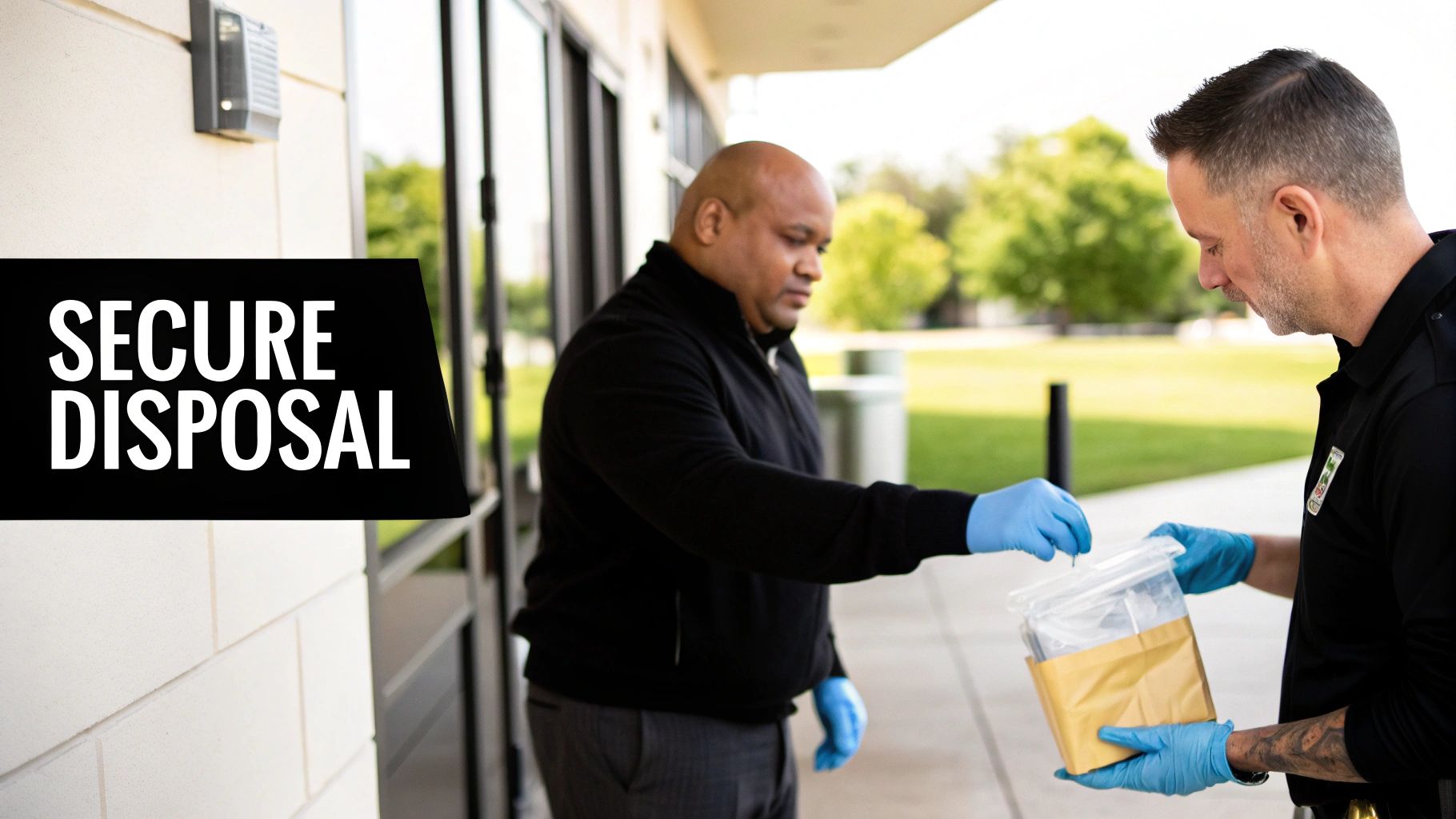
Let's look at a real-world scenario we often see with medical clinics, both locally and nationwide. A healthcare provider was decommissioning dozens of workstations, each one loaded with years of protected health information (PHI). Just wiping the drives and sending them to a standard recycler would have left them wide open to serious compliance violations.
Instead, they brought in a certified computer disposal service specializing in HIPAA-compliant data destruction.
This partnership gave them:
- On-site verification: The team could physically witness the shredding of every single hard drive, leaving no room for doubt.
- A documented chain of custody: They received a serialized Certificate of Destruction, proving every asset was accounted for and properly sanitized.
- Guaranteed compliance: This provided total peace of mind, knowing their disposal process met the strict regulatory standards they operate under.
By treating disposal as a core security function, the clinic completely sidestepped a major compliance risk and upheld its duty to protect patient data. For a deeper look at the methods involved, you can explore our guide on secure data destruction strategies to see exactly how these processes work.
The real value of a professional computer disposal service isn’t just hauling away old hardware. It’s the transfer of risk and liability from your organization to a certified expert who guarantees data security and environmental compliance from start to finish.
Addressing the Environmental Imperative
Beyond the critical need for data security, responsible disposal tackles a pressing global issue. The e-waste crisis has reached staggering levels, with a record 62 million tonnes of electronic waste generated last year alone—that’s an 82% increase from just a decade ago.
Projections show this number hitting 82 million tonnes by 2030, while documented recycling rates are actually expected to decline.
For facilities in major hubs like Atlanta, Houston, or Chicago, and across the country, this means old computers and lab equipment are highly likely to end up in landfills, where they leach hazardous materials like mercury into the environment. A professional service is essential to bridge this gap, ensuring e-waste is properly collected, documented, and processed through certified recycling channels.
How to Prepare Your IT Assets for Disposal
A smooth, secure computer disposal project starts long before our truck ever backs up to your loading dock. Getting your ducks in a row ahead of time is the single most important thing you can do to protect your data, account for every device, and make the physical pickup run like clockwork. This prep work is what turns a potentially chaotic scramble into a controlled, auditable process.
The very first move is to build a detailed asset manifest. This isn't just a simple headcount of machines; it's the foundational document for establishing a rock-solid, verifiable chain of custody. Your goal here is to log every single piece of equipment destined for disposal, creating an undeniable record of exactly what is leaving your control.
Building Your Asset Manifest
Your manifest should be a comprehensive spreadsheet that captures the essential details for each and every item. Think of it as the final roll call for your retired tech.
A solid manifest needs to include:
- Asset Tag Number: Your company's internal tracking ID.
- Device Type: Be specific—is it a laptop, server, workstation, or something else?
- Manufacturer and Model: For example, "Dell Latitude 7420" or "HP ProLiant DL380."
- Serial Number: This unique identifier is non-negotiable. It's what we'll use for the final Certificate of Destruction.
- Physical Location: Note the room number or department where it was last used (e.g., "Lab 3, Workstation B" or "Accounting Dept, Cubicle 12").
This might feel a little tedious, but trust me, this level of detail is absolutely critical for compliance and security. It gives you an exact record to reconcile against our paperwork, confirming that every last device was received and processed correctly.
Identifying and Segregating Sensitive Assets
Let's be honest: not all IT equipment carries the same risk. A keyboard is one thing, but a server that once held your company's financial records or a workstation from a medical clinic that processed patient data is another story entirely. The next step is to physically identify and separate devices based on the sensitivity of the data they hold.
For example, all the workstations from your HR department should be grouped together. Lab computers containing proprietary R&D data need to be kept separate from the standard office PCs.
The core principle here is risk mitigation. By physically grouping high-risk assets, you ensure they receive the specialized data destruction they require, preventing any accidental oversight during the disposal process.
You can dig deeper into the actual data removal process by reviewing our complete guide on how to properly wipe a computer hard drive before we arrive.
Staging for a Seamless Pickup
Once your assets are inventoried and sorted by risk, the final piece of the puzzle is logistics. You need to create a secure and accessible staging area. Consolidate every tagged piece of equipment into one designated space—a locked storage room, a caged-off section of a warehouse, or even a cleared-out conference room.
This simple action accomplishes two key things. First, it prevents any of those tagged assets from getting lost or accidentally put back into service. Second, it dramatically speeds up the actual pickup, saving your team valuable time and minimizing disruption to your workday. Our crew can work far more efficiently when everything is consolidated and ready to be loaded.
Just to give you an idea, a full-service partner can handle a huge array of equipment, making a single-source disposal project possible.
We see the proof of this all the time. A corporate client of ours was managing a full facility shutdown with hundreds of assets spread across multiple floors. It could have been a nightmare. But they created a detailed manifest, used colored zip ties to flag the high-risk devices, and staged everything on the ground-floor loading bay. What could have been a chaotic two-day project became a smooth, half-day operation. Every asset was accounted for, from data center servers to desktop PCs, ensuring a secure and efficient end to their IT lifecycle.
Choosing the Right Data Destruction Method
When your organization's sensitive information is on the line, just dragging files to the trash bin isn't just lazy—it's a catastrophic mistake. Deleted data is rarely gone for good and can often be recovered with basic, widely available software tools.
To truly protect your information and meet compliance, you have to choose a deliberate and verifiable data destruction method. In the computer disposal service industry, the two gold standards are software-based data wiping and good old-fashioned physical destruction.
Which path you take really depends on your end goal. Are you trying to recoup some cash from newer assets that still have life in them? Or is your main priority meeting strict compliance rules that demand absolute proof of destruction? Aligning your data destruction strategy with your security needs and asset value is the key to a successful project.
The first step, always, is getting organized. You need a clear workflow: inventory your assets, separate them based on data sensitivity, and get them staged for pickup. This chart lays out a simple decision tree to help guide you.
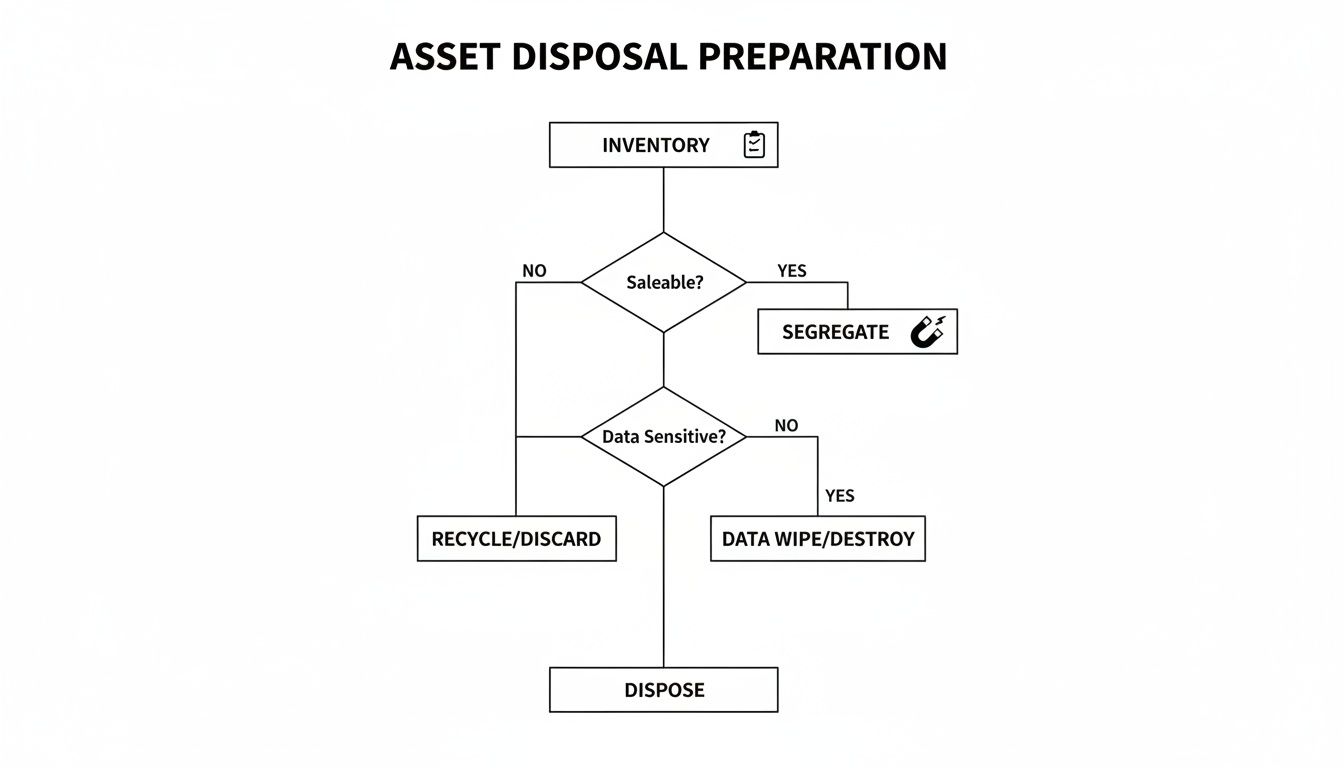
Following a clear process ensures every single device is accounted for. More importantly, it directs each asset to the right data destruction method based on what's on it and whether it can be reused.
When to Use Software-Based Data Wiping
Software-based data wiping, or data sanitization, uses specialized programs to overwrite the entire surface of a hard drive with random data. This isn't a one-and-done process; it's repeated multiple times to make the original data completely unrecoverable.
A common and highly secure standard is the DoD 5220.22-M 3-pass wipe, a method originally laid out by the U.S. Department of Defense. This approach is your best bet when your IT assets still have some residual value.
- Maximizing Asset Value: If you're decommissioning newer computers, servers, or laptops that can be refurbished and resold, data wiping is perfect. It leaves the hard drive physically intact, so the whole machine can be remarketed. This often generates a nice financial return for your organization.
- Environmental Responsibility: Reusing functional electronics is one of the best forms of recycling. Wiping gives these assets a second life, cutting down on the demand for new manufacturing and keeping perfectly good materials out of the waste stream.
For a real-world example, think of a university retiring a lab full of three-year-old workstations. They would absolutely choose data wiping. It allows those machines to be sold on secondary markets, which helps offset the cost of their new equipment while ensuring all the student and research data is professionally destroyed.
When Physical Destruction Is the Only Option
Wiping is great for working drives, but some situations demand a more final, visually verifiable solution. That’s where physical destruction comes in. Most commonly, this means feeding hard drives into an industrial shredder that grinds them into small, unrecognizable bits of metal and plastic. Data recovery is completely impossible.
Physical shredding is the ultimate failsafe. When compliance, liability, or the condition of the hardware dictates zero tolerance for risk, shredding provides the definitive, auditable proof that your data has been permanently eliminated.
There are specific scenarios where shredding isn't just the best choice—it's the only acceptable one.
- Non-Functional or Obsolete Drives: If a hard drive is dead, failing, or just too old to be reliably wiped, shredding is the only way to go. You simply can't run sanitization software on a drive that won't even power on.
- Strict Compliance Mandates: For organizations governed by regulations like HIPAA or FACTA, the stakes are incredibly high. Physical destruction provides an unambiguous, verifiable end for sensitive data. Witnessing the shredding, whether on-site at your facility or at a secure plant, offers the highest level of assurance for audits.
- Maximum Security Protocols: When you're dealing with top-secret intellectual property, sensitive financial data, or classified information, many company policies demand physical destruction as a baseline requirement. There's just no room for any other method.
For a deeper look into this process, you can learn more about how professional hard drive shredding services provide the ultimate security for your most sensitive data-bearing assets. It’s the go-to choice for hospitals, government agencies, and research facilities that can't afford even a tiny risk of a data breach.
Data Wiping vs Hard Drive Shredding At a Glance
To make the decision clearer, it helps to see the two main methods side-by-side. Your choice will come down to balancing security requirements, the potential for asset value recovery, and compliance needs.
| Consideration | Data Wiping (e.g., DoD 5220.22-M) | Hard Drive Shredding |
|---|---|---|
| Best For | Functional, newer assets with resale value. Environments focused on sustainability and reuse. | Non-functional/obsolete drives, high-security data, or strict compliance mandates (HIPAA, FACTA). |
| Asset Value | Preserves value. The hard drive and entire device remain intact and can be refurbished and resold. | Destroys value. The drive is physically destroyed, rendering the asset and its components unusable. |
| Proof of Destruction | Provides a digital certificate of sanitization with asset serial numbers. | Provides a Certificate of Destruction; the process can often be witnessed on-site for ultimate verification. |
| Security Level | Extremely high. Renders data unrecoverable by software/lab methods when done to NIST/DoD standards. | Absolute. Data is physically obliterated, making recovery completely impossible by any known means. |
| Environmental Impact | Lower. Promotes reuse, extending the life of electronics and reducing e-waste. | Higher. Materials are recycled as scrap metal, but the potential for reuse is eliminated. |
| Compliance | Meets most data privacy regulations, but physical destruction may be preferred for the strictest standards. | The preferred method for the highest compliance standards (e.g., healthcare, government) due to its finality. |
Ultimately, both methods are incredibly effective. Data wiping is ideal for maximizing your return on investment while being eco-friendly. Hard drive shredding, on the other hand, offers absolute peace of mind when the data is too sensitive to leave anything to chance.
On-Site vs. Off-Site Disposal Logistics
Where your computer disposal happens is just as important as how it’s done. The choice between on-site and off-site services isn't just a minor detail—it's a strategic decision that directly shapes your security, convenience, and compliance workflow.
The right model really depends on your situation. For some organizations, the ultimate peace of mind comes from watching the destruction process with their own eyes. For others, the priority is a fast, seamless removal of assets with minimal disruption. A professional computer disposal service should offer both, letting you tailor the solution to your project’s unique needs, whether it's a single site or multiple locations nationwide.
The Case for On-Site Disposal
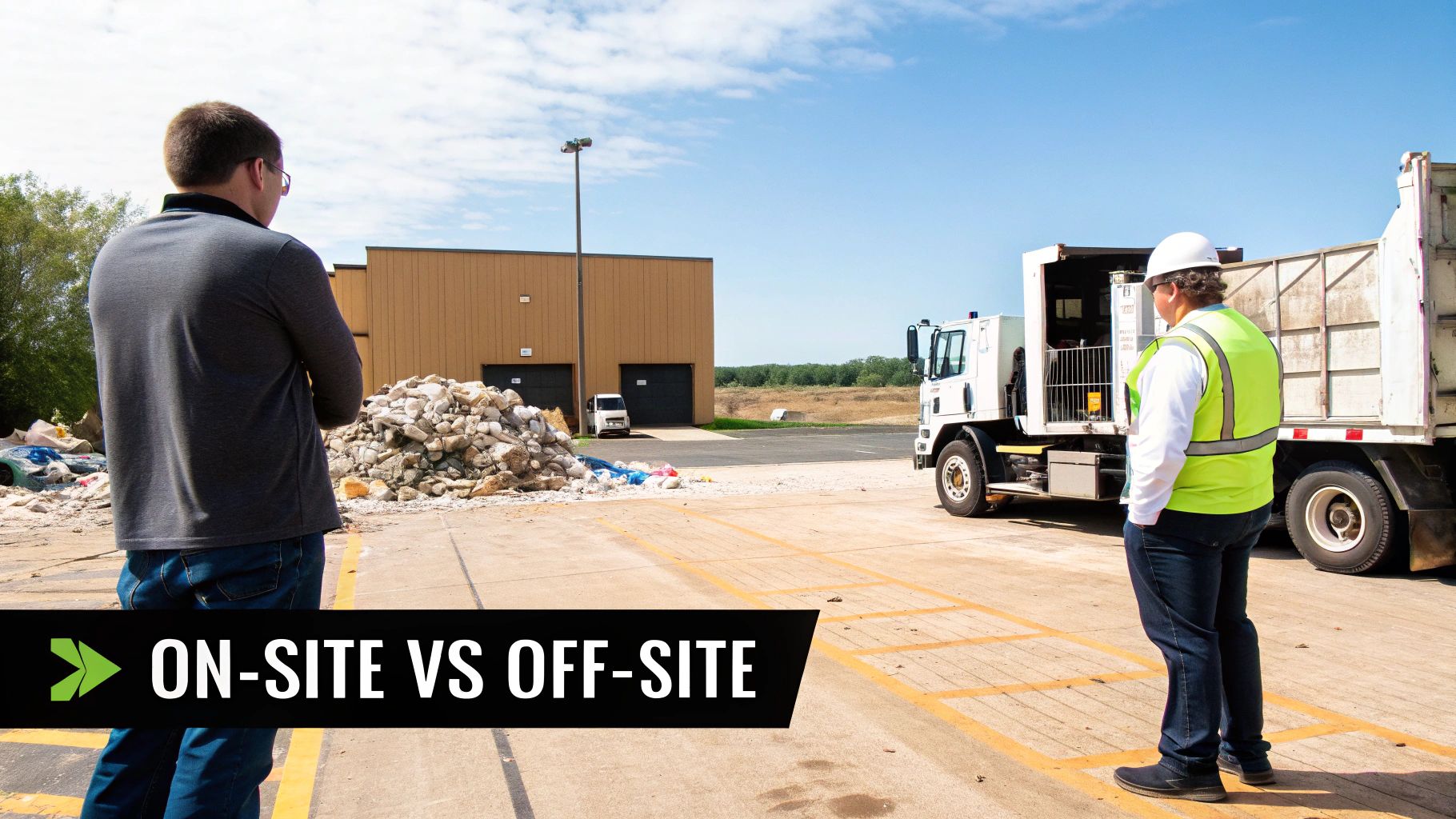
On-site service means the destruction equipment comes right to your doorstep. A specialized shredding truck pulls up to your facility, and your hard drives are physically destroyed right there in your parking lot or at the loading dock. This approach is built for organizations that can't afford any weak links in their chain of custody.
The main advantage here is absolute verification. You and your team can physically watch every single hard drive get fed into the shredder.
This is a non-negotiable for many, including:
- Healthcare Providers: For hospitals and clinics governed by HIPAA, witnessing destruction provides undeniable proof that patient data has been permanently wiped out.
- Government Agencies: Public sector entities with strict security protocols often mandate on-site destruction to maintain a closed-loop chain of custody.
- Financial Institutions: Banks and investment firms handling sensitive financial data choose on-site services to kill the risk of transporting live data off their property.
By bringing the destruction process to you, any questions about what happens to your data after it leaves your control are completely eliminated. It’s the highest level of security assurance you can get.
The Efficiency of Off-Site Processing
In contrast, off-site processing offers a more streamlined and often faster experience. With this model, your disposal partner shows up and handles everything from start to finish. They'll de-install equipment, inventory assets against your manifest, and load everything into a secure, GPS-tracked vehicle.
The assets are then taken to a certified processing facility where all the data destruction and recycling happens in a controlled environment. While you don't see the destruction firsthand, you still get the same serialized Certificate of Destruction for your audit trail.
Off-site processing is the ideal choice for large-scale projects, facility shutdowns, or when your main goal is to get a high volume of assets removed quickly and efficiently with minimal disruption.
This service is perfect for organizations that have a trusted, certified partner and prioritize getting things done fast. It's also a more practical choice for equipment that needs complex disassembly before recycling. If you're looking for convenience, many providers offer programs that include electronic recycling with free pick up, which makes the process even simpler for your team.
A Hybrid Approach: A Real-World Example
Sometimes, the best solution isn't just one or the other. Many organizations find that a hybrid model gives them the perfect balance of security and efficiency, letting them address different risk levels within the same project.
Take a major hospital we worked with during a campus-wide technology refresh. They had thousands of assets to retire, but the data sensitivity was all over the map.
- For high-risk assets: Workstations from patient care floors and servers from their data center were loaded with protected health information (PHI). For these devices, the hospital chose on-site hard drive shredding. They needed the absolute certainty that came with seeing this sensitive data destroyed before it ever left their property.
- For lower-risk assets: Standard office PCs, monitors, printers, and other peripherals that didn't store PHI were designated for off-site processing. This allowed for a quick and efficient removal of the bulk of their e-waste without tying up the hospital's IT staff to oversee every step.
This hybrid strategy let the hospital apply maximum security where it mattered most while taking advantage of the logistical efficiency of off-site recycling for everything else. It was a smart, cost-effective solution perfectly tailored to their compliance and operational needs.
How to Vet Your Computer Disposal Partner
Choosing a computer disposal service isn’t like hiring a moving company. It’s a high-stakes decision that directly impacts your organization’s security, compliance, and bottom line. The right partner is basically an extension of your security team; the wrong one can open you up to massive liability.
To make the right call, you need to dig deeper and ask pointed questions that go way beyond a simple price quote. Whether you're a local business looking for computer disposal near you or a national company coordinating disposals across the country, the goal is the same: find a true security partner, not just a pickup service.
Verify Industry Certifications
First things first: credentials. Any disposal service worth your time will hold industry-standard certifications. These aren't just fancy badges; they're proof that the company meets the highest standards for data security and responsible recycling. Don't just take their word for it—ask for their certification numbers and look them up.
The two big ones you need to see are:
- R2v3 (Responsible Recycling): This is the leading standard for electronics recycling. It covers everything from environmental protection and worker safety to data security. An R2v3-certified vendor has passed some seriously tough third-party audits.
- e-Stewards: This is another globally recognized standard, famous for its iron-clad rules against exporting hazardous e-waste to developing countries. It gives you an extra layer of confidence that your old equipment won't end up causing an environmental disaster somewhere else.
Frankly, without one of these, you have zero guarantee where your equipment—and your data—will end up. Consider them the absolute minimum requirement.
Scrutinize Their Documentation Process
Proof of destruction is everything. When an auditor is standing in your office, a handshake and a promise won't cut it. A professional partner will give you meticulous documentation that creates a solid, auditable trail for every single asset you hand over.
Ask to see a sample Certificate of Destruction (CoD). A real CoD isn’t a generic form. It should be a detailed, serialized document that lists the unique serial number of every single hard drive that was wiped or shredded. This one-to-one tracking is non-negotiable for proving you’ve met compliance standards like HIPAA.
The most telling question you can ask a potential vendor is this: "Can you describe your downstream recycling chain and provide proof that all your downstream partners are also certified?" A true partner will have a transparent, fully vetted network and won't hesitate to share that info. A simple pickup service often can't answer this at all.
This transparency is critical. You need to know that your e-waste isn’t just being passed off to some uncertified third party who could mishandle it down the line.
Understand the Contract and Liability Terms
The service agreement is your ultimate safety net. Before you sign anything, have your legal team go through the contract with a fine-toothed comb. This document doesn't just outline the scope of work—it defines who is on the hook if something goes wrong.
Pay special attention to these clauses:
- Liability and Indemnification: The contract must clearly state that the vendor assumes all liability for your assets the moment they take possession. Look for an indemnification clause that shields your company from any financial fallout from a data breach or environmental fine caused by them.
- Data Breach Insurance: Ask if they carry specific insurance for data breaches, often called cyber liability or E&O (errors and omissions) insurance. This is a sign of a mature, professional operation that truly understands the risks.
- Downstream Accountability: The agreement should hold the vendor accountable for the actions of their downstream partners. This ensures your liability shield extends all the way through the disposal chain.
This is not the place to skim the fine print. These terms are what will protect you if things go sideways.
The need for certified partners is only growing. The global e-waste recycling market was valued at over $70 billion and is projected to explode to over $250 billion by 2034. For businesses, this growth means more sophisticated and reliable disposal options are emerging to handle IT asset retirement securely. You can dig into this trend and its impact on the circular economy in reports from firms like Global Market Insights.
Ultimately, a quality vendor will welcome these tough questions. They know what's at stake and will be ready to show you how their processes and certifications provide the security and peace of mind you need. For more details on what a certified facility does, our overview of a professional electronic recycling center explains the end-to-end process.
Your Top Computer Disposal Questions, Answered
Even with a solid plan, a few practical questions always pop up when you're about to hand over a mountain of old tech. Getting straight answers is the only way to feel confident you've picked the right partner.
Here are some of the most common questions we hear from organizations, both locally and from clients across the country.
How Is the Cost of a Computer Disposal Service Determined?
IT asset disposal pricing isn't a simple, flat fee. A few key factors drive the final cost, and knowing what they are helps you budget without any surprises. The biggest drivers are the sheer volume and types of equipment you're dealing with.
A project involving a few dozen laptops from an office refresh will look very different from decommissioning an entire data center packed with server racks.
The data destruction method you choose also plays a huge role.
- Data Wiping: Software-based sanitization is usually the more budget-friendly route. Many services, including ours, may even include it for free if the assets have enough resale value.
- Physical Shredding: Bringing a mobile shred truck to your facility comes at a premium. You're paying for the specialized equipment, the logistics, and the peace of mind that comes with witnessing the destruction firsthand.
Finally, things like needing a team to come on-site for de-installation and packing will factor into the price. Always, always ask for a detailed, itemized quote. A transparent provider will break down every line item, from labor and logistics to recycling fees, so you know exactly where your money is going.
A common misconception is that every disposal project is a pure expense. If you have newer, functional equipment, many services offer value recovery or rebates from remarketing those assets. This can seriously offset—or in some cases, completely cover—the entire cost of the project.
How Do I Get Proof That My Data Was Destroyed?
This is probably the most critical question you can ask. Without proof, you have no way to demonstrate compliance. A certified partner should provide a rock-solid, auditable paper trail.
The most important document you'll receive is a serialized Certificate of Destruction. This isn't just a simple receipt. It's a legal document that lists the unique serial number of every single hard drive that was wiped or shredded. This creates a permanent record for your files, proving you did your due diligence.
For organizations that need the highest level of assurance—think healthcare providers under HIPAA or government agencies—the best proof is seeing it for yourself. Look for a computer disposal service that offers on-site shredding at your location or invites you to their secure facility to witness the process.
What Types of Equipment Can You Handle?
A top-tier computer disposal service does a lot more than just desktops and servers. You want a single partner who can handle the entire spectrum of your organization's IT and electronic e-waste.
This should include:
- Standard IT Hardware: Laptops, PCs, servers, monitors, keyboards, and mice.
- Networking and Data Center Gear: Switches, routers, firewalls, and storage arrays.
- Telecommunications Equipment: Phone systems, PBX hardware, and mobile devices.
- Peripherals: Printers, scanners, copiers, and projectors.
Many specialized providers, especially those serving the medical and research communities, are also equipped to manage complex laboratory equipment. This is a game-changer for big projects like a full facility shutdown or lab decommission, letting you clear out everything with one call to one trusted partner.
What Happens After You Collect the Equipment?
Once your equipment is picked up and the data is gone for good, the focus shifts to responsible, sustainable recycling. The goal is simple: divert 100% of the material from ever seeing a landfill and recover as many resources as possible.
The process starts with manual disassembly. Technicians break down the assets into their core components—metals, plastics, circuit boards, and glass. Separating these materials is the critical first step to ensuring each one is processed correctly.
From there, the sorted commodities are sent to a network of carefully vetted and certified downstream partners. These are specialized facilities that process the raw materials, getting them ready to be reintroduced into the manufacturing supply chain. This commitment to a circular economy means your old equipment is handled responsibly from the moment it leaves your door until it starts its next life as a new product.
When your organization needs a trusted partner for secure and compliant asset retirement, Scientific Equipment Disposal provides a complete solution. We offer certified data destruction and responsible electronics recycling for businesses, hospitals, and universities, providing nationwide service with a local touch. Schedule your free consultation with Scientific Equipment Disposal today and ensure your IT assets are handled with the highest standards of security and sustainability.