Secure Hard Drive Destruction in Grayson GA: A 2026 Guide

A lot of Grayson organizations have the same problem sitting behind a locked door. It’s the back room with retired desktops, failed lab workstations, decommissioned servers, and a banker’s box full of loose drives nobody wants to touch until the next audit, office move, or IT refresh.
That pile isn’t just clutter. It’s dormant liability. If those drives held patient records, research data, employee files, financial information, or login credentials, your disposal process has to stand up to compliance review, legal scrutiny, and internal policy. Secure Hard Drive Destruction in Grayson GA is really about one question: can you prove that the data is gone, permanently, and can you prove who controlled the media from pickup through destruction?
The Hidden Risk in Your Grayson Storage Closet
At 7:30 on a Monday, a Grayson clinic opens a storage room to make space for new equipment. On the floor are retired desktops, imaging workstation drives, and a box of loose SSDs from a laptop refresh. None of it is in active use. All of it can still expose the organization if the media was never sanitized or destroyed under documented control.
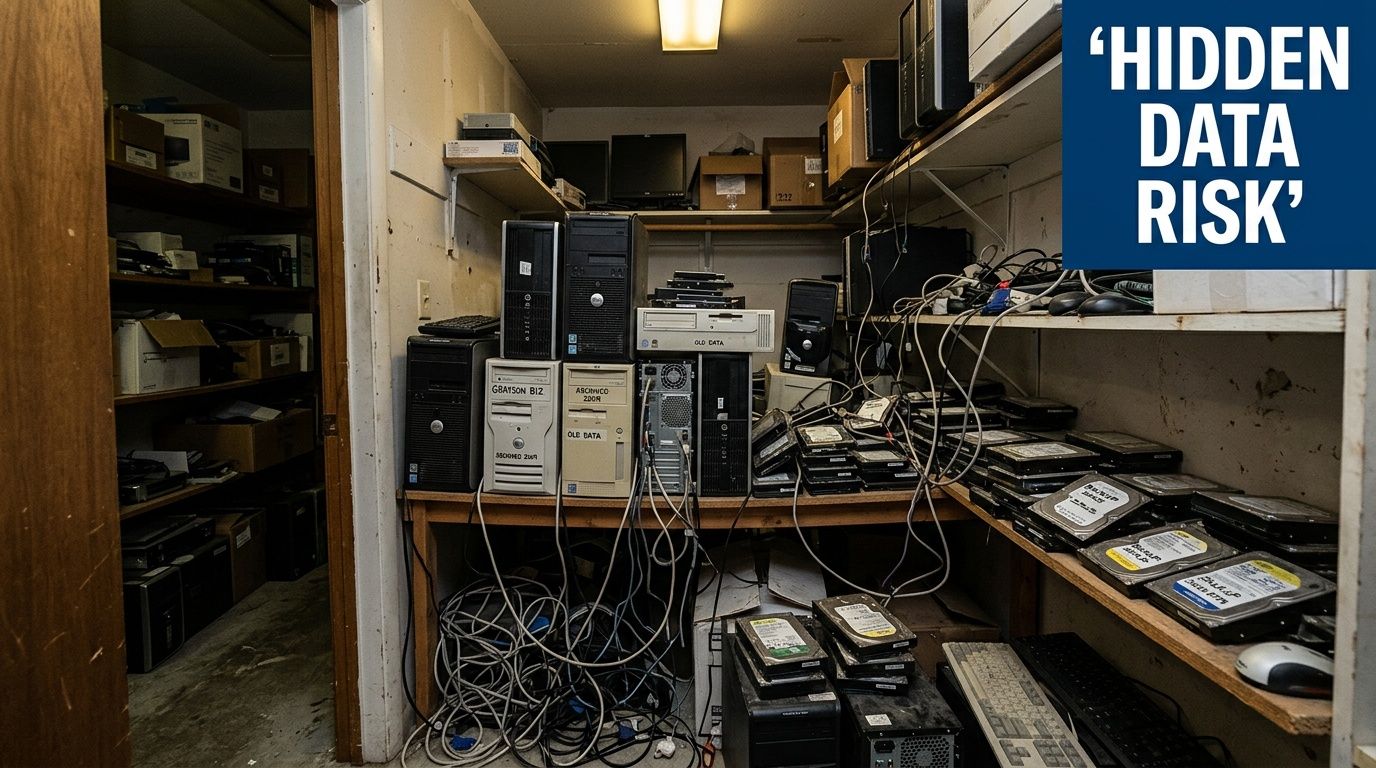
That is the mistake I see most often. Staff treat stored devices like surplus property instead of regulated records with residual data. For a hospital administrator, research manager, or IT lead, the problem is not the age of the hardware. The problem is that old drives still carry legal, financial, and operational exposure until your organization can prove the data is no longer recoverable.
In Grayson, that exposure has a local shape. A physician practice may be dealing with HIPAA. A private business may be handling Georgia personal information under state privacy rules. A school, lab, or multi-site office may also have contract terms, cyber insurance conditions, and internal retention policies that require documented disposal. Kons Law's compliance guide gives a useful baseline definition, but in practice compliance here comes down to custody, method, and proof.
Why stored drives keep creating problems
Storage closets create blind spots. Equipment leaves service, then ownership gets blurry. Facilities may hold the room key. IT may have removed some assets but not all. A recycler may pick up towers without confirming whether internal drives were extracted. Months later, nobody can produce a serial list, destruction record, or sign-off showing who had control of the media.
That is how a routine cleanout turns into a reportable incident, an ugly audit finding, or both.
A practical first move is to separate every data-bearing device from general e-waste and log it before anything leaves the building. If your team is deciding whether media can be reused or must be destroyed, this guide on how to wipe a hard drive completely explains where software sanitization may be appropriate and where physical destruction is the safer choice.
What usually fails in the field
The same operational mistakes come up again and again:
- Unlogged storage: Drives sit in drawers, cabinets, and staging rooms with no asset record.
- Partial decommissioning: A desktop or server gets removed, but the internal drive stays inside.
- Improvised destruction: Staff drill, crack, or dismantle a device and assume that ends recoverability.
- Missing documentation: The hardware is gone, but there is no certificate, serial inventory, or custody record for legal review.
For Grayson organizations, secure hard drive destruction is not just a cleanup task. It is a risk-control process tied directly to breach prevention, audit defense, and disposal costs that can rise fast when the chain of handling is unclear.
Navigating Data Destruction Compliance in Georgia
A Grayson clinic can retire twenty laptops in one quarter and still create a compliance problem if one failed SSD leaves the building without documented destruction. Regulators do not care that the hardware was old. They care whether protected data was still recoverable and whether the organization can prove what happened to each device.
What the rules mean in practice
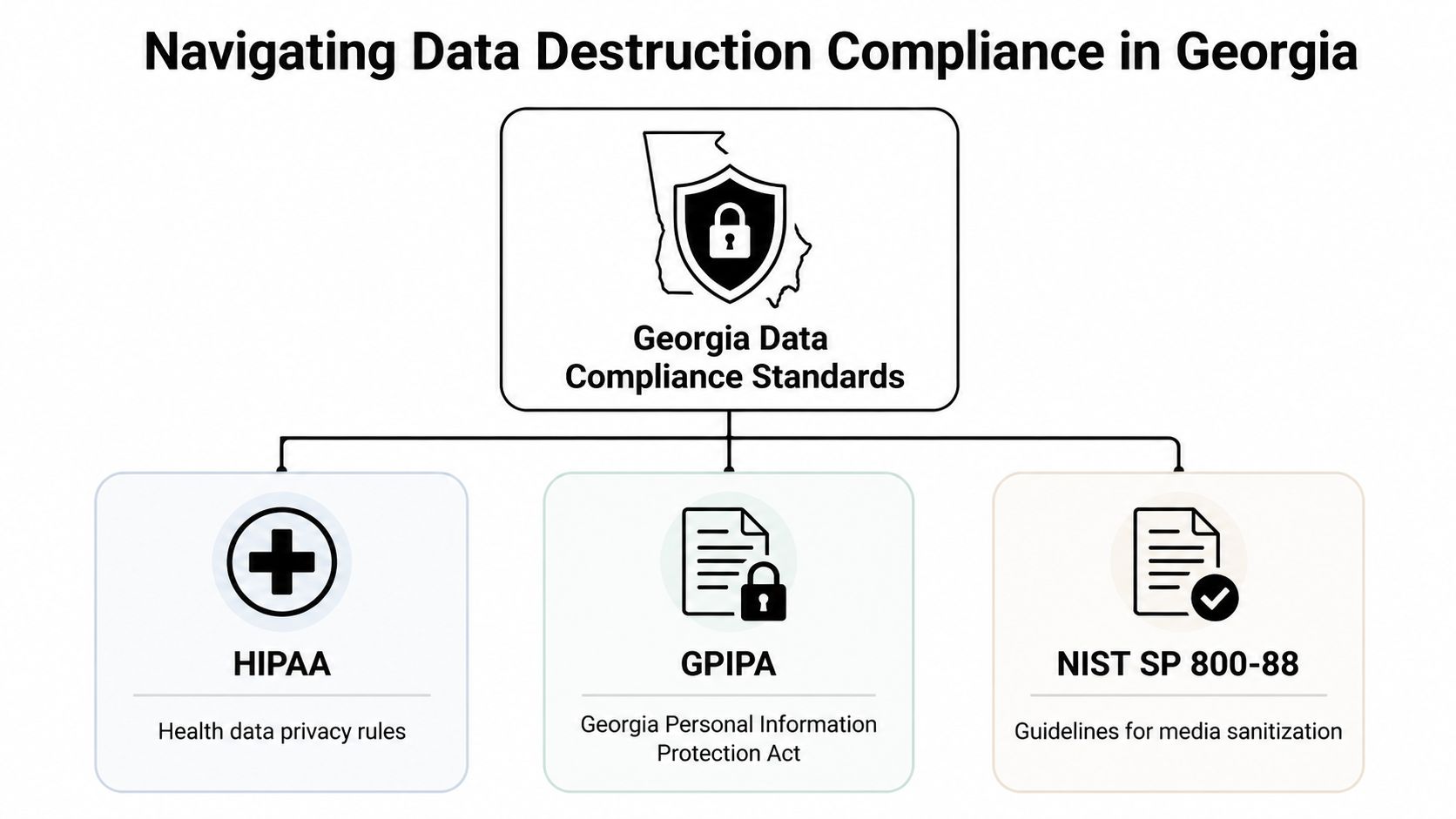
HIPAA applies if a drive, server, workstation, or removable device may have stored ePHI at any point. For a hospital administrator or IT manager, that means disposal must do two things: prevent recovery and produce records that stand up in an audit or breach review.
GPIPA matters because Georgia organizations that mishandle personal information can trigger state-level exposure, including notification obligations and legal scrutiny. A discarded drive with patient, employee, student, or customer data is not an e-waste issue once data remains accessible. It becomes a reportable risk event.
NIST SP 800-88 is the operational standard many compliance teams use to decide whether sanitization, purge, or destruction fits the device. That distinction matters on the ground. A working encrypted laptop drive headed for controlled reuse may qualify for one process. A failed SSD from a radiology workstation usually requires another. Your disposal policy should map media type, condition, and data sensitivity to a specific method, then require documentation for each step.
Where Grayson organizations usually get exposed
The weak point is rarely the written policy. It is execution at pickup, in staging, and during final disposition.
Healthcare and research environments are especially exposed because local devices often hold more than staff expect. Cached files, exported reports, credential remnants, diagnostic images, temporary study data, and synced folders all increase the risk that a "retired" asset still contains regulated information. Verizon's annual breach reporting has consistently shown that human process failures and asset misuse remain major contributors to incident response work. In disposal terms, that means loose inventory control and unclear destruction records can cost far more than the destruction service itself.
The financial side is not abstract. Legal review, forensic investigation, notification, and downtime usually exceed the cost of proper destruction by a wide margin. A provider that can destroy media but cannot document serial numbers, custody transfers, and final method leaves your team carrying the risk.
Practical rule: If your file does not show asset identity, custody history, destruction method, and date of completion, your compliance record is probably not strong enough.
A workable compliance checklist
Use this as a minimum operating standard for Secure Hard Drive Destruction in Grayson GA:
- Classify the source system. Separate clinical, lab, HR, finance, legal, and general office assets before pickup.
- Match the method to the actual media. HDDs, SSDs, failed drives, encrypted devices, and removable media should not all follow one default process.
- Control custody from first touch. Record serial numbers or asset IDs before transport, not after arrival at a downstream facility.
- Require proof that supports an audit. That usually includes inventory detail, custody documentation, and a certificate tied to the destroyed media.
- Align legal, IT, and facilities teams on one procedure. Disposal failures often start when one department assumes another verified the drive status.
For internal policy alignment, legal and compliance teams often benefit from a plain-English framework like Kons Law's compliance guide, especially when translating regulatory obligations into operational controls.
If your facility needs a provider workflow built around auditable disposal rather than generic recycling, review what qualifies as secure data destruction services before approving any pickup.
Data Wiping Versus Physical Shredding A Definitive Comparison
Most organizations in Grayson don’t need more vendor language here. They need a straightforward answer to a practical question: when is wiping enough, and when is physical shredding the right call?
The answer depends on asset condition, reuse plans, media type, and your risk tolerance. If a drive is functional and intended for controlled reuse, wiping can make sense. If the drive is obsolete, failed, or leaving a regulated environment permanently, shredding is the more defensible endpoint.
What wiping does well
DoD 5220.22-M 3-pass wiping is useful when you need sanitization but still want the hardware preserved for reuse or downstream resale. It can fit desktops, laptops, and certain redeployment programs where the drive remains functional and verification is part of the process.
Its weakness is operational, not theoretical. Wiping depends on successful access to the media, correct execution, and reliable verification. Failed drives, damaged sectors, inaccessible devices, and unsupported SSD behavior all complicate the result.
Why shredding is the higher-security method
Physical shredding reduces media to fragments that can’t be reconstructed into usable storage. That matters when the goal is finality, not reuse. According to this Atlanta hard drive shredding overview, physical shredding provides the highest security level, outperforming wiping and degaussing, and SSDs often require pulverization-style destruction to meet DoD and HIPAA expectations.
Here’s the side-by-side comparison most IT managers need:
| Criteria | DoD 5220.22-M Wiping | Physical Shredding |
|---|---|---|
| Primary outcome | Sanitizes data while preserving device use | Permanently destroys the media |
| Best use case | Functional drives slated for reuse or controlled remarketing | End-of-life, failed, obsolete, or highly sensitive media |
| Asset recovery | Possible | None |
| Risk of residual issues | Higher if drive is damaged, inaccessible, or verification is incomplete | Lowest practical risk because media is physically destroyed |
| SSD suitability | Limited by device behavior and validation requirements | Strong choice for final disposal |
| Audit defensibility | Strong only when process and verification are complete | Strong when paired with documented custody and destruction records |
What doesn’t work reliably
A lot of improvised methods fail the test. Drilling holes, smashing the casing, removing the circuit board, or running a magnet over a device may make a drive look damaged, but that’s not the same as verified destruction. For SSDs, the misconception is even worse because solid-state storage doesn’t respond to degaussing the way magnetic media does.
If the drive is leaving your control for final disposal, the cleanest answer is usually the one with the least ambiguity.
Teams that want a direct view of the destruction option can compare service requirements and logistics for hard drive shredding before deciding which media should be wiped and which should go straight to destruction.
Why Chain of Custody Is Your Legal Shield
Destroying a drive is only half the job. The other half is proving, with records, that the right drive was controlled by the right people from pickup through final destruction.
That’s where organizations often get overconfident. They assume the vendor’s invoice is enough. It isn’t. In an audit or dispute, you need a documented asset trail that shows exactly what was collected, who possessed it, when custody changed, and how destruction was completed.
The chain that matters
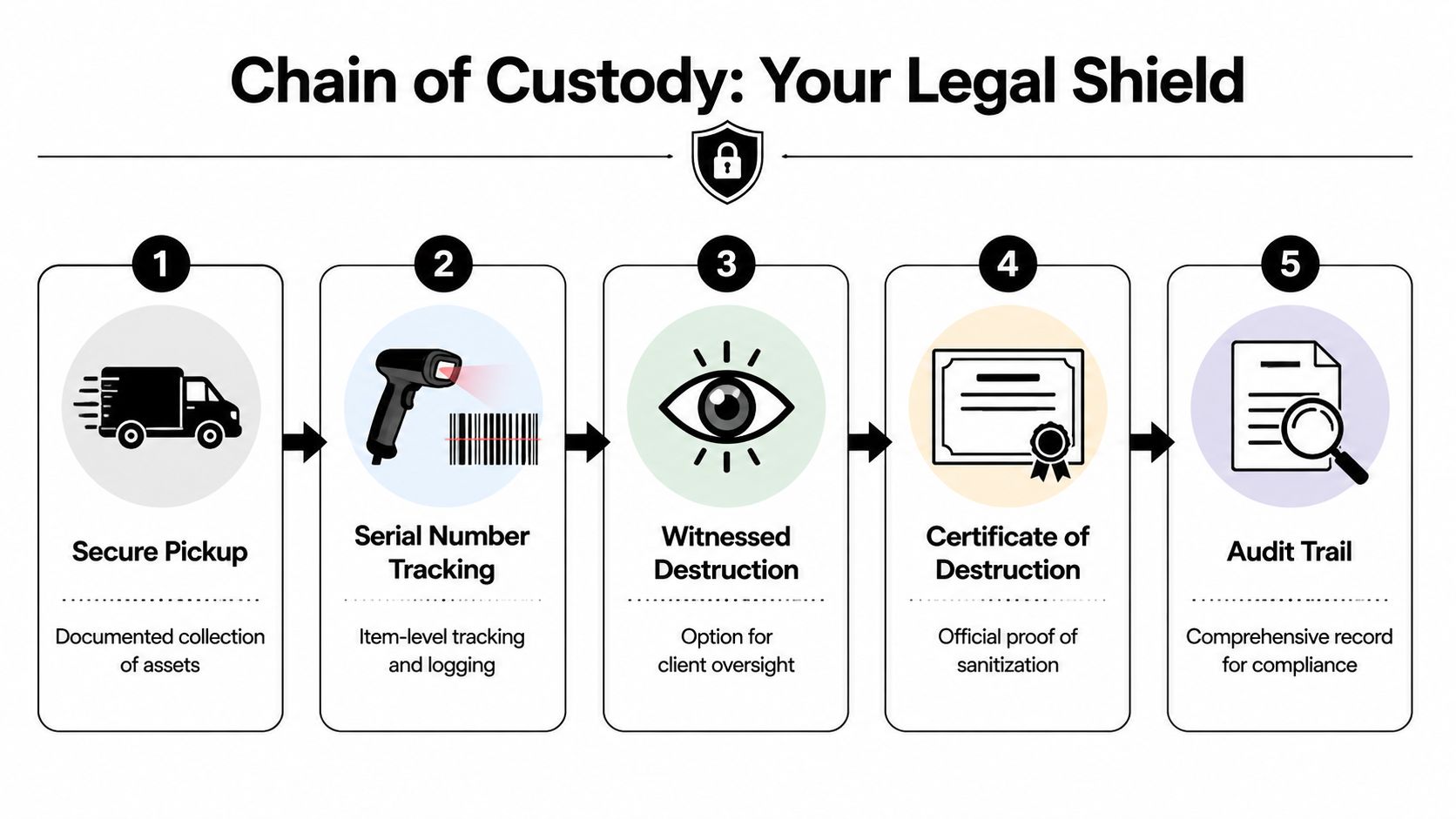
A compliant process usually includes these stages:
- Secure pickup: Media is collected in a controlled handoff, not tossed onto a mixed e-waste pallet.
- Serialized logging: Individual drive serial numbers are recorded against the shipment or job.
- Protected transport or witnessed processing: If media leaves the site, containers and transfer records matter. If destruction occurs on-site, observation can reduce transport exposure.
- Final destruction record: The provider closes the loop with a formal certificate and supporting inventory.
What the certificate must include
According to this Georgia disposal documentation guide, a legitimate Certificate of Destruction must include a unique serialized tracking number, date and location of destruction, detailed media inventory with serial numbers, and confirmation of custody transfer. Without that timestamped documentation, proving compliance becomes extremely difficult.
That’s why the certificate isn’t just administrative paperwork. It’s the record that supports your internal controls, your retention file, and your response if regulators or counsel ever ask what happened to specific media.
A drive can be physically gone and still create liability if the paperwork doesn’t connect pickup, custody, and destruction.
Questions to ask before approving a vendor
Before any Grayson facility hands over drives, ask these directly:
- How are serial numbers captured? Batch counts aren’t enough for sensitive media.
- Who signs custody transfers? Names and timestamps matter.
- What appears on the final certificate? Ask for a sample.
- How are records retained? Audit files often outlast the project that generated them.
If you need to vet the document itself, review what belongs on a proper certificate of destruction and compare it to what your current vendor provides.
On-Site Versus Off-Site Destruction Which Is Right for Your Grayson Facility
The right service model depends on what you’re trying to protect, how much media you have, and how much operational control your policies require.
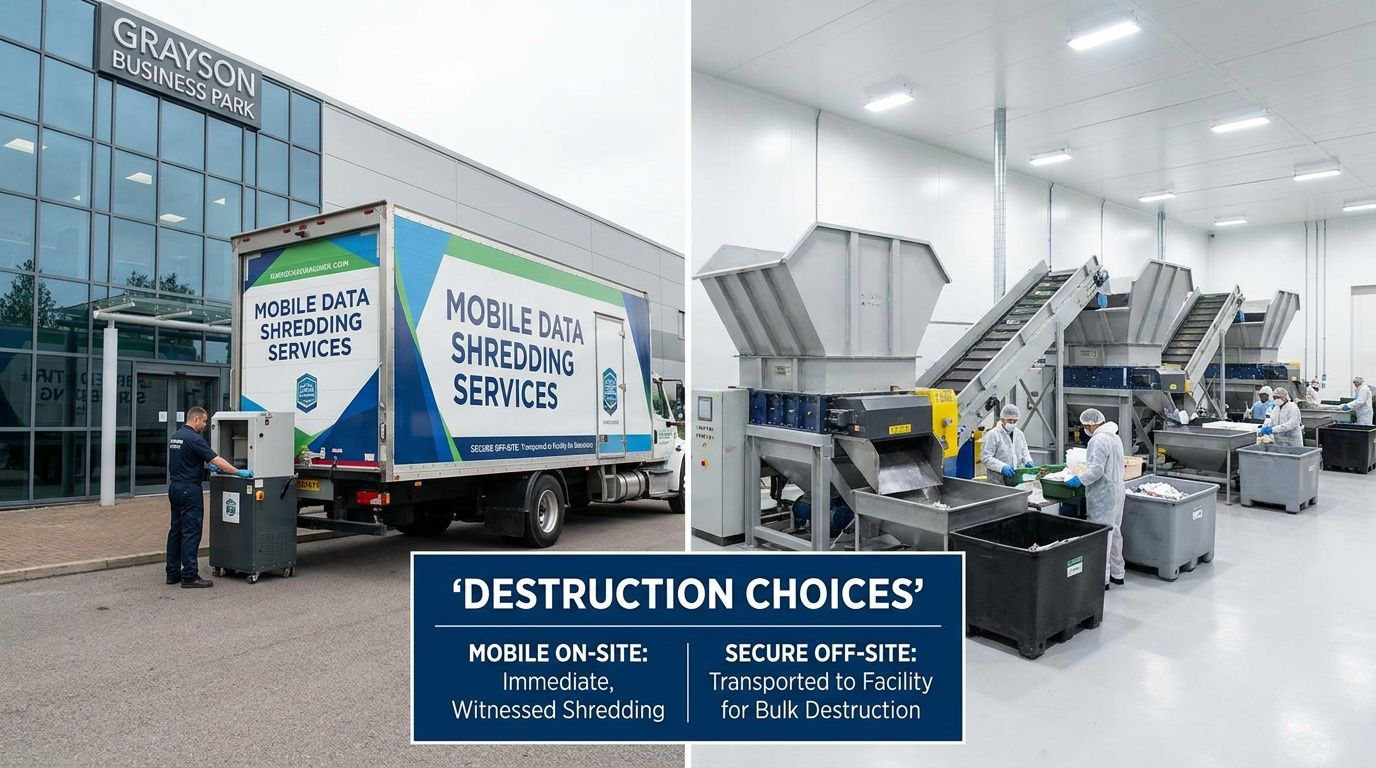
On-site destruction gives your team the shortest custody chain. The truck arrives, drives are scanned or logged, and destruction happens at your facility. That model works well for hospitals, labs, and public-sector environments where internal policy favors witnessed destruction or where transport risk is a sticking point for compliance.
Off-site destruction can still be compliant, but the vendor’s controls need to be stronger because the chain is longer. That means secure containers, documented transfers, and disciplined intake procedures at the facility. For larger refreshes or staged decommissions, off-site processing is often easier to coordinate with broader e-waste and equipment removal.
Choose on-site when
- Witnessing matters: Compliance, security, or executive stakeholders want to observe the event.
- Media sensitivity is high: Clinical, legal, government, or research data raises scrutiny.
- You want less transport exposure: Keeping destruction at the pickup point removes one major handoff.
Choose off-site when
- Volume is large: Palletized loads, server-room clearouts, and multi-department projects may move more smoothly through a fixed facility.
- The project includes other asset streams: Computers, lab electronics, and miscellaneous e-waste can be processed together.
- Scheduling flexibility matters: Off-site workflows can reduce congestion at active facilities.
There isn’t one universal answer. For some Grayson facilities, the deciding factor is policy. For others, it’s volume, building access, or whether the project includes de-installation and packing.
Understanding the Costs of Secure Destruction
Pricing gets misunderstood because many buyers compare only the per-drive number and ignore the rest of the workflow. In practice, cost comes from the service model, the amount of labor around the media, and whether destruction is part of a broader disposition program.
The clearest benchmark available is that on-site services typically average $7 to $20 per drive, and a 2025 ITAD market analysis found organizations can realize up to 25% cost savings through consolidated e-waste programs that include hard drive destruction, according to this e-waste pricing discussion.
What changes the quote
A few factors move pricing more than buyers expect:
- Drive volume: Small one-off jobs usually cost more per unit than consolidated pickups.
- Service location: On-site destruction generally carries more logistics cost than off-site processing.
- Labor scope: Pulling drives from workstations, servers, or lab equipment adds time.
- Bundling: Combining destruction with a larger equipment pickup can reduce duplicated trucking and handling.
- Documentation needs: Detailed inventory and compliance reporting take real administrative work.
How to budget intelligently
If you’re evaluating quotes, don’t ask only “what’s your price per drive?” Ask what’s included. Does the vendor handle drive removal? Are serial numbers captured? Is the certificate itemized? Can the same pickup absorb other electronics or lab assets?
That’s where a bundled model often makes more sense than a single-purpose pickup. The per-drive price may not tell you the true cost of the project. Total project efficiency usually does.
How to Schedule Compliant Disposal with Scientific Equipment Disposal
For Grayson organizations that need both logistics and compliance handled cleanly, the process should start with inventory scope, not a generic pickup request.
A typical workflow is straightforward. You identify the asset types, approximate volume, whether drives are loose or still installed, and whether destruction needs to be on-site or can occur off-site under documented custody. From there, scheduling can be aligned with a clinic renovation, lab shutdown, IT refresh, or routine surplus removal.
What the service process should include
Start by reviewing the local service area for electronics recycling services in Grayson GA. For organizations that also need de-installation and coordinated removal, Scientific Equipment Disposal is one Atlanta-area option that handles box-truck pickup, packing, drive wiping under DoD 5220.22-M 3-pass sanitization for appropriate media, and shredding for obsolete or nonfunctional storage.
The practical steps are usually:
- Scope the job: List drives, computers, servers, and related e-waste.
- Confirm the handling path: Decide what can be wiped, what must be shredded, and where destruction should occur.
- Schedule access and pickup: Coordinate loading dock rules, site contacts, and department timing.
- Collect final records: Retain the destruction certificate and inventory file with your compliance records.
For hospitals, labs, and IT departments, the value is reducing handoffs. The fewer separate vendors involved, the easier it is to keep disposal controlled and documented.
Frequently Asked Questions About Hard Drive Destruction
Do SSDs need different handling than HDDs
Yes. SSDs store data differently, so the destruction method has to match the media. Degaussing does not work on solid-state storage, and a drive that looks damaged can still retain recoverable data if it was not sanitized or shredded correctly. For Grayson healthcare practices, labs, and businesses handling regulated records, that distinction matters because the wrong method can leave you with residual data and no defensible explanation during an audit.
Can I just drill holes in a hard drive
No. Drilling holes is improvised destruction, not a documented disposal process.
It may damage the drive, but it does not reliably render all data unreadable, and it does nothing for chain of custody, asset tracking, or certificates of destruction. If a hospital administrator or IT manager has to prove what happened to a specific serial-numbered drive, a hole in the casing is not evidence.
Do providers remove drives from computers and servers
Many providers do, but you should verify the scope before pickup is scheduled. Removing a SATA drive from an office desktop is simple. Pulling media from blade servers, storage arrays, medical devices, or older lab systems takes more time and sometimes requires site access rules, shutdown coordination, and staff escorts. If drive removal is not clearly included in the work order, assets can leave the building with storage still inside them.
How long should we keep the destruction paperwork
Keep it with your disposition and compliance records based on your internal retention policy, legal hold requirements, and the rules that apply to your industry. In practice, organizations usually need the certificate of destruction, asset inventory, pickup details, and custody record long after the equipment is gone. Those documents are what allow you to respond to an auditor, insurer, regulator, or internal investigation without guessing.
Is witnessed destruction worth requesting
Often, yes. It makes sense when your policy requires direct oversight or when the data category creates higher legal exposure, such as patient records, research data, financial files, or government information.
The trade-off is operational. Witnessed destruction can slow scheduling, require the truck to stay on-site longer, and involve more staff time. Many Grayson facilities accept that cost because observation, signed documentation, and a clear custody record are easier to defend than assumptions after the fact.
If your team in Grayson needs a compliant path for retired drives, servers, lab computers, or mixed e-waste, contact Scientific Equipment Disposal to scope the job, align the destruction method to the media, and make sure you receive the documentation needed for audits and internal records.