Computer Recycling Atlanta: Secure IT Asset Disposal for

Old computers rarely leave a building when they should. They get stacked in a locked closet, pushed under benches in a lab, or left on pallets in a back hallway after a server refresh. Months later, facilities wants the space back, IT wants proof the drives were destroyed, finance wants the asset list, and compliance wants to know who had custody the whole time.
That’s the true context for computer recycling atlanta. For hospitals, research labs, universities, finance teams, and corporate IT departments, this isn’t a housekeeping project. It’s an asset disposition project with legal, security, and logistics consequences. The process only works when inventory, chain of custody, data destruction, pickup, and final documentation all line up.
The Hidden Risks in Your Atlanta Office Storage Closet
A storage room full of retired desktops and monitors looks harmless until someone asks what’s on them. In Atlanta, I see the same pattern across offices, clinics, and lab spaces: devices are removed from service correctly, then the disposition process stalls. The result is a growing pile of risk.
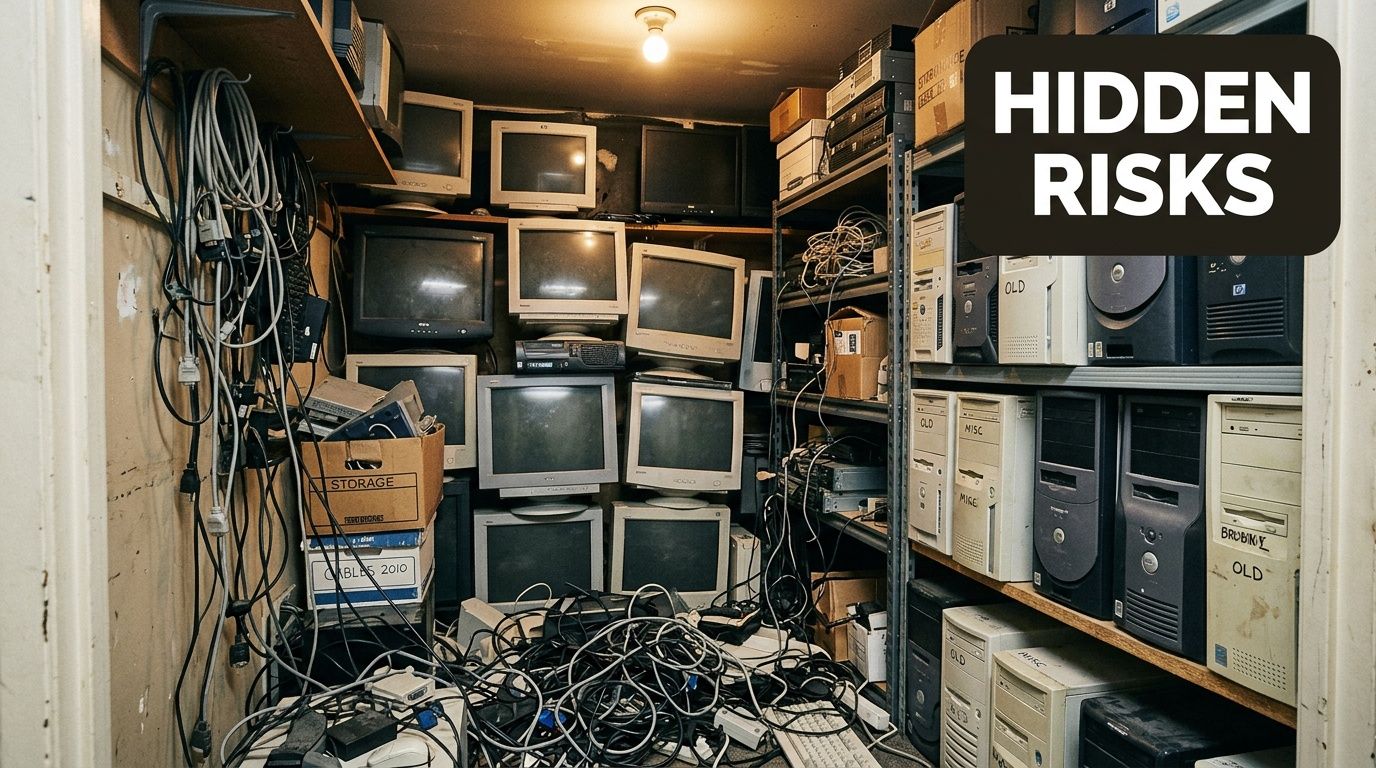
The environmental side is already large. The United States generates over 3.5 million tons of e-waste annually, and it’s the fastest-growing segment of municipal solid waste. For Atlanta businesses, improper disposal also raises the chance of data exposure and compliance problems under laws such as HIPAA, as noted by Reworx on e-waste recycling in Atlanta.
What sits in that room longer than it should
The obvious items are workstations, laptops, printers, and monitors. The less obvious ones usually create the bigger issue:
- Retired servers that still contain storage media
- Network gear pulled during upgrades and never logged for disposition
- Lab-adjacent computers connected to instruments with regulated or proprietary data
- Loose hard drives removed during troubleshooting and then forgotten
A facilities manager usually sees square footage. An IT director sees unmanaged data-bearing assets. Legal and compliance see discoverability, audit exposure, and preventable process failures.
Practical rule: If a device ever stored protected, financial, or research data, don’t treat it like scrap. Treat it like a controlled asset until documented destruction or verified sanitization is complete.
Why consumer recycling advice doesn’t solve business risk
A free drop-off option can be perfectly fine for a household keyboard or an old personal monitor. It usually isn’t enough for an oncology clinic, a university lab, or a company decommissioning a server room. Those organizations need pickup, serialized tracking, and a destruction record they can hand to an auditor.
That’s why secure computer recycling atlanta projects should start with a disposition plan, not a loading dock cleanup. Once the room is full, the clock is already running.
Your Pre-Pickup Compliance and Inventory Checklist
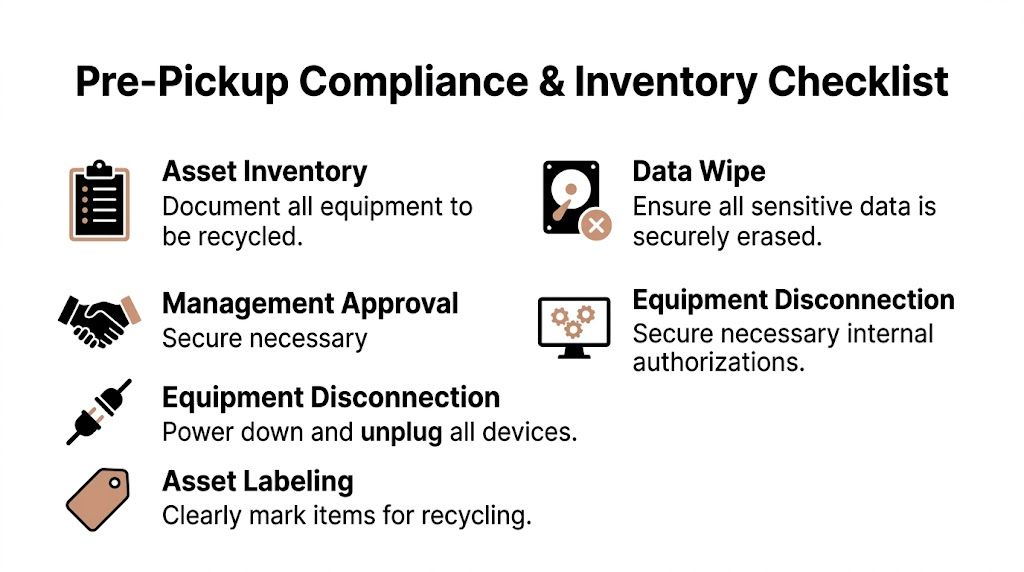
Most problems in electronics recycling happen before the truck arrives. Not because the recycler failed, but because the organization never separated data-bearing assets from general equipment, never aligned internal approvals, or never created a usable inventory. Clean projects start with disciplined prep.
Modern e-waste handling didn’t appear overnight. The Resource Conservation and Recovery Act of 1976 laid the groundwork for responsible hazardous waste management, and the scale of the issue became impossible to ignore when the EPA reported over 63 million computers were discarded in a single year by 2007. Today, certified recyclers in Atlanta divert hundreds of millions of pounds of e-waste from landfills annually, according to Atlanta Computer Recycling’s overview of Atlanta computer recycling.
Build the inventory the right way
A useful inventory is not just a spreadsheet of “old computers.” It needs enough detail to drive security decisions and service-day logistics.
Start with these categories:
Data-bearing assets
Servers, desktops, laptops, workstations, storage arrays, loose hard drives, SSDs, and any instrument controller that stores data.Non-data equipment
Monitors, docking stations, keyboards, mice, cabling, printers, and basic peripherals.Special handling items
Rack-mounted gear, heavy UPS-adjacent equipment, and mixed lab/IT equipment that may require de-installation.Question-mark assets
Equipment nobody wants to claim. These are common in acquisitions, closures, and departmental cleanouts. Flag them early.
Internal approvals that prevent last-minute delays
The organizations that move fastest usually get approvals in parallel. The ones that stall wait until pickup week to ask the wrong department.
Use a short internal checklist:
- IT signoff: Confirm what must be wiped, shredded, or held for review.
- Compliance review: Identify assets connected to HIPAA, GLBA, internal retention rules, or research controls.
- Finance input: Determine whether any equipment should go through remarketing instead of direct recycling.
- Facilities coordination: Confirm dock access, elevator limits, and staging locations.
- Department ownership: Resolve disputed assets before pickup day.
A strong inventory answers three questions before pickup starts: what is it, who owns it, and what must happen to its data.
Chain of custody starts inside your building
Many teams become casual at this stage, and that’s a mistake. The chain of custody doesn’t start at the recycler’s dock. It starts when your staff identifies an item for disposition.
Tag assets clearly, keep them in a controlled area, and document who moved them into staging. If you need a commercial process rather than a consumer drop-off, a dedicated computer disposal service for business electronics should fit into that documentation flow rather than replace it.
Choosing Your Data Security Method Wiping vs Shredding
Deleting files isn’t data destruction. Reformatting a drive isn’t data destruction either. In commercial computer recycling atlanta work, the key decision is whether the media should be sanitized for reuse or physically destroyed so no data leaves intact.
For Atlanta business recycling, the recognized standards are DoD 5220.22-M 3-pass overwriting for functional drives and physical shredding to <2mm particles for nonfunctional media, per NIST 800-88, with 98% data destruction efficacy cited in Montclair Crew’s review of Georgia computer recycling services.
The practical decision criteria
Use wiping when the drive is healthy, readable, and part of equipment that may still have downstream value. Use shredding when the media is dead, unstable, obsolete, or too sensitive to let leave the process intact.
The trade-off is straightforward. Wiping preserves the possibility of refurbishment and resale. Shredding removes that possibility, but it closes the security question decisively.
| Criteria | DoD 5220.22-M Wiping | Physical Shredding |
|---|---|---|
| Best fit | Functional drives | Nonfunctional, failed, or highly sensitive media |
| Primary goal | Sanitize for safe reuse or resale | Permanently destroy media |
| Data standard noted in Atlanta market content | 3-pass overwriting | <2mm particle shredding under NIST 800-88 guidance |
| Asset value recovery | Possible, because the device may stay in the refurbishment stream | Usually none from the media itself |
| When IT teams choose it | Newer laptops, desktops, servers still in working order | Failed drives, damaged arrays, drives from high-security environments |
| Documentation to require | Serialized destruction or sanitization records | Serialized destruction records and certificate documentation |
What works in regulated environments
Healthcare, finance, and research don’t all use the same risk threshold. A physician group may allow wiping on healthy drives in newer endpoints. A research lab handling sensitive intellectual property may insist on physical destruction for every loose drive removed from service. A finance team may split the approach by asset class.
That’s why one-size-fits-all recycling policies usually fail. The right approach is policy by media condition and data sensitivity.
- Choose wiping when the drive is operational, the organization permits reuse, and the chain of custody is documented.
- Choose shredding when the drive can’t be validated, the media failed, or the internal policy requires irreversible destruction.
- Use witness options for high-security environments where someone from IT, compliance, or leadership needs direct confirmation.
If a drive can’t be read reliably, don’t build your compliance case around software sanitization. Move to destruction.
Avoid the two common mistakes
The first mistake is assuming your staff can “clean” devices before pickup and save time. Internal wiping without a documented process often creates more audit problems than it solves. The second mistake is shredding everything by default when some of that equipment could have been remarketed after compliant wiping.
For organizations that need a defined destruction path for storage media, hard drive shredding services for business ITAD are part of the decision framework, not a last-minute add-on. Good programs decide the method before pickup, not on the loading dock.
Navigating On-Site Logistics and Pickup in Atlanta
Service day should feel controlled, quiet, and documented. If it feels improvised, something upstream was missed. Business pickups in Atlanta aren’t the same as dropping a few devices at a public collection point. They involve secure handling, building coordination, and often de-installation.
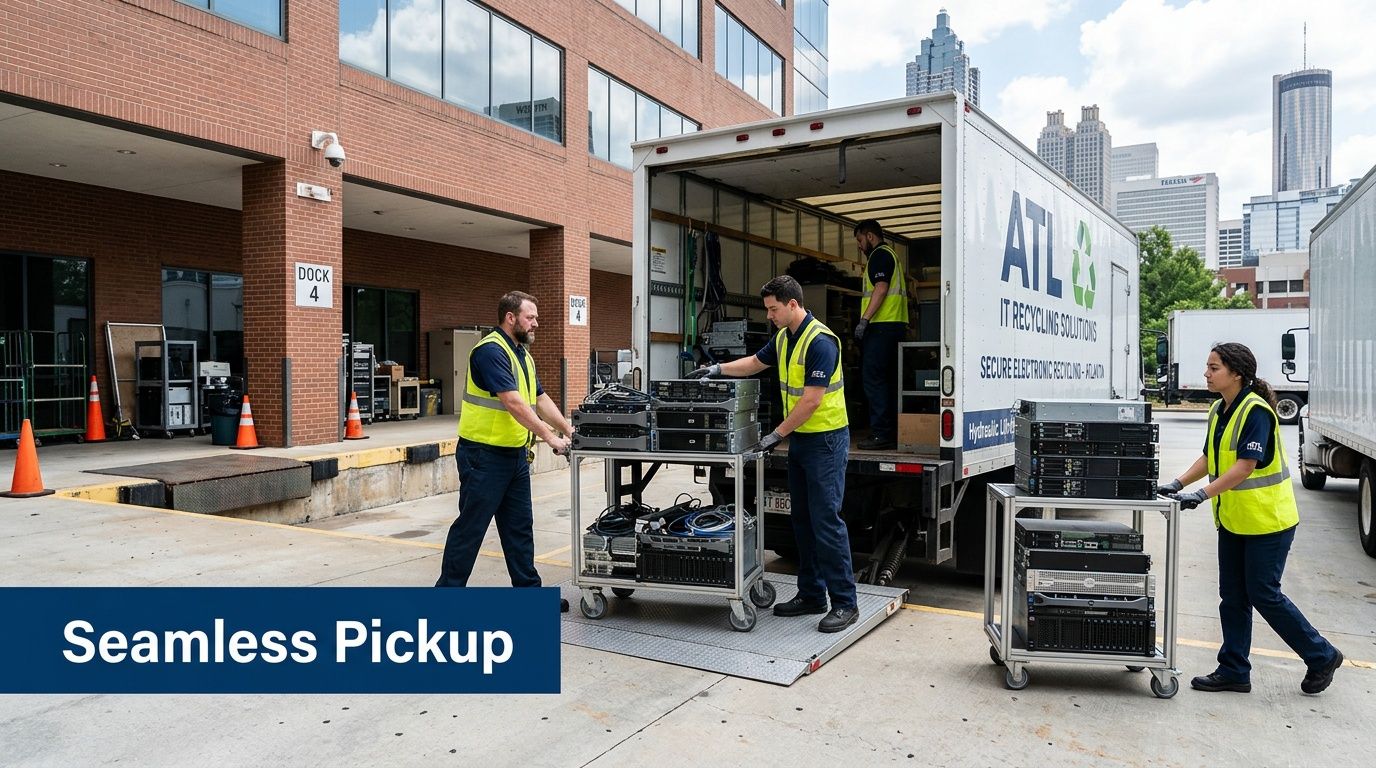
A major gap in e-waste guidance is logistics for regulated organizations. Businesses often need dedicated box-truck pickup and on-site de-installation rather than a consumer-style handoff, especially when chain of custody matters, as discussed on the PCs for People Atlanta location page.
What a well-run pickup looks like
The sequence matters:
Arrival and scope confirmation
The crew confirms the asset categories, pickup areas, access points, and any exceptions.On-site de-installation if needed
This matters for server rooms, labs, and offices where equipment is still mounted, racked, or integrated into furniture or benches.Scan, tag, and load
Assets are moved from your controlled area into transport with documentation attached to the handoff.Exception handling
Unlisted media, damaged units, and disputed assets are separated instead of mixed into the load.
Atlanta-specific logistics issues that slow jobs down
The metro area creates its own practical constraints. Midtown and downtown buildings often have freight elevator schedules and loading dock windows. Medical campuses may require vendor screening and service-hour restrictions. University departments may scatter assets across multiple buildings, each with a different contact person.
Those issues aren’t minor. They determine whether the disposition happens in one coordinated sweep or in a series of expensive return visits.
Good pickup logistics reduce security risk because fewer unplanned touches means fewer custody gaps.
Mixed environments need field coordination
A data center cleanout and a lab decommission are not the same job, even if both include computers. Labs add benches, specialty devices, odd form factors, and rooms where ordinary moving methods don’t work. That’s where a recycler’s own fleet and field crew matter.
If your project includes staged pickup, site access coordination, or de-installation support, scheduling an Atlanta-area electronics pickup should happen after the inventory and security method are already approved internally.
Accepted IT and Lab Equipment What We Recycle
A common failure point in computer recycling atlanta projects is assuming every recycler handles every device. They don’t. Many free programs accept common electronics, but hospitals, universities, and research facilities usually have a mixed stream that includes ordinary IT gear plus equipment those programs won’t touch.
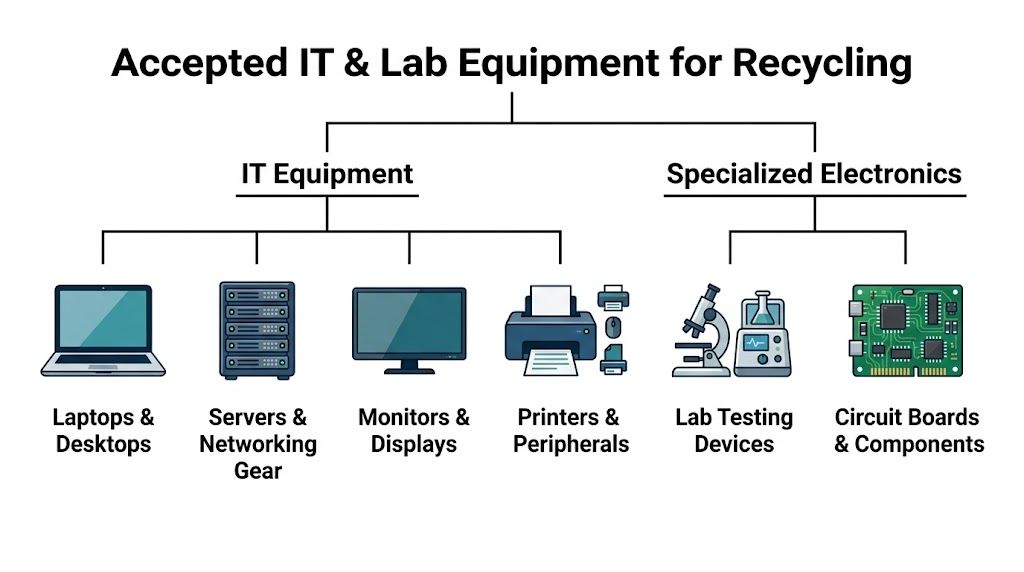
That gap is especially clear with specialized lab assets. Many free Atlanta recycling programs can’t take equipment such as centrifuges and pipettes alongside standard computers, which leaves universities and hospitals searching for a single disposition path during decommissions, as described by Reworx in its Atlanta free electronics recycling guide.
Standard enterprise equipment
Most business recyclers can process the usual IT categories:
- User devices such as desktops, laptops, thin clients, and workstations
- Server infrastructure including servers, storage units, rack components, and related accessories
- Networking hardware such as routers, switches, firewalls, and telecom-adjacent electronics
- Displays and peripherals including monitors, keyboards, mice, docking stations, and printers
These items are the easy part. The challenge is usually separating what contains data from what doesn’t.
Specialized electronics from labs and technical spaces
Institutional projects involve greater complexity. A building closure or renovation may include standard office computers plus instrument controllers, bench devices, embedded electronics, and equipment that is too large or too specialized for a public drop-off program.
Typical categories include:
- Lab testing devices with electronic controls
- Instrument-attached computers used for measurement, imaging, or analysis
- Circuit boards and internal components pulled during decommissioning
- Mixed loads where IT, facilities, and lab operations all contribute assets
What usually requires special review
Not everything should be loaded automatically. Some items need confirmation before transport.
| Equipment type | Typical handling note |
|---|---|
| Contaminated lab equipment | Must be decontaminated before recycling pickup |
| Unknown sealed devices | Needs identification before acceptance |
| Legacy displays or heavy specialty units | May require special labor planning |
| Equipment with embedded storage | Treat as data-bearing until verified otherwise |
A current accepted items list for lab and electronics recycling helps facilities teams avoid the two worst outcomes: staging equipment that won’t be accepted, or leaving high-risk devices behind because no one realized they counted as part of the ITAD scope.
Final Documentation and Uncovering Hidden Value
The truck leaving your site is not the end of the process. It’s the point where your internal asset list should begin matching external disposition records. If that paperwork never arrives, or arrives with missing serials, the project isn’t complete.
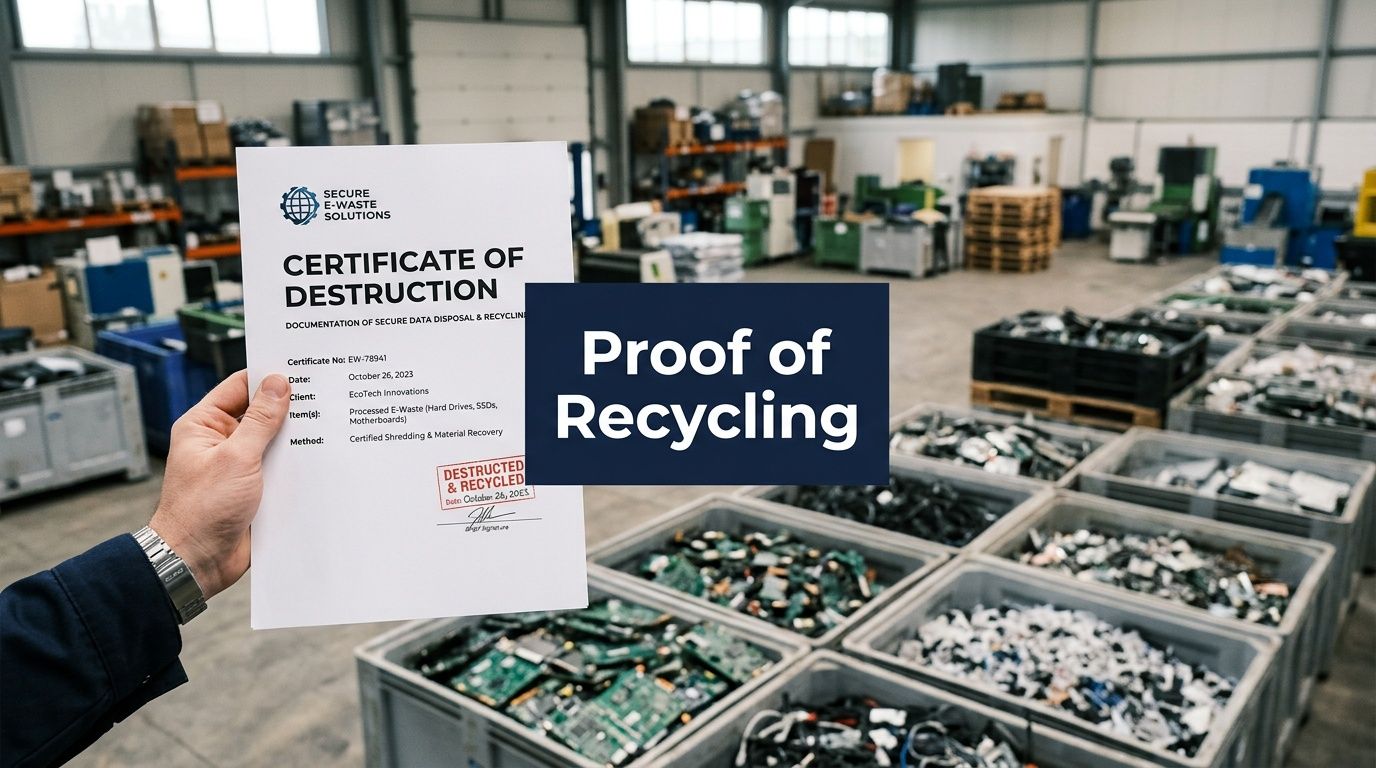
The documents that matter
At minimum, regulated organizations usually want records that answer three questions: what left, what happened to the data, and how the material was handled.
Look for documentation such as:
- Certificates of destruction for drives or media processed through wiping or shredding
- Serialization records that tie asset identifiers to destruction outcomes
- Recycling confirmation showing the downstream handling path
- Pickup records that align with the original inventory and service date
For teams that need to standardize their audit package, a sample certificate of destruction for electronics and media is useful because it shows what a complete record should include.
Final documentation should close every loop opened at the start of the project. Missing serials, vague item descriptions, and generic disposal summaries don’t help during audits.
Where cost and value meet
This is also where finance starts paying attention. Some equipment has disposal cost only. Some has residual value. Mature ITAD programs separate those streams instead of treating everything as junk.
Functional devices may enter refurbishment or remarketing. Earlier source material on Atlanta ITAD practices notes that newer equipment can be routed for resale and that organizations may receive value recovery on qualifying projects through structured buyback and remarketing channels. By contrast, obsolete displays and damaged equipment often carry processing cost rather than recoverable value.
A smart computer recycling atlanta plan doesn’t chase resale at the expense of security. It also doesn’t destroy reusable assets without reason. The strongest programs document both sides clearly: what had to be destroyed, and what still held value after compliant sanitization.
Frequently Asked Questions About Atlanta E-Waste Management
Can we witness data destruction?
Yes, many organizations require it for high-security assets. Witnessed destruction is common when the media contains sensitive patient, financial, legal, or research data. The key is to define that requirement before service day so the logistics, documentation, and internal approvals match the method.
What certifications should we ask about?
Start with process discipline, not logos alone. Ask how the provider handles chain of custody, serialized tracking, downstream recycling, and data destruction records. Certifications can support that review, but they don’t replace it. If a provider can’t explain how assets are tracked from pickup through final processing, the paperwork won’t save the project.
Why would a business use a paid B2B recycler instead of a free drop-off option?
Because the service isn’t the same. A business, hospital, university, or government office usually needs scheduled pickup, de-installation, asset tracking, and destruction records. Free options are often designed around community drop-off and reuse, not regulated chain of custody.
Do all old computers need shredding?
No. Some working devices are better candidates for wiping and remarketing. Others should be destroyed because the media failed, the device is obsolete, or internal policy requires it. The right answer depends on media condition, data sensitivity, and your documented disposition policy.
What’s the biggest mistake internal teams make?
They wait too long to classify assets. Once equipment from multiple departments gets mixed together, inventory quality drops, ownership gets blurry, and pickup day becomes slower and riskier.
If your team is planning computer recycling atlanta work that includes secure data destruction, mixed IT and lab equipment, or on-site pickup across the metro area, Scientific Equipment Disposal provides business-focused recycling and disposal services for electronics and laboratory assets.