IT Asset Disposal: A Nationwide Playbook for US Organizations

Proper IT asset disposal (ITAD) is the critical process of securely and sustainably decommissioning retired technology. It's not just about getting rid of old computers; it's a security and compliance function that protects your sensitive data long after a device leaves service and prevents massive environmental headaches down the road.
A managed, professional process ensures data is permanently destroyed before any hardware is recycled, resold, or discarded. Whether you're a local business or a nationwide enterprise, a solid ITAD strategy is non-negotiable.
Why IT Asset Disposal Is A Strategic Imperative
Thinking of IT Asset Disposal (ITAD) as just a clean-up task is a massive—and potentially costly—mistake. For organizations across the US, especially those in healthcare, research, and education, a professional ITAD process is your first line of defense against data breaches, steep regulatory fines, and environmental liability.
It's no longer a niche compliance item; it's a core business strategy. The sheer volume of retired servers, lab equipment, and workstations has elevated asset disposal to a board-level concern. If you handle it improperly, every single device is a potential backdoor into your network or the source of a devastating data leak.
The Real-World Risks of Getting It Wrong
Ignoring a formal ITAD process leaves your organization wide open to some serious threats. For a hospital, a single hard drive tossed in a bin can trigger crippling HIPAA penalties. For a university, it could mean the public exposure of sensitive student records or proprietary research data.
This isn't theoretical. The risks cascade quickly, starting with a data breach and spiraling into regulatory fines and lasting environmental damage.
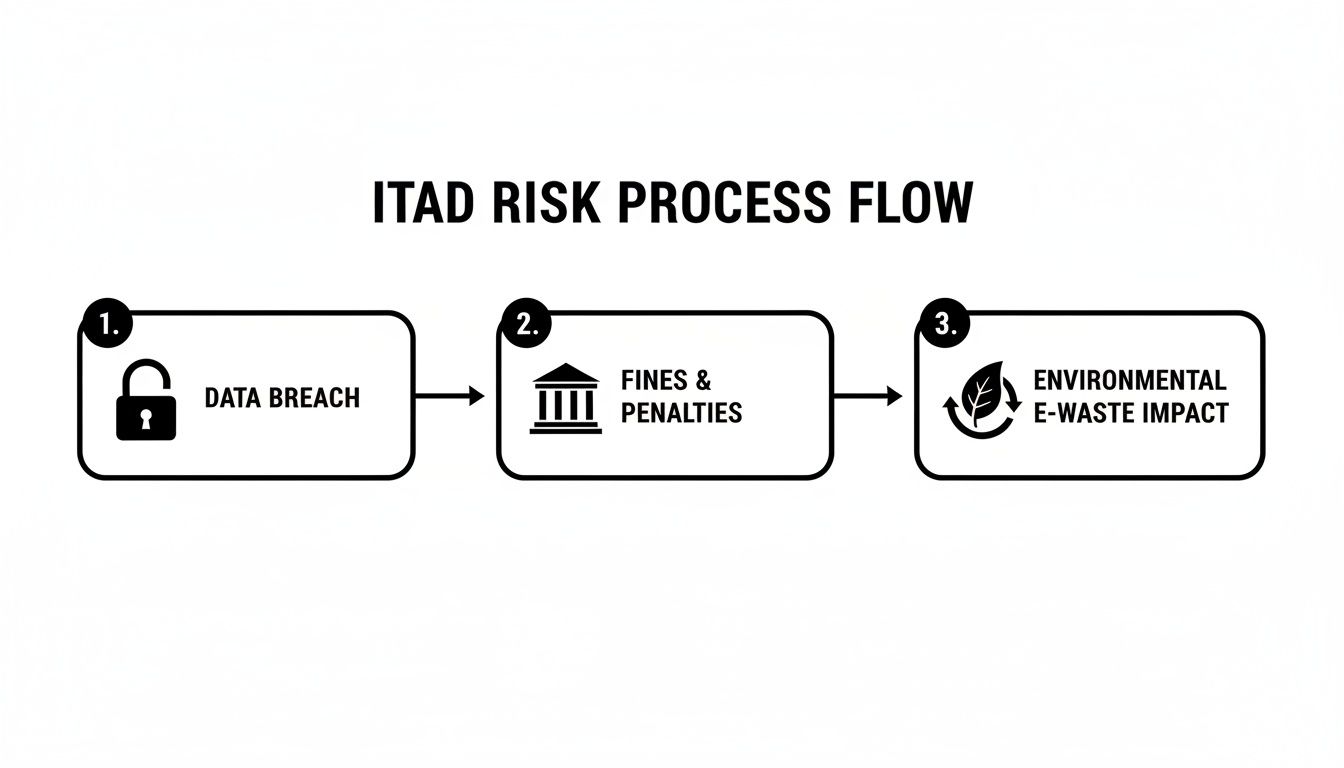
As the chart shows, one failure—the data breach—directly leads to serious financial and reputational fallout. This is why a documented, expert-led process is an absolute necessity for protecting your data and your bottom line, no matter where your facilities are located.
Core Pillars of a Modern ITAD Strategy
To get this right, you need a strategy built on a few key principles. This table breaks down the essentials of a robust ITAD plan, giving you a clear framework for what needs to happen.
| Pillar | Key Objective | Primary Risk if Ignored |
|---|---|---|
| Policy & Planning | Establish clear, documented procedures for all retiring assets. | Inconsistent handling, compliance gaps, and employees making risky choices. |
| Data Security | Guarantee 100% destruction of all sensitive data on all devices. | Data breaches, identity theft, exposure of trade secrets, and massive regulatory fines. |
| Compliance & Reporting | Maintain a complete chain-of-custody and prove proper disposal. | Failure to pass audits (HIPAA, SOX, etc.) and inability to prove due diligence. |
| Environmental Responsibility | Ensure all e-waste is recycled or disposed of according to regulations. | Fines for illegal dumping, environmental damage, and harm to brand reputation. |
| Value Recovery | Maximize financial return from reusable assets where possible. | Lost revenue from valuable components that could have been resold or repurposed. |
Each pillar supports the others. A failure in one area, like data security, completely undermines the entire effort, regardless of how well you handle the environmental side.
A Growing Market Driven By High Stakes
The sheer scale of this challenge is reflected in the market's rapid growth. The global IT asset disposition market was valued at over $17.5 billion in 2025 and is projected to keep climbing, pushed by faster device turnover and stricter regulations.
Large enterprises, which hold about 66.9% of the market, understand the stakes involved. This growth highlights a fundamental shift: organizations now see that managing electronic waste is just as important as managing their active IT assets.
Our guide on corporate e-waste solutions provides more detail on building a responsible program. A well-run ITAD strategy doesn't just mitigate risk—it supports your sustainability goals and protects the reputation you've worked so hard to build.
Laying the Groundwork: Your ITAD Policy and Asset Inventory
Every solid IT asset disposal project starts with a clear, documented game plan. Without a formal ITAD policy, companies tend to make inconsistent, on-the-fly decisions that open up huge compliance gaps and security risks. Think of a well-defined policy as your organization's official rulebook—it ensures every single retiring device is handled securely and consistently, whether you're based in a single city or managing assets across the country.
This isn't just about drafting another corporate document to file away. It's about building a repeatable, defensible process. Your policy should be a living guide that maps out every step, from the moment an asset is flagged for retirement all the way to receiving its final Certificate of Destruction.

Crafting a Formal ITAD Policy
The main goal of your policy is to eliminate ambiguity. It needs to provide clear answers to real-world questions, like, "What's the process for the lab computers when a research project ends?" or "Who is responsible for the server drives from that decommissioned data center?"
A truly effective ITAD policy must include:
- Asset Scope Definition: Spell out exactly what qualifies as an IT asset. This covers the obvious stuff like laptops and servers, but don't forget network gear, specialized lab equipment with embedded storage, and mobile devices.
- Data Sanitization Standards: Get specific on the methods you require for data destruction. For instance, you might mandate a DoD 5220.22-M 3-pass wipe for hard drives that can be reused and physical shredding for any failed or highly sensitive media.
- Chain of Custody Requirements: Detail the documentation needed to track an asset from the second it leaves your control to its final destination. This is non-negotiable for audit trails.
- Vendor Selection Criteria: Set the minimum requirements for any ITAD partner. Look for credentials like R2 or e-Stewards certifications for responsible recycling and proven experience with HIPAA or other regulations relevant to your field.
Taking this proactive approach means your team isn't left making critical security decisions under pressure. It gives them a consistent framework that protects your organization legally and financially.
The Hands-On Work of Inventorying Assets
Once your policy is locked in, it's time to build a comprehensive inventory. It's simple: you can't securely dispose of what you can't track. This hands-on audit is the bedrock of the entire it asset disposal workflow, whether you're a hospital in Atlanta, a university in California, or a corporation with offices nationwide.
Start by physically identifying and cataloging every single device slated for retirement. For a university lab, that could mean auditing everything from high-performance computing clusters down to specialized analytical instruments with embedded controllers.
A detailed asset inventory isn't just a list; it's a strategic tool. It allows you to accurately forecast logistics needs, calculate potential resale value, and ensure every single data-bearing device is accounted for before it leaves your premises.
This careful tracking is what prevents "ghost assets"—those forgotten devices that are still ticking time bombs from a security perspective.
Creating a Master Asset List
Your audit should result in one thing: a master asset list. While enterprise IT asset management (ITAM) software is the gold standard, a meticulously detailed spreadsheet can work just fine for smaller projects. The key is collecting consistent data.
For each asset, your master list should capture these essential details:
- Unique Asset Tag: Your internal tracking number.
- Serial Number: The manufacturer's unique identifier.
- Device Type: (e.g., Dell Latitude Laptop, HP ProLiant Server, Agilent Spectrometer).
- Location: The specific building, room, or data center rack it came from.
- Data-Bearing Status: A simple 'Yes' or 'No' to flag devices needing sanitization.
- Condition Assessment: (e.g., Functional, Minor Repair Needed, For Recycling Only).
This list becomes the single source of truth for the whole project. It will drive your data destruction plan, logistics scheduling, and any financial forecasting. For organizations managing a mix of devices, you can dive deeper into the specifics of handling both office and lab equipment in our guide to IT equipment recycling. This inventory process is the first real, actionable step in turning your ITAD policy into a secure, successful reality.
With your inventory locked down, it's time to get to the real work: making sure not a single byte of sensitive data leaves your facility. This is, without a doubt, the most critical step in the entire IT asset disposal process.
For any organization handling confidential information—whether it's a hospital with patient records or a university with proprietary research—getting this part wrong is simply not an option. The goal is absolute: ensure no data can ever be recovered once an asset is out of your hands.
This goes way beyond just deleting files. Hitting "delete" or doing a factory reset on a device often just hides the data, making it invisible to the average user but easily retrievable with basic recovery software. True data sanitization means forensically wiping or physically obliterating the storage media so the information is gone for good, meeting tough standards like HIPAA or FERPA.
Choosing the Right Data Wiping Method
For hard drives and solid-state drives (SSDs) that are still functional and might have resale or reuse value, data wiping is your best bet. This process uses specialized software to overwrite every single sector of the drive with meaningless data, effectively burying the original information.
One of the most trusted standards in the industry is the DoD 5220.22-M 3-pass wipe.
Let's break down what that really means. Think of a whiteboard covered in sensitive notes.
- First Pass: You erase the board completely and then cover the entire surface by writing a series of "1s".
- Second Pass: You erase that and do it all over again, this time with "0s".
- Third Pass: You erase it one last time, write a random pattern of characters, and then double-check that the process worked perfectly.
This layered approach ensures that even sophisticated forensic tools can't piece the original data back together. It's a proven method that gives you a defensible paper trail, showing you took concrete, verifiable steps to protect your data. For many, this level of security is the ideal balance between being ironclad and preserving the asset's value. Our comprehensive approach to data security is built on certified methods like these to give you total peace of mind.
When Physical Destruction Is Non-Negotiable
Sometimes, wiping a drive just isn't practical—or even possible. If a hard drive is dead, damaged, or holds incredibly sensitive data, physical destruction is the only path forward. It's a simple concept: data can't be recovered if the media it was stored on is reduced to tiny fragments.
There are two main ways to get this done:
- Shredding: This is exactly what it sounds like. Industrial-grade shredders don't just chew up paper; they tear through hard drives, SSDs, and backup tapes, turning them into a pile of unrecognizable metal and plastic bits. This is the gold standard for data destruction, often required for top-secret or heavily regulated information.
- Degaussing: This technique uses an extremely powerful magnet to scramble the magnetic field on a traditional hard drive or tape, instantly corrupting all the data. It's fast and effective for older magnetic media, but there's a huge catch: degaussing does not work on SSDs, which rely on flash memory.
Think about how a multi-state hospital system would approach this. For a batch of working workstations being refreshed, a certified DoD wipe makes perfect sense. But for the failed server drives from a decommissioned research lab—drives that hold years of clinical trial data—shredding is the only way to sleep at night.
The choice between wiping and destroying isn't just about technology; it's a risk management decision. The more sensitive the data, the stronger the argument for complete physical destruction.
A Defensible Compliance Posture
With the explosion of data in healthcare, education, and research, secure IT asset disposal has become a critical data protection control. This is especially true for equipment holding protected health information (PHI) or valuable research. Market analysis shows that the ITAD industry is growing rapidly, driven by strict privacy laws and e-waste regulations.
Within the ITAD service market, data destruction and sanitization are consistently the top revenue drivers. For regulated organizations nationwide, this confirms that services like DoD-grade wiping, media shredding, and chain-of-custody reporting are no longer optional "best practices." They are fundamental requirements for a defensible compliance posture. You can dig deeper into these ITAD market trends from Precedence Research.
In the end, your chosen method has to align with your organization's risk tolerance and regulatory duties. The key is to have a documented, verifiable process that proves every single data-bearing device was handled with the right level of care.
Wrestling with On-Site Logistics and Certified E-Waste Recycling
Once you’ve wiped the data or shredded the drives, you can breathe a little easier—the biggest security risk is handled. But you're not done yet. Now comes the purely physical challenge: getting hundreds, maybe thousands, of devices out of your building without causing a massive headache for your operations team. This is where good logistics and certified recycling make all the difference for local and nationwide projects.
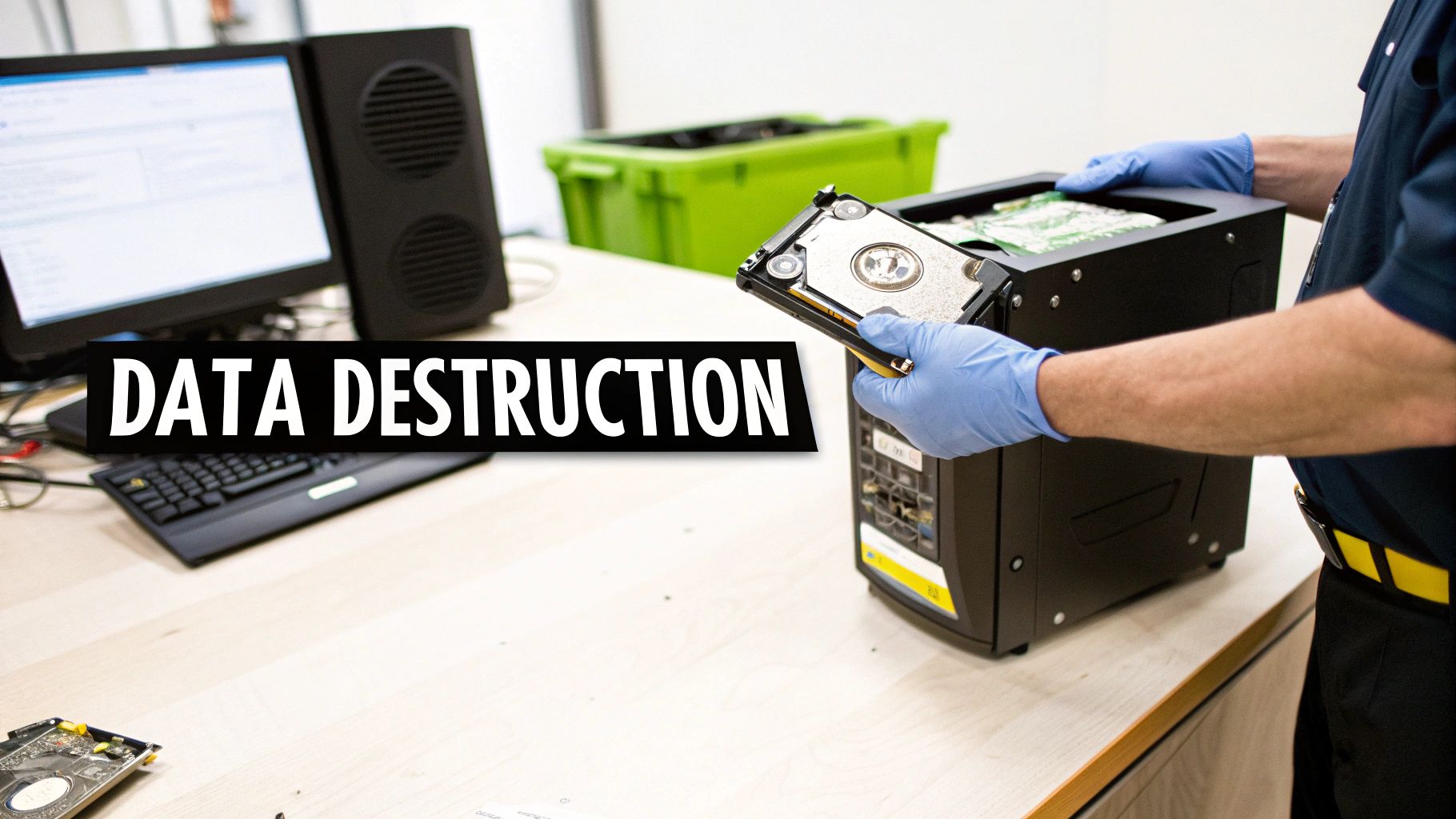
Managing the on-site removal of assets is all about careful coordination. Think about a hospital decommissioning a patient wing or a university clearing out an old computer lab. It can get complicated, fast. A seasoned ITAD partner will work hand-in-glove with your facility managers to map out every detail, from booking elevator time to bringing the right gear like pallet jacks and secure, locked containers.
From De-Installation to Removal: Getting It Out the Door
The actual removal isn't just about hauling away old junk. A professional crew knows how to de-install assets the right way. That could mean carefully un-racking heavy servers from a data center or methodically disconnecting delicate instruments in a lab. It’s a systematic process that prevents damage to your facility and gets the job done quickly.
For organizations across the US, this kind of coordinated effort means a major clean-out doesn't have to grind critical work to a halt. The goal is to make the entire pickup feel almost invisible—turning a potentially chaotic project into a quiet, well-run event happening in the background.
Before the ITAD partner arrives, a little prep work goes a long way. Use this checklist to make sure your facility team is ready for a smooth, efficient pickup.
On-Site Logistics Checklist for Lab and Data Center Decommissioning
| Preparation Step | Key Contact/Department | Notes for Success |
|---|---|---|
| Confirm Pickup Location(s) | Facility Manager, IT Lead | Map out all rooms/areas where assets are staged. Provide the map to the ITAD vendor. |
| Secure Loading Dock Access | Building Security, Logistics | Reserve the loading dock for the scheduled time. Ensure it's clear of other deliveries. |
| Book Freight Elevator | Facility Maintenance | If on an upper floor, reserve the elevator to prevent delays for both parties. |
| Clear Pathways | Department Head, Janitorial | Ensure hallways and corridors are clear for pallet jacks and rolling bins. |
| Identify Power Sources | Electrician/Facilities | Note any equipment that is hardwired and may require an electrician to disconnect safely. |
| Confirm Decontamination | EHS, Lab Manager | For lab gear, ensure all decontamination paperwork is signed and attached to each unit. |
Having these details sorted out beforehand saves an incredible amount of time and prevents last-minute scrambling on pickup day.
The Non-Negotiable Step: Certified E-Waste Recycling
After your equipment is loaded onto the truck, it enters the final—and most environmentally critical—phase of its life. Tossing old electronics into a dumpster is not just irresponsible; it's often illegal. E-waste is packed with hazardous materials like lead, mercury, and cadmium that can leach into soil and groundwater.
This is exactly why partnering with a certified e-waste recycler is an absolute must. Those certifications are your proof that your assets are being handled responsibly, protecting both the planet and your organization's good name.
There are two gold standards you should always look for:
- R2 (Responsible Recycling): This is a globally recognized standard audited for worker safety, environmental protection, and data security. An R2-certified facility has proven it follows a strict chain of custody for all materials and won't illegally export hazardous e-waste.
- e-Stewards: Often seen as the most stringent certification out there, e-Stewards enforces a zero-tolerance policy for exporting hazardous electronics to developing nations. It also demands the highest levels of data security and worker protection.
When you choose a vendor with these credentials, you’re performing a powerful act of due diligence. It documents that you took verifiable steps to ensure your e-waste didn't end up poisoning a landfill somewhere.
Choosing a certified recycler isn't just about checking a compliance box. It’s about responsibly closing the loop on your asset's lifecycle. You transform a disposal liability into a documented act of environmental stewardship, protecting your brand from the kind of negative press that comes with improper e-waste dumping.
Your Role in the Bigger E-Waste Picture
Proper IT asset disposal is a direct solution to the growing global e-waste crisis. The e-waste management market is set to jump from USD 70 billion in 2024 to about USD 81.27 billion in 2025—a massive 16.1% increase fueled by our constant need for new devices. For organizations with labs, things like fume-hood controllers and centrifuge interfaces all become part of the same regulated waste stream as office computers. The industry no longer sees retired IT as trash; it's a high-value asset class where certified recycling and value recovery are prioritized. You can read more about how investment recovery professionals are tackling these e-waste trends.
This shift in thinking is critical. By working with a certified partner for e-waste recycling services, you can be confident your retired assets are managed in a way that meets both regulatory requirements and sustainability goals. In the end, smart logistics and certified recycling are the final pieces of the puzzle, ensuring your ITAD program is secure, compliant, and responsible from start to finish.
Mastering Documentation for Audit and Compliance
The IT asset disposal process isn't really over when the truck pulls away. In many ways, the most critical step is what happens next: creating a clear, indisputable paper trail. This documentation is your ultimate proof that every single asset was handled securely and responsibly. It’s what protects your organization long after the equipment is gone.
Without this proof, you're walking into an audit completely exposed. Just imagine a compliance officer asking you to prove what happened to a specific server that held sensitive data two years ago. A verbal confirmation or a simple invoice won't cut it. You need official, signed documents to demonstrate due diligence and satisfy auditors for regulations like HIPAA, FERPA, or SOX.
The Power of the Chain of Custody
The cornerstone of all your ITAD paperwork is the chain of custody record. This isn't just a receipt. It's a detailed, chronological log that tracks an asset from the moment it leaves your facility to its final disposition—whether that's reuse, recycling, or destruction. It’s the story that proves you maintained control and security the entire time.
A solid chain of custody document should always include:
- Pickup Details: The exact date, time, and location of the asset removal.
- Asset Identifiers: All serial numbers and your internal asset tags for each device.
- Secure Transport Information: Details on how the assets were moved securely.
- Final Disposition Status: A clear record showing if an asset was wiped for reuse, recycled, or physically destroyed.
Think of this document as your definitive legal and compliance shield. It directly connects every physical piece of hardware to a specific, documented outcome.
Key Documents to Demand from Your ITAD Vendor
Your ITAD partner should provide a full suite of official documents that create a complete, auditable record. Never, ever settle for a basic invoice as your proof of service. For every project, you need to insist on getting these three critical certificates.
- Serialized Inventory Report: This is your master list. It reconciles the assets picked up from your site with what your vendor actually processed at their facility. It should perfectly match the inventory you created, detailing every single item by its serial number.
- Certificate of Data Destruction: This is arguably the most important document of the bunch. It’s the official attestation that all data on the listed devices has been permanently destroyed according to a specific standard, like a DoD 5220.22-M wipe or physical shredding. Each certificate has to list the unique serial numbers of the drives that were sanitized or destroyed.
- Certificate of Recycling: This document confirms that any non-reusable materials were processed in an environmentally compliant way, following standards like R2 or e-Stewards. This is your proof of responsible e-waste handling.
Your documentation is only as strong as the details it contains. Vague, non-serialized reports are a major red flag. Always demand documentation that links every single asset by its unique serial number to a specific, verifiable action.
A Real-World Scenario in Higher Education
Let's look at a practical example. A multi-campus university system decides to decommission an entire computer lab, which includes 150 workstations and a few back-end servers. A year later, they find themselves in a routine compliance audit for FERPA, the law governing the privacy of student records.
The auditor flags the decommissioned lab and asks for proof that the data on those machines was properly handled. Because the university worked with a certified ITAD vendor, the IT director can immediately pull up a complete documentation package:
- The serialized inventory report showing all 150 workstation serial numbers and server asset tags.
- A Certificate of Data Destruction confirming a 3-pass DoD wipe for every functional hard drive, all linked by serial number.
- A separate addendum on the certificate noting the physical shredding of three failed server drives, also tied to their serial numbers.
- A Certificate of Recycling verifying all the hardware was ethically recycled.
The auditor can quickly cross-reference everything, verify the entire process, and close the inquiry on the spot. Without that paper trail, the university would have no way to prove compliance, potentially facing serious penalties. These same rigorous standards are essential when managing more complex hardware, a process we cover in our guide to data center equipment recycling, where audit trails are just as vital. This is what complete, detailed recordkeeping is all about—it turns a good IT asset disposal program into a truly defensible one.
Common IT Asset Disposal Questions Answered

When it comes to IT asset disposal, a lot of questions pop up. We've worked with everyone from local hospital administrators concerned about HIPAA to IT managers for national corporations trying to build a consistent, coast-to-coast process. Let's tackle some of the most frequent inquiries we get, with straightforward answers to give you some clarity.
What Are The Biggest Risks of Improper IT Asset Disposal?
The risks go way beyond just having old computers cluttering up a storage closet. Once you handle retirement improperly, those old assets turn into serious liabilities. The two big ones are data breaches and regulatory non-compliance.
Think about it: a single hard drive you toss aside could hold a goldmine of sensitive info—employee records, proprietary research, or thousands of patient files. If that drive ends up in the wrong hands, you're looking at fraud, identity theft, and a public relations nightmare.
On top of that, regulators don't mess around. Getting hit with steep fines for violating rules like HIPAA or for improper e-waste handling can be crippling. A simple disposal project can quickly become a major financial headache.
Is Wiping A Hard Drive Enough To Secure Data?
For many scenarios, yes—but it all comes down to how you wipe it and what kind of data was on there. Just hitting "delete" or doing a factory reset is never enough. That data is almost always recoverable with basic software.
Professional data wiping, using a proven method like the DoD 5220.22-M 3-pass overwrite, is a solid choice for drives that might be resold or reused. It's highly effective.
But for drives that held extremely sensitive information, or for media that's damaged and can't be reliably wiped (like some SSDs), wiping just doesn't cut it. In those high-stakes situations, physical destruction through shredding is the only way to be 100% sure the data is gone for good.
The question you have to ask is, "What's the real-world risk if this data gets out?" The higher the risk, the stronger the argument for physically shredding the drive.
What Regulations Require Secure IT Asset Disposal?
Several major regulations absolutely require secure data handling when an asset's life is over. This isn't just a best practice; it's a legal obligation for businesses across the United States.
- HIPAA (Health Insurance Portability and Accountability Act): This is the big one for healthcare. It has ironclad rules for protecting patient information, demanding that you make it completely unreadable and unusable before disposal.
- GDPR (General Data Protection Regulation): Even though it's a European law, it impacts any US company that handles the data of EU citizens. You must completely remove personal data when it's no longer needed.
- FERPA (Family Educational Rights and Privacy Act): This protects student education records, which must be securely destroyed.
- State-Level Data Privacy Laws: More and more states are creating their own laws for disposing of personal information, adding another layer of rules you have to follow.
All these frameworks share one critical message: your responsibility for the data doesn't end until you can prove it has been permanently destroyed.
How Often Should I Review My IT Asset Disposal Policy?
Your IT asset disposal policy should never just sit in a binder collecting dust. I tell my clients to review and update it at least once a year. This keeps your procedures in line with current best practices and any new laws that have popped up.
You should definitely consider a review sooner if:
- Regulations Change: A new data privacy or environmental law is passed.
- You Adopt New Tech: Your organization starts using new types of devices or storage media.
- You Have a Security Incident: A review is crucial to plug any gaps that were exposed.
Keeping your policy current is a proactive step that makes your entire security posture stronger. It turns the policy from a document into a living guide that actively protects your organization.
Ready to take the guesswork out of your disposal process? Scientific Equipment Disposal offers secure, compliant, and sustainable solutions for organizations locally and nationwide. We provide everything from on-site logistics to certified data destruction, ensuring your retired assets are handled responsibly from start to finish.
Learn more about our IT asset disposal services at https://www.scientificequipmentdisposal.com